
Claude Code
Anthropic's Claude Code CLI in a browser terminal, with an optional API for automation.
- ghcr.io/worph/claude-code-container:1.0.28
- port 6104
- Developer
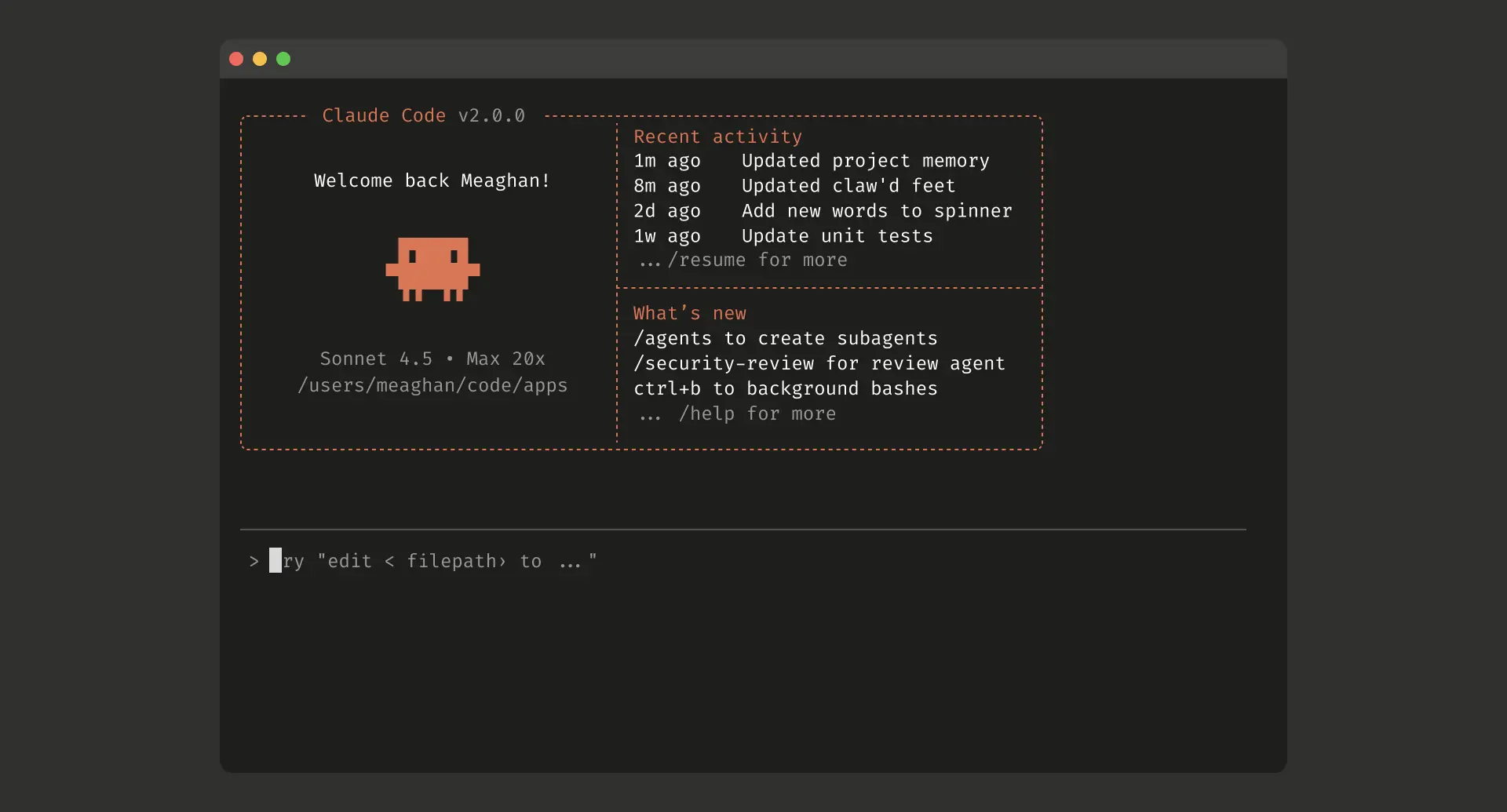
Web Terminal
/http://localhost:6104/ Run Claude Code, Anthropic's AI coding assistant, in a browser terminal that stays open. Reach it from any device and pick up in the same workspace where you left off.
Features
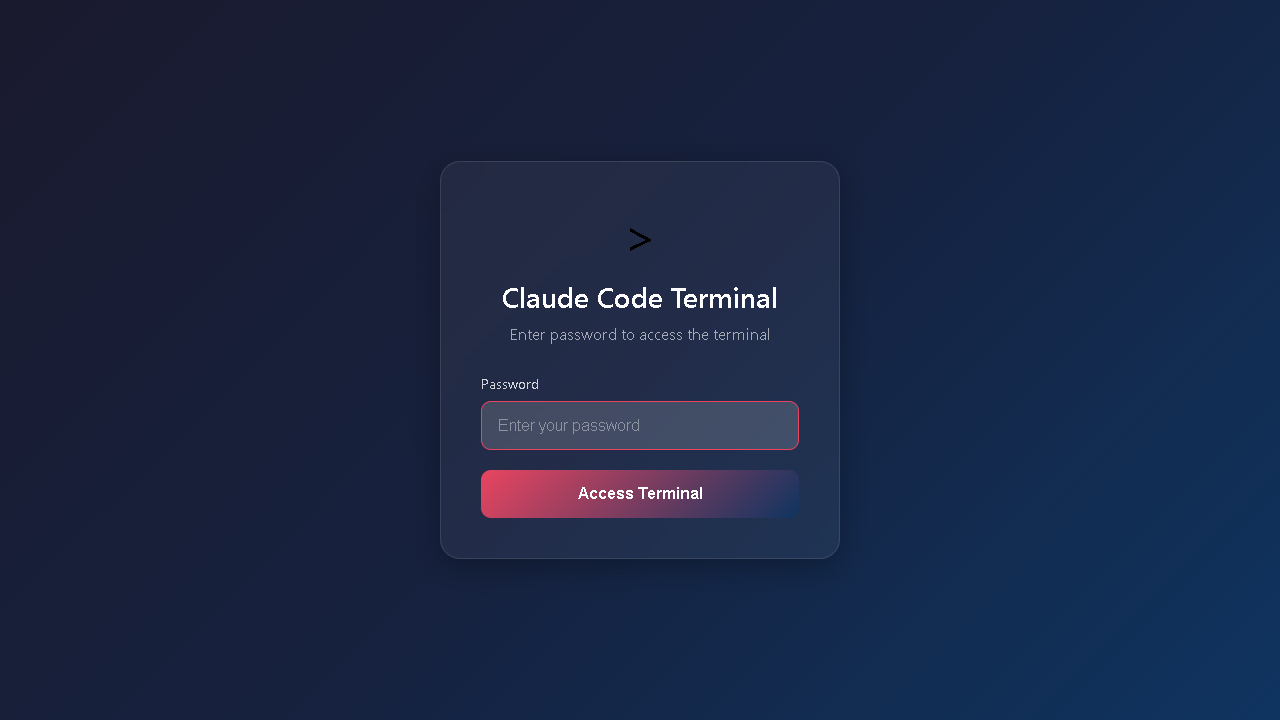
- Browser terminal for Claude Code (ttyd) with a login page
- Your session keeps running when you close the tab, and you reconnect to the same one when you come back
- Optional MCP JSON-RPC API so other Claude or automation tools can send it prompts (off by default, see
MCP_ENABLED) - Optional OpenAI-compatible
/v1/chat/completionsendpoint that uses the same sign-in - Your project files, settings, sign-in and history are kept in
/DATA/AppData/claudecode - Works on amd64 and arm64
How to use
- Open Claude Code from your dashboard.
- Enter your password on the login page. Unless you typed your own in
AUTH_PASSWORD, it is in/DATA/AppData/claudecode/config/password.txt(open it with the Files app) and in the app log. - You are now in a terminal running
claudein/home/claude/workspace. - If you left
ANTHROPIC_API_KEYempty, open the one-time link Claude Code shows and sign in with your Claude Pro or Max subscription. - Closing the tab does not end your session. Opening the app again takes you back to it, until it has been idle for 30 minutes.
Before you install
Put your Anthropic API key in ANTHROPIC_API_KEY, or leave it empty to sign in with a Claude subscription. Leave AUTH_PASSWORD blank and the app makes its own random password on first start, saved in config/password.txt in the app's folder and shown in the app log; or type your own. Leave MCP_ENABLED set to false unless another tool needs to send prompts to this container, because turning it on shares AUTH_PASSWORD with other containers on the same Docker network. Upstream protects the terminal with a separate Caddy container that is not bundled here, so only use this app on your home network. More settings are in the Variables tab and are added in the app settings. The app is ready in under a minute.
The settings in the first table are already in the app settings. To use any other one, open the app settings, add the variable with your value, save, and the app restarts with it. A setting you leave out uses its default.
In the app settings
| Variable | Default value | Description |
|---|---|---|
TZ | $TZ | Your time zone. ZimaOS fills this in for you. |
ANTHROPIC_ | — | Your Anthropic API key. Leave it empty to sign in with a Claude Pro or Max subscription instead. A one-time sign-in link appears the first time you open the web terminal. |
AUTH_ | — | The password for the web terminal login page, and the Bearer token for the MCP API. Leave it blank and the app makes a random one on first start. Find it in password.txt in the app's config folder (/DATA/AppData/claudecode/config/password.txt, open it with the Files app) or in the app log. Or type your own here. |
MCP_ | false | Keep this false unless another Claude or automation tool needs to send prompts to this container through /mcp. Turning it on also starts a network beacon that shares AUTH_PASSWORD with other containers on the same Docker network. |
Web terminal
| Variable | Default value | Description |
|---|---|---|
CLAUDE_ | 1800 | Seconds with no browser tab open before the web terminal session is closed. The next visit then starts a fresh session. |
MCP API
| Variable | Default value | Description |
|---|---|---|
DISCOVERY_ | 9099 | The UDP port of the auto-discovery beacon. Only used when MCP_ENABLED is true. |
name: claudecode
services:
claudecode:
image: ghcr.io/worph/claude-code-container:1.0.28
container_name: claudecode
restart: unless-stopped
stop_grace_period: 30s
network_mode: bridge
entrypoint:
- /bin/sh
- -c
- |
export CLAUDE_CONFIG_DIR="$${CLAUDE_CONFIG_DIR:-/home/claude/.claude}"
f=/home/claude/.claude/password.txt
if [ -z "$$AUTH_PASSWORD" ]; then
if [ ! -s "$$f" ]; then
head -c 18 /dev/urandom | od -An -tx1 | tr -d ' \n' > "$$f" || { echo "[icestore] cannot write $$f"; exit 1; }
chmod 600 "$$f"
echo "[icestore] first start: your login password is $$(cat "$$f")"
fi
AUTH_PASSWORD=$$(cat "$$f")
export AUTH_PASSWORD
echo "[icestore] login password: see /DATA/AppData/claudecode/config/password.txt"
fi
exec /init
environment:
- TZ=$TZ
- ANTHROPIC_API_KEY=
- AUTH_PASSWORD=
- MCP_ENABLED=false
ports:
- target: 8080
published: "6104"
protocol: tcp
volumes:
- type: bind
source: /DATA/AppData/$AppID/workspace
target: /home/claude/workspace
bind:
create_host_path: true
- type: bind
source: /DATA/AppData/$AppID/config
target: /home/claude/.claude
bind:
create_host_path: true
deploy:
resources:
limits:
cpus: "2.00"
memory: 2048M
reservations:
cpus: "0.25"
memory: 512M
labels:
icon: https://cdn.jsdelivr.net/gh/HSinghHira/IceStore@main/Apps/claudecode/icon.png
x-casaos:
id: com.icestore.claudecode
envs:
- container: TZ
description:
en_US: Your time zone. ZimaOS fills this in for you.
- container: ANTHROPIC_API_KEY
description:
en_US: Your Anthropic API key. Leave it empty to sign in with a Claude Pro or Max subscription instead. A one-time sign-in link appears the first time you open the web terminal.
- container: AUTH_PASSWORD
description:
en_US: >-
The password for the web terminal login page, and the Bearer
token for the MCP API. Leave it blank and the app makes a random
one on first start. Find it in password.txt in the app's config
folder (/DATA/AppData/claudecode/config/password.txt, open it
with the Files app) or in the app log. Or type your own here.
- container: MCP_ENABLED
description:
en_US: Keep this false unless another Claude or automation tool needs to send prompts to this container through /mcp. Turning it on also starts a network beacon that shares AUTH_PASSWORD with other containers on the same Docker network.
ports:
- container: "8080"
description:
en_US: Web terminal running Claude Code, published on host as 6104.
volumes:
- container: /home/claude/workspace
description:
en_US: Your project files. Everything Claude Code reads and writes lives here.
- container: /home/claude/.claude
description:
en_US: Claude Code's settings, sign-in and conversation history.
x-casaos:
id: com.icestore.claudecode
architectures:
- amd64
- arm64
main: claudecode
author: HSinghHira
category: Developer
developer: worph
icon: https://cdn.jsdelivr.net/gh/HSinghHira/IceStore@main/Apps/claudecode/icon.png
thumbnail: https://cdn.jsdelivr.net/gh/HSinghHira/IceStore@main/Apps/claudecode/screenshot-1.png
screenshot_link:
- https://cdn.jsdelivr.net/gh/HSinghHira/IceStore@main/Apps/claudecode/screenshot-1.png
- https://cdn.jsdelivr.net/gh/HSinghHira/IceStore@main/Apps/claudecode/screenshot-2.png
title:
en_US: Claude Code
tagline:
en_US: Anthropic's Claude Code CLI in a browser terminal, with an optional API for automation.
description:
en_US: >-
Visit: [https://icestore.hsinghhira.me/app/claudecode/](https://icestore.hsinghhira.me/app/claudecode/) for full details
Run Claude Code, Anthropic's AI coding assistant, in a browser
terminal that stays open. Reach it from any device and pick up in the
same workspace where you left off.
**Features**
- Browser terminal for Claude Code (ttyd) with a login page
- Your session keeps running when you close the tab, and you reconnect
to the same one when you come back
- Optional MCP JSON-RPC API so other Claude or automation tools can
send it prompts (off by default, see MCP_ENABLED)
- Optional OpenAI-compatible /v1/chat/completions endpoint that uses
the same sign-in
- Your project files, settings, sign-in and history are kept in
/DATA/AppData/$AppID
- Works on amd64 and arm64
**How to use?**
1. Open Claude Code from the Zima OS dashboard.
2. Enter your password on the login page. Unless you typed your own
in AUTH_PASSWORD, it is in
/DATA/AppData/claudecode/config/password.txt.
3. You are now in a terminal running `claude` in
/home/claude/workspace.
4. If you left ANTHROPIC_API_KEY empty, open the one-time link Claude
Code shows and sign in with your Claude Pro or Max subscription.
5. Closing the tab does not end your session. Opening the app again
takes you back to it, until it has been idle for 30 minutes.
tips:
before_install:
en_US: >-
Visit: [https://icestore.hsinghhira.me/app/claudecode/](https://icestore.hsinghhira.me/app/claudecode/) for full details
index: /
port_map: "6104"
scheme: http
is_uncontrolled: false
version: "1.0.28"
update_at: "2026-10-21"
release_notes:
en_US: |-
- AUTH_PASSWORD is now blank by default, and each install makes its own random password on first start (saved in config/password.txt and shown in the log). The pre-filled value in earlier versions was the same for everyone: if you installed before, type your own AUTH_PASSWORD in the app settings.
- Moved to IceStore and pinned to ghcr.io/worph/claude-code-container:1.0.28.
- Port changed from 8443 to 6104.
- ANTHROPIC_API_KEY is now empty by default, which is what the image expects for subscription sign-in.
- Sign-in state is kept in the config folder through CLAUDE_CONFIG_DIR, instead of a separate .claude.json file mount that became a folder on a fresh install.
- CLAUDE_CONFIG_DIR is now set by the start script, so it no longer shows in the install screen.
- MCP automation endpoint (/mcp) stays off by default (MCP_ENABLED=false). Turning it on also starts a UDP beacon that shares AUTH_PASSWORD with containers on the same Docker network.
- Only the web terminal port is published. Upstream protects it with a separate Caddy forward-auth container, which is not bundled here, so keep the port on your home network.
repo: "https://github.com/worph/claude-code-container"
support: "https://github.com/worph/claude-code-container/issues"
docs: "https://github.com/worph/claude-code-container/tree/main/docs" ZimaOS
 CasaOS
 Homeio