
Cloudreve
Self-hosted file management and cloud storage
- ghcr.io/hsinghhira/cloudreve:latest
- port 6125
- port 6126
- port 6126
- Productivity

Web App
/http://localhost:6125/ WebDAV
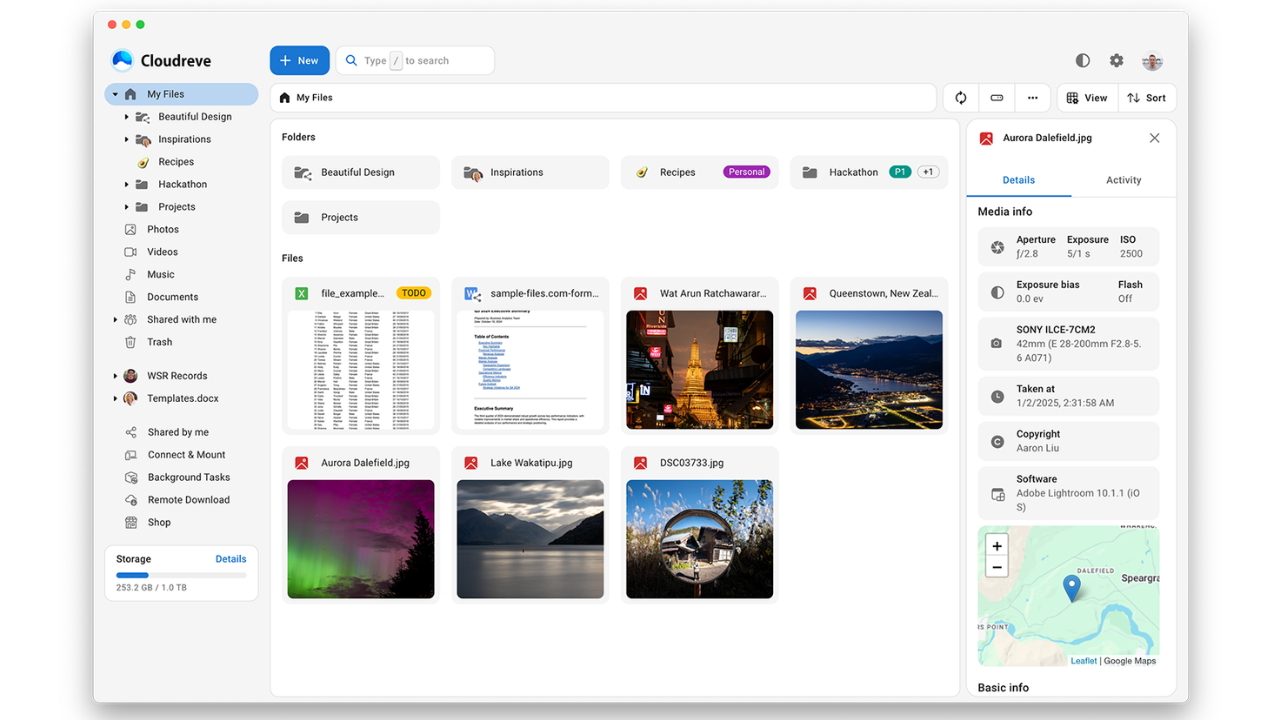
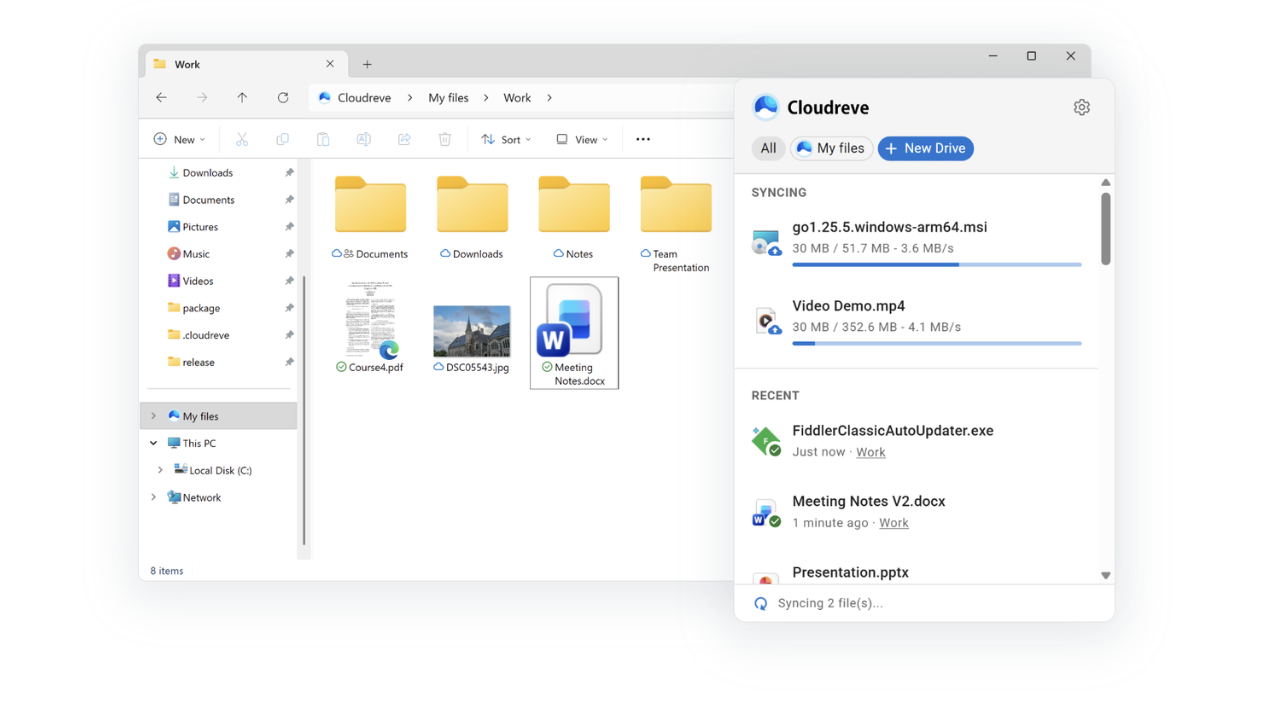
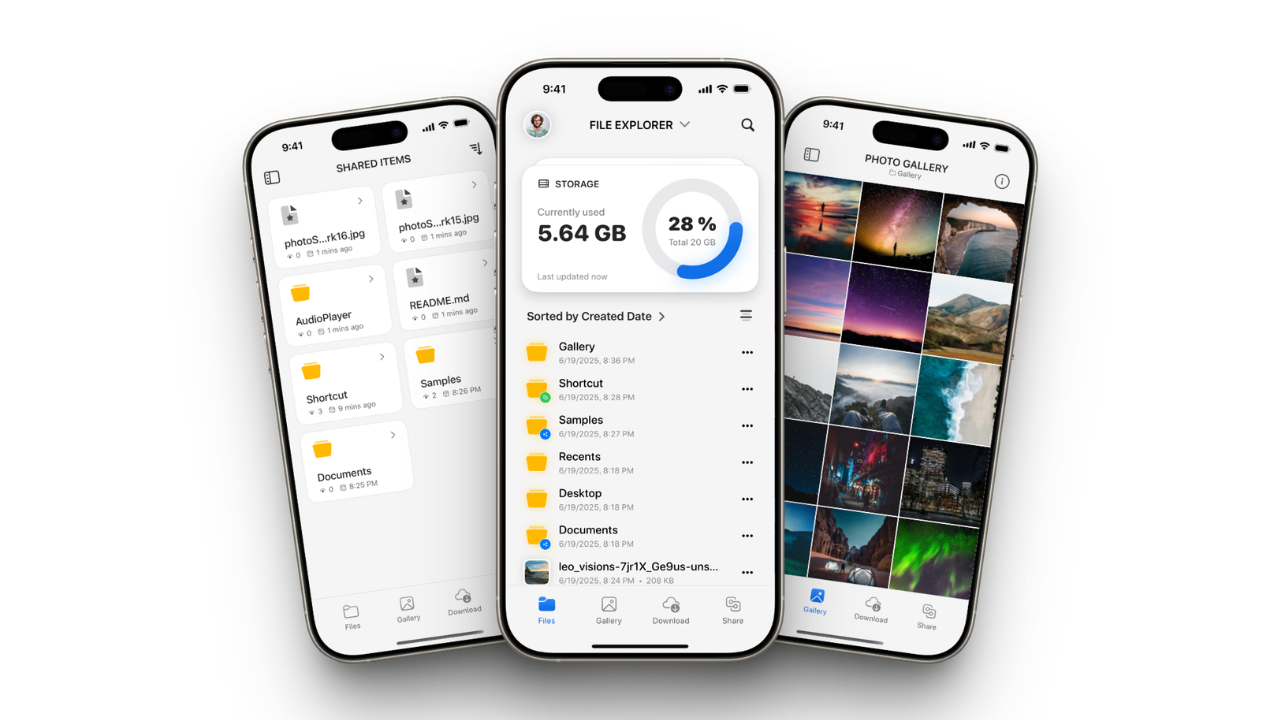
/davhttp://localhost:6125/dav Cloudreve is an open-source, self-hosted file management and sharing platform - a private Dropbox or Google Drive that you fully control. This is Cloudreve in a single container, with PostgreSQL and Redis inside, one web port and one data folder.
Features
- Drag-and-drop uploads, previews in the browser, and share links with passwords and expiry dates
- WebDAV, to use Cloudreve as a network drive on Windows, macOS or Linux
- Many storage backends - Local, S3-compatible (MinIO, Backblaze B2, Cloudflare R2, AWS S3), OneDrive and more - set per user group
- Remote downloads with the built-in aria2, straight to your storage
- Thumbnails for photos, videos and Office files (ffmpeg, libvips, LibreOffice and libraw are included)
- PostgreSQL and Redis inside, with nothing to set up
How to use
- Open Cloudreve from your dashboard.
- Create an account. The first account becomes the admin.
- Upload files and make folders.
- Open the admin panel to add other storage, user groups and sharing rules.
- Turn on WebDAV in your user settings to use it as a network drive.
Before you install
Change localhost in PUBLIC_URL to your ZimaOS IP, like http://192.168.1.20:6125, so share links and WebDAV work on other devices. It is only used on the first start; after that, change the Site URL in the admin panel. The first start takes about a minute. Then open http://your-zimaos-ip:6125 and sign up: the first account becomes the admin, so make yours before anyone else. The site name, sign-up switches and log level are in the Variables tab; add them in the app settings.
The settings in the first table are already in the app settings. To use any other one, open the app settings, add the variable with your value, save, and the app restarts with it. A setting you leave out uses its default.
In the app settings
| Variable | Default value | Description |
|---|---|---|
TZ | $TZ | Your time zone. It is filled in from your ZimaOS time zone. Leave it unless you need another. |
PUBLIC_ | http://localhost:6125 | The address you open Cloudreve at, like http://your-zimaos-ip:6125. Share links, WebDAV and emails use it. Change localhost to your ZimaOS IP, or to your own domain if you put Cloudreve behind HTTPS. Only used on the first start; change it later in the admin panel (Settings, Site URL). |
Site
| Variable | Default value | Description |
|---|---|---|
CR_ | Cloudreve | The name shown in the browser tab and in emails. Only used on the first start; change it later in the admin panel. |
Sign-up and accounts
| Variable | Default value | Description |
|---|---|---|
CR_ | 1 | Set to 0 so nobody can sign up on their own after you; you add users in the admin panel. Only used on the first start. Make your own account first, or turn sign-up off later in the admin panel instead. |
CR_ | 0 | Set to 1 so new accounts must confirm their email. Set up email (SMTP) in the admin panel first. Only used on the first start. |
CR_ | 0 | Set to 1 to show a captcha on the sign-in page. Only used on the first start. |
CR_ | 0 | Set to 1 to show a captcha on the sign-up page. Only used on the first start. |
Logs
| Variable | Default value | Description |
|---|---|---|
CR_ | info | How much goes in the app log: debug, info, warning or error. |
name: cloudreve
services:
cloudreve:
image: ghcr.io/hsinghhira/cloudreve:latest
container_name: cloudreve
restart: unless-stopped
stop_grace_period: 90s
privileged: true
environment:
- TZ=$TZ
- PUBLIC_URL=http://localhost:6125
ports:
- target: 8080
published: "6125"
protocol: tcp
- target: 6888
published: "6126"
protocol: tcp
- target: 6888
published: "6126"
protocol: udp
volumes:
- type: bind
source: /DATA/AppData/$AppID/data
target: /data
bind:
create_host_path: true
healthcheck:
test: ["CMD", "curl", "-fsS", "-o", "/dev/null", "http://127.0.0.1:8080/api/v4/site/ping"]
interval: 30s
timeout: 10s
retries: 5
start_period: 120s
deploy:
resources:
limits:
cpus: "2.00"
memory: 2048M
reservations:
cpus: "0.25"
memory: 384M
labels:
icon: https://cdn.jsdelivr.net/gh/HSinghHira/IceStore@main/Apps/cloudreve/icon.png
x-casaos:
id: com.icestore.cloudreve
envs:
- container: TZ
description:
en_US: >-
Your time zone. It is filled in from your ZimaOS time zone.
Leave it unless you need another.
- container: PUBLIC_URL
description:
en_US: >-
The address you open Cloudreve at, like
http://your-zimaos-ip:6125. Share links, WebDAV and emails use
it. Change localhost to your ZimaOS IP, or to your own domain if
you put Cloudreve behind HTTPS. Only used on the first start;
change it later in the admin panel (Settings, Site URL).
ports:
- container: "8080"
description:
en_US: Cloudreve web app, API and WebDAV, published on host as 6125
- container: "6888"
description:
en_US: >-
aria2 BitTorrent and DHT port (tcp and udp), published on host as
6126. Only used for remote downloads.
volumes:
- container: /data
description:
en_US: >-
The database, Redis, uploaded files (Local storage policy),
avatars, thumbnails, conf.ini and settings.
x-casaos:
id: com.icestore.cloudreve
architectures:
- amd64
- arm64
main: cloudreve
author: HSinghHira
category: Productivity
developer: cloudreve
icon: https://cdn.jsdelivr.net/gh/HSinghHira/IceStore@main/Apps/cloudreve/icon.png
thumbnail: https://cdn.jsdelivr.net/gh/HSinghHira/IceStore@main/Apps/cloudreve/screenshot-1.png
screenshot_link:
- https://cdn.jsdelivr.net/gh/HSinghHira/IceStore@main/Apps/cloudreve/screenshot-1.png
- https://cdn.jsdelivr.net/gh/HSinghHira/IceStore@main/Apps/cloudreve/screenshot-2.png
- https://cdn.jsdelivr.net/gh/HSinghHira/IceStore@main/Apps/cloudreve/screenshot-3.png
- https://cdn.jsdelivr.net/gh/HSinghHira/IceStore@main/Apps/cloudreve/screenshot-4.png
title:
en_US: Cloudreve
tagline:
en_US: Self-hosted file management and cloud storage
description:
en_US: >-
Cloudreve is an open-source, self-hosted file management and sharing platform - a private Dropbox or Google Drive that you fully control.
This is Cloudreve in a single container, with PostgreSQL and Redis inside,
one web port and one data folder.
**Features**
- Drag-and-drop uploads, previews in the browser, and share links
with passwords and expiry dates
- WebDAV, to use Cloudreve as a network drive on Windows, macOS or Linux
- Many storage backends - Local, S3-compatible (MinIO, Backblaze B2,
Cloudflare R2, AWS S3), OneDrive and more - set per user group
- Remote downloads with the built-in aria2, straight to your storage
- Thumbnails for photos, videos and Office files (ffmpeg, libvips,
LibreOffice and libraw are included)
- PostgreSQL and Redis inside, with nothing to set up
**How to use?**
1. Open Cloudreve from the Zima OS dashboard.
2. Create an account. The first account becomes the admin.
3. Upload files and make folders.
4. Open the admin panel to add other storage, user groups and sharing
rules.
5. Turn on WebDAV in your user settings to use it as a network drive.
tips:
before_install:
en_US: >-
1. Open the app configuration before you install.
2. Find PUBLIC_URL. Change localhost to your ZimaOS IP, for example
http://192.168.1.20:6125 (your own IP will differ).
3. More settings, like the site name and sign-up, are listed on the
Cloudreve page at https://icestore.hsinghhira.me/app/cloudreve/
(Variables tab). You can add them now or later in the app settings.
4. Start the installation.
5. Wait about one minute. The first start sets up the database.
6. Open http://your-zimaos-ip:6125 in your browser.
7. Click sign up and create your account. The first account becomes
the admin, so make yours before anyone else.
8. All other settings are in the admin panel in the app.
index: /
port_map: "6125"
scheme: http
is_uncontrolled: false
version: "4.19.1"
update_at: "2026-10-23"
release_notes:
en_US: |-
- Single-container Cloudreve with one web port (6125), the aria2 port (6126) and one data folder
- cloudreve/cloudreve 4.19.1
- PostgreSQL 17 and Redis inside, on 127.0.0.1 only, with no passwords to set
repo: "https://github.com/cloudreve/cloudreve"
support: "https://github.com/cloudreve/cloudreve/issues"
docs: "https://docs.cloudreve.org/" ZimaOS
 CasaOS
 Homeio