
cobalt
Save videos, audio and pictures from the web. No ads, no trackers.
- ghcr.io/hsinghhira/cobalt:latest
- port 6144
- Media
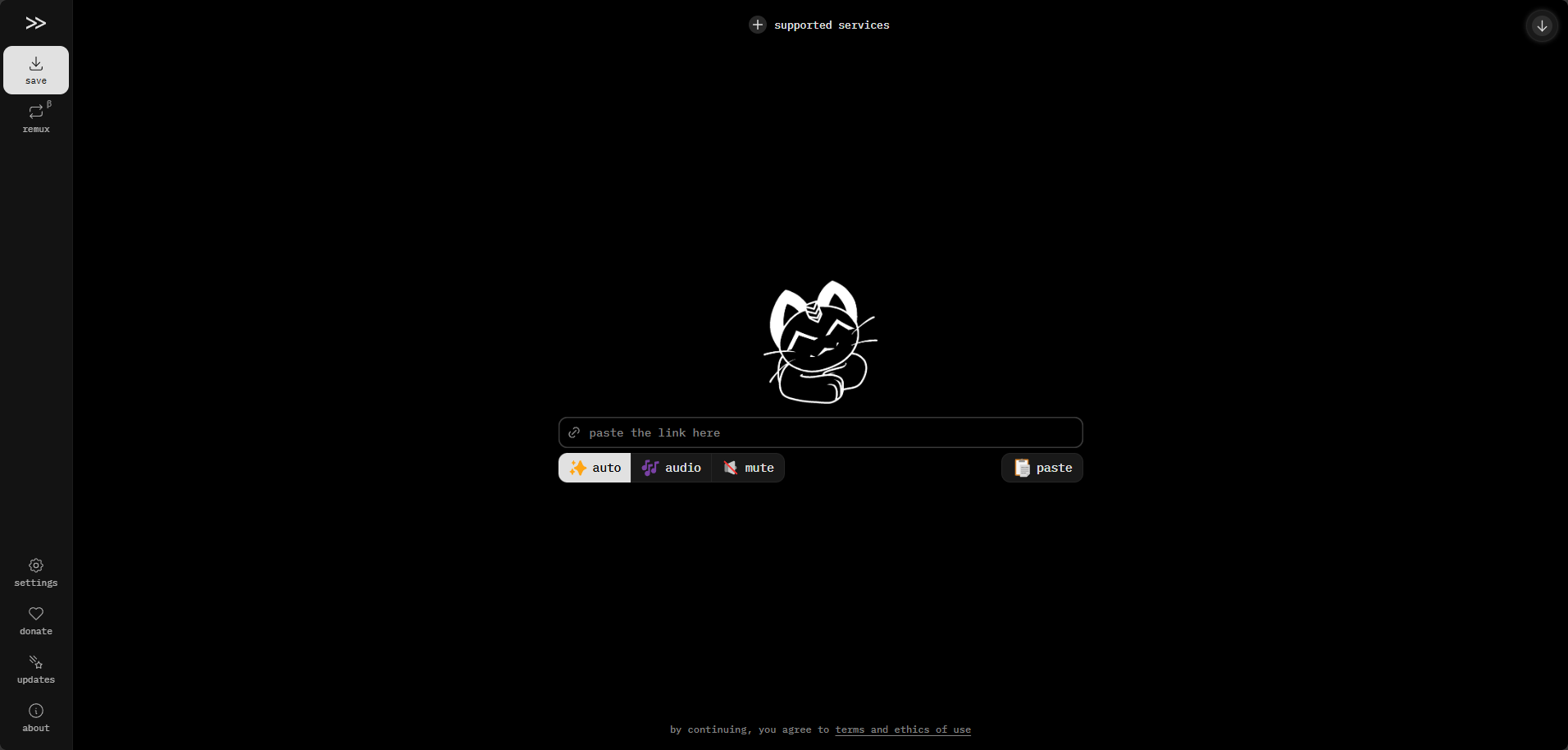
Web App
/http://localhost:6144/ cobalt saves what you love from the web. Paste a link from YouTube, TikTok, Instagram, Reddit, SoundCloud, Bluesky and many more sites, and get the file. No ads, no trackers, no paywalls. This is the official cobalt API and the official cobalt web app in a single container, with one port and one data folder.
Features
- Saves video, audio and pictures from dozens of sites
- Pick video, audio only or muted video, plus quality and format in the settings
- Nothing is stored: files stream straight from the site to you
- Remux and convert files on your own device in the browser
- The web app always matches the API version; both come from the same upstream release
- Optional cookies for content that needs a sign-in, API keys and Cloudflare Turnstile bot protection for public instances
How to use
- Open cobalt from your dashboard.
- Paste a link into the box.
- Pick auto, audio or mute, then save the file.
Before you install
Change localhost in PUBLIC_URL to your server's IP address (keep port 6144), because download links are made from it. Every other setting is optional and listed in the Variables tab. To use one, add it in the app settings with your value; a setting you leave out keeps its default. For sites that need a sign-in, put a cookies.json file (see cobalt's cookie format) in the config folder inside the app's data folder and restart the app; a keys.json there turns on API keys. The first start takes about a minute.
The settings in the first table are already in the app settings. To use any other one, open the app settings, add the variable with your value, save, and the app restarts with it. A setting you leave out uses its default.
In the app settings
| Variable | Default value | Description |
|---|---|---|
TZ | $TZ | Your time zone. It is filled in from your ZimaOS time zone. Leave it unless you need another. |
PUBLIC_ | http://localhost:6144 | The address you type in your browser. Download links are made from it, so it must be right. It starts as localhost, which only works on this device. For other devices, change localhost to your ZimaOS IP. Keep the port at 6144. |
Server
| Variable | Default value | Description |
|---|---|---|
DISABLED_ | — | Sites to turn off, separated by commas, like bilibili,youtube. Leave it out to allow every site cobalt supports. |
FORCE_ | never | Set to always so merging and converting happen in the browser instead of on your server, or session for session clients only. |
DURATION_ | 10800 | The longest video or audio people can save, in seconds. 10800 is three hours. |
TUNNEL_ | 90 | How many seconds a download link keeps working. |
PROCESSING_ | — | A nice value for ffmpeg, like 10. Higher numbers give it less of your CPU. Leave it out to run at normal priority. |
Proxy
| Variable | Default value | Description |
|---|---|---|
HTTP_ | — | A proxy for all outgoing requests, like http://user:[email protected]:1337/. |
HTTPS_ | — | A proxy for https requests only. Leave it out to use HTTP_PROXY for both. |
NO_ | — | Host names that skip the proxy, separated by commas. |
Rate limits
| Variable | Default value | Description |
|---|---|---|
RATELIMIT_ | 60 | The time window, in seconds, for counting save requests. |
RATELIMIT_ | 20 | How many save requests one person can make in that window. |
SESSION_ | 60 | The time window, in seconds, for counting new sessions. |
SESSION_ | 10 | How many sessions one person can start in that window. |
TUNNEL_ | 60 | The time window, in seconds, for counting downloads. |
TUNNEL_ | 40 | How many downloads one person can start in that window. |
Protect a public instance
| Variable | Default value | Description |
|---|---|---|
TURNSTILE_ | — | The site key from Cloudflare Turnstile. Set it together with TURNSTILE_SECRET to make visitors pass a bot check. The JWT secret it needs is already made for you. |
TURNSTILE_ | — | The secret key from Cloudflare Turnstile. |
JWT_ | 120 | How many seconds a passed bot check stays valid. |
API_ | 0 | Set to 1 so every request needs an API key or a passed bot check. |
API_ | — | Where your API keys file is. Leave it out and a keys.json in the config folder of the data folder is used when it exists. |
CORS_ | 1 | Set to 0 so other websites can't use your API, only CORS_URL. |
CORS_ | — | The one website allowed to use your API when CORS_WILDCARD is 0. |
YouTube
| Variable | Default value | Description |
|---|---|---|
YOUTUBE_ | — | The address of a yt-session-generator you run, like http://192.168.1.20:8080/. Helps when YouTube blocks downloads. |
YOUTUBE_ | — | The YouTube client to use with that session, like WEB_EMBEDDED. |
CUSTOM_ | — | Use another YouTube client instead of the default one, like IOS. |
YOUTUBE_ | — | YouTube player IDs to use, separated by commas. Leave it out to use the newest one. |
YOUTUBE_ | 0 | Set to 1 to allow the better audio option. It uses up the rate limit faster. |
ENABLE_ | never | Set to always or key to let requests ask for YouTube HLS streams. |
name: cobalt
services:
cobalt:
image: ghcr.io/hsinghhira/cobalt:latest
container_name: cobalt
restart: unless-stopped
stop_grace_period: 40s
privileged: true
environment:
- TZ=$TZ
- PUBLIC_URL=http://localhost:6144
ports:
- target: 8080
published: "6144"
protocol: tcp
volumes:
- type: bind
source: /DATA/AppData/$AppID/data
target: /data
bind:
create_host_path: true
healthcheck:
test: ["CMD", "curl", "-fsS", "-o", "/dev/null", "http://127.0.0.1:8080/api/"]
interval: 30s
timeout: 10s
retries: 5
start_period: 60s
deploy:
resources:
limits:
cpus: "2.00"
memory: 1024M
reservations:
cpus: "0.00"
memory: 128M
labels:
icon: https://cdn.jsdelivr.net/gh/HSinghHira/IceStore@main/Apps/cobalt/icon.png
x-casaos:
id: com.icestore.cobalt
envs:
- container: TZ
description:
en_US: >-
Your time zone. It is filled in from your ZimaOS time zone.
Leave it unless you need another.
- container: PUBLIC_URL
description:
en_US: >-
The address you type in your browser. Download links are made
from it, so it must be right. It starts as localhost, which only
works on this device. For other devices, change `localhost` to
your ZimaOS IP. Keep the port at 6144.
ports:
- container: "8080"
description:
en_US: cobalt web app and API, published on host as 6144
volumes:
- container: /data
description:
en_US: >-
Settings and keys. Put cookies.json or keys.json in the config
folder inside it.
x-casaos:
id: com.icestore.cobalt
architectures:
- amd64
- arm64
main: cobalt
author: HSinghHira
category: Media
developer: imputnet
icon: https://cdn.jsdelivr.net/gh/HSinghHira/IceStore@main/Apps/cobalt/icon.png
screenshot_link:
- https://cdn.jsdelivr.net/gh/HSinghHira/IceStore@main/Apps/cobalt/screenshot-1.png
title:
en_US: cobalt
tagline:
en_US: Save videos, audio and pictures from the web. No ads, no trackers.
description:
en_US: >-
cobalt saves what you love from the web. Paste a link from YouTube,
TikTok, Instagram, Reddit, SoundCloud, Bluesky and many more sites, and
get the file. No ads, no trackers, no paywalls. This is the official
cobalt API and the official cobalt web app in a single container, with
one port and one data folder.
**Features**
- Saves video, audio and pictures from dozens of sites
- Pick video, audio only or muted video, plus quality and format in
the settings
- Nothing is stored: files stream straight from the site to you
- Remux and convert files on your own device in the browser
- The web app always matches the API version; both come from the same
upstream release
- Optional cookies for content that needs a sign-in, API keys and
Cloudflare Turnstile bot protection for public instances
**How to use?**
1. Open cobalt from the Zima OS dashboard.
2. Paste a link into the box.
3. Pick auto, audio or mute, then save the file.
tips:
before_install:
en_US: >-
1. Open the app configuration before you install.
2. Find PUBLIC_URL. It starts as http://localhost:6144.
3. To use cobalt on other devices, change localhost to your ZimaOS
IP address, like http://192.168.1.20:6144. Downloads only work
from the address you put here.
4. More settings, like turning sites off or bot protection, are
listed on the cobalt page at https://icestore.hsinghhira.me/app/cobalt/
(Variables tab). You can add them now or later in the app settings.
5. Start the installation.
6. Wait about a minute.
7. Open cobalt from the Zima OS dashboard and paste a link.
8. Some sites need you to be signed in. For those, put a cookies.json
file in the config folder inside the app's data folder, then
restart the app.
index: /
port_map: "6144"
scheme: http
is_uncontrolled: false
version: "11.7.1"
update_at: "2026-10-25"
release_notes:
en_US: |-
- Single-container cobalt with one port (6144) and one data folder
- The web app is the official one, built from the same commit as the API
- Web app on /, API on /api, one address and port; the web app finds the API by itself
- Drop cookies.json or keys.json in /data/config to use them
- ghcr.io/imputnet/cobalt 11.7.1
repo: "https://github.com/imputnet/cobalt"
support: "https://github.com/imputnet/cobalt/issues"
docs: "https://github.com/imputnet/cobalt/blob/main/docs/run-an-instance.md" ZimaOS
 CasaOS
 Homeio