
deGoog
Self-hosted search aggregator you can extend with plugins.
- ghcr.io/degoog-org/degoog:1.1.0
- port 6141
- Networking
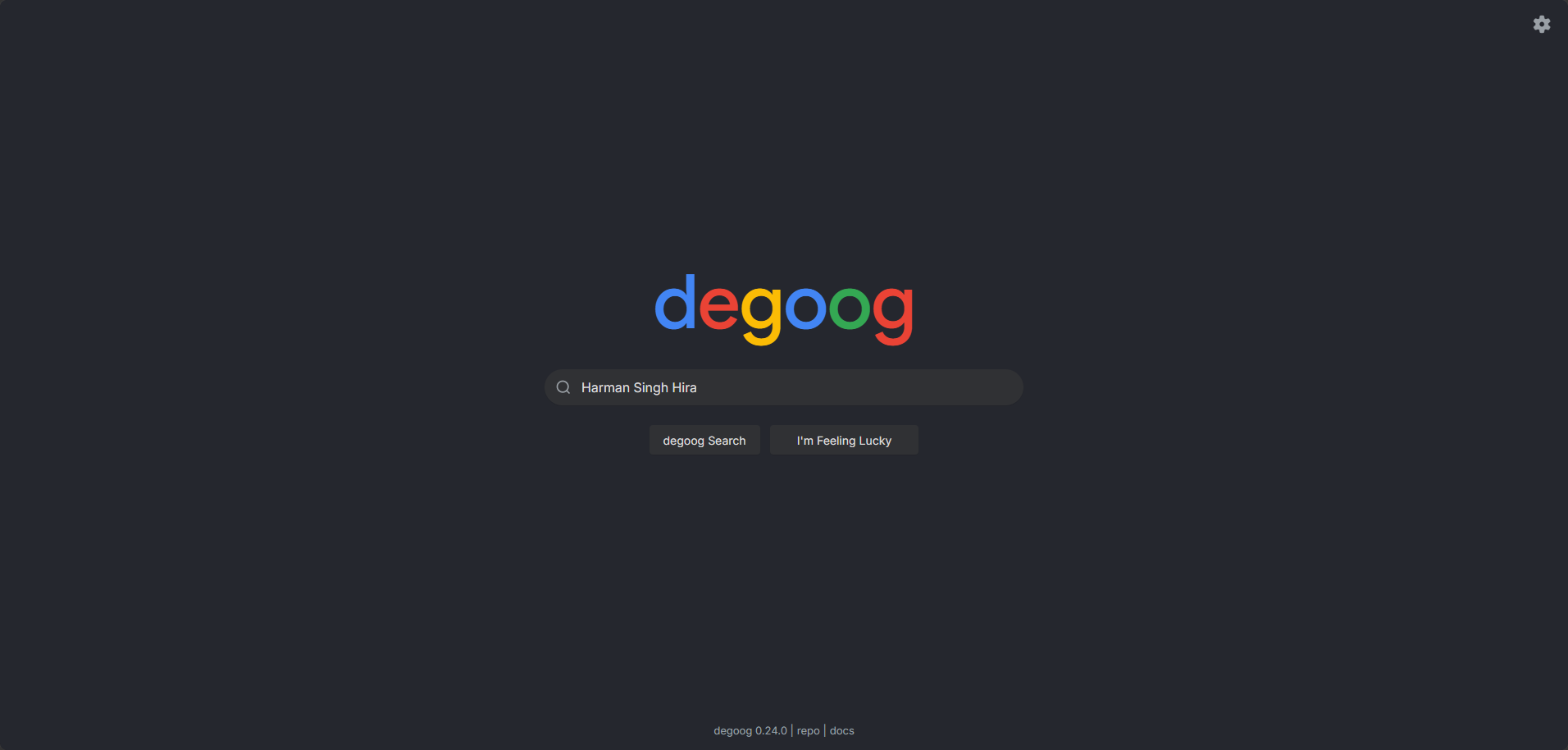
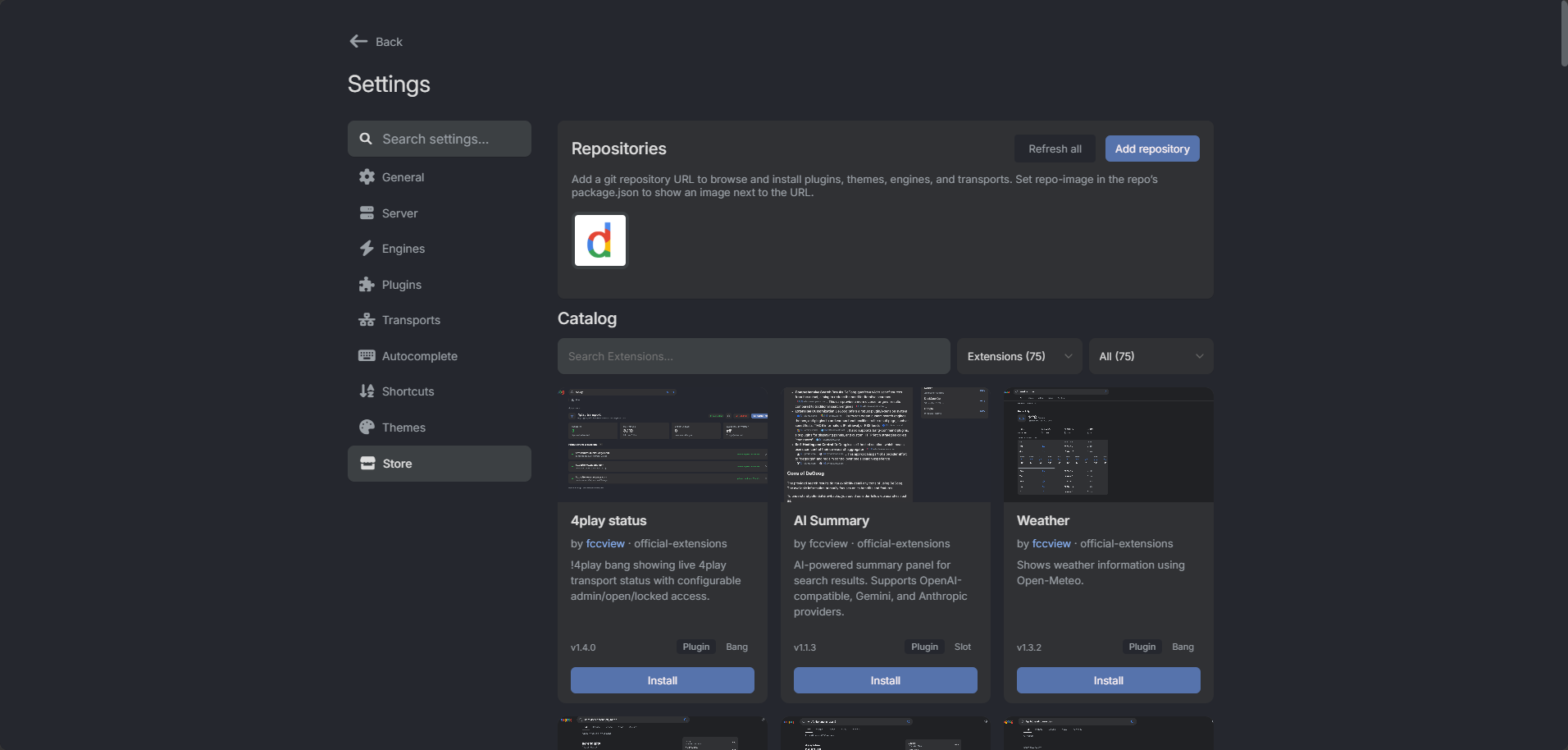
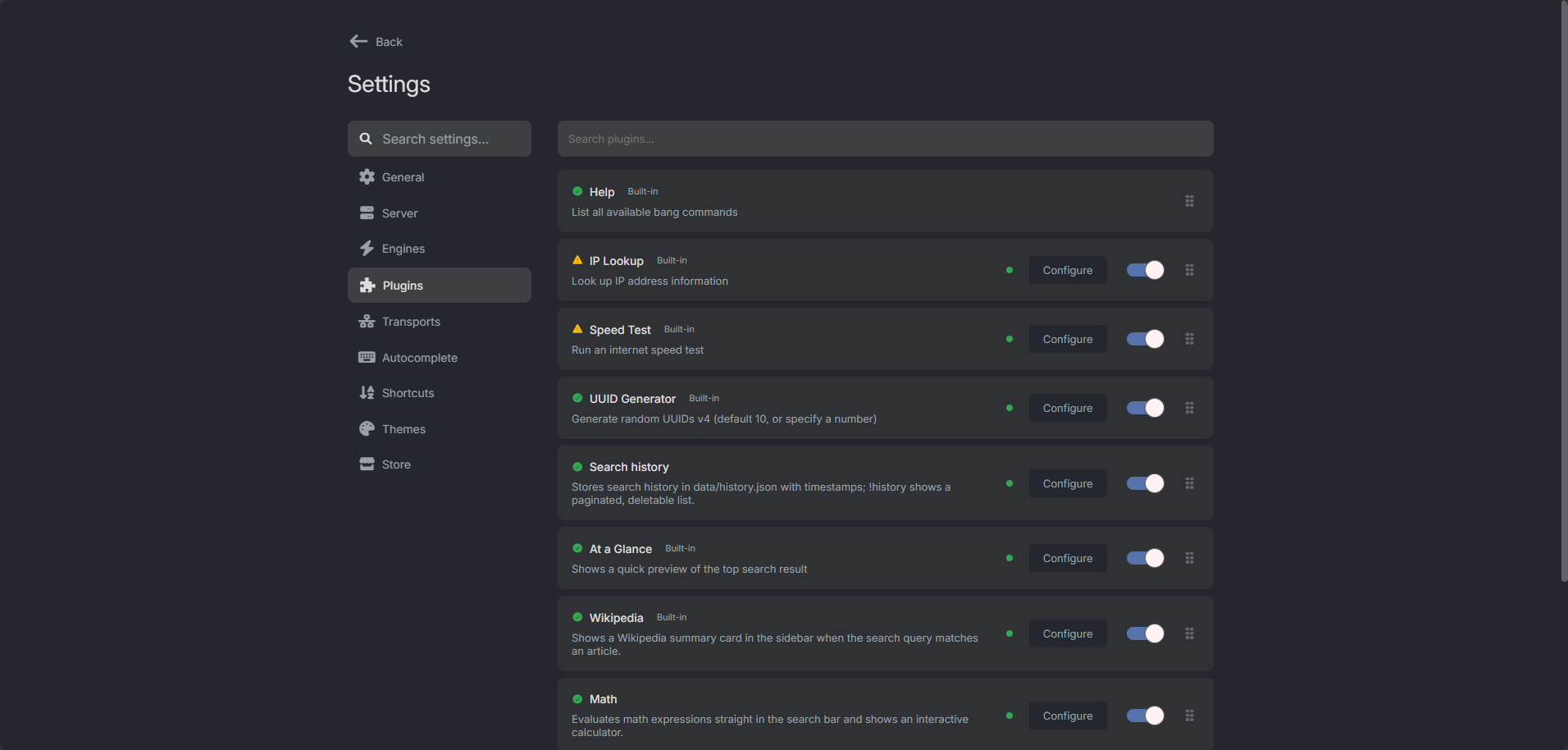
Search
/http://localhost:6141/ Settings
/settingshttp://localhost:6141/settings deGoog asks many search engines at once and merges their results into one ranked list. It is a lighter, more modular alternative to SearXNG that you can extend with your own engines, plugins and themes.
Features
- Results from every search engine you turn on, with duplicates removed and scores combined
- Plugins: custom search engines, bang commands, panels above, below or beside the results, and custom transports (curl, FlareSolverr or your own)
- Built-in store to install engines, plugins and themes without editing files
- Everything kept in the app data folder
How to use
- Open deGoog from your dashboard.
- Follow the first-run setup wizard.
- Open Settings (the gear icon) and sign in with your settings password.
- Turn on the search engines you want and browse the Store for more engines, plugins and themes.
Before you install
You can type a password in DEGOOG_SETTINGS_PASSWORDS; it opens the Settings page. If you leave it empty, deGoog makes a new password every time it starts and prints it in the app log under "Sign in to settings with:". Always set a password before letting other people reach deGoog, because extensions installed from Settings run code on the server. More settings, like public mode, a Valkey cache or a Postgres index, are in the Variables tab and are added in the app settings. deGoog starts in a few seconds.
The settings in the first table are already in the app settings. To use any other one, open the app settings, add the variable with your value, save, and the app restarts with it. A setting you leave out uses its default.
In the app settings
| Variable | Default value | Description |
|---|---|---|
TZ | $TZ | Your time zone. ZimaOS fills this in for you. |
PUID | $PUID | User ID that deGoog runs as and that owns its data folder. ZimaOS fills this in for you. |
PGID | $PGID | Group ID that deGoog runs as and that owns its data folder. ZimaOS fills this in for you. |
DEGOOG_ | — | Password for the Settings page. Leave it empty and deGoog makes a new one each time it starts and prints it in the app log. Type your own to keep the same one. Several passwords can be split with commas. |
Security
| Variable | Default value | Description |
|---|---|---|
DEGOOG_ | — | Set to true if strangers on the internet will use your instance. It trims the Settings page and locks every change behind the password. |
DEGOOG_ | settings | The address of the Settings page, like /settings. Change it to hide the page somewhere less obvious. Public instances use admin. |
DEGOOG_ | false | Set to true to turn off the Settings password completely. Only do this if nobody else can reach deGoog, because extensions run code on the server. |
DEGOOG_ | — | Comma-separated list of hostnames deGoog may contact. Leave it out to allow any. |
DEGOOG_ | 4 | Highest Anubis proof-of-work level deGoog will solve when a site asks for it (up to 6). |
Server
| Variable | Default value | Description |
|---|---|---|
DEGOOG_ | — | The public address of deGoog, like https://search.example.com, or a sub-path. Set it when you put deGoog behind your own domain. |
DEGOOG_ | 1 | Set to 0 when deGoog is behind a reverse proxy, so it trusts the visitor IP and https headers the proxy sends. |
DEGOOG_ | 3072 | Largest request body in KB that public pages accept. 0 removes the limit. |
DEGOOG_ | — | Set to false to skip the first-run setup wizard. |
Search and language
| Variable | Default value | Description |
|---|---|---|
DEGOOG_ | — | Search language to use when a visitor has not picked one, like en. |
DEGOOG_ | — | Force the page language for everyone, like en or de. Leave it out to follow each browser's language. |
DEGOOG_ | 8000 | How long, in milliseconds, an autocomplete provider has to answer. |
DEGOOG_ | 10000 | How long, in milliseconds, a panel plugin has to answer before it is skipped. |
Extensions
| Variable | Default value | Description |
|---|---|---|
DEGOOG_ | — | Set to 1 to install extensions from the develop branch of store repositories instead of the stable one. |
Cache
| Variable | Default value | Description |
|---|---|---|
DEGOOG_ | 43200000 | How long, in milliseconds, search and autocomplete results are kept. The default is 12 hours. |
DEGOOG_ | 120000 | How long, in milliseconds, results are kept when some engines failed. The default is 2 minutes. |
DEGOOG_ | 1000 | Most entries kept in each in-memory cache. |
DEGOOG_ | — | Address of your own Valkey or Redis server for a shared cache, like redis://192.168.1.50:6379. Leave it out to use the built-in memory cache. |
Database
| Variable | Default value | Description |
|---|---|---|
DEGOOG_ | — | Address of your own Postgres database for the search index, like postgres://degoog:[email protected]:5432/degoog. Leave it out to use the built-in SQLite file. |
DEGOOG_ | — | SSL mode for Postgres, like require or disable. By default it is require for network hosts with a password. |
Logs
| Variable | Default value | Description |
|---|---|---|
LOG_ | info | How much deGoog writes to the log: fatal, error, warn, info, log or debug. |
NO_ | — | Set to any value to remove colours from the log. |
name: degoog
services:
degoog:
image: ghcr.io/degoog-org/degoog:1.1.0
container_name: degoog
restart: unless-stopped
stop_grace_period: 40s
network_mode: bridge
environment:
- TZ=$TZ
- PUID=$PUID
- PGID=$PGID
- DEGOOG_SETTINGS_PASSWORDS=
ports:
- target: 4444
published: "6141"
protocol: tcp
volumes:
- type: bind
source: /DATA/AppData/$AppID/data
target: /app/data
bind:
create_host_path: true
healthcheck:
test: ["CMD", "curl", "-fsS", "http://127.0.0.1:4444/readyz"]
interval: 30s
timeout: 5s
retries: 3
start_period: 40s
deploy:
resources:
limits:
cpus: "1.00"
memory: 1024M
reservations:
cpus: "0.00"
memory: 256M
labels:
icon: https://cdn.jsdelivr.net/gh/HSinghHira/IceStore@main/Apps/degoog/icon.png
x-casaos:
id: com.icestore.degoog
envs:
- container: TZ
description:
en_US: Your time zone. ZimaOS fills this in for you.
- container: PUID
description:
en_US: >-
User ID that deGoog runs as and that owns its data folder.
ZimaOS fills this in for you.
- container: PGID
description:
en_US: >-
Group ID that deGoog runs as and that owns its data folder.
ZimaOS fills this in for you.
- container: DEGOOG_SETTINGS_PASSWORDS
description:
en_US: >-
Password for the Settings page. Leave it empty and deGoog makes
a new one each time it starts and prints it in the app log. Type
your own to keep the same one. Several passwords can be split
with commas.
ports:
- container: "4444"
description:
en_US: Web UI and search API, published on host as 6141.
volumes:
- container: /app/data
description:
en_US: >-
Everything deGoog keeps: installed engines, plugins, themes,
transports, settings files and the search index.
x-casaos:
id: com.icestore.degoog
architectures:
- amd64
- arm64
main: degoog
author: HSinghHira
category: Networking
developer: degoog-org
icon: https://cdn.jsdelivr.net/gh/HSinghHira/IceStore@main/Apps/degoog/icon.png
thumbnail: https://cdn.jsdelivr.net/gh/HSinghHira/IceStore@main/Apps/degoog/screenshot-1.png
screenshot_link:
- https://cdn.jsdelivr.net/gh/HSinghHira/IceStore@main/Apps/degoog/screenshot-1.png
- https://cdn.jsdelivr.net/gh/HSinghHira/IceStore@main/Apps/degoog/screenshot-2.png
- https://cdn.jsdelivr.net/gh/HSinghHira/IceStore@main/Apps/degoog/screenshot-3.png
title:
en_US: deGoog
tagline:
en_US: Self-hosted search aggregator you can extend with plugins.
description:
en_US: >-
Visit: [https://icestore.hsinghhira.me/app/degoog/](https://icestore.hsinghhira.me/app/degoog/) for full details
deGoog asks many search engines at once and merges their results into
one ranked list. It is a lighter, more modular alternative to SearXNG
that you can extend with your own engines, plugins and themes.
**Features**
- Results from every search engine you turn on, with duplicates removed
and scores combined
- Plugins: custom search engines, bang commands, panels above, below or
beside the results, and custom transports (curl, FlareSolverr or your
own)
- Built-in store to install engines, plugins and themes without editing
files
- Everything kept in the app data folder
**How to use?**
1. Open deGoog from the Zima OS dashboard.
2. Follow the first-run setup wizard.
3. Open Settings (the gear icon) and sign in with your settings
password.
4. Turn on the search engines you want and browse the Store for more
engines, plugins and themes.
tips:
before_install:
en_US: >-
1. If you want, type a password in DEGOOG_SETTINGS_PASSWORDS. This
password opens the Settings page.
2. Start the installation.
3. Open deGoog from the Zima OS dashboard.
4. If you left the password empty, open the app log. Find the line
"Sign in to settings with:". The password is on the next line.
It changes every time the app starts.
5. Follow the setup wizard. Then click the gear icon and sign in.
6. More settings are listed on the deGoog page at
https://icestore.hsinghhira.me/app/degoog/ (Variables tab). You
can add them now or later in the app settings.
index: /
port_map: "6141"
scheme: http
is_uncontrolled: false
version: "1.1.0"
update_at: "2026-10-24"
release_notes:
en_US: |-
- Added to IceStore. Port changed from 8416 to 6141.
- Image pinned to ghcr.io/degoog-org/degoog 1.1.0.
- Optional settings are listed in the Variables tab on the IceStore website.
repo: "https://github.com/degoog-org/degoog"
support: "https://github.com/degoog-org/degoog/issues"
docs: "https://degoog-org.github.io/docs/" ZimaOS
 CasaOS
 Homeio