
Docmost
Open source collaborative wiki and documentation
- ghcr.io/hsinghhira/docmost:latest
- port 6147
- Productivity
Web App
/http://localhost:6147/ Mail Viewer
/mail/http://localhost:6147/mail/ Docmost is an open source alternative to Notion and Confluence: real-time collaborative docs and a team wiki in one app. This is Docmost in a single container, with PostgreSQL, Redis and a mail viewer inside, one port and one data folder. The secret key and database passwords are made for you on first start.
Features
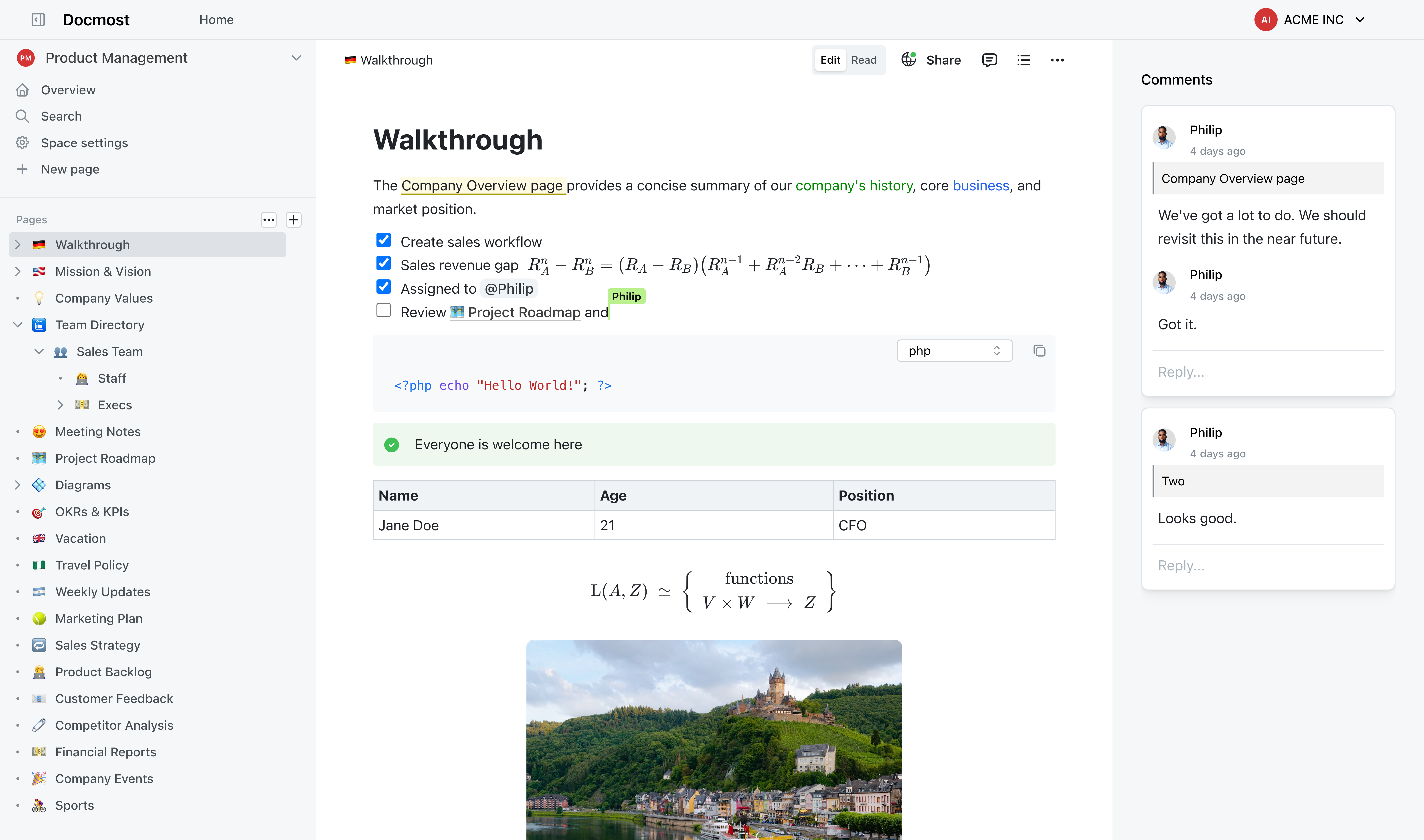
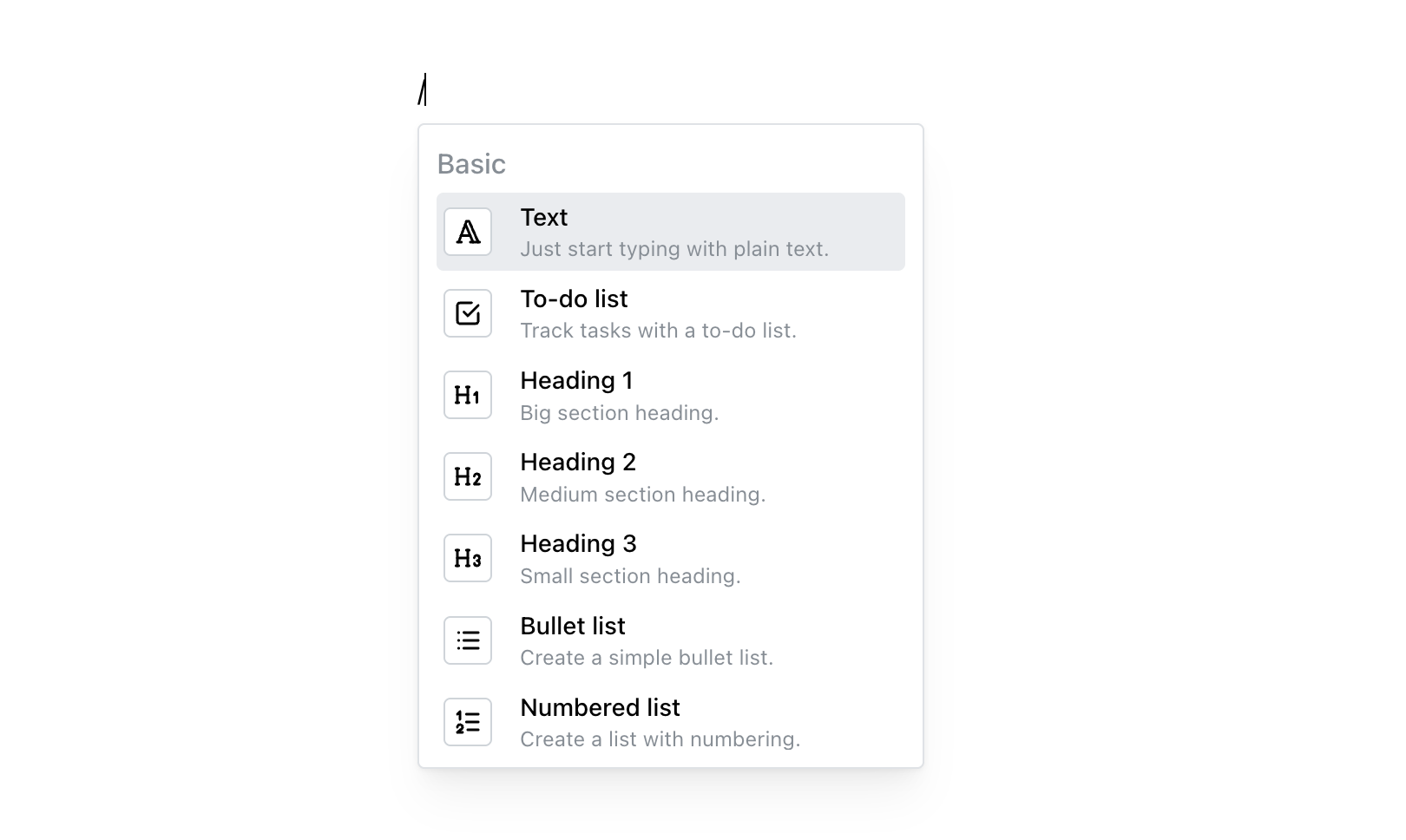
- Real-time collaborative editing with a rich block editor
- Spaces, nested pages, permissions and page history
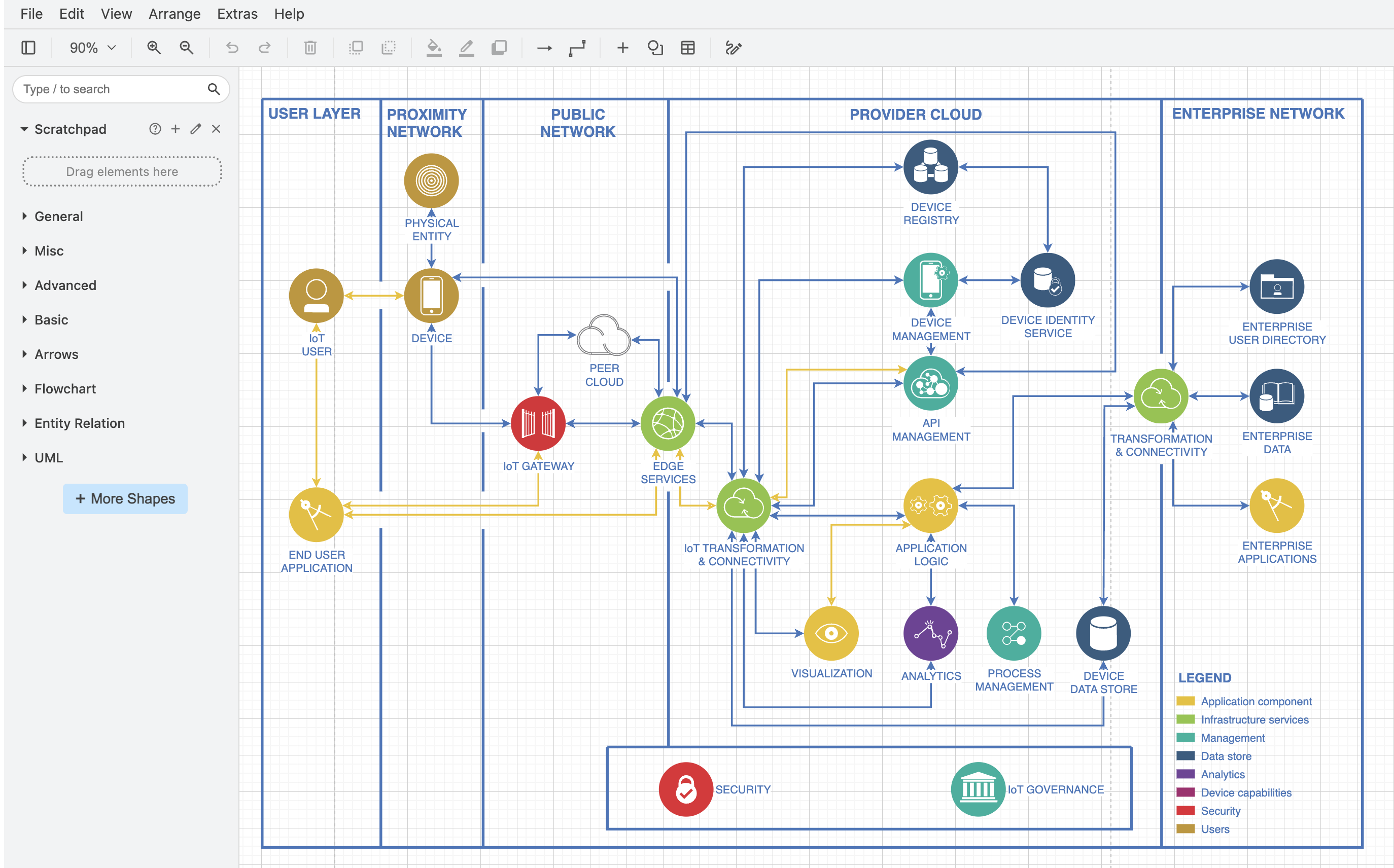
- Diagrams with draw.io, Excalidraw and Mermaid
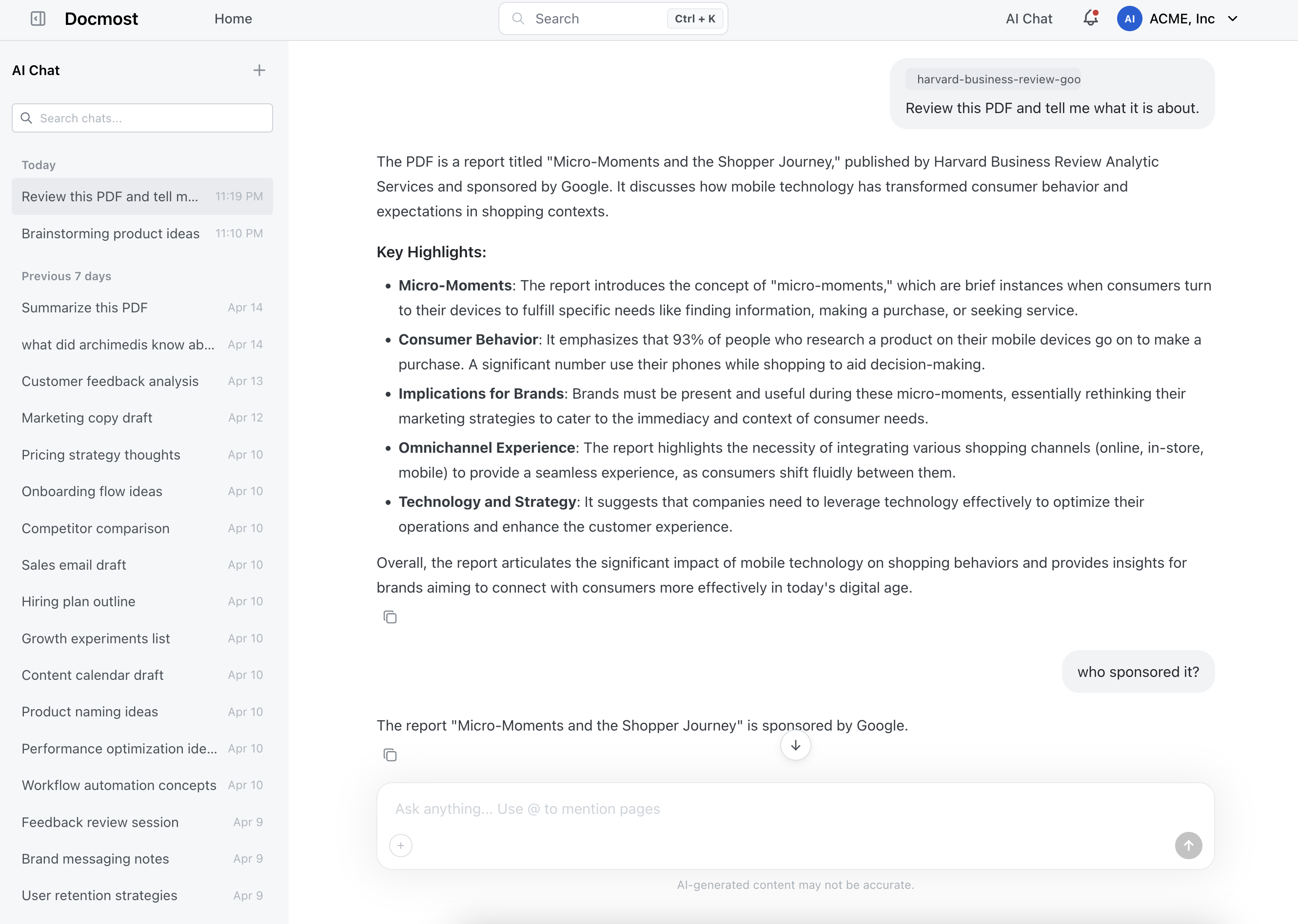
- Comments, search, and import from Markdown, HTML and Notion
- Works without an email server: invite and password-reset emails go to the built-in mail viewer at
/mailuntil you set up SMTP
How to use
- Open Docmost from your dashboard.
- Make your admin account and workspace on the first screen.
- Create a space and start writing pages.
- Invite people from Settings, Members. Until you set up SMTP, the invite emails are in the mail viewer at
http://your-zimaos-ip:6147/mail/. Its login is in the app logs. - To send real emails, add the SMTP settings from the Variables tab.
Before you install
PUBLIC_URL starts as http://localhost:6147. Change localhost to your ZimaOS IP, like http://192.168.1.20:6147, so links in emails and shared pages work from other devices. The first start takes about three minutes. Until you add an SMTP server, emails go to the mail viewer at /mail/; its login is in the app logs on the line that says "mail viewer (/mail) login is", and in mail-password.txt in the data folder. SMTP, S3 storage and the other settings are in the Variables tab; add them in the app settings.
The settings in the first table are already in the app settings. To use any other one, open the app settings, add the variable with your value, save, and the app restarts with it. A setting you leave out uses its default.
In the app settings
| Variable | Default value | Description |
|---|---|---|
TZ | $TZ | Your time zone. It is filled in from your ZimaOS time zone. Leave it unless you need another. |
PUBLIC_ | http://localhost:6147 | The address you open Docmost at, like http://192.168.1.20:6147. Change localhost to your ZimaOS IP so links in emails and shared pages work from other devices. Use your own domain if you put Docmost behind HTTPS. |
Email (SMTP)
| Variable | Default value | Description |
|---|---|---|
SMTP_ | — | Your mail server, like smtp.gmail.com. Leave it out to keep emails in the built-in mail viewer at /mail. |
SMTP_ | 587 | Your mail server's port. Usually 587, or 465 with SMTP_SECURE set to true. |
SMTP_ | — | The user name for your mail server. Leave it out if it needs none. |
SMTP_ | — | The password for your mail server. |
SMTP_ | false | Set to true for a server on port 465 that uses TLS from the start. |
SMTP_ | false | Set to true to never use TLS, even when the server offers it. Only for a mail server on your own network. |
MAIL_ | [email protected] | The sender address on emails. Most mail servers need this to be an address they own. |
MAIL_ | Docmost | The sender name on emails Docmost sends. |
MAIL_ | smtp | How emails are sent: smtp or postmark. |
POSTMARK_ | — | Your Postmark server token, when MAIL_DRIVER is postmark. |
MP_ | — | Your own login for the mail viewer, as user:password. Leave it out to use the one made on first start (shown in the app logs). |
Sign-up and accounts
| Variable | Default value | Description |
|---|---|---|
JWT_ | 30d | How long people stay signed in, like 7d or 90d. |
File storage
| Variable | Default value | Description |
|---|---|---|
STORAGE_ | local | Where uploads are kept: local (the data folder), s3 or azure. |
AWS_ | — | The S3 server URL, for S3-compatible storage like MinIO or Garage. Leave it out for Amazon S3. |
AWS_ | — | The S3 region, like us-east-1. |
AWS_ | — | The S3 bucket name. Needed when STORAGE_DRIVER is s3. |
AWS_ | — | The S3 access key. |
AWS_ | — | The S3 secret key. |
AWS_ | false | Set to true for most self-hosted S3 servers (MinIO, Garage). |
AZURE_ | — | The Azure Storage account name, when STORAGE_DRIVER is azure. |
AZURE_ | — | The Azure Storage account key. |
AZURE_ | — | The Azure blob container name. |
FILE_ | 50mb | The largest file people can upload, like 100mb. |
FILE_ | 200mb | The largest file people can import, like a Notion export. |
Features
| Variable | Default value | Description |
|---|---|---|
DRAWIO_ | https://embed.diagrams.net | Your own draw.io server, to keep diagrams on your network. |
GOTENBERG_ | — | The URL of a Gotenberg server, like http://192.168.1.20:3000, for PDF export on the server. |
IFRAME_ | false | Set to true to let other sites show Docmost pages in an iframe. |
IFRAME_ | — | The sites allowed to embed Docmost, comma separated, like https://intranet.example.com. Leave it out to allow any site. |
Security
| Variable | Default value | Description |
|---|---|---|
ALLOWED_ | none | Which private network addresses Docmost may call (for embeds and link previews): none, all, or ranges like 192.168.1.0/24. |
Privacy
| Variable | Default value | Description |
|---|---|---|
DISABLE_ | false | Set to true to stop sending Docmost anonymous usage data. |
Logs
| Variable | Default value | Description |
|---|---|---|
DEBUG_ | false | Set to true for more detailed logs. |
LOG_ | false | Set to true to log every web request. |
name: docmost
services:
docmost:
image: ghcr.io/hsinghhira/docmost:latest
container_name: docmost
restart: unless-stopped
stop_grace_period: 90s
privileged: true
environment:
- TZ=$TZ
- PUBLIC_URL=http://localhost:6147
ports:
- target: 8080
published: "6147"
protocol: tcp
volumes:
- type: bind
source: /DATA/AppData/$AppID/data
target: /data
bind:
create_host_path: true
healthcheck:
test: ["CMD", "curl", "-fsS", "-o", "/dev/null", "http://127.0.0.1:8080/api/health"]
interval: 30s
timeout: 10s
retries: 5
start_period: 240s
deploy:
resources:
limits:
cpus: "2.00"
memory: 2048M
reservations:
cpus: "0.25"
memory: 512M
labels:
icon: https://cdn.jsdelivr.net/gh/HSinghHira/IceStore@main/Apps/docmost/icon.png
x-casaos:
id: com.icestore.docmost
envs:
- container: TZ
description:
en_US: >-
Your time zone. It is filled in from your ZimaOS time zone.
Leave it unless you need another.
- container: PUBLIC_URL
description:
en_US: >-
The address you open Docmost at, like http://192.168.1.20:6147.
Change localhost to your ZimaOS IP so links in emails and
shared pages work from other devices. Use your own domain if
you put Docmost behind HTTPS.
ports:
- container: "8080"
description:
en_US: Docmost web app, API and mail viewer (/mail), published on host as 6147
volumes:
- container: /data
description:
en_US: >-
The database (all spaces and pages), uploaded files in
storage/, Redis data, secret keys and settings.
x-casaos:
id: com.icestore.docmost
architectures:
- amd64
- arm64
main: docmost
author: HSinghHira
category: Productivity
developer: Docmost
icon: https://cdn.jsdelivr.net/gh/HSinghHira/IceStore@main/Apps/docmost/icon.png
thumbnail: https://cdn.jsdelivr.net/gh/HSinghHira/IceStore@main/Apps/docmost/screenshot-1.png
screenshot_link:
- https://cdn.jsdelivr.net/gh/HSinghHira/IceStore@main/Apps/docmost/screenshot-1.png
- https://cdn.jsdelivr.net/gh/HSinghHira/IceStore@main/Apps/docmost/screenshot-2.png
- https://cdn.jsdelivr.net/gh/HSinghHira/IceStore@main/Apps/docmost/screenshot-3.png
- https://cdn.jsdelivr.net/gh/HSinghHira/IceStore@main/Apps/docmost/screenshot-4.png
title:
en_US: Docmost
tagline:
en_US: Open source collaborative wiki and documentation
description:
en_US: >-
Docmost is an open source alternative to Notion and Confluence: real-time
collaborative docs and a team wiki in one app. This is Docmost in a
single container, with PostgreSQL, Redis and a mail viewer inside, one
port and one data folder. The secret key and database passwords are
made for you on first start.
**Features**
- Real-time collaborative editing with a rich block editor
- Spaces, nested pages, permissions and page history
- Diagrams with draw.io, Excalidraw and Mermaid
- Comments, search, and import from Markdown, HTML and Notion
- Works without an email server: invite and password-reset emails go
to the built-in mail viewer at /mail until you set up SMTP
**How to use?**
1. Open Docmost from the Zima OS dashboard.
2. Make your admin account and workspace on the first screen.
3. Create a space and start writing pages.
4. Invite people from Settings, Members. Until you set up SMTP, the
invite emails are in the mail viewer at
http://your-zimaos-ip:6147/mail/. Its login is in the app logs.
5. To send real emails, add the SMTP settings from the Variables tab
on the IceStore page.
tips:
before_install:
en_US: >-
1. Open the app configuration before you install.
2. Find PUBLIC_URL. It starts as http://localhost:6147. Change
localhost to your ZimaOS IP, like http://192.168.1.20:6147, so
links work from other devices.
3. Emails stay inside the app at first. To send real emails, add the
SMTP settings. They are listed on the Docmost page at
https://icestore.hsinghhira.me/app/docmost/ (Variables tab), with
S3 storage and other settings. You can add them now or later in
the app settings.
4. Start the installation.
5. Wait about three minutes. The first start sets up the database.
6. Open http://your-zimaos-ip:6147.
7. Make your admin account and your workspace.
8. To read invite emails, open the app logs and find the line that
says "mail viewer (/mail) login is". It shows a user name and
password.
9. Open http://your-zimaos-ip:6147/mail/ and log in with them.
index: /
port_map: "6147"
scheme: http
is_uncontrolled: false
version: "0.97.0"
update_at: "2026-10-25"
release_notes:
en_US: |-
- Single-container Docmost with one port (6147) and one data folder
- The secret key and database passwords are made on first start, so each install gets its own
- Built-in mail viewer at /mail, used until you set an SMTP server
- docmost/docmost 0.97.0
- axllent/mailpit v1.32.0
- PostgreSQL 18 and Redis inside
repo: "https://github.com/docmost/docmost"
support: "https://github.com/docmost/docmost/issues"
docs: "https://docmost.com/docs" ZimaOS
 CasaOS
 Homeio