
Doory Art
Open-source design editor in your browser. A self-hosted Canva alternative.
- ghcr.io/hsinghhira/doory-art:latest
- port 6143
- Productivity
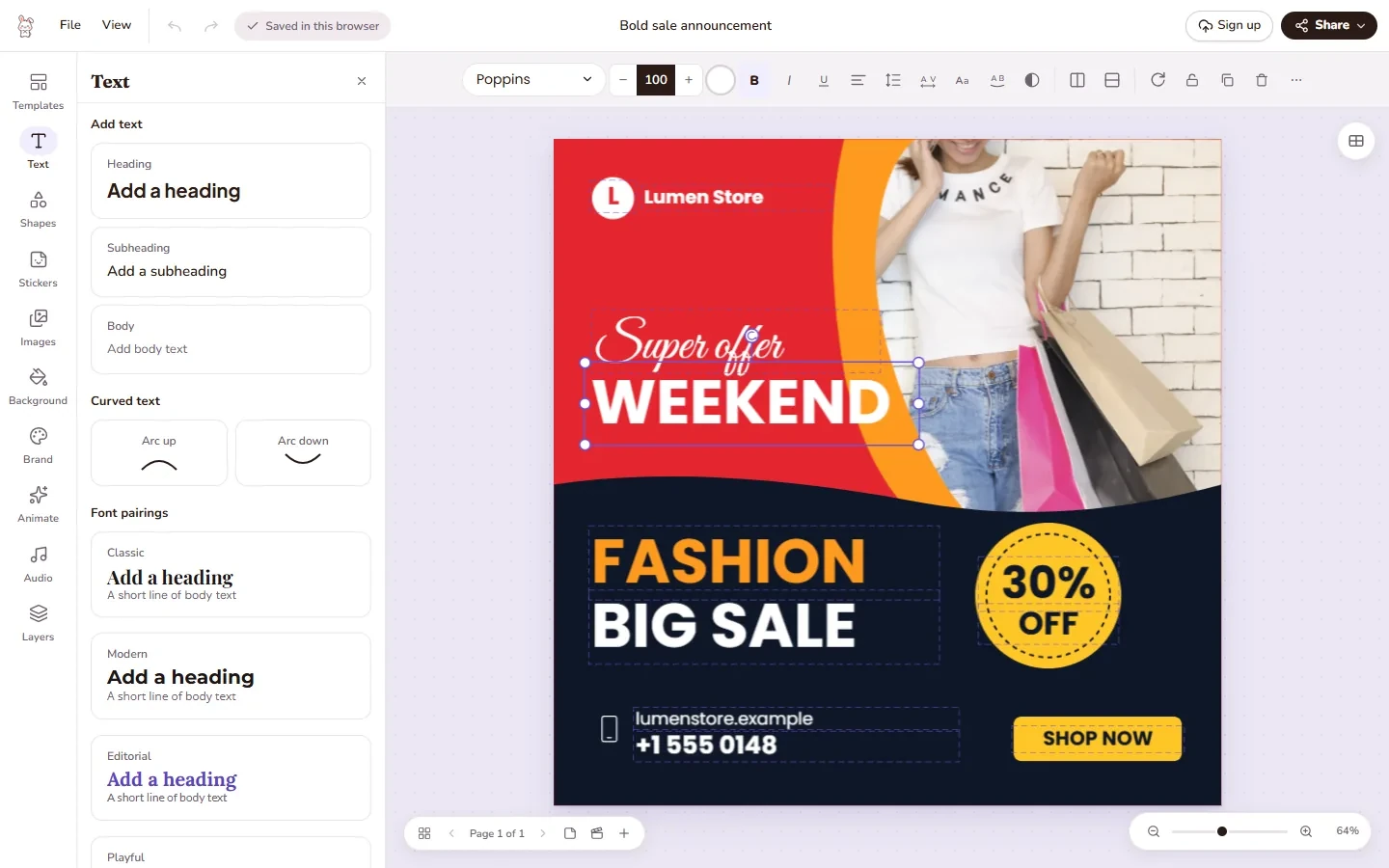
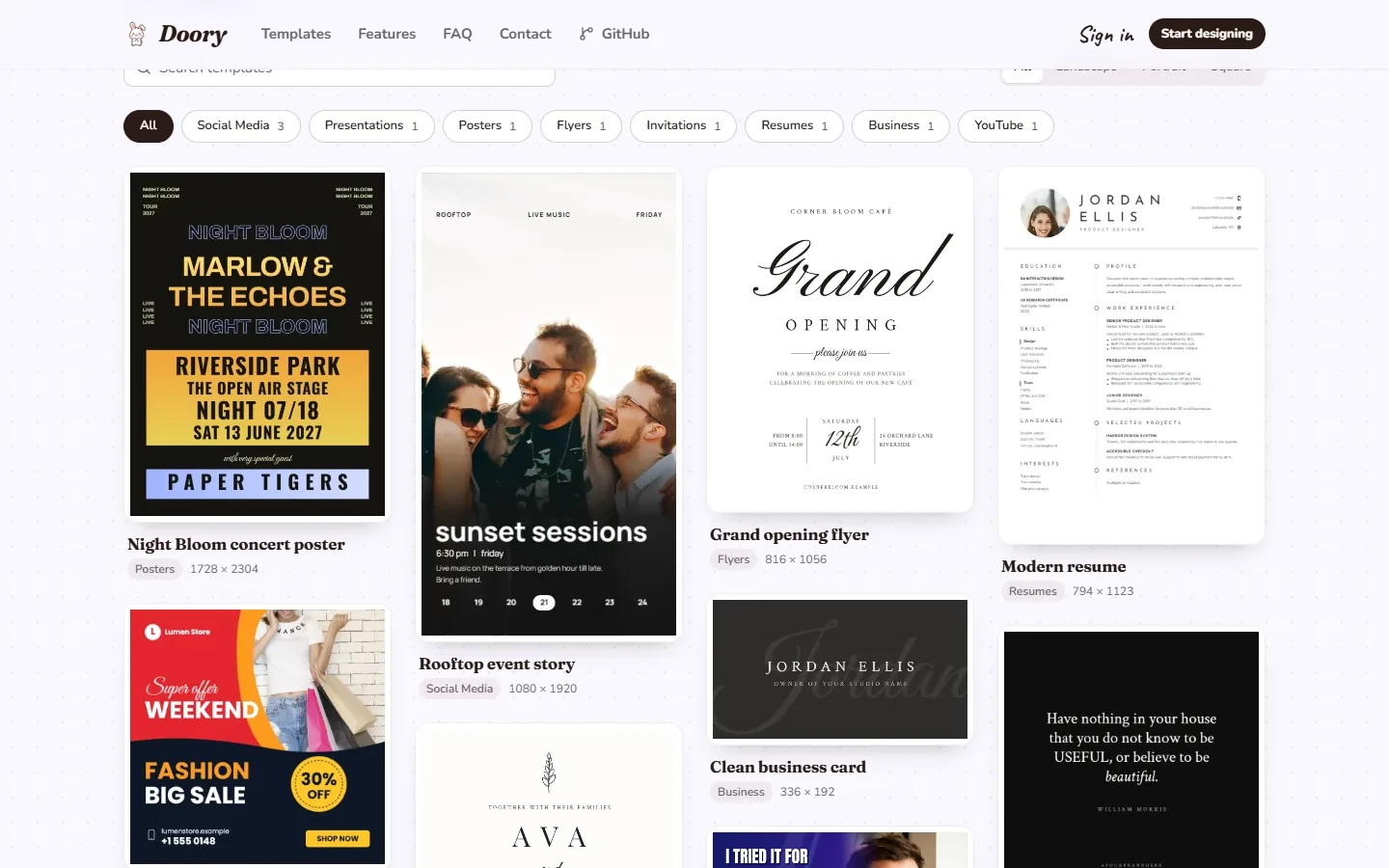
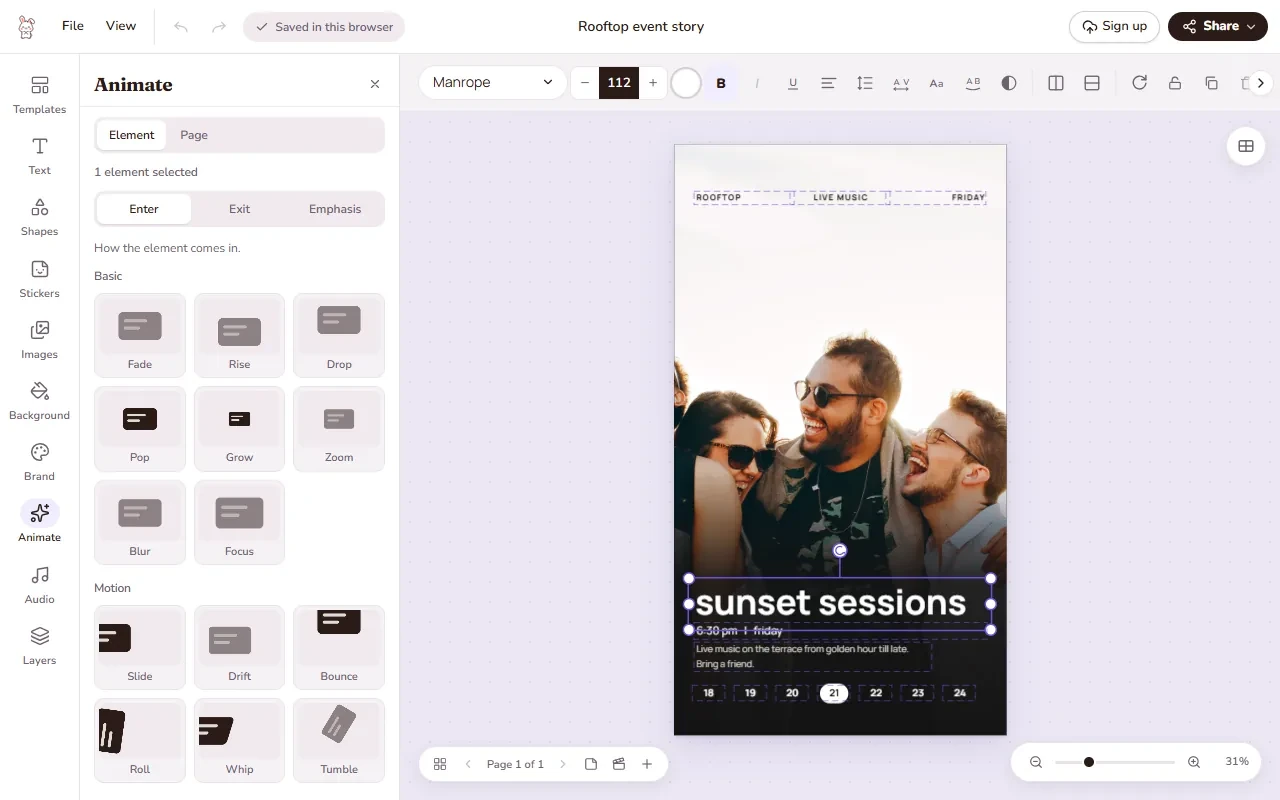
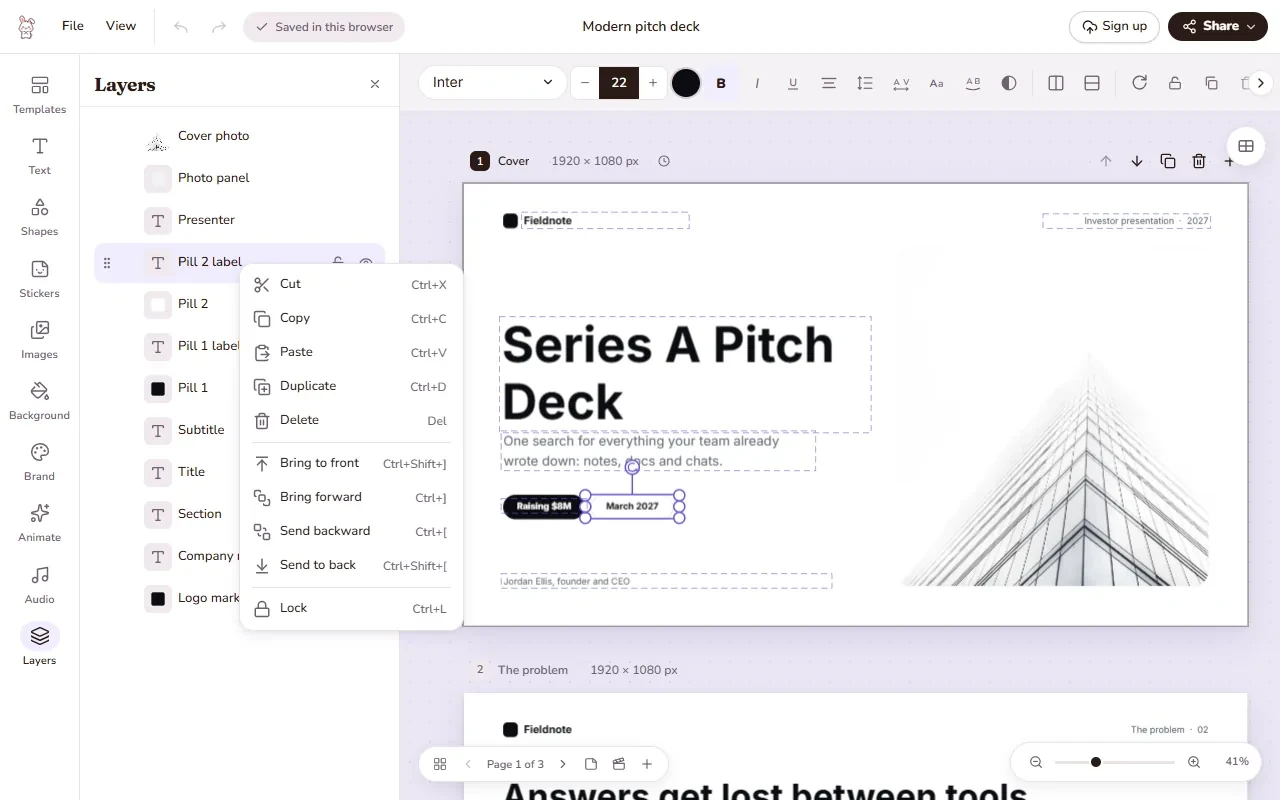
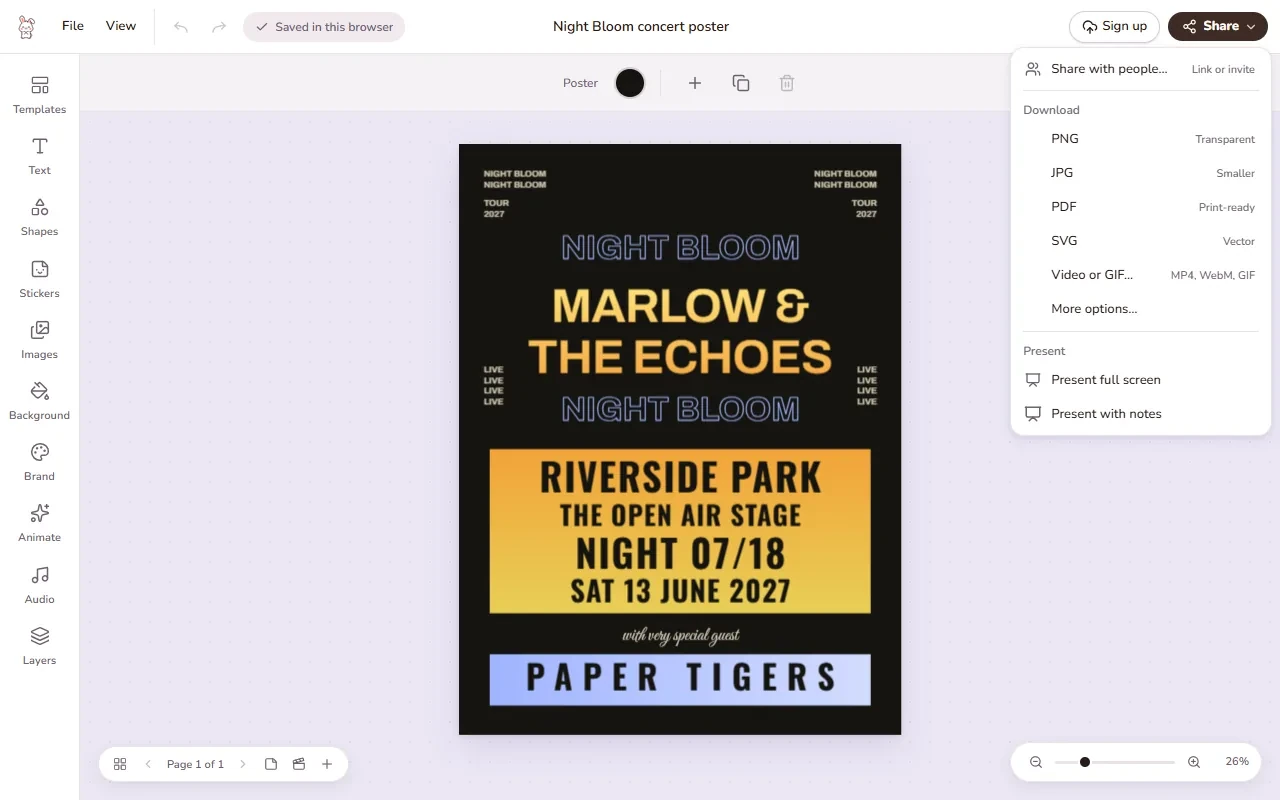
Design editor
/http://localhost:6143/ Admin
/admin/http://localhost:6143/admin/ Doory is a design editor that runs in the browser. Make posters, social posts, stories, slides, invitations, resumes, thumbnails and business cards, then export them as PNG, JPG, SVG, PDF, MP4 or GIF. This is Doory in a single container, with one port and one data folder. PostgreSQL is inside, and the secret key and database passwords are made for you on first start. The optional AI server and Redis are left out.
Features
- Start from a template or a blank page, with several pages per design
- Text effects, curved text, an open-licensed font catalogue and your own fonts
- About 27,500 icons, emoji and illustrations, shapes, QR codes
- Photo crop, masks, filters and background removal in the browser
- Animations, page transitions, music loops, sound effects and video clips
- Share links, comments, version history and live co-editing
- Brand kits with your colours, fonts and logos
- Server-side PDF export with headless Chromium inside
How to use
- Open Doory Art from your dashboard.
- Sign in with the admin email and password, or create an account.
- Pick a size or a template and start designing.
- Use Share to make a link, or download your design.
- Open
/admin/as the admin to manage users, templates and settings.
Before you install
Set ADMIN_EMAIL to your own email. Leave ADMIN_PASSWORD blank to get a random one; it is shown in the app log on the first start (look for "admin password is") and saved in /data/state/secrets.env. Change localhost in PUBLIC_URL to your box's IP, for example http://192.168.1.10:6143, so share links work from other devices. More settings, like email (SMTP), Google or SSO sign-in, stock photo keys and the MCP server, are in the Variables tab; add them in the app settings. The first start takes about ten minutes while it sets up the database and downloads icons, fonts and templates.
Doory is released under the Attribution Assurance License by Siam, creator and maintainer of Doory (https://github.com/shaongitbd/doory). The licence text is in the image at /usr/share/doc/doory/LICENSE.
The settings in the first table are already in the app settings. To use any other one, open the app settings, add the variable with your value, save, and the app restarts with it. A setting you leave out uses its default.
In the app settings
| Variable | Default value | Description |
|---|---|---|
TZ | $TZ | Your time zone. It is filled in from your ZimaOS time zone. Leave it unless you need another. |
PUBLIC_ | http://localhost:6143 | The address people use to open Doory, with no slash at the end. Change localhost to your ZimaOS IP, for example http://192.168.1.10:6143, or use your own https:// domain. Share links and emails use it. |
ADMIN_ | — | The email for the first admin account. Put your own email here. Left blank, it is [email protected]. Only used while there is no admin yet. |
ADMIN_ | — | The password for the first admin account. Leave it blank and the app makes a random one on first start. It is shown in the app log and saved in the data folder. Or type your own. Only used while there is no admin yet; change it later in Doory. |
Server
| Variable | Default value | Description |
|---|---|---|
DJANGO_ | * | The host names Doory answers to, separated by commas, for example design.example.com,192.168.1.10. Leave it out to answer on any address. |
SECURE_ | false | Set to true to send every visitor to https. Leave it out and it turns on by itself when PUBLIC_URL starts with https://. |
SECURE_ | false | Set to true so sign-in cookies only travel over https. Leave it out and it turns on by itself when PUBLIC_URL starts with https://. |
NUM_ | 1 | How many reverse proxies sit in front of the API. Add one for each proxy in front of the app's own one (for example 2 behind Nginx Proxy Manager). |
WEB_ | 3 | How many API worker processes run. Lower it to save memory on a small box. |
LOG_ | INFO | How much the server writes to the log: DEBUG, INFO, WARNING or ERROR. |
DJANGO_ | — | Old secret keys that are still accepted, separated by commas. Only needed if you replace the secret key in /data/state/secrets.env. |
Limits
| Variable | Default value | Description |
|---|---|---|
USER_ | 2147483648 | How much each person may upload, in bytes. The default is 2 GB. |
MAX_ | 5000 | The most designs one person can have. |
MAX_ | 20 | The most personal access tokens one person can make. |
First-run content
| Variable | Default value | Description |
|---|---|---|
DOORY_ | true | Installs about 27,500 icons, emoji and illustrations (about 130 MB). Set to false to skip it. After the first time it takes about a second. |
DOORY_ | — | Extra options for the element download, for example --pack lucide phosphor-regular to install only some packs. |
DOORY_ | false | Set to true to add brand logos (Facebook, YouTube and others) on the next start. Logos belong to their owners; follow their brand rules. |
DOORY_ | true | Downloads the open-licensed font catalogue once, on the first start. Set to false to skip it. |
DOORY_ | — | Which font families to download. Blank means the 100 most popular. For example --popular 253 or --all. |
DOORY_ | true | Adds the ten starter templates. Templates you already have are never changed. Set to false to skip it. |
DOORY_ | true | Installs the small background-removal model (4.6 MB). Set to false to skip it. |
DOORY_ | — | Extra options for the model download, for example --model u2net for the bigger, better model (176 MB). |
DOORY_ | true | Installs the music loops and sound effects that come with Doory (about 7 MB). Set to false to skip it. |
DOORY_ | — | Extra options for the audio install, for example --pack some-pack. |
Email (SMTP)
| Variable | Default value | Description |
|---|---|---|
EMAIL_ | consolemail:// | Your mail server, for example smtp+tls://user:[email protected]:587. Leave it out and emails (password resets) are only written to the app log. |
DEFAULT_ | Doory <no-reply@localhost> | The sender of Doory's emails, for example "Doory <[email protected]>". |
Sign in with Google
| Variable | Default value | Description |
|---|---|---|
GOOGLE_ | — | Your Google OAuth web client ID. Set it to show the Sign in with Google button. |
Sign in with SSO (OIDC)
| Variable | Default value | Description |
|---|---|---|
OIDC_ | — | The issuer URL of your sign-in provider, for example https://auth.example.com/application/o/doory/ for authentik. |
OIDC_ | — | The client ID from your sign-in provider. |
OIDC_ | — | The client secret from your sign-in provider. |
OIDC_ | Sign in with SSO | The text on the sign-in button. |
OIDC_ | openid email profile | The scopes Doory asks for. |
OIDC_ | false | Set to true so a first SSO sign-in joins an existing account with the same email. Only do this if your provider checks emails. |
Stock photos, videos and sounds
| Variable | Default value | Description |
|---|---|---|
UNSPLASH_ | — | Your Unsplash access key. Set it to search Unsplash photos in the editor. |
PEXELS_ | — | Your Pexels API key, for Pexels photos (and videos, unless PEXELS_VIDEO_API_KEY is set). |
PIXABAY_ | — | Your Pixabay API key, for Pixabay images (and videos, unless PIXABAY_VIDEO_API_KEY is set). |
PEXELS_ | — | A separate Pexels key for video search, so it does not use up the photo quota. |
PIXABAY_ | — | A separate Pixabay key for video search. |
FREESOUND_ | — | Your Freesound API key. Set it to show the Freesound tab in the Audio tool. Freesound's terms cover non-commercial use. |
FREESOUND_ | cc0 | Which Freesound licences are allowed. Use cc0,by to also allow CC BY sounds (the editor then shows the credits). |
STOCK_ | unsplash,pexels,pixabay | Which photo providers are on, in tab order. Only ones with a key show up. |
Export
| Variable | Default value | Description |
|---|---|---|
SERVER_ | true | Server-side PDF export with the Chromium inside. Set to false to turn it off. |
SERVER_ | false | Set to true to make PNG, JPG, WebP and AVIF files on the server. It runs the editor's engine in the export browser. |
SERVER_ | false | Set to true to make MP4, WebM and GIF files on the server. Needs SERVER_IMAGE_EXPORT_ENABLED=true too. |
EXPORT_ | simple | How downloaded files are named: simple (summer-sale-02.png) or structured (title, platform, size and page in the name). |
IMAGE_ | builtin | Which image optimizers people can pick, separated by commas: builtin, tinypng, kraken or custom. Blank turns them off. |
TINYPNG_ | — | Your TinyPNG key, to offer the TinyPNG optimizer. Images are sent to TinyPNG. |
Video
| Variable | Default value | Description |
|---|---|---|
VIDEO_ | true | Video clips (uploads and stock videos), using the ffmpeg inside. Set to false to turn them off. |
MAX_ | 209715200 | The largest video clip someone can upload, in bytes. The default is 200 MB, which is also the most the app's web server lets through. |
AI assistants (MCP)
| Variable | Default value | Description |
|---|---|---|
MCP_ | false | Set to true to start the MCP server at /mcp, so AI assistants like Claude or Cursor can work on your designs. People make tokens in Settings. |
MCP_ | 120 | How many MCP calls each person can make per minute. 0 means no limit. |
AI background removal
| Variable | Default value | Description |
|---|---|---|
BACKGROUND_ | true | Background removal in the editor. Set to false to hide it. |
AI_ | — | The address of your own background-removal server, for better results than the in-browser one. AI_PROVIDER_1_STYLE, _AUTH_HEADER and _AUTH_VALUE (and AI_PROVIDER_2_ and up) work the same way; see Doory's AI providers guide. |
AI_ | off | Who may add their own AI servers: off, staff or everyone. |
name: doory-art
services:
doory-art:
image: ghcr.io/hsinghhira/doory-art:latest
container_name: doory-art
restart: unless-stopped
stop_grace_period: 90s
privileged: true
environment:
- TZ=$TZ
- PUBLIC_URL=http://localhost:6143
- ADMIN_EMAIL=
- ADMIN_PASSWORD=
ports:
- target: 8080
published: "6143"
protocol: tcp
volumes:
- type: bind
source: /DATA/AppData/$AppID/data
target: /data
bind:
create_host_path: true
healthcheck:
test: ["CMD", "curl", "-fsS", "-o", "/dev/null", "http://127.0.0.1:8080/api/v1/health/"]
interval: 30s
timeout: 10s
retries: 5
start_period: 600s
deploy:
resources:
limits:
cpus: "2.00"
memory: 3072M
reservations:
cpus: "0.00"
memory: 768M
labels:
icon: https://cdn.jsdelivr.net/gh/HSinghHira/IceStore@main/Apps/doory-art/icon.png
x-casaos:
id: com.icestore.doory-art
envs:
- container: TZ
description:
en_US: >-
Your time zone. It is filled in from your ZimaOS time zone.
Leave it unless you need another.
- container: PUBLIC_URL
description:
en_US: >-
The address people use to open Doory, with no slash at the end.
Change localhost to your ZimaOS IP, for example
http://192.168.1.10:6143, or use your own https:// domain. Share
links and emails use it.
- container: ADMIN_EMAIL
description:
en_US: >-
The email for the first admin account. Put your own email here.
Left blank, it is [email protected]. Only used while there is no
admin yet.
- container: ADMIN_PASSWORD
description:
en_US: >-
The password for the first admin account. Leave it blank and the
app makes a random one on first start. It is shown in the app log
and saved in the data folder. Or type your own. Only used while
there is no admin yet; change it later in Doory.
ports:
- container: "8080"
description:
en_US: Doory editor, API, live editing and admin, published on host as 6143
volumes:
- container: /data
description:
en_US: >-
The database, uploaded images and videos, fonts, elements,
exports, secret keys and settings.
x-casaos:
id: com.icestore.doory-art
architectures:
- amd64
- arm64
main: doory-art
author: HSinghHira
category: Productivity
developer: shaongitbd
icon: https://cdn.jsdelivr.net/gh/HSinghHira/IceStore@main/Apps/doory-art/icon.png
thumbnail: https://cdn.jsdelivr.net/gh/HSinghHira/IceStore@main/Apps/doory-art/screenshot-1.webp
screenshot_link:
- https://cdn.jsdelivr.net/gh/HSinghHira/IceStore@main/Apps/doory-art/screenshot-1.webp
- https://cdn.jsdelivr.net/gh/HSinghHira/IceStore@main/Apps/doory-art/screenshot-2.webp
- https://cdn.jsdelivr.net/gh/HSinghHira/IceStore@main/Apps/doory-art/screenshot-3.webp
title:
en_US: Doory Art
tagline:
en_US: Open-source design editor in your browser. A self-hosted Canva alternative.
description:
en_US: >-
Doory is a design editor that runs in the browser. Make posters, social
posts, stories, slides, invitations, resumes, thumbnails and business
cards, then export them as PNG, JPG, SVG, PDF, MP4 or GIF. This is Doory
in a single container, with one port and one data folder. PostgreSQL is
inside, and the secret key and database passwords are made for you on
first start. The optional AI server and Redis are left out.
**Features**
- Start from a template or a blank page, with several pages per design
- Text effects, curved text, an open-licensed font catalogue and your
own fonts
- About 27,500 icons, emoji and illustrations, shapes, QR codes
- Photo crop, masks, filters and background removal in the browser
- Animations, page transitions, music loops, sound effects and video
clips
- Share links, comments, version history and live co-editing
- Brand kits with your colours, fonts and logos
- Server-side PDF export with headless Chromium inside
**How to use?**
1. Open Doory Art from the Zima OS dashboard.
2. Sign in with the admin email and password, or create an account.
3. Pick a size or a template and start designing.
4. Use Share to make a link, or download your design.
5. Open /admin/ as the admin to manage users, templates and settings.
tips:
before_install:
en_US: >-
1. Open the app configuration before you install.
2. Find ADMIN_EMAIL. Set it to your own email.
3. Leave ADMIN_PASSWORD blank to get a random one. Or type your own.
4. Find PUBLIC_URL. Change localhost to your ZimaOS IP, for example
http://192.168.1.10:6143.
5. More settings, like email (SMTP), Google sign-in and stock photo
keys, are listed on the Doory Art page at
https://icestore.hsinghhira.me/app/doory-art/ (Variables tab). You
can add them now or later in the app settings.
6. Start the installation.
7. Wait about ten minutes. The first start sets up the database and
downloads icons, fonts and templates.
8. If you left ADMIN_PASSWORD blank, open the app log. Find the line
that says "admin password is".
9. Open http://your-zimaos-ip:6143 and sign in with your admin email.
10. The admin pages are at http://your-zimaos-ip:6143/admin/.
index: /
port_map: "6143"
scheme: http
is_uncontrolled: false
version: "0.2.0"
update_at: "2026-10-25"
release_notes:
en_US: |-
- Single-container Doory with one port (6143) and one data folder
- Secret key and database passwords are made on first start, so each install gets its own
- The first admin account is made for you from ADMIN_EMAIL and ADMIN_PASSWORD
- ghcr.io/shaongitbd/doory-backend 0.2.0 (api, realtime and mcp), with ffmpeg added for video clips
- ghcr.io/shaongitbd/doory-frontend 0.2.0 (the web app, served by the built-in nginx)
- PostgreSQL 16 inside
- Icons, fonts, starter templates, audio and the background-removal model are installed on first start
- The MCP server for AI assistants is off until you add MCP_ENABLED=true
- Left out: Redis (only for more than one realtime worker) and the optional AI server
repo: "https://github.com/shaongitbd/doory"
support: "https://github.com/shaongitbd/doory/issues"
docs: "https://github.com/shaongitbd/doory/tree/main/docs/self-hosting" ZimaOS
 CasaOS
 Homeio