
FluxDown
Fast multi-protocol download manager with a web UI.
- ghcr.io/zerx-lab/fluxdown-server:0.6.3
- port 6107
- Others
Web App
/http://localhost:6107/ A fast, self-hosted download manager powered by a Rust engine. It handles HTTP/HTTPS, FTP, BitTorrent, HLS and more, with resume and speed control.
Features
- Multi-protocol downloads with smart segmentation and resume
- Web UI, REST API and aria2-compatible JSON-RPC
- Built-in MCP endpoint so AI agents can manage downloads
- Finished files land in the Downloads folder on ZimaOS
How to use
- Open FluxDown from your dashboard.
- Follow the setup wizard and create your access key.
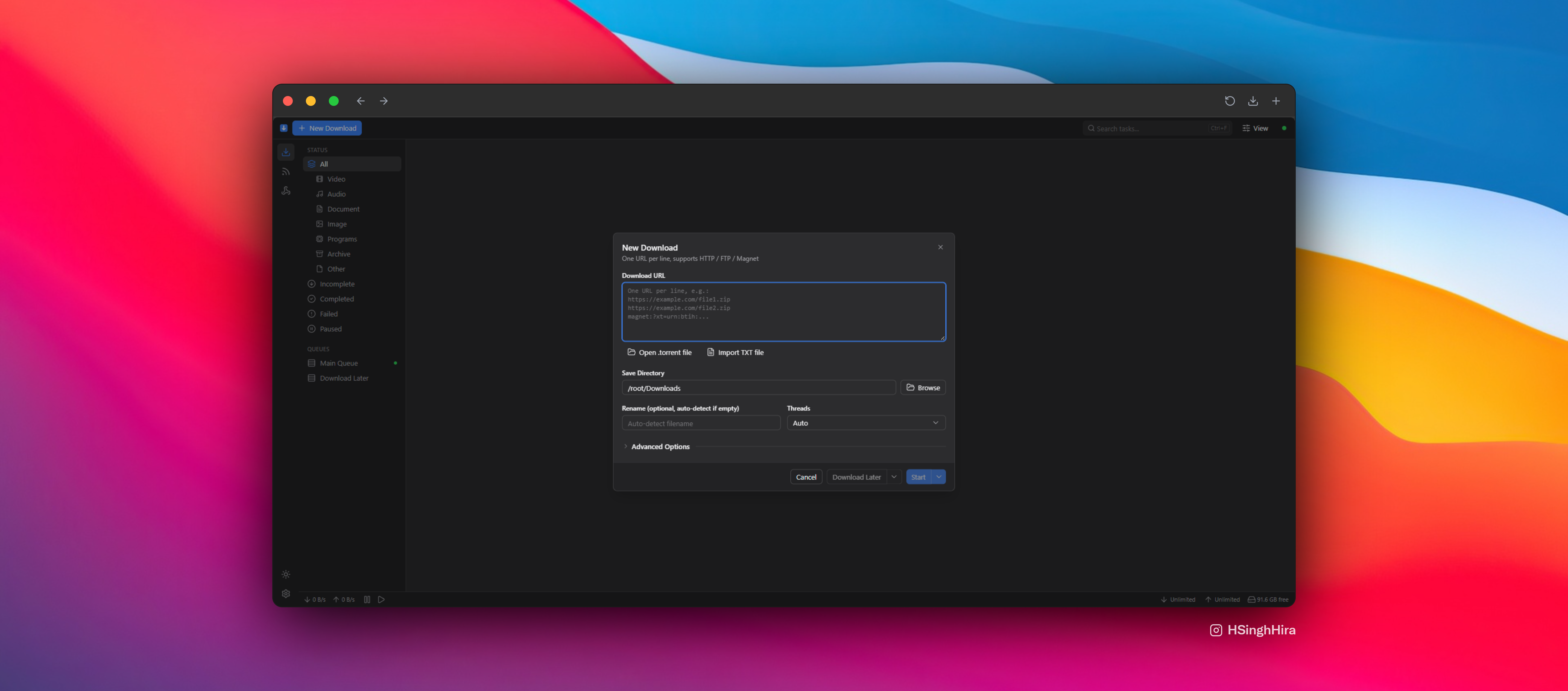
- Add a link or magnet and start downloading.
- Find finished files in the Downloads folder.
Before you install
Nothing needs to be set first. On first open, the setup wizard asks you to make an access key with 8 or more letters and numbers. Save it, because you need it to log in. Finished files go to /DATA/Downloads.
| Variable | Default value | Description |
|---|---|---|
TZ | $TZ | Your time zone. ZimaOS fills this in for you. |
docker-compose.yml
name: fluxdown
services:
fluxdown:
image: ghcr.io/zerx-lab/fluxdown-server:0.6.3
container_name: fluxdown
restart: unless-stopped
stop_grace_period: 40s
network_mode: bridge
environment:
- TZ=$TZ
ports:
- target: 17800
published: "6107"
protocol: tcp
volumes:
- type: bind
source: /DATA/AppData/$AppID/data
target: /data
bind:
create_host_path: true
- type: bind
source: /DATA/Downloads
target: /root/Downloads
bind:
create_host_path: true
deploy:
resources:
limits:
cpus: "2.00"
memory: 1024M
reservations:
cpus: "0.00"
memory: 128M
labels:
icon: https://cdn.jsdelivr.net/gh/HSinghHira/IceStore@main/Apps/fluxdown/icon.png
x-casaos:
id: com.icestore.fluxdown
envs:
- container: TZ
description:
en_US: Your time zone. ZimaOS fills this in for you.
ports:
- container: "17800"
description:
en_US: Web UI, API and MCP endpoint, published on host as 6107.
volumes:
- container: /data
description:
en_US: Database, logs and your access key.
- container: /root/Downloads
description:
en_US: Default folder for finished downloads. Stored in the Downloads folder on ZimaOS.
x-casaos:
id: com.icestore.fluxdown
architectures:
- amd64
- arm64
main: fluxdown
author: HSinghHira
category: Others
developer: zerx-lab
icon: https://cdn.jsdelivr.net/gh/HSinghHira/IceStore@main/Apps/fluxdown/icon.png
thumbnail: https://cdn.jsdelivr.net/gh/HSinghHira/IceStore@main/Apps/fluxdown/screenshot-1.png
screenshot_link:
- https://cdn.jsdelivr.net/gh/HSinghHira/IceStore@main/Apps/fluxdown/screenshot-1.png
- https://cdn.jsdelivr.net/gh/HSinghHira/IceStore@main/Apps/fluxdown/screenshot-2.jpg
- https://cdn.jsdelivr.net/gh/HSinghHira/IceStore@main/Apps/fluxdown/screenshot-3.jpg
- https://cdn.jsdelivr.net/gh/HSinghHira/IceStore@main/Apps/fluxdown/screenshot-4.jpg
title:
en_US: FluxDown
tagline:
en_US: Fast multi-protocol download manager with a web UI.
description:
en_US: >-
Visit: [https://icestore.hsinghhira.me/app/fluxdown/](https://icestore.hsinghhira.me/app/fluxdown/) for full details
A fast, self-hosted download manager powered by a Rust engine. It
handles HTTP/HTTPS, FTP, BitTorrent, HLS and more, with resume and
speed control.
**Features**
- Multi-protocol downloads with smart segmentation and resume
- Web UI, REST API and aria2-compatible JSON-RPC
- Built-in MCP endpoint so AI agents can manage downloads
- Finished files land in the Downloads folder on ZimaOS
**How to use?**
1. Open FluxDown from the Zima OS dashboard.
2. Follow the setup wizard and create your access key.
3. Add a link or magnet and start downloading.
4. Find finished files in the Downloads folder on ZimaOS.
tips:
before_install:
en_US: >-
Visit: [https://icestore.hsinghhira.me/app/fluxdown/](https://icestore.hsinghhira.me/app/fluxdown/) for full details
index: /
port_map: "6107"
scheme: http
is_uncontrolled: false
version: "0.6.3"
update_at: "2026-10-25"
release_notes:
en_US: |-
- Moved to IceStore. Port changed from 8470 to 6107.
- Main service renamed from fluxdown-server to fluxdown.
- Pinned the image to 0.6.3; upstream image tags now match its releases.
repo: "https://github.com/zerx-lab/FluxDown"
support: "https://github.com/zerx-lab/FluxDown/issues"
docs: "https://github.com/zerx-lab/FluxDown" ZimaOS
 CasaOS
 Homeio