
Immerle
Your music, self-hosted, and it sings.
- ghcr.io/immerle/immerle:0.0.14
- port 6108
- Media
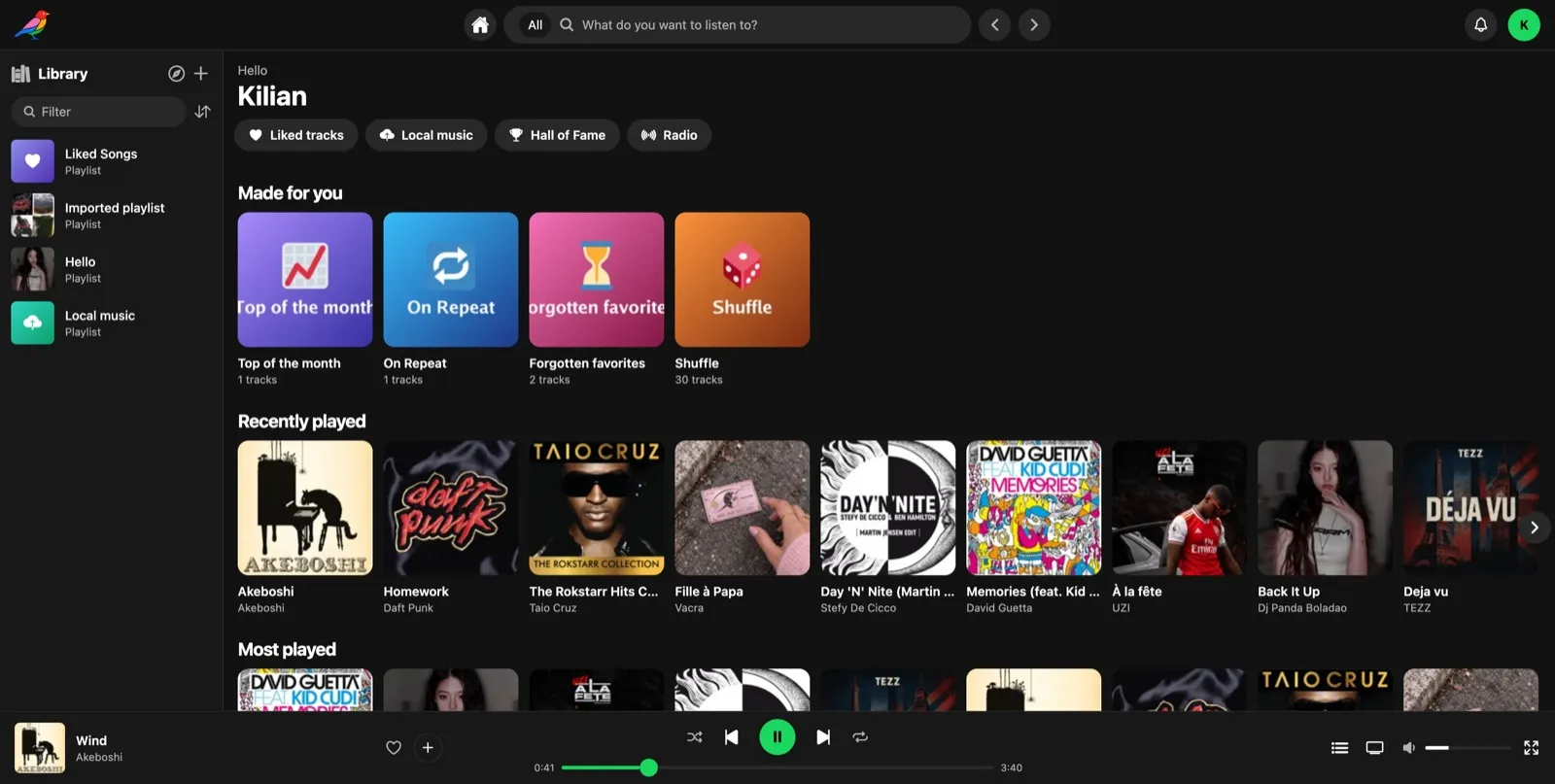
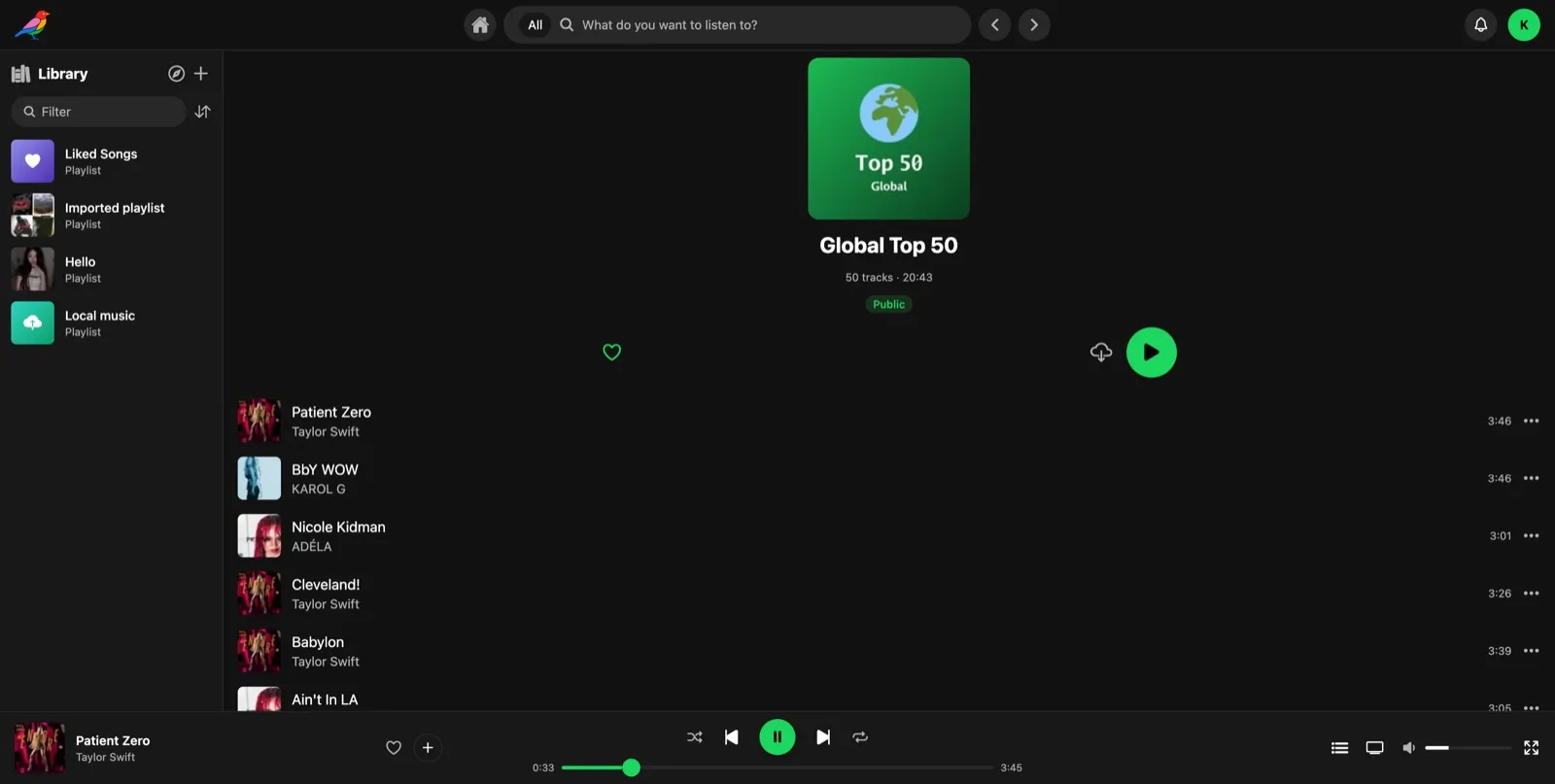
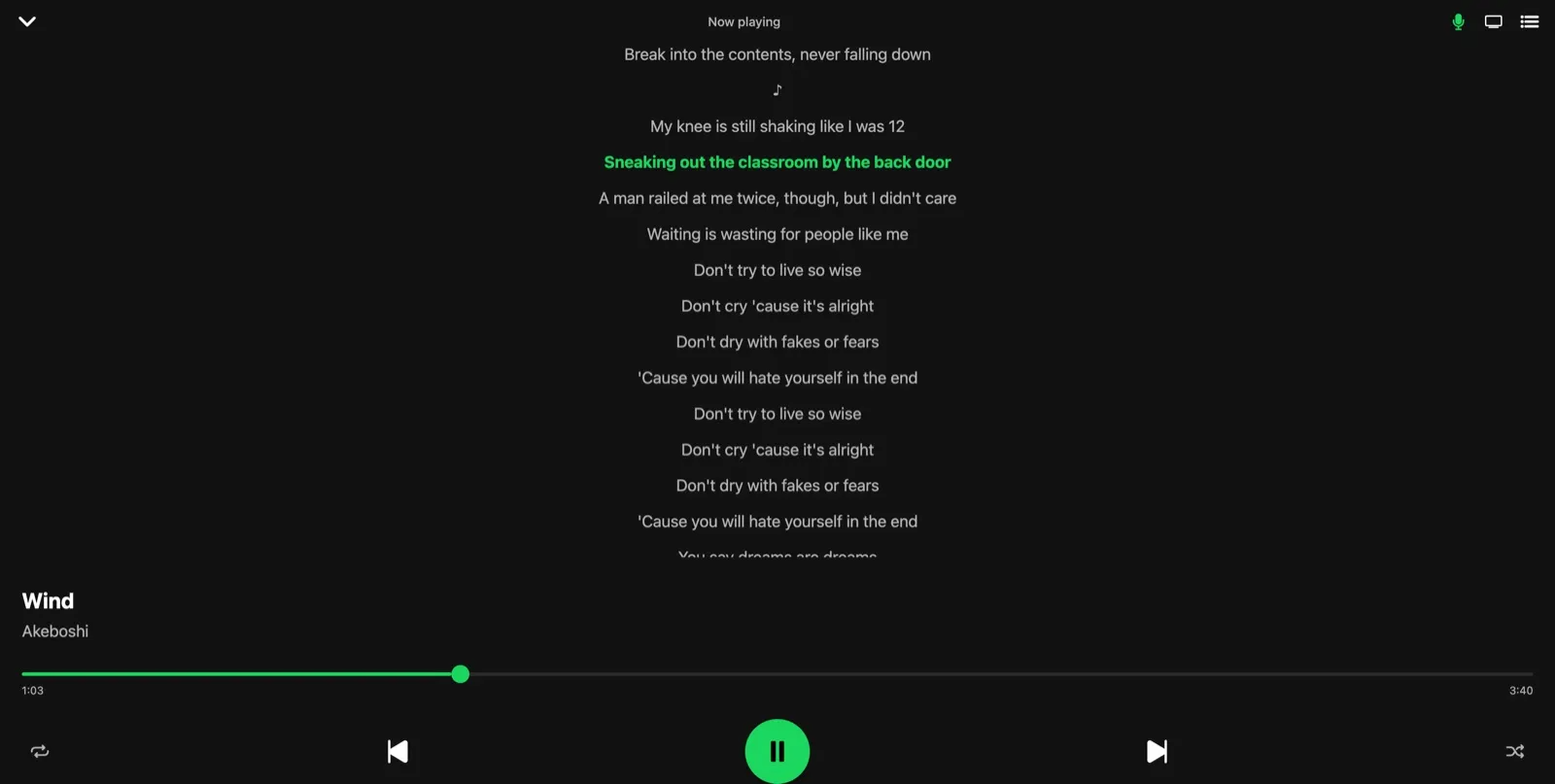
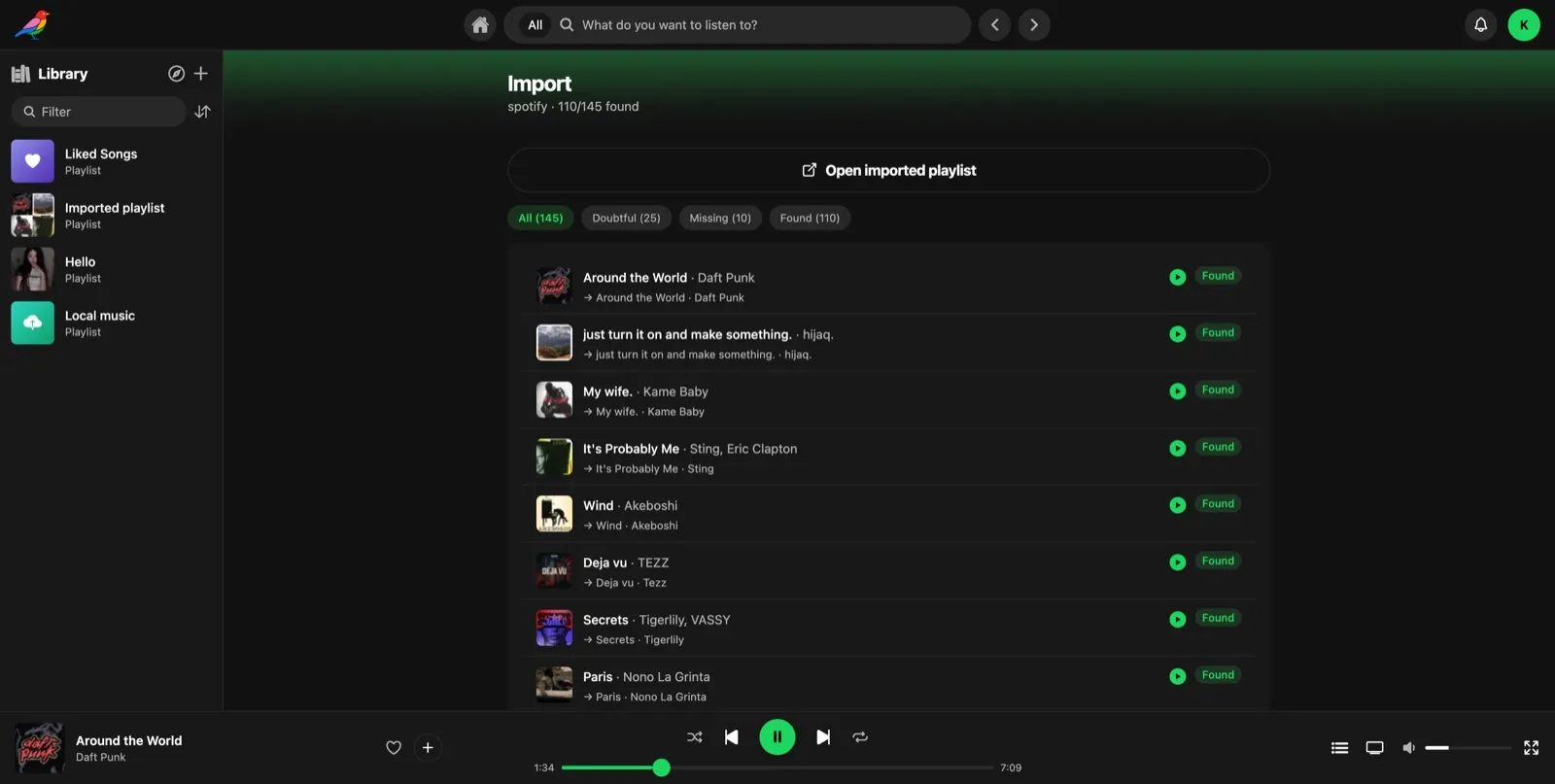
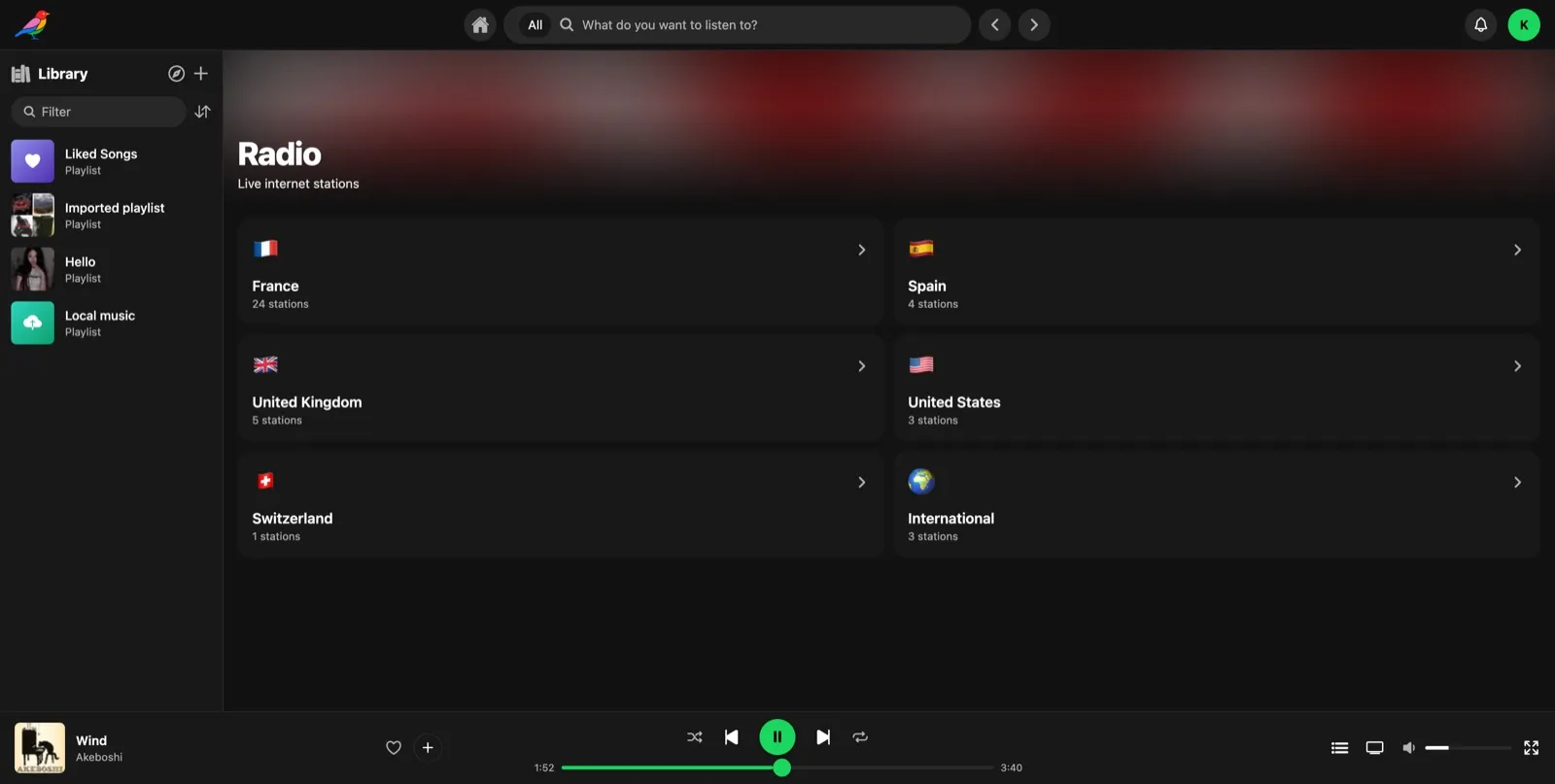
Web App
/http://localhost:6108/ A self-hosted music server with its own web app that also speaks Subsonic and OpenSubsonic, so clients like Supersonic, Symfonium and DSub just work.
Features
- Browse, search, stream and transcode your own music library
- Works with Subsonic and OpenSubsonic clients, with scrobbling and now-playing
- Playlists, collaborative playlists and an activity feed with per-event privacy
- Jam sessions to listen together, in sync
- On-demand catalog providers, like Jamendo and the Internet Archive
- Playlist import, discovery mixes, internet radio and podcasts
- One small Go server with SQLite, no extra database needed
How to use
- Put your music in the Music folder inside Media on your server.
- Open Immerle from your dashboard.
- Create your admin account on the setup screen.
- Play music from the web app, or sign in from a Subsonic client using your server's IP address and port 6108.
- Change library, provider and transcoding settings in the admin area of the app.
Before you install
Copy your music into /DATA/Media/Music first. Immerle reads it read-only and never changes your files. Create your admin account right after install, because until you do, anyone on your network could make it. To lock that down, add AUTH_REQUIRE_SETUP_TOKEN or ADMIN_USERNAME and ADMIN_PASSWORD from the Variables tab in the app settings.
The settings in the first table are already in the app settings. To use any other one, open the app settings, add the variable with your value, save, and the app restarts with it. A setting you leave out uses its default.
In the app settings
| Variable | Default value | Description |
|---|---|---|
TZ | $TZ | Your time zone. ZimaOS fills this in for you. |
DATABASE_ | /data/immerle.db | Where the SQLite database file is saved, inside the data folder. Leave it as is. |
LIBRARY_ | /data | The folder where Immerle keeps its own data and settings. Leave it as /data. |
Sign-up and accounts
| Variable | Default value | Description |
|---|---|---|
ADMIN_ | — | Makes an admin account with this name on first start, instead of the setup screen. Set it together with ADMIN_PASSWORD. Only used when no accounts exist yet. |
ADMIN_ | — | The password for the admin account made from ADMIN_USERNAME. |
AUTH_ | false | Set to true to ask for a one-time token before the first admin account is made. The token shows in the app log. |
AUTH_ | — | The secret used to sign logins. Leave it out and Immerle makes a random one on first start and keeps it. |
Logs
| Variable | Default value | Description |
|---|---|---|
LOG_ | info | How much Immerle writes to its log. One of debug, info, warn or error. |
docker-compose.yml
name: immerle
services:
immerle:
image: ghcr.io/immerle/immerle:0.0.14
container_name: immerle
restart: unless-stopped
stop_grace_period: 40s
network_mode: bridge
environment:
- TZ=$TZ
- DATABASE_DSN=/data/immerle.db
- LIBRARY_DATA_DIR=/data
ports:
- target: 4533
published: "6108"
protocol: tcp
volumes:
- type: bind
source: /DATA/AppData/$AppID
target: /data
bind:
create_host_path: true
- type: bind
source: /DATA/Media/Music
target: /music
read_only: true
bind:
create_host_path: true
healthcheck:
test: ["CMD", "wget", "-qO-", "http://127.0.0.1:4533/ping"]
interval: 30s
timeout: 10s
retries: 5
start_period: 30s
deploy:
resources:
limits:
cpus: "2.00"
memory: 1024M
reservations:
cpus: "0.00"
memory: 128M
labels:
icon: https://cdn.jsdelivr.net/gh/HSinghHira/IceStore@main/Apps/immerle/icon.png
x-casaos:
id: com.icestore.immerle
envs:
- container: TZ
description:
en_US: Your time zone. ZimaOS fills this in for you.
- container: DATABASE_DSN
description:
en_US: >-
Where the SQLite database file is saved, inside the data folder.
Leave it as is.
- container: LIBRARY_DATA_DIR
description:
en_US: >-
The folder where Immerle keeps its own data and settings. Leave
it as /data.
ports:
- container: "4533"
description:
en_US: Web UI, API and Subsonic endpoint, published on host as 6108.
volumes:
- container: /data
description:
en_US: >-
The database, settings, and the random auth secret that Immerle
makes on first start.
- container: /music
description:
en_US: Your music library, mounted read-only from /DATA/Media/Music.
x-casaos:
id: com.icestore.immerle
architectures:
- amd64
- arm64
main: immerle
author: HSinghHira
category: Media
developer: Immerle
icon: https://cdn.jsdelivr.net/gh/HSinghHira/IceStore@main/Apps/immerle/icon.png
thumbnail: https://cdn.jsdelivr.net/gh/HSinghHira/IceStore@main/Apps/immerle/screenshot-1.png
screenshot_link:
- https://cdn.jsdelivr.net/gh/HSinghHira/IceStore@main/Apps/immerle/screenshot-1.png
- https://cdn.jsdelivr.net/gh/HSinghHira/IceStore@main/Apps/immerle/screenshot-2.png
- https://cdn.jsdelivr.net/gh/HSinghHira/IceStore@main/Apps/immerle/screenshot-3.png
- https://cdn.jsdelivr.net/gh/HSinghHira/IceStore@main/Apps/immerle/screenshot-4.png
- https://cdn.jsdelivr.net/gh/HSinghHira/IceStore@main/Apps/immerle/screenshot-5.png
title:
en_US: Immerle
tagline:
en_US: Your music, self-hosted, and it sings.
description:
en_US: >-
Visit: [https://icestore.hsinghhira.me/app/immerle/](https://icestore.hsinghhira.me/app/immerle/) for full details
A self-hosted music server with its own web app that also speaks
Subsonic and OpenSubsonic, so clients like Supersonic, Symfonium and
DSub just work.
**Features**
- Browse, search, stream and transcode your own music library
- Works with Subsonic and OpenSubsonic clients, with scrobbling and
now-playing
- Playlists, collaborative playlists and an activity feed with
per-event privacy
- Jam sessions to listen together, in sync
- On-demand catalog providers, like Jamendo and the Internet Archive
- Playlist import, discovery mixes, internet radio and podcasts
- One small Go server with SQLite, no extra database needed
**How to use?**
1. Put your music in the Music folder inside Media on your ZimaOS.
2. Open Immerle from the Zima OS dashboard.
3. Create your admin account on the setup screen.
4. Play music from the web app, or sign in from a Subsonic client using
your ZimaOS IP address and port 6108.
5. Change library, provider and transcoding settings in the admin area
of the app.
tips:
before_install:
en_US: >-
Visit: [https://icestore.hsinghhira.me/app/immerle/](https://icestore.hsinghhira.me/app/immerle/) for full details
index: /
port_map: "6108"
scheme: http
is_uncontrolled: false
version: "0.0.14"
update_at: "2026-10-25"
release_notes:
en_US: |-
- Moved to IceStore. Port changed from 8480 to 6108.
- Removed PORT, LIBRARY_PATHS and DATABASE_DRIVER from the compose file; they matched upstream defaults.
- AUTH_REQUIRE_SETUP_TOKEN and LOG_LEVEL moved to the Variables tab on the IceStore website.
- Pinned the image to 0.0.14 instead of latest.
repo: "https://github.com/immerle/immerle"
support: "https://github.com/immerle/immerle/issues"
docs: "https://immerle.com/docs/" ZimaOS
 CasaOS
 Homeio