
Mailpit
SMTP testing tool and email catcher for developers.
- axllent/mailpit:v1.30.7
- port 6109
- port 6110
- Networking
Web UI
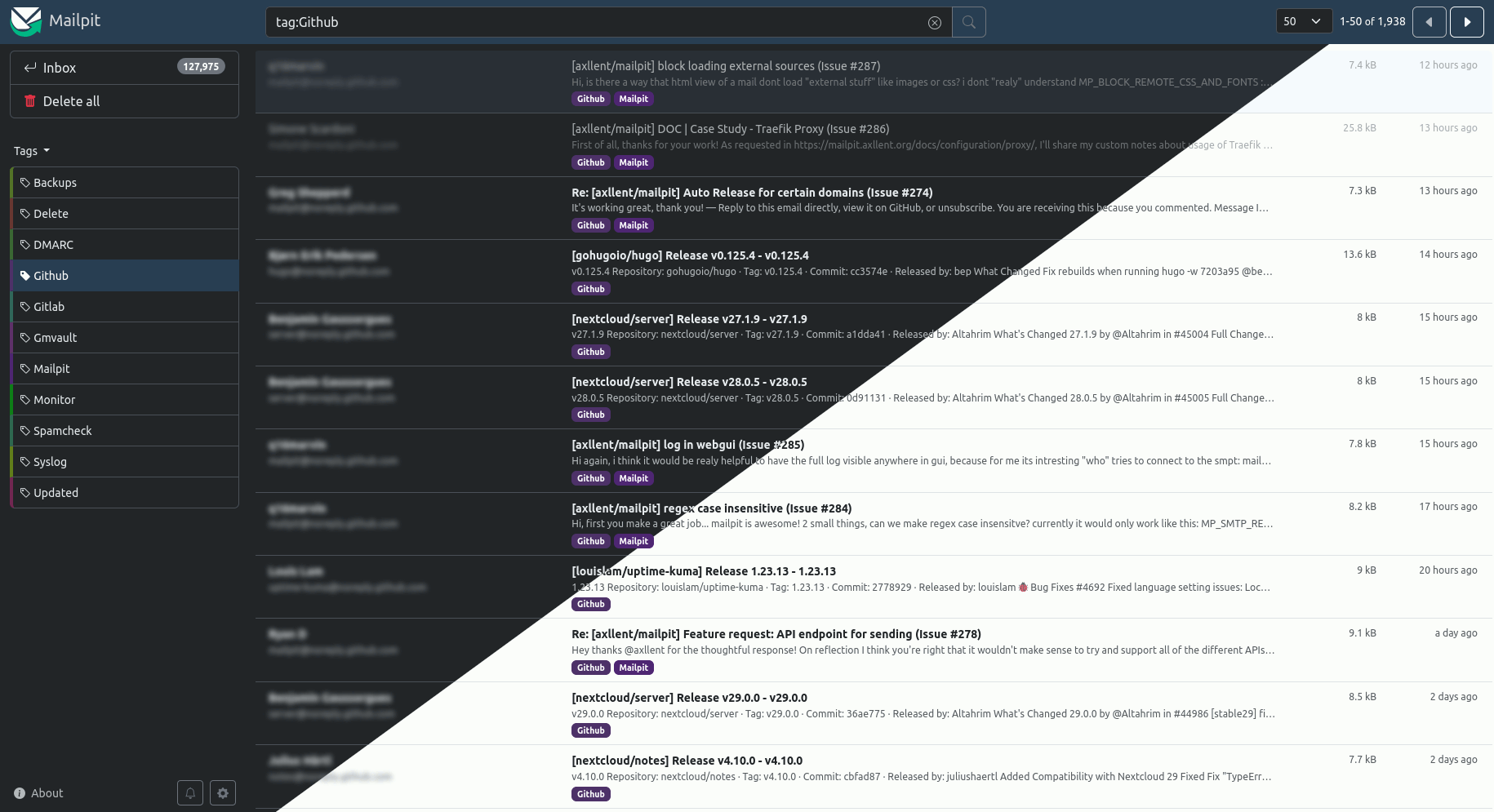
/http://localhost:6109/ Mailpit is a small, fast SMTP testing tool. It catches every email your apps and scripts send, so nothing reaches a real inbox, and shows them in a web UI.
Features
- An SMTP server for any app, script or self-hosted service on your network
- Web UI to search and read captured emails: HTML, raw source, headers and attachments
- HTML checker and link checker to test emails before sending for real
- REST API for automated testing
- Optional web UI login
- Captured mail is kept across restarts
How to use
- Open Mailpit from your dashboard.
- Point any app's SMTP settings at your server's IP and port 6110. No username or password is needed.
- Send a test email from that app. It shows up in Mailpit.
- Use search, the HTML checker and the link checker to inspect it.
Before you install
Nothing needs to be set first. The web UI is on port 6109 and has no login, so anyone on your network can read captured emails. To add a login, add MP_UI_AUTH (like admin:mypassword) in the app settings. If an app insists on sending a username and password, add MP_SMTP_AUTH_ACCEPT_ANY and MP_SMTP_AUTH_ALLOW_INSECURE set to true. All settings are in the Variables tab.
The settings in the first table are already in the app settings. To use any other one, open the app settings, add the variable with your value, save, and the app restarts with it. A setting you leave out uses its default.
In the app settings
| Variable | Default value | Description |
|---|---|---|
TZ | $TZ | Your time zone. ZimaOS fills this in for you. |
MP_ | /data/mailpit.db | Where captured emails are saved, so they survive restarts. Leave it as is. |
Security
| Variable | Default value | Description |
|---|---|---|
MP_ | — | Turns on a login for the web UI. Write it as user:password, like admin:mypassword. Use this if other people share your network. |
Storage
| Variable | Default value | Description |
|---|---|---|
MP_ | 500 | How many of the newest emails to keep. Older ones are deleted. Set to 0 to keep everything. |
MP_ | — | Delete emails older than this, like 7d for seven days or 12h for twelve hours. |
SMTP
| Variable | Default value | Description |
|---|---|---|
MP_ | — | Ask apps for a username and password when they send mail. Write it as user:password. |
MP_ | false | Set to true to accept any username and password apps send. |
MP_ | false | Set to true to allow SMTP login without TLS. Many apps need this when they send a username and password to Mailpit. |
name: mailpit
services:
mailpit:
image: axllent/mailpit:v1.30.7
container_name: mailpit
restart: unless-stopped
stop_grace_period: 40s
network_mode: bridge
environment:
- TZ=$TZ
- MP_DATABASE=/data/mailpit.db
ports:
- target: 8025
published: "6109"
protocol: tcp
- target: 1025
published: "6110"
protocol: tcp
volumes:
- type: bind
source: /DATA/AppData/$AppID/data
target: /data
bind:
create_host_path: true
deploy:
resources:
limits:
cpus: "0.50"
memory: 256M
reservations:
cpus: "0.00"
memory: 64M
labels:
icon: https://cdn.jsdelivr.net/gh/HSinghHira/IceStore@main/Apps/mailpit/icon.png
x-casaos:
id: com.icestore.mailpit
envs:
- container: TZ
description:
en_US: Your time zone. ZimaOS fills this in for you.
- container: MP_DATABASE
description:
en_US: >-
Where captured emails are saved, so they survive restarts. Leave
it as is.
ports:
- container: "8025"
description:
en_US: >-
Web UI for reading captured emails, published on host as 6109.
Anyone who can reach it can read every email unless MP_UI_AUTH
is set.
- container: "1025"
description:
en_US: SMTP port other apps send mail to, published on host as 6110.
volumes:
- container: /data
description:
en_US: SQLite database of captured emails.
x-casaos:
id: com.icestore.mailpit
architectures:
- amd64
- arm64
main: mailpit
author: HSinghHira
category: Networking
developer: axllent
icon: https://cdn.jsdelivr.net/gh/HSinghHira/IceStore@main/Apps/mailpit/icon.png
thumbnail: https://cdn.jsdelivr.net/gh/HSinghHira/IceStore@main/Apps/mailpit/screenshot-1.png
screenshot_link:
- https://cdn.jsdelivr.net/gh/HSinghHira/IceStore@main/Apps/mailpit/screenshot-1.png
title:
en_US: Mailpit
tagline:
en_US: SMTP testing tool and email catcher for developers.
description:
en_US: >-
Visit: [https://icestore.hsinghhira.me/app/mailpit/](https://icestore.hsinghhira.me/app/mailpit/) for full details
Mailpit is a small, fast SMTP testing tool. It catches every email your
apps and scripts send, so nothing reaches a real inbox, and shows them
in a web UI.
**Features**
- An SMTP server for any app, script or self-hosted service on your
network
- Web UI to search and read captured emails: HTML, raw source, headers
and attachments
- HTML checker and link checker to test emails before sending for real
- REST API for automated testing
- Optional web UI login
- Captured mail is kept across restarts
**How to use?**
1. Open Mailpit from the Zima OS dashboard.
2. Point any app's SMTP settings at your ZimaOS IP and port 6110. No
username or password is needed.
3. Send a test email from that app. It shows up in Mailpit.
4. Use search, the HTML checker and the link checker to inspect it.
tips:
before_install:
en_US: >-
Visit: [https://icestore.hsinghhira.me/app/mailpit/](https://icestore.hsinghhira.me/app/mailpit/) for full details
index: /
port_map: "6109"
scheme: http
is_uncontrolled: false
version: "1.30.7"
update_at: "2026-10-20"
release_notes:
en_US: |-
- Moved to IceStore. Ports changed from 8411/8412 to 6109 (web) and 6110 (SMTP).
- MP_MAX_MESSAGES, MP_UI_AUTH and the SMTP auth switches moved to the Variables tab on the IceStore website.
- The web UI no longer has a default admin:admin login. Add MP_UI_AUTH to turn on a login.
repo: "https://github.com/axllent/mailpit"
support: "https://github.com/axllent/mailpit/issues"
docs: "https://mailpit.axllent.org/docs/" ZimaOS
 CasaOS
 Homeio