Nodecast TV
Stream Live TV, Movies and Series from your Xtream Codes or M3U provider, right in your browser.
- ghcr.io/technomancer702/nodecast-tv:2.2.1
- port 6112
- Media
Web App
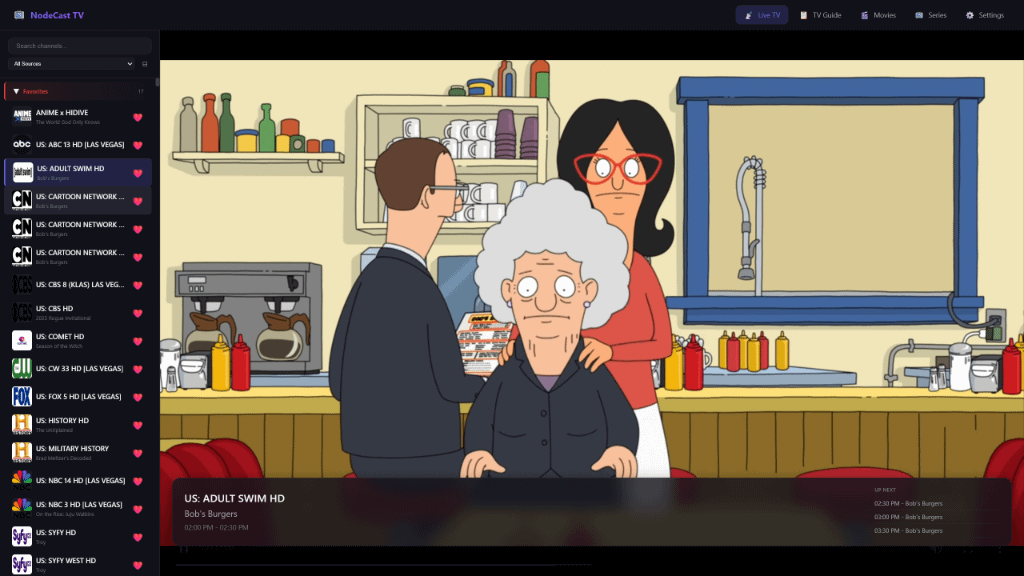
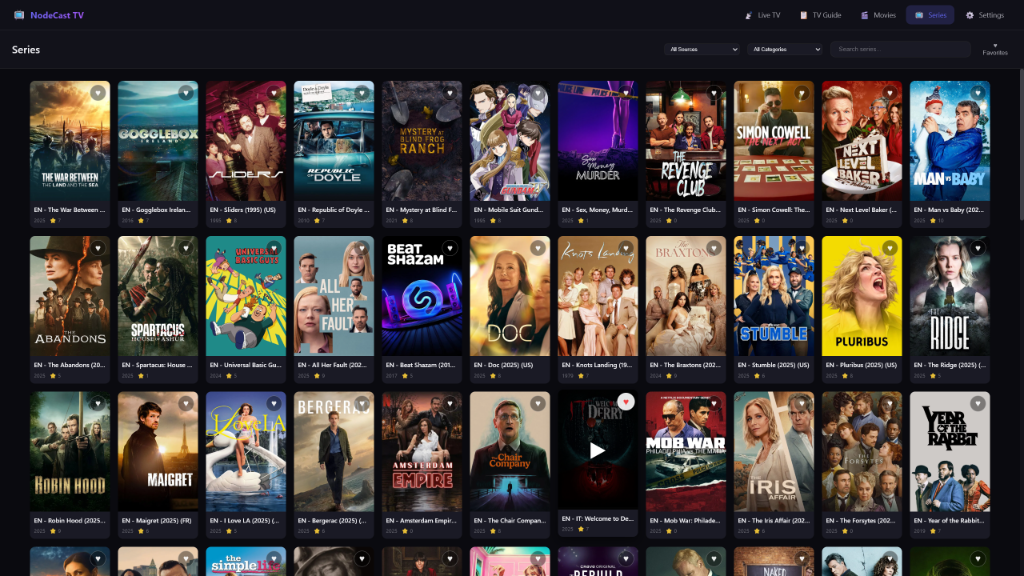
/http://localhost:6112/ Nodecast TV is a self-hosted, web-based IPTV player for Live TV, an interactive EPG, and VOD Movies and Series. It is a lightweight Xtream Codes / M3U client built for large libraries and smooth playback.
Features
- Live TV with fast channel zapping, category grouping and search
- Interactive EPG grid guide with a 24h timeline and search
- Movies and Series sections with posters and episode lists
- Favorites for channels, movies and series
- Admin and viewer accounts, plus optional OIDC single sign-on
- Hardware-accelerated transcoding (NVIDIA, AMD, Intel QuickSync, VAAPI)
- 5.1 to stereo audio downmix presets
How to use
- Open Nodecast TV from your dashboard.
- Create your admin account.
- Go to Settings, Content Sources and add your Xtream Codes or M3U provider.
- Click "Refresh Sources" to load channels, movies and series.
- Change transcoding and audio settings anytime under Settings, Transcoding.
Before you install
Nothing needs to be set first. Create your admin account right after install. For single sign-on, add the OIDC_* settings from the Variables tab in the app settings; new SSO users start as viewers and an admin has to promote them. Behind an HTTPS reverse proxy, forward the X-Forwarded-Proto header. Hardware transcoding needs your GPU device added to the container in the app settings.
The settings in the first table are already in the app settings. To use any other one, open the app settings, add the variable with your value, save, and the app restarts with it. A setting you leave out uses its default.
In the app settings
| Variable | Default value | Description |
|---|---|---|
TZ | $TZ | Your time zone. ZimaOS fills this in for you. |
NODE_ | production | Runs the app in production mode. Do not change. |
Sign in with OIDC
| Variable | Default value | Description |
|---|---|---|
OIDC_ | — | The issuer URL of your OIDC provider (Authentik, Keycloak and others). Copy it exactly, with any trailing slash. |
OIDC_ | — | The client ID your provider gave Nodecast TV. |
OIDC_ | — | The client secret your provider gave Nodecast TV. |
OIDC_ | — | Where your provider sends people back after sign-in, like http://192.168.1.10:6112/api/auth/oidc/callback. |
Reverse proxy
| Variable | Default value | Description |
|---|---|---|
APP_ | — | The outside address when Nodecast TV is behind a reverse proxy, like https://tv.example.com. |
TRUST_ | — | The IP or CIDR of a reverse proxy that is not on your local network. Local and private networks are trusted already. |
AUTH_ | — | Set to true to force secure cookies when HTTPS ends at your proxy. |
Sources
| Variable | Default value | Description |
|---|---|---|
ALLOW_ | false | Set to true to allow providers on localhost. |
name: nodecast-tv
services:
nodecast-tv:
image: ghcr.io/technomancer702/nodecast-tv:2.2.1
container_name: nodecast-tv
restart: unless-stopped
stop_grace_period: 40s
network_mode: bridge
environment:
- TZ=$TZ
- NODE_ENV=production
ports:
- target: 3000
published: "6112"
protocol: tcp
volumes:
- type: bind
source: /DATA/AppData/$AppID
target: /app/data
bind:
create_host_path: true
deploy:
resources:
limits:
cpus: "2.00"
memory: 2048M
reservations:
cpus: "0.25"
memory: 256M
labels:
icon: https://cdn.jsdelivr.net/gh/HSinghHira/IceStore@main/Apps/nodecast-tv/icon.png
x-casaos:
id: com.icestore.nodecast-tv
envs:
- container: TZ
description:
en_US: Your time zone. ZimaOS fills this in for you.
- container: NODE_ENV
description:
en_US: Runs the app in production mode. Do not change.
ports:
- container: "3000"
description:
en_US: Web UI and API, published on host as 6112.
volumes:
- container: /app/data
description:
en_US: SQLite database, playlists, favorites and app settings.
x-casaos:
id: com.icestore.nodecast-tv
architectures:
- amd64
- arm64
main: nodecast-tv
author: HSinghHira
category: Media
developer: technomancer702
icon: https://cdn.jsdelivr.net/gh/HSinghHira/IceStore@main/Apps/nodecast-tv/icon.png
thumbnail: https://cdn.jsdelivr.net/gh/HSinghHira/IceStore@main/Apps/nodecast-tv/screenshot-1.png
screenshot_link:
- https://cdn.jsdelivr.net/gh/HSinghHira/IceStore@main/Apps/nodecast-tv/screenshot-1.png
- https://cdn.jsdelivr.net/gh/HSinghHira/IceStore@main/Apps/nodecast-tv/screenshot-2.png
title:
en_US: Nodecast TV
tagline:
en_US: Stream Live TV, Movies and Series from your Xtream Codes or M3U provider, right in your browser.
description:
en_US: >-
Visit: [https://icestore.hsinghhira.me/app/nodecast-tv/](https://icestore.hsinghhira.me/app/nodecast-tv/) for full details
Nodecast TV is a self-hosted, web-based IPTV player for Live TV, an
interactive EPG, and VOD Movies and Series. It is a lightweight Xtream
Codes / M3U client built for large libraries and smooth playback.
**Features**
- Live TV with fast channel zapping, category grouping and search
- Interactive EPG grid guide with a 24h timeline and search
- Movies and Series sections with posters and episode lists
- Favorites for channels, movies and series
- Admin and viewer accounts, plus optional OIDC single sign-on
- Hardware-accelerated transcoding (NVIDIA, AMD, Intel QuickSync,
VAAPI)
- 5.1 to stereo audio downmix presets
**How to use?**
1. Open Nodecast TV from the Zima OS dashboard.
2. Create your admin account.
3. Go to Settings, Content Sources and add your Xtream Codes or M3U
provider.
4. Click "Refresh Sources" to load channels, movies and series.
5. Change transcoding and audio settings anytime under Settings,
Transcoding.
tips:
before_install:
en_US: >-
Visit: [https://icestore.hsinghhira.me/app/nodecast-tv/](https://icestore.hsinghhira.me/app/nodecast-tv/) for full details
index: /
port_map: "6112"
scheme: http
is_uncontrolled: false
version: "2.2.1"
update_at: "2026-10-25"
release_notes:
en_US: |-
- Moved to IceStore. Port changed from 8413 to 6112.
- Removed PORT from the compose file; the app already listens on 3000.
- OIDC single sign-on settings moved to the Variables tab on the IceStore website.
- Pinned the image to 2.2.1 instead of latest.
repo: "https://github.com/technomancer702/nodecast-tv"
support: "https://github.com/technomancer702/nodecast-tv/issues"
docs: "https://github.com/technomancer702/nodecast-tv/blob/main/README.md" ZimaOS
 CasaOS
 Homeio