
OmniCloud
One workspace for every cloud drive you own
- ghcr.io/hsinghhira/omnicloud:latest
- port 6154
- Productivity
Web App
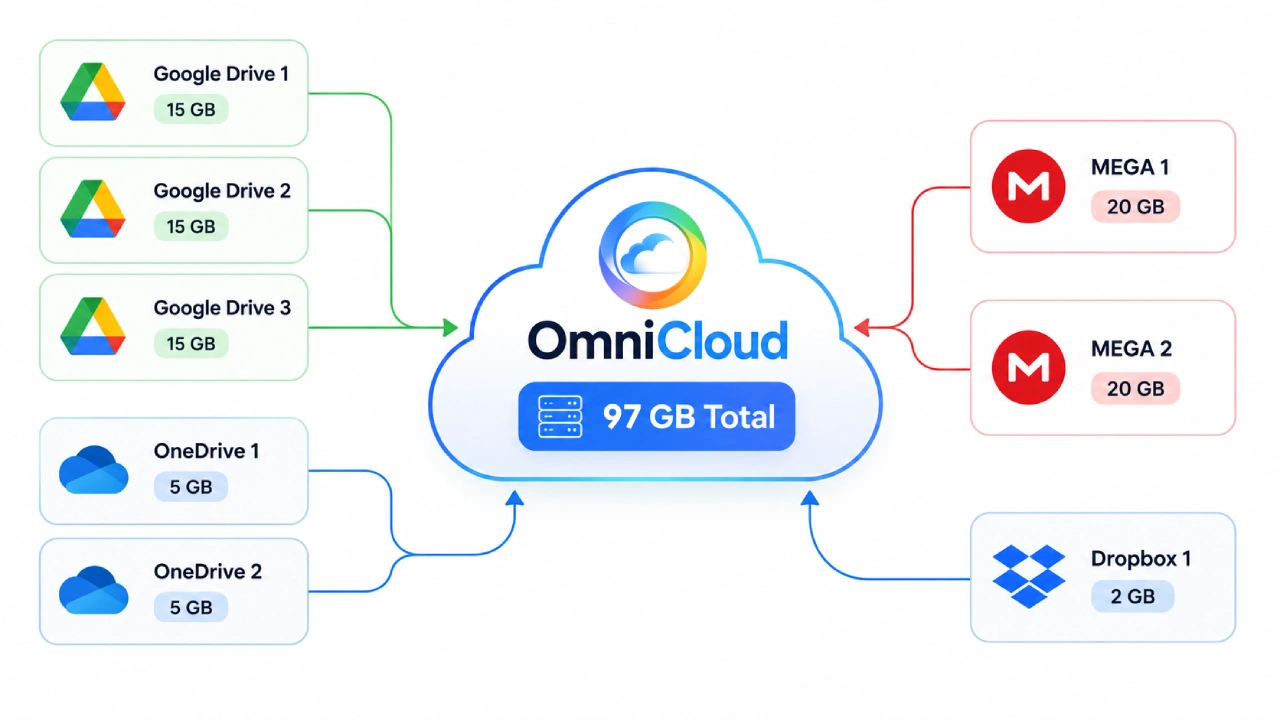
/http://localhost:6154/ OmniCloud brings Google Drive, OneDrive, Dropbox, Yandex Disk, MEGA, pCloud and S3-compatible storage into one file workspace, so you don't need a separate app for every provider. This is OmniCloud in a single container, built from the upstream source, with the API and the web app behind one port and one data folder. The encryption and sign-in keys are made for you on first start.
Features
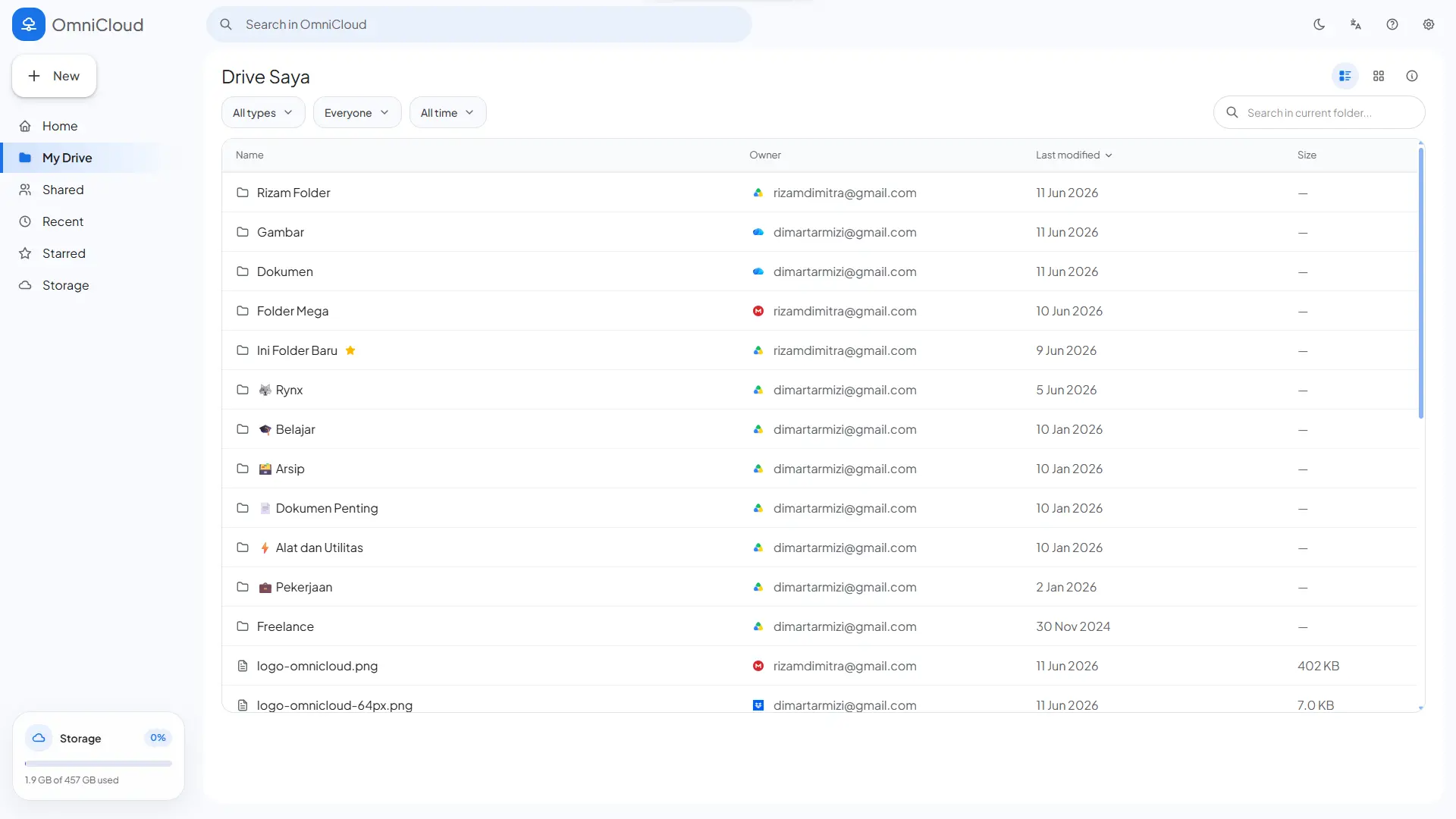
- Browse, upload, download, rename and delete files across every connected provider from one file explorer
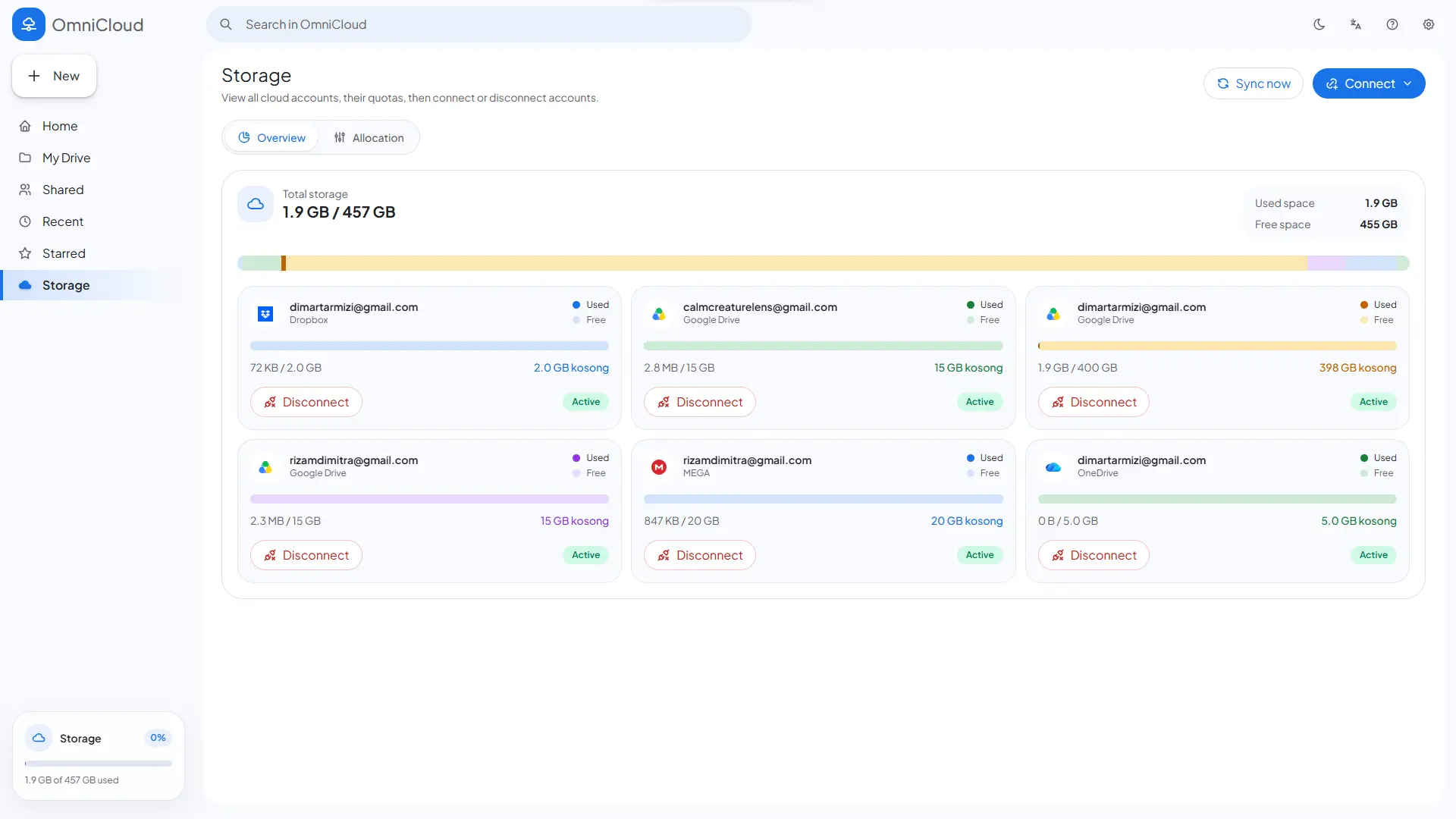
- Home, My Drive, Recent, Starred, Shared with Me and Quota views
- Live upload progress, drag-and-drop and folder uploads
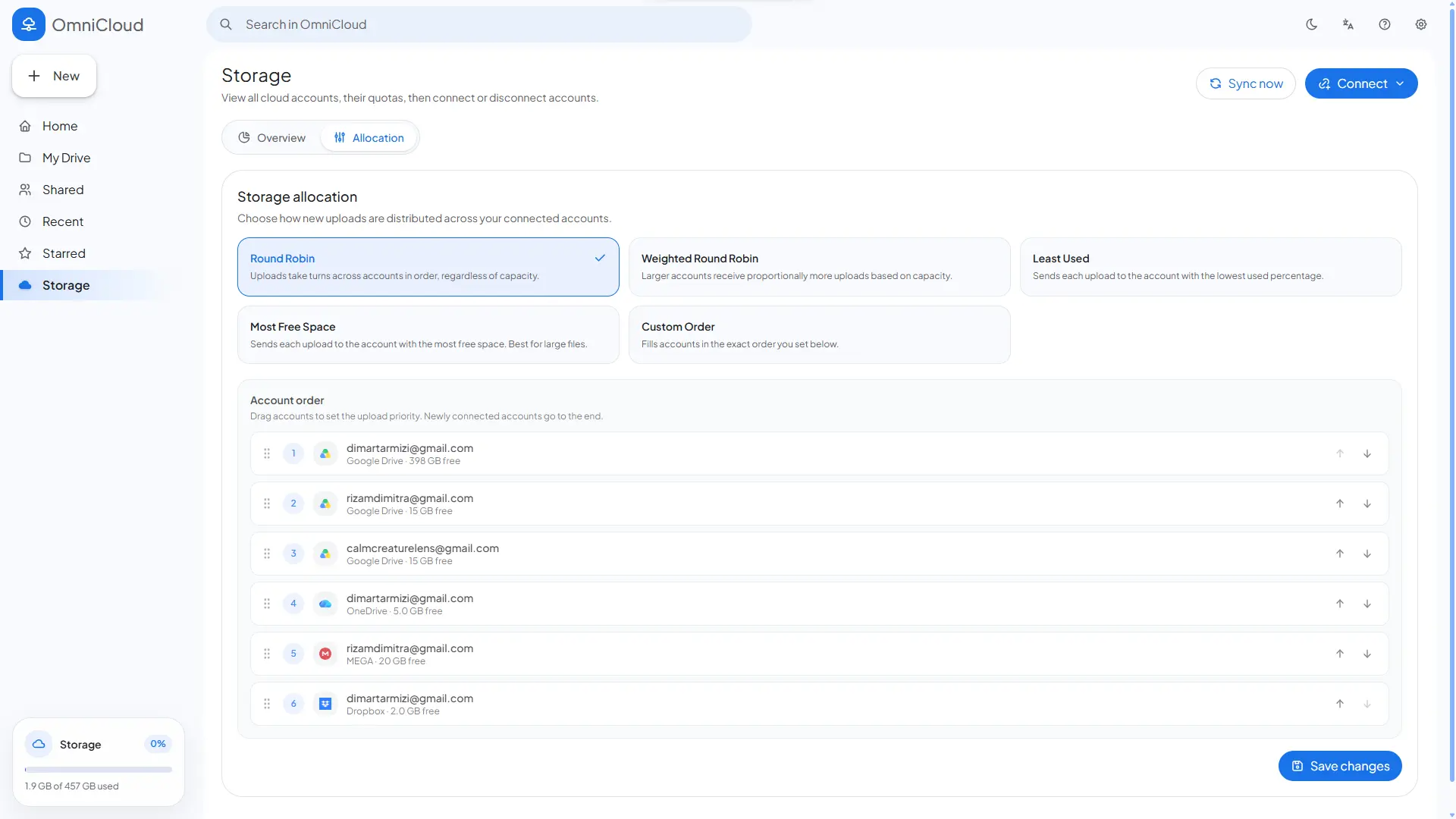
- Automatic choice of which account gets each upload (round robin, weighted, least used, most free or manual priority)
- Background sync keeps the file list of every account current
- Local mode for one person, or hosted mode with logins for many
How to use
- Open OmniCloud from your dashboard.
- In local mode (the default) there is no login. Set
APP_MODEtohostedto make accounts with a login. - Go to Quota to add a cloud account.
- MEGA, pCloud and S3 storage ask for their login right there. Google Drive, OneDrive, Dropbox and Yandex Disk need an app from that provider first (see the Variables tab and upstream's provider setup guide).
- Open My Drive to browse, upload and download across every connected account.
Before you install
PUBLIC_URL starts as http://localhost:6154. Change localhost to your ZimaOS IP, like http://192.168.1.20:6154; the sign-in callbacks for Google, OneDrive, Dropbox and Yandex are made from it (<PUBLIC_URL>/api/accounts/google/callback and so on), and some providers only accept an https:// address or localhost. Local mode has no login, so anyone who can open the page can use your clouds; add APP_MODE=hosted for logins. The first start takes about a minute. The provider client IDs and secrets are in the Variables tab; add them in the app settings.
The settings in the first table are already in the app settings. To use any other one, open the app settings, add the variable with your value, save, and the app restarts with it. A setting you leave out uses its default.
In the app settings
| Variable | Default value | Description |
|---|---|---|
TZ | $TZ | Your time zone. It is filled in from your ZimaOS time zone. Leave it unless you need another. |
PUBLIC_ | http://localhost:6154 | The address you open OmniCloud at, like http://192.168.1.20:6154. Change localhost to your ZimaOS IP. The Google, OneDrive, Dropbox and Yandex sign-in callbacks are made from it (PUBLIC_URL/api/accounts/google/callback and so on). |
Sign-up and accounts
| Variable | Default value | Description |
|---|---|---|
APP_ | local | local is for one person and has no login. Set to hosted for accounts with an email and password; everyone gets their own clouds. |
AUTH_ | 336 | How long people stay signed in (hosted mode), in hours. |
AUTH_ | omnicloud_session | The name of the sign-in cookie (hosted mode). |
Google Drive
| Variable | Default value | Description |
|---|---|---|
GOOGLE_ | — | The client ID of your Google Cloud OAuth app. Add <PUBLIC_URL>/api/accounts/google/callback as its redirect URI. |
GOOGLE_ | — | The client secret of your Google Cloud OAuth app. |
GOOGLE_ | <PUBLIC_URL>/api/accounts/google/callback | Only set it if your provider must call back to another address than PUBLIC_URL. |
OneDrive
| Variable | Default value | Description |
|---|---|---|
ONEDRIVE_ | — | The application ID of your Microsoft Entra app. Add <PUBLIC_URL>/api/accounts/onedrive/callback as its redirect URI. |
ONEDRIVE_ | — | The client secret of your Microsoft Entra app. |
ONEDRIVE_ | common | Your Microsoft tenant, or common for personal and work accounts. |
ONEDRIVE_ | <PUBLIC_URL>/api/accounts/onedrive/callback | Only set it if Microsoft must call back to another address than PUBLIC_URL. |
Dropbox
| Variable | Default value | Description |
|---|---|---|
DROPBOX_ | — | The app key of your Dropbox app. Add <PUBLIC_URL>/api/accounts/dropbox/callback as its redirect URI. |
DROPBOX_ | — | The app secret of your Dropbox app. |
DROPBOX_ | <PUBLIC_URL>/api/accounts/dropbox/callback | Only set it if Dropbox must call back to another address than PUBLIC_URL. |
Yandex Disk
| Variable | Default value | Description |
|---|---|---|
YANDEX_ | — | The client ID of your Yandex OAuth app. Add <PUBLIC_URL>/api/accounts/yandex/callback as its redirect URI. |
YANDEX_ | — | The client secret of your Yandex OAuth app. |
YANDEX_ | <PUBLIC_URL>/api/accounts/yandex/callback | Only set it if Yandex must call back to another address than PUBLIC_URL. |
Sync
| Variable | Default value | Description |
|---|---|---|
SYNC_ | 5 | How often the file lists of your accounts are refreshed, in minutes. |
name: omnicloud
services:
omnicloud:
image: ghcr.io/hsinghhira/omnicloud:latest
container_name: omnicloud
hostname: omnicloud
restart: unless-stopped
stop_grace_period: 40s
privileged: true
environment:
- TZ=$TZ
- PUBLIC_URL=http://localhost:6154
ports:
- target: 8080
published: "6154"
protocol: tcp
volumes:
- type: bind
source: /DATA/AppData/$AppID/data
target: /data
bind:
create_host_path: true
healthcheck:
test: ["CMD", "curl", "-fsS", "-o", "/dev/null", "http://127.0.0.1:8080/api/health"]
interval: 30s
timeout: 10s
retries: 5
start_period: 60s
deploy:
resources:
limits:
cpus: "1.50"
memory: 768M
reservations:
cpus: "0.10"
memory: 128M
labels:
icon: https://cdn.jsdelivr.net/gh/HSinghHira/IceStore@main/Apps/omnicloud/icon.png
x-casaos:
id: com.icestore.omnicloud
envs:
- container: TZ
description:
en_US: >-
Your time zone. It is filled in from your ZimaOS time zone.
Leave it unless you need another.
- container: PUBLIC_URL
description:
en_US: >-
The address you open OmniCloud at, like http://192.168.1.20:6154.
Change localhost to your ZimaOS IP. The Google, OneDrive,
Dropbox and Yandex sign-in callbacks are made from it
(PUBLIC_URL/api/accounts/google/callback and so on).
ports:
- container: "8080"
description:
en_US: OmniCloud web app and API, published on host as 6154
volumes:
- container: /data
description:
en_US: >-
The database (connected accounts with their encrypted logins,
the file list and settings) and the secret keys.
x-casaos:
id: com.icestore.omnicloud
architectures:
- amd64
- arm64
main: omnicloud
author: HSinghHira
category: Productivity
developer: dimartarmizi
icon: https://cdn.jsdelivr.net/gh/HSinghHira/IceStore@main/Apps/omnicloud/icon.png
thumbnail: https://cdn.jsdelivr.net/gh/HSinghHira/IceStore@main/Apps/omnicloud/screenshot-1.png
screenshot_link:
- https://cdn.jsdelivr.net/gh/HSinghHira/IceStore@main/Apps/omnicloud/screenshot-1.png
- https://cdn.jsdelivr.net/gh/HSinghHira/IceStore@main/Apps/omnicloud/screenshot-2.png
- https://cdn.jsdelivr.net/gh/HSinghHira/IceStore@main/Apps/omnicloud/screenshot-3.png
- https://cdn.jsdelivr.net/gh/HSinghHira/IceStore@main/Apps/omnicloud/screenshot-4.png
title:
en_US: OmniCloud
tagline:
en_US: One workspace for every cloud drive you own
description:
en_US: >-
OmniCloud brings Google Drive, OneDrive, Dropbox, Yandex Disk, MEGA,
pCloud and S3-compatible storage into one file workspace, so you don't
need a separate app for every provider. This is OmniCloud in a single
container, built from the upstream source, with the API and the web app
behind one port and one data folder. The encryption and sign-in keys
are made for you on first start.
**Features**
- Browse, upload, download, rename and delete files across every
connected provider from one file explorer
- Home, My Drive, Recent, Starred, Shared with Me and Quota views
- Live upload progress, drag-and-drop and folder uploads
- Automatic choice of which account gets each upload (round robin,
weighted, least used, most free or manual priority)
- Background sync keeps the file list of every account current
- Local mode for one person, or hosted mode with logins for many
**How to use?**
1. Open OmniCloud from the Zima OS dashboard.
2. In local mode (the default) there is no login. Set APP_MODE to
hosted to make accounts with a login.
3. Go to Quota to add a cloud account.
4. MEGA, pCloud and S3 storage ask for their login right there. Google
Drive, OneDrive, Dropbox and Yandex Disk need an app from that
provider first (see the Variables tab).
5. Open My Drive to browse, upload and download across every connected
account.
tips:
before_install:
en_US: >-
1. Open the app configuration before you install.
2. Find PUBLIC_URL. It starts as http://localhost:6154. Change
localhost to your ZimaOS IP, like http://192.168.1.20:6154.
3. OmniCloud has no login in local mode. Anyone who can open the page
can use your clouds. To get a login, add APP_MODE with the value
hosted.
4. To use Google Drive, OneDrive, Dropbox or Yandex Disk, make an app
at that provider and add its client ID and secret. They are listed
on the OmniCloud page at https://icestore.hsinghhira.me/app/omnicloud/
(Variables tab). You can add them now or later in the app settings.
5. Start the installation.
6. Wait about one minute.
7. Open http://your-zimaos-ip:6154.
8. Go to Quota and connect your first cloud account.
index: /
port_map: "6154"
scheme: http
is_uncontrolled: false
version: "51b949a"
update_at: "2026-10-25"
release_notes:
en_US: |-
- Single-container OmniCloud with one port (6154) and one data folder
- Built from upstream commit 51b949a, since upstream publishes no image or releases
- The encryption and sign-in keys are made on first start, and the host name is fixed so saved cloud logins survive updates
- The cloud sign-in callbacks are made from PUBLIC_URL
- node 22.23.4-bookworm-slim
repo: "https://github.com/dimartarmizi/OmniCloud"
support: "https://github.com/dimartarmizi/OmniCloud/issues"
docs: "https://github.com/dimartarmizi/OmniCloud/blob/main/docs/provider-setup.md" ZimaOS
 CasaOS
 Homeio