
Outline
The fastest wiki and knowledge base for growing teams, self-hosted
- ghcr.io/hsinghhira/outline:latest
- port 6155
- Productivity
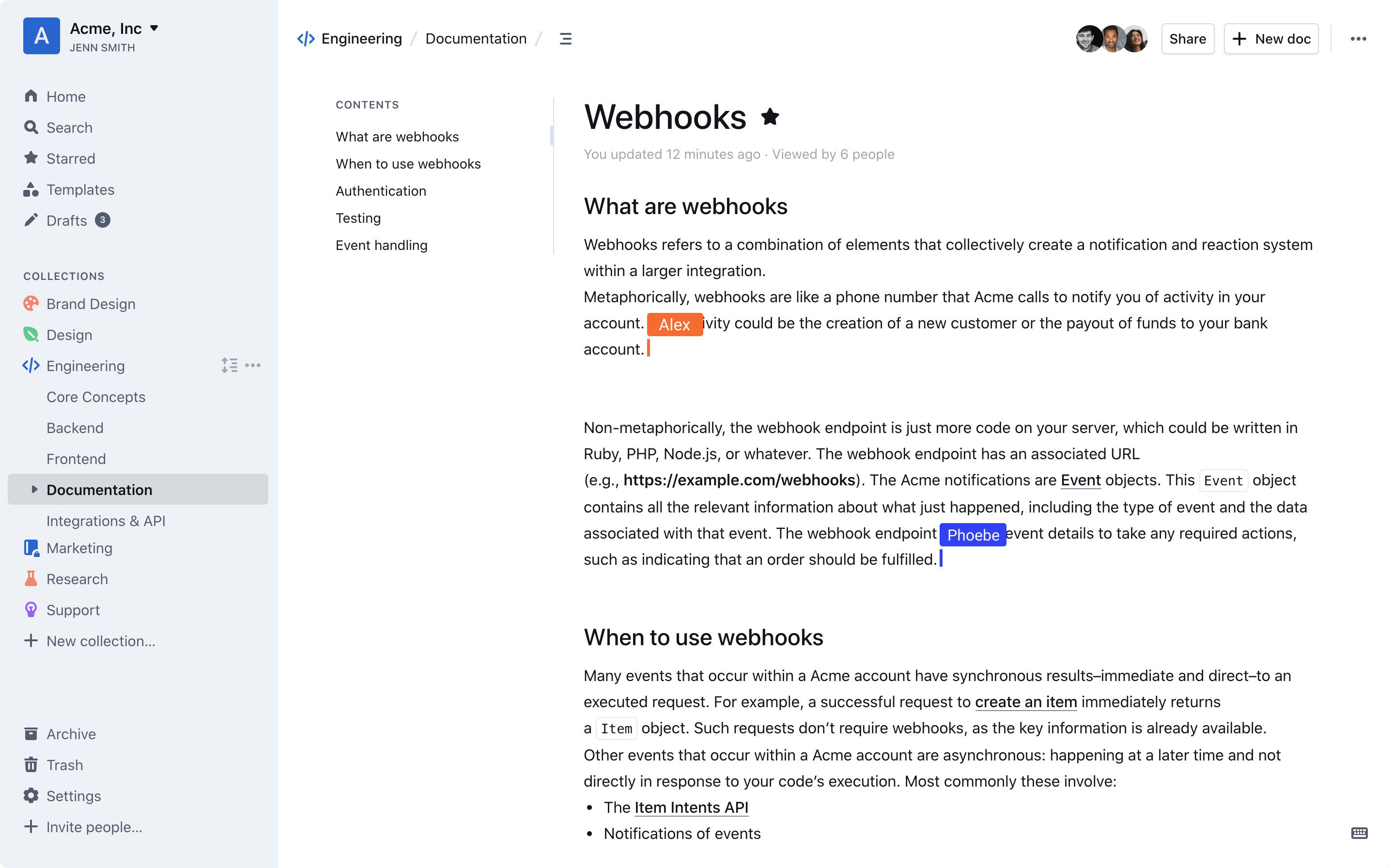
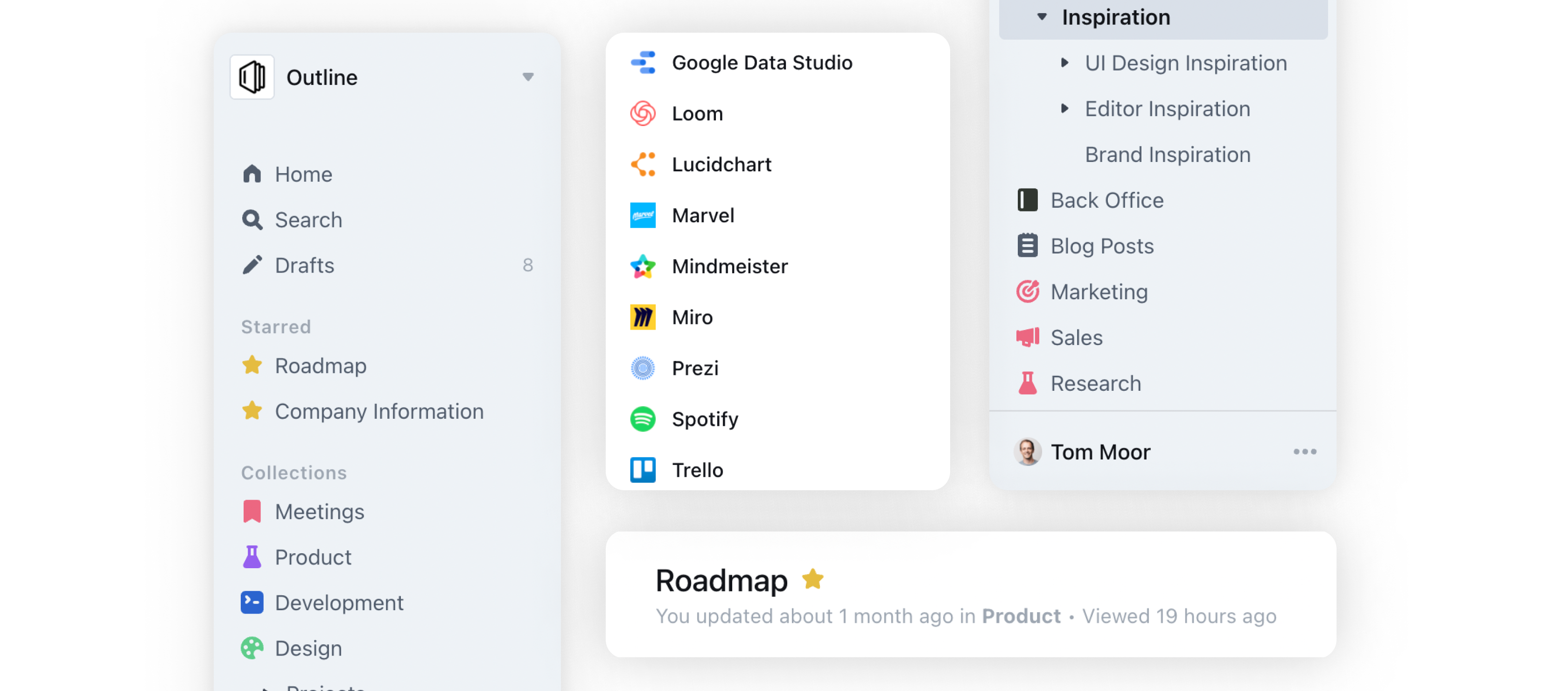
Web App
/http://localhost:6155/ Mail Viewer
/mail/http://localhost:6155/mail/ Outline is a fast, beautifully designed wiki and knowledge base for teams, with real-time collaborative editing, nested collections and powerful search. This is Outline in a single container, with PostgreSQL, Redis and a mail viewer inside, one port and one data folder. The secret keys and database passwords are made for you on first start, and you can sign in with email right away: no Google, Slack or OIDC app needed.
Features
- Real-time collaborative editing with a clean Markdown editor
- Nested collections and documents, full-text search and a keyboard-first interface
- Sign in with email links, or add Google, Slack, Microsoft, Discord or any OIDC provider (Pocket ID, Authentik...)
- API and integrations (GitHub, GitLab, Linear, Figma, Notion import)
- Works without an email server: sign-in links and invites go to the built-in mail viewer at
/mailuntil you set up SMTP
How to use
- Open Outline from your dashboard.
- On the first visit, Outline asks for a workspace name, your name and your email. That makes you the admin.
- Create a collection and start writing.
- To sign in again later, type your email. Until you set up SMTP, the sign-in link is in the mail viewer at
http://your-zimaos-ip:6155/mail/. Its login is in the app logs. - Invite people from Settings, Members.
- To send real emails or add Google, Slack or OIDC sign-in, add the settings from the Variables tab.
Before you install
PUBLIC_URL starts as http://localhost:6155. Change localhost to your ZimaOS IP, like http://192.168.1.20:6155; Outline only works at this exact address, so use your own https:// domain if you put it behind a reverse proxy. The first start takes about three minutes. Until you add an SMTP server, emails go to the mail viewer at /mail/; its login is in the app logs on the line that says "mail viewer (/mail) login is", and in mail-password.txt in the data folder. SMTP, OIDC (Pocket ID, Authentik...), Google, Slack and the other settings are in the Variables tab; add them in the app settings. For OIDC, set the callback at your provider to <PUBLIC_URL>/auth/oidc.callback.
The settings in the first table are already in the app settings. To use any other one, open the app settings, add the variable with your value, save, and the app restarts with it. A setting you leave out uses its default.
In the app settings
| Variable | Default value | Description |
|---|---|---|
TZ | $TZ | Your time zone. It is filled in from your ZimaOS time zone. Leave it unless you need another. |
PUBLIC_ | http://localhost:6155 | The exact address you open Outline at, like http://192.168.1.20:6155. Change localhost to your ZimaOS IP. Outline only works at this address, so use your own domain (https://...) if you put it behind a reverse proxy. |
Email (SMTP)
| Variable | Default value | Description |
|---|---|---|
SMTP_ | — | Your mail server, like smtp.gmail.com. Leave it out to keep emails (sign-in links, invites) in the built-in mail viewer at /mail. |
SMTP_ | — | A well-known mail service name instead of SMTP_HOST, like gmail or SendGrid. |
SMTP_ | — | Your mail server's port, like 587 or 465. |
SMTP_ | — | The user name for your mail server. |
SMTP_ | — | The password for your mail server. |
SMTP_ | true | Set to false for a server on port 587 or 25 that starts plain and switches to TLS. |
SMTP_ | false | Set to true to never switch to TLS. Only for a mail server on your own network. |
SMTP_ | [email protected] | The sender address on emails. Most mail servers need this to be an address they own. |
SMTP_ | — | The reply-to address on emails. |
MP_ | — | Your own login for the mail viewer, as user:password. Leave it out to use the one made on first start (shown in the app logs). |
Sign in with OIDC
| Variable | Default value | Description |
|---|---|---|
OIDC_ | — | The client ID from your OIDC provider (Pocket ID, Authentik, Keycloak...). Set the callback at your provider to <PUBLIC_URL>/auth/oidc.callback. |
OIDC_ | — | The client secret from your OIDC provider. |
OIDC_ | — | Your provider's authorization address, like https://id.example.com/authorize. |
OIDC_ | — | Your provider's token address, like https://id.example.com/api/oidc/token. |
OIDC_ | — | Your provider's userinfo address, like https://id.example.com/api/oidc/userinfo. |
OIDC_ | — | Where to send people when they sign out, to sign them out of the provider too. |
OIDC_ | preferred_username | Which claim holds the user name. |
OIDC_ | OpenID Connect | The name on the sign-in button, like Pocket ID. |
OIDC_ | openid profile email | The scopes to ask for, separated by spaces. |
Sign in with Google, Slack, Microsoft or Discord
| Variable | Default value | Description |
|---|---|---|
GOOGLE_ | — | The client ID of your Google OAuth app. |
GOOGLE_ | — | The client secret of your Google OAuth app. |
SLACK_ | — | The client ID of your Slack app. |
SLACK_ | — | The client secret of your Slack app. |
AZURE_ | — | The client ID of your Microsoft Entra app. |
AZURE_ | — | The client secret of your Microsoft Entra app. |
AZURE_ | — | The resource app ID of your Microsoft Entra app. |
DISCORD_ | — | The client ID of your Discord app. |
DISCORD_ | — | The client secret of your Discord app. |
DISCORD_ | — | Only let members of this Discord server sign in. |
Server
| Variable | Default value | Description |
|---|---|---|
DEFAULT_ | en_US | The language for new users, like de_DE or fr_FR. |
FORCE_ | false | Set to true to make Outline send every visitor to https. Only when PUBLIC_URL is https and your proxy forwards to Outline. |
WEB_ | 1 | How many Outline processes to run. About one per 512 MB of memory. |
ENABLE_ | true | Set to false to stop checking for updates (this sends anonymous statistics to Outline). |
File storage
| Variable | Default value | Description |
|---|---|---|
FILE_ | local | Where uploads are kept: local (the data folder) or s3. |
FILE_ | 262144000 | The largest file people can upload, in bytes. |
FILE_ | — | The largest document import, in bytes. |
FILE_ | — | The largest workspace import (like a Notion or Confluence export), in bytes. |
AWS_ | — | The S3 server and bucket address, when FILE_STORAGE is s3. |
AWS_ | — | The S3 bucket name. |
AWS_ | — | The S3 access key. |
AWS_ | — | The S3 secret key. |
AWS_ | — | The S3 region, like us-east-1. |
AWS_ | true | Keep true for most self-hosted S3 servers (MinIO, Garage). |
Integrations
| Variable | Default value | Description |
|---|---|---|
GITHUB_ | — | The client ID of your GitHub app, for issue and pull request previews. |
GITHUB_ | — | The client secret of your GitHub app. |
GITHUB_ | — | The name of your GitHub app. |
GITHUB_ | — | The ID of your GitHub app. |
GITHUB_ | — | The private key of your GitHub app. |
GITLAB_ | — | The client ID of your GitLab app, for issue and merge request previews. |
GITLAB_ | — | The client secret of your GitLab app. |
LINEAR_ | — | The client ID of your Linear app, for issue previews. |
LINEAR_ | — | The client secret of your Linear app. |
FIGMA_ | — | The client ID of your Figma app, for design previews. |
FIGMA_ | — | The client secret of your Figma app. |
NOTION_ | — | The client ID of your Notion integration, to import Notion pages. |
NOTION_ | — | The client secret of your Notion integration. |
DROPBOX_ | — | Your Dropbox app key, for Dropbox embeds. |
IFRAMELY_ | — | Your Iframely server, for link previews of other sites. |
IFRAMELY_ | — | Your Iframely API key. |
Security
| Variable | Default value | Description |
|---|---|---|
RATE_ | true | Set to false to turn off the request rate limits. |
RATE_ | 1000 | How many requests one visitor may make per time window. |
RATE_ | 60 | The rate limit time window, in seconds. |
Logs
| Variable | Default value | Description |
|---|---|---|
LOG_ | info | How much to log: error, warn, info, http, verbose or debug. |
DEBUG | — | Extra debug categories to log, like http. |
name: outline
services:
outline:
image: ghcr.io/hsinghhira/outline:latest
container_name: outline
restart: unless-stopped
stop_grace_period: 90s
privileged: true
environment:
- TZ=$TZ
- PUBLIC_URL=http://localhost:6155
ports:
- target: 8080
published: "6155"
protocol: tcp
volumes:
- type: bind
source: /DATA/AppData/$AppID/data
target: /data
bind:
create_host_path: true
healthcheck:
test: ["CMD", "curl", "-fsS", "-o", "/dev/null", "http://127.0.0.1:8080/_health"]
interval: 30s
timeout: 10s
retries: 5
start_period: 240s
deploy:
resources:
limits:
cpus: "2.00"
memory: 2560M
reservations:
cpus: "0.25"
memory: 512M
labels:
icon: https://cdn.jsdelivr.net/gh/HSinghHira/IceStore@main/Apps/outline/icon.png
x-casaos:
id: com.icestore.outline
envs:
- container: TZ
description:
en_US: >-
Your time zone. It is filled in from your ZimaOS time zone.
Leave it unless you need another.
- container: PUBLIC_URL
description:
en_US: >-
The exact address you open Outline at, like
http://192.168.1.20:6155. Change localhost to your ZimaOS IP.
Outline only works at this address, so use your own domain
(https://...) if you put it behind a reverse proxy.
ports:
- container: "8080"
description:
en_US: Outline web app, API and mail viewer (/mail), published on host as 6155
volumes:
- container: /data
description:
en_US: >-
The database (all documents, collections and users), uploaded
files in storage/, Redis data, secret keys and settings.
x-casaos:
id: com.icestore.outline
architectures:
- amd64
- arm64
main: outline
author: HSinghHira
category: Productivity
developer: Outline
icon: https://cdn.jsdelivr.net/gh/HSinghHira/IceStore@main/Apps/outline/icon.png
thumbnail: https://cdn.jsdelivr.net/gh/HSinghHira/IceStore@main/Apps/outline/screenshot-1.png
screenshot_link:
- https://cdn.jsdelivr.net/gh/HSinghHira/IceStore@main/Apps/outline/screenshot-1.png
- https://cdn.jsdelivr.net/gh/HSinghHira/IceStore@main/Apps/outline/screenshot-2.png
title:
en_US: Outline
tagline:
en_US: The fastest wiki and knowledge base for growing teams, self-hosted
description:
en_US: >-
Outline is a fast, beautifully designed wiki and knowledge base for
teams, with real-time collaborative editing, nested collections and
powerful search. This is Outline in a single container, with
PostgreSQL, Redis and a mail viewer inside, one port and one data
folder. The secret keys and database passwords are made for you on
first start, and you can sign in with email right away: no Google,
Slack or OIDC app needed.
**Features**
- Real-time collaborative editing with a clean Markdown editor
- Nested collections and documents, full-text search and a
keyboard-first interface
- Sign in with email links, or add Google, Slack, Microsoft, Discord
or any OIDC provider (Pocket ID, Authentik...)
- API and integrations (GitHub, GitLab, Linear, Figma, Notion import)
- Works without an email server: sign-in links and invites go to the
built-in mail viewer at /mail until you set up SMTP
**How to use?**
1. Open Outline from the Zima OS dashboard.
2. On the first visit, Outline asks for a workspace name, your name and
your email. That makes you the admin.
3. Create a collection and start writing.
4. To sign in again later, type your email. Until you set up SMTP, the
sign-in link is in the mail viewer at
http://your-zimaos-ip:6155/mail/. Its login is in the app logs.
5. Invite people from Settings, Members.
6. To send real emails or add Google, Slack or OIDC sign-in, add the
settings from the Variables tab on the IceStore page.
tips:
before_install:
en_US: >-
1. Open the app configuration before you install.
2. Find PUBLIC_URL. It starts as http://localhost:6155. Change
localhost to your ZimaOS IP, like http://192.168.1.20:6155.
Outline only works at this exact address.
3. Emails stay inside the app at first. To send real emails, or to
sign in with Google, Slack or OIDC (like Pocket ID), add those
settings. They are listed on the Outline page at
https://icestore.hsinghhira.me/app/outline/ (Variables tab). You
can add them now or later in the app settings.
4. Start the installation.
5. Wait about three minutes. The first start sets up the database.
6. Open http://your-zimaos-ip:6155.
7. Type a workspace name, your name and your email. You are now the
admin.
8. To sign in again later, type your email. Open the app logs and
find the line that says "mail viewer (/mail) login is". It shows a
user name and password.
9. Open http://your-zimaos-ip:6155/mail/, log in with them, and click
the sign-in link in the email.
index: /
port_map: "6155"
scheme: http
is_uncontrolled: false
version: "1.12.0"
update_at: "2026-10-25"
release_notes:
en_US: |-
- Single-container Outline with one port (6155) and one data folder
- The secret keys and database passwords are made on first start, so each install gets its own
- Email sign-in works out of the box: links go to the built-in mail viewer at /mail until you set an SMTP server
- outlinewiki/outline 1.12.0
- axllent/mailpit v1.32.0
- PostgreSQL 16 and Redis inside
repo: "https://github.com/outline/outline"
support: "https://github.com/outline/outline/discussions"
docs: "https://docs.getoutline.com" ZimaOS
 CasaOS
 Homeio