
SkySend
End-to-end encrypted, zero-knowledge file and note sharing
- skyfay/skysend:v3.2.0
- port 6159
- Productivity
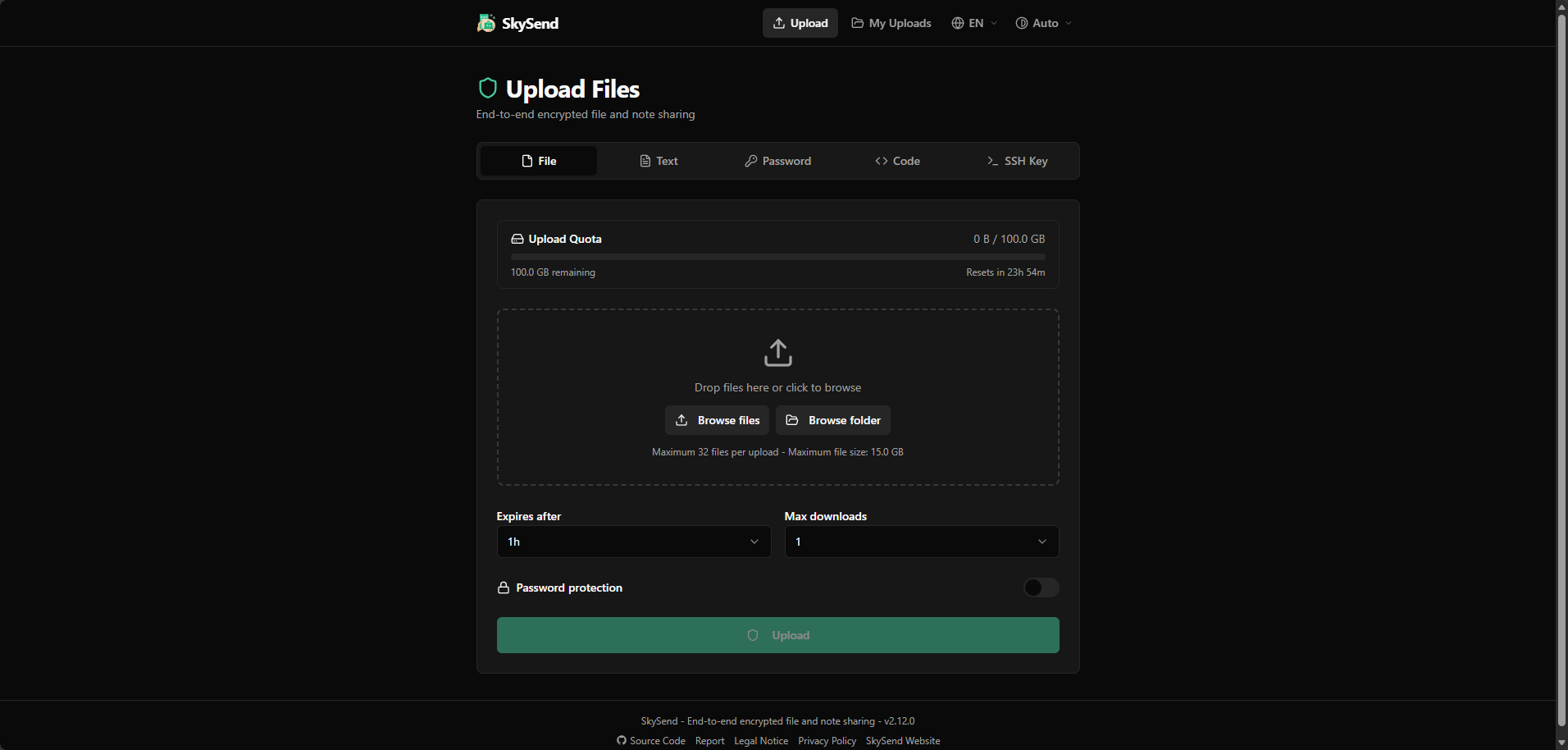
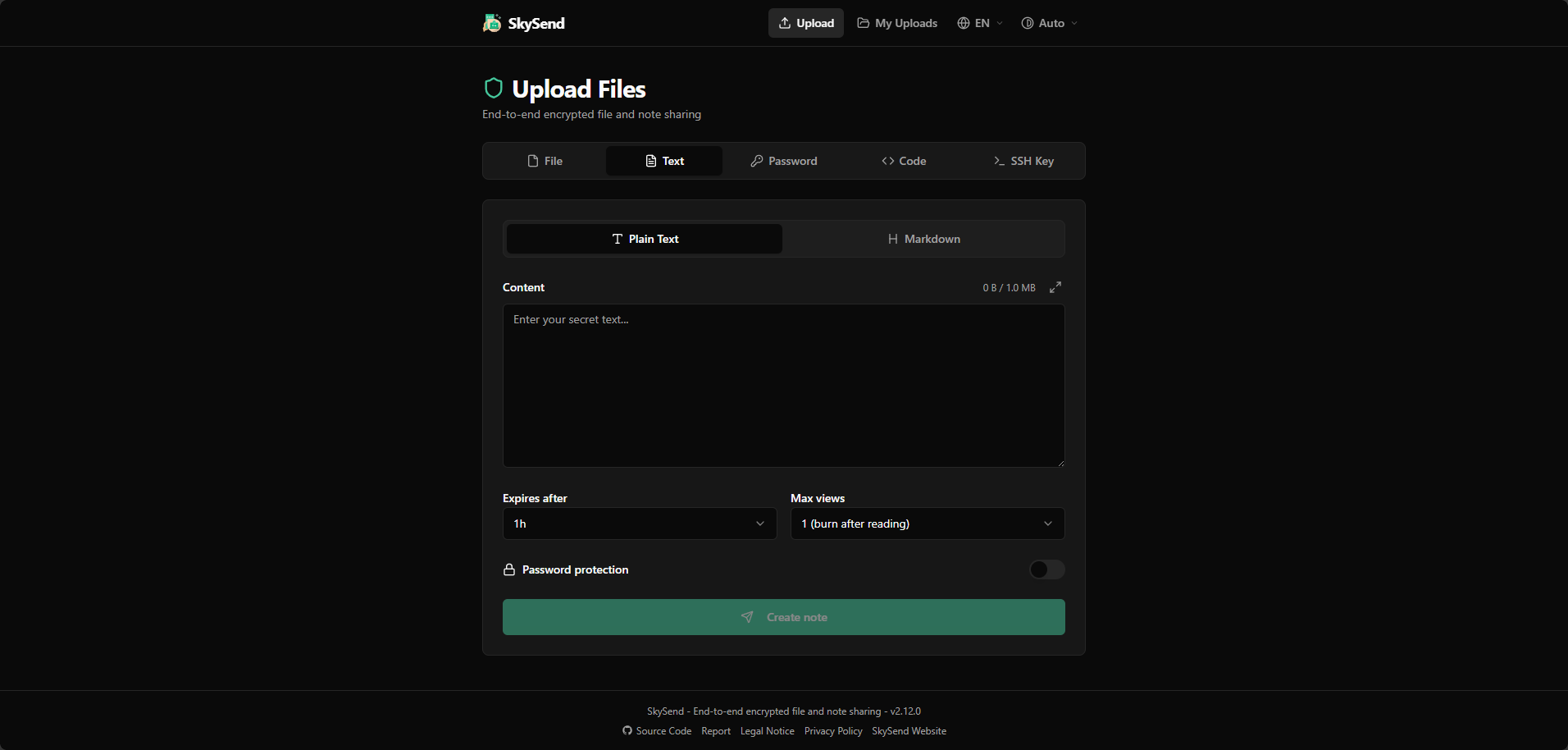
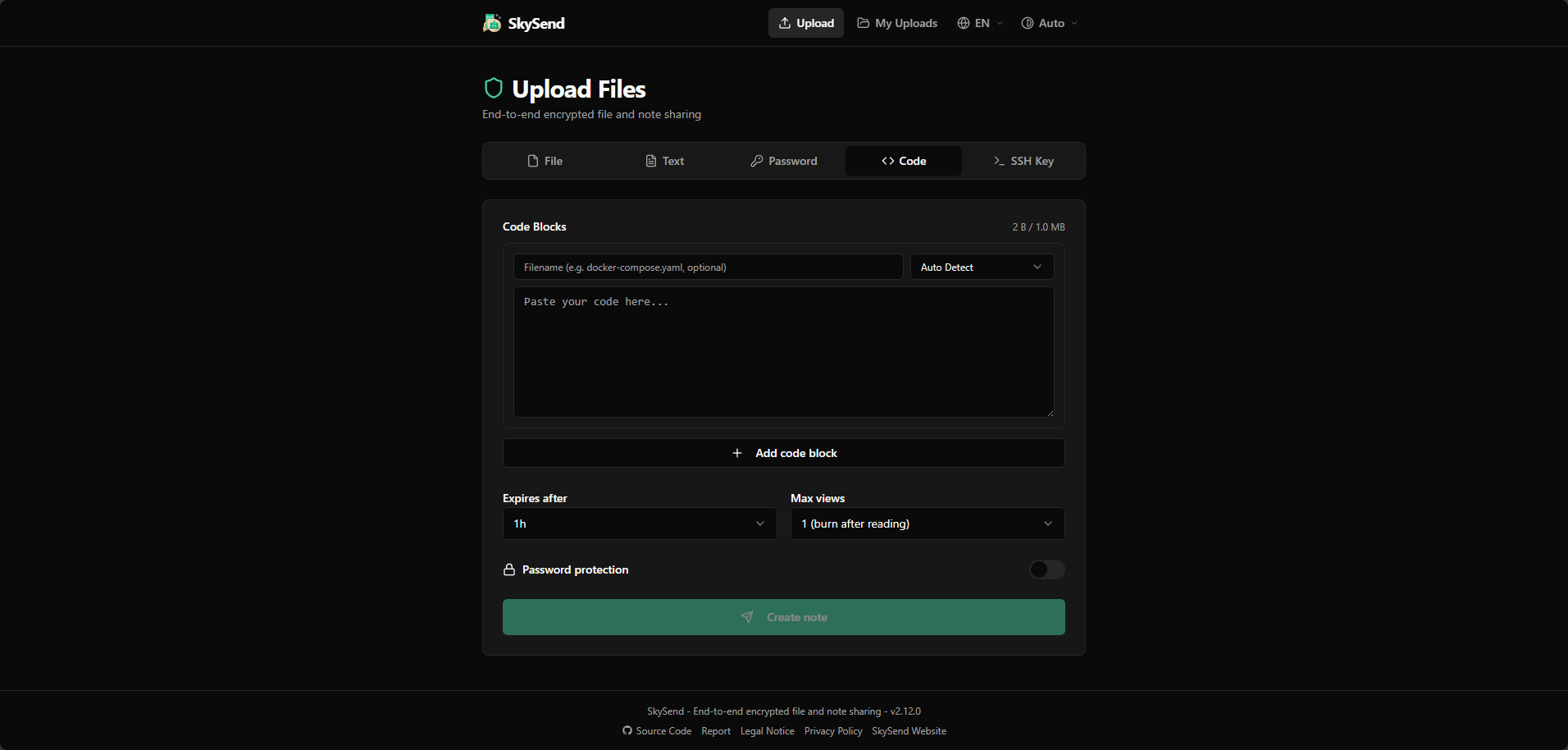
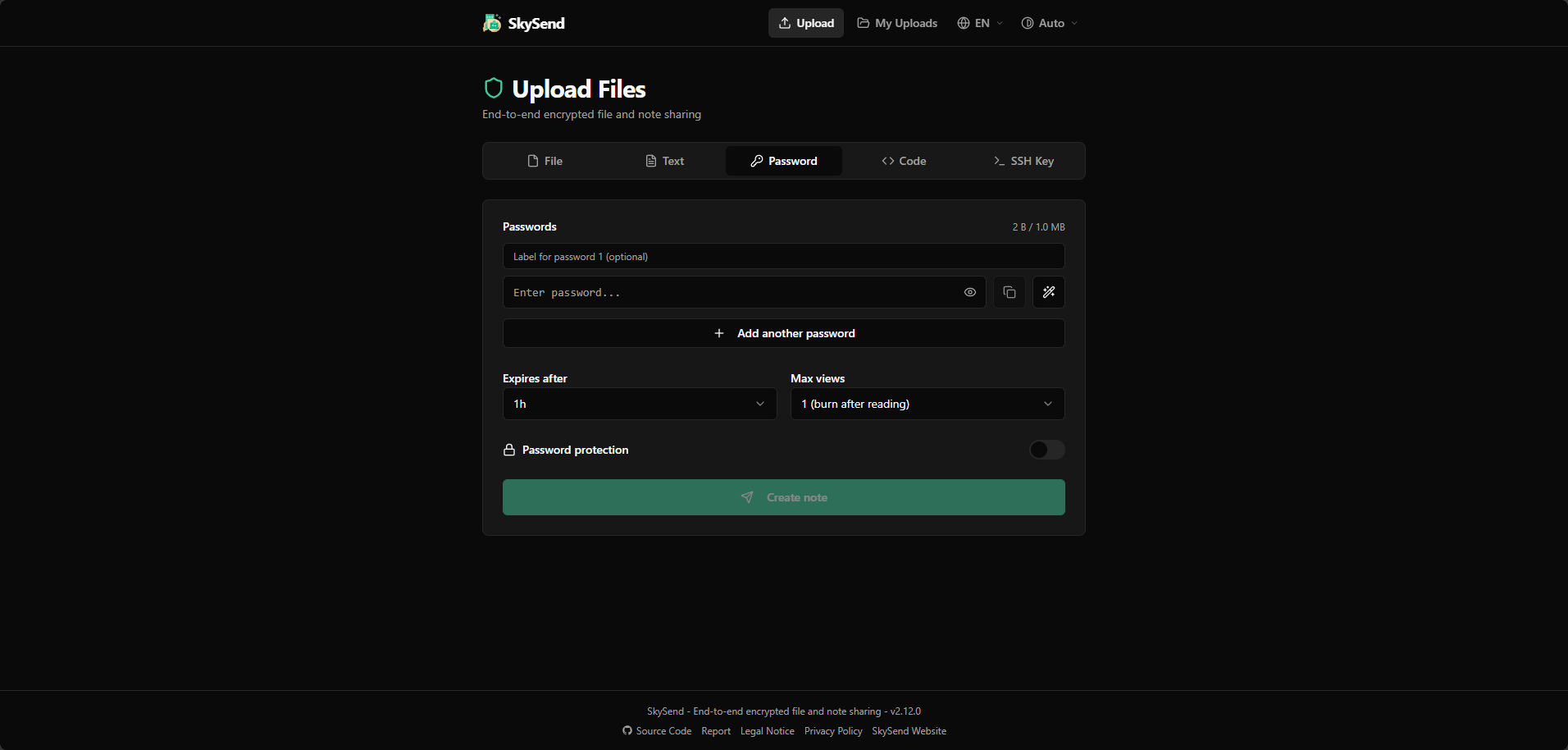
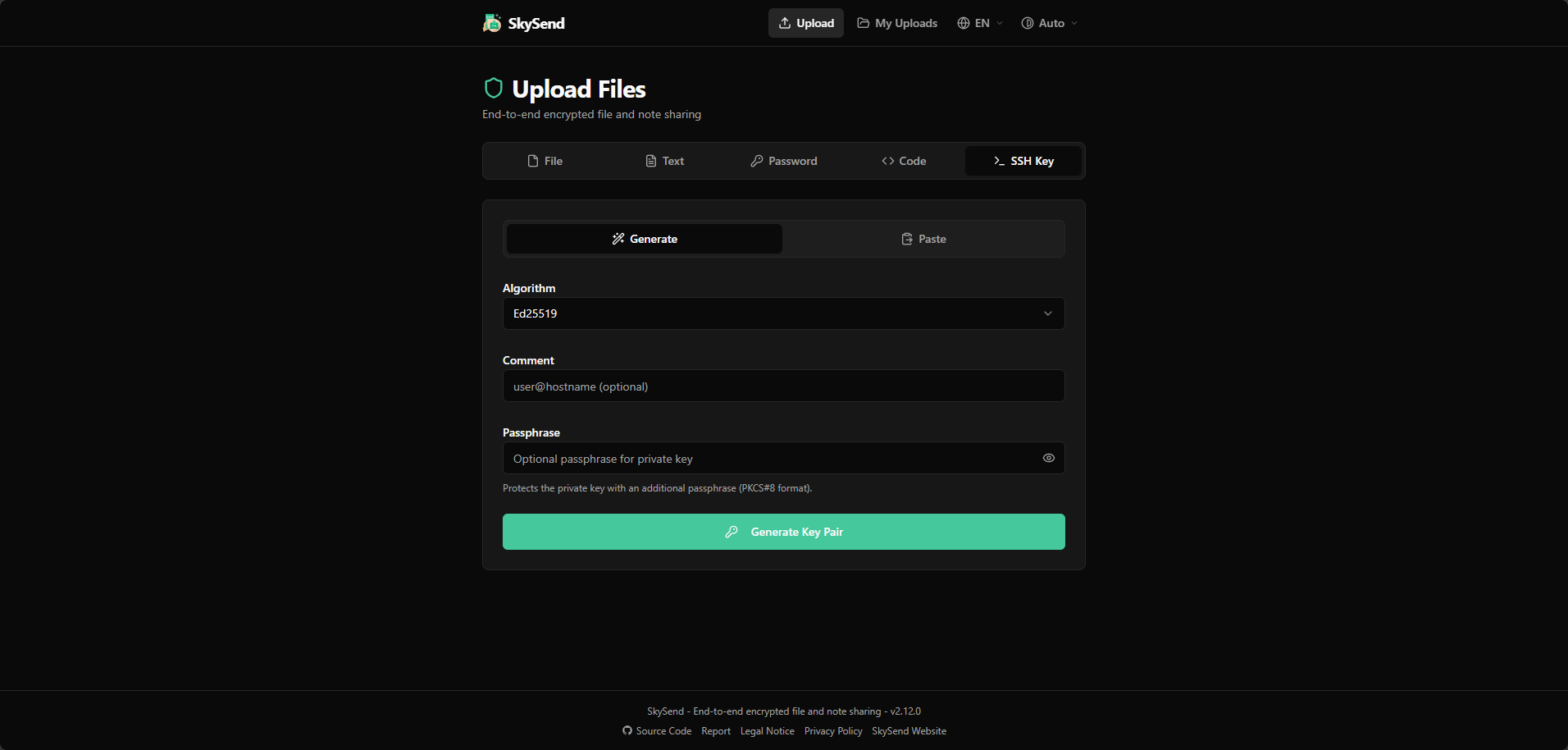
Web App
/http://localhost:6159/ SkySend is a minimalist, end-to-end encrypted file and note sharing service. Files and notes are encrypted in your browser before upload, so the server only stores encrypted data and never sees the key.
Features
- Drag-and-drop file and folder uploads, with expiry times and download limits
- Encrypted notes made of blocks: text, passwords, code and SSH keys together, with optional burn-after-reading
- File requests: hand out a link and others upload files that only you can open
- Optional password protection with Argon2id
- Optional OIDC / SSO sign-in to limit who can upload, while downloads stay public
- Optional S3-compatible storage (AWS S3, R2, MinIO and more)
- No accounts and no telemetry
How to use
- Open SkySend from your dashboard.
- Drag a file onto the page, or switch to the Note tab to share text, a password, code or an SSH key.
- Pick an expiry time and a download or view limit, and add a password if you like.
- Copy the share link and send it. The key to open it is only in the link, never on the server.
- Open My Links to see what you shared from this browser.
Before you install
Set BASE_URL to the address you open SkySend at, like http://192.168.1.50:6159; share links are built from it. The first start takes about half a minute. Everything else is optional and listed in the Variables tab: size limits, expiry choices, branding, S3 storage and SSO sign-in. Add them in the app settings, only with a value. For SSO, OIDC_ISSUER, OIDC_CLIENT_ID and OIDC_CLIENT_SECRET must be set together, and set OIDC_SESSION_SECRET too so people stay signed in after a restart.
The settings in the first table are already in the app settings. To use any other one, open the app settings, add the variable with your value, save, and the app restarts with it. A setting you leave out uses its default.
In the app settings
| Variable | Default value | Description |
|---|---|---|
TZ | $TZ | Your time zone. It is filled in from your ZimaOS time zone. Leave it unless you need another. |
BASE_ | http://localhost:6159 | The address you type in your browser. Share links are built from it. It starts as localhost, which only works on this device. For other devices, change localhost to your ZimaOS IP, or use your own https address. Keep the port at 6159 unless you use a reverse proxy. |
Files
| Variable | Default value | Description |
|---|---|---|
FILE_ | 2GB | The biggest file someone can upload, like 500MB or 10GB. |
FILE_ | 200 | The most files in one upload. |
FILE_ | 300,3600,86400,604800 | The expiry times people can pick, in seconds, comma-separated (300 is 5 minutes, 604800 is 7 days). |
FILE_ | 86400 | The expiry time picked at first, in seconds. It must be one of FILE_EXPIRE_OPTIONS_SEC. |
FILE_ | 1,2,3,4,5,10,20,50,100 | The download limits people can pick, comma-separated. |
FILE_ | 1 | The download limit picked at first. It must be one of FILE_DOWNLOAD_OPTIONS. |
FILE_ | 0 | How much one person may upload per time window, like 5GB. 0 means no limit. |
FILE_ | 86400 | The time window for FILE_UPLOAD_QUOTA_BYTES, in seconds. |
FILE_ | 0 | The fastest one upload may go, like 10MB (per second). 0 means no limit. |
FILE_ | true | Set to false if uploads fail because WebSockets are blocked, for example by a proxy. |
Notes
| Variable | Default value | Description |
|---|---|---|
NOTE_ | 1MB | The biggest note someone can share. |
NOTE_ | 300,3600,86400,604800 | The expiry times people can pick for notes, in seconds, comma-separated. |
NOTE_ | 86400 | The note expiry time picked at first. It must be one of NOTE_EXPIRE_OPTIONS_SEC. |
NOTE_ | 0,1,2,3,5,10,20,50,100 | The view limits people can pick for notes, comma-separated. 0 means no limit. |
NOTE_ | 0 | The view limit picked at first. 1 means burn after reading. |
File requests
| Variable | Default value | Description |
|---|---|---|
FILE_ | 86400,259200,604800 | How long a file request can stay open, in seconds, comma-separated. |
FILE_ | 259200 | How long a file request stays open at first. It must be one of FILE_REQUEST_EXPIRE_OPTIONS_SEC. |
FILE_ | 1,2,3,5,10,20,50,100 | How many uploads a file request can take, comma-separated. |
FILE_ | 10 | How many uploads a file request takes at first. |
FILE_ | 2GB | The biggest file someone can upload into a request. It can't be more than FILE_MAX_SIZE. |
FILE_ | 604800 | How long an uploaded file stays in the inbox, in seconds. |
FILE_ | 0 | How many new file requests one person can make per day. 0 means no limit. |
Features
| Variable | Default value | Description |
|---|---|---|
ENABLED_ | file,note,request | Which parts are on: any of file, note and request, comma-separated. |
DEFAULT_ | file | The tab shown first: file or note. text, password, code or sshkey open the note tab with that block added. |
FORCE_ | false | Set to true to require a password on every file upload. |
FORCE_ | false | Set to true to require a password on every note. |
FORCE_ | false | Set to true to require a password on the inbox of every file request. |
Server
| Variable | Default value | Description |
|---|---|---|
TRUST_ | false | Set to true when SkySend is behind a reverse proxy, so it sees the visitor's real IP. |
CORS_ | — | Other web addresses allowed to call this SkySend, comma-separated. Most people never need it. |
RATE_ | 60 | The most requests one IP can make per minute. |
PASSWORD_ | 10 | Wrong password tries before an IP is locked out of a file or note. |
PASSWORD_ | 900000 | How long that lockout lasts, in milliseconds (900000 is 15 minutes). |
PUID | 1001 | The user that owns the data and uploads folders. |
PGID | 1001 | The group that owns the data and uploads folders. |
Branding
| Variable | Default value | Description |
|---|---|---|
CUSTOM_ | SkySend | The site name shown in the browser tab and the page. |
CUSTOM_ | 46c89d | The main color, as a 6-digit hex code. |
CUSTOM_ | — | Your own logo. Put the file in data/branding in the app's folder and type /branding/logo.svg. |
DEFAULT_ | graphite | The look of the site: graphite, aurora or midnight. |
DEFAULT_ | system | Dark, light or system for new visitors. |
CUSTOM_ | — | A link to your privacy policy, shown at the bottom of the page. |
CUSTOM_ | — | A link to your legal notice or impressum, shown at the bottom of the page. |
CUSTOM_ | — | A link of your own at the bottom of the page. Set CUSTOM_LINK_NAME too. |
CUSTOM_ | — | The text of that link, up to 50 characters. |
CUSTOM_ | — | A link to a page for reporting abuse, shown at the bottom of the page. |
Sign in with SSO (OIDC)
| Variable | Default value | Description |
|---|---|---|
OIDC_ | generic | Your sign-in provider: generic, pocketid, authentik or keycloak. |
OIDC_ | — | Your provider's issuer address. With OIDC_CLIENT_ID and OIDC_CLIENT_SECRET it turns SSO on. All three must be set together, or SkySend won't start. |
OIDC_ | — | The client ID from your provider. |
OIDC_ | — | The client secret from your provider. |
OIDC_ | — | At least 32 random characters that keep people signed in after a restart. Without it everyone is signed out on each restart. |
OIDC_ | true | Set to false to let people upload files without signing in. |
OIDC_ | true | Set to false to let people make notes without signing in. |
OIDC_ | — | Set to false to let people make file requests without signing in. Left out, requests need sign-in while files or notes do. |
OIDC_ | openid profile email | The scopes to ask for, separated by spaces. |
OIDC_ | 86400 | How long a sign-in lasts, in seconds. |
S3 storage
| Variable | Default value | Description |
|---|---|---|
STORAGE_ | filesystem | Set to s3 to keep uploads in S3-compatible storage instead of the uploads folder. |
S3_ | — | The bucket name. |
S3_ | — | The region, like eu-central-1. |
S3_ | — | The S3 server address, for R2, MinIO, Garage and others. Leave it out for AWS. |
S3_ | — | The access key. |
S3_ | — | The secret key. |
S3_ | false | Set to true for MinIO, Garage and some other self-hosted S3 servers. |
name: skysend
services:
skysend:
image: skyfay/skysend:v3.2.0
container_name: skysend
restart: unless-stopped
stop_grace_period: 15s
network_mode: bridge
environment:
- TZ=$TZ
- BASE_URL=http://localhost:6159
ports:
- target: 3000
published: "6159"
protocol: tcp
volumes:
- type: bind
source: /DATA/AppData/$AppID/data
target: /data
bind:
create_host_path: true
- type: bind
source: /DATA/AppData/$AppID/uploads
target: /uploads
bind:
create_host_path: true
deploy:
resources:
limits:
cpus: "1.00"
memory: 512M
reservations:
cpus: "0.00"
memory: 128M
labels:
icon: https://cdn.jsdelivr.net/gh/HSinghHira/IceStore@main/Apps/skysend/icon.png
x-casaos:
id: com.icestore.skysend
envs:
- container: TZ
description:
en_US: >-
Your time zone. It is filled in from your ZimaOS time zone.
Leave it unless you need another.
- container: BASE_URL
description:
en_US: >-
The address you type in your browser. Share links are built
from it. It starts as localhost, which only works on this
device. For other devices, change `localhost` to your ZimaOS
IP, or use your own https address. Keep the port at 6159 unless
you use a reverse proxy.
ports:
- container: "3000"
description:
en_US: >-
Web UI for sharing encrypted files and notes, published on host
as 6159
volumes:
- container: /data
description:
en_US: SkySend's database and any branding files you add.
- container: /uploads
description:
en_US: >-
The encrypted files people upload. SkySend never sees what is
inside them.
x-casaos:
id: com.icestore.skysend
architectures:
- amd64
- arm64
main: skysend
author: HSinghHira
category: Productivity
developer: Skyfay
icon: https://cdn.jsdelivr.net/gh/HSinghHira/IceStore@main/Apps/skysend/icon.png
thumbnail: https://cdn.jsdelivr.net/gh/HSinghHira/IceStore@main/Apps/skysend/screenshot-1.png
screenshot_link:
- https://cdn.jsdelivr.net/gh/HSinghHira/IceStore@main/Apps/skysend/screenshot-1.png
- https://cdn.jsdelivr.net/gh/HSinghHira/IceStore@main/Apps/skysend/screenshot-2.png
- https://cdn.jsdelivr.net/gh/HSinghHira/IceStore@main/Apps/skysend/screenshot-3.png
- https://cdn.jsdelivr.net/gh/HSinghHira/IceStore@main/Apps/skysend/screenshot-4.png
- https://cdn.jsdelivr.net/gh/HSinghHira/IceStore@main/Apps/skysend/screenshot-5.png
title:
en_US: SkySend
tagline:
en_US: End-to-end encrypted, zero-knowledge file and note sharing
description:
en_US: >-
SkySend is a minimalist, end-to-end encrypted file and note sharing
service. Files and notes are encrypted in your browser before upload,
so the server only stores encrypted data and never sees the key.
**Features**
- Drag-and-drop file and folder uploads, with expiry times and
download limits
- Encrypted notes made of blocks: text, passwords, code and SSH keys
together, with optional burn-after-reading
- File requests: hand out a link and others upload files that only
you can open
- Optional password protection with Argon2id
- Optional OIDC / SSO sign-in to limit who can upload, while downloads
stay public
- Optional S3-compatible storage (AWS S3, R2, MinIO and more)
- No accounts and no telemetry
**How to use?**
1. Open SkySend from the Zima OS dashboard.
2. Drag a file onto the page, or switch to the Note tab to share text,
a password, code or an SSH key.
3. Pick an expiry time and a download or view limit, and add a
password if you like.
4. Copy the share link and send it. The key to open it is only in the
link, never on the server.
5. Open My Links to see what you shared from this browser.
tips:
before_install:
en_US: >-
1. Open the app configuration before you install.
2. Find BASE_URL. It starts as http://localhost:6159.
3. Change localhost to your ZimaOS IP address, for example
192.168.1.50. Share links use this address.
4. More settings, like file size limits, S3 storage, branding and SSO
sign-in, are listed on the SkySend page at
https://icestore.hsinghhira.me/app/skysend/ (Variables tab). You
can add them now or later in the app settings.
5. Start the installation.
6. Wait about half a minute for the first start.
7. Open SkySend from the Zima OS dashboard.
8. Upload a small file to check that everything works.
index: /
port_map: "6159"
scheme: http
is_uncontrolled: false
version: "v3.2.0"
update_at: "2026-10-25"
release_notes:
en_US: |-
- Moved to IceStore, now on port 6159
- Updated to skyfay/skysend v3.2.0: file requests, notes made of blocks and new themes
- DEFAULT_THEME now picks graphite, aurora or midnight; dark, light or system go in DEFAULT_COLOR_SCHEME
- Optional settings moved to the Variables tab on the IceStore page; blank ones are no longer passed to SkySend
repo: "https://github.com/Skyfay/SkySend"
support: "https://github.com/Skyfay/SkySend/issues"
docs: "https://docs.skysend.app" ZimaOS
 CasaOS
 Homeio