
SpiderFoot
Automated OSINT reconnaissance for any domain, IP or identity.
- joshuapfritz/spiderfoot:v4.0
- port 6117
- Networking
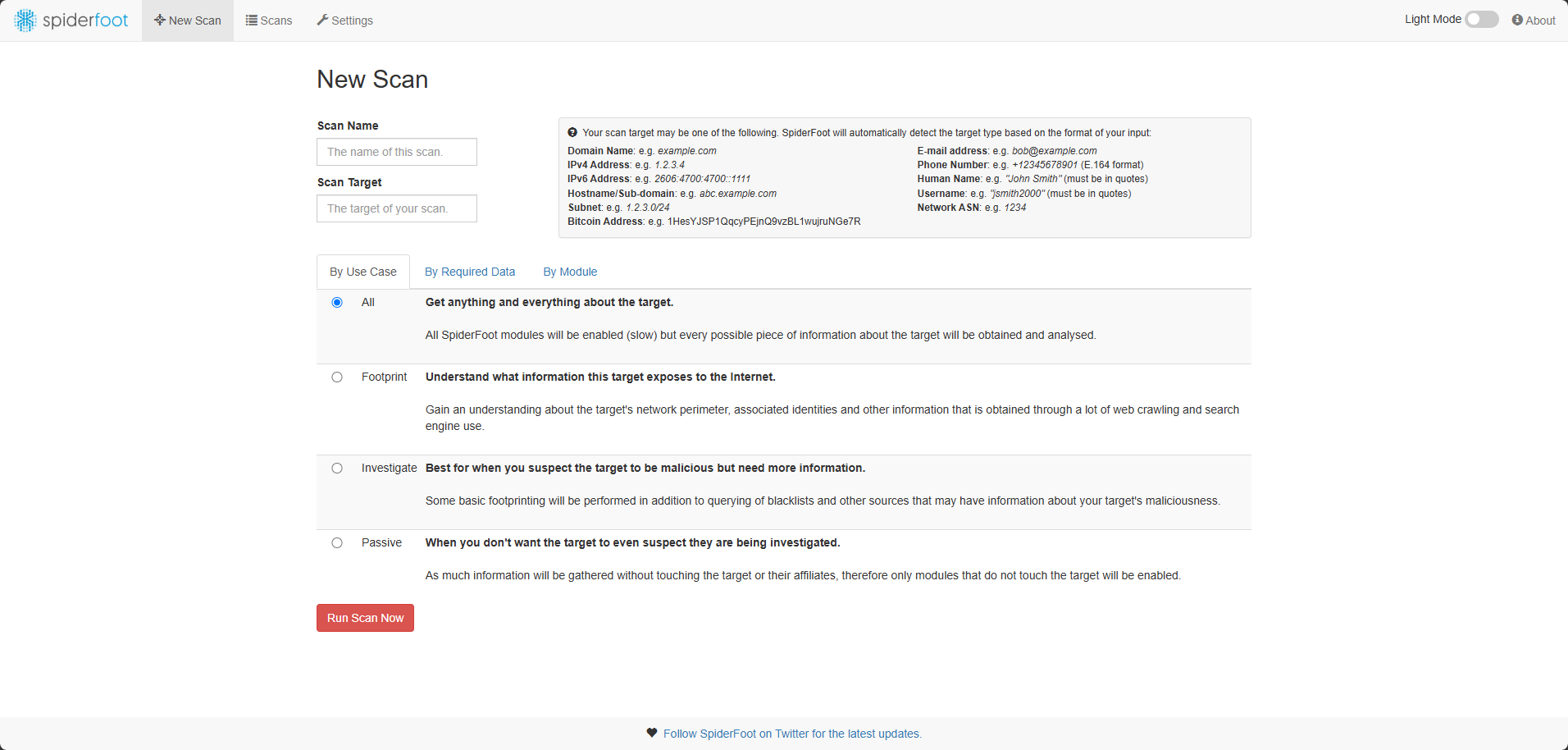
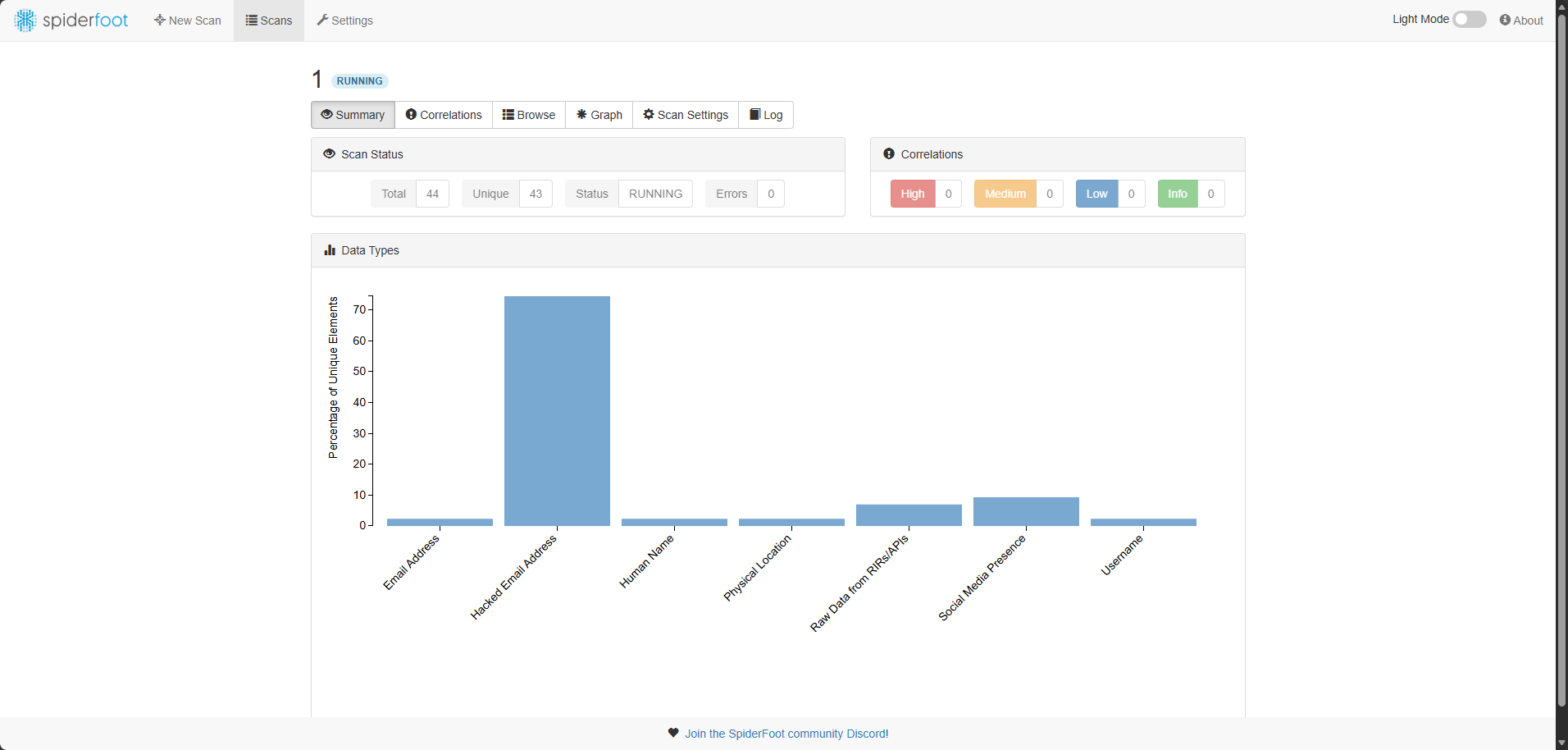
Web UI
/http://localhost:6117/ SpiderFoot automates open-source intelligence (OSINT) gathering. It asks over 200 data sources to map out everything public about a target, like a one-click recon report for your own attack surface or any domain you are looking into.
Features
- 200+ modules covering DNS, WHOIS, breach databases, threat feeds, social media and more
- Modules feed each other for deeper, automatic correlation
- Built-in correlation rules flag risks for you
- Web UI and CLI, with CSV, JSON and GEXF export
- Scans and settings survive restarts
How to use
- Open SpiderFoot from your dashboard.
- Click "New Scan", give it a name and enter a target: a domain, IP, email or name.
- Pick modules or a preset, like "Passive", and start the scan.
- Watch results come in, then export them as CSV, JSON or GEXF.
- Add optional API keys (Shodan, HaveIBeenPwned and others) under Settings to unlock extra modules.
Before you install
Nothing needs to be set first. SpiderFoot has no login screen, so anyone who can reach port 6117 can use it. If your server is reachable from outside your home network, put SpiderFoot behind a reverse proxy with a login first. API keys are optional and added later in the app's Settings. This image is for amd64 only.
| Variable | Default value | Description |
|---|---|---|
TZ | $TZ | Your time zone. ZimaOS fills this in for you. |
HOME | /data | Tells SpiderFoot to keep its settings, database and logs in the data folder, so nothing is lost on restart. Do not change. |
docker-compose.yml
name: spiderfoot
services:
spiderfoot:
image: joshuapfritz/spiderfoot:v4.0
container_name: spiderfoot
restart: unless-stopped
stop_grace_period: 40s
network_mode: bridge
environment:
- TZ=$TZ
- HOME=/data
ports:
- target: 5001
published: "6117"
protocol: tcp
volumes:
- type: bind
source: /DATA/AppData/$AppID
target: /data
bind:
create_host_path: true
deploy:
resources:
limits:
cpus: "1.00"
memory: 1024M
reservations:
cpus: "0.00"
memory: 256M
labels:
icon: https://cdn.jsdelivr.net/gh/HSinghHira/IceStore@main/Apps/spiderfoot/icon.png
x-casaos:
id: com.icestore.spiderfoot
envs:
- container: TZ
description:
en_US: Your time zone. ZimaOS fills this in for you.
- container: HOME
description:
en_US: >-
Tells SpiderFoot to keep its settings, database and logs in the
data folder, so nothing is lost on restart. Do not change.
ports:
- container: "5001"
description:
en_US: Web UI for running and reviewing OSINT scans, published on host as 6117.
volumes:
- container: /data
description:
en_US: SpiderFoot's SQLite database, scan results and settings.
x-casaos:
id: com.icestore.spiderfoot
architectures:
- amd64
main: spiderfoot
author: HSinghHira
category: Networking
developer: Steve Micallef (smicallef)
icon: https://cdn.jsdelivr.net/gh/HSinghHira/IceStore@main/Apps/spiderfoot/icon.png
thumbnail: https://cdn.jsdelivr.net/gh/HSinghHira/IceStore@main/Apps/spiderfoot/screenshot-1.png
screenshot_link:
- https://cdn.jsdelivr.net/gh/HSinghHira/IceStore@main/Apps/spiderfoot/screenshot-1.png
- https://cdn.jsdelivr.net/gh/HSinghHira/IceStore@main/Apps/spiderfoot/screenshot-2.png
title:
en_US: SpiderFoot
tagline:
en_US: Automated OSINT reconnaissance for any domain, IP or identity.
description:
en_US: >-
Visit: [https://icestore.hsinghhira.me/app/spiderfoot/](https://icestore.hsinghhira.me/app/spiderfoot/) for full details
SpiderFoot automates open-source intelligence (OSINT) gathering. It
asks over 200 data sources to map out everything public about a
target, like a one-click recon report for your own attack surface or
any domain you are looking into.
**Features**
- 200+ modules covering DNS, WHOIS, breach databases, threat feeds,
social media and more
- Modules feed each other for deeper, automatic correlation
- Built-in correlation rules flag risks for you
- Web UI and CLI, with CSV, JSON and GEXF export
- Scans and settings survive restarts
**How to use?**
1. Open SpiderFoot from the Zima OS dashboard.
2. Click "New Scan", give it a name and enter a target: a domain, IP,
email or name.
3. Pick modules or a preset, like "Passive", and start the scan.
4. Watch results come in, then export them as CSV, JSON or GEXF.
5. Add optional API keys (Shodan, HaveIBeenPwned and others) under
Settings to unlock extra modules.
tips:
before_install:
en_US: >-
Visit: [https://icestore.hsinghhira.me/app/spiderfoot/](https://icestore.hsinghhira.me/app/spiderfoot/) for full details
index: /
port_map: "6117"
scheme: http
is_uncontrolled: false
version: "4.0.0"
update_at: "2026-10-20"
release_notes:
en_US: |-
- Moved to IceStore. Port changed from 8430 to 6117.
- Uses joshuapfritz/spiderfoot:v4.0, since upstream SpiderFoot does not publish its own image.
repo: "https://github.com/smicallef/spiderfoot"
support: "https://github.com/smicallef/spiderfoot/issues"
docs: "https://www.spiderfoot.net/documentation/" ZimaOS
 CasaOS
 Homeio