
Tianji
Website analytics, uptime monitoring and server status in one app.
- ghcr.io/hsinghhira/tianji:latest
- port 6163
- Developer
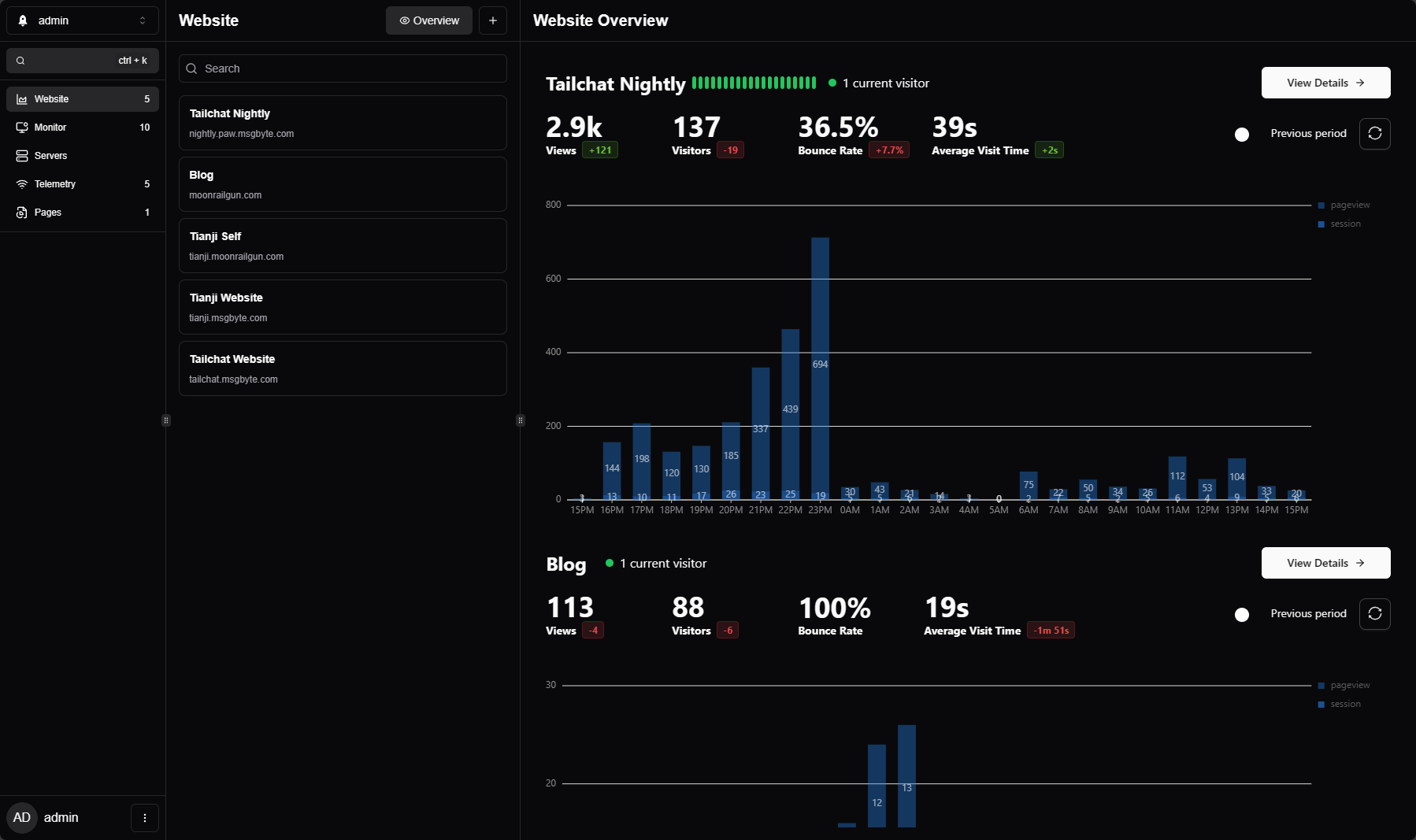
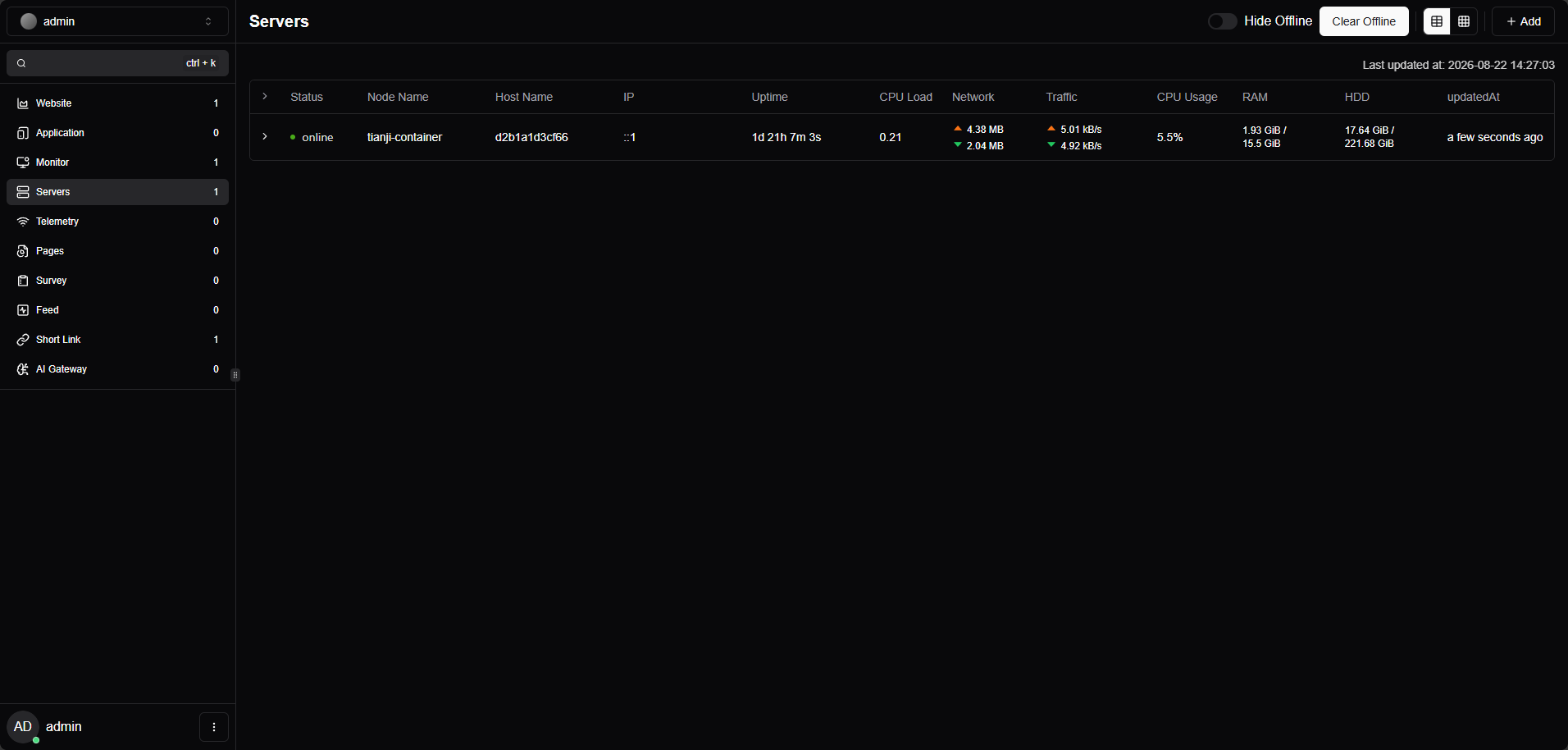
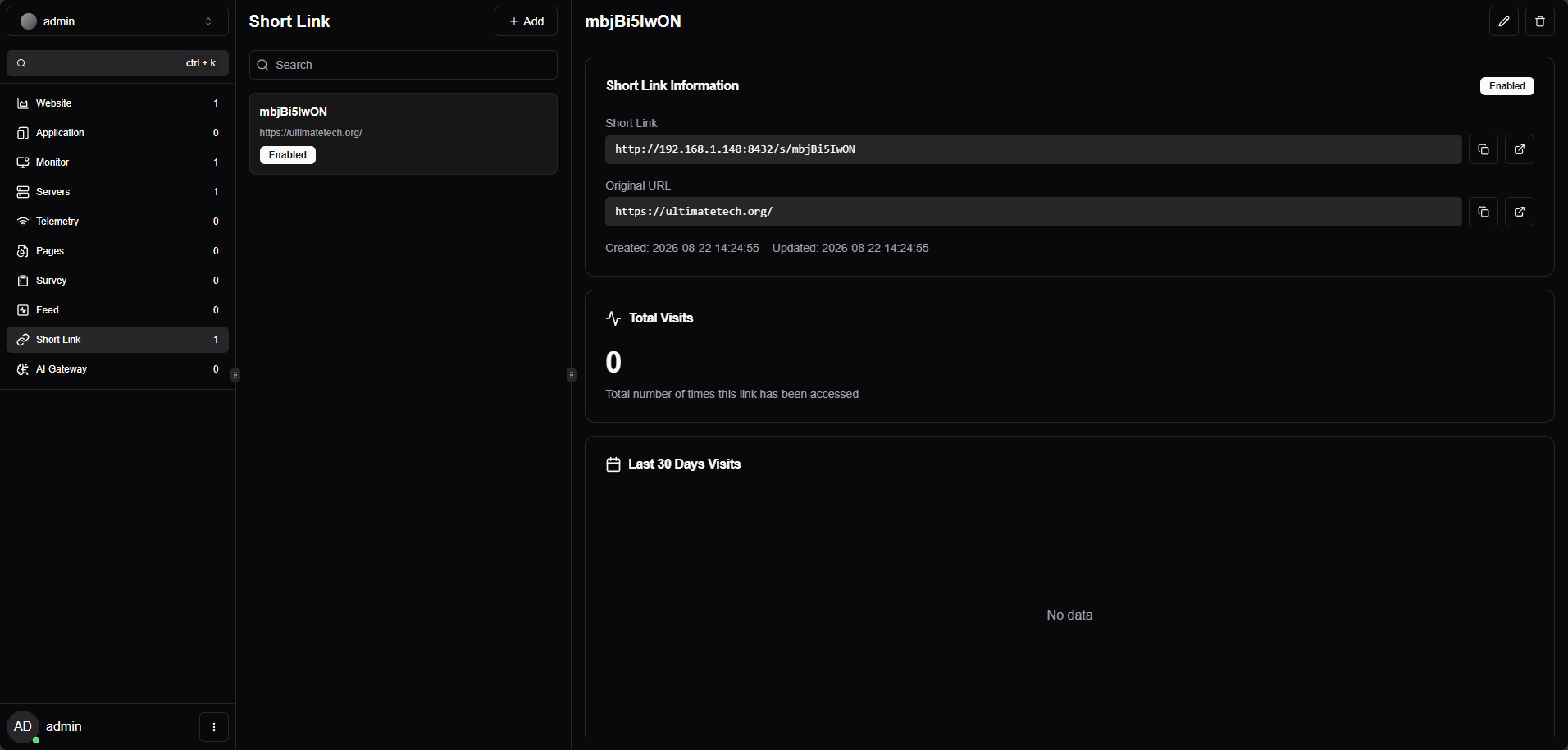
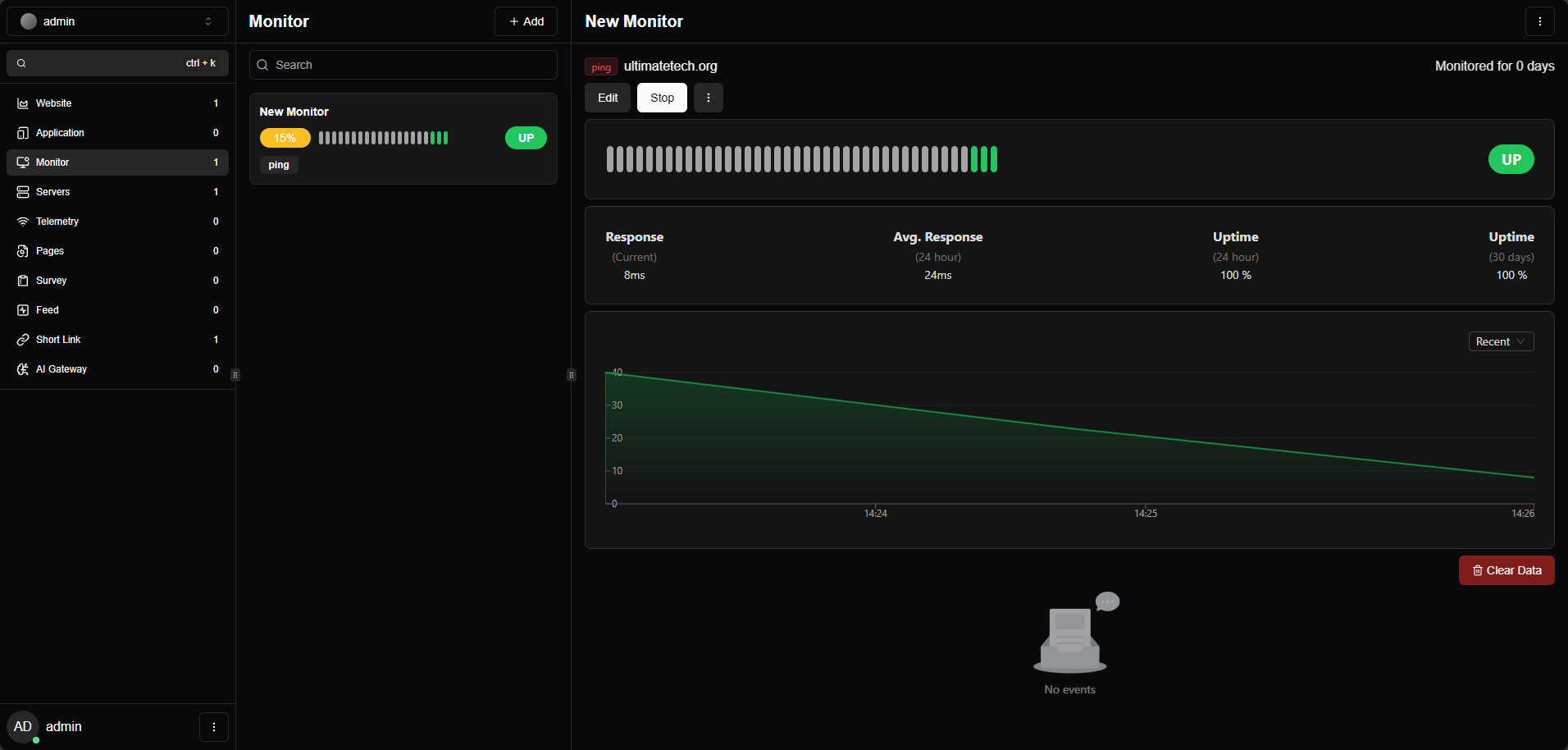
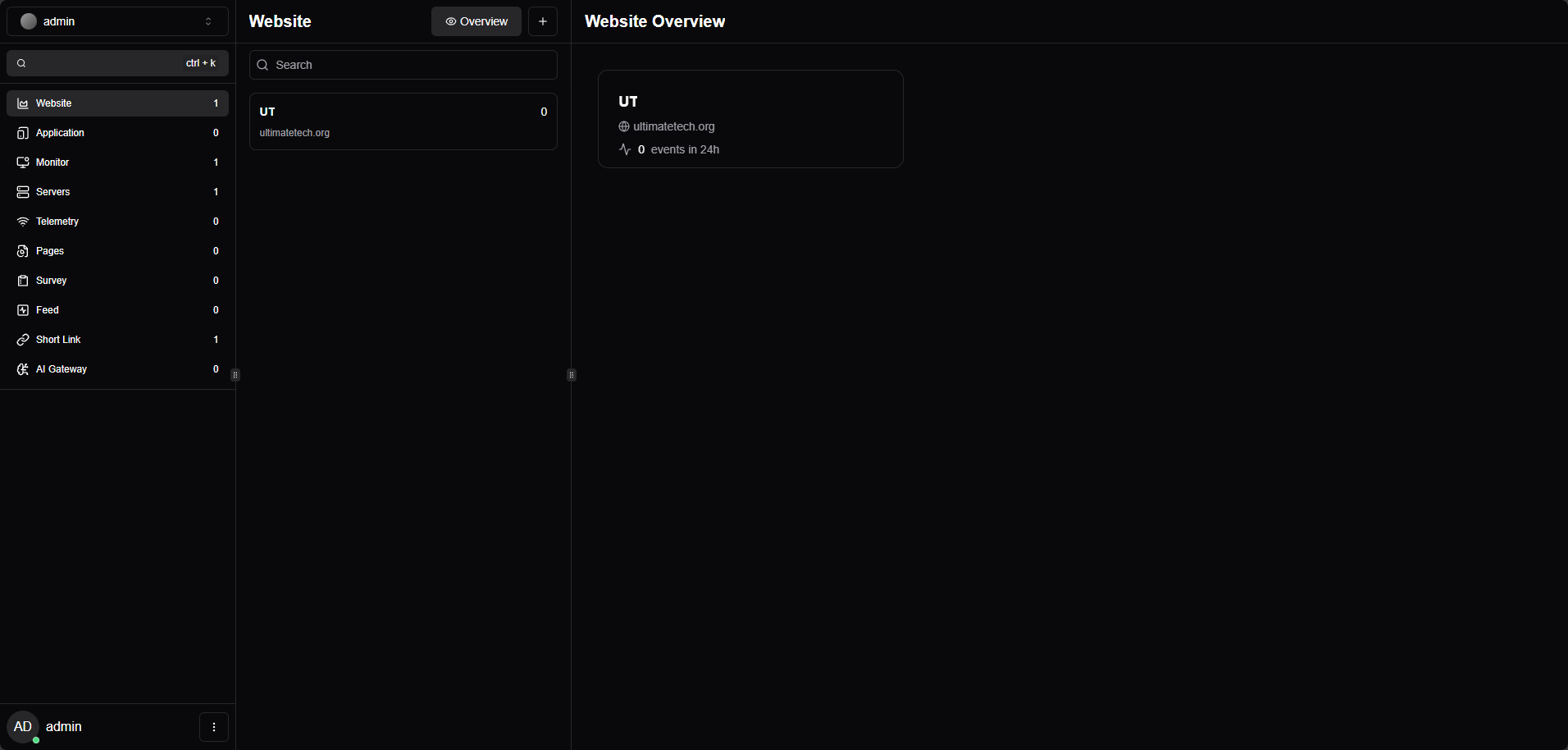
Dashboard
/http://localhost:6163/ Tianji is an all-in-one insight hub: website analytics like Umami or Google Analytics, uptime checks like Uptime Kuma and a server status page, in one light self-hosted app. This is Tianji in a single container, with PostgreSQL inside, one port and one data folder. The secret key, the database passwords and the admin password are made for you on first start.
Features
- Cookie-free, privacy-friendly website analytics with one small tracking script
- Uptime monitors for websites and services, with notifications
- Server and Docker status from a small reporter you run on each server
- Public status pages to share with your users
- Surveys, event feeds, short links and an AI gateway with cost tracking
How to use
- Find the admin password in the app log, on the line that says "Tianji login is".
- Open Tianji from your dashboard and sign in as
admin. - Change the password in Settings.
- Add a website, a monitor or a server.
- For website analytics, copy the tracking script from the website's page and add it to your site.
- For server status, run the
tianji-reporteron that server and point it athttp://your-zimaos-ip:6163.
Before you install
PUBLIC_URL starts as http://localhost:6163. Change localhost to your ZimaOS IP, like http://192.168.1.20:6163, so tracking scripts and status pages work from other devices. Leave ADMIN_PASSWORD blank to get a random one: it is in the app log on the line that says "Tianji login is", and in admin-password.txt in the app folder. It replaces upstream's default admin / admin login, and is only used until you change the password in Tianji. The first start takes about two minutes. Sign-up, email, sign in with GitHub, Google or OIDC and the other settings are in the Variables tab; add them in the app settings.
The settings in the first table are already in the app settings. To use any other one, open the app settings, add the variable with your value, save, and the app restarts with it. A setting you leave out uses its default.
In the app settings
| Variable | Default value | Description |
|---|---|---|
TZ | $TZ | Your time zone. It is filled in from your ZimaOS time zone. Leave it unless you need another. |
PUBLIC_ | http://localhost:6163 | The address you open Tianji at, like http://192.168.1.20:6163. Change localhost to your ZimaOS IP so tracking scripts, status pages and links work from other devices. Use your own domain if you put Tianji behind HTTPS. |
ADMIN_ | — | The first password for the admin account. Leave it blank and the app makes one on first start and shows it in the app log. It is only used until you change the password in Tianji. |
Sign-up and accounts
| Variable | Default value | Description |
|---|---|---|
ALLOW_ | false | Set to true to let people make their own accounts on the sign-in page. |
REGISTER_ | — | A workspace ID that new accounts join by themselves. |
DISABLE_ | false | Set to true to turn off user name and password sign-in, when you use only GitHub, Google or OIDC. |
AUTH_ | — | Only allow sign-up with emails ending in this, like @example.com. |
AUTH_ | false | Set to true when you open Tianji over HTTPS. |
Email (SMTP)
| Variable | Default value | Description |
|---|---|---|
EMAIL_ | — | Your mail server as one address, like smtp://user:[email protected]:587. Turns on email sign-in and email invites. |
EMAIL_ | — | The sender address on emails, like [email protected]. |
Sign in with GitHub
| Variable | Default value | Description |
|---|---|---|
AUTH_ | — | Your GitHub OAuth app's client ID. The callback is your PUBLIC_URL plus /api/auth/callback/github. |
AUTH_ | — | Your GitHub OAuth app's client secret. |
Sign in with Google
| Variable | Default value | Description |
|---|---|---|
AUTH_ | — | Your Google OAuth client ID. The callback is your PUBLIC_URL plus /api/auth/callback/google. |
AUTH_ | — | Your Google OAuth client secret. |
Sign in with OIDC
| Variable | Default value | Description |
|---|---|---|
AUTH_ | — | The client ID from your OIDC provider (Pocket ID, Authentik...). The callback is your PUBLIC_URL plus /api/auth/callback/custom. |
AUTH_ | — | The client secret from your OIDC provider. |
AUTH_ | — | Your OIDC provider's issuer address, like https://auth.example.com. |
AUTH_ | Custom | The name on the sign-in button. |
AUTH_ | oidc | oidc or oauth. |
Features
| Variable | Default value | Description |
|---|---|---|
ALLOW_ | true | Set to false to turn off the OpenAPI for scripts and tools. |
ENABLE_ | false | Set to true to turn on function workers (your own code that runs in Tianji). |
ALPHA_ | false | Set to true to try features that are not finished yet. |
MAPBOX_ | — | A Mapbox token, for the visitor map. |
AMAP_ | — | An AMap (Gaode) token, for the visitor map in China. |
CUSTOM_ | — | Another name for the tracker script, like stats.js, so ad blockers don't catch it. |
AI
| Variable | Default value | Description |
|---|---|---|
SHARED_ | — | An OpenAI API key for Tianji's own AI features. |
SHARED_ | — | Another OpenAI-compatible API address, like a local Ollama. |
SHARED_ | gpt-4o | The model to use. |
Data
| Variable | Default value | Description |
|---|---|---|
DISABLE_ | false | Set to true to keep old analytics and monitor data forever. |
AUDIT_ | 30 | How many days to keep the audit log. |
REDIS_ | — | A Redis server for the cache, like redis://192.168.1.20:6379. Leave it out to cache in memory and the database. |
CLICKHOUSE_ | — | A ClickHouse server for large analytics data, like http://192.168.1.20:8123. |
CLICKHOUSE_ | — | The ClickHouse user name. |
CLICKHOUSE_ | — | The ClickHouse password. |
CLICKHOUSE_ | — | The ClickHouse database name. |
Privacy
| Variable | Default value | Description |
|---|---|---|
DISABLE_ | false | Set to true to stop sending Tianji anonymous usage data. |
Logs
| Variable | Default value | Description |
|---|---|---|
DISABLE_ | false | Set to true to stop logging every request. |
DB_ | false | Set to true to log every database query. |
name: tianji
services:
tianji:
image: ghcr.io/hsinghhira/tianji:latest
container_name: tianji
restart: unless-stopped
stop_grace_period: 90s
privileged: true
environment:
- TZ=$TZ
- PUBLIC_URL=http://localhost:6163
- ADMIN_PASSWORD=
ports:
- target: 8080
published: "6163"
protocol: tcp
volumes:
- type: bind
source: /DATA/AppData/$AppID/data
target: /data
bind:
create_host_path: true
healthcheck:
test: ["CMD", "curl", "-fsS", "-o", "/dev/null", "http://127.0.0.1:8080/health"]
interval: 30s
timeout: 10s
retries: 5
start_period: 180s
deploy:
resources:
limits:
cpus: "2.00"
memory: 1536M
reservations:
cpus: "0.25"
memory: 384M
labels:
icon: https://cdn.jsdelivr.net/gh/HSinghHira/IceStore@main/Apps/tianji/icon.png
x-casaos:
id: com.icestore.tianji
envs:
- container: TZ
description:
en_US: >-
Your time zone. It is filled in from your ZimaOS time zone.
Leave it unless you need another.
- container: PUBLIC_URL
description:
en_US: >-
The address you open Tianji at, like http://192.168.1.20:6163.
Change localhost to your ZimaOS IP so tracking scripts, status
pages and links work from other devices. Use your own domain if
you put Tianji behind HTTPS.
- container: ADMIN_PASSWORD
description:
en_US: >-
The first password for the admin account. Leave it blank and
the app makes one on first start and shows it in the app log.
It is only used until you change the password in Tianji.
ports:
- container: "8080"
description:
en_US: Tianji dashboard, API, tracker script and reporter endpoint, published on host as 6163
volumes:
- container: /data
description:
en_US: >-
The database (websites, monitors, servers, surveys and
accounts), the secret keys and admin-password.txt.
x-casaos:
id: com.icestore.tianji
architectures:
- amd64
- arm64
main: tianji
author: HSinghHira
category: Developer
developer: msgbyte
icon: https://cdn.jsdelivr.net/gh/HSinghHira/IceStore@main/Apps/tianji/icon.png
thumbnail: https://cdn.jsdelivr.net/gh/HSinghHira/IceStore@main/Apps/tianji/screenshot-1.png
screenshot_link:
- https://cdn.jsdelivr.net/gh/HSinghHira/IceStore@main/Apps/tianji/screenshot-1.png
- https://cdn.jsdelivr.net/gh/HSinghHira/IceStore@main/Apps/tianji/screenshot-2.png
- https://cdn.jsdelivr.net/gh/HSinghHira/IceStore@main/Apps/tianji/screenshot-3.png
- https://cdn.jsdelivr.net/gh/HSinghHira/IceStore@main/Apps/tianji/screenshot-4.png
- https://cdn.jsdelivr.net/gh/HSinghHira/IceStore@main/Apps/tianji/screenshot-5.png
title:
en_US: Tianji
tagline:
en_US: Website analytics, uptime monitoring and server status in one app.
description:
en_US: >-
Tianji is an all-in-one insight hub: website analytics like Umami or
Google Analytics, uptime checks like Uptime Kuma and a server status
page, in one light self-hosted app. This is Tianji in a single
container, with PostgreSQL inside, one port and one data folder. The
secret key, the database passwords and the admin password are made for
you on first start.
**Features**
- Cookie-free, privacy-friendly website analytics with one small
tracking script
- Uptime monitors for websites and services, with notifications
- Server and Docker status from a small reporter you run on each
server
- Public status pages to share with your users
- Surveys, event feeds, short links and an AI gateway with cost
tracking
**How to use?**
1. Find the admin password in the app log, on the line that says
"Tianji login is".
2. Open Tianji from the Zima OS dashboard and sign in as admin.
3. Change the password in Settings.
4. Add a website, a monitor or a server.
5. For website analytics, copy the tracking script from the website's
page and add it to your site.
6. For server status, run the tianji-reporter on that server and point
it at http://your-zimaos-ip:6163.
tips:
before_install:
en_US: >-
1. Open the app configuration before you install.
2. Find PUBLIC_URL. It starts as http://localhost:6163. Change
localhost to your ZimaOS IP, like http://192.168.1.20:6163, so
tracking scripts and status pages work from other devices.
3. Leave ADMIN_PASSWORD blank to get a random one, or type your own.
4. More settings, like sign-up, email and sign in with GitHub or
Google, are listed on the Tianji page at
https://icestore.hsinghhira.me/app/tianji/ (Variables tab). You
can add them now or later in the app settings.
5. Start the installation.
6. Wait about two minutes. The first start sets up the database.
7. Open the app log. Find the line that says "Tianji login is". It
shows the admin password. It is also in admin-password.txt in the
app folder.
8. Open http://your-zimaos-ip:6163 and sign in as admin with that
password.
9. Change the password in Settings.
index: /
port_map: "6163"
scheme: http
is_uncontrolled: false
version: "1.33.12"
update_at: "2026-10-25"
release_notes:
en_US: |-
- Moved to IceStore as a single container with one port (6163, was 8432) and one data folder. The app id is now com.icestore.tianji.
- The JWT secret, the database passwords and the admin password are made on first start, so each install gets its own. The default admin / admin login is replaced.
- moonrailgun/tianji 1.33.12
- PostgreSQL 15 inside
repo: "https://github.com/msgbyte/tianji"
support: "https://github.com/msgbyte/tianji/issues"
docs: "https://tianji.dev/docs/intro" ZimaOS
 CasaOS
 Homeio