
Trackie (Actual Budget - NZ Fork)
Free, private budgeting for New Zealand, built on Actual Budget.
- ghcr.io/hsinghhira/trackie:latest
- port 6164
- port 6165
- port 6166
- Finance
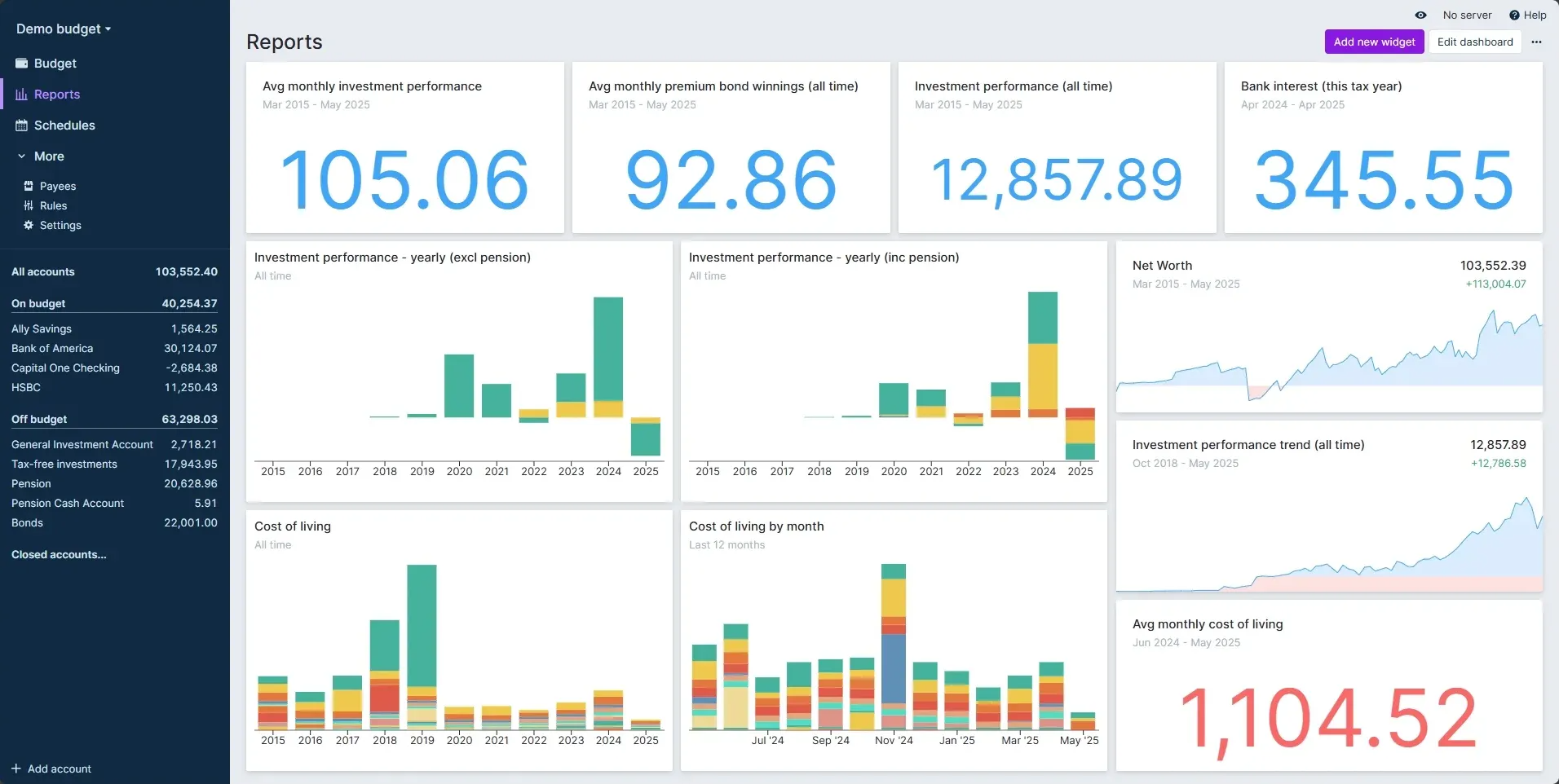
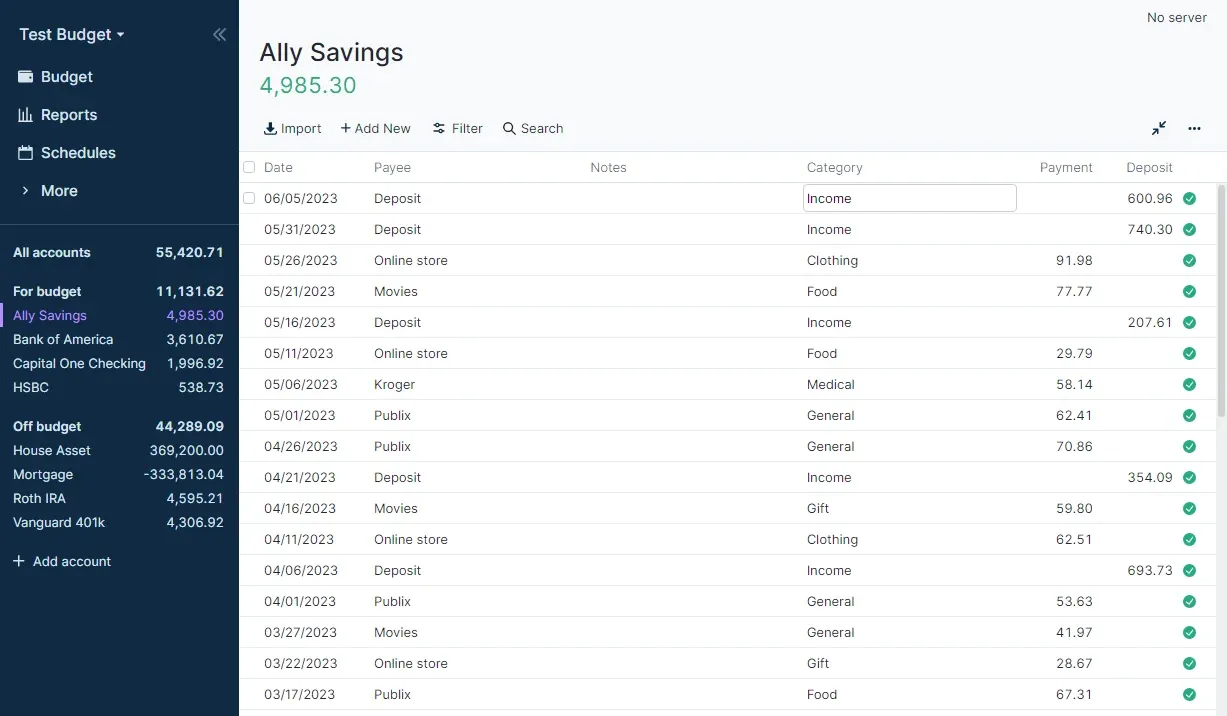
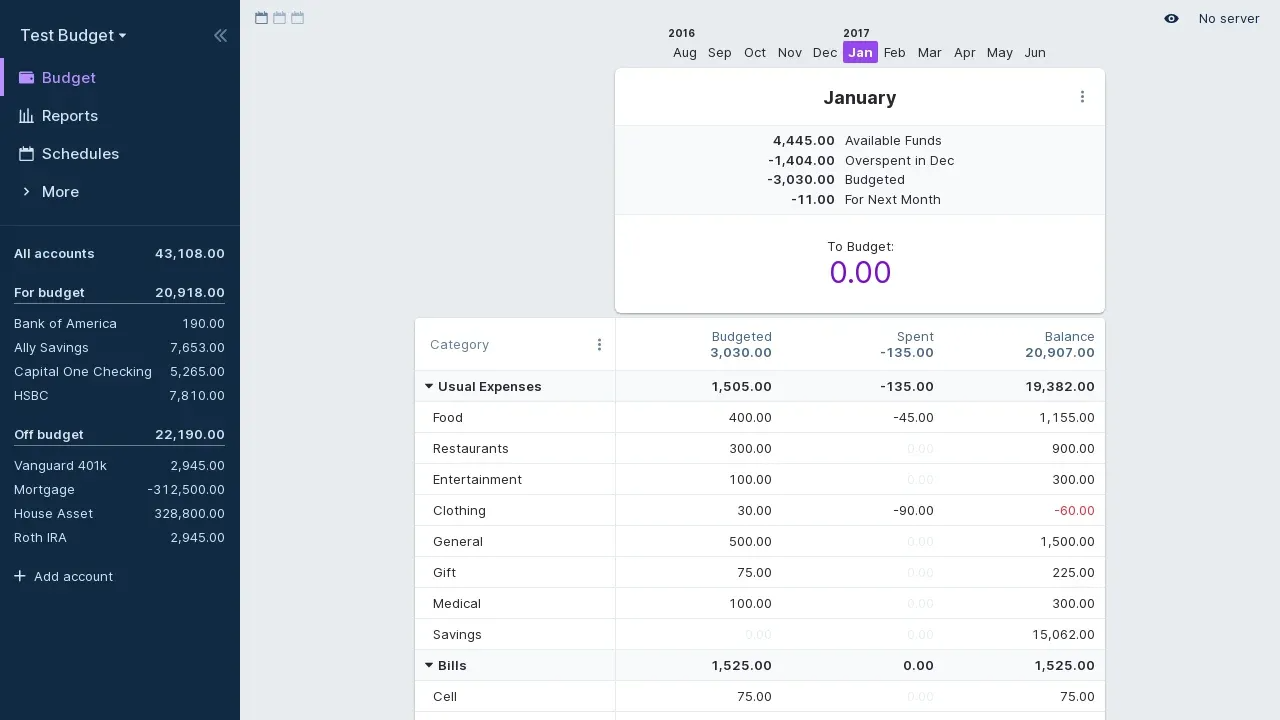
Trackie
/http://localhost:6164/ Sign-in server (Logto)
:6165/oidc/.well-known/openid-configurationhttp://localhost:6165/oidc/.well-known/openid-configuration Logto admin console
:6166/http://localhost:6166/ Trackie is a New Zealand fork of Actual Budget, a fast, private, open-source budgeting app. This is the same code that runs trackie.nz, in a single container with its Logto sign-in server and PostgreSQL inside. The secret keys and database passwords are made for you on first start, and Logto's signing key is switched to RSA for you.
Features
- Your own private budget for each person, made the first time they sign in
- Passwordless sign-in with a code sent by email, through the built-in Logto server
- Optional end-to-end encryption you control
- NZ bank sync through Akahu, with each person's own tokens
- NZ defaults: DD/MM/YYYY dates, weeks start on Monday
How to use
- Do the one-time Logto setup below.
- Open Trackie from your dashboard.
- Sign in with your email to make your budget.
- Link your bank under Settings if you want transactions to sync by themselves.
Before you install
You must set PUBLIC_URL first. It starts as http://[ZIMAOS-IP-ADDRESS]:6164: replace [ZIMAOS-IP-ADDRESS] with your ZimaOS IP, like http://192.168.1.20:6164 (or your own HTTPS domain). Until you do, sign-in can't work and the app only shows a note telling you to set it. Leave ACTUAL_OPENID_CLIENT_ID and ACTUAL_OPENID_CLIENT_SECRET blank. After about three minutes, open the Logto admin console at http://[ZIMAOS-IP-ADDRESS]:6166 and make your Logto admin account. In Logto, add an SMTP email connector (Connectors, Email and SMS) so sign-in codes can be sent, set Sign-in experience to Email with a Verification code, and make a Traditional web app called Trackie with the redirect URI http://[ZIMAOS-IP-ADDRESS]:6164/openid/callback. Put its App ID and App secret in ACTUAL_OPENID_CLIENT_ID and ACTUAL_OPENID_CLIENT_SECRET in the app settings; Trackie starts after that (until then, port 6164 shows a short note). Without HTTPS, browsers may say Trackie can't run: click Advanced options and use the fallback mode, or put Trackie behind HTTPS. Back up the app folder, especially state/secrets.env. The other settings are in the Variables tab; add them in the app settings. Trackie runs on amd64 (Intel and AMD) only.
The settings in the first table are already in the app settings. To use any other one, open the app settings, add the variable with your value, save, and the app restarts with it. A setting you leave out uses its default.
In the app settings
| Variable | Default value | Description |
|---|---|---|
TZ | $TZ | Your time zone. Transactions are put on days in this time zone. It is filled in from your ZimaOS time zone; Trackie is made for Pacific/Auckland. |
PUBLIC_ | http://[ZIMAOS-IP-ADDRESS]:6164 | Required. Replace [ZIMAOS-IP-ADDRESS] with your ZimaOS IP, like http://192.168.1.20:6164, or your own domain if Trackie is behind HTTPS. Sign-in only works at this address. The sign-in server and its admin console use the same address with ports 6165 and 6166. |
ACTUAL_ | — | The App ID of Trackie in the Logto admin console (port 6166). Leave it blank for the first install; the install tips show where to find it. Trackie starts once this and the secret are set. |
ACTUAL_ | — | The App secret of Trackie in the Logto admin console. Leave it blank for the first install. |
Server
| Variable | Default value | Description |
|---|---|---|
LOGTO_ | — | The sign-in server's address, when it has its own domain, like https://auth.example.com. Leave it out to use your PUBLIC_URL host with port 6165. |
LOGTO_ | — | The Logto admin console's address, when it has its own domain. Leave it out to use your PUBLIC_URL host with port 6166. |
ACTUAL_ | — | Use another sign-in provider instead of the built-in Logto, like https://auth.example.com/.well-known/openid-configuration. It must send a verified email. Leave it out for the built-in Logto. |
TRACKIE_ | — | An email address shown in Trackie's Help menu. Leave it out to hide that menu entry. |
Sign-in
| Variable | Default value | Description |
|---|---|---|
ACTUAL_ | 7776000 | How long people stay signed in, in seconds. The default is 90 days. |
Files
| Variable | Default value | Description |
|---|---|---|
ACTUAL_ | 20 | The largest file people can upload (like a budget import), in megabytes. |
ACTUAL_ | 20 | The largest budget file that can sync, in megabytes. |
ACTUAL_ | 50 | The largest encrypted budget file that can sync, in megabytes. |
Keys
| Variable | Default value | Description |
|---|---|---|
ACTUAL_ | — | Turns each email into the account's id. Leave it out: one is made on first start and kept in state/secrets.env. Never change it later, or nobody finds their budget again. |
ACTUAL_ | — | Encrypts people's Akahu bank tokens. Leave it out: one is made on first start. If it changes, people paste their Akahu tokens again. |
name: trackie
services:
trackie:
image: ghcr.io/hsinghhira/trackie:latest
container_name: trackie
restart: unless-stopped
stop_grace_period: 90s
privileged: true
environment:
- TZ=$TZ
- PUBLIC_URL=http://[ZIMAOS-IP-ADDRESS]:6164
- ACTUAL_OPENID_CLIENT_ID=
- ACTUAL_OPENID_CLIENT_SECRET=
ports:
- target: 8080
published: "6164"
protocol: tcp
- target: 8081
published: "6165"
protocol: tcp
- target: 8082
published: "6166"
protocol: tcp
volumes:
- type: bind
source: /DATA/AppData/$AppID/data
target: /data
bind:
create_host_path: true
healthcheck:
test: ["CMD", "curl", "-fsS", "-o", "/dev/null", "http://127.0.0.1:8080/icestore-health"]
interval: 30s
timeout: 10s
retries: 5
start_period: 180s
deploy:
resources:
limits:
cpus: "2.00"
memory: 1536M
reservations:
cpus: "0.25"
memory: 384M
labels:
icon: https://cdn.jsdelivr.net/gh/HSinghHira/IceStore@main/Apps/trackie/icon.png
x-casaos:
id: com.icestore.trackie
envs:
- container: TZ
description:
en_US: >-
Your time zone. Transactions are put on days in this time zone.
It is filled in from your ZimaOS time zone; Trackie is made for
Pacific/Auckland.
- container: PUBLIC_URL
description:
en_US: >-
Required. Replace [ZIMAOS-IP-ADDRESS] with your ZimaOS IP, like
http://192.168.1.20:6164, or your own domain if Trackie is behind
HTTPS. Sign-in only works at this address. The sign-in server and
its admin console use the same address with ports 6165 and 6166.
- container: ACTUAL_OPENID_CLIENT_ID
description:
en_US: >-
The App ID of Trackie in the Logto admin console (port 6166).
Leave it blank for the first install; the install tips show
where to find it. Trackie starts once this and the secret are
set.
- container: ACTUAL_OPENID_CLIENT_SECRET
description:
en_US: >-
The App secret of Trackie in the Logto admin console. Leave it
blank for the first install.
ports:
- container: "8080"
description:
en_US: Trackie web app, published on host as 6164
- container: "8081"
description:
en_US: Logto sign-in server (OIDC), published on host as 6165
- container: "8082"
description:
en_US: Logto admin console, published on host as 6166. Keep it on your home network.
volumes:
- container: /data
description:
en_US: >-
Budgets and accounts (trackie/), the sign-in server's
database (postgres/) and the secret keys (state/). Back up the
whole folder: without state/secrets.env nobody finds their
budget again.
x-casaos:
id: com.icestore.trackie
architectures:
- amd64
main: trackie
author: HSinghHira
category: Finance
developer: trackie-nz
icon: https://cdn.jsdelivr.net/gh/HSinghHira/IceStore@main/Apps/trackie/icon.png
thumbnail: https://cdn.jsdelivr.net/gh/HSinghHira/IceStore@main/Apps/trackie/screenshot-1.png
screenshot_link:
- https://cdn.jsdelivr.net/gh/HSinghHira/IceStore@main/Apps/trackie/screenshot-1.png
- https://cdn.jsdelivr.net/gh/HSinghHira/IceStore@main/Apps/trackie/screenshot-2.png
- https://cdn.jsdelivr.net/gh/HSinghHira/IceStore@main/Apps/trackie/screenshot-3.png
title:
en_US: Trackie (Actual Budget - NZ Fork)
tagline:
en_US: Free, private budgeting for New Zealand, built on Actual Budget.
description:
en_US: >-
Trackie is a New Zealand fork of Actual Budget, a fast, private,
open-source budgeting app. This is the same code that runs trackie.nz,
in a single container with its Logto sign-in server and PostgreSQL
inside. The secret keys and database passwords are made for you on
first start, and Logto's signing key is switched to RSA for you.
**Features**
- Your own private budget for each person, made the first time they
sign in
- Passwordless sign-in with a code sent by email, through the
built-in Logto server
- Optional end-to-end encryption you control
- NZ bank sync through Akahu, with each person's own tokens
- NZ defaults: DD/MM/YYYY dates, weeks start on Monday
**How to use?**
1. Do the one-time Logto setup in the install tips.
2. Open Trackie from the Zima OS dashboard.
3. Sign in with your email to make your budget.
4. Link your bank under Settings if you want transactions to sync by
themselves.
tips:
before_install:
en_US: >-
1. Open the app configuration before you install.
2. Find PUBLIC_URL. It is http://[ZIMAOS-IP-ADDRESS]:6164. Replace
[ZIMAOS-IP-ADDRESS] with your ZimaOS IP, like
http://192.168.1.20:6164. You must do this, or sign-in won't work.
3. Leave ACTUAL_OPENID_CLIENT_ID and ACTUAL_OPENID_CLIENT_SECRET
blank for now.
4. Start the installation. Wait about three minutes.
5. Open the Logto admin console at http://[ZIMAOS-IP-ADDRESS]:6166.
Make your Logto admin account.
6. In Logto, open Connectors, Email and SMS. Add an SMTP email
connector with your mail account. Logto sends the sign-in codes
with it.
7. In Logto, open Sign-in experience. Choose sign-in with Email and
a Verification code. Save.
8. In Logto, open Applications. Make a new Traditional web app
called Trackie.
9. In its settings, add this Redirect URI:
http://[ZIMAOS-IP-ADDRESS]:6164/openid/callback (your PUBLIC_URL plus
/openid/callback). Save.
10. Copy the App ID and the App secret.
11. Open the Trackie app settings in ZimaOS. Paste the App ID into
ACTUAL_OPENID_CLIENT_ID and the App secret into
ACTUAL_OPENID_CLIENT_SECRET. Save.
12. Wait a minute. Open http://[ZIMAOS-IP-ADDRESS]:6164 and sign in with
your email.
13. Without HTTPS your browser may say Trackie can't run. Click
Advanced options and use the fallback mode, or put Trackie
behind HTTPS.
14. More settings are listed on the Trackie page at
https://icestore.hsinghhira.me/app/trackie/ (Variables tab). You
can add them now or later in the app settings.
index: /
port_map: "6164"
scheme: http
is_uncontrolled: false
version: "26.9.0-trackie.2"
update_at: "2026-10-25"
release_notes:
en_US: |-
- PUBLIC_URL now starts as http://[ZIMAOS-IP-ADDRESS]:6164 so it is clear it must be set. Until it is, Trackie and Logto show a note saying what to set instead of sending you to localhost.
- Moved to IceStore as a single container with one data folder. Ports changed from 8465-8467 to 6164 (Trackie), 6165 (Logto) and 6166 (Logto admin console). The app id is now com.icestore.trackie.
- The identity secret, the Akahu token secret and the database passwords are made on first start, so each install gets its own. The compose file no longer ships fixed ones.
- Logto's signing key is switched to RSA on first start and its database is brought up to date on every start, so there is no key rotation to do by hand.
- The Logto addresses and the discovery URL now come from PUBLIC_URL.
- ghcr.io/trackie-nz/trackie 26.9.0-trackie.2
- svhd/logto 1.45.0
- PostgreSQL 17 inside
- amd64 only: upstream publishes no arm64 Trackie image.
repo: "https://github.com/trackie-nz/trackie"
support: "https://github.com/trackie-nz/trackie/issues"
docs: "https://github.com/trackie-nz/trackie/tree/main/docs" ZimaOS
Add the store link, then find Trackie (Actual Budget - NZ Fork) in the App Store and install it.
 CasaOS
Add the store link, then find Trackie (Actual Budget - NZ Fork) in the App Store and install it.
 Homeio
Add the store link, then find Trackie (Actual Budget - NZ Fork) in the App Store and install it.