
VS Code
The full Visual Studio Code desktop app, streamed straight to your browser.
- lscr.io/linuxserver/vscode:1.142.0-ls30
- port 6119
- port 6120
- Developer
VS Code (HTTPS)
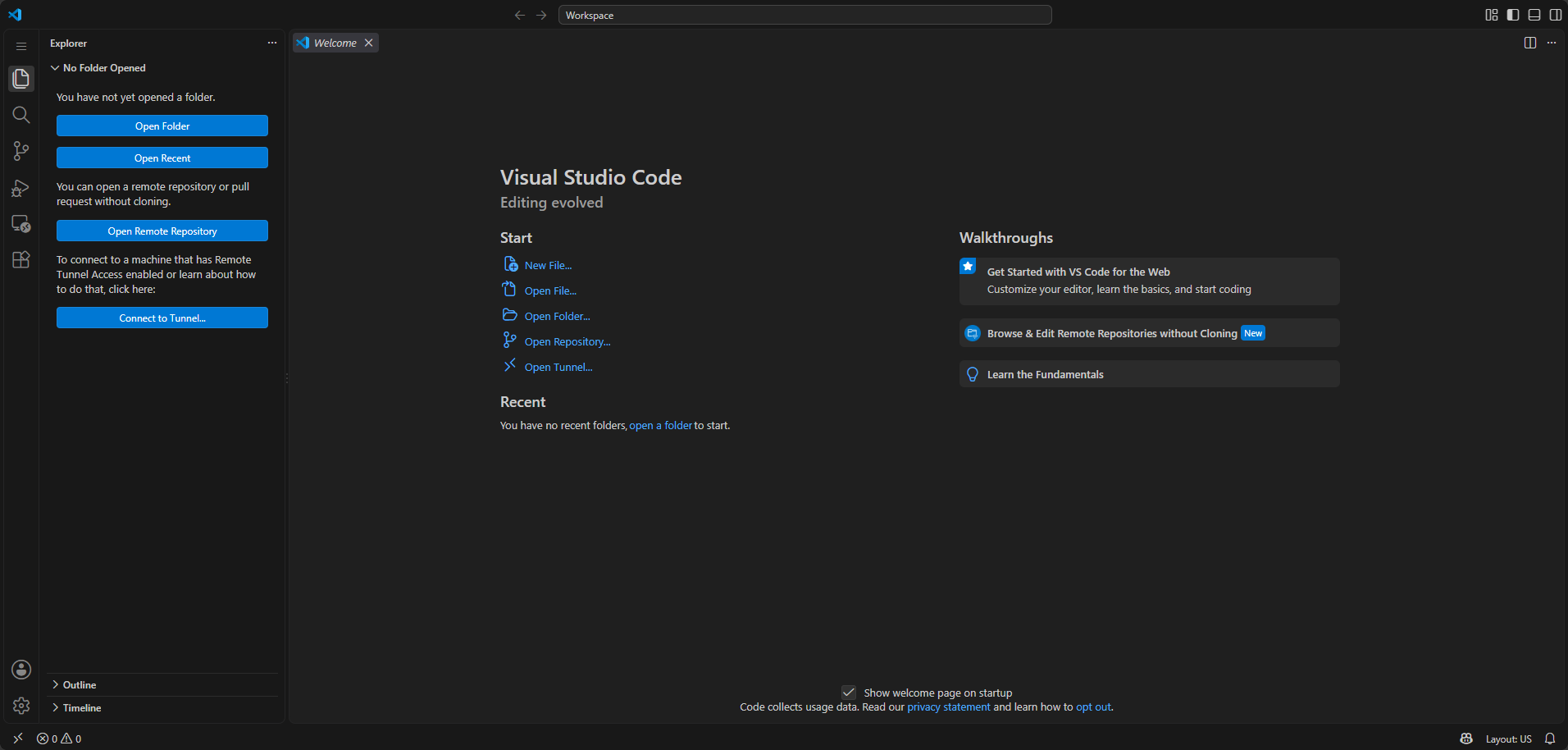
/http://localhost:6119/ The real Visual Studio Code desktop app, running in a remote desktop session that streams to your browser. Your everyday code editor, with nothing to install locally.
Features
- The genuine Visual Studio Code desktop app, not a limited web port
- Runs inside a full Selkies remote desktop, with a real terminal, git and any extension you like
- HTTPS out of the box with a self-signed certificate, plus a plain HTTP port for your own reverse proxy
- Optional GPU passthrough for smoother rendering
- Settings, extensions and projects survive restarts
How to use
- Open VS Code from your dashboard (it opens the HTTPS port, 6119).
- Accept the self-signed certificate warning the first time.
- Sign in as
admin(or yourCUSTOM_USER). The password is in/DATA/AppData/vscode/password.txt(open it with the Files app) and in the app log, unless you typed your own inPASSWORD. - Open folders, install extensions and use the terminal as usual.
- Keep your projects in the home folder so they are saved.
Before you install
Leave PASSWORD blank and the app makes its own random password on first start, saved in password.txt in the app's folder and shown in the app log; or type your own. The username is admin unless you change CUSTOM_USER. The login screen keeps others on your network out of your editor. Your browser will warn about the self-signed certificate; click through it. Port 6120 is plain HTTP for use behind your own reverse proxy. This app gives full desktop access with root inside the container, so don't expose it to the internet without a proxy that adds real authentication.
The settings in the first table are already in the app settings. To use any other one, open the app settings, add the variable with your value, save, and the app restarts with it. A setting you leave out uses its default.
In the app settings
| Variable | Default value | Description |
|---|---|---|
PUID | $PUID | The user ID that owns your files. ZimaOS fills this in for you. |
PGID | $PGID | The group ID that owns your files. ZimaOS fills this in for you. |
TZ | $TZ | Your time zone. ZimaOS fills this in for you. |
CUSTOM_ | admin | The username for the VS Code login screen. admin is fine, or pick your own. |
PASSWORD | — | The password for the VS Code login screen. Leave it blank and the app makes a random one on first start. Find it in /DATA/AppData/vscode/password.txt (open it with the Files app) or in the app log. Or type your own here. |
Desktop
| Variable | Default value | Description |
|---|---|---|
TITLE | Visual Studio Code | The page title shown in your browser tab. |
LC_ | — | The language of the desktop, like fr_FR.UTF-8 or de_DE.UTF-8. |
NO_ | — | Set to true to hide window borders, so VS Code fills the whole page. |
NO_ | — | Set to true to stop VS Code opening full screen. |
GPU
| Variable | Default value | Description |
|---|---|---|
DRINODE | — | The GPU to use for rendering, like /dev/dri/renderD128. Add the device to the container too. |
Network
| Variable | Default value | Description |
|---|---|---|
DISABLE_ | — | Set to true if your network has no IPv6 and the stream won't start. |
name: vscode
services:
vscode:
image: lscr.io/linuxserver/vscode:1.142.0-ls30
container_name: vscode
restart: unless-stopped
stop_grace_period: 30s
network_mode: bridge
cap_add:
- IPC_LOCK
shm_size: "1gb"
entrypoint:
- /bin/sh
- -c
- |
f=/config/password.txt
if [ -z "$$PASSWORD" ]; then
if [ ! -s "$$f" ]; then
head -c 18 /dev/urandom | od -An -tx1 | tr -d ' \n' > "$$f" || { echo "[icestore] cannot write $$f"; exit 1; }
chmod 600 "$$f"
echo "[icestore] first start: sign in as $${CUSTOM_USER:-abc} with the password $$(cat "$$f")"
fi
PASSWORD=$$(cat "$$f")
export PASSWORD
echo "[icestore] login password: see /DATA/AppData/vscode/password.txt"
fi
exec /init
environment:
- PUID=$PUID
- PGID=$PGID
- TZ=$TZ
- CUSTOM_USER=admin
- PASSWORD=
ports:
- target: 3001
published: "6119"
protocol: tcp
- target: 3000
published: "6120"
protocol: tcp
volumes:
- type: bind
source: /DATA/AppData/$AppID
target: /config
bind:
create_host_path: true
deploy:
resources:
limits:
cpus: "2.00"
memory: 4096M
reservations:
cpus: "0.00"
memory: 512M
labels:
icon: https://cdn.jsdelivr.net/gh/HSinghHira/IceStore@main/Apps/vscode/icon.png
x-casaos:
id: com.icestore.vscode
envs:
- container: PUID
description:
en_US: The user ID that owns your files. ZimaOS fills this in for you.
- container: PGID
description:
en_US: The group ID that owns your files. ZimaOS fills this in for you.
- container: TZ
description:
en_US: Your time zone. ZimaOS fills this in for you.
- container: CUSTOM_USER
description:
en_US: The username for the VS Code login screen. admin is fine, or pick your own.
- container: PASSWORD
description:
en_US: >-
The password for the VS Code login screen. Leave it blank and the
app makes a random one on first start. Find it in
/DATA/AppData/vscode/password.txt (open it with the Files app) or
in the app log. Or type your own here.
ports:
- container: "3001"
description:
en_US: HTTPS web interface with a self-signed certificate. Open this one in your browser. Published on host as 6119.
- container: "3000"
description:
en_US: Plain HTTP web interface, meant to sit behind a reverse proxy. Published on host as 6120.
volumes:
- container: /config
description:
en_US: Your VS Code home folder, with your login session, editor settings, extensions and project files.
x-casaos:
id: com.icestore.vscode
architectures:
- amd64
- arm64
main: vscode
author: HSinghHira
category: Developer
developer: linuxserver.io
icon: https://cdn.jsdelivr.net/gh/HSinghHira/IceStore@main/Apps/vscode/icon.png
thumbnail: https://cdn.jsdelivr.net/gh/HSinghHira/IceStore@main/Apps/vscode/screenshot-1.png
screenshot_link:
- https://cdn.jsdelivr.net/gh/HSinghHira/IceStore@main/Apps/vscode/screenshot-1.png
title:
en_US: VS Code
tagline:
en_US: The full Visual Studio Code desktop app, streamed straight to your browser.
description:
en_US: >-
Visit: [https://icestore.hsinghhira.me/app/vscode/](https://icestore.hsinghhira.me/app/vscode/) for full details
The real Visual Studio Code desktop app, running in a remote desktop
session that streams to your browser. Your everyday code editor, with
nothing to install locally.
**Features**
- The genuine Visual Studio Code desktop app, not a limited web port
- Runs inside a full Selkies remote desktop, with a real terminal, git
and any extension you like
- HTTPS out of the box with a self-signed certificate, plus a plain
HTTP port for your own reverse proxy
- Optional GPU passthrough for smoother rendering
- Settings, extensions and projects survive restarts
**How to use?**
1. Open VS Code from the Zima OS dashboard.
2. Accept the self-signed certificate warning the first time.
3. Sign in as admin (or your CUSTOM_USER). The password is in
/DATA/AppData/vscode/password.txt, unless you typed your own in
PASSWORD.
4. Open folders, install extensions and use the terminal as usual.
5. Keep your projects in the home folder so they are saved.
tips:
before_install:
en_US: >-
Visit: [https://icestore.hsinghhira.me/app/vscode/](https://icestore.hsinghhira.me/app/vscode/) for full details
index: /
port_map: "6119"
scheme: https
is_uncontrolled: false
version: "1.142.0"
update_at: "2026-10-21"
release_notes:
en_US: |-
- Pinned to lscr.io/linuxserver/vscode:1.142.0-ls30 instead of latest.
- PASSWORD is now blank by default, and each install makes its own random password on first start (saved in password.txt in the app folder and shown in the log) instead of CHANGEME_PASSWORD. The username is now admin.
- Moved to IceStore. Ports changed from 8450/8449 to 6119 (HTTPS) and 6120 (HTTP).
- PUID, PGID and TZ now come from ZimaOS instead of fixed values.
- Optional settings are listed in the Variables tab on the IceStore website.
repo: "https://github.com/linuxserver/docker-vscode"
support: "https://github.com/linuxserver/docker-vscode/issues"
docs: "https://docs.linuxserver.io/images/docker-vscode/" ZimaOS
 CasaOS
 Homeio