name: vscodium

services:
  vscodium:
    image: lscr.io/linuxserver/vscodium-web:1.140.06880-ls44
    container_name: vscodium
    restart: unless-stopped
    stop_grace_period: 30s
    network_mode: bridge
    entrypoint:
      - /bin/sh
      - -c
      - |
        f=/config/connection-token.txt
        if [ -z "$$CONNECTION_TOKEN" ] && [ -z "$$CONNECTION_TOKEN_FILE" ]; then
          if [ ! -s "$$f" ]; then
            head -c 24 /dev/urandom | od -An -tx1 | tr -d ' \n' > "$$f" || { echo "[icestore] cannot write $$f"; exit 1; }
            chmod 600 "$$f"
            echo "[icestore] first start: made this install's connection token in $$f"
          fi
          CONNECTION_TOKEN=$$(cat "$$f")
          export CONNECTION_TOKEN
        fi
        if [ -n "$$CONNECTION_TOKEN" ] && [ -z "$$CONNECTION_TOKEN_FILE" ]; then
          echo "[icestore] open VSCodium at http://your-zimaos-ip:6160/?tkn=$$CONNECTION_TOKEN"
        fi
        exec /init
    environment:
      - PUID=$PUID
      - PGID=$PGID
      - TZ=$TZ
      - CONNECTION_TOKEN=
    ports:
      - target: 8000
        published: "6160"
        protocol: tcp
    volumes:
      - type: bind
        source: /DATA/AppData/$AppID
        target: /config
        bind:
          create_host_path: true
    deploy:
      resources:
        limits:
          cpus: "2.00"
          memory: 2048M
        reservations:
          cpus: "0.00"
          memory: 256M
    labels:
      icon: https://cdn.jsdelivr.net/gh/HSinghHira/IceStore@main/Apps/vscodium/icon.png
    x-casaos:
      id: com.icestore.vscodium
      envs:
        - container: PUID
          description:
            en_US: The user ID that owns your files. ZimaOS fills this in for you.
        - container: PGID
          description:
            en_US: The group ID that owns your files. ZimaOS fills this in for you.
        - container: TZ
          description:
            en_US: Your time zone. ZimaOS fills this in for you.
        - container: CONNECTION_TOKEN
          description:
            en_US: >-
              The secret you add to the address (?tkn=...) to open VSCodium.
              Leave it blank and the app makes a random one on first start.
              Find it in /DATA/AppData/vscodium/connection-token.txt (open it
              with the Files app) or in the app log. Or type your own here.
      ports:
        - container: "8000"
          description:
            en_US: VSCodium in your browser, published on host as 6160
      volumes:
        - container: /config
          description:
            en_US: >-
              Your VSCodium home folder, with editor settings, extensions,
              SSH keys (.ssh), your projects and connection-token.txt.

x-casaos:
  id: com.icestore.vscodium
  architectures:
    - amd64
    - arm64
  main: vscodium
  author: HSinghHira
  category: Developer
  developer: linuxserver.io
  icon: https://cdn.jsdelivr.net/gh/HSinghHira/IceStore@main/Apps/vscodium/icon.png
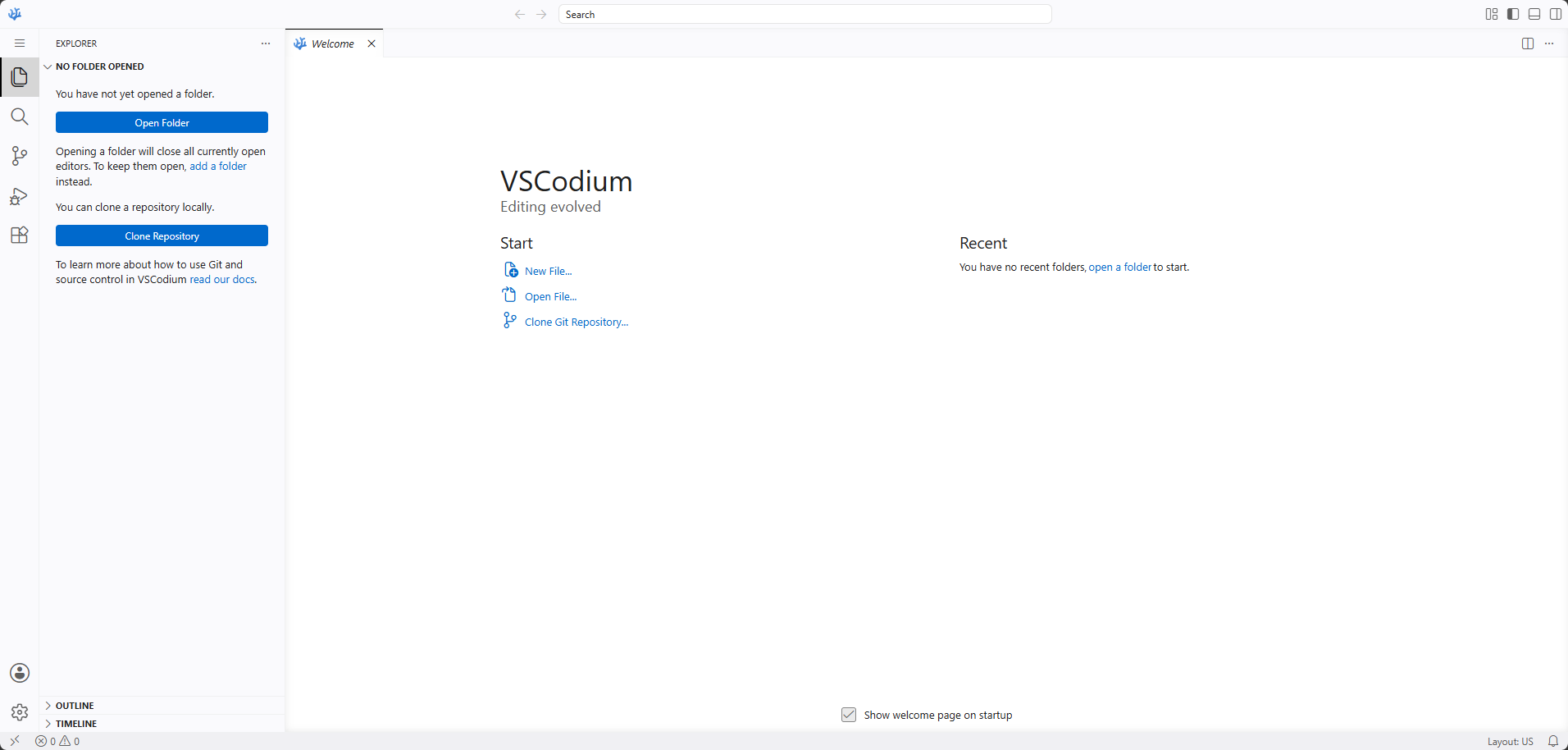
  thumbnail: https://cdn.jsdelivr.net/gh/HSinghHira/IceStore@main/Apps/vscodium/screenshot-1.png
  screenshot_link:
    - https://cdn.jsdelivr.net/gh/HSinghHira/IceStore@main/Apps/vscodium/screenshot-1.png
  title:
    en_US: VSCodium
  tagline:
    en_US: The open-source VS Code editor in your browser, no remote desktop needed.
  description:
    en_US: >-
      VSCodium is the community build of Microsoft's VS Code editor, with no
      tracking and a free license. This app runs its web server, so the
      editor loads straight into a browser tab, without a remote desktop in
      the way. Every install makes its own connection token, so nobody else
      on your network can open your editor.


      **Features**


      - The real VSCodium editor, running in your browser

      - Built-in terminal, with optional sudo

      - Extensions from the Open VSX marketplace

      - Put an SSH key in .ssh for git over SSH

      - Settings, extensions and projects survive restarts and updates


      **How to use?**


      1. Find your connection token in the app log, on the line that says
         "open VSCodium at", or in connection-token.txt in the app folder.


      2. Open http://your-zimaos-ip:6160/?tkn=your-token in your browser.


      3. Open a folder, install extensions and use the terminal as usual.


      4. Keep your projects in the home folder so they are saved.
  tips:
    before_install:
      en_US: >-
        1. Start the installation. You don't need to change anything.


        2. Wait about a minute.


        3. Open the app log. Find the line that says "open VSCodium at".


        4. Copy the address on that line. Change your-zimaos-ip to the IP
           of your ZimaOS, like http://192.168.1.20:6160/?tkn=...


        5. Open it in your browser. Save it as a bookmark.


        6. The token is also in /DATA/AppData/vscodium/connection-token.txt.
           You can open it with the Files app.


        7. Opening the app from the Zima OS dashboard shows "Forbidden"
           until you add ?tkn= and your token to the address.


        8. More settings, like a sudo password for the terminal, are listed
           on the VSCodium page at https://icestore.hsinghhira.me/app/vscodium/
           (Variables tab). You can add them now or later in the app
           settings.
  index: /
  port_map: "6160"
  scheme: http
  is_uncontrolled: false
  version: "1.140.06880"
  update_at: "2026-10-25"
  release_notes:
    en_US: |-
      - Moved to IceStore. The port changed from 8451 to 6160 and the app id is now com.icestore.vscodium.
      - Pinned to lscr.io/linuxserver/vscodium-web:1.140.06880-ls44 instead of latest.
      - CONNECTION_TOKEN is blank by default. Each install makes its own random token on first start (saved in connection-token.txt and shown in the log) instead of shipping one fixed token.
      - PUID, PGID and TZ now come from ZimaOS. SUDO_PASSWORD and CODE_ARGS moved to the Variables tab on the IceStore website.
  repo: "https://github.com/linuxserver/docker-vscodium-web"
  support: "https://github.com/linuxserver/docker-vscodium-web/issues"
  docs: "https://docs.linuxserver.io/images/docker-vscodium-web/"

 ZimaOS
 CasaOS
 Homeio