
Web-Check
All-in-one OSINT tool for analysing any website.
- lissy93/web-check:2.3.8
- port 6122
- Networking
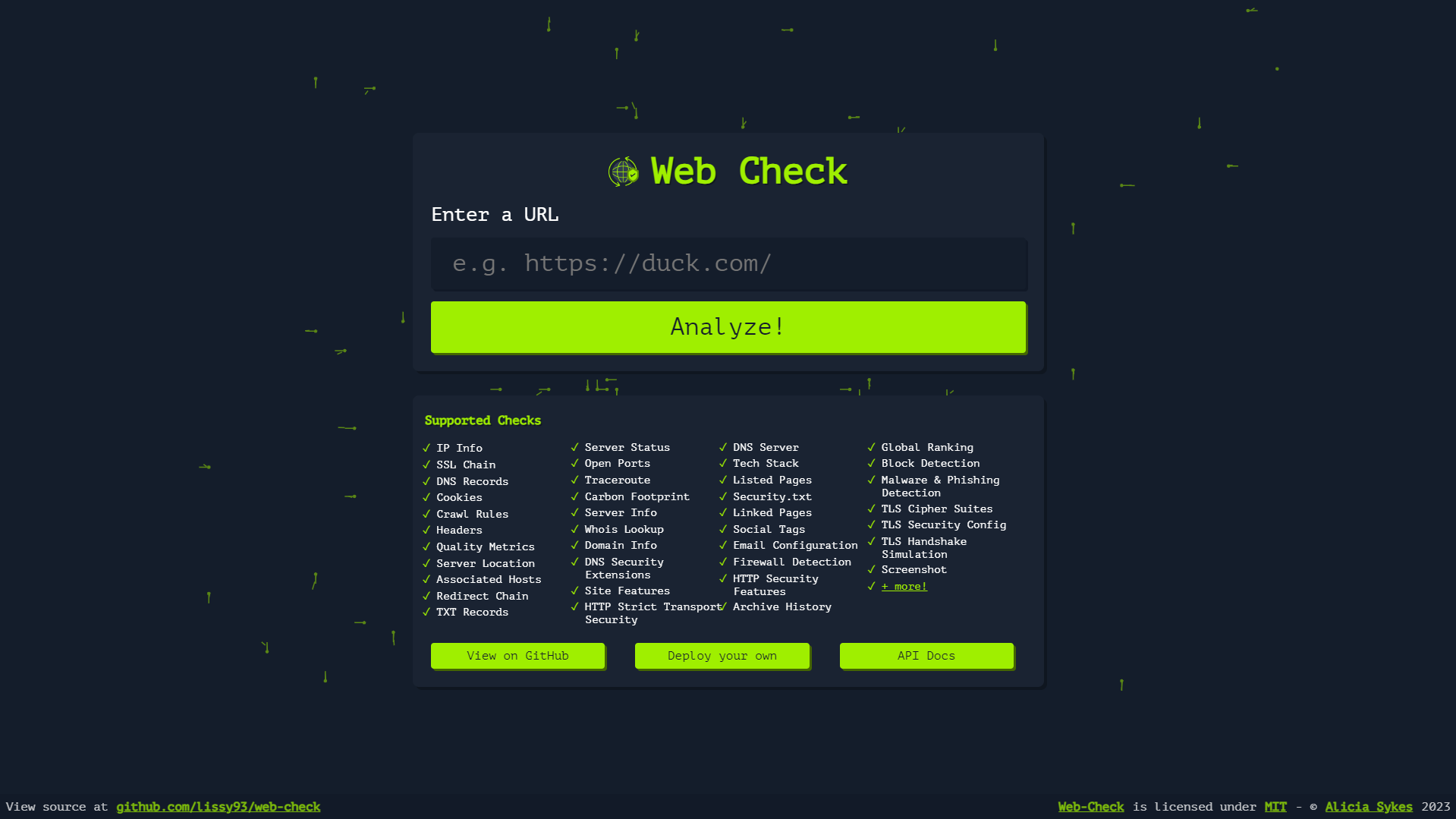
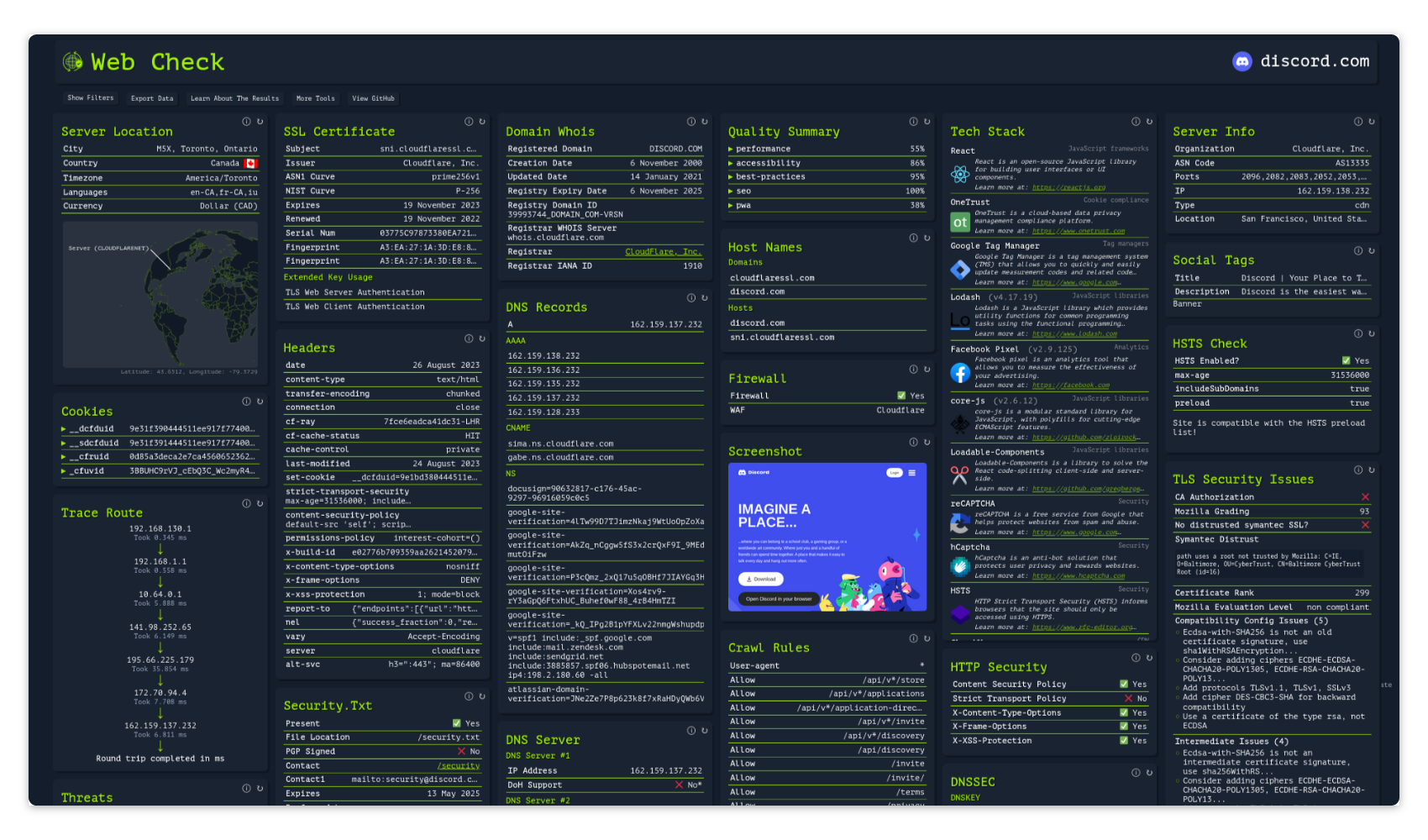
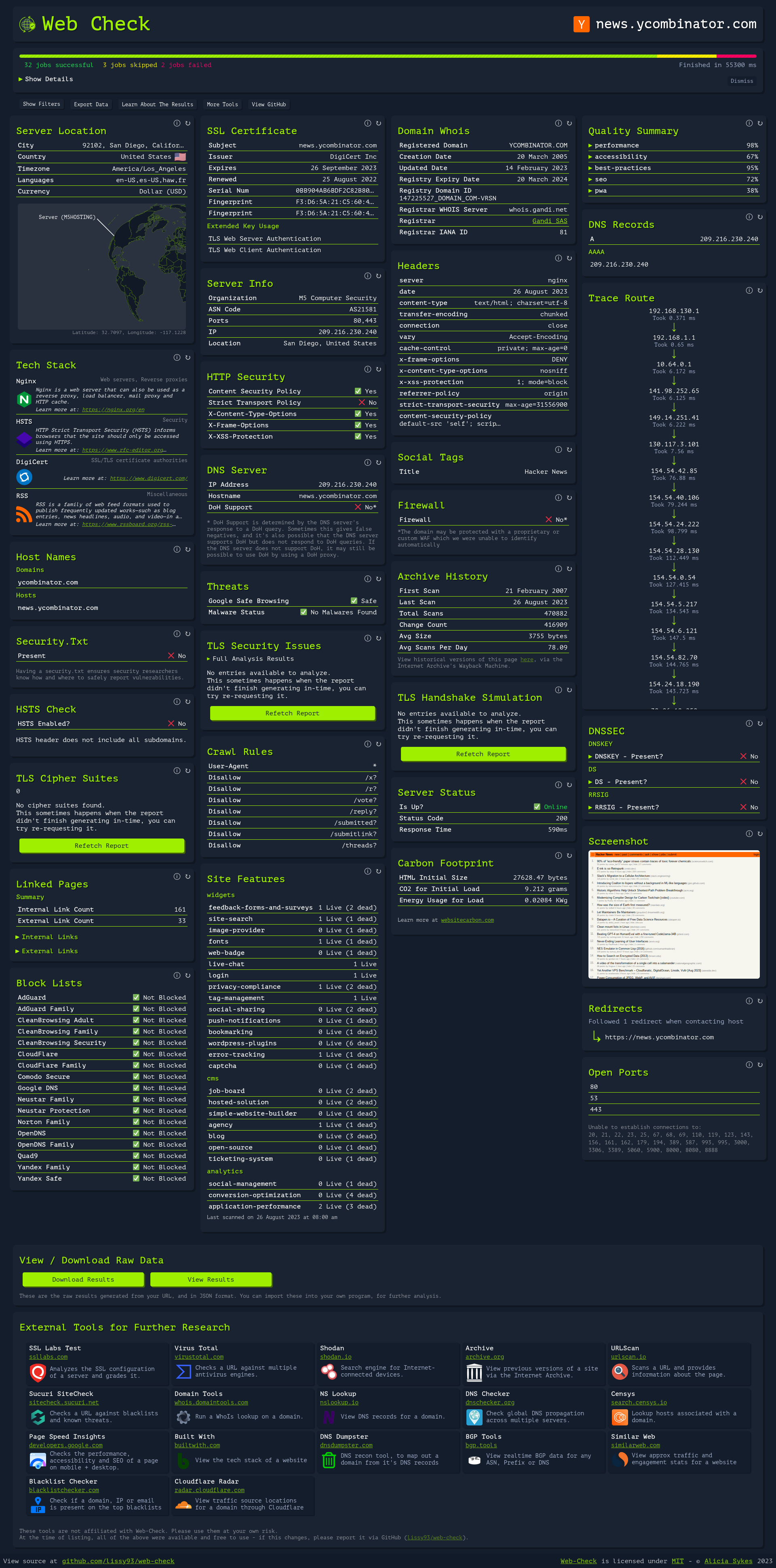
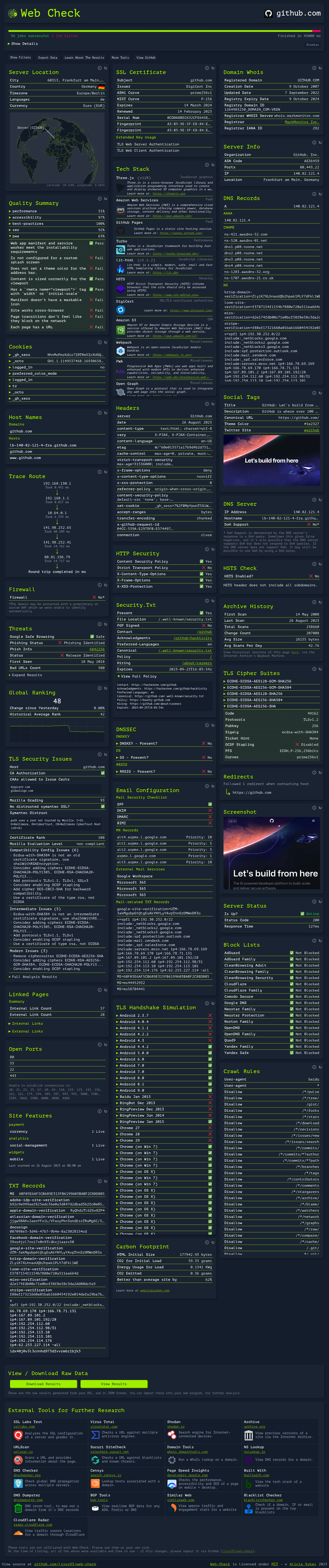
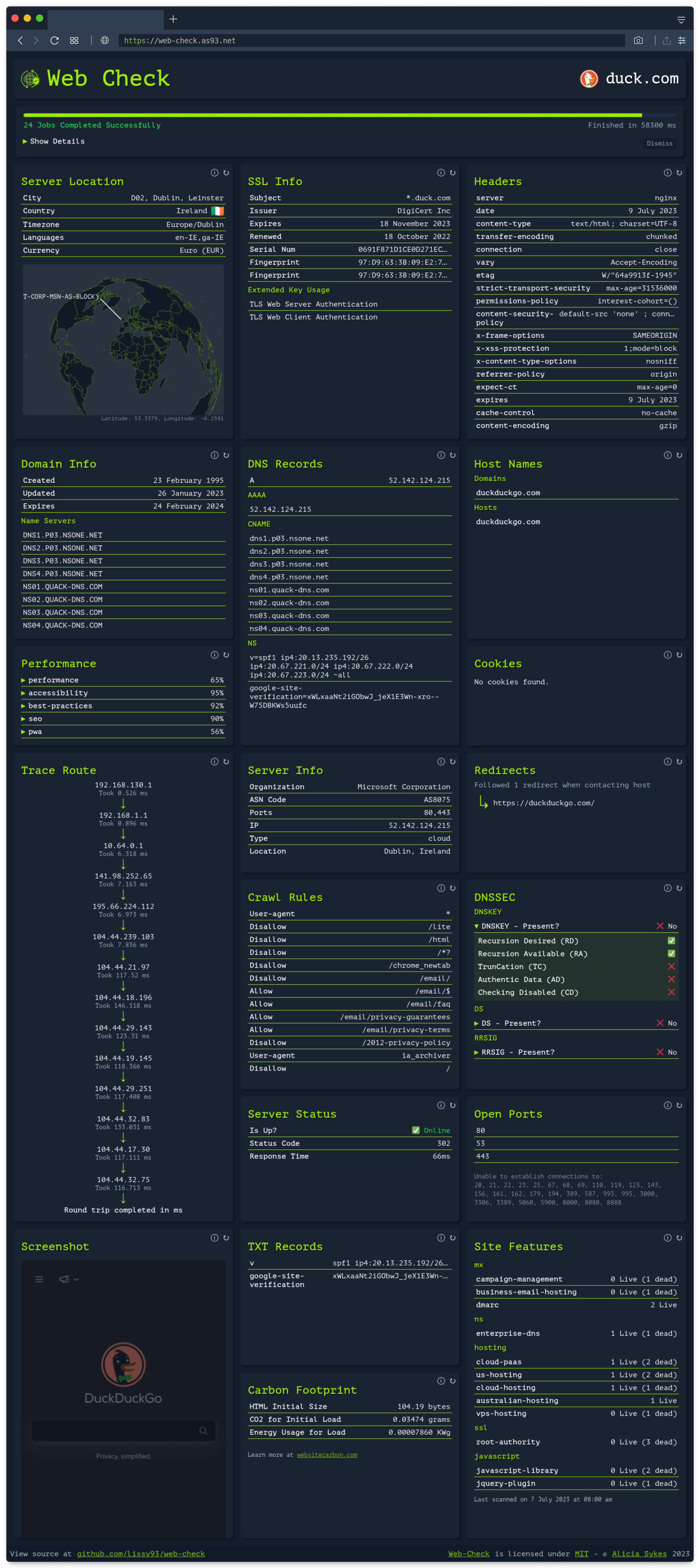
Web UI
/http://localhost:6122/ Web-Check is a self-hosted OSINT tool that runs dozens of checks against any domain (DNS, SSL, headers, hosting, tech stack and more) and lays it all out in one clean report.
Features
- Dozens of checks in one report: DNS records, SSL/TLS, security headers, WHOIS, hosting, tech stack, blocklist status and more
- No database or storage; every scan runs fresh
- Optional API keys unlock a few extra checks
- A clean report for any domain you enter
How to use
- Open Web-Check from your dashboard.
- Type in the domain or URL you want to check.
- Run the scan and browse the report as it loads.
Before you install
Nothing needs to be set first; Web-Check works without any API keys. To unlock extra checks, add the matching key from the Variables tab in the app settings and restart the app.
The settings in the first table are already in the app settings. To use any other one, open the app settings, add the variable with your value, save, and the app restarts with it. A setting you leave out uses its default.
API keys
| Variable | Default value | Description |
|---|---|---|
GOOGLE_ | — | A Google Cloud API key, for quality metrics. |
REACT_ | — | A Shodan API key, to show associated host names for a domain. |
REACT_ | — | A WhoAPI key, for fuller WHOIS records. |
SECURITY_ | — | A SecurityTrails API key, for organisation info. |
CLOUDMERSIVE_ | — | A Cloudmersive API key, to check for known threats. |
TRANCO_ | — | Your Tranco email, for site rank. Set it together with TRANCO_API_KEY. |
TRANCO_ | — | Your Tranco API key, for site rank. |
URL_ | — | A URLScan API key, for miscellaneous site info. |
BUILT_ | — | A BuiltWith API key, for the tech stack check. |
TORRENT_ | — | An iknowwhatyoudownload API key, for torrent activity on the site's IP. |
Server
| Variable | Default value | Description |
|---|---|---|
API_ | 10000 | How long each check may take, in milliseconds. |
API_ | false | Set to true to limit how often the API can be called. |
docker-compose.yml
name: web-check
services:
web-check:
image: lissy93/web-check:2.3.8
container_name: web-check
restart: unless-stopped
stop_grace_period: 40s
network_mode: bridge
ports:
- target: 3000
published: "6122"
protocol: tcp
deploy:
resources:
limits:
cpus: "1.00"
memory: 1024M
reservations:
cpus: "0.00"
memory: 256M
labels:
icon: https://cdn.jsdelivr.net/gh/HSinghHira/IceStore@main/Apps/web-check/icon.png
x-casaos:
id: com.icestore.web-check
ports:
- container: "3000"
description:
en_US: Web UI for running OSINT checks against any domain, published on host as 6122.
x-casaos:
id: com.icestore.web-check
architectures:
- amd64
- arm64
main: web-check
author: HSinghHira
category: Networking
developer: Lissy93
icon: https://cdn.jsdelivr.net/gh/HSinghHira/IceStore@main/Apps/web-check/icon.png
thumbnail: https://cdn.jsdelivr.net/gh/HSinghHira/IceStore@main/Apps/web-check/screenshot-1.png
screenshot_link:
- https://cdn.jsdelivr.net/gh/HSinghHira/IceStore@main/Apps/web-check/screenshot-1.png
- https://cdn.jsdelivr.net/gh/HSinghHira/IceStore@main/Apps/web-check/screenshot-2.png
- https://cdn.jsdelivr.net/gh/HSinghHira/IceStore@main/Apps/web-check/screenshot-3.png
- https://cdn.jsdelivr.net/gh/HSinghHira/IceStore@main/Apps/web-check/screenshot-4.png
- https://cdn.jsdelivr.net/gh/HSinghHira/IceStore@main/Apps/web-check/screenshot-5.png
title:
en_US: Web-Check
tagline:
en_US: All-in-one OSINT tool for analysing any website.
description:
en_US: >-
Visit: [https://icestore.hsinghhira.me/app/web-check/](https://icestore.hsinghhira.me/app/web-check/) for full details
Web-Check is a self-hosted OSINT tool that runs dozens of checks
against any domain (DNS, SSL, headers, hosting, tech stack and more)
and lays it all out in one clean report.
**Features**
- Dozens of checks in one report: DNS records, SSL/TLS, security
headers, WHOIS, hosting, tech stack, blocklist status and more
- No database or storage; every scan runs fresh
- Optional API keys unlock a few extra checks
- A clean report for any domain you enter
**How to use?**
1. Open Web-Check from the Zima OS dashboard.
2. Type in the domain or URL you want to check.
3. Run the scan and browse the report as it loads.
tips:
before_install:
en_US: >-
Visit: [https://icestore.hsinghhira.me/app/web-check/](https://icestore.hsinghhira.me/app/web-check/) for full details
index: /
port_map: "6122"
scheme: http
is_uncontrolled: false
version: "2.3.8"
update_at: "2026-10-25"
release_notes:
en_US: |-
- Moved to IceStore. Port changed from 8419 to 6122.
- Optional API keys are listed in the Variables tab on the IceStore website.
- Pinned the image to 2.3.8; upstream now publishes current version tags.
repo: "https://github.com/lissy93/web-check"
support: "https://github.com/lissy93/web-check/issues"
docs: "https://github.com/lissy93/web-check#readme" ZimaOS
 CasaOS
 Homeio