
ZimaBrain CE
Local, verifier-first diagnostic assistant for ZimaOS
- gelbuilding/zimabrain-ce:1.6.2-beta
- port 6162
- AI
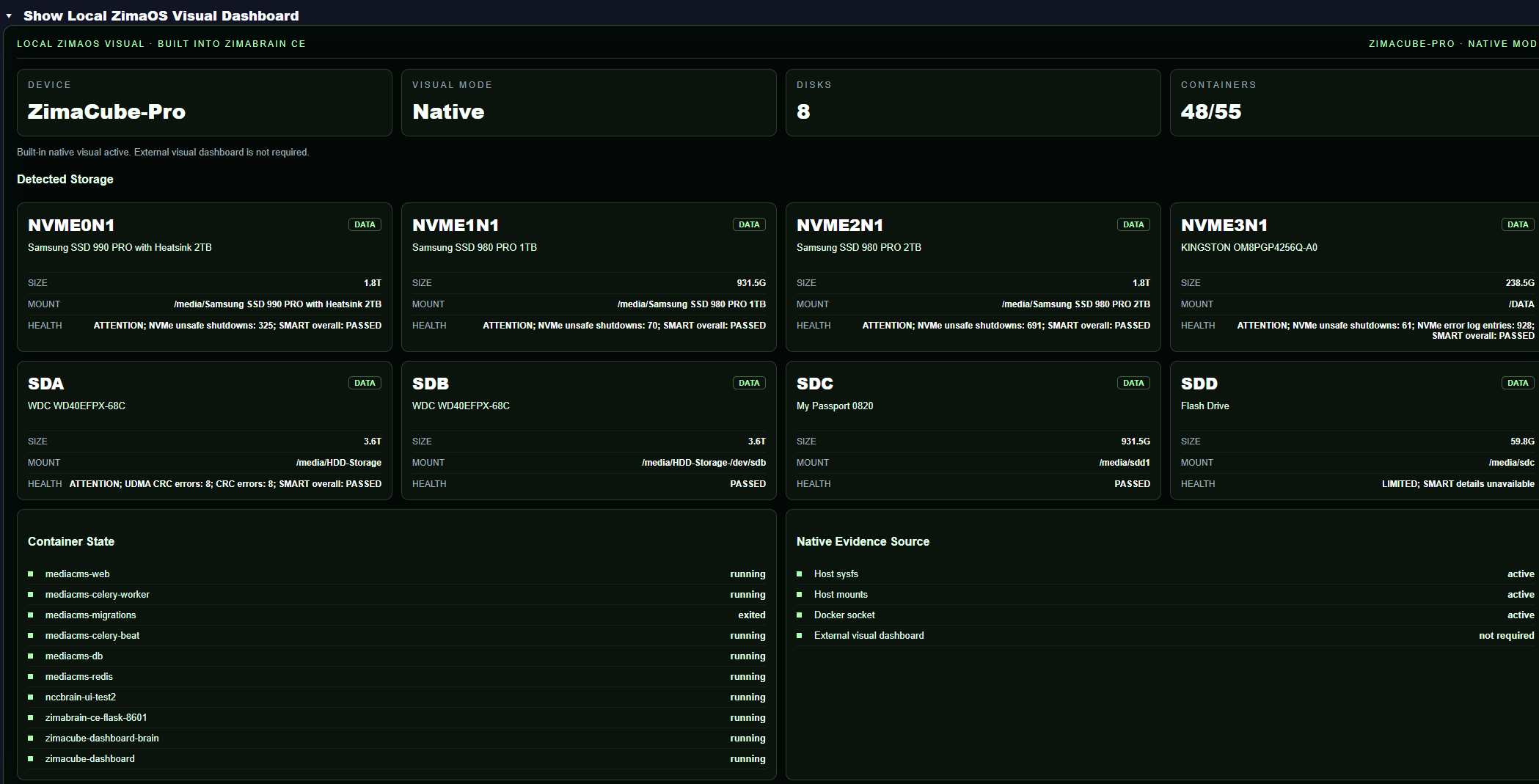
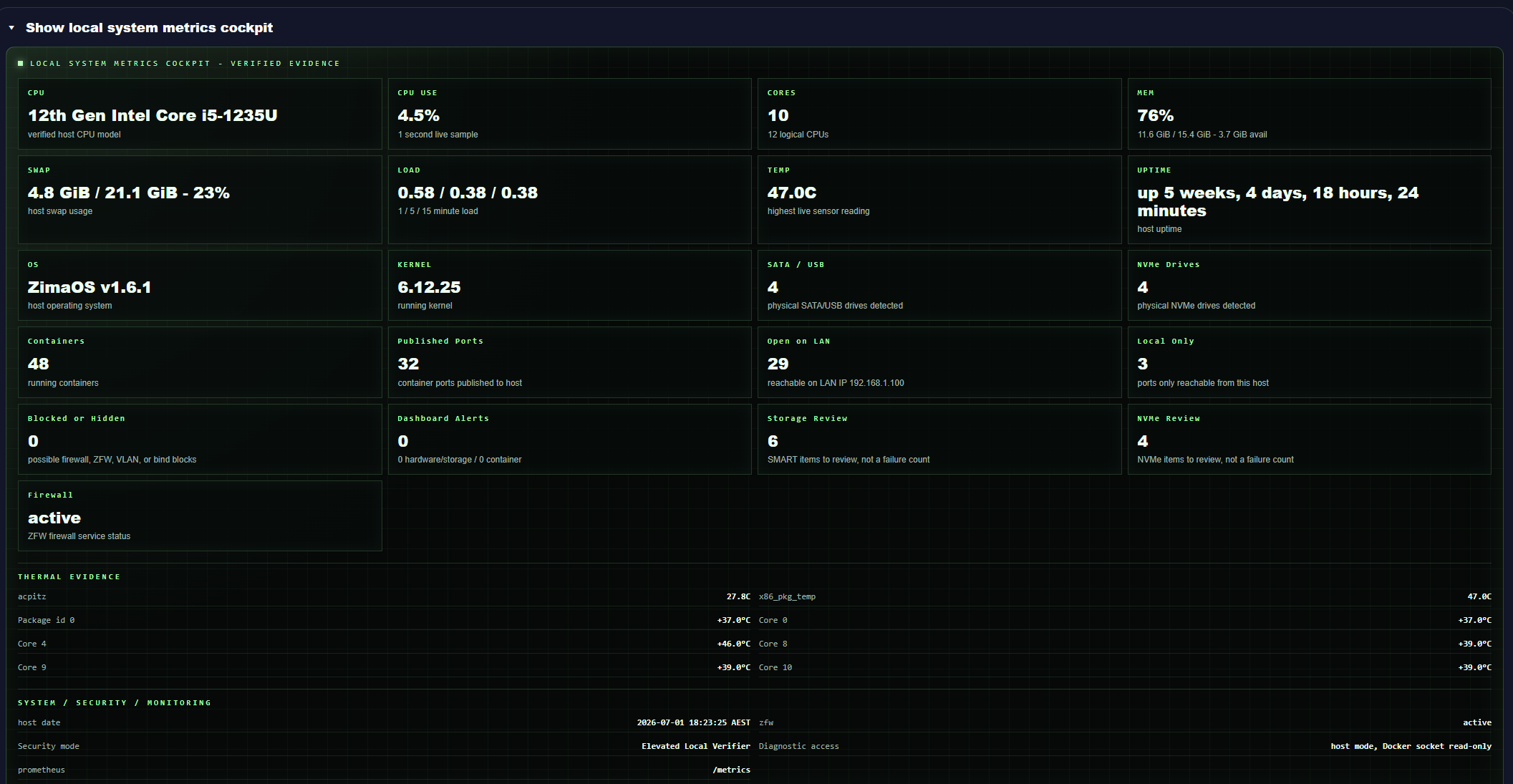
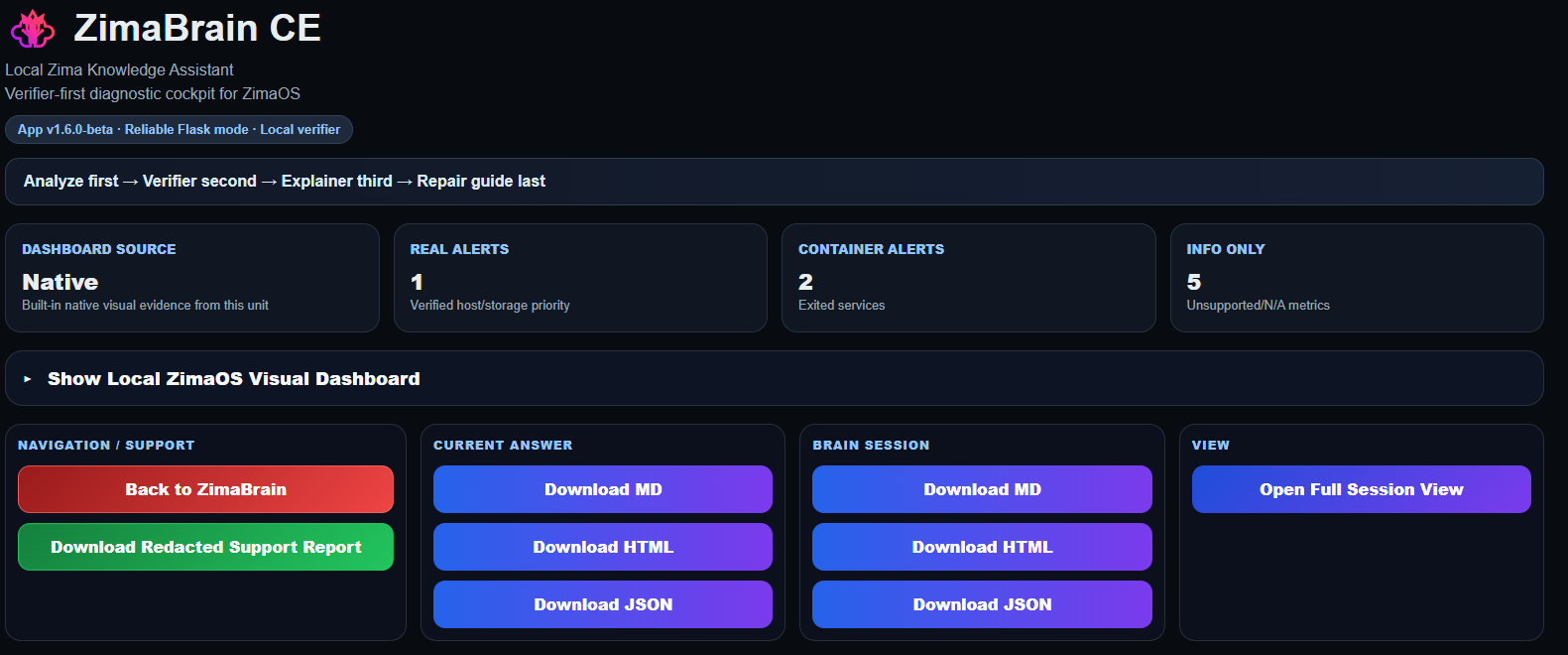
Web UI
/http://localhost:6162/ ZimaBrain CE is a local diagnostic assistant that reads real evidence from your ZimaOS box (disks, containers, mounts and network) before it tells you what is wrong or what to run next. It runs on your box and needs no cloud account.
Features
- Verifier-first: checks real system evidence before it answers, instead of guessing
- Layered checks for Docker, containers, bind mounts, disk health, filesystem usage, network exposure, SMB shares and permissions
- Knows the official ZimaOS manuals, verified app install guides and a third-party app store index
- Suggests safe commands, and avoids risky fixes unless the evidence clearly supports them
- Keeps reports, trend history and restart incident history in the app folder
How to use
- Open ZimaBrain CE from your dashboard.
- Pick a password on the first screen. You log in with it from then on.
- Check the top badge and layer map to see that it started well.
- Ask a question about your system, or pick a layer (disks, containers, network...) to check.
- Read the evidence and the suggested safe commands before you run anything yourself.
Before you install
ZimaBrain CE needs deep access to your box: it runs as a privileged container, sees the host's processes, and has read-only access to Docker, /proc, /sys and the host name. Only install it on a box you trust and keep it on your home network. There is nothing to set first: you pick a login password on the first screen, and the session key is made on first start. The first start takes about 30 seconds. Monitor settings and a fixed password are in the Variables tab; add them in the app settings. It runs on amd64 (Intel and AMD) only.
The settings in the first table are already in the app settings. To use any other one, open the app settings, add the variable with your value, save, and the app restarts with it. A setting you leave out uses its default.
In the app settings
| Variable | Default value | Description |
|---|---|---|
TZ | $TZ | Your time zone, used for the times in reports. It is filled in from your ZimaOS time zone. Leave it unless you need another. |
Sign-in
| Variable | Default value | Description |
|---|---|---|
ZIMABRAIN_ | — | A fixed login password. Leave it out to pick one on the first screen instead (it is kept as a hash in the app folder). |
ZIMABRAIN_ | — | The key that signs logins. Leave it out: one is made on first start and kept in the app folder. Changing it signs everyone out. |
Monitor
| Variable | Default value | Description |
|---|---|---|
ZIMABRAIN_ | true | Set to false to stop the background samples (CPU, memory, disks, containers) used for the incident history. |
ZIMABRAIN_ | 60 | How often the background monitor takes a sample, in seconds. |
ZIMABRAIN_ | 7 | How many days of monitor samples to keep. |
name: zimabrain-ce
services:
zimabrain-ce:
image: gelbuilding/zimabrain-ce:1.6.2-beta
container_name: zimabrain-ce
restart: unless-stopped
stop_grace_period: 40s
network_mode: bridge
privileged: true
pid: host
environment:
- TZ=$TZ
ports:
- target: 8601
published: "6162"
protocol: tcp
volumes:
- type: bind
source: /DATA/AppData/$AppID
target: /data
bind:
create_host_path: true
- type: bind
source: /DATA/AppData/$AppID/docs
target: /app/docs
read_only: true
bind:
create_host_path: true
- type: bind
source: /proc
target: /host/proc
read_only: true
- type: bind
source: /sys
target: /host/sys
read_only: true
- type: bind
source: /etc/hostname
target: /host/etc/hostname
read_only: true
- type: bind
source: /var/run/docker.sock
target: /var/run/docker.sock
read_only: true
extra_hosts:
- "host.docker.internal:host-gateway"
healthcheck:
test: ["CMD", "python", "-c", "import urllib.request; urllib.request.urlopen('http://127.0.0.1:8601/health', timeout=3)"]
interval: 30s
timeout: 5s
retries: 3
start_period: 20s
deploy:
resources:
limits:
cpus: "1.00"
memory: 512M
reservations:
cpus: "0.00"
memory: 128M
labels:
icon: https://cdn.jsdelivr.net/gh/HSinghHira/IceStore@main/Apps/zimabrain-ce/icon.png
x-casaos:
id: com.icestore.zimabrain-ce
envs:
- container: TZ
description:
en_US: >-
Your time zone, used for the times in reports. It is filled in
from your ZimaOS time zone. Leave it unless you need another.
ports:
- container: "8601"
description:
en_US: ZimaBrain CE web UI, published on host as 6162
volumes:
- container: /data
description:
en_US: >-
Reports, trend history, your login password (as a hash) and
the session key. Both are made on first start.
- container: /app/docs
description:
en_US: >-
Read-only. Put extra manuals or notes in the docs folder of the
app folder and ZimaBrain CE uses them in its answers.
- container: /host/proc
description:
en_US: Read-only view of the host's processes, for diagnostics
- container: /host/sys
description:
en_US: Read-only view of the host's hardware and disks, for diagnostics
- container: /host/etc/hostname
description:
en_US: Read-only host name of your ZimaOS box
- container: /var/run/docker.sock
description:
en_US: Read-only access to Docker, to check your containers and their mounts
x-casaos:
id: com.icestore.zimabrain-ce
architectures:
- amd64
main: zimabrain-ce
author: HSinghHira
category: AI
developer: gelbuilding
icon: https://cdn.jsdelivr.net/gh/HSinghHira/IceStore@main/Apps/zimabrain-ce/icon.png
thumbnail: https://cdn.jsdelivr.net/gh/HSinghHira/IceStore@main/Apps/zimabrain-ce/screenshot-1.png
screenshot_link:
- https://cdn.jsdelivr.net/gh/HSinghHira/IceStore@main/Apps/zimabrain-ce/screenshot-1.png
- https://cdn.jsdelivr.net/gh/HSinghHira/IceStore@main/Apps/zimabrain-ce/screenshot-2.png
- https://cdn.jsdelivr.net/gh/HSinghHira/IceStore@main/Apps/zimabrain-ce/screenshot-3.png
title:
en_US: ZimaBrain CE
tagline:
en_US: Local, verifier-first diagnostic assistant for ZimaOS
description:
en_US: >-
ZimaBrain CE is a local diagnostic assistant that reads real evidence
from your ZimaOS box (disks, containers, mounts and network) before it
tells you what is wrong or what to run next. It runs on your box and
needs no cloud account.
**Features**
- Verifier-first: checks real system evidence before it answers,
instead of guessing
- Layered checks for Docker, containers, bind mounts, disk health,
filesystem usage, network exposure, SMB shares and permissions
- Knows the official ZimaOS manuals, verified app install guides and a
third-party app store index
- Suggests safe commands, and avoids risky fixes unless the evidence
clearly supports them
- Keeps reports, trend history and restart incident history in the
app folder
**How to use?**
1. Open ZimaBrain CE from the Zima OS dashboard.
2. Pick a password on the first screen. You log in with it from then
on.
3. Check the top badge and layer map to see that it started well.
4. Ask a question about your system, or pick a layer (disks,
containers, network...) to check.
5. Read the evidence and the suggested safe commands before you run
anything yourself.
tips:
before_install:
en_US: >-
1. ZimaBrain CE needs deep access to your ZimaOS box. It runs as a
privileged container, sees the host's processes and can read
Docker.
2. Only install it on a box you trust, and keep it on your home
network.
3. Start the installation.
4. Wait about 30 seconds.
5. Open ZimaBrain CE from the Zima OS dashboard.
6. Pick a password on the first screen. Write it down.
7. More settings, like the background monitor, are listed on the
ZimaBrain CE page at https://icestore.hsinghhira.me/app/zimabrain-ce/
(Variables tab). You can add them now or later in the app
settings.
index: /
port_map: "6162"
scheme: http
is_uncontrolled: false
version: "1.6.2-beta"
update_at: "2026-10-25"
release_notes:
en_US: |-
- Moved to IceStore. The port changed from 8441 to 6162 and the app id is now com.icestore.zimabrain-ce.
- Pinned to gelbuilding/zimabrain-ce:1.6.2-beta. Upstream has no stable tag yet.
- The fixed ZIMABRAIN_SECRET_KEY and the CHANGEME password are gone. ZimaBrain CE makes its own session key on first start and asks for a password on the first screen.
- amd64 only: upstream publishes no arm64 image.
repo: "https://github.com/Jacko88888/zimabrain-ce"
support: "https://github.com/Jacko88888/zimabrain-ce/issues"
docs: "https://github.com/Jacko88888/zimabrain-ce/tree/main/docs" ZimaOS
 CasaOS
 Homeio