
Ghostfolio
Wealth tracker for stocks, ETFs and crypto across your accounts
- ghcr.io/hsinghhira/ghostfolio:latest
- v3.100.0
- Updated 21 Nov 2026
- port 6772
- amd64 · arm64
- Finance
- 9.8k stars
Screenshots
Open the app
About Ghostfolio
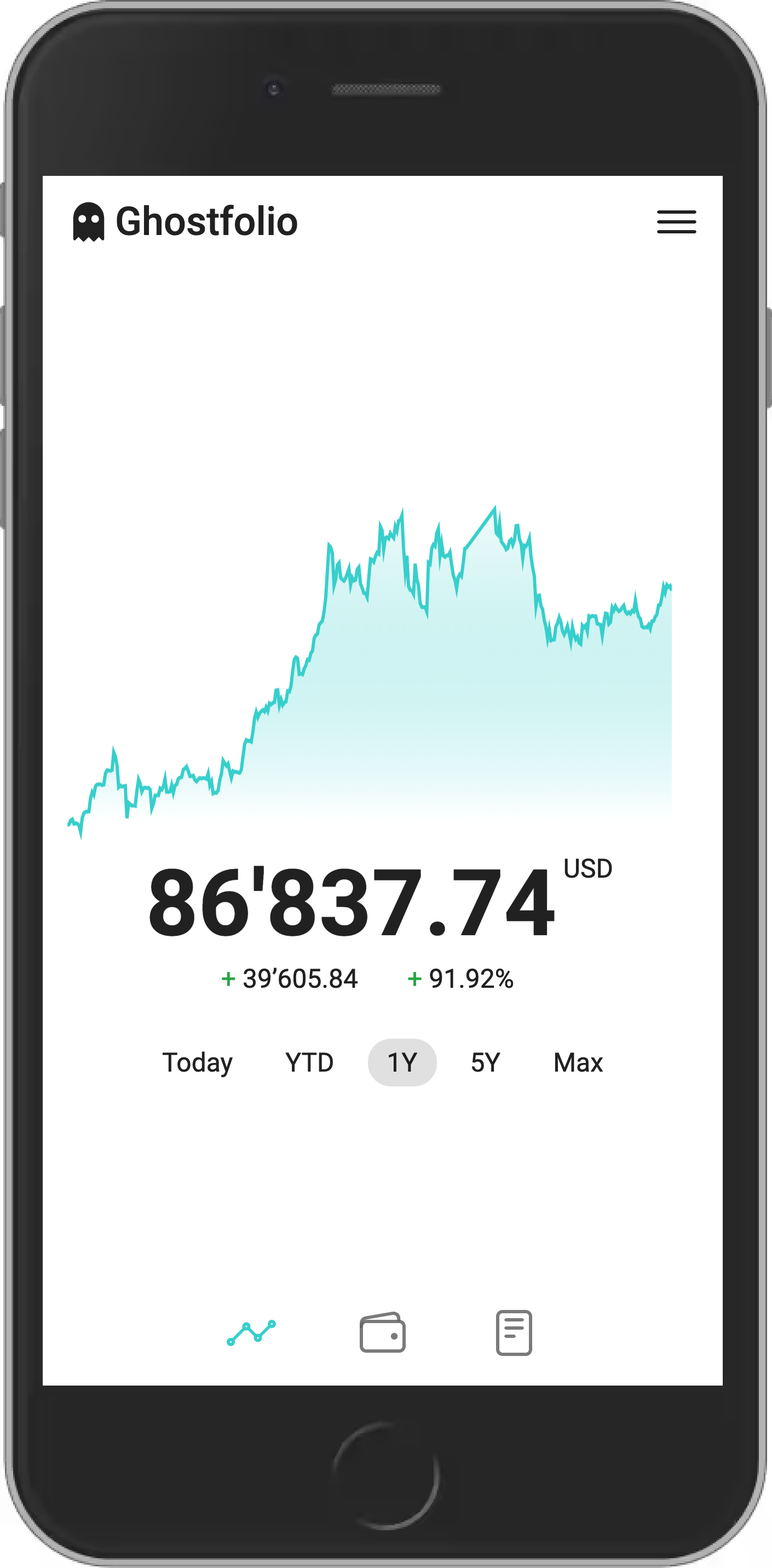
Ghostfolio shows all your investments in one place: stocks, ETFs, crypto, cash and more, across every broker and account. See how your portfolio does over time, what you hold and where the risk is. PostgreSQL and Redis are built in, so it is one container with nothing else to set up.
Features
- Buys, sells, dividends and fees across many accounts
- Performance today, this year and since the start
- Holdings by asset class, region, sector and currency
- Checks of your portfolio against simple rules (X-ray)
- Many currencies, with exchange rates
- Import and export of your activities as CSV or JSON
- Works on your phone, and in dark mode
How to use
- Open Ghostfolio from your dashboard.
- Click Get Started. Ghostfolio makes your account and shows a security token. Save it: it is how you sign in.
- Open Admin Control and pick how prices are fetched (data providers).
- Add your accounts, then your activities (buys, sells, dividends), or import them.
- Look at your portfolio, its performance and the X-ray.
Before you install
You can install it as it is and open it at http://[ZIMAOS-IP-ADDRESS]:6772. There is no account yet: click Get Started, and the first account is the admin. Ghostfolio signs you in with a security token it shows once, so save it somewhere safe. The secrets and the database and Redis passwords are made for you on first start and kept in /DATA/AppData/ghostfolio/data. Single sign-on, price API keys and the other settings are in the Variables tab and are added in the app settings. The first start takes a few minutes while it sets up the database.
The settings in the first table are already in the app settings. To use any other one, open the app settings, add the variable with your value, save, and the app restarts with it. A setting you leave out uses its default.
In the app settings
| Variable | Default value | Description |
|---|---|---|
TZ | $TZ | Your time zone. It is filled in from your ZimaOS time zone. |
Server
| Variable | Default value | Description |
|---|---|---|
ROOT_ | http://localhost:6772 | The address you open Ghostfolio at, like http://192.168.1.20:6772. Used for links and the sign-in callback. |
TRUST_ | — | Set to 1 when one reverse proxy is in front of Ghostfolio. |
REQUEST_ | 3000 | How long to wait for a price provider, in milliseconds. |
LOG_ | — | What goes in the log, like ["error","log","warn"]. |
JWT_ | — | The key sign-ins are signed with. It is made on first start and kept in /data/secrets.env. Only set it to use your own. |
ACCESS_ | — | The salt for security tokens. It is made on first start; changing it makes every saved token stop working. |
Features
| Variable | Default value | Description |
|---|---|---|
ENABLE_ | false | Set to true to send security headers (experimental). |
ENABLE_ | false | Set to true to serve an MCP server for AI tools at /mcp (experimental). |
Price data
| Variable | Default value | Description |
|---|---|---|
API_ | — | Your CoinGecko Demo API key, for crypto prices. |
API_ | — | Your CoinGecko Pro API key. |
Sign-in
| Variable | Default value | Description |
|---|---|---|
ENABLE_ | true | Sign in with a security token. Set to false when you only use OIDC. |
ENABLE_ | false | Set to true to sign in with your own provider (OpenID Connect, experimental). |
OIDC_ | — | Your provider's issuer address, like https://auth.example.com. |
OIDC_ | — | The client ID from your provider. |
OIDC_ | — | The client secret from your provider. |
OIDC_ | ["openid"] | The scopes to ask for, like ["email","openid","profile"]. |
OIDC_ | — | The callback address. Leave it out to use ROOT_URL/api/auth/oidc/callback. |
name: ghostfolio

services:
  ghostfolio:
    image: ghcr.io/hsinghhira/ghostfolio:latest
    container_name: ghostfolio
    restart: unless-stopped
    stop_grace_period: 60s
    network_mode: bridge
    environment:
      - TZ=$TZ
    ports:
      - target: 3333
        published: "6772"
        protocol: tcp
    volumes:
      - type: bind
        source: /DATA/AppData/$AppID/data
        target: /data
        bind:
          create_host_path: true
    healthcheck:
      test: ["CMD", "curl", "-fsS", "-o", "/dev/null", "http://127.0.0.1:3333/api/v1/health"]
      interval: 30s
      timeout: 10s
      retries: 5
      start_period: 300s
    deploy:
      resources:
        limits:
          cpus: "2.00"
          memory: 1536M
        reservations:
          cpus: "0.05"
          memory: 256M
    labels:
      icon: https://cdn.jsdelivr.net/gh/HSinghHira/IceStore@main/Apps/ghostfolio/icon.png
    x-casaos:
      id: com.icestore.ghostfolio
      envs:
        - container: TZ
          description:
            en_US: >-
              Your time zone. It is filled in from your ZimaOS time zone.
      ports:
        - container: "3333"
          description:
            en_US: Ghostfolio web UI and API, published on host as 6772
      volumes:
        - container: /data
          description:
            en_US: >-
              Everything Ghostfolio keeps: the PostgreSQL database
              (postgres), the Redis cache (redis) and this install's own
              keys (secrets.env). Back it up.

x-casaos:
  id: com.icestore.ghostfolio
  architectures:
    - amd64
    - arm64
  main: ghostfolio
  author: HSinghHira
  category: Finance
  developer: Ghostfolio
  icon: https://cdn.jsdelivr.net/gh/HSinghHira/IceStore@main/Apps/ghostfolio/icon.png
  thumbnail: https://cdn.jsdelivr.net/gh/HSinghHira/IceStore@main/Apps/ghostfolio/screenshot-1.png
  screenshot_link:
    - https://cdn.jsdelivr.net/gh/HSinghHira/IceStore@main/Apps/ghostfolio/screenshot-1.png
  title:
    en_US: Ghostfolio
  tagline:
    en_US: Wealth tracker for stocks, ETFs and crypto across your accounts
  description:
    en_US: >-
      Ghostfolio shows all your investments in one place: stocks, ETFs,
      crypto, cash and more, across every broker and account. See how your
      portfolio does over time, what you hold and where the risk is.
      PostgreSQL and Redis are built in, so it is one container with nothing
      else to set up.


      **Features**


      - Buys, sells, dividends and fees across many accounts

      - Performance today, this year and since the start

      - Holdings by asset class, region, sector and currency

      - Checks of your portfolio against simple rules (X-ray)

      - Many currencies, with exchange rates

      - Import and export of your activities as CSV or JSON

      - Works on your phone, and in dark mode


      **How to use?**


      1. Open Ghostfolio from the ZimaOS dashboard.

      2. Click Get Started. Ghostfolio makes your account and shows a
         security token. Save it: it is how you sign in.

      3. Open Admin Control and pick how prices are fetched (data
         providers).

      4. Add your accounts, then your activities (buys, sells, dividends),
         or import them.

      5. Look at your portfolio, its performance and the X-ray.
  tips:
    before_install:
      en_US: >-
        1. More settings, like sign-in with your own provider and API keys
           for price data, are listed on the Ghostfolio page at
           https://icestore.hsinghhira.me/app/ghostfolio/ (Variables tab).
           You can add them now or later in the app settings.


        2. Start the installation. The first start takes a few minutes
           while it sets up the database.


        3. Open http://[ZIMAOS-IP-ADDRESS]:6772 and click Get Started. The
           first account is the admin.


        4. Save the security token it shows you. You need it to sign in.
  index: /
  port_map: "6772"
  scheme: http
  is_uncontrolled: false
  version: "3.100.0"
  update_at: "2026-11-21"
  release_notes:
    en_US: |-
      - First IceStore release, on port 6772
      - Built on ghostfolio/ghostfolio 3.100.0, with PostgreSQL 17 and Redis inside the same container
      - Each install makes its own JWT secret, access token salt and database and Redis passwords on first start
  repo: "https://github.com/ghostfolio/ghostfolio"
  support: "https://github.com/ghostfolio/ghostfolio/issues"
  docs: "https://github.com/ghostfolio/ghostfolio#self-hosting"
Install Ghostfolio
Something not working with Ghostfolio?
Report it so it gets fixed, or ask for an app that is not here yet.
 ZimaOS
Add the store link, then find Ghostfolio in the App Store and install it.
 CasaOS
Add the store link, then find Ghostfolio in the App Store and install it.
 ReCasaOS
Add the store link, then find Ghostfolio in the App Store and install it.
 Homeio
Add the store link, then find Ghostfolio in the App Store and install it.
 MOS
Add the repository in MOS Hub Settings, then find Ghostfolio in Docker → MOS Hub and install it.


