
KopiaLens
Kopia backups you can see inside, with schedules, restores and real folder sizes.
- anshulj99/kopialens:1.0.1
- v1.0.1
- Updated 9 Nov 2026
- port 6708
- amd64 · arm64
- Others
- 8 stars
Screenshots
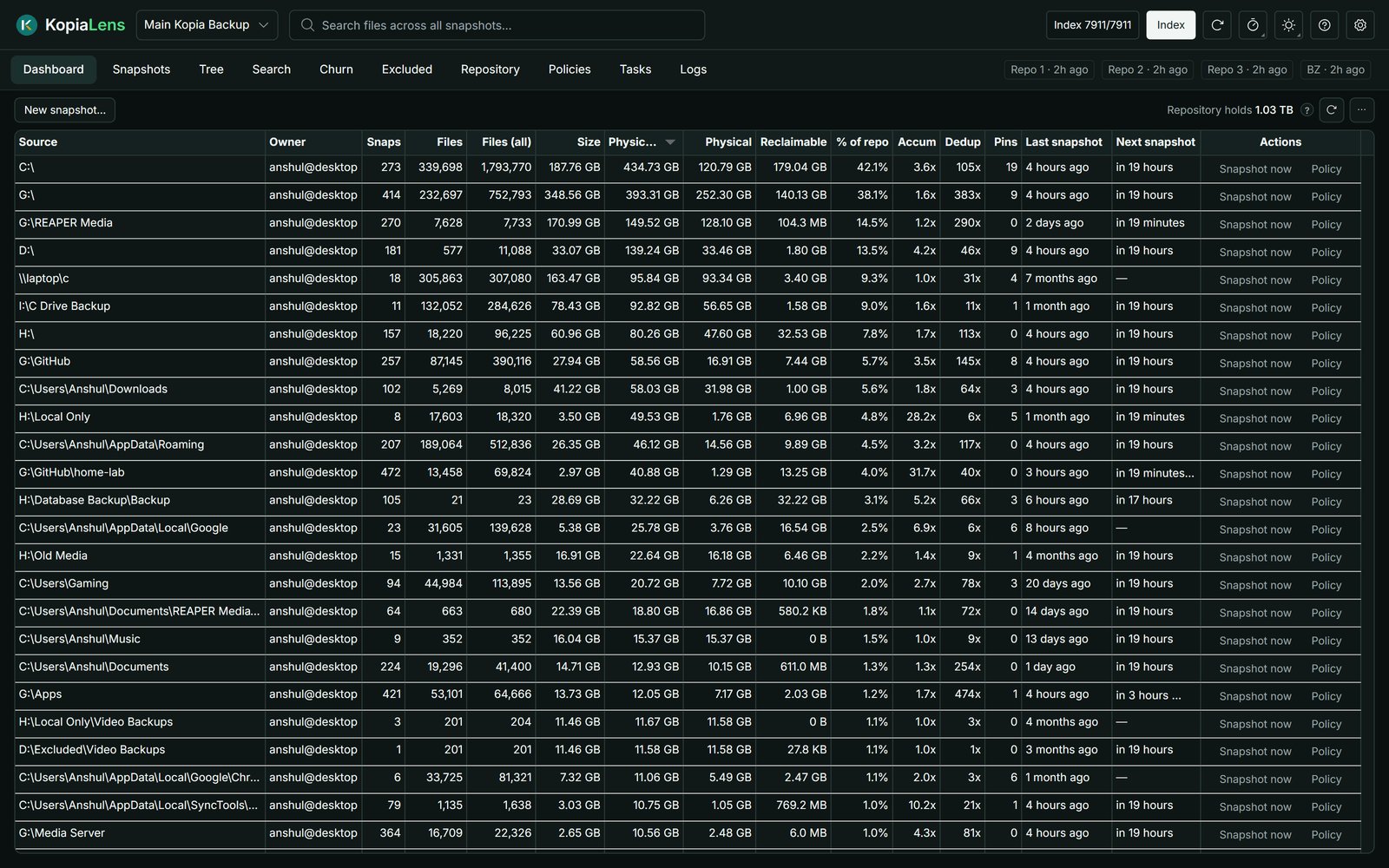
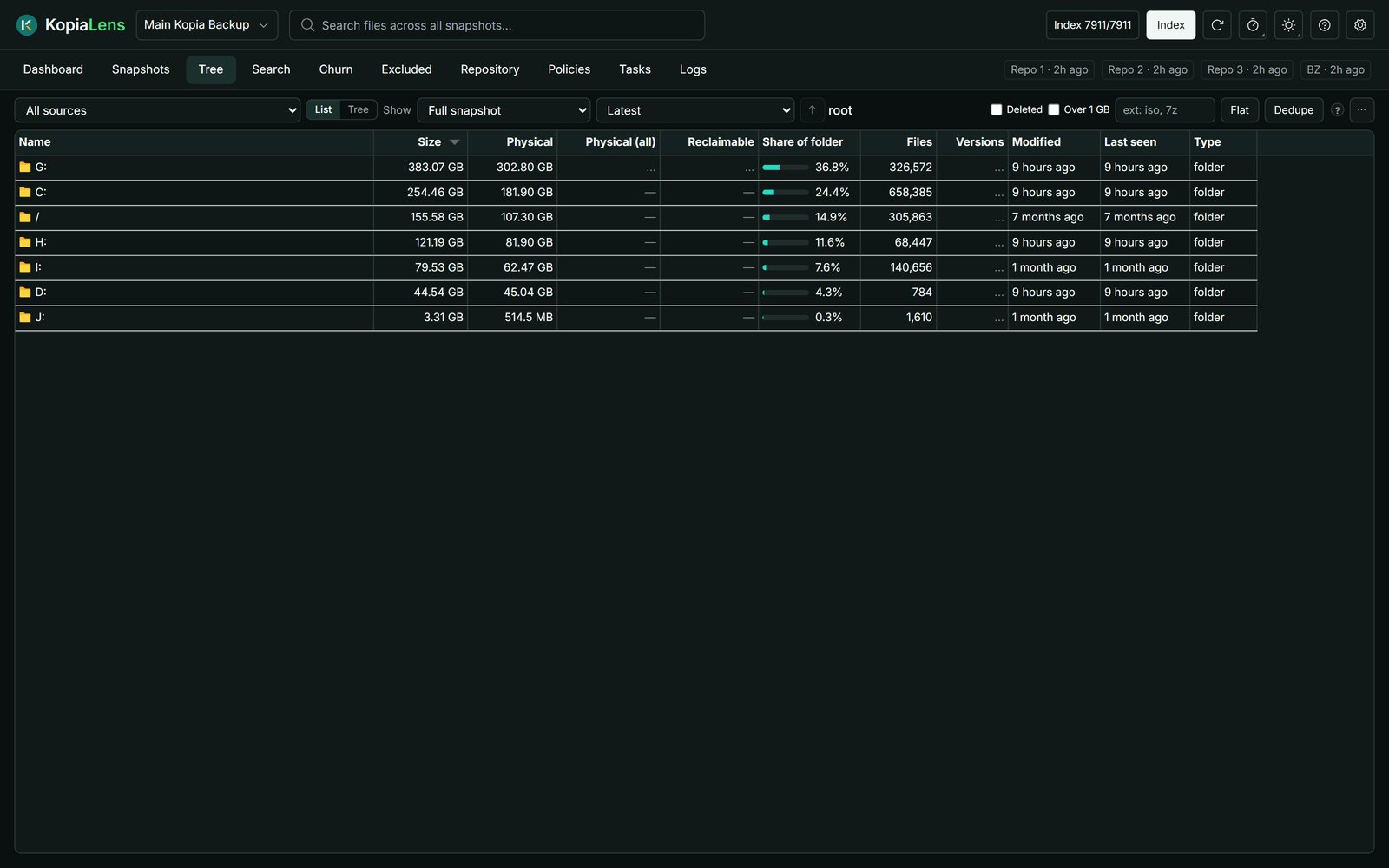
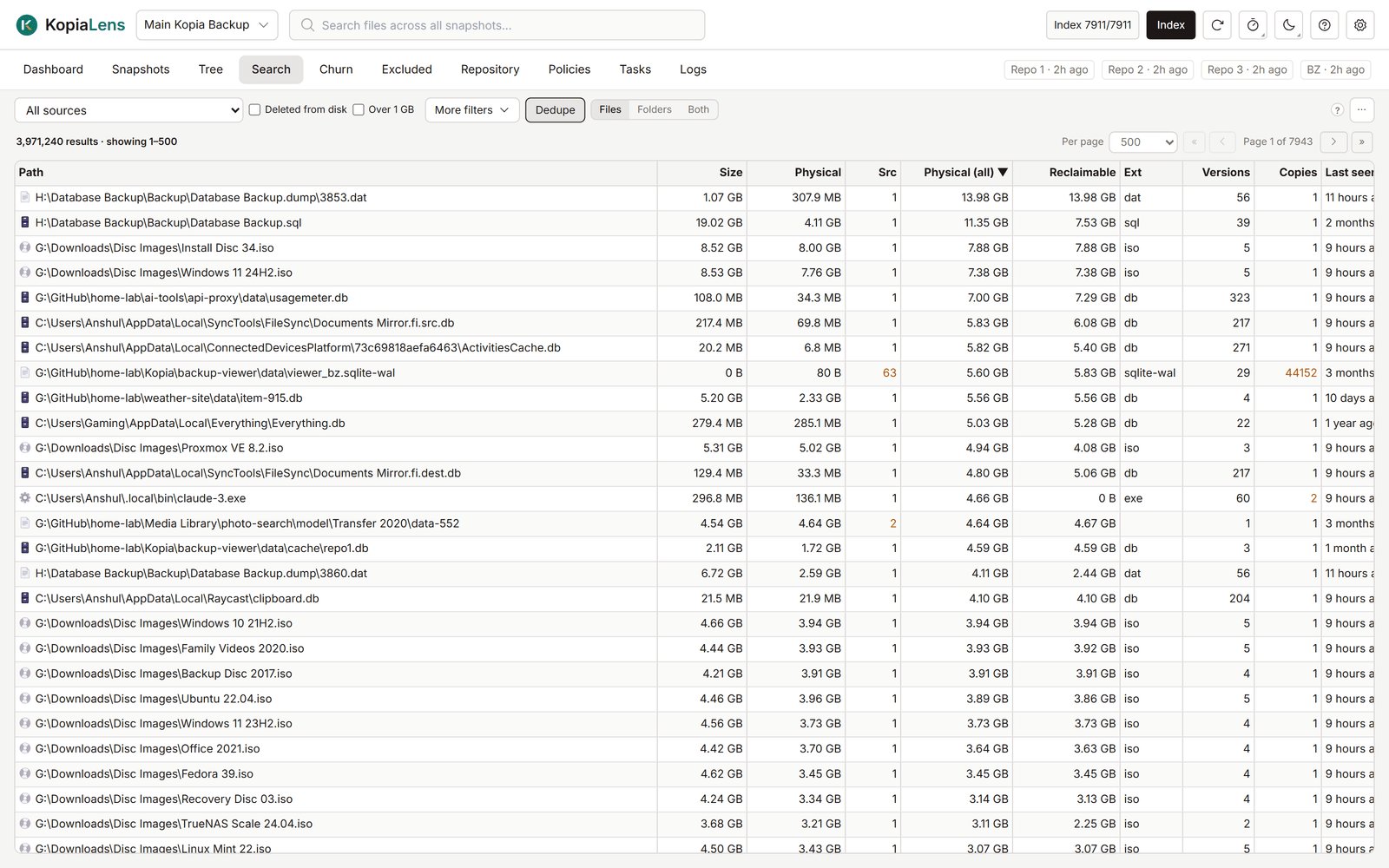
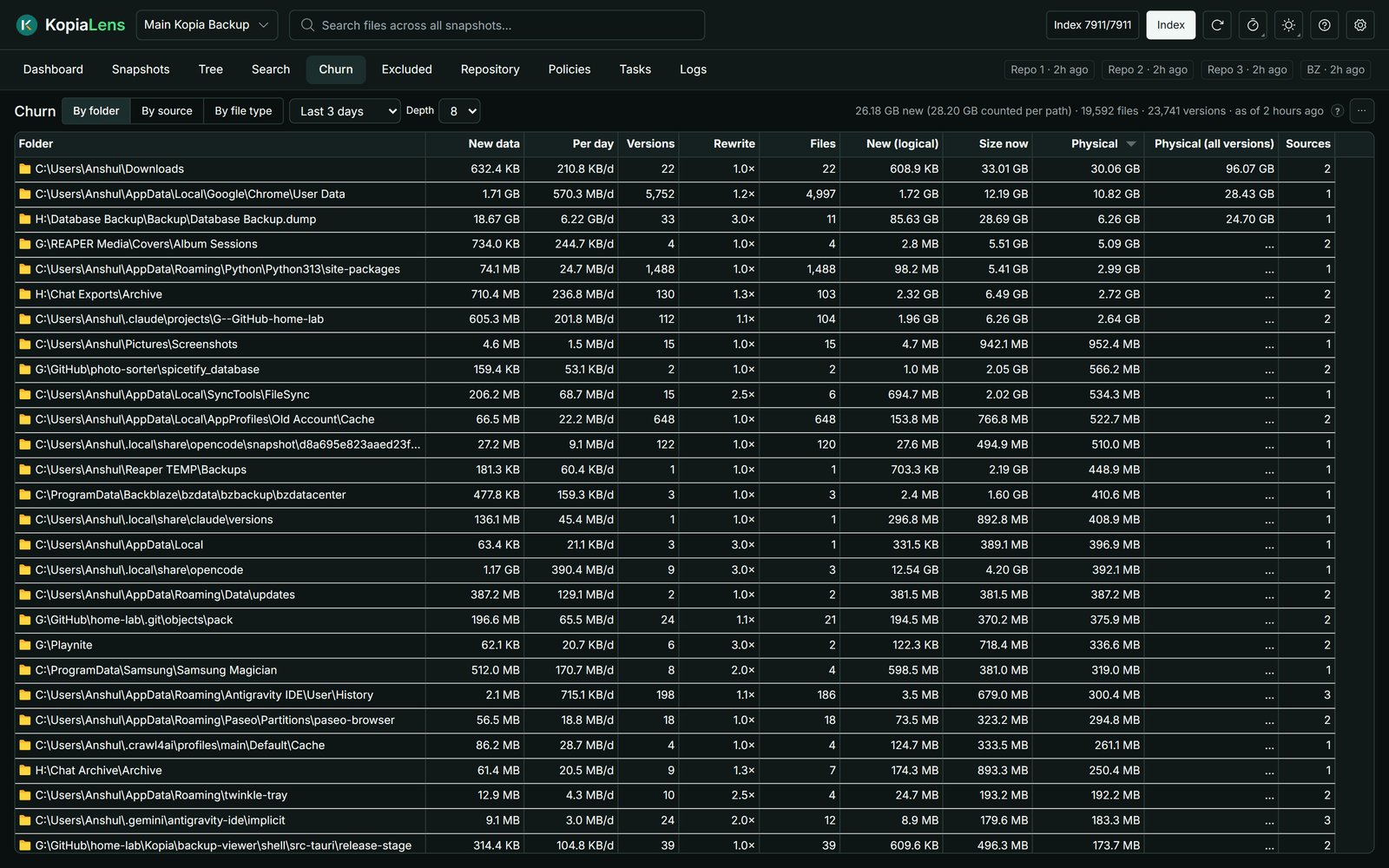
Open the app
About KopiaLens
KopiaLens is a backup app for Kopia with an analysis engine built in. It creates repositories, runs your backups on a schedule, restores files and runs maintenance, and it shows what Kopia can't show quickly: what each folder really costs after deduplication, which snapshots hold a file, how your backups grow, and what isn't backed up at all.
Features
- Scheduled, encrypted, deduplicated backups to disks, S3, B2, SFTP and more, with Kopia inside
- Restore or download any file from any snapshot; policies and retention
- Real sizes after deduplication, search across every snapshot, tree and churn views
- Excluded view: the folders no backup covers
- Notifications, an HTTP API and the
klenscommand line; clean-up tools in the Pro version
How to use
- Open KopiaLens from your dashboard (https; accept the certificate warning).
- Finish the first-time setup and choose a sign-in password.
- Connect your Kopia repository or create a new one, for example in
/DATA/Backup/kopia. - Add folders under
/DATAto back up.
Before you install
KopiaLens serves https with its own certificate on port 6708, so your browser warns the first time: open https://[ZIMAOS-IP-ADDRESS]:6708 and go on. Set a sign-in password in the setup; without one, anyone on your network can open it. Setup is open for the first 30 minutes after a start, then it asks for a setup code printed in the app's logs.
All of /DATA is mounted at the same path inside, so repositories and folders there keep their paths. Mounting snapshots as folders needs FUSE: in the app settings add the device /dev/fuse, the SYS_ADMIN capability and apparmor:unconfined. Everything else works without it. It runs as root unless you set PUID/PGID.
The settings in the first table are already in the app settings. To use any other one, open the app settings, add the variable with your value, save, and the app restarts with it. A setting you leave out uses its default.
In the app settings
| Variable | Default value | Description |
|---|---|---|
TZ | $TZ | Your time zone, for the nightly index time. It is filled in from your ZimaOS time zone. |
Server
| Variable | Default value | Description |
|---|---|---|
KOPIALENS_ | — | Set to off to serve plain http instead of https with KopiaLens's own certificate (for example behind your own reverse proxy). |
KOPIALENS_ | — | Set to addresses to only let the addresses in KOPIALENS_ACCESS_ADDRESSES in. |
KOPIALENS_ | — | Allowed addresses or ranges, like 192.168.1.0/24. |
PUID | — | Run as this user instead of root. Use the user that writes your Kopia repository; the backed-up folders must be readable by it. |
PGID | — | The group to run as, with PUID. |
KOPIALENS_ | — | A file with the encryption password, so the index unlocks on start. |
Privacy
| Variable | Default value | Description |
|---|---|---|
KOPIALENS_ | — | Set to 1 to turn off update checks. |
KOPIALENS_ | — | Set to 1 to turn off usage stats. |
name: kopialens

services:
  kopialens:
    image: anshulj99/kopialens:1.0.1
    container_name: kopialens
    hostname: kopialens
    restart: unless-stopped
    stop_grace_period: 30s
    network_mode: bridge
    environment:
      - TZ=$TZ
    ports:
      - target: 7123
        published: "6708"
        protocol: tcp
    volumes:
      - type: bind
        source: /DATA/AppData/$AppID/config
        target: /config
        bind:
          create_host_path: true
      - type: bind
        source: /DATA
        target: /DATA
    deploy:
      resources:
        limits:
          cpus: "2.00"
          memory: 2048M
        reservations:
          cpus: "0.00"
          memory: 128M
    labels:
      icon: https://cdn.jsdelivr.net/gh/HSinghHira/IceStore@main/Apps/kopialens/icon.png
    x-casaos:
      id: com.icestore.kopialens
      envs:
        - container: TZ
          description:
            en_US: >-
              Your time zone, for the nightly index time. It is filled in from
              your ZimaOS time zone.
      ports:
        - container: "7123"
          description:
            en_US: KopiaLens web app (https, with its own certificate), published on host as 6708
      volumes:
        - container: /config
          description:
            en_US: >-
              KopiaLens's settings, the index, kopia's cache and connection
              files.
        - container: /DATA
          description:
            en_US: >-
              Your ZimaOS storage, at the same path inside, so Kopia
              repositories and backed-up folders under /DATA keep their paths.
              Repositories elsewhere (S3, B2, SFTP) need nothing here.

x-casaos:
  id: com.icestore.kopialens
  architectures:
    - amd64
    - arm64
  main: kopialens
  author: HSinghHira
  category: Others
  developer: AnshulJ999
  icon: https://cdn.jsdelivr.net/gh/HSinghHira/IceStore@main/Apps/kopialens/icon.png
  thumbnail: https://cdn.jsdelivr.net/gh/HSinghHira/IceStore@main/Apps/kopialens/screenshot-1.jpg
  screenshot_link:
    - https://cdn.jsdelivr.net/gh/HSinghHira/IceStore@main/Apps/kopialens/screenshot-1.jpg
    - https://cdn.jsdelivr.net/gh/HSinghHira/IceStore@main/Apps/kopialens/screenshot-2.jpg
    - https://cdn.jsdelivr.net/gh/HSinghHira/IceStore@main/Apps/kopialens/screenshot-3.jpg
    - https://cdn.jsdelivr.net/gh/HSinghHira/IceStore@main/Apps/kopialens/screenshot-4.jpg
  title:
    en_US: KopiaLens
  tagline:
    en_US: Kopia backups you can see inside, with schedules, restores and real folder sizes.
  description:
    en_US: >-
      Visit: [https://icestore.hsinghhira.me/app/kopialens/](https://icestore.hsinghhira.me/app/kopialens/) for full details


      KopiaLens is a backup app for Kopia with an analysis engine built in. It
      creates repositories, runs your backups on a schedule, restores files
      and runs maintenance, and it shows what Kopia can't show quickly: what
      each folder really costs after deduplication, which snapshots hold a
      file, how your backups grow, and what isn't backed up at all.


      **Features**


      - Scheduled, encrypted, deduplicated backups to disks, S3, B2, SFTP and
        more, with Kopia inside

      - Restore or download any file from any snapshot; policies and
        retention

      - Real sizes after deduplication, search across every snapshot, tree
        and churn views

      - Excluded view: the folders no backup covers

      - Notifications, an HTTP API and the klens command line; clean-up tools
        in the Pro version


      **How to use?**


      1. Open KopiaLens from the Zima OS dashboard (https; accept the
         certificate warning).


      2. Finish the first-time setup and choose a sign-in password.


      3. Connect your Kopia repository or create a new one, for example in
         /DATA/Backup/kopia.


      4. Add folders under /DATA to back up.
  tips:
    before_install:
      en_US: >-
        1. Start the installation. It is ready in a few seconds.


        2. Open https://[ZIMAOS-IP-ADDRESS]:6708 within 30 minutes. Your
           browser warns about the certificate; that is KopiaLens's own one,
           so go on.


        3. In the setup, set a sign-in password. Without it, anyone on your
           network can open KopiaLens.


        4. After 30 minutes the setup asks for a setup code. It is in the
           app's logs.


        5. All of /DATA is visible inside at the same path. Put a new
           repository in a folder like /DATA/Backup/kopia.


        6. Mounting snapshots as folders needs extra rights (FUSE); see the
           KopiaLens page at https://icestore.hsinghhira.me/app/kopialens/.
           Everything else works without it.
  index: /
  port_map: "6708"
  scheme: https
  is_uncontrolled: false
  version: "1.0.1"
  update_at: "2026-11-09"
  release_notes:
    en_US: |-
      - First IceStore version: anshulj99/kopialens 1.0.1
      - Port 6708 (https with KopiaLens's own certificate). /DATA is mounted at the same path, so repositories and backed-up folders there keep their paths.
      - Snapshot mounting (FUSE) is left off; the rest works without it.
  repo: "https://github.com/AnshulJ999/KopiaLens"
  support: "https://github.com/AnshulJ999/KopiaLens/issues"
  docs: "https://kopialens.com/docs"
Install KopiaLens
Something not working with KopiaLens?
Report it so it gets fixed, or ask for an app that is not here yet.
 ZimaOS
Add the store link, then find KopiaLens in the App Store and install it.
 CasaOS
Add the store link, then find KopiaLens in the App Store and install it.
 ReCasaOS
Add the store link, then find KopiaLens in the App Store and install it.
 Homeio
Add the store link, then find KopiaLens in the App Store and install it.
 MOS
Add the repository in MOS Hub Settings, then find KopiaLens in Docker → MOS Hub and install it.


