
KyRecovery
Encrypted backup store for the Ky Suite apps, with recovery cards you keep.
- ghcr.io/busnes-app/kyrecovery-server:0.6.0.1
- v0.6.0.1
- Updated 9 Nov 2026
- port 6698
- amd64
- Others
- 0 stars
Screenshots
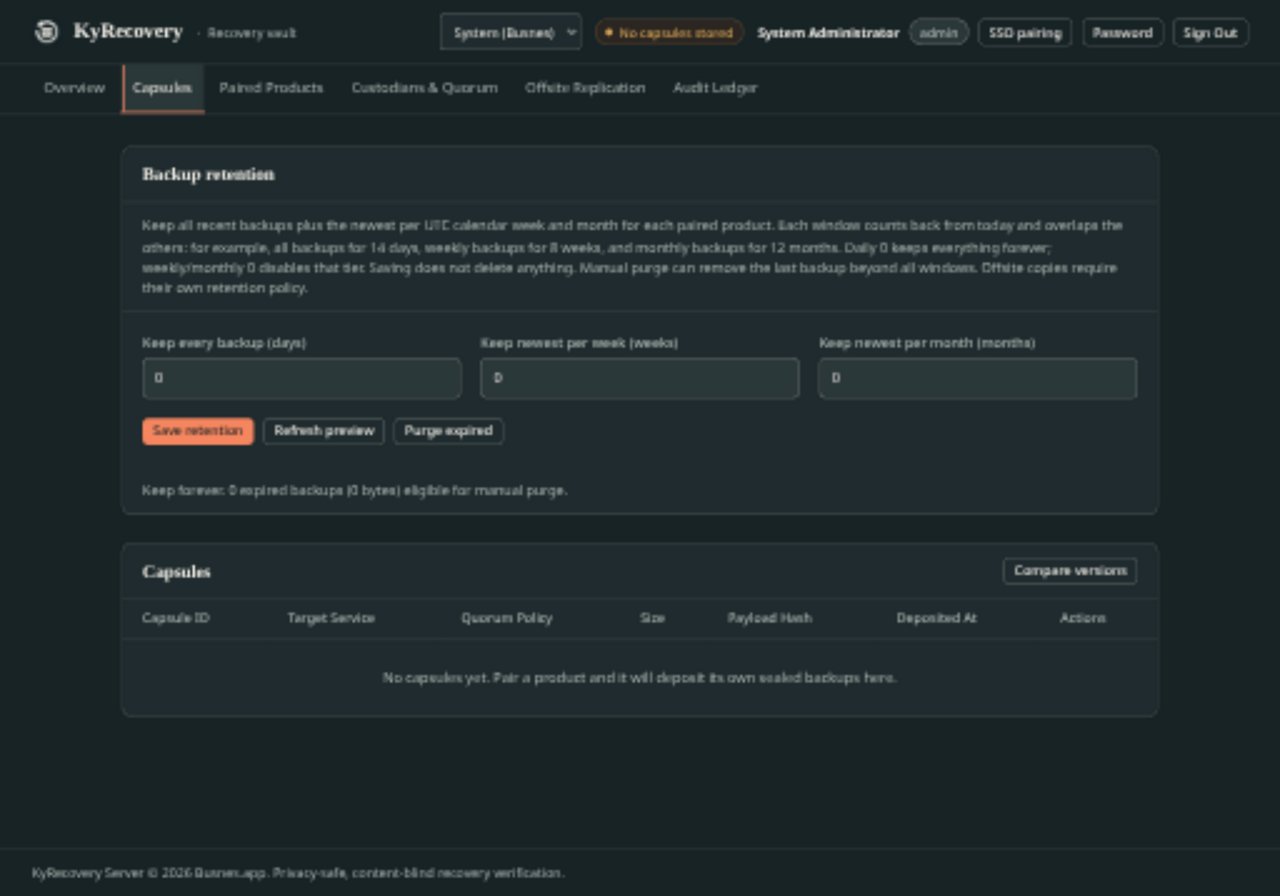
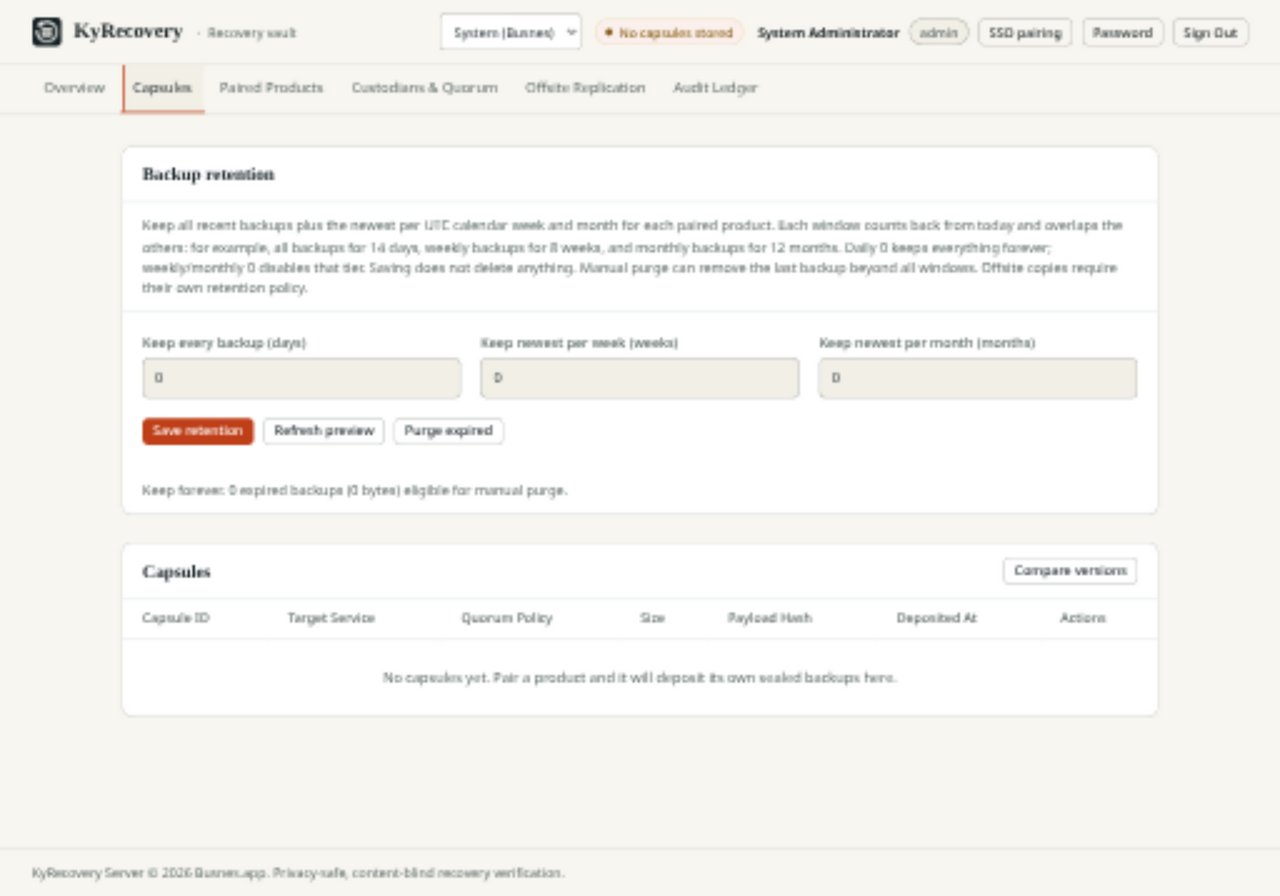
Open the app
About KyRecovery
KyRecovery is a "blind" backup store for the Busnes Ky Suite. KyIdentity, KyNotes, KyDNS and the other Ky apps seal their own backups and send them here; KyRecovery keeps them but can't open them. Only the recovery key you make in your browser, split into custodian cards, can restore them.
Features
- Stores the sealed backups of every paired Ky app
- Recovery key made in your browser and split into cards (Shamir), so no single person or server holds it
- Pair apps with a one-time six-digit code
- Audit log of every backup, pairing and key change
- Local sign-in, or sign-in with KyIdentity
How to use
- Put KyRecovery behind your reverse proxy with an https domain.
- Sign in as
adminwith the password frominitial-admin-passwordin the data folder. - Run the recovery ceremony to make the key and print the cards.
- Pair each Ky app with a code, from its admin page.
Before you install
KyRecovery needs https. The other Ky apps only send backups to an https address, and your browser only makes the recovery key on https. Set up a reverse proxy with your own domain, like https://recovery.example.com, pointed at http://[ZIMAOS-IP-ADDRESS]:6698, then set KYRECOVERY_TRUSTED_PROXIES to the proxy's address.
The first admin password is written to initial-admin-password in /DATA/AppData/kyrecovery/data (open it with the Files app); it is never printed in the logs. Change it at the first sign-in and delete the file. Keep a copy of the whole data folder somewhere else: it is where your other Ky apps' backups live. It starts in a few seconds; more settings are in the Variables tab. The image is built for amd64 only.
The settings in the first table are already in the app settings. To use any other one, open the app settings, add the variable with your value, save, and the app restarts with it. A setting you leave out uses its default.
In the app settings
| Variable | Default value | Description |
|---|---|---|
TZ | $TZ | Your time zone. It is filled in from your ZimaOS time zone. Leave it unless you need another. |
KYRECOVERY_ | /app/data | Where KyRecovery keeps its data inside the container. Leave it as /app/data. |
Reverse proxy
| Variable | Default value | Description |
|---|---|---|
KYRECOVERY_ | — | The address KyRecovery sees your proxy connect from, like 172.17.0.1. Needed behind a proxy, or one stranger's wrong passwords lock everyone out. Open https://<your domain>/api/installer/network to see it (clientIp). |
KYRECOVERY_ | — | true or false to force the secure flag on sign-in cookies. Left out, it follows http or https. |
Sign-in
| Variable | Default value | Description |
|---|---|---|
KY_ | — | The local admin password on first start. Left out, one is made and saved in initial-admin-password in the data folder. |
Sign in with KyIdentity
| Variable | Default value | Description |
|---|---|---|
KY_ | — | Your KyIdentity address, like https://id.example.com. Setting it turns on single sign-on. |
KY_ | — | The client ID KyIdentity gave KyRecovery. |
KY_ | — | The client secret KyIdentity gave KyRecovery. |
KY_ | — | The callback address registered in KyIdentity for KyRecovery. |
KY_ | — | The verified email of the KyIdentity user who becomes KyRecovery's admin. |
Keys
| Variable | Default value | Description |
|---|---|---|
KYRECOVERY_ | — | The server's own key (hex or base64). Made on first start and kept in secret.key in the data folder when left out. |
name: kyrecovery

services:
  kyrecovery:
    image: ghcr.io/busnes-app/kyrecovery-server:0.6.0.1
    container_name: kyrecovery
    restart: unless-stopped
    stop_grace_period: 30s
    network_mode: bridge
    environment:
      - TZ=$TZ
      - KYRECOVERY_DATA_DIR=/app/data
    ports:
      - target: 8095
        published: "6698"
        protocol: tcp
    volumes:
      - type: bind
        source: /DATA/AppData/$AppID/data
        target: /app/data
        bind:
          create_host_path: true
    healthcheck:
      test: ["CMD", "wget", "-q", "-O", "/dev/null", "http://127.0.0.1:8095/healthz"]
      interval: 30s
      timeout: 5s
      retries: 3
      start_period: 20s
    deploy:
      resources:
        limits:
          cpus: "1.00"
          memory: 256M
        reservations:
          cpus: "0.00"
          memory: 32M
    labels:
      icon: https://cdn.jsdelivr.net/gh/HSinghHira/IceStore@main/Apps/kyrecovery/icon.png
    x-casaos:
      id: com.icestore.kyrecovery
      envs:
        - container: TZ
          description:
            en_US: >-
              Your time zone. It is filled in from your ZimaOS time zone.
              Leave it unless you need another.
        - container: KYRECOVERY_DATA_DIR
          description:
            en_US: >-
              Where KyRecovery keeps its data inside the container. Leave it
              as /app/data.
      ports:
        - container: "8095"
          description:
            en_US: KyRecovery web app and deposit API, published on host as 6698
      volumes:
        - container: /app/data
          description:
            en_US: >-
              The database, the stored backups (capsules/), the server key
              (secret.key) and initial-admin-password. Copy the whole folder
              somewhere else too: it is the backup of your other Ky apps.

x-casaos:
  id: com.icestore.kyrecovery
  architectures:
    - amd64
  main: kyrecovery
  author: HSinghHira
  category: Others
  developer: Busnes-app
  icon: https://cdn.jsdelivr.net/gh/HSinghHira/IceStore@main/Apps/kyrecovery/icon.png
  thumbnail: https://cdn.jsdelivr.net/gh/HSinghHira/IceStore@main/Apps/kyrecovery/screenshot-1.jpg
  screenshot_link:
    - https://cdn.jsdelivr.net/gh/HSinghHira/IceStore@main/Apps/kyrecovery/screenshot-1.jpg
    - https://cdn.jsdelivr.net/gh/HSinghHira/IceStore@main/Apps/kyrecovery/screenshot-2.jpg
  title:
    en_US: KyRecovery
  tagline:
    en_US: Encrypted backup store for the Ky Suite apps, with recovery cards you keep.
  description:
    en_US: >-
      Visit: [https://icestore.hsinghhira.me/app/kyrecovery/](https://icestore.hsinghhira.me/app/kyrecovery/) for full details


      KyRecovery is a "blind" backup store for the Busnes Ky Suite. KyIdentity,
      KyNotes, KyDNS and the other Ky apps seal their own backups and send
      them here; KyRecovery keeps them but can't open them. Only the recovery
      key you make in your browser, split into custodian cards, can restore
      them.


      **Features**


      - Stores the sealed backups of every paired Ky app

      - Recovery key made in your browser and split into cards (Shamir), so
        no single person or server holds it

      - Pair apps with a one-time six-digit code

      - Audit log of every backup, pairing and key change

      - Local sign-in, or sign-in with KyIdentity


      **How to use?**


      1. Put KyRecovery behind your reverse proxy with an https domain.


      2. Sign in as admin with the password from initial-admin-password in
         the data folder.


      3. Run the recovery ceremony to make the key and print the cards.


      4. Pair each Ky app with a code, from its admin page.
  tips:
    before_install:
      en_US: >-
        1. KyRecovery needs https. The other Ky apps only send backups to an
           https address, and your browser only makes the recovery key on
           https. Set up a reverse proxy (like Nginx Proxy Manager or a
           Cloudflare tunnel) with your own domain, like
           https://recovery.example.com, pointed at
           http://[ZIMAOS-IP-ADDRESS]:6698.


        2. More settings, like your proxy's address, are listed on the
           KyRecovery page at https://icestore.hsinghhira.me/app/kyrecovery/
           (Variables tab). Add KYRECOVERY_TRUSTED_PROXIES once you know
           your proxy's address.


        3. Start the installation. It is ready in a few seconds.


        4. Open the Files app and go to AppData, kyrecovery, data. Open
           initial-admin-password to see the admin password.


        5. Open your https address and sign in as admin. Change the
           password, then delete the file.


        6. Run the ceremony on the dashboard and keep the cards safe.
  index: /
  port_map: "6698"
  scheme: http
  is_uncontrolled: false
  version: "0.6.0.1"
  update_at: "2026-11-09"
  release_notes:
    en_US: |-
      - First IceStore version: ghcr.io/busnes-app/kyrecovery-server 0.6.0.1
      - Port 6698; the data folder is /DATA/AppData/kyrecovery/data. The image gives it to its own user on every start.
  repo: "https://github.com/Busnes-app/KyRecovery-server"
  support: "https://github.com/Busnes-app/KyRecovery-server/issues"
  docs: "https://github.com/Busnes-app/KyRecovery-server/blob/main/INSTALL.md"
Install KyRecovery
Something not working with KyRecovery?
Report it so it gets fixed, or ask for an app that is not here yet.
 ZimaOS
Add the store link, then find KyRecovery in the App Store and install it.
 CasaOS
Add the store link, then find KyRecovery in the App Store and install it.
 ReCasaOS
Add the store link, then find KyRecovery in the App Store and install it.
 Homeio
Add the store link, then find KyRecovery in the App Store and install it.
 MOS
Add the repository in MOS Hub Settings, then find KyRecovery in Docker → MOS Hub and install it.


