
Lemmary
Turns scans, PDFs and office files into a library you can search and research
- ghcr.io/buldezir/lemmary:2026.11.6
- v2026.11.6
- Updated 8 Nov 2026
- port 6691
- amd64 · arm64
- Productivity
- 122 stars
Screenshots
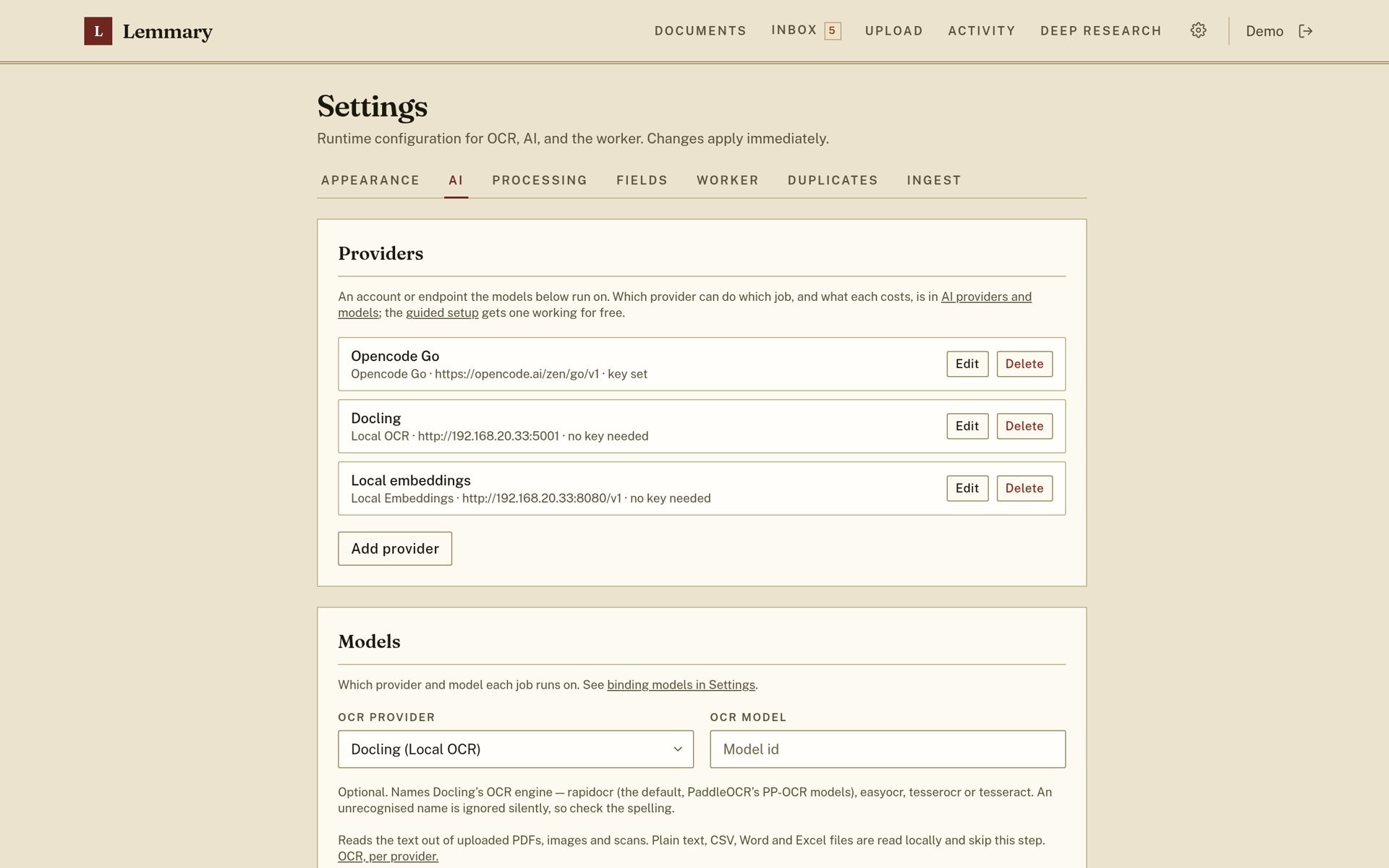
Open the app
About Lemmary
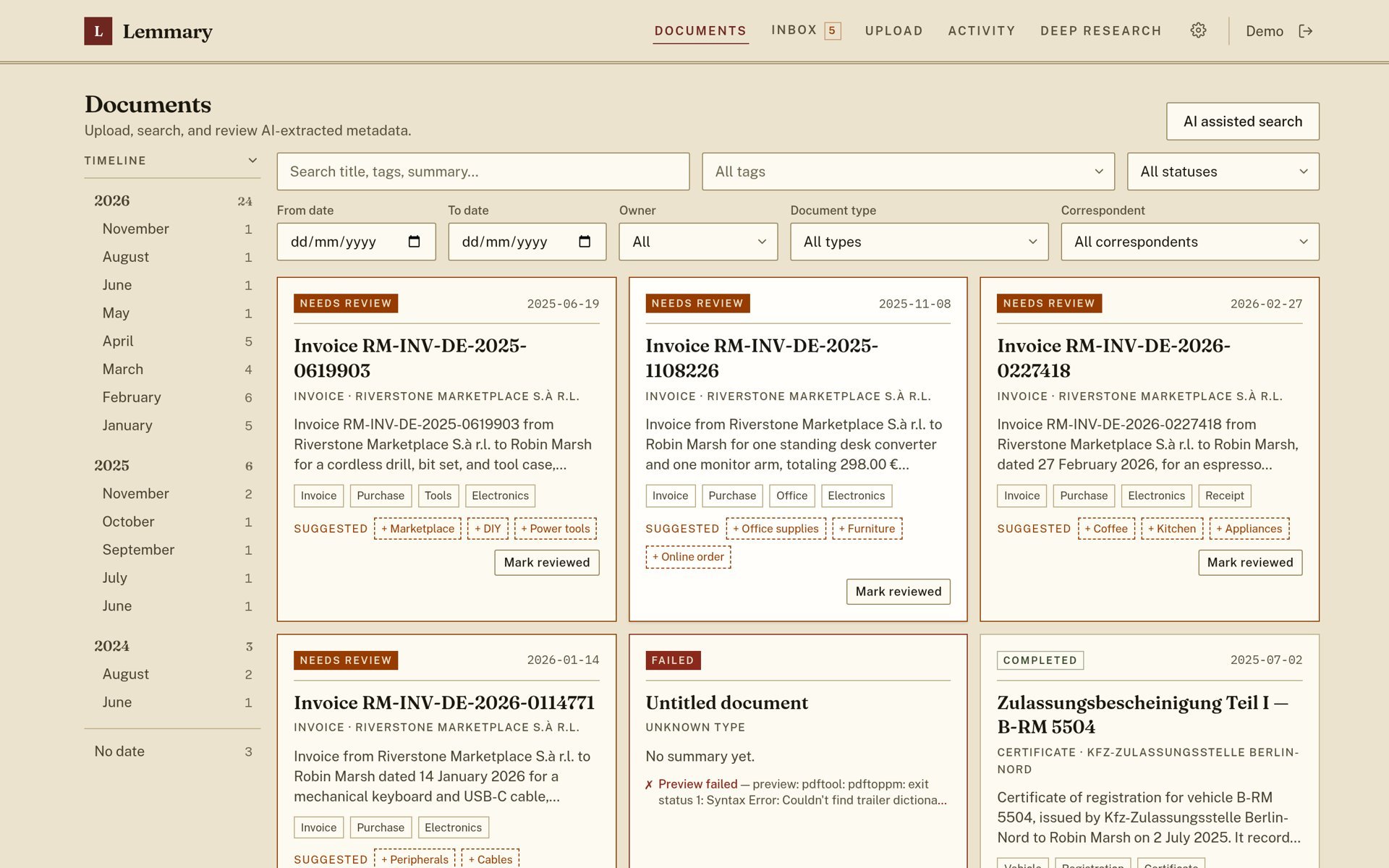
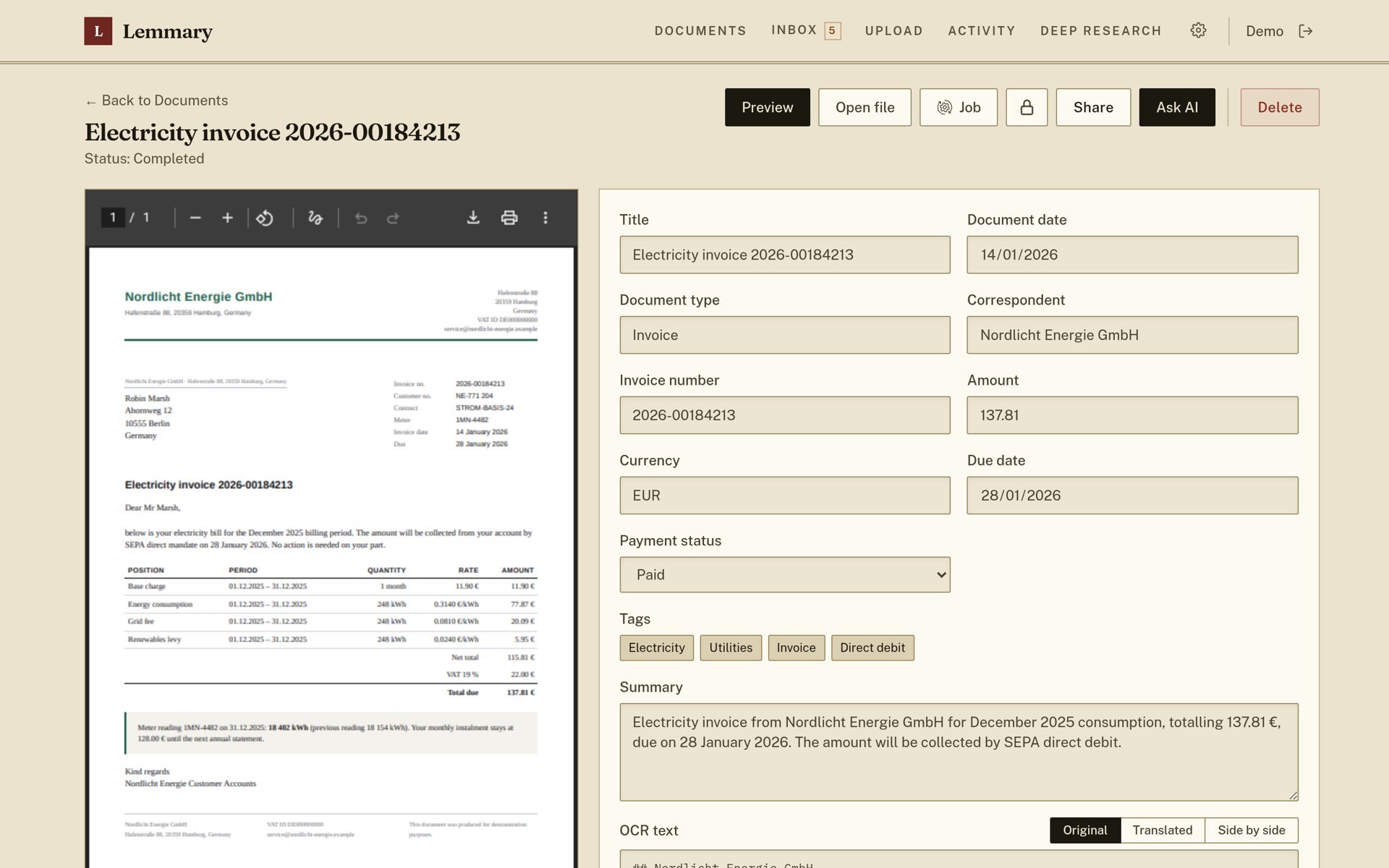
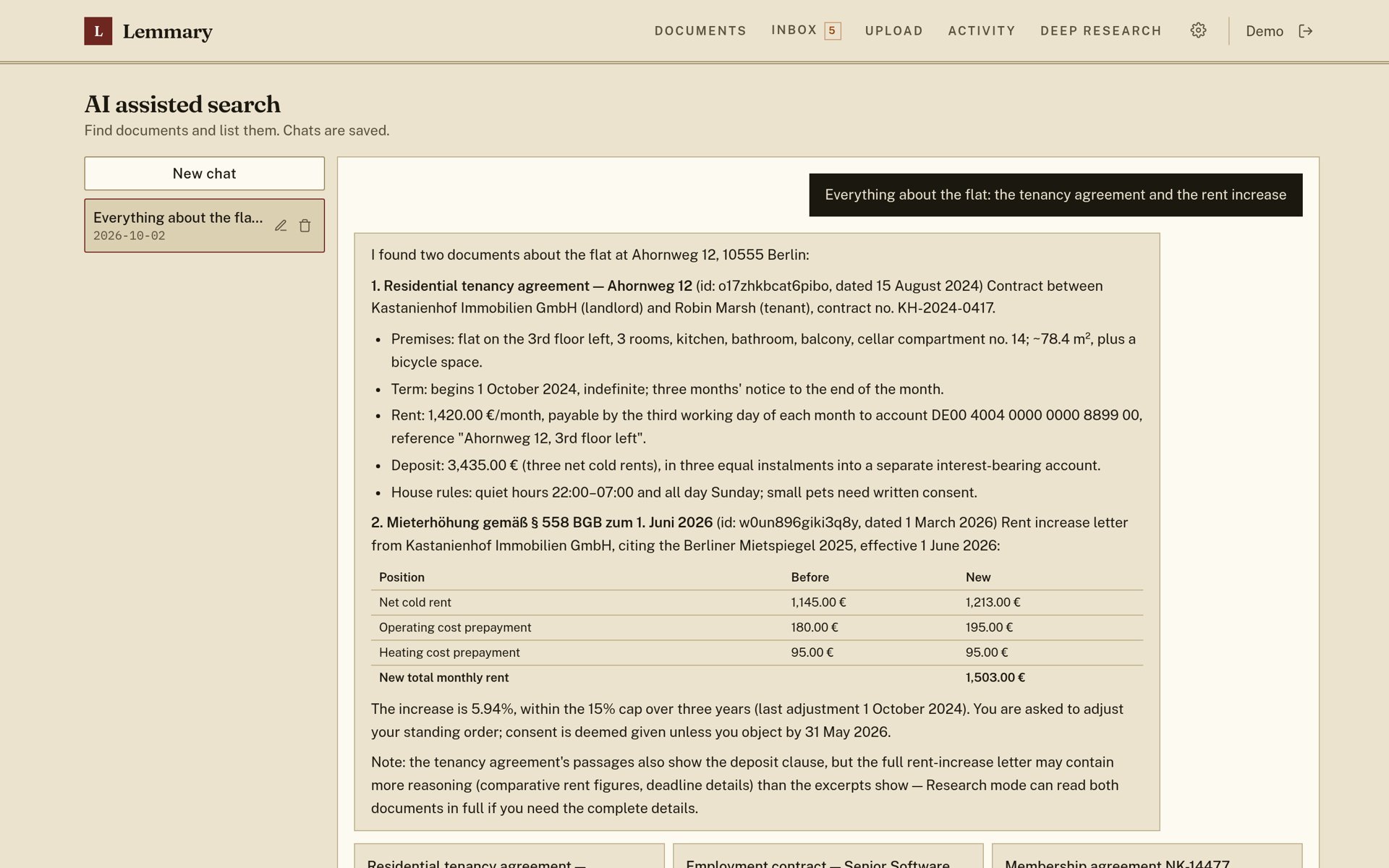
Lemmary is a document archive: upload scans, PDFs, Word and Excel files, and it reads them (OCR), names, dates, tags and summarises them with AI, then lets you search and ask questions across the whole library in plain language. It speaks Paperless-ngx's API, so Paperless apps work with it too.
Features
- OCR and AI metadata: title, date, type, tags, correspondent and summary
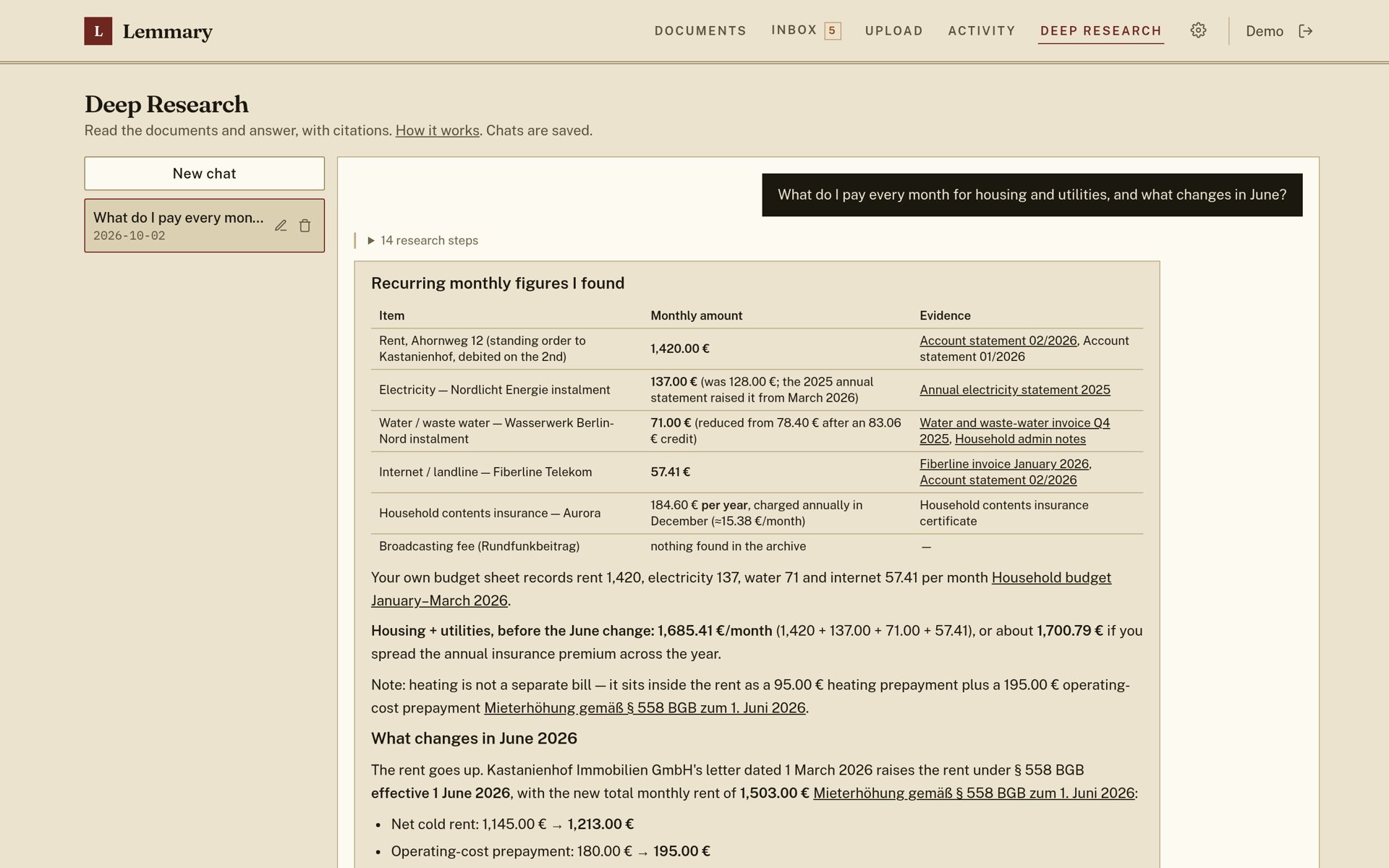
- Full-text search, AI assisted search and Deep Research with cited answers
- Review inbox for low-confidence results and possible duplicates
- Import from a watched folder, an email inbox, a network scanner, Paperless-ngx or Papra
- Paperless-ngx compatible API and an MCP server for AI agents
- Passkeys, full backup and restore, optional encryption at rest
How to use
- Open Lemmary from your dashboard.
- Follow the setup wizard: create the admin account and add your AI key.
- Upload documents, or drop them in the consume folder.
Before you install
Lemmary needs an AI provider for reading and naming documents; one Mistral key covers OCR, naming and search, and OpenAI, Anthropic, OpenRouter, Opencode or your own server work too. There is nothing to set before install: the setup wizard on first open creates the admin account and asks for the keys. To skip the wizard, add SETUP_ADMIN_EMAIL, SETUP_ADMIN_PASSWORD and AI_API_KEY from the Variables tab before the first start; they are read only once, and Lemmary's Admin page is where you change them later.
Files you drop in the consume folder (/DATA/AppData/lemmary/consume) are imported on their own; subfolders become tags. Lemmary is source-available under the PolyForm Noncommercial license: free for personal use, not for business use.
The settings in the first table are already in the app settings. To use any other one, open the app settings, add the variable with your value, save, and the app restarts with it. A setting you leave out uses its default.
In the app settings
| Variable | Default value | Description |
|---|---|---|
TZ | $TZ | Your time zone. It is filled in from your ZimaOS time zone. Leave it unless you need another. |
INGEST_ | /consume | The folder Lemmary watches for new files (the consume folder below). Subfolders become tags. Leave it at /consume, or clear it to turn the folder off. |
First start
| Variable | Default value | Description |
|---|---|---|
SETUP_ | — | The admin email, to skip that wizard step. Used on the first start only. |
SETUP_ | — | The admin password, with SETUP_ADMIN_EMAIL. Used on the first start only. |
AI (first start)
| Variable | Default value | Description |
|---|---|---|
AI_ | opencode | The AI provider: opencode, mistral, openai, openrouter or anthropic. Used on the first start only; change it later in Admin. |
AI_ | — | The key for that provider, so the wizard skips the AI step. Used on the first start only. |
AI_ | deepseek-v4-flash | The general AI model for naming, tagging and search. |
AI_ | — | Another OpenAI-compatible server, like http://192.168.1.20:11434/v1. |
OCR_ | — | The OCR provider for scans: mistral, google_vision, openai, docling and others. Leave it out to choose in the wizard. |
OCR_ | — | The key for the OCR provider. |
Import
| Variable | Default value | Description |
|---|---|---|
INGEST_ | — | Set to 1 to import attachments from an email inbox. Set up the inbox in Admin, Ingest. |
UPLOAD_ | 100 | The largest PDF you can upload to split into documents, in MB. |
IMPORT_ | 1 | Set to 0 to stop the Paperless-ngx and Papra imports reaching servers on your own network. |
Processing
| Variable | Default value | Description |
|---|---|---|
WORKER_ | 1 | How many documents are processed at once. Keep 1 for local OCR. |
Encryption at rest
| Variable | Default value | Description |
|---|---|---|
VAULT_ | — | Set to 1 to keep only encrypted files in the data folder. The app then starts locked until someone signs in. Read Lemmary's encryption guide first. |
Server
| Variable | Default value | Description |
|---|---|---|
MCP_ | 1 | Set to 0 to turn off the MCP server for AI agents at /api/mcp. |
UPDATE_ | 1 | Set to 0 to stop checking GitHub for new versions. |
PASSKEY_ | — | Your domain for passkeys, like archive.example.com. Leave it out to use the address you open. Changing it removes every passkey. |
Logs
| Variable | Default value | Description |
|---|---|---|
LOG_ | — | debug, info, warn or error, to copy the log to the app log. |
name: lemmary

services:
  lemmary:
    image: ghcr.io/buldezir/lemmary:2026.11.6
    container_name: lemmary
    restart: unless-stopped
    stop_grace_period: 40s
    network_mode: bridge
    environment:
      - TZ=$TZ
      - INGEST_DIR=/consume
    ports:
      - target: 80
        published: "6691"
        protocol: tcp
    volumes:
      - type: bind
        source: /DATA/AppData/$AppID/data
        target: /app/pb_data
        bind:
          create_host_path: true
      - type: bind
        source: /DATA/AppData/$AppID/consume
        target: /consume
        bind:
          create_host_path: true
    deploy:
      resources:
        limits:
          cpus: "2.00"
          memory: 2048M
        reservations:
          cpus: "0.00"
          memory: 256M
    labels:
      icon: https://cdn.jsdelivr.net/gh/HSinghHira/IceStore@main/Apps/lemmary/icon.png
    x-casaos:
      id: com.icestore.lemmary
      envs:
        - container: TZ
          description:
            en_US: >-
              Your time zone. It is filled in from your ZimaOS time zone.
              Leave it unless you need another.
        - container: INGEST_DIR
          description:
            en_US: >-
              The folder Lemmary watches for new files (the consume folder
              below). Subfolders become tags. Leave it at /consume, or clear
              it to turn the folder off.
      ports:
        - container: "80"
          description:
            en_US: Lemmary web app, Paperless-compatible API and MCP server, published on host as 6691
      volumes:
        - container: /app/pb_data
          description:
            en_US: >-
              The database (data.db with all text and metadata), your
              original files and thumbnails (storage/) and the search index.
              Back up this folder.
        - container: /consume
          description:
            en_US: >-
              Drop files here and Lemmary imports them on its own. Point it
              at a shared folder your scanner saves to.

x-casaos:
  id: com.icestore.lemmary
  architectures:
    - amd64
    - arm64
  main: lemmary
  author: HSinghHira
  category: Productivity
  developer: buldezir
  icon: https://cdn.jsdelivr.net/gh/HSinghHira/IceStore@main/Apps/lemmary/icon.png
  thumbnail: https://cdn.jsdelivr.net/gh/HSinghHira/IceStore@main/Apps/lemmary/screenshot-1.jpg
  screenshot_link:
    - https://cdn.jsdelivr.net/gh/HSinghHira/IceStore@main/Apps/lemmary/screenshot-1.jpg
    - https://cdn.jsdelivr.net/gh/HSinghHira/IceStore@main/Apps/lemmary/screenshot-2.jpg
    - https://cdn.jsdelivr.net/gh/HSinghHira/IceStore@main/Apps/lemmary/screenshot-3.jpg
    - https://cdn.jsdelivr.net/gh/HSinghHira/IceStore@main/Apps/lemmary/screenshot-4.jpg
    - https://cdn.jsdelivr.net/gh/HSinghHira/IceStore@main/Apps/lemmary/screenshot-5.jpg
  title:
    en_US: Lemmary
  tagline:
    en_US: Turns scans, PDFs and office files into a library you can search and research
  description:
    en_US: >-
      Visit: [https://icestore.hsinghhira.me/app/lemmary/](https://icestore.hsinghhira.me/app/lemmary/) for full details


      Lemmary is a document archive: upload scans, PDFs, Word and Excel
      files, and it reads them (OCR), names, dates, tags and summarises them
      with AI, then lets you search and ask questions across the whole
      library in plain language. It speaks Paperless-ngx's API, so
      Paperless apps work with it too.


      **Features**


      - OCR and AI metadata: title, date, type, tags, correspondent and
        summary

      - Full-text search, AI assisted search and Deep Research with cited
        answers

      - Review inbox for low-confidence results and possible duplicates

      - Import from a watched folder, an email inbox, a network scanner,
        Paperless-ngx or Papra

      - Paperless-ngx compatible API and an MCP server for AI agents

      - Passkeys, full backup and restore, optional encryption at rest


      **How to use?**


      1. Open Lemmary from the Zima OS dashboard.


      2. Follow the setup wizard: create the admin account and add your AI
         key.


      3. Upload documents, or drop them in the consume folder.
  tips:
    before_install:
      en_US: >-
        1. Get an AI key first. One Mistral key covers reading scans, naming
           and search. OpenAI, Anthropic, OpenRouter and others work too.


        2. Start the installation.


        3. Open Lemmary from the Zima OS dashboard.


        4. Follow the setup wizard. Create your admin account and type your
           AI key.


        5. Upload documents, or drop files in
           /DATA/AppData/lemmary/consume.


        6. More settings, like email import and encryption, are listed on the
           Lemmary page at https://icestore.hsinghhira.me/app/lemmary/
           (Variables tab). Most can also be changed in Lemmary's Admin
           page.
  index: /
  port_map: "6691"
  scheme: http
  is_uncontrolled: false
  version: "2026.11.6"
  update_at: "2026-11-08"
  release_notes:
    en_US: |-
      - First IceStore version: ghcr.io/buldezir/lemmary 2026.11.6
      - Port 6691; data in /app/pb_data, a consume folder at /consume
      - Lemmary is source-available under the PolyForm Noncommercial license
  repo: "https://github.com/buldezir/lemmary"
  support: "https://github.com/buldezir/lemmary/issues"
  docs: "https://github.com/buldezir/lemmary/blob/main/docs/setup.md"
Install Lemmary
Something not working with Lemmary?
Report it so it gets fixed, or ask for an app that is not here yet.
 ZimaOS
Add the store link, then find Lemmary in the App Store and install it.
 CasaOS
Add the store link, then find Lemmary in the App Store and install it.
 ReCasaOS
Add the store link, then find Lemmary in the App Store and install it.
 Homeio
Add the store link, then find Lemmary in the App Store and install it.
 MOS
Add the repository in MOS Hub Settings, then find Lemmary in Docker → MOS Hub and install it.


