
Natel
Lightweight web app to browse and edit the contacts on your CardDAV server
- ghcr.io/kewindousse/natel:0.5.0
- v0.5.0
- Updated 8 Nov 2026
- port 6196
- amd64 · arm64
- Productivity
- 27 stars
Screenshots
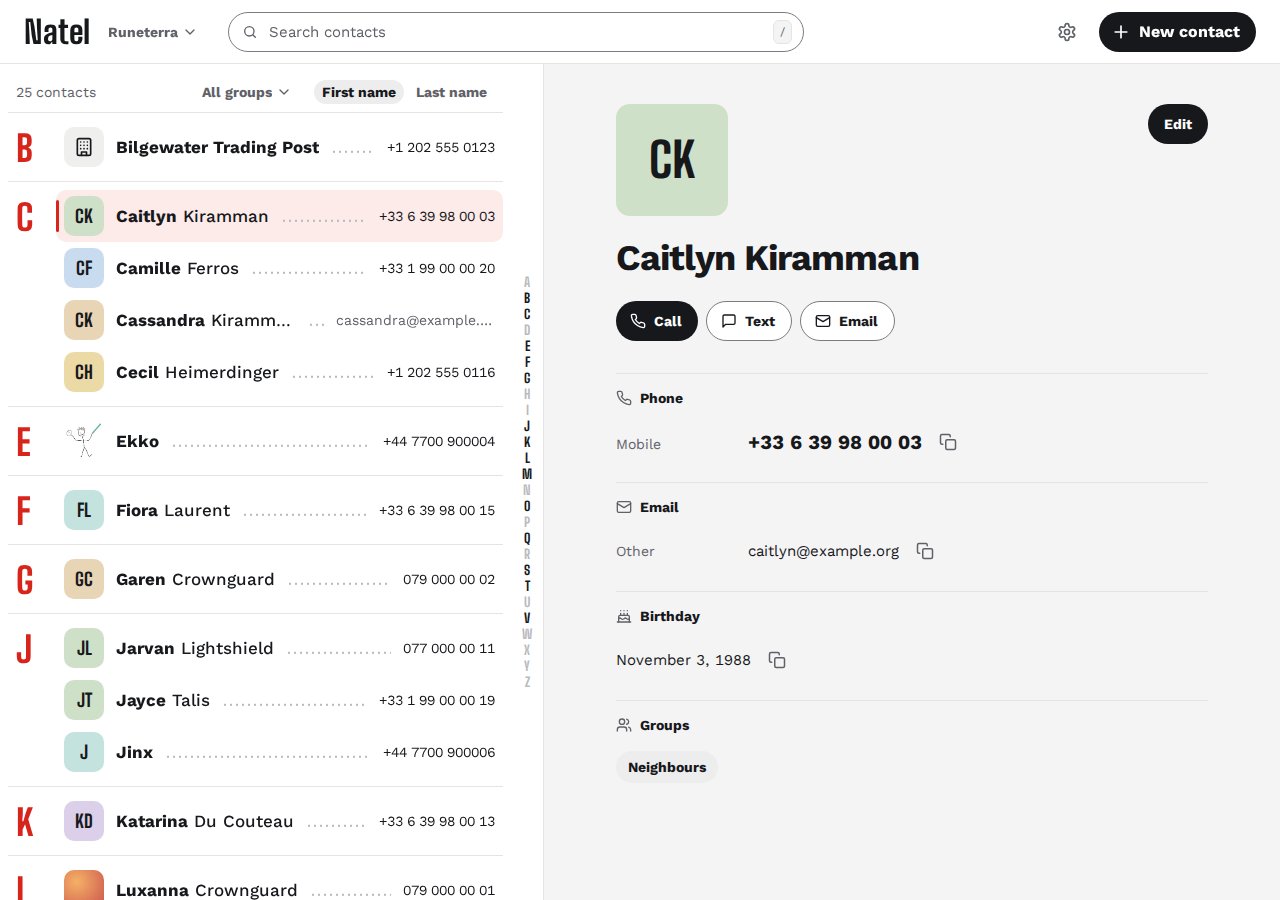
Open the app
About Natel
Natel is a web editor for the contacts on your CardDAV server, like Radicale, Baikal or Xandikos. The server keeps your contacts in sync across your phones and computers; Natel lets you edit them in a browser. It stores nothing itself: you sign in with your CardDAV account.
Features
- Search contacts and browse several address books
- Create, edit and delete contacts; add and crop photos
- Groups that work with Apple, DAVx5 and Nextcloud
- Import and export .vcf files
- Phone and desktop layouts, light and dark themes
- Keeps every field it doesn't show, and warns when a contact changed on another device
How to use
- Open Natel from your dashboard.
- Sign in with your CardDAV user name and password.
- Pick an address book and edit your contacts.
Before you install
You must set CARDDAV_URL first. It starts as the example https://dav.example.com: put in your CardDAV server's address and port, without a path, like http://192.168.1.20:5232 for Radicale or https://dav.example.com for Baikal. Natel doesn't host address books, so you need a CardDAV server already. Natel is beta software: export each address book from its address-book menu, or back up your CardDAV server, before your first edit. Natel has no accounts of its own and checks every sign-in with your CardDAV server; Xandikos checks no password by default, so protect it first. The other settings are in the Variables tab.
The settings in the first table are already in the app settings. To use any other one, open the app settings, add the variable with your value, save, and the app restarts with it. A setting you leave out uses its default.
In the app settings
| Variable | Default value | Description |
|---|---|---|
TZ | $TZ | Your time zone. It is filled in from your ZimaOS time zone. Leave it unless you need another. |
CARDDAV_ | https://dav.example.com | Required. The address of your CardDAV server, without a path, like http://192.168.1.20:5232 for Radicale or https://dav.example.com for Baikal. |
Server
| Variable | Default value | Description |
|---|---|---|
NATEL_ | true | Set to false to stop Natel checking for new releases. No contacts or passwords are ever sent. |
NATEL_ | false | Set to true when you open Natel only through an https address (a reverse proxy). Sign-in over plain http then stops working. |
NATEL_ | — | The address of your reverse proxy, like 172.16.0.0/12, so your CardDAV server sees each person's own address. |
name: natel

services:
  natel:
    image: ghcr.io/kewindousse/natel:0.5.0
    container_name: natel
    restart: unless-stopped
    stop_grace_period: 20s
    network_mode: bridge
    environment:
      - TZ=$TZ
      - CARDDAV_URL=https://dav.example.com
    ports:
      - target: 8080
        published: "6196"
        protocol: tcp
    deploy:
      resources:
        limits:
          cpus: "0.50"
          memory: 128M
        reservations:
          cpus: "0.00"
          memory: 16M
    labels:
      icon: https://cdn.jsdelivr.net/gh/HSinghHira/IceStore@main/Apps/natel/icon.png
    x-casaos:
      id: com.icestore.natel
      envs:
        - container: TZ
          description:
            en_US: >-
              Your time zone. It is filled in from your ZimaOS time zone.
              Leave it unless you need another.
        - container: CARDDAV_URL
          description:
            en_US: >-
              Required. The address of your CardDAV server, without a path,
              like http://192.168.1.20:5232 for Radicale or
              https://dav.example.com for Baikal.
      ports:
        - container: "8080"
          description:
            en_US: Natel web app, published on host as 6196

x-casaos:
  id: com.icestore.natel
  architectures:
    - amd64
    - arm64
  main: natel
  author: HSinghHira
  category: Productivity
  developer: KewinDousse
  icon: https://cdn.jsdelivr.net/gh/HSinghHira/IceStore@main/Apps/natel/icon.png
  thumbnail: https://cdn.jsdelivr.net/gh/HSinghHira/IceStore@main/Apps/natel/screenshot-1.jpg
  screenshot_link:
    - https://cdn.jsdelivr.net/gh/HSinghHira/IceStore@main/Apps/natel/screenshot-1.jpg
  title:
    en_US: Natel
  tagline:
    en_US: Lightweight web app to browse and edit the contacts on your CardDAV server
  description:
    en_US: >-
      Visit: [https://icestore.hsinghhira.me/app/natel/](https://icestore.hsinghhira.me/app/natel/) for full details


      Natel is a web editor for the contacts on your CardDAV server, like
      Radicale, Baikal or Xandikos. The server keeps your contacts in sync
      across your phones and computers; Natel lets you edit them in a
      browser. It stores nothing itself: you sign in with your CardDAV
      account.


      **Features**


      - Search contacts and browse several address books

      - Create, edit and delete contacts; add and crop photos

      - Groups that work with Apple, DAVx5 and Nextcloud

      - Import and export .vcf files

      - Phone and desktop layouts, light and dark themes

      - Keeps every field it doesn't show, and warns when a contact
        changed on another device


      **How to use?**


      1. Open Natel from the Zima OS dashboard.


      2. Sign in with your CardDAV user name and password.


      3. Pick an address book and edit your contacts.
  tips:
    before_install:
      en_US: >-
        1. You need a CardDAV server first, like Radicale or Baikal. Natel
           only edits the contacts on it.


        2. Set CARDDAV_URL to that server's address and port, without a
           path, like http://192.168.1.20:5232.


        3. Before your first edit, export each address book from Natel's
           address-book menu, or back up your CardDAV server. Natel is beta
           software.


        4. Start the installation.


        5. Open Natel from the Zima OS dashboard and sign in with your
           CardDAV user name and password.
  index: /
  port_map: "6196"
  scheme: http
  is_uncontrolled: false
  version: "0.5.0"
  update_at: "2026-11-08"
  release_notes:
    en_US: |-
      - First IceStore version: ghcr.io/kewindousse/natel 0.5.0
      - Port 6196, plain http on your network; Natel stores nothing, so there is no data folder
  repo: "https://github.com/KewinDousse/natel"
  support: "https://github.com/KewinDousse/natel/issues"
  docs: "https://github.com/KewinDousse/natel/blob/main/docs/user-guide.md"
Install Natel
Something not working with Natel?
Report it so it gets fixed, or ask for an app that is not here yet.
 ZimaOS
Add the store link, then find Natel in the App Store and install it.
 CasaOS
Add the store link, then find Natel in the App Store and install it.
 ReCasaOS
Add the store link, then find Natel in the App Store and install it.
 Homeio
Add the store link, then find Natel in the App Store and install it.
 MOS
Add the repository in MOS Hub Settings, then find Natel in Docker → MOS Hub and install it.


