
slskd
Soulseek client in your browser for finding and sharing music
- ghcr.io/hsinghhira/slskd:1.0.1
- v0.26.2
- Updated 21 Nov 2026
- port 6779
- port 6780
- amd64 · arm64
- Media
- 4.3k stars
Screenshots
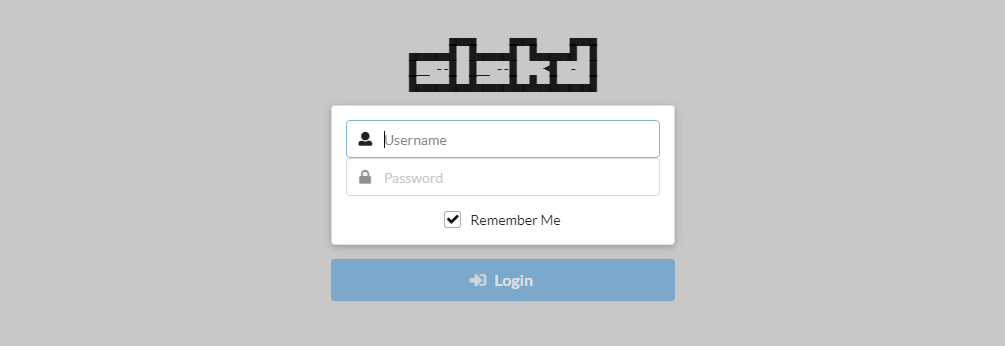
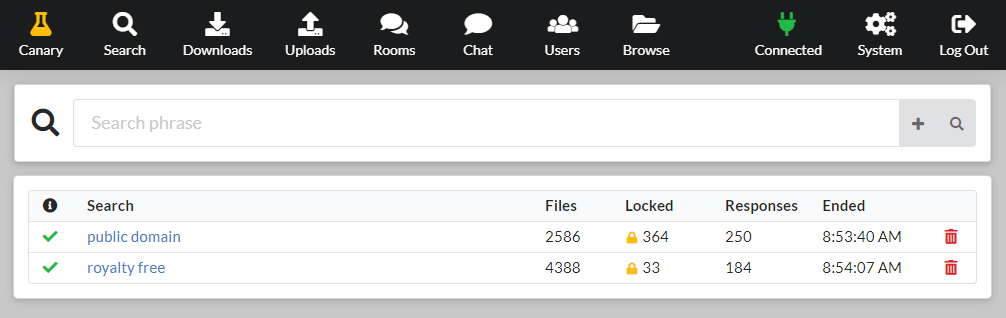
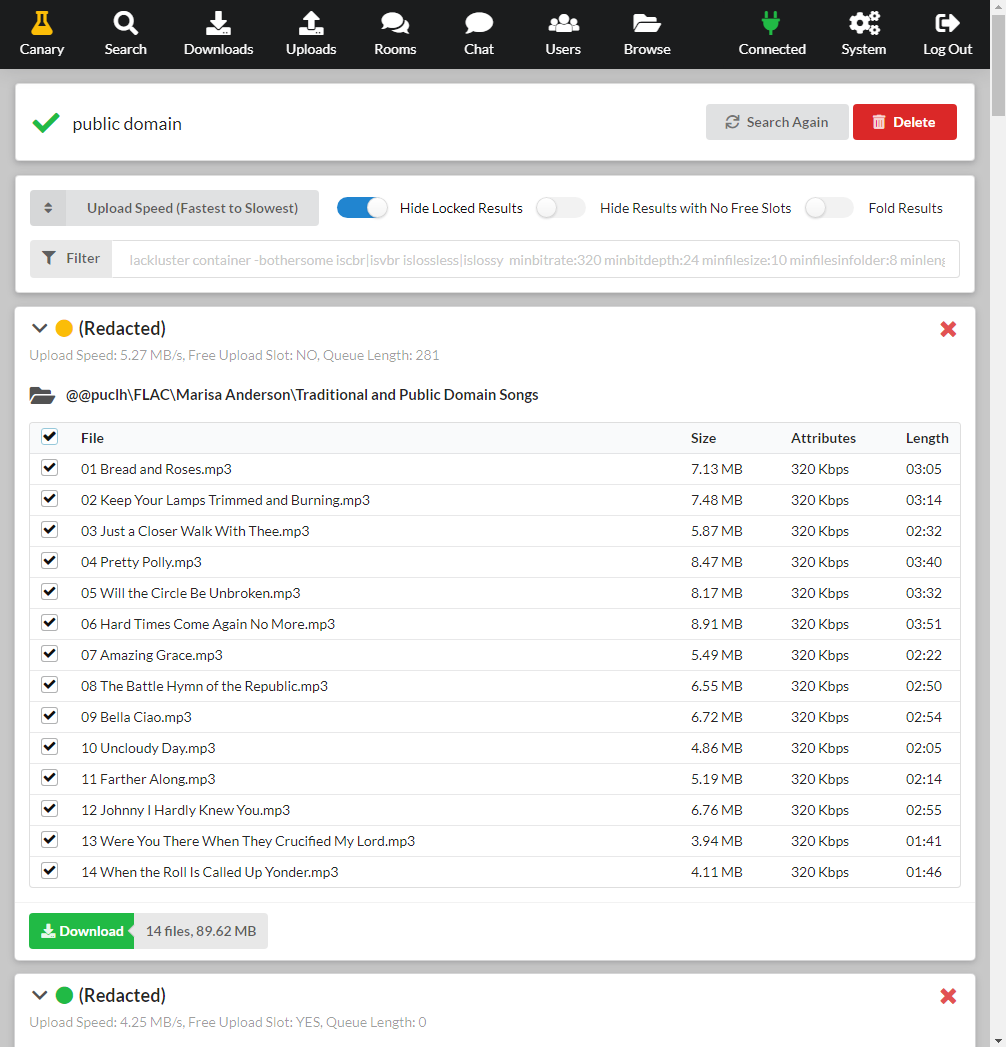
Open the app
About slskd
slskd connects your server to Soulseek, a peer-to-peer network for sharing music. Search for albums and tracks, download them straight to your server and share your own music back, all from a web page. It runs all the time, so downloads keep going while your computer is off.
Features
- Search the Soulseek network and download whole folders
- Shares your music library with others, read-only
- Chat rooms and private messages
- Upload and download limits and speed caps
- An API, so apps like Lidarr helpers can use it
How to use
- Set your Soulseek user name and password before you install (any free name works).
- Open slskd from your dashboard.
- Sign in with the login from the app's logs (the box marked CREDENTIALS).
- Type in Search and pick what to download.
- Find your files in /DATA/Downloads/slskd.
Before you install
Set SLSKD_SLSK_USERNAME and SLSKD_SLSK_PASSWORD to your Soulseek account; any free name works, since the account is made the first time it signs in. Without them slskd starts but can't join the network. The web UI login is slskd with a password made on first start, shown in the app's logs in the box marked CREDENTIALS and saved in /DATA/AppData/slskd/app/.web_password. Downloads go to /DATA/Downloads/slskd, and /DATA/Media/Music is shared read-only. Forward port 6780 on your router for faster transfers. Speed limits and the other settings are in the Variables tab and are added in the app settings, or in the web UI under Options.
The settings in the first table are already in the app settings. To use any other one, open the app settings, add the variable with your value, save, and the app restarts with it. A setting you leave out uses its default.
In the app settings
| Variable | Default value | Description |
|---|---|---|
TZ | $TZ | Your time zone. It is filled in from your ZimaOS time zone. |
PUID | $PUID | The user that owns the files slskd downloads. It is filled in by ZimaOS. Leave it. |
PGID | $PGID | The group that owns the files slskd downloads. It is filled in by ZimaOS. Leave it. |
SLSKD_ | — | Your Soulseek user name. Pick any free name: the account is made the first time it signs in. |
SLSKD_ | — | Your Soulseek password. |
SLSKD_ | — | The web UI password (user name slskd). Leave it empty and one is made for you: it is shown in the app's logs, in the box marked CREDENTIALS. |
SLSKD_ | 6780 | The port other Soulseek users connect to. Keep it 6780, the same as the published port. Forward it on your router for the best results. |
Web UI
| Variable | Default value | Description |
|---|---|---|
SLSKD_ | slskd | The web UI user name. |
SLSKD_ | — | The key sign-ins are signed with. It is made on first start and kept in /app/secrets.env. |
SLSKD_ | — | An API key for other apps, at least 16 characters. |
SLSKD_ | false | Set to true to turn off the web UI login. Only do this behind another sign-in. |
SLSKD_ | / | The path slskd is served under behind a reverse proxy, like /slskd. |
SLSKD_ | true | Lets you change the options file from the web UI (Options). Set to false to lock it. |
Transfers
| Variable | Default value | Description |
|---|---|---|
SLSKD_ | /music | The folders you share, separated by semicolons. /music is your /DATA/Media/Music folder. |
SLSKD_ | 10 | How many uploads may run at once. |
SLSKD_ | — | The upload speed cap in KiB/s. Leave it out for no cap. |
SLSKD_ | — | How many downloads may run at once. |
SLSKD_ | — | The download speed cap in KiB/s. Leave it out for no cap. |
SLSKD_ | — | Files not to share, as patterns separated by semicolons, like \.ini$;Thumbs.db$. |
Soulseek
| Variable | Default value | Description |
|---|---|---|
SLSKD_ | — | The text on your Soulseek profile. |
SLSKD_ | — | Chat rooms to join on start, separated by semicolons. |
Server
| Variable | Default value | Description |
|---|---|---|
SLSKD_ | false | Set to true to stop checking for new versions. |
SLSKD_ | false | Set to true for more detail in the log. |
name: slskd

services:
  slskd:
    image: ghcr.io/hsinghhira/slskd:1.0.1
    container_name: slskd
    restart: unless-stopped
    stop_grace_period: 30s
    network_mode: bridge
    environment:
      - TZ=$TZ
      - PUID=$PUID
      - PGID=$PGID
      - SLSKD_SLSK_USERNAME=
      - SLSKD_SLSK_PASSWORD=
      - SLSKD_PASSWORD=
      - SLSKD_SLSK_LISTEN_PORT=6780
    ports:
      - target: 5030
        published: "6779"
        protocol: tcp
      - target: 6780
        published: "6780"
        protocol: tcp
    volumes:
      - type: bind
        source: /DATA/AppData/$AppID/app
        target: /app
        bind:
          create_host_path: true
      - type: bind
        source: /DATA/Downloads/slskd
        target: /downloads
        bind:
          create_host_path: true
      - type: bind
        source: /DATA/Media/Music
        target: /music
        read_only: true
        bind:
          create_host_path: true
    deploy:
      resources:
        limits:
          cpus: "2.00"
          memory: 1024M
        reservations:
          cpus: "0.05"
          memory: 128M
    labels:
      icon: https://cdn.jsdelivr.net/gh/HSinghHira/IceStore@main/Apps/slskd/icon.png
    x-casaos:
      id: com.icestore.slskd
      envs:
        - container: TZ
          description:
            en_US: >-
              Your time zone. It is filled in from your ZimaOS time zone.
        - container: PUID
          description:
            en_US: >-
              The user that owns the files slskd downloads. It is filled in
              by ZimaOS. Leave it.
        - container: PGID
          description:
            en_US: >-
              The group that owns the files slskd downloads. It is filled in
              by ZimaOS. Leave it.
        - container: SLSKD_SLSK_USERNAME
          description:
            en_US: >-
              Your Soulseek user name. Pick any free name: the account is
              made the first time it signs in.
        - container: SLSKD_SLSK_PASSWORD
          description:
            en_US: >-
              Your Soulseek password.
        - container: SLSKD_PASSWORD
          description:
            en_US: >-
              The web UI password (user name slskd). Leave it empty and one
              is made for you: it is shown in the app's logs, in the box
              marked CREDENTIALS.
        - container: SLSKD_SLSK_LISTEN_PORT
          description:
            en_US: >-
              The port other Soulseek users connect to. Keep it 6780, the
              same as the published port. Forward it on your router for the
              best results.
      ports:
        - container: "5030"
          description:
            en_US: slskd web UI and API, published on host as 6779
        - container: "6780"
          description:
            en_US: Soulseek peer connections, published on host as 6780
      volumes:
        - container: /app
          description:
            en_US: >-
              slskd's options file (slskd.yml), its database, logs and this
              install's own keys (secrets.env, .web_password). Back it up.
        - container: /downloads
          description:
            en_US: >-
              Finished and unfinished downloads, in /DATA/Downloads/slskd.
        - container: /music
          description:
            en_US: >-
              The music you share, from /DATA/Media/Music (read-only).

x-casaos:
  id: com.icestore.slskd
  architectures:
    - amd64
    - arm64
  main: slskd
  author: HSinghHira
  category: Media
  developer: slskd
  icon: https://cdn.jsdelivr.net/gh/HSinghHira/IceStore@main/Apps/slskd/icon.png
  thumbnail: https://cdn.jsdelivr.net/gh/HSinghHira/IceStore@main/Apps/slskd/screenshot-3.png
  screenshot_link:
    - https://cdn.jsdelivr.net/gh/HSinghHira/IceStore@main/Apps/slskd/screenshot-1.png
    - https://cdn.jsdelivr.net/gh/HSinghHira/IceStore@main/Apps/slskd/screenshot-2.png
    - https://cdn.jsdelivr.net/gh/HSinghHira/IceStore@main/Apps/slskd/screenshot-3.png
  title:
    en_US: slskd
  tagline:
    en_US: Soulseek client in your browser for finding and sharing music
  description:
    en_US: >-
      slskd connects your server to Soulseek, a peer-to-peer network for
      sharing music. Search for albums and tracks, download them straight to
      your server and share your own music back, all from a web page. It
      runs all the time, so downloads keep going while your computer is off.


      **Features**


      - Search the Soulseek network and download whole folders

      - Shares your music library with others, read-only

      - Chat rooms and private messages

      - Upload and download limits and speed caps

      - An API, so apps like Lidarr helpers can use it


      **How to use?**


      1. Set your Soulseek user name and password before you install (any
         free name works).

      2. Open slskd from the ZimaOS dashboard.

      3. Sign in with the login from the app's logs (the box marked
         CREDENTIALS).

      4. Type in Search and pick what to download.

      5. Find your files in /DATA/Downloads/slskd.
  tips:
    before_install:
      en_US: >-
        1. Set SLSKD_SLSK_USERNAME and SLSKD_SLSK_PASSWORD to your Soulseek
           account. Any free name works: it is made the first time.


        2. Put the music you want to share in /DATA/Media/Music.


        3. Start the installation. It is ready in under a minute.


        4. Open the app's logs. Find the box marked CREDENTIALS. It has the
           web UI login.


        5. Open http://[ZIMAOS-IP-ADDRESS]:6779 and sign in.


        6. For faster downloads, forward port 6780 on your router to your
           ZimaOS IP.
  index: /
  port_map: "6779"
  scheme: http
  is_uncontrolled: false
  version: "0.26.2"
  update_at: "2026-11-21"
  release_notes:
    en_US: |-
      - First IceStore release, on port 6779 (web UI) and 6780 (Soulseek)
      - Built on slskd/slskd 0.26.2
      - Each install makes its own web UI password and JWT key on first start, instead of the default slskd / slskd; the login is in the CREDENTIALS box in the logs
      - Fixed: slskd stopped at start because /downloads/incomplete did not exist; the download folders are now made for you.
      - The store now names the exact image version (1.0.1), so a new install downloads the fixed image instead of reusing an older one ZimaOS kept.
  repo: "https://github.com/slskd/slskd"
  support: "https://github.com/slskd/slskd/issues"
  docs: "https://github.com/slskd/slskd/blob/master/docs/config.md"
Install slskd
Something not working with slskd?
Report it so it gets fixed, or ask for an app that is not here yet.
 ZimaOS
Add the store link, then find slskd in the App Store and install it.
 CasaOS
Add the store link, then find slskd in the App Store and install it.
 ReCasaOS
Add the store link, then find slskd in the App Store and install it.
 Homeio
Add the store link, then find slskd in the App Store and install it.
 MOS
Add the repository in MOS Hub Settings, then find slskd in Docker → MOS Hub and install it.


