
Torsher
Your home cinema in one container, built for the TV first
- ghcr.io/torsher-app/torsher:1.5.2
- v1.5.2
- Updated 10 Nov 2026
- port 6197
- port 6198
- port 6198
- amd64 · arm64
- Media
- 88 stars
Screenshots
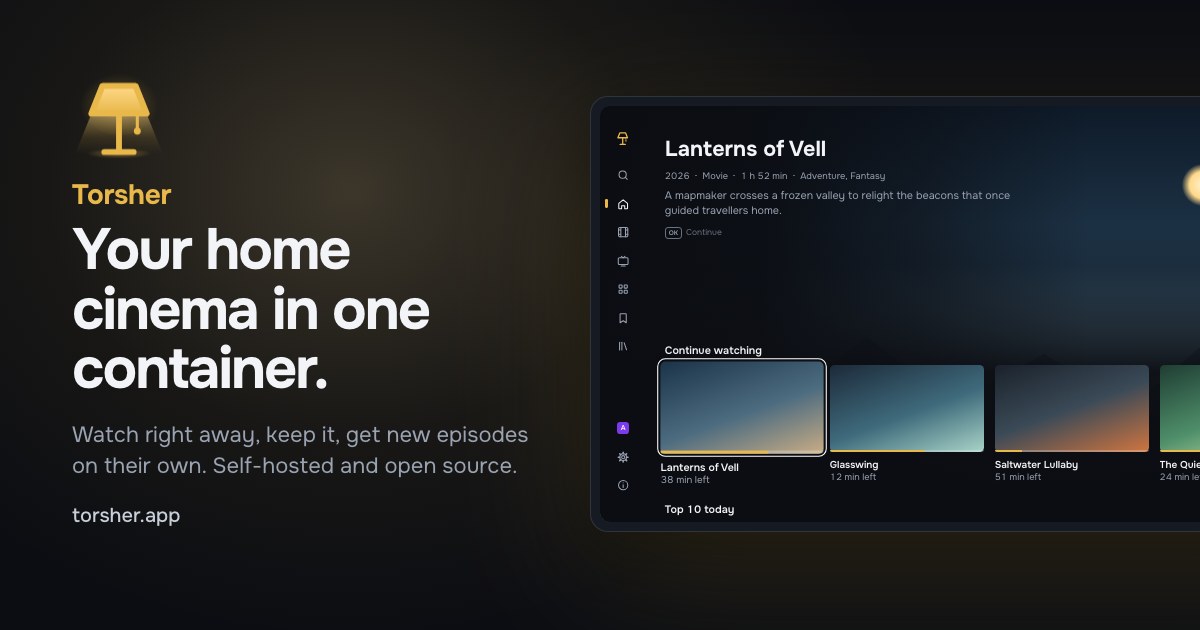
Open the app
About Torsher
Torsher is a media center in one container: a catalog for your TV, playback while the file downloads, your own library and new episodes that arrive on their own. It does the jobs of a torrent client, a media server, series and movie managers and a request app. It connects to a Torznab indexer you run, like Prowlarr or Jackett; it includes no sources.
Features
- Watch right away: Torsher finds releases and plays while the file downloads
- Keep what you like in your library, laid out for Jellyfin, Plex and Kodi too
- Follow a series and new episodes download by themselves
- A TV showcase for LG webOS, Android TV and any browser, with profiles for the household
- Converts files the TV can't play on the fly, on the GPU if there is one
- Control panel for sources, storage, profiles, backups and notifications
How to use
- Open
http://[ZIMAOS-IP-ADDRESS]:6197/panel/and create the owner account. - Follow the setup wizard. Connect your indexer, like Prowlarr, with its address and API key.
- Open
http://[ZIMAOS-IP-ADDRESS]:6197/on your TV or in a browser, and connect it with the code under Profiles and devices.
Before you install
Torsher needs a Torznab indexer, like Prowlarr or Jackett, installed first; add only the indexers you are allowed to use. There is no password to set: the first person to open /panel/ creates the owner account. Downloads, the watch cache and your library all live in the data folder, so kept files are hard-linked instead of copied; /DATA/Media is available read-only at /media/zimaos for the movies and series you already have. Forward port 6198 (TCP and UDP) on your router for faster downloads. Hardware transcoding needs /dev/dri added as a device in the app settings. The other settings are in the Variables tab; most things are set in the control panel instead.
The settings in the first table are already in the app settings. To use any other one, open the app settings, add the variable with your value, save, and the app restarts with it. A setting you leave out uses its default.
In the app settings
| Variable | Default value | Description |
|---|---|---|
TZ | $TZ | Your time zone. It is filled in from your ZimaOS time zone. Leave it unless you need another. |
ENGINE_ | 6198 | The port torrent peers connect to. It must be the same number inside and outside the container. Leave it at 6198, and forward 6198 on your router for faster downloads. |
Files
| Variable | Default value | Description |
|---|---|---|
PUID | 1000 | The user that owns the files Torsher writes. Leave it out to use 1000, the usual ZimaOS user. Never set it to an empty value. |
PGID | 1000 | The group that owns the files Torsher writes. Leave it out to use 1000. |
Catalog
| Variable | Default value | Description |
|---|---|---|
TMDB_ | — | Your own TMDB API Read Access Token for the catalog, instead of the key built into the image. A key set in the panel wins over both. |
Security
| Variable | Default value | Description |
|---|---|---|
TORSHER_ | — | The key that encrypts saved indexer keys and notification tokens. Leave it out: Torsher makes db/secret.key itself on first start. Keep that file with your backups. |
TRUST_ | — | Only behind a reverse proxy: its address or subnet, like 172.18.0.0/16, so sign-in limits see each person's own address. |
Network
| Variable | Default value | Description |
|---|---|---|
HTTPS_ | — | A proxy for outgoing requests, like http://192.168.1.5:3128, until you set routes in the panel under Settings, Network. |
Logs
| Variable | Default value | Description |
|---|---|---|
LOG_ | info | error, warn, info or debug. |
name: torsher

services:
  torsher:
    image: ghcr.io/torsher-app/torsher:1.5.2
    container_name: torsher
    restart: unless-stopped
    stop_grace_period: 40s
    network_mode: bridge
    environment:
      - TZ=$TZ
      - ENGINE_PEER_PORT=6198
    ports:
      - target: 8080
        published: "6197"
        protocol: tcp
      - target: 6198
        published: "6198"
        protocol: tcp
      - target: 6198
        published: "6198"
        protocol: udp
    volumes:
      - type: bind
        source: /DATA/AppData/$AppID/data
        target: /data
        bind:
          create_host_path: true
      - type: bind
        source: /DATA/Media
        target: /media/zimaos
        read_only: true
        bind:
          create_host_path: true
    deploy:
      resources:
        limits:
          cpus: "4.00"
          memory: 2048M
        reservations:
          cpus: "0.10"
          memory: 256M
    labels:
      icon: https://cdn.jsdelivr.net/gh/HSinghHira/IceStore@main/Apps/torsher/icon.png
    x-casaos:
      id: com.icestore.torsher
      envs:
        - container: TZ
          description:
            en_US: >-
              Your time zone. It is filled in from your ZimaOS time zone.
              Leave it unless you need another.
        - container: ENGINE_PEER_PORT
          description:
            en_US: >-
              The port torrent peers connect to. It must be the same number
              inside and outside the container. Leave it at 6198, and forward
              6198 on your router for faster downloads.
      ports:
        - container: "8080"
          description:
            en_US: Torsher showcase (/), control panel (/panel/) and API, published on host as 6197
        - container: "6198"
          description:
            en_US: Torrent peer connections, TCP and UDP, published on host as 6198
      volumes:
        - container: /data
          description:
            en_US: >-
              The database and its keys (db/), downloads and the watch cache
              (torrents/) and the files you keep (library/). Keep them in this
              one folder so kept files are hard-linked, not copied.
        - container: /media/zimaos
          description:
            en_US: >-
              Your existing movies and series, read-only. Add the folders
              inside it in the control panel under Library.

x-casaos:
  id: com.icestore.torsher
  architectures:
    - amd64
    - arm64
  main: torsher
  author: HSinghHira
  category: Media
  developer: torsher-app
  icon: https://cdn.jsdelivr.net/gh/HSinghHira/IceStore@main/Apps/torsher/icon.png
  thumbnail: https://cdn.jsdelivr.net/gh/HSinghHira/IceStore@main/Apps/torsher/screenshot-1.jpg
  screenshot_link:
    - https://cdn.jsdelivr.net/gh/HSinghHira/IceStore@main/Apps/torsher/screenshot-1.jpg
  title:
    en_US: Torsher
  tagline:
    en_US: Your home cinema in one container, built for the TV first
  description:
    en_US: >-
      Visit: [https://icestore.hsinghhira.me/app/torsher/](https://icestore.hsinghhira.me/app/torsher/) for full details


      Torsher is a media center in one container: a catalog for your TV,
      playback while the file downloads, your own library and new episodes
      that arrive on their own. It does the jobs of a torrent client, a media
      server, series and movie managers and a request app. It connects to a
      Torznab indexer you run, like Prowlarr or Jackett; it includes no
      sources.


      **Features**


      - Watch right away: Torsher finds releases and plays while the file
        downloads

      - Keep what you like in your library, laid out for Jellyfin, Plex and
        Kodi too

      - Follow a series and new episodes download by themselves

      - A TV showcase for LG webOS, Android TV and any browser, with
        profiles for the household

      - Converts files the TV can't play on the fly, on the GPU if there is
        one

      - Control panel for sources, storage, profiles, backups and
        notifications


      **How to use?**


      1. Open http://[ZIMAOS-IP-ADDRESS]:6197/panel/ and create the owner
         account.


      2. Follow the setup wizard. Connect your indexer, like Prowlarr, with
         its address and API key.


      3. Open http://[ZIMAOS-IP-ADDRESS]:6197/ on your TV or in a browser,
         and connect it with the code under Profiles and devices.
  tips:
    before_install:
      en_US: >-
        1. Torsher needs a Torznab indexer, like Prowlarr or Jackett. Install
           one first, and add only the indexers you are allowed to use.


        2. Start the installation.


        3. Open http://[ZIMAOS-IP-ADDRESS]:6197/panel/, like
           http://192.168.1.20:6197/panel/.


        4. Create the owner account. The first person to open the panel
           makes it.


        5. Follow the setup wizard. It asks for your indexer's address and
           API key.


        6. Open http://[ZIMAOS-IP-ADDRESS]:6197/ on your TV or in a browser.
           Type the code it shows in the panel under Profiles and devices,
           Connect a device.


        7. For faster downloads, forward port 6198 (TCP and UDP) on your
           router to your ZimaOS box.
  index: /panel/
  port_map: "6197"
  scheme: http
  is_uncontrolled: false
  version: "1.5.2"
  update_at: "2026-11-10"
  release_notes:
    en_US: |-
      - First IceStore version: ghcr.io/torsher-app/torsher 1.5.2
      - Web on 6197, torrent peers on 6198 (TCP and UDP, same number inside and outside)
      - /DATA/Media is available read-only at /media/zimaos for your existing library
      - Fixed: Torsher did not start when ZimaOS passed an empty PUID/PGID ("setpriv: failed to parse reuid"). They are left out now, so the files belong to user 1000:1000; add PUID and PGID in the app settings to choose another owner.
  repo: "https://github.com/torsher-app/torsher"
  support: "https://github.com/torsher-app/torsher/issues"
  docs: "https://torsher.app/docs/"
Install Torsher
Something not working with Torsher?
Report it so it gets fixed, or ask for an app that is not here yet.
 ZimaOS
Add the store link, then find Torsher in the App Store and install it.
 CasaOS
Add the store link, then find Torsher in the App Store and install it.
 ReCasaOS
Add the store link, then find Torsher in the App Store and install it.
 Homeio
Add the store link, then find Torsher in the App Store and install it.
 MOS
Add the repository in MOS Hub Settings, then find Torsher in Docker → MOS Hub and install it.


