
CartVibe
Household receipts, shared shopping lists and spending insights.
- ghcr.io/hsinghhira/cartvibe:latest
- sha-591dc65
- Updated 10 Nov 2026
- port 6717
- amd64
- Finance
- 0 stars
Screenshots
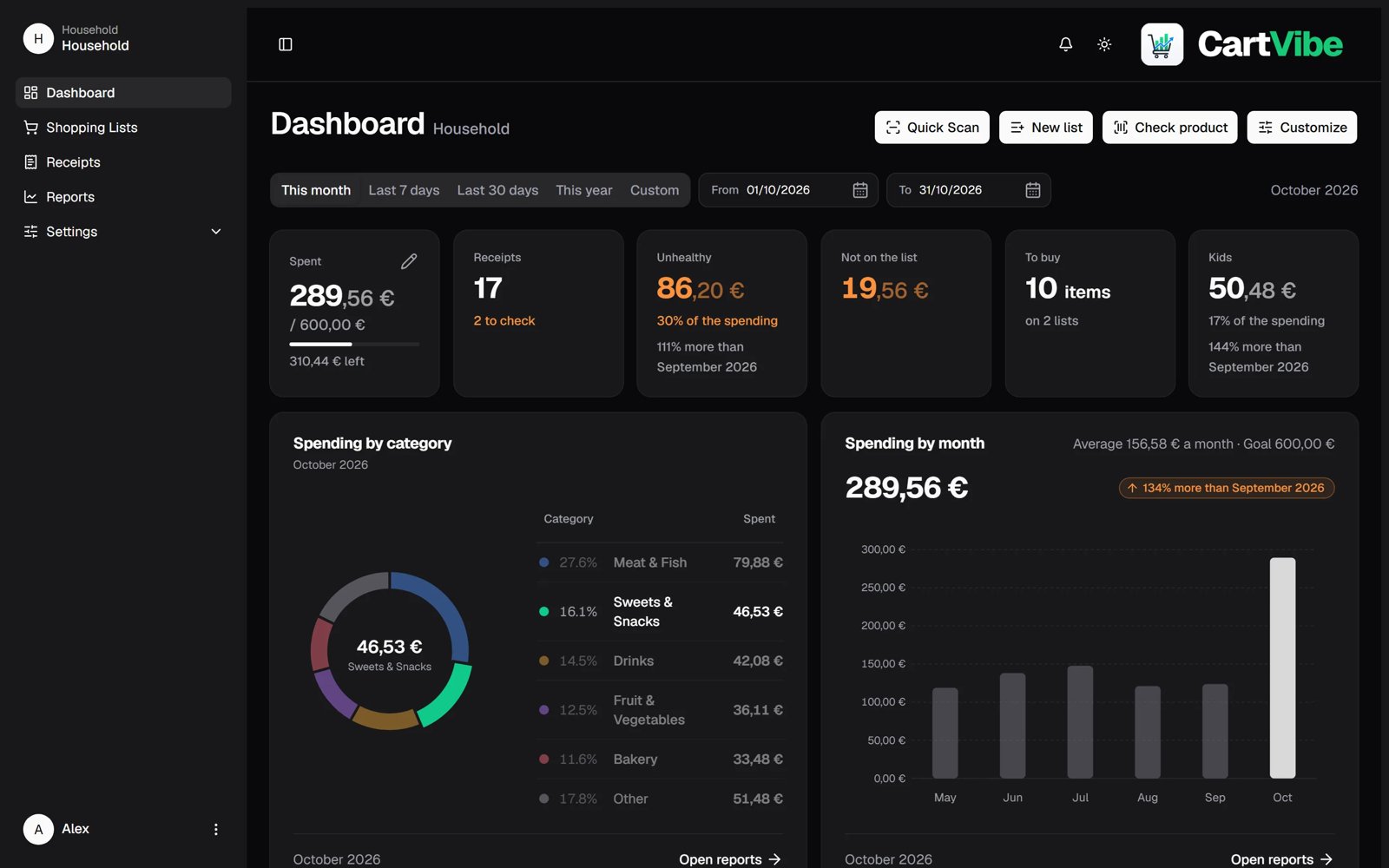
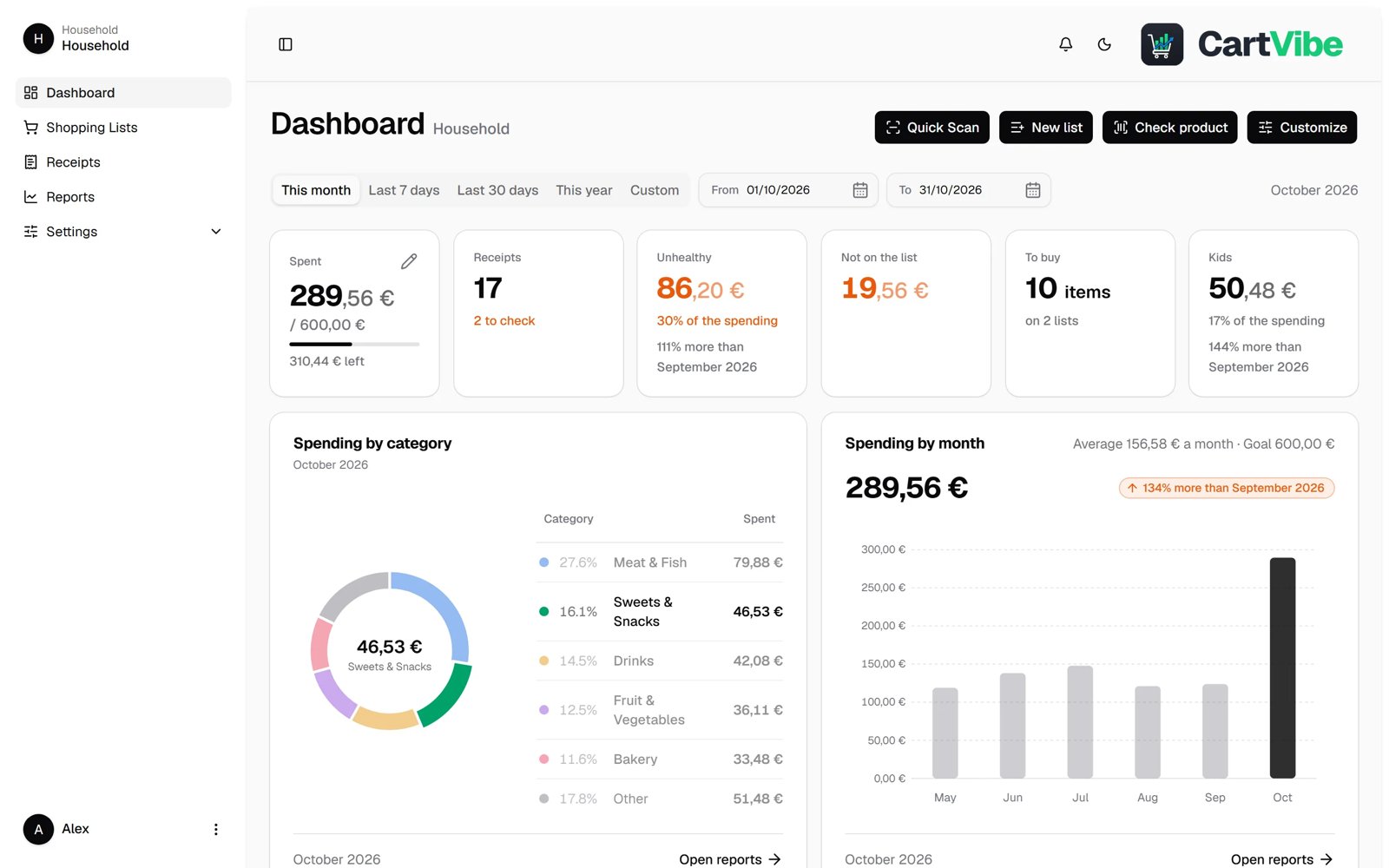
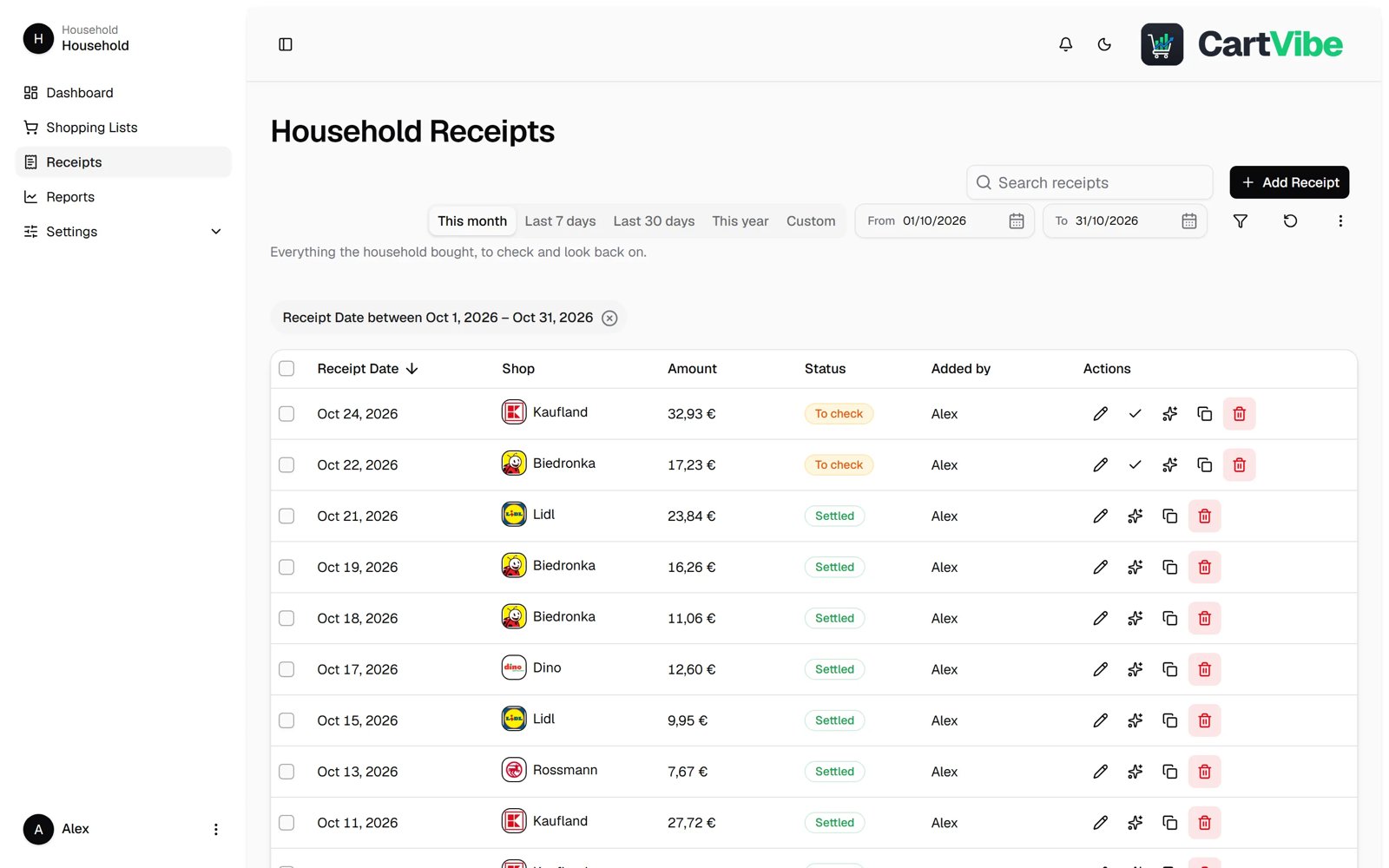
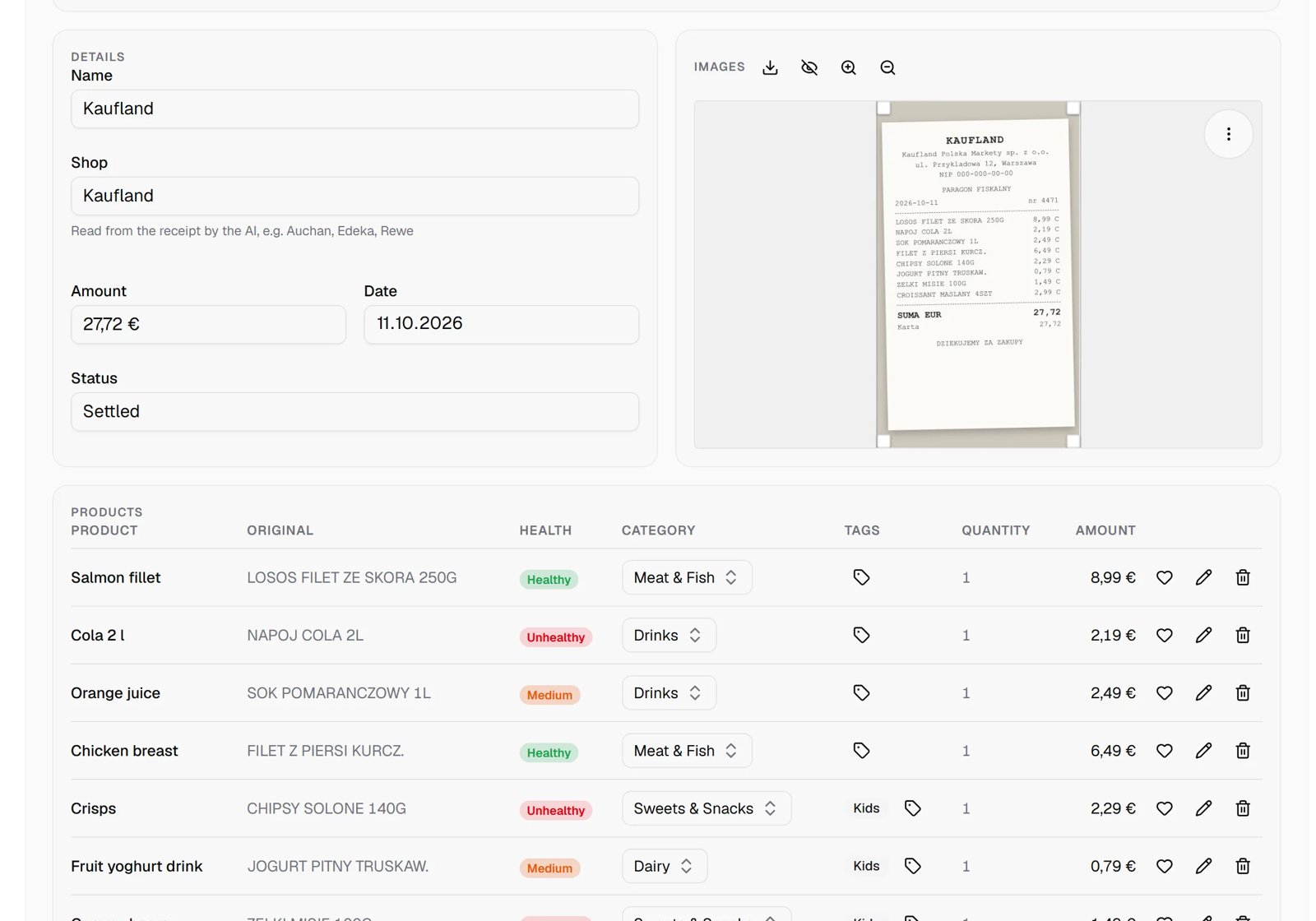
Open the app
About CartVibe
CartVibe keeps your household's shopping in one place: snap a receipt and it is read for you, plan shared shopping lists, and see where the money goes. Valkey (the job queue) is inside this one container, and both keys are made for you on first start.
Features
- Receipts read from a photo (OCR, or AI with your own key), with products and prices
- Shared shopping lists that update live for the whole family
- Dashboard: spending by category, month and tag, budgets and goals
- Barcode scanner with Nutri-Score and nutrition from Open Food Facts
- Family accounts, five languages, installs like an app on phones
How to use
- Open CartVibe from your dashboard and sign in with
admin/admin. There is no sign-up page. Change that password right away under Management → Users, the key icon on your row; add family members there too. - Add a receipt from a photo, or start a shopping list.
- On your phone, open the same address and add it to the Home Screen.
Before you install
Nothing to set first. The first sign-in is admin / admin: CartVibe makes that account itself on the first start, so change its password straight after you sign in. SECRET_KEY and ENCRYPTION_KEY are made on the first start and kept in /DATA/AppData/cartvibe/sqlite/.icestore; back up the whole app folder, since without ENCRYPTION_KEY the AI and sign-in keys you saved can't be read. AI providers, shop logos and other options are set in CartVibe's own settings. The image is amd64 only, as upstream publishes it.
The settings in the first table are already in the app settings. To use any other one, open the app settings, add the variable with your value, save, and the app restarts with it. A setting you leave out uses its default.
In the app settings
| Variable | Default value | Description |
|---|---|---|
TZ | $TZ | Your time zone. It is filled in from your ZimaOS time zone. |
Server
| Variable | Default value | Description |
|---|---|---|
PUID | — | Run the API as this user instead of the image's own user. |
PGID | — | The group to run the API as, with PUID. |
Push notifications
| Variable | Default value | Description |
|---|---|---|
VAPID_ | — | The public half of a VAPID key pair, for push notifications on phones. |
VAPID_ | — | The private half of that VAPID key pair. |
VAPID_ | — | Your contact for the push services, like mailto:[email protected]. |
Keys
| Variable | Default value | Description |
|---|---|---|
SECRET_ | — | Signs sign-in cookies. Made on first start when left out; changing it signs everyone out. |
ENCRYPTION_ | — | Encrypts the keys you save in the app. Made on first start when left out; never change it afterwards. |
name: cartvibe

services:
  cartvibe:
    image: ghcr.io/hsinghhira/cartvibe:latest
    container_name: cartvibe
    restart: unless-stopped
    stop_grace_period: 30s
    network_mode: bridge
    environment:
      - TZ=$TZ
    ports:
      - target: 80
        published: "6717"
        protocol: tcp
    volumes:
      - type: bind
        source: /DATA/AppData/$AppID/sqlite
        target: /app/cartvibe-api/sqlite
        bind:
          create_host_path: true
      - type: bind
        source: /DATA/AppData/$AppID/data
        target: /app/cartvibe-api/data
        bind:
          create_host_path: true
      - type: bind
        source: /DATA/AppData/$AppID/logs
        target: /app/cartvibe-api/logs
        bind:
          create_host_path: true
    healthcheck:
      test: ["CMD", "curl", "-fsS", "-o", "/dev/null", "http://127.0.0.1:80/"]
      interval: 30s
      timeout: 5s
      retries: 3
      start_period: 40s
    deploy:
      resources:
        limits:
          cpus: "2.00"
          memory: 1536M
        reservations:
          cpus: "0.00"
          memory: 128M
    labels:
      icon: https://cdn.jsdelivr.net/gh/HSinghHira/IceStore@main/Apps/cartvibe/icon.png
    x-casaos:
      id: com.icestore.cartvibe
      envs:
        - container: TZ
          description:
            en_US: >-
              Your time zone. It is filled in from your ZimaOS time zone.
      ports:
        - container: "80"
          description:
            en_US: CartVibe web app and API, published on host as 6717
      volumes:
        - container: /app/cartvibe-api/sqlite
          description:
            en_US: >-
              The database, Valkey's queue and this install's SECRET_KEY and
              ENCRYPTION_KEY (.icestore/). Back it up: without ENCRYPTION_KEY,
              saved AI and sign-in keys can't be read.
        - container: /app/cartvibe-api/data
          description:
            en_US: Receipt photos.
        - container: /app/cartvibe-api/logs
          description:
            en_US: CartVibe's logs.

x-casaos:
  id: com.icestore.cartvibe
  architectures:
    - amd64
  main: cartvibe
  author: HSinghHira
  category: Finance
  developer: wouekk
  icon: https://cdn.jsdelivr.net/gh/HSinghHira/IceStore@main/Apps/cartvibe/icon.png
  thumbnail: https://cdn.jsdelivr.net/gh/HSinghHira/IceStore@main/Apps/cartvibe/screenshot-1.jpg
  screenshot_link:
    - https://cdn.jsdelivr.net/gh/HSinghHira/IceStore@main/Apps/cartvibe/screenshot-1.jpg
    - https://cdn.jsdelivr.net/gh/HSinghHira/IceStore@main/Apps/cartvibe/screenshot-2.jpg
    - https://cdn.jsdelivr.net/gh/HSinghHira/IceStore@main/Apps/cartvibe/screenshot-3.jpg
    - https://cdn.jsdelivr.net/gh/HSinghHira/IceStore@main/Apps/cartvibe/screenshot-4.jpg
  title:
    en_US: CartVibe
  tagline:
    en_US: Household receipts, shared shopping lists and spending insights.
  description:
    en_US: >-
      Visit: [https://icestore.hsinghhira.me/app/cartvibe/](https://icestore.hsinghhira.me/app/cartvibe/) for full details


      CartVibe keeps your household's shopping in one place: snap a receipt
      and it is read for you, plan shared shopping lists, and see where the
      money goes. Valkey (the job queue) is inside this one container, and
      both keys are made for you on first start.


      **Features**


      - Receipts read from a photo (OCR, or AI with your own key), with
        products and prices

      - Shared shopping lists that update live for the whole family

      - Dashboard: spending by category, month and tag, budgets and goals

      - Barcode scanner with Nutri-Score and nutrition from Open Food Facts

      - Family accounts, five languages, installs like an app on phones


      **How to use?**


      1. Open CartVibe from the Zima OS dashboard and sign in with user name
         admin and password admin. Change that password right away under
         Management, Users, the key icon.


      2. Add a receipt from a photo, or start a shopping list.


      3. On your phone, open the same address and add it to the Home Screen.
  tips:
    before_install:
      en_US: >-
        1. Nothing to set first. Start the installation.


        2. Wait about half a minute, then open CartVibe from your dashboard.
           There is no sign-up page.


        3. Sign in with user name admin and password admin.


        4. Change that password right away: open Management, then Users,
           and press the key icon on your row. Add family members there too.


        5. To read receipts with AI, add your AI provider's key in
           CartVibe's settings. Keys are stored encrypted with a key made
           for this install.


        6. Back up the app's folder (AppData, cartvibe). It holds the
           database, the receipt photos and the keys.
  index: /
  port_map: "6717"
  scheme: http
  is_uncontrolled: false
  version: "sha-591dc65"
  update_at: "2026-11-10"
  release_notes:
    en_US: |-
      - First IceStore version: ghcr.io/wouekk/cartvibe sha-591dc65, with Valkey inside (upstream runs it as a second container) and a start script that makes this install's SECRET_KEY and ENCRYPTION_KEY.
      - Port 6717; data in /DATA/AppData/cartvibe (sqlite, data, logs). amd64 only, as upstream publishes.
      - The first sign-in is admin / admin (made by CartVibe itself; there is no sign-up page). The tips and the CREDENTIALS box in the logs now say so; change the password under Management, Users.
  repo: "https://github.com/wouekk/cartvibe"
  support: "https://github.com/wouekk/cartvibe/issues"
  docs: "https://github.com/wouekk/cartvibe#readme"
Install CartVibe
Something not working with CartVibe?
Report it so it gets fixed, or ask for an app that is not here yet.
 ZimaOS
Add the store link, then find CartVibe in the App Store and install it.
 CasaOS
Add the store link, then find CartVibe in the App Store and install it.
 ReCasaOS
Add the store link, then find CartVibe in the App Store and install it.
 Homeio
Add the store link, then find CartVibe in the App Store and install it.
 MOS
Add the repository in MOS Hub Settings, then find CartVibe in Docker → MOS Hub and install it.


