
Dawarich
Your own location history, like Google Timeline.
- ghcr.io/hsinghhira/dawarich:latest
- v1.19.0
- Updated 30 Oct 2026
- port 6175
- amd64 · arm64
- Others
- 10.8k stars
Screenshots
Open the app
About Dawarich
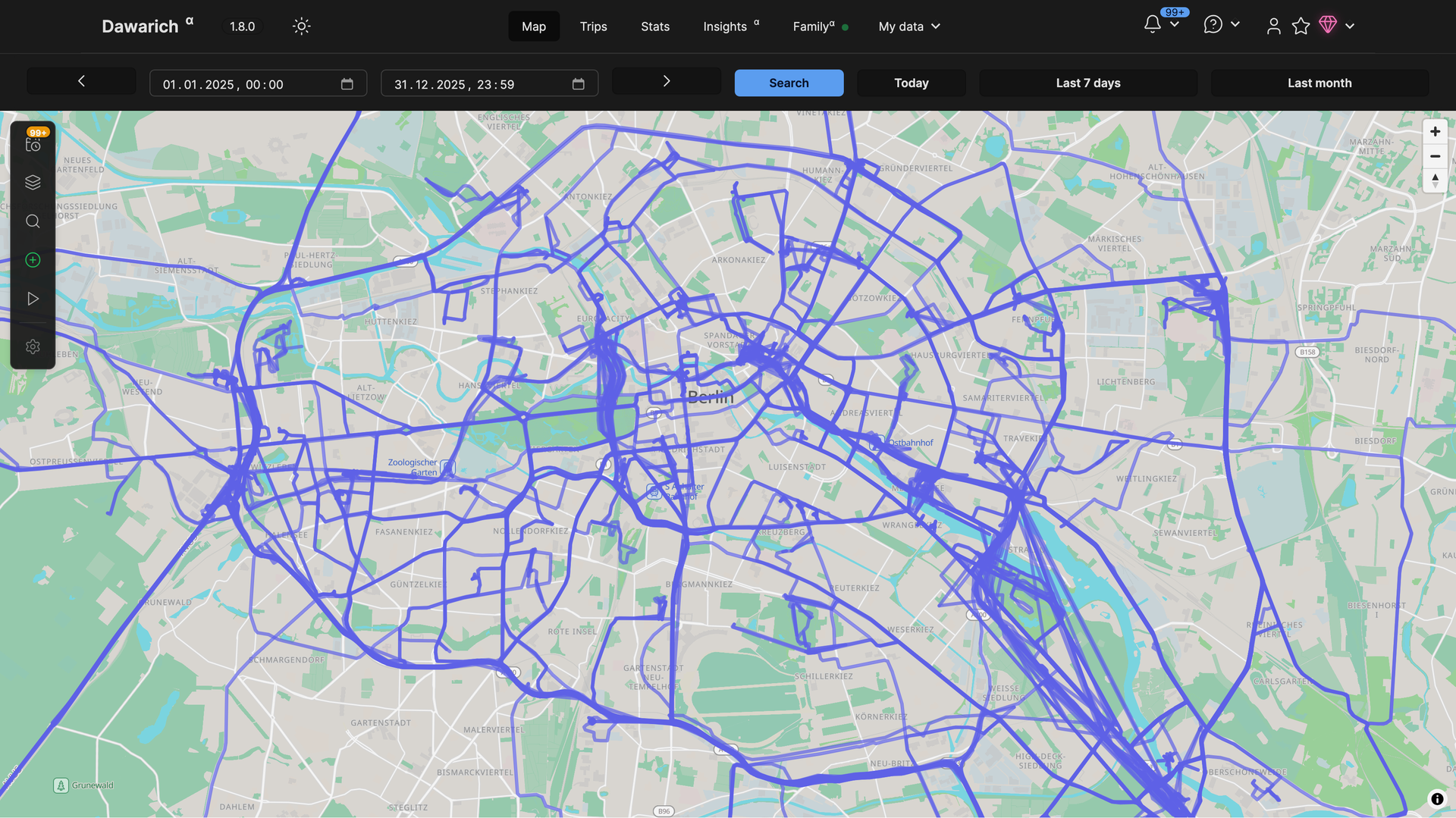
Dawarich keeps your location history on your own server, like Google Timeline (Location History). Send points from your phone, import your old Google data, and see where you've been on a map. This is Dawarich in a single container, with PostgreSQL (with PostGIS) and Redis inside, one port and one data folder. All secret keys and the first password are made for you on first start.
Features
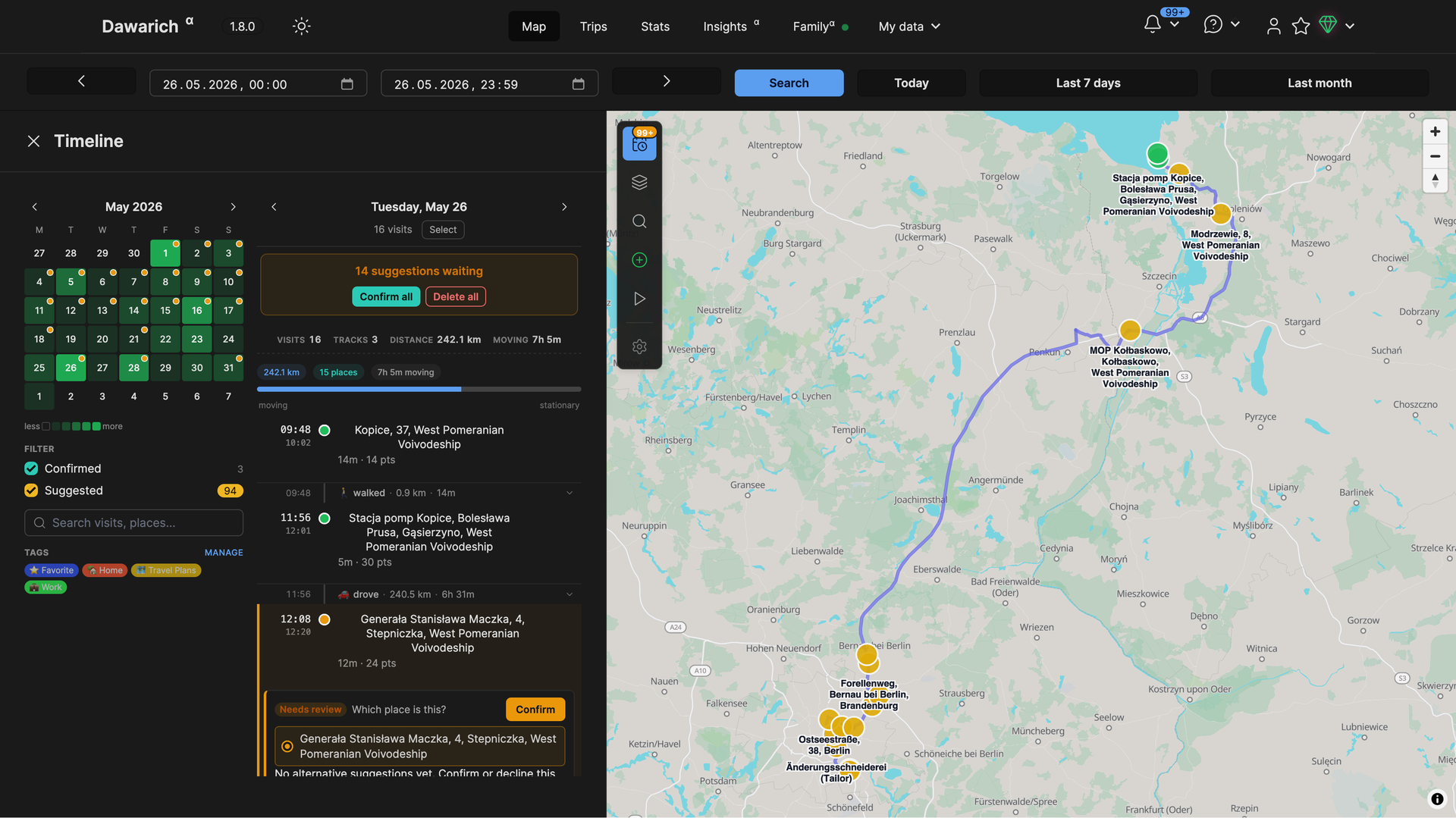
- Map of everywhere you've been, with a timeline per day
- Track your phone with the Dawarich app (iOS, Android), OwnTracks, Overland, GPSLogger or Home Assistant
- Import Google Takeout and Timeline, GPX, GeoJSON, OwnTracks and photo locations from Immich or Photoprism
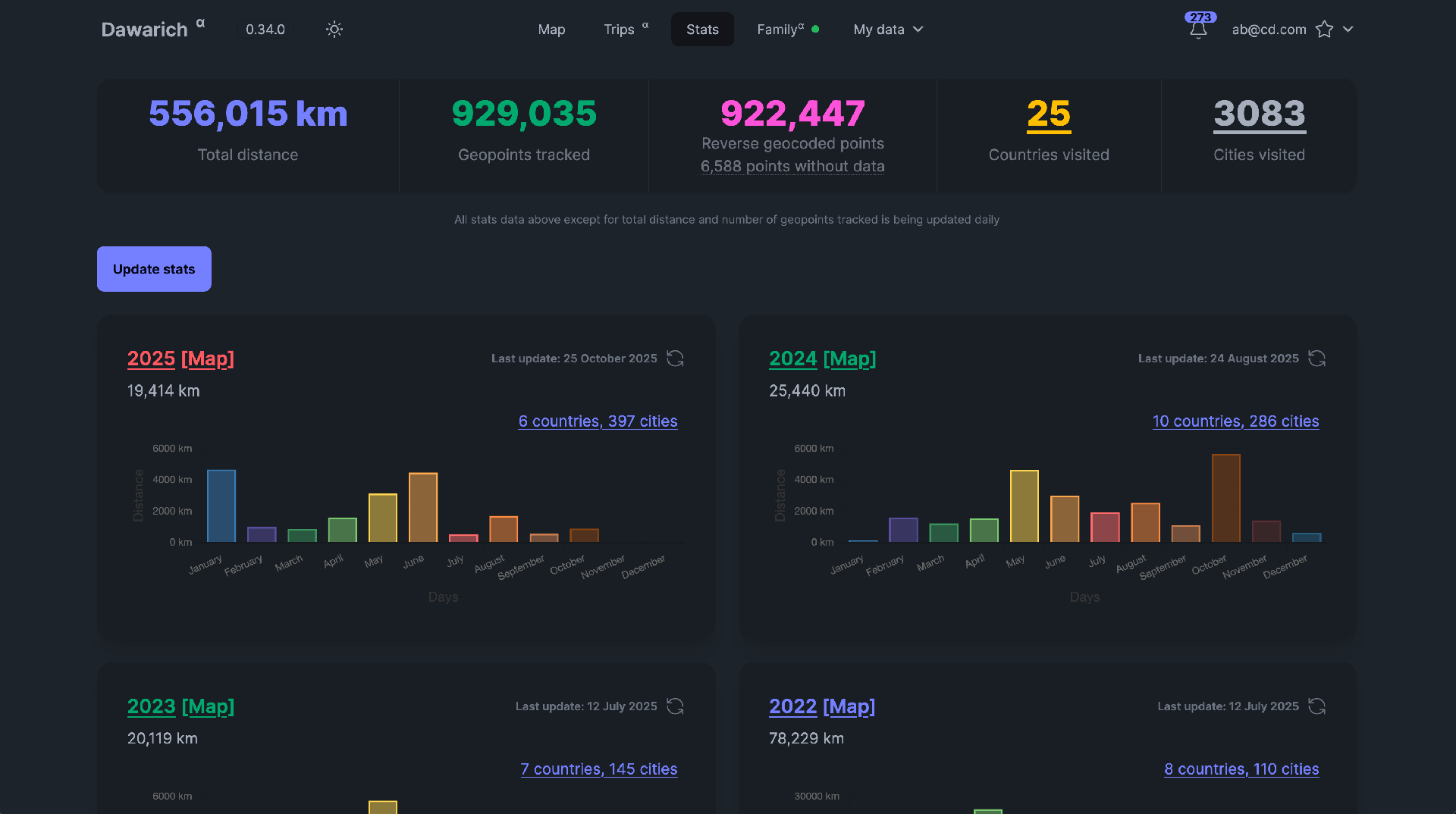
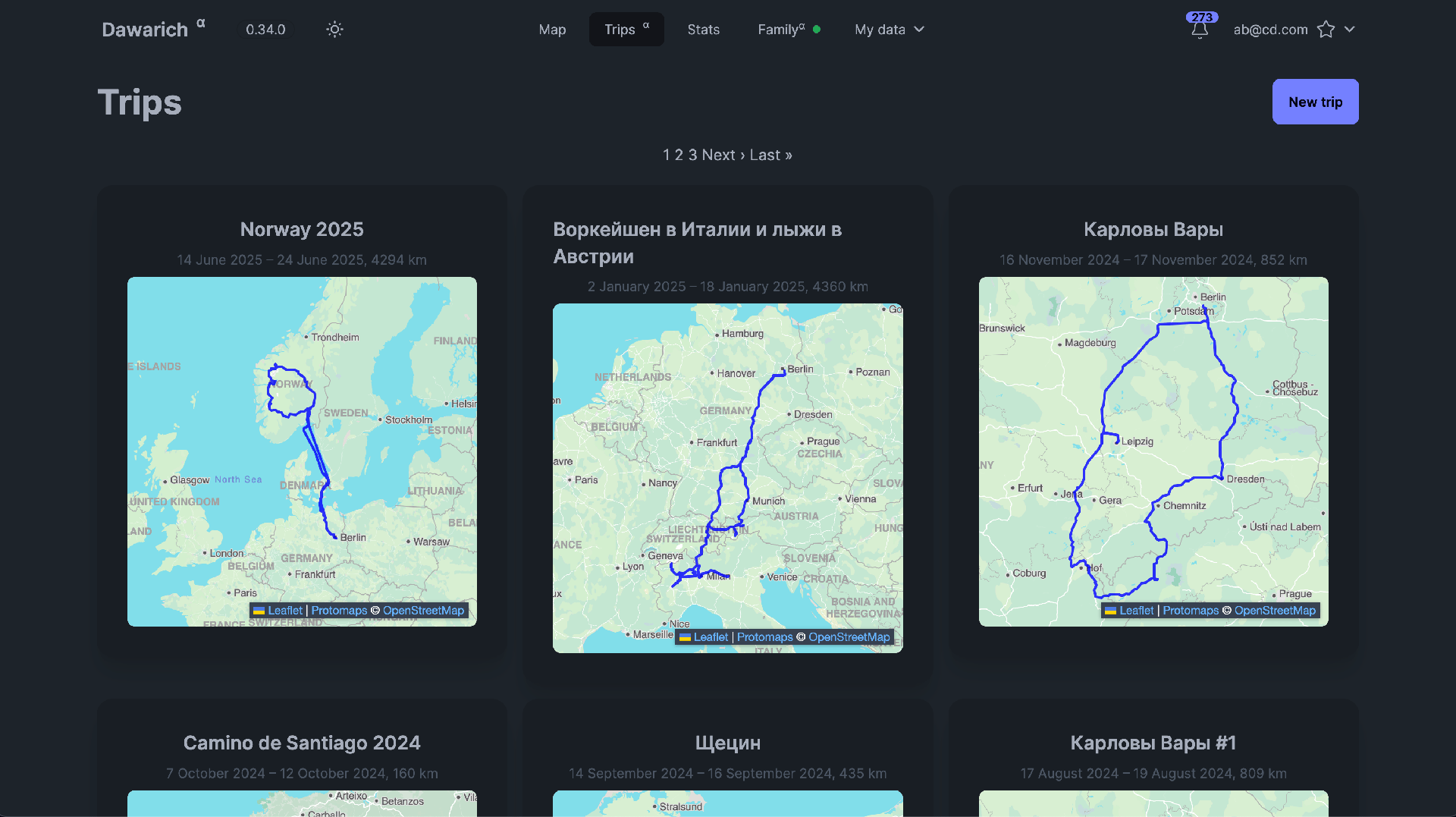
- Visits and places, trips, countries and cities, yearly stats
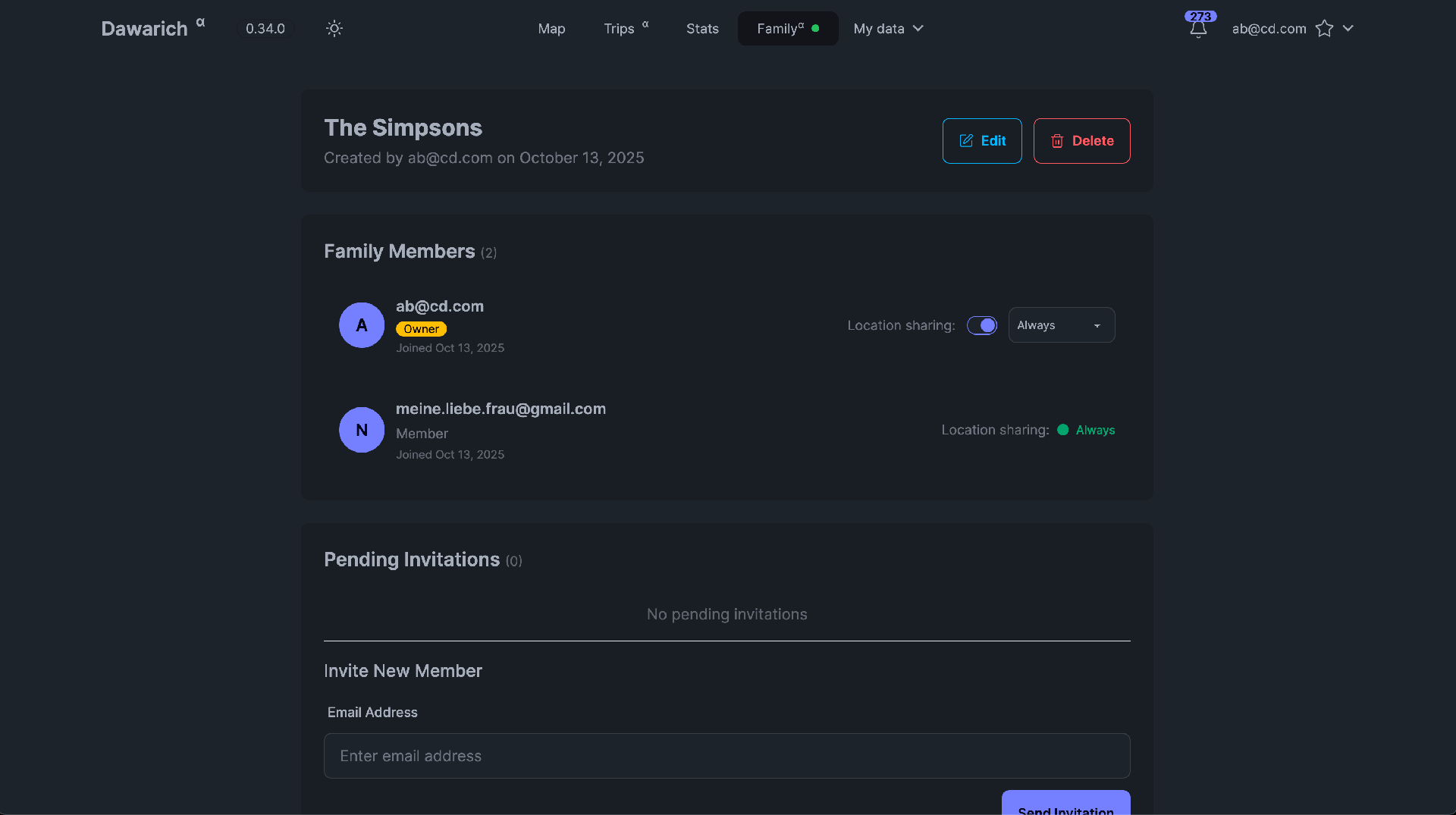
- Share your location with family, and make route videos and posters
- Your data stays on your server; export it any time
How to use
- Open Dawarich from your dashboard.
- Sign in as
[email protected]with the password from the app logs (the line "Dawarich login is"). - Change the email and password in Account settings.
- Import your old data under Imports, or connect a phone app with the API key from Account settings and the server
http://[ZIMAOS-IP-ADDRESS]:6175.
Before you install
PUBLIC_URL starts as http://localhost:6175. Change localhost to your ZimaOS IP, like http://192.168.1.20:6175, so links in emails work; Dawarich itself opens from any address. Leave ADMIN_PASSWORD empty to get a new password: it is in the app logs on the line "Dawarich login is" and in admin-password.txt in the data folder. The first start takes about five minutes. Email, OIDC sign-in, place names (reverse geocoding), S3 storage and the other settings are in the Variables tab; add them in the app settings. Plan for 1 to 4 GB of memory, more with large imports. To sync Strava activities into Dawarich, install Strava to Dawarich from IceStore too.
The settings in the first table are already in the app settings. To use any other one, open the app settings, add the variable with your value, save, and the app restarts with it. A setting you leave out uses its default.
In the app settings
| Variable | Default value | Description |
|---|---|---|
TZ | $TZ | Your time zone. It is filled in from your ZimaOS time zone. Dawarich uses it for days and times on the map and in stats. |
PUBLIC_ | http://localhost:6175 | The address you open Dawarich at, like http://192.168.1.20:6175. Only used for links in emails: Dawarich works from any address. With an https:// address (your own domain behind HTTPS), Dawarich only allows HTTPS. |
ADMIN_ | — | The password for the first account, [email protected]. Leave it empty and one is made for you; it is in the app logs on the line "Dawarich login is". Used only until you change the password in Dawarich. |
Server
| Variable | Default value | Description |
|---|---|---|
APPLICATION_ | — | The addresses Dawarich may be opened at, comma separated, like dawarich.example.com,192.168.1.20. Leave it out to allow any address. |
Sign-up and accounts
| Variable | Default value | Description |
|---|---|---|
ALLOW_ | false | Set to true so anyone can make an account with email and password. Otherwise only people you invite (family) can join. |
ALLOW_ | true | Set to false to hide the email and password form when OIDC sign-in is on, so people can only sign in with OIDC. |
Email (SMTP)
| Variable | Default value | Description |
|---|---|---|
SMTP_ | — | Your mail server, like smtp.gmail.com. Leave it out to send no emails. |
SMTP_ | — | Your mail server's port, usually 587, or 465 for TLS from the start. |
SMTP_ | — | The user name for your mail server. |
SMTP_ | — | The password for your mail server. |
SMTP_ | — | The sender address on emails, like [email protected]. |
SMTP_ | — | The domain Dawarich says hello as to the mail server. Most servers don't need it. |
SMTP_ | — | Set to true for TLS from the start. It turns on by itself with port 465. |
SMTP_ | true | Set to false to not use STARTTLS on ports other than 465. |
SMTP_ | plain | How to log in to the mail server: plain, login, cram_md5, or none for a server that needs no login. |
SMTP_ | — | Set to none to skip checking the mail server's certificate, for a server on your network with a self-signed one. |
Sign in with OIDC
| Variable | Default value | Description |
|---|---|---|
OIDC_ | — | The client ID from your sign-in provider (Authentik, Authelia, Pocket ID, Keycloak...). Leave it out to keep OIDC sign-in off. |
OIDC_ | — | The client secret. Leave it out for a public client with OIDC_PKCE_ENABLED set to true. |
OIDC_ | — | Your provider's issuer address, like https://auth.example.com/application/o/dawarich/. |
OIDC_ | — | Your Dawarich address plus /users/auth/openid_connect/callback. Add the same address in your provider. |
OIDC_ | Openid Connect | The name on the sign-in button, like Authentik. |
OIDC_ | true | Set to false so only people who already have an account (same email) can sign in with OIDC. |
OIDC_ | false | Set to true when your provider needs PKCE (Pocket ID does). |
Place names
| Variable | Default value | Description |
|---|---|---|
STORE_ | true | Set to false to not keep reverse geocoding results. |
PHOTON_ | — | A Photon server for place names, like photon.komoot.io or your own. Can also be set in Dawarich under Settings, Instance. |
PHOTON_ | — | The API key for the Photon server, if it needs one. |
PHOTON_ | false | Set to true when the Photon server uses HTTPS. |
PHOTON_ | — | The language for place names from Photon, like en or de. |
NOMINATIM_ | — | A Nominatim server for place names, instead of Photon. |
NOMINATIM_ | — | The API key for the Nominatim server, if it needs one. |
NOMINATIM_ | true | Set to false when the Nominatim server has no HTTPS. |
GEOAPIFY_ | — | A Geoapify API key, to use Geoapify for place names. |
LOCATIONIQ_ | — | A LocationIQ API key, to use LocationIQ for place names. |
REVERSE_ | — | The most place-name requests per second. Set it for services with a limit, like 1 for public Nominatim. |
REVERSE_ | — | How many background jobs may look up place names at the same time. |
File storage
| Variable | Default value | Description |
|---|---|---|
STORAGE_ | local | Where imports and exports are kept: local (the data folder) or s3. |
AWS_ | — | The S3 access key, when STORAGE_BACKEND is s3. |
AWS_ | — | The S3 secret key. |
AWS_ | — | The S3 region, like us-east-1. |
AWS_ | — | The S3 bucket name. |
AWS_ | — | The S3 server address, for S3-compatible storage like MinIO or Garage. Leave it out for Amazon S3. |
Route videos
| Variable | Default value | Description |
|---|---|---|
VIDEO_ | 30 | Delete route video files older than this many days. 0 keeps them forever. |
VIDEO_ | 10 | Keep at most this many route videos per person. 0 means no limit. |
Performance
| Variable | Default value | Description |
|---|---|---|
BACKGROUND_ | 2 | How many background jobs (imports, place names, stats) run at once. Raise it on a fast box. |
VECTOR_ | 5000 | How long one map tile query may take, in milliseconds. Raise it if very long date ranges don't show on the map. |
SKIP_ | — | Set to 1 to skip finding visits again across all history after some updates. Each person can still start it under Visits. |
name: dawarich

services:
  dawarich:
    image: ghcr.io/hsinghhira/dawarich:latest
    container_name: dawarich
    restart: unless-stopped
    stop_grace_period: 90s
    privileged: true
    shm_size: 1g
    environment:
      - TZ=$TZ
      - PUBLIC_URL=http://localhost:6175
      - ADMIN_PASSWORD=
    ports:
      - target: 8080
        published: "6175"
        protocol: tcp
    volumes:
      - type: bind
        source: /DATA/AppData/$AppID/data
        target: /data
        bind:
          create_host_path: true
    healthcheck:
      test: ["CMD", "curl", "-fsS", "-o", "/dev/null", "http://127.0.0.1:8080/api/v1/health"]
      interval: 30s
      timeout: 10s
      retries: 5
      start_period: 300s
    deploy:
      resources:
        limits:
          cpus: "2.00"
          memory: 4096M
        reservations:
          cpus: "0.25"
          memory: 768M
    labels:
      icon: https://cdn.jsdelivr.net/gh/HSinghHira/IceStore@main/Apps/dawarich/icon.png
    x-casaos:
      id: com.icestore.dawarich
      envs:
        - container: TZ
          description:
            en_US: >-
              Your time zone. It is filled in from your ZimaOS time zone.
              Dawarich uses it for days and times on the map and in stats.
        - container: PUBLIC_URL
          description:
            en_US: >-
              The address you open Dawarich at, like http://192.168.1.20:6175.
              Only used for links in emails: Dawarich works from any address.
              With an https:// address (your own domain behind HTTPS),
              Dawarich only allows HTTPS.
        - container: ADMIN_PASSWORD
          description:
            en_US: >-
              The password for the first account, [email protected]. Leave it
              empty and one is made for you; it is in the app logs on the line
              "Dawarich login is". Used only until you change the password in
              Dawarich.
      ports:
        - container: "8080"
          description:
            en_US: Dawarich web app and API (for the phone apps), published on host as 6175
      volumes:
        - container: /data
          description:
            en_US: >-
              The database with all your location points, uploaded imports
              and exports in storage/, the watched/ folder for automatic
              imports, Redis data, secret keys (state/secrets.env) and the
              first password (admin-password.txt). Back it up.

x-casaos:
  id: com.icestore.dawarich
  architectures:
    - amd64
    - arm64
  main: dawarich
  author: HSinghHira
  category: Others
  developer: Freika
  icon: https://cdn.jsdelivr.net/gh/HSinghHira/IceStore@main/Apps/dawarich/icon.png
  thumbnail: https://cdn.jsdelivr.net/gh/HSinghHira/IceStore@main/Apps/dawarich/screenshot-1.png
  screenshot_link:
    - https://cdn.jsdelivr.net/gh/HSinghHira/IceStore@main/Apps/dawarich/screenshot-1.png
    - https://cdn.jsdelivr.net/gh/HSinghHira/IceStore@main/Apps/dawarich/screenshot-2.png
    - https://cdn.jsdelivr.net/gh/HSinghHira/IceStore@main/Apps/dawarich/screenshot-3.png
    - https://cdn.jsdelivr.net/gh/HSinghHira/IceStore@main/Apps/dawarich/screenshot-4.png
    - https://cdn.jsdelivr.net/gh/HSinghHira/IceStore@main/Apps/dawarich/screenshot-5.png
  title:
    en_US: Dawarich
  tagline:
    en_US: Your own location history, like Google Timeline.
  description:
    en_US: >-
      Visit: [https://icestore.hsinghhira.me/app/dawarich/](https://icestore.hsinghhira.me/app/dawarich/) for full details


      Dawarich keeps your location history on your own server, like Google
      Timeline (Location History). Send points from your phone, import your
      old Google data, and see where you've been on a map. This is Dawarich
      in a single container, with PostgreSQL (with PostGIS) and Redis
      inside, one port and one data folder. All secret keys and the first
      password are made for you on first start.


      **Features**


      - Map of everywhere you've been, with a timeline per day

      - Track your phone with the Dawarich app (iOS, Android), OwnTracks,
        Overland, GPSLogger or Home Assistant

      - Import Google Takeout and Timeline, GPX, GeoJSON, OwnTracks and
        photo locations from Immich or Photoprism

      - Visits and places, trips, countries and cities, yearly stats

      - Share your location with family, and make route videos and posters

      - Your data stays on your server; export it any time


      **How to use?**


      1. Open Dawarich from the Zima OS dashboard.

      2. Sign in as [email protected] with the password from the app logs
         (the line "Dawarich login is").

      3. Change the email and password in Account settings.

      4. Import your old data under Imports, or connect a phone app with
         the API key from Account settings.
  tips:
    before_install:
      en_US: >-
        1. Open the app configuration before you install.


        2. Find PUBLIC_URL. It starts as http://localhost:6175. Change
           localhost to your ZimaOS IP, like http://192.168.1.20:6175, so
           links in emails work. Dawarich opens from any address either way.


        3. Leave ADMIN_PASSWORD empty to get a new password, or type your
           own.


        4. Email, sign-in with OIDC, place names (reverse geocoding) and
           other settings are listed on the Dawarich page at
           https://icestore.hsinghhira.me/app/dawarich/ (Variables tab). You
           can add them now or later in the app settings.


        5. Start the installation.


        6. Wait about five minutes. The first start sets up the database.


        7. Open the app logs and find the line that says "Dawarich login
           is". It shows the email [email protected] and a password.


        8. Open http://[ZIMAOS-IP-ADDRESS]:6175 and sign in with them.


        9. Change the email and password in Account settings right away.


        10. To track your phone, install the Dawarich app or OwnTracks and
            use the API key from Account settings, with the server
            http://[ZIMAOS-IP-ADDRESS]:6175.
  index: /
  port_map: "6175"
  scheme: http
  is_uncontrolled: false
  version: "1.19.0"
  update_at: "2026-10-30"
  release_notes:
    en_US: |-
      - Single-container Dawarich with one port (6175) and one data folder
      - All secret keys (sessions, two-factor, tokens) and database passwords are made on first start, so each install gets its own
      - The seeded [email protected] account gets this install's own password instead of the published "safepassword"
      - Works from any address you open it at (no APPLICATION_HOSTS needed)
      - freikin/dawarich 1.19.0
      - PostgreSQL 17 with PostGIS 3 and Redis inside
  repo: "https://github.com/Freika/dawarich"
  support: "https://github.com/Freika/dawarich/issues"
  docs: "https://dawarich.app/docs/intro"
Install Dawarich
 ZimaOS
Add the store link, then find Dawarich in the App Store and install it.
 CasaOS
Add the store link, then find Dawarich in the App Store and install it.
 Homeio
Add the store link, then find Dawarich in the App Store and install it.
Something not working with Dawarich? Report a problem or request another app.


