
drawDB
Draw database diagrams in your browser and turn them into SQL
- ghcr.io/drawdb-io/drawdb:v1.9.0
- v1.9.0
- Updated 22 Nov 2026
- port 6794
- amd64 · arm64
- Developer
- 40.4k stars
Screenshots
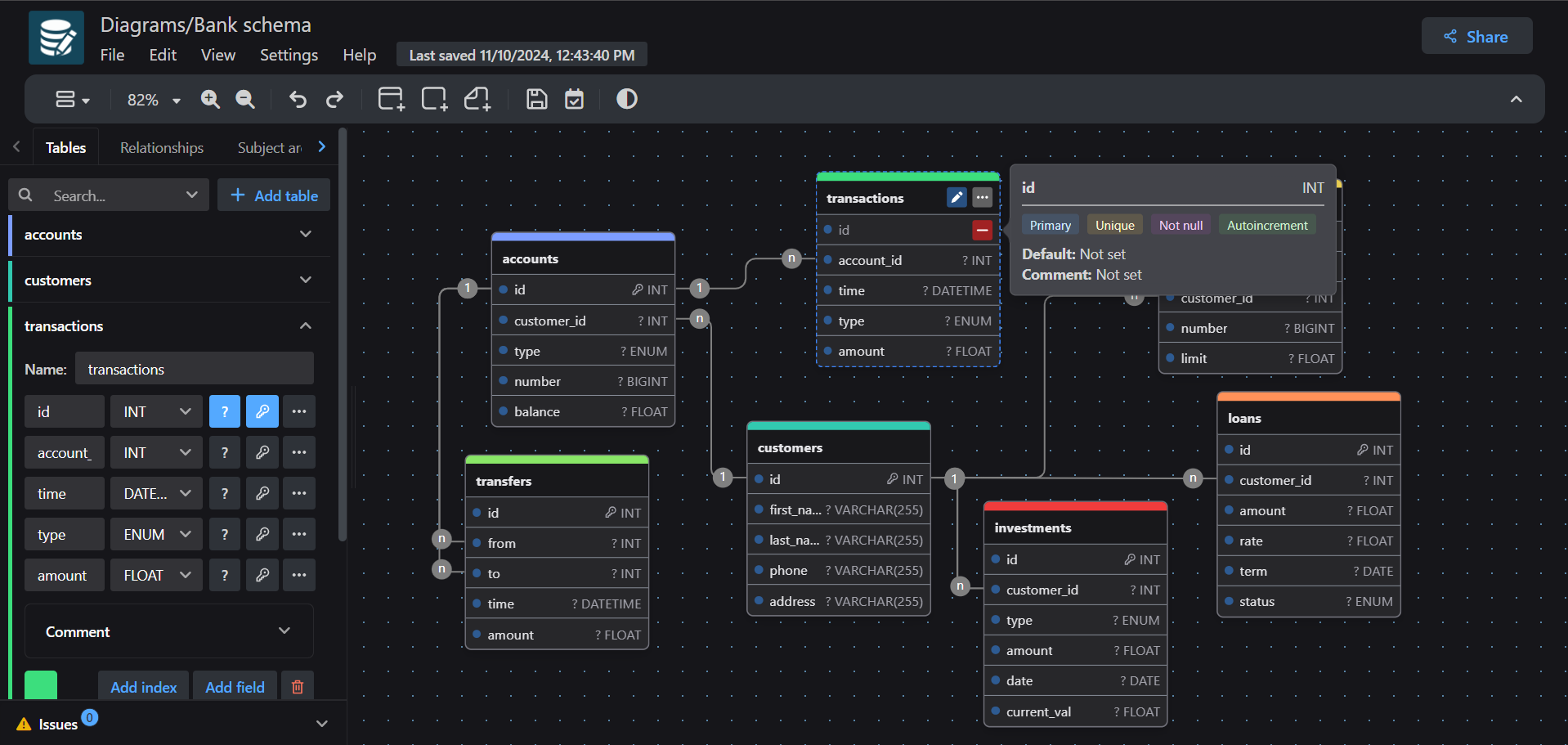
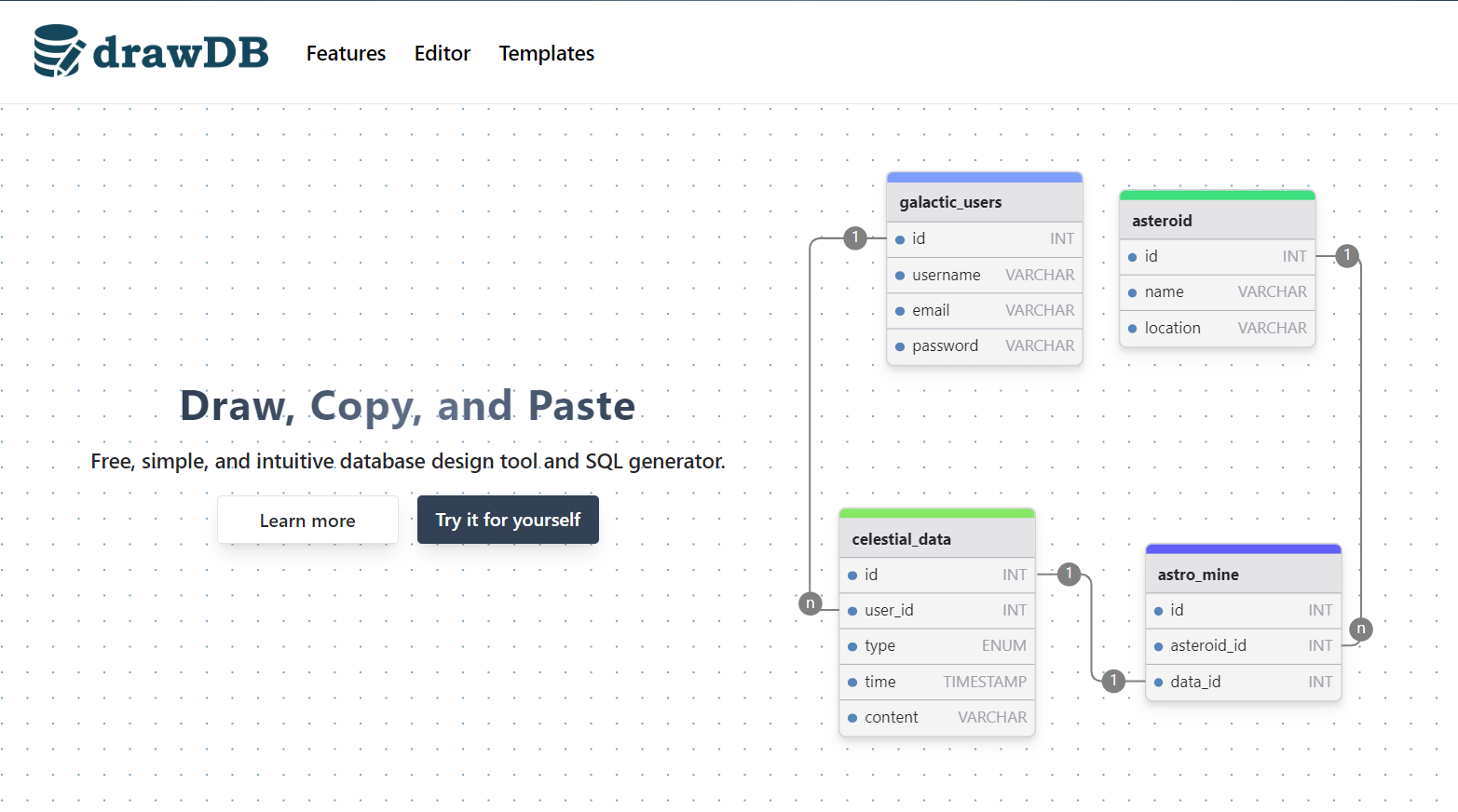
Open the app
About drawDB
drawDB is a database diagram (ERD) editor that runs in your browser. Draw tables and the links between them with a few clicks, then export the SQL, or import SQL you already have and see it as a diagram. No account needed.
Features
- Tables, fields, keys and relationships on a drag-and-drop canvas
- Export SQL for MySQL, PostgreSQL, SQLite, MariaDB, SQL Server and Oracle
- Import SQL or a DBML file and get the diagram
- Notes, areas, custom types and enums
- Export as PNG, SVG, PDF or JSON
- Templates to start from, light and dark themes
How to use
- Open drawDB from your dashboard and click Try it.
- Pick your database type.
- Add tables and drag between fields to link them.
- Use File > Export to save the SQL or a picture.
Before you install
There is nothing to set. Open http://[ZIMAOS-IP-ADDRESS]:6794 and start drawing. Diagrams are saved in each web browser (its local storage), not on the server, so a diagram made on one computer is not on another; use File > Export or Save as to keep a copy. Sharing by link (GitHub gists) is not set up in this build. It is ready in a few seconds.
| Variable | Default value | Description |
|---|---|---|
TZ | $TZ | Your time zone. It is filled in from your ZimaOS time zone. |
name: drawdb

services:
  drawdb:
    image: ghcr.io/drawdb-io/drawdb:v1.9.0
    container_name: drawdb
    restart: unless-stopped
    stop_grace_period: 10s
    network_mode: bridge
    environment:
      - TZ=$TZ
    ports:
      - target: 80
        published: "6794"
        protocol: tcp
    healthcheck:
      test: ["CMD-SHELL", "curl -fsS -o /dev/null http://127.0.0.1:80/ || wget -q -O /dev/null http://127.0.0.1:80/"]
      interval: 30s
      timeout: 10s
      retries: 3
      start_period: 15s
    deploy:
      resources:
        limits:
          cpus: "0.50"
          memory: 128M
        reservations:
          cpus: "0.00"
          memory: 16M
    labels:
      icon: https://cdn.jsdelivr.net/gh/HSinghHira/IceStore@main/Apps/drawdb/icon.png
    x-casaos:
      id: com.icestore.drawdb
      envs:
        - container: TZ
          description:
            en_US: >-
              Your time zone. It is filled in from your ZimaOS time zone.
      ports:
        - container: "80"
          description:
            en_US: drawDB editor, published on host as 6794

x-casaos:
  id: com.icestore.drawdb
  architectures:
    - amd64
    - arm64
  main: drawdb
  author: HSinghHira
  category: Developer
  developer: drawDB
  icon: https://cdn.jsdelivr.net/gh/HSinghHira/IceStore@main/Apps/drawdb/icon.png
  thumbnail: https://cdn.jsdelivr.net/gh/HSinghHira/IceStore@main/Apps/drawdb/screenshot-1.png
  screenshot_link:
    - https://cdn.jsdelivr.net/gh/HSinghHira/IceStore@main/Apps/drawdb/screenshot-1.png
    - https://cdn.jsdelivr.net/gh/HSinghHira/IceStore@main/Apps/drawdb/screenshot-2.png
  title:
    en_US: drawDB
  tagline:
    en_US: Draw database diagrams in your browser and turn them into SQL
  description:
    en_US: >-
      drawDB is a database diagram (ERD) editor that runs in your browser.
      Draw tables and the links between them with a few clicks, then export
      the SQL, or import SQL you already have and see it as a diagram. No
      account needed.


      **Features**


      - Tables, fields, keys and relationships on a drag-and-drop canvas

      - Export SQL for MySQL, PostgreSQL, SQLite, MariaDB, SQL Server and
        Oracle

      - Import SQL or a DBML file and get the diagram

      - Notes, areas, custom types and enums

      - Export as PNG, SVG, PDF or JSON

      - Templates to start from, light and dark themes


      **How to use?**


      1. Open drawDB from the ZimaOS dashboard and click Try it.

      2. Pick your database type.

      3. Add tables and drag between fields to link them.

      4. Use File > Export to save the SQL or a picture.
  tips:
    before_install:
      en_US: >-
        1. Start the installation. It is ready in a few seconds.


        2. Open http://[ZIMAOS-IP-ADDRESS]:6794 and click Try it.


        3. Your diagrams are saved in your web browser, not on the server.
           Use File > Export or Save as to keep a copy.
  index: /
  port_map: "6794"
  scheme: http
  is_uncontrolled: false
  version: "v1.9.0"
  update_at: "2026-11-22"
  release_notes:
    en_US: |-
      - First IceStore release, on port 6794
      - The official ghcr.io/drawdb-io/drawdb v1.9.0 image; diagrams are kept in each browser
  repo: "https://github.com/drawdb-io/drawdb"
  support: "https://github.com/drawdb-io/drawdb/issues"
  docs: "https://drawdb.app/"
Install drawDB
Something not working with drawDB?
Report it so it gets fixed, or ask for an app that is not here yet.
 ZimaOS
Add the store link, then find drawDB in the App Store and install it.
 CasaOS
Add the store link, then find drawDB in the App Store and install it.
 ReCasaOS
Add the store link, then find drawDB in the App Store and install it.
 Homeio
Add the store link, then find drawDB in the App Store and install it.
 MOS
Add the repository in MOS Hub Settings, then find drawDB in Docker → MOS Hub and install it.


