
Heddohon
A web music player for your Navidrome, Subsonic or Jellyfin server
- ghcr.io/zorcerer/heddohon:0.8.0
- v0.8.0
- Updated 29 Oct 2026
- port 6135
- amd64 · arm64
- Media
- 7 stars
Screenshots
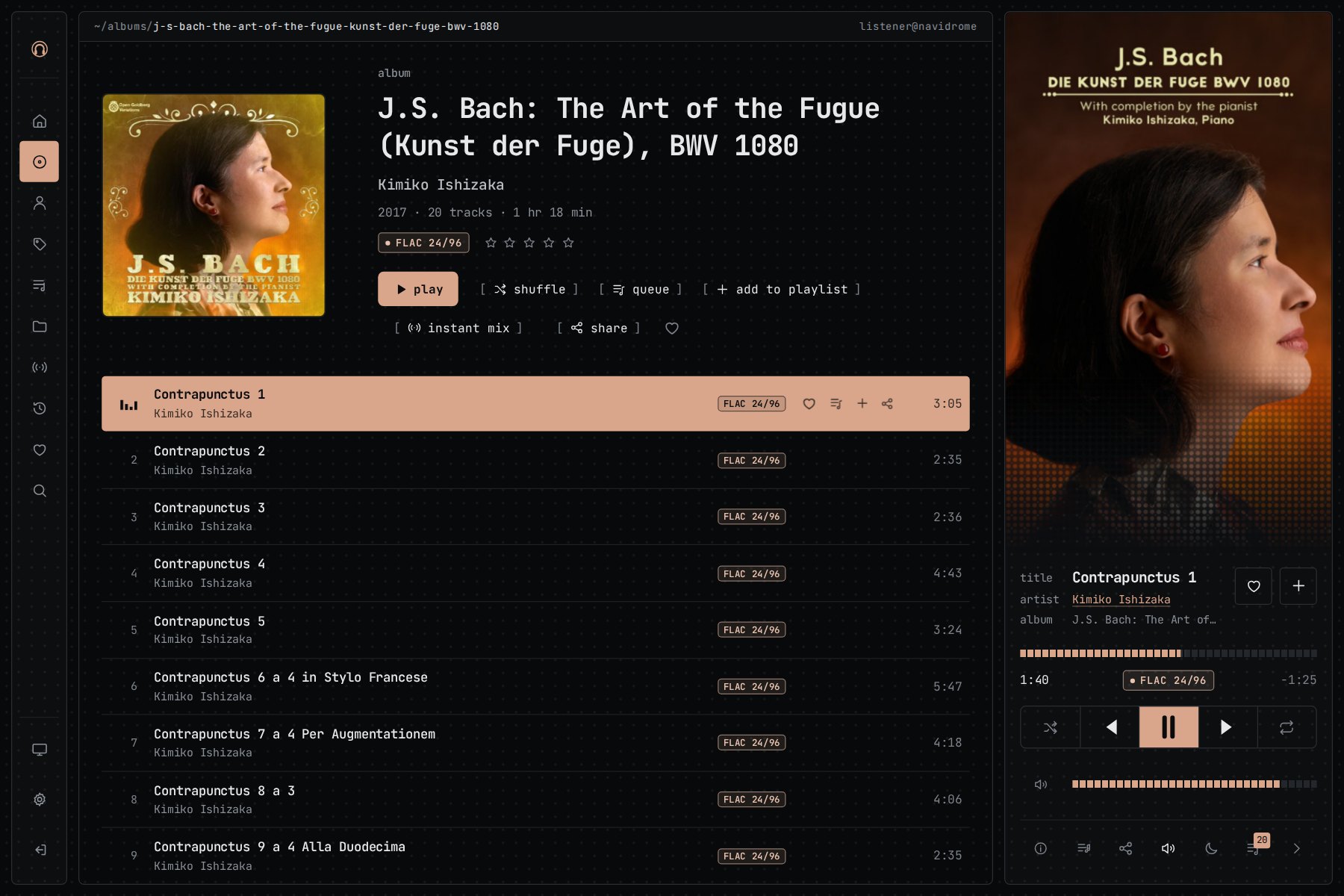
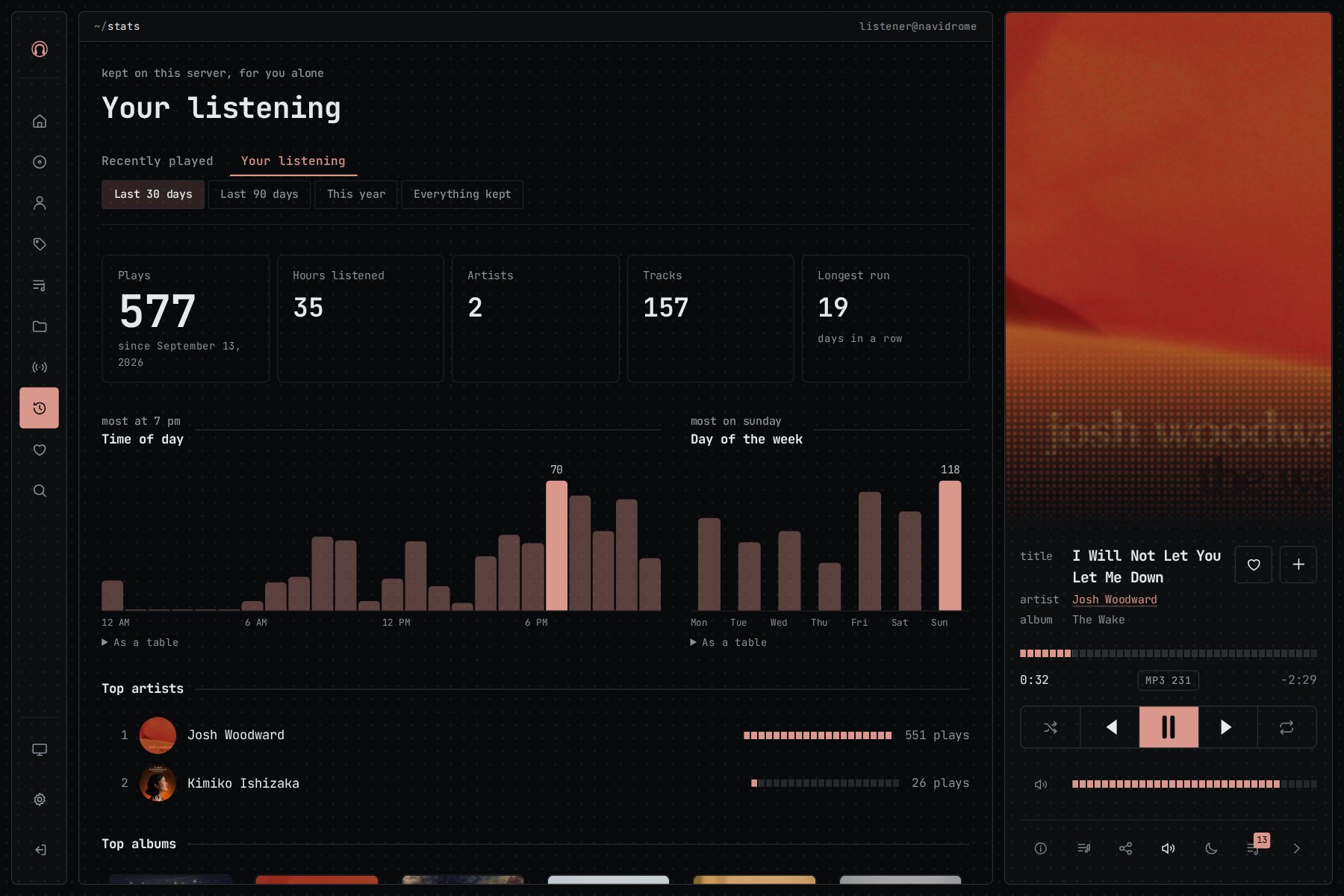
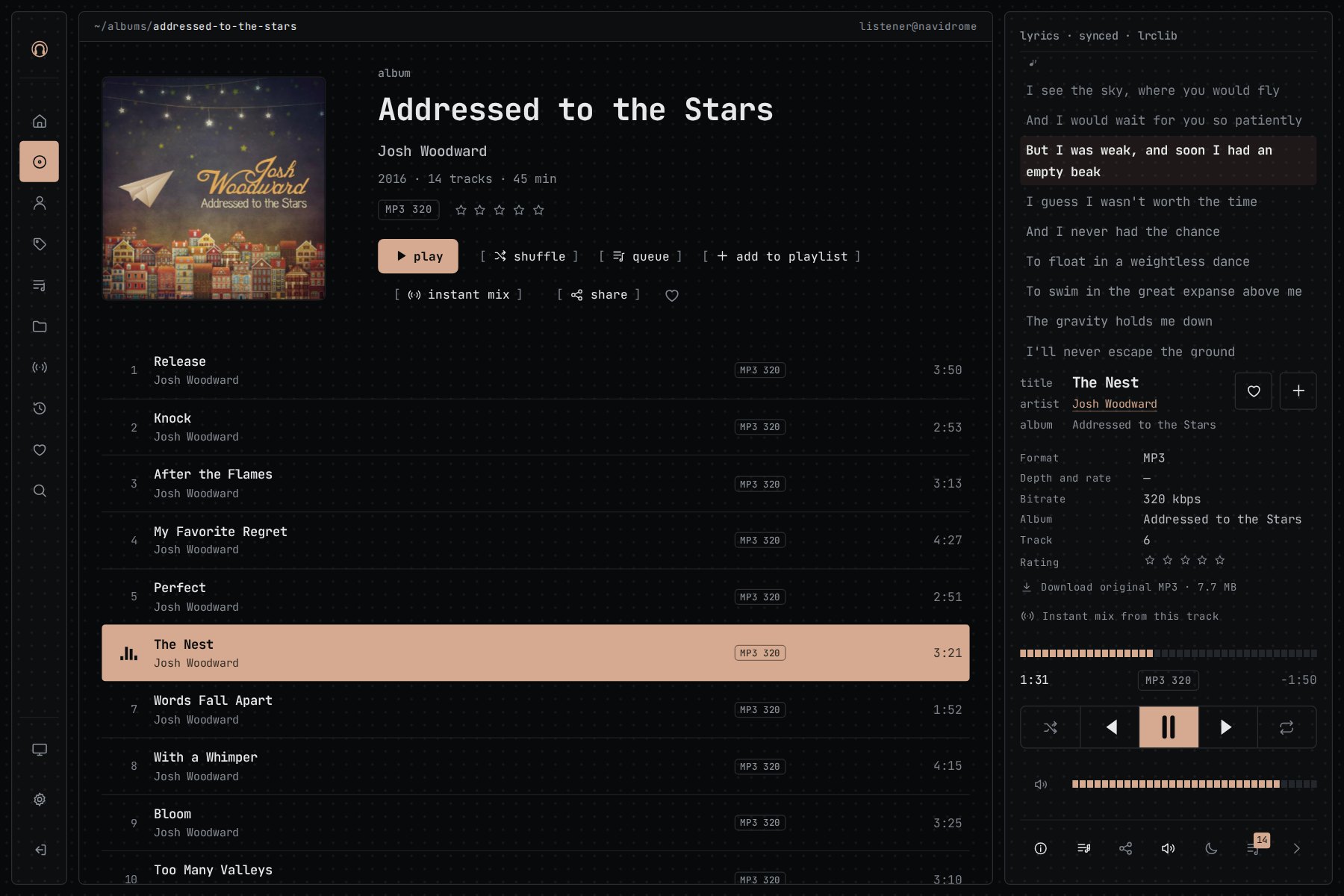
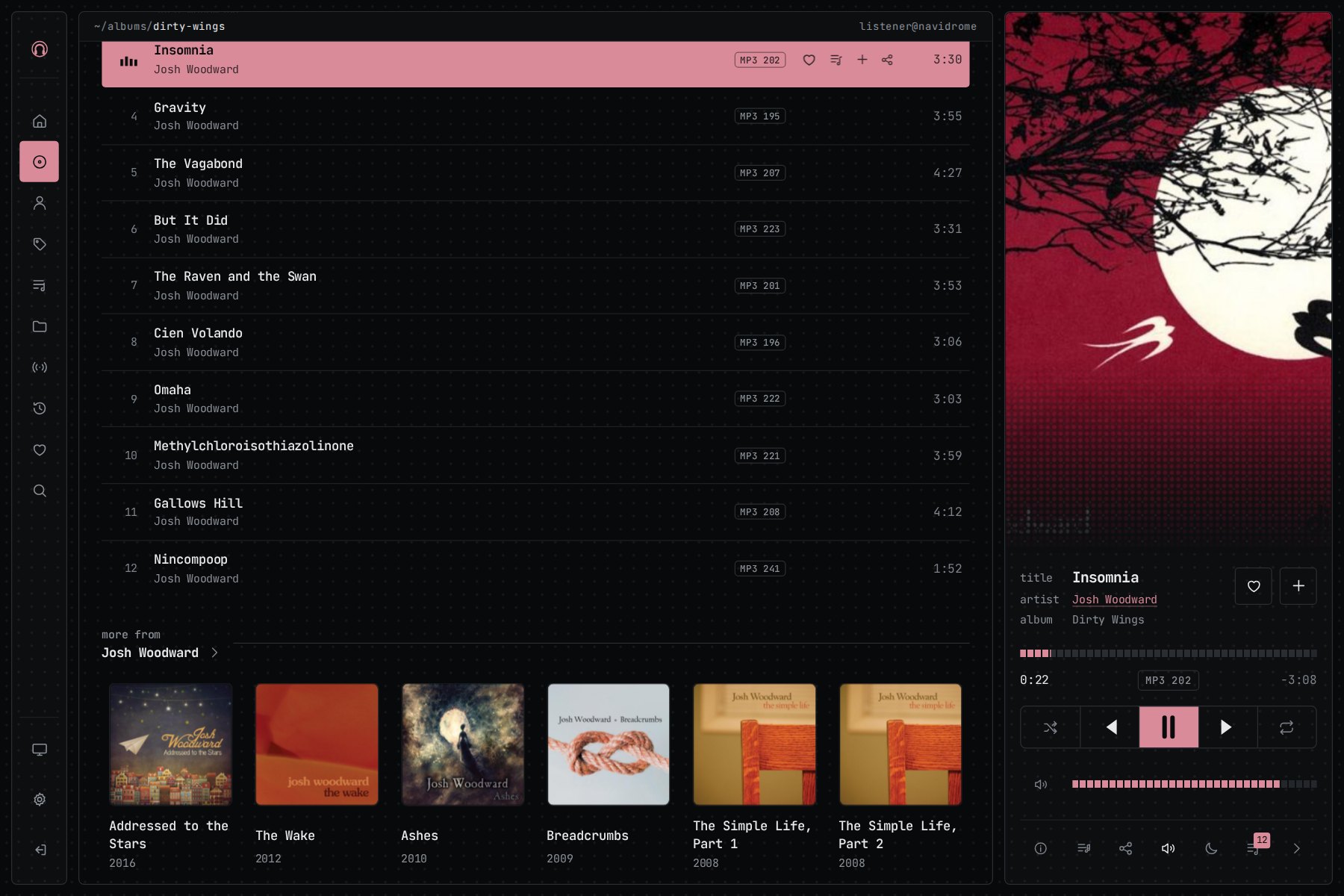
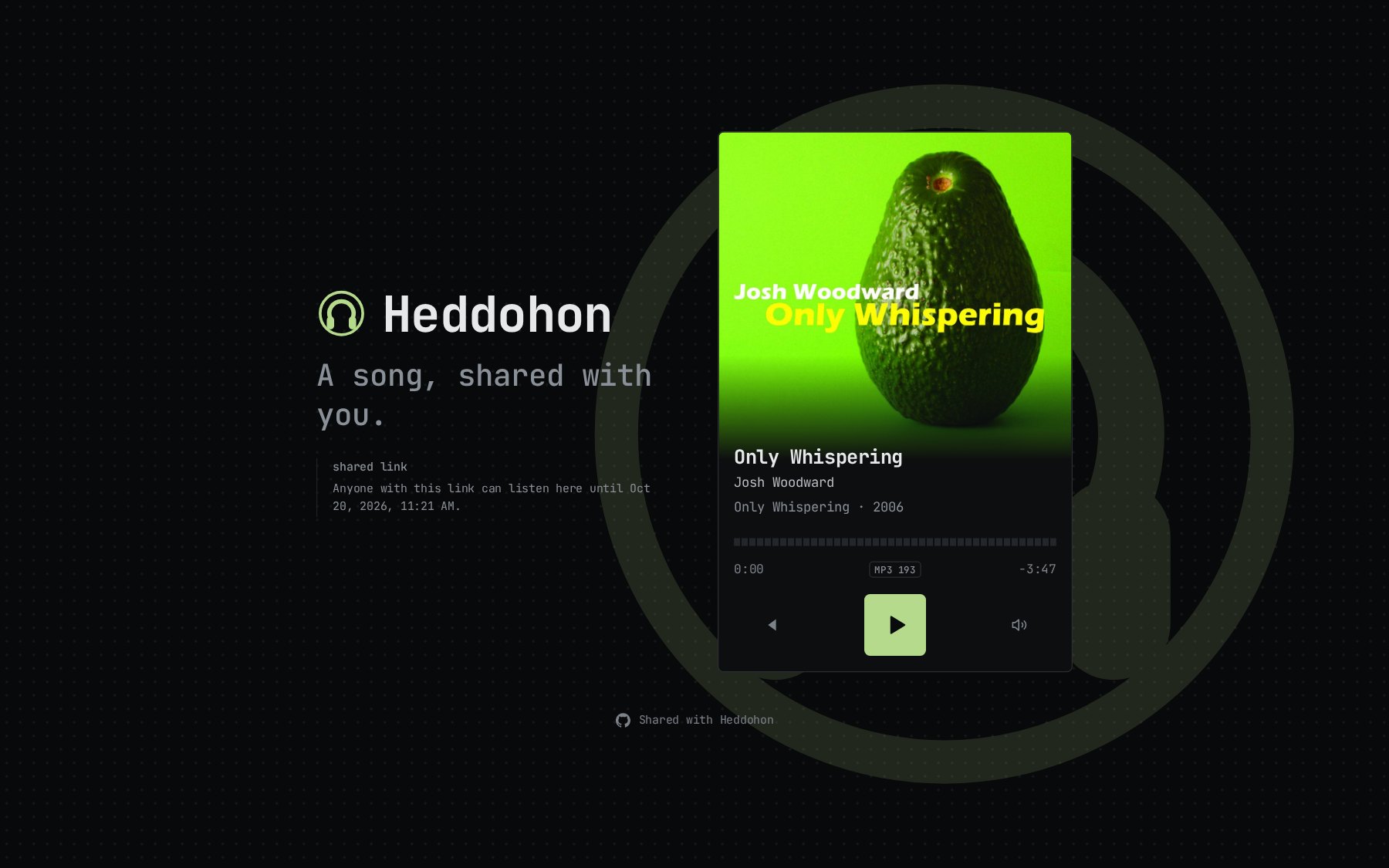
Open the app
About Heddohon
Heddohon is a web music player you host yourself, in front of the Navidrome, Subsonic or Jellyfin server you already run. The browser only talks to Heddohon, so your music server can stay private.
Features
- Listen together: send a link and everyone hears what you play, as you play it
- Share a song, an album or a playlist with anyone, no account needed
- Your play history kept on your server: top artists, listening hours, "on this day" and daily mixes
- Original files up to FLAC 24/192, or transcoded to MP3, Opus or AAC
- Crossfade, ReplayGain, sleep timer, equaliser with AutoEq, synced lyrics, internet radio, Chromecast and AirPlay
- Four themes coloured by the artwork, and a keyboard command line (Ctrl+K)
- Two-step sign-in, passkeys and single sign-on (OIDC)
How to use
- Open Heddohon from your dashboard.
- Type the setup code from the app log.
- Type your music server's address, like
http://[ZIMAOS-IP-ADDRESS]:4533for Navidrome. - Sign in with your account on the music server and press play.
Before you install
You need a Navidrome, Subsonic or Jellyfin server with your music; Heddohon has no music of its own. Nothing has to be set before installing. After the start (a few seconds), find the setup code in the app log, open http://[ZIMAOS-IP-ADDRESS]:6135, type the code and your music server's address. The setup page makes the secret key and keeps it in the data folder. Every other setting is optional and listed in the Variables tab. To use one, add it in the app settings with your value; a setting you leave out keeps its default.
The settings in the first table are already in the app settings. To use any other one, open the app settings, add the variable with your value, save, and the app restarts with it. A setting you leave out uses its default.
In the app settings
| Variable | Default value | Description |
|---|---|---|
TZ | $TZ | Your time zone. It is filled in from your ZimaOS time zone. Leave it unless you need another. |
PUID | $PUID | The user that owns the data folder. It is filled in by ZimaOS. Leave it. |
PGID | $PGID | The group that owns the data folder. It is filled in by ZimaOS. Leave it. |
Server
| Variable | Default value | Description |
|---|---|---|
HEDDOHON_ | — | The secret that seals stored credentials and sessions, at least 32 characters. Leave it out: the setup page makes one and keeps it in setup.json. Changing it signs everyone out. |
ORIGIN | — | The address people open, like https://music.example.com. Leave it out: the setup page saves it from your browser, and you can change it under Settings, Storage. |
HEDDOHON_ | auto | auto, true or false. Set to false if sign-in doesn't stick on a plain http:// address. |
HEDDOHON_ | 720 | How many hours people stay signed in. |
ADDRESS_ | — | Behind a reverse proxy: the header with the visitor's address, like X-Real-IP. Set it only when every request comes through the proxy. |
Music servers
| Variable | Default value | Description |
|---|---|---|
HEDDOHON_ | — | Your Navidrome or Subsonic address, like http://192.168.1.20:4533. Leave it out to type it in the setup page instead. |
HEDDOHON_ | Navidrome | The name shown for that server. |
HEDDOHON_ | — | Your Jellyfin address, like http://192.168.1.20:8096. |
HEDDOHON_ | Jellyfin | The name shown for that server. |
Storage
| Variable | Default value | Description |
|---|---|---|
HEDDOHON_ | 2048 | Most space the album cover cache may use, in MB. |
HEDDOHON_ | 20000 | How long to wait for the music server, in milliseconds. |
HEDDOHON_ | — | A PostgreSQL server instead of the built-in SQLite, like postgres://192.168.1.20:5432/heddohon. Use it with HEDDOHON_DATABASE_USER and HEDDOHON_DATABASE_PASSWORD. |
HEDDOHON_ | — | The PostgreSQL user. |
HEDDOHON_ | — | The PostgreSQL password. |
Features
| Variable | Default value | Description |
|---|---|---|
HEDDOHON_ | true | Set to false to turn off share links. |
HEDDOHON_ | true | Set to false to turn off downloads. |
HEDDOHON_ | true | Set to false to hide the folder view. |
HEDDOHON_ | terminal | The theme a new account starts in: terminal, liquid, paper or phosphor. |
HEDDOHON_ | true | Set to false to turn off internet radio. |
HEDDOHON_ | true | Set to false so one browser can't control another. |
HEDDOHON_ | true | Set to false so accounts can't see what each other is playing. |
HEDDOHON_ | true | Set to false to turn off profile pages. |
HEDDOHON_ | — | Set to true to let accounts connect an AI assistant (MCP) to their library, or false to block it. Leave it out to decide under Settings, AI. |
Sign-in
| Variable | Default value | Description |
|---|---|---|
HEDDOHON_ | — | Set to true so every account must use an authenticator app or a passkey. Leave it out to let each account decide. |
HEDDOHON_ | — | Your OpenID Connect provider, like https://auth.example.com. Register Heddohon there with the redirect address <your address>/login/oidc/callback. |
HEDDOHON_ | — | The client ID from your provider. |
HEDDOHON_ | — | The client secret from your provider. Leave it out for a public client. |
HEDDOHON_ | single sign-on | The name on the "Sign in with" button. |
HEDDOHON_ | — | A line shown on the sign-in page, like "Use your Navidrome login." |
HEDDOHON_ | Heddohon | The name shown on the sign-in page. |
Online services
| Variable | Default value | Description |
|---|---|---|
HEDDOHON_ | — | Set to true to fetch lyrics from lrclib.net. |
HEDDOHON_ | — | Set to true to fetch AutoEq headphone corrections. |
HEDDOHON_ | — | Set to true to look up new releases on MusicBrainz. |
HEDDOHON_ | — | Set to true to allow Discord sharing. |
HEDDOHON_ | — | Set to true to allow scrobbling to ListenBrainz. |
HEDDOHON_ | — | Turns on the Heddohon plugin for Navidrome. At least 32 characters, not the same as HEDDOHON_SECRET. The plugin takes the same value. |
Logs
| Variable | Default value | Description |
|---|---|---|
HEDDOHON_ | error | error, warn, info or debug. |
HEDDOHON_ | — | Set to json for machine-readable logs. |
name: heddohon

services:
  heddohon:
    image: ghcr.io/zorcerer/heddohon:0.8.0
    container_name: heddohon
    restart: unless-stopped
    stop_grace_period: 20s
    network_mode: bridge
    environment:
      - TZ=$TZ
      - PUID=$PUID
      - PGID=$PGID
    ports:
      - target: 3000
        published: "6135"
        protocol: tcp
    volumes:
      - type: bind
        source: /DATA/AppData/$AppID/data
        target: /data
        bind:
          create_host_path: true
    healthcheck:
      test: ["CMD", "curl", "-fsS", "http://127.0.0.1:3000/healthz"]
      interval: 30s
      timeout: 5s
      retries: 3
      start_period: 20s
    deploy:
      resources:
        limits:
          cpus: "1.00"
          memory: 768M
        reservations:
          cpus: "0.00"
          memory: 128M
    labels:
      icon: https://cdn.jsdelivr.net/gh/HSinghHira/IceStore@main/Apps/heddohon/icon.png
    x-casaos:
      id: com.icestore.heddohon
      envs:
        - container: TZ
          description:
            en_US: >-
              Your time zone. It is filled in from your ZimaOS time zone.
              Leave it unless you need another.
        - container: PUID
          description:
            en_US: >-
              The user that owns the data folder. It is filled in by ZimaOS.
              Leave it.
        - container: PGID
          description:
            en_US: >-
              The group that owns the data folder. It is filled in by ZimaOS.
              Leave it.
      ports:
        - container: "3000"
          description:
            en_US: Heddohon web player, published on host as 6135
      volumes:
        - container: /data
          description:
            en_US: >-
              The SQLite database, setup.json (with the secret the setup page
              makes), play history, sessions and the cover cache. Back this
              folder up.

x-casaos:
  id: com.icestore.heddohon
  architectures:
    - amd64
    - arm64
  main: heddohon
  author: HSinghHira
  category: Media
  developer: zorcerer
  icon: https://cdn.jsdelivr.net/gh/HSinghHira/IceStore@main/Apps/heddohon/icon.png
  thumbnail: https://cdn.jsdelivr.net/gh/HSinghHira/IceStore@main/Apps/heddohon/screenshot-1.jpg
  screenshot_link:
    - https://cdn.jsdelivr.net/gh/HSinghHira/IceStore@main/Apps/heddohon/screenshot-1.jpg
    - https://cdn.jsdelivr.net/gh/HSinghHira/IceStore@main/Apps/heddohon/screenshot-2.jpg
    - https://cdn.jsdelivr.net/gh/HSinghHira/IceStore@main/Apps/heddohon/screenshot-3.jpg
    - https://cdn.jsdelivr.net/gh/HSinghHira/IceStore@main/Apps/heddohon/screenshot-4.jpg
    - https://cdn.jsdelivr.net/gh/HSinghHira/IceStore@main/Apps/heddohon/screenshot-5.jpg
  title:
    en_US: Heddohon
  tagline:
    en_US: A web music player for your Navidrome, Subsonic or Jellyfin server
  description:
    en_US: >-
      Heddohon is a web music player you host yourself, in front of the
      Navidrome, Subsonic or Jellyfin server you already run. The browser only
      talks to Heddohon, so your music server can stay private.


      **Features**


      - Listen together: send a link and everyone hears what you play, as you
        play it

      - Share a song, an album or a playlist with anyone, no account needed

      - Your play history kept on your server: top artists, listening hours,
        "on this day" and daily mixes

      - Original files up to FLAC 24/192, or transcoded to MP3, Opus or AAC

      - Crossfade, ReplayGain, sleep timer, equaliser with AutoEq, synced
        lyrics, internet radio, Chromecast and AirPlay

      - Four themes coloured by the artwork, and a keyboard command line
        (Ctrl+K)

      - Two-step sign-in, passkeys and single sign-on (OIDC)


      **How to use?**


      1. Open Heddohon from the Zima OS dashboard.

      2. Type the setup code from the app log.

      3. Type your music server's address, like http://[ZIMAOS-IP-ADDRESS]:4533
         for Navidrome.

      4. Sign in with your account on the music server and press play.
  tips:
    before_install:
      en_US: >-
        1. You need a Navidrome, Subsonic or Jellyfin server with your music.
           Heddohon plays music from it.


        2. Start the installation. It is ready in a few seconds.


        3. Open the app log. Find the setup code.


        4. Open http://[ZIMAOS-IP-ADDRESS]:6135 and type the setup code.


        5. Type your music server's address, like
           http://192.168.1.20:4533 for Navidrome or http://192.168.1.20:8096
           for Jellyfin. Keep the other choices as they are.


        6. Sign in with your music server account.


        7. More settings, like single sign-on, lyrics and log level, are
           listed on the Heddohon page at
           https://icestore.hsinghhira.me/app/heddohon/ (Variables tab). You
           can add them now or later in the app settings.
  index: /
  port_map: "6135"
  scheme: http
  is_uncontrolled: false
  version: "0.8.0"
  update_at: "2026-10-29"
  release_notes:
    en_US: |-
      - First version in IceStore, on port 6135
      - ghcr.io/zorcerer/heddohon 0.8.0, as upstream ships it
      - SQLite in the data folder; the setup page makes the secret on first start
  repo: "https://github.com/zorcerer/heddohon"
  support: "https://github.com/zorcerer/heddohon/issues"
  docs: "https://github.com/zorcerer/heddohon/wiki/Configuration"
Install Heddohon
 ZimaOS
Add the store link, then find Heddohon in the App Store and install it.
 CasaOS
Add the store link, then find Heddohon in the App Store and install it.
 Homeio
Add the store link, then find Heddohon in the App Store and install it.
Something not working with Heddohon? Report a problem or request another app.


