
Habits
A small self-hosted habit tracker with streaks and statistics
- ghcr.io/petrjancar/habits:2.0.0
- v2.0.0
- Updated 29 Oct 2026
- port 6171
- amd64 · arm64
- Productivity
- 0 stars
Screenshots
Open the app
About Habits
Habits is a small habit tracker: check off habits each day, keep streaks going and see how consistent you've been. It runs as one PocketBase process, so there is no separate database to look after.
Features
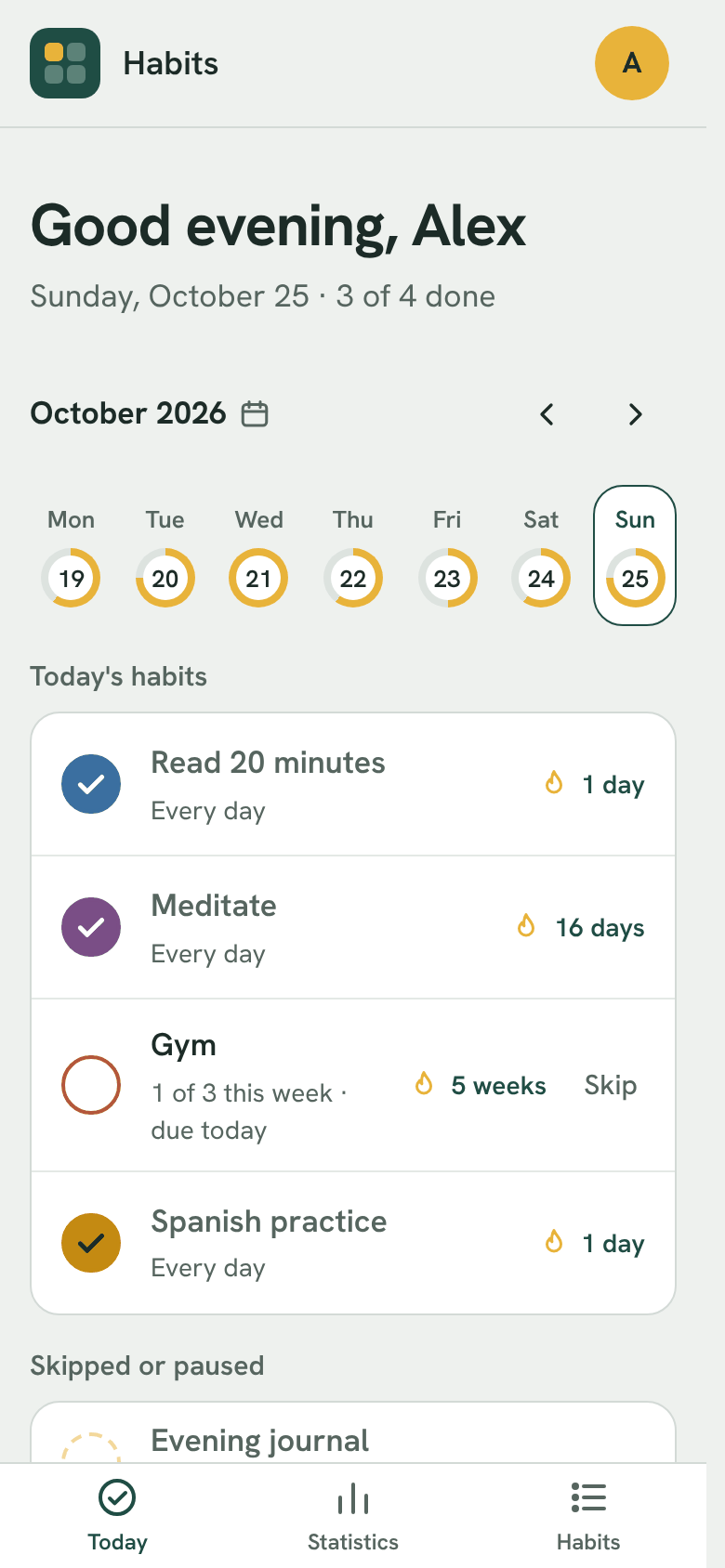
- Today page: check off today's habits or any earlier day, page through the weeks and see what's coming up
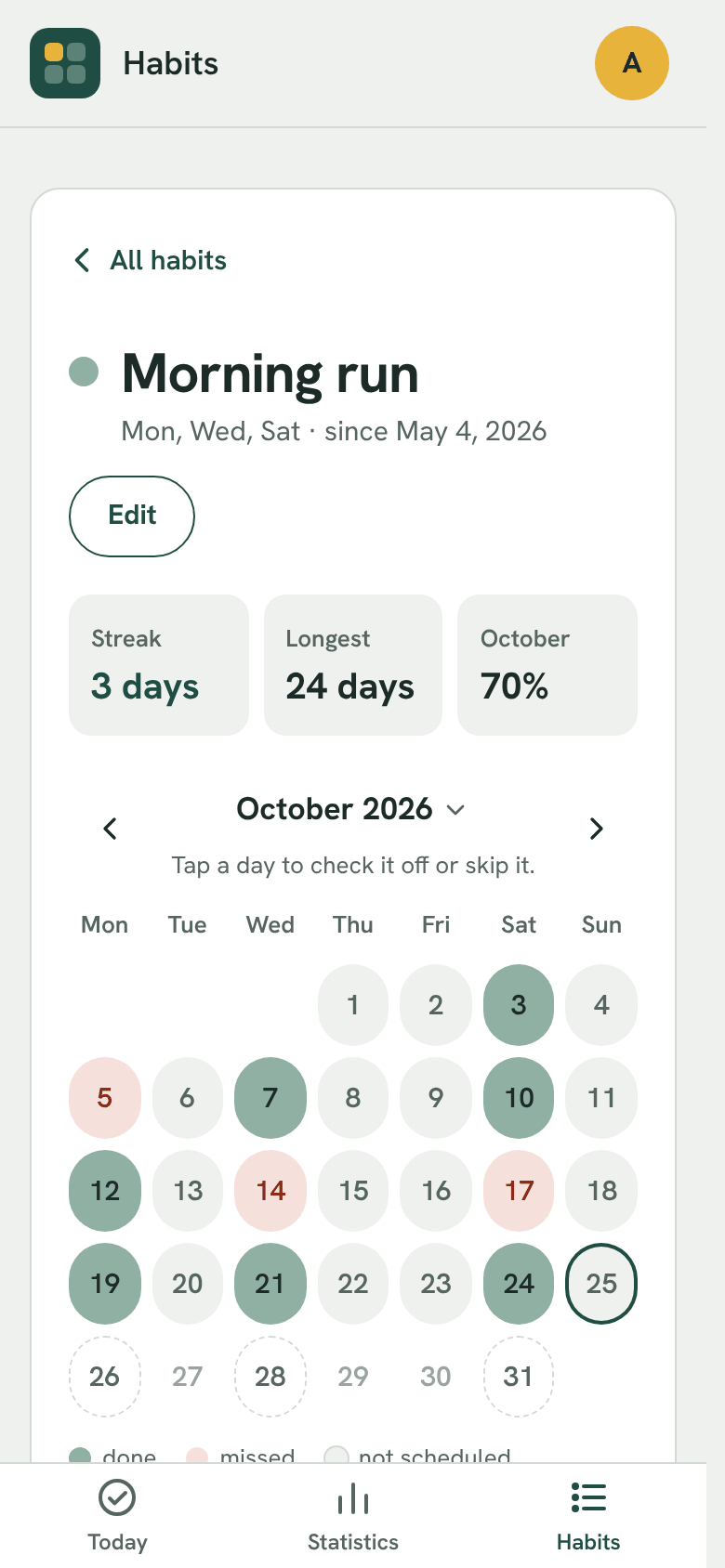
- Schedules: every day, chosen weekdays, or a number of times a week
- Pauses and skips: plan a holiday or skip a sick day without breaking the streak
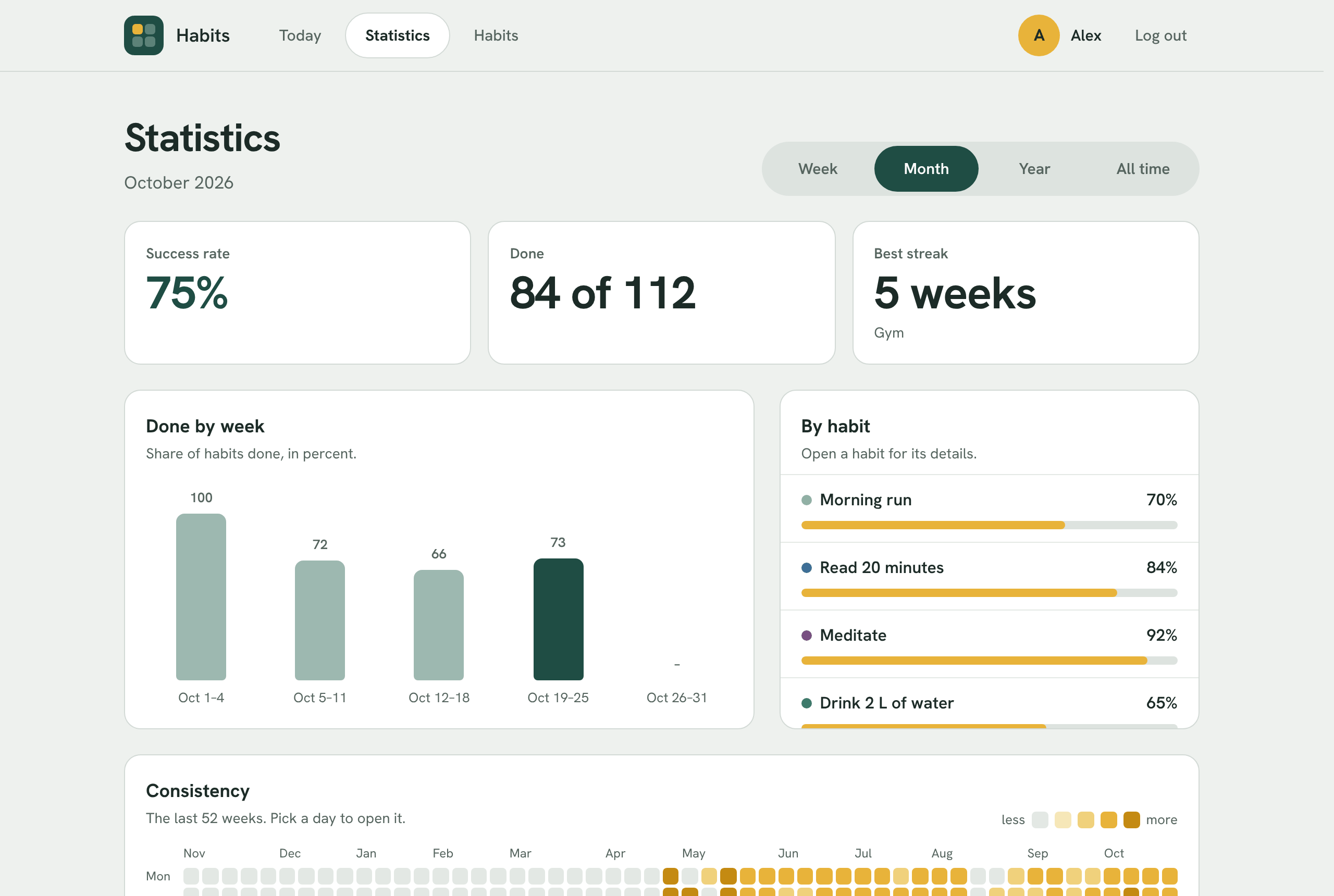
- Statistics: success rate, best streak, charts and a 52-week calendar
- 16 colours, light and dark theme, JSON backup export and import
- Install it on your phone's home screen as an app (needs https)
How to use
- Open Habits from your dashboard.
- Click Register and make your account.
- Add your first habit and pick when it is due.
- Check it off on the Today page each day.
Before you install
Nothing has to be set. If you also want the PocketBase admin dashboard at http://[ZIMAOS-IP-ADDRESS]:6171/_/, set PB_ADMIN_EMAIL and PB_ADMIN_PASSWORD (at least 8 characters) before you install; the account is made, or its password reset, on every start. In the dashboard you can turn off sign-up for new people and make backups. To use Habits from other devices, open http://[ZIMAOS-IP-ADDRESS]:6171. To add it to a phone's home screen, open it over https, for example through a reverse proxy. It is ready a few seconds after install.
| Variable | Default value | Description |
|---|---|---|
TZ | $TZ | Your time zone. It is filled in from your ZimaOS time zone. Leave it unless you need another. |
PB_ | — | Optional. The email for the PocketBase admin dashboard at /_/. Set it together with PB_ADMIN_PASSWORD to make (or reset) the admin account on start. You don't need it to track habits. |
PB_ | — | Optional. The admin dashboard password, at least 8 characters. Only used when PB_ADMIN_EMAIL is set too. |
name: habits

services:
  habits:
    image: ghcr.io/petrjancar/habits:2.0.0
    container_name: habits
    restart: unless-stopped
    stop_grace_period: 30s
    network_mode: bridge
    user: "0:0"
    environment:
      - TZ=$TZ
      - PB_ADMIN_EMAIL=
      - PB_ADMIN_PASSWORD=
    ports:
      - target: 8090
        published: "6171"
        protocol: tcp
    volumes:
      - type: bind
        source: /DATA/AppData/$AppID/pb_data
        target: /pb/pb_data
        bind:
          create_host_path: true
    healthcheck:
      test: ["CMD", "wget", "-qO-", "http://127.0.0.1:8090/api/health"]
      interval: 30s
      timeout: 5s
      retries: 3
      start_period: 20s
    deploy:
      resources:
        limits:
          cpus: "0.50"
          memory: 256M
        reservations:
          cpus: "0.00"
          memory: 32M
    labels:
      icon: https://cdn.jsdelivr.net/gh/HSinghHira/IceStore@main/Apps/habits/icon.png
    x-casaos:
      id: com.icestore.habits
      envs:
        - container: TZ
          description:
            en_US: >-
              Your time zone. It is filled in from your ZimaOS time zone.
              Leave it unless you need another.
        - container: PB_ADMIN_EMAIL
          description:
            en_US: >-
              Optional. The email for the PocketBase admin dashboard at
              /_/. Set it together with PB_ADMIN_PASSWORD to make (or reset)
              the admin account on start. You don't need it to track habits.
        - container: PB_ADMIN_PASSWORD
          description:
            en_US: >-
              Optional. The admin dashboard password, at least 8 characters.
              Only used when PB_ADMIN_EMAIL is set too.
      ports:
        - container: "8090"
          description:
            en_US: Habits web app and PocketBase admin dashboard, published on host as 6171
      volumes:
        - container: /pb/pb_data
          description:
            en_US: >-
              The PocketBase database with every account, habit and
              check-in, plus the dashboard's own backups. Back this folder up.

x-casaos:
  id: com.icestore.habits
  architectures:
    - amd64
    - arm64
  main: habits
  author: HSinghHira
  category: Productivity
  developer: petrjancar
  icon: https://cdn.jsdelivr.net/gh/HSinghHira/IceStore@main/Apps/habits/icon.png
  thumbnail: https://cdn.jsdelivr.net/gh/HSinghHira/IceStore@main/Apps/habits/screenshot-1.png
  screenshot_link:
    - https://cdn.jsdelivr.net/gh/HSinghHira/IceStore@main/Apps/habits/screenshot-1.png
    - https://cdn.jsdelivr.net/gh/HSinghHira/IceStore@main/Apps/habits/screenshot-2.png
    - https://cdn.jsdelivr.net/gh/HSinghHira/IceStore@main/Apps/habits/screenshot-3.png
  title:
    en_US: Habits
  tagline:
    en_US: A small self-hosted habit tracker with streaks and statistics
  description:
    en_US: >-
      Visit: [https://icestore.hsinghhira.me/app/habits/](https://icestore.hsinghhira.me/app/habits/) for full details


      Habits is a small habit tracker: check off habits each day, keep
      streaks going and see how consistent you've been. It runs as one
      PocketBase process, so there is no separate database to look after.


      **Features**


      - Today page: check off today's habits or any earlier day, page
        through the weeks and see what's coming up

      - Schedules: every day, chosen weekdays, or a number of times a week

      - Pauses and skips: plan a holiday or skip a sick day without breaking
        the streak

      - Statistics: success rate, best streak, charts and a 52-week calendar

      - 16 colours, light and dark theme, JSON backup export and import

      - Install it on your phone's home screen as an app (needs https)


      **How to use?**


      1. Open Habits from the Zima OS dashboard.


      2. Click Register and make your account.


      3. Add your first habit and pick when it is due.


      4. Check it off on the Today page each day.
  tips:
    before_install:
      en_US: >-
        1. You don't have to set anything. Just start the installation.


        2. Want the admin dashboard too? Set PB_ADMIN_EMAIL and
           PB_ADMIN_PASSWORD first. The password needs at least 8 letters or
           numbers.


        3. Wait a few seconds. Then open Habits from the Zima OS dashboard,
           or go to http://[ZIMAOS-IP-ADDRESS]:6171 from another device.


        4. Click Register and make your account.


        5. The admin dashboard is at http://[ZIMAOS-IP-ADDRESS]:6171/_/ .
           There you can turn off sign-up for new people and make backups.


        6. To add Habits to your phone's home screen, open it over https,
           for example through a reverse proxy.
  index: /
  port_map: "6171"
  scheme: http
  is_uncontrolled: false
  version: "2.0.0"
  update_at: "2026-10-29"
  release_notes:
    en_US: |-
      - First version in IceStore, on port 6171
      - Uses ghcr.io/petrjancar/habits 2.0.0 as upstream ships it
      - Runs as root inside the container so it can write to the ZimaOS data folder
  repo: "https://github.com/petrjancar/habits"
  support: "https://github.com/petrjancar/habits/issues"
  docs: "https://github.com/petrjancar/habits/blob/main/docs/how-it-works.md"
Install Habits
 ZimaOS
Add the store link, then find Habits in the App Store and install it.
 CasaOS
Add the store link, then find Habits in the App Store and install it.
 Homeio
Add the store link, then find Habits in the App Store and install it.
Something not working with Habits? Report a problem or request another app.
More Productivity apps
See all
Indelible
A self-hosted, permanent home for everything you save to read later

Job Application Tracker
Track your job search on your own server, with a Kanban board, recruiter CRM and insights

MailFlow
One modern webmail inbox for Gmail, Outlook, iCloud and any IMAP account