
Inkling
Notes with Notion-style databases, linked pages, a graph, canvases and live collaboration.
- ghcr.io/hsinghhira/inkling:latest
- v0.8.0
- Updated 9 Nov 2026
- port 6703
- amd64 · arm64
- Productivity
- 4 stars
Screenshots
Open the app
About Inkling
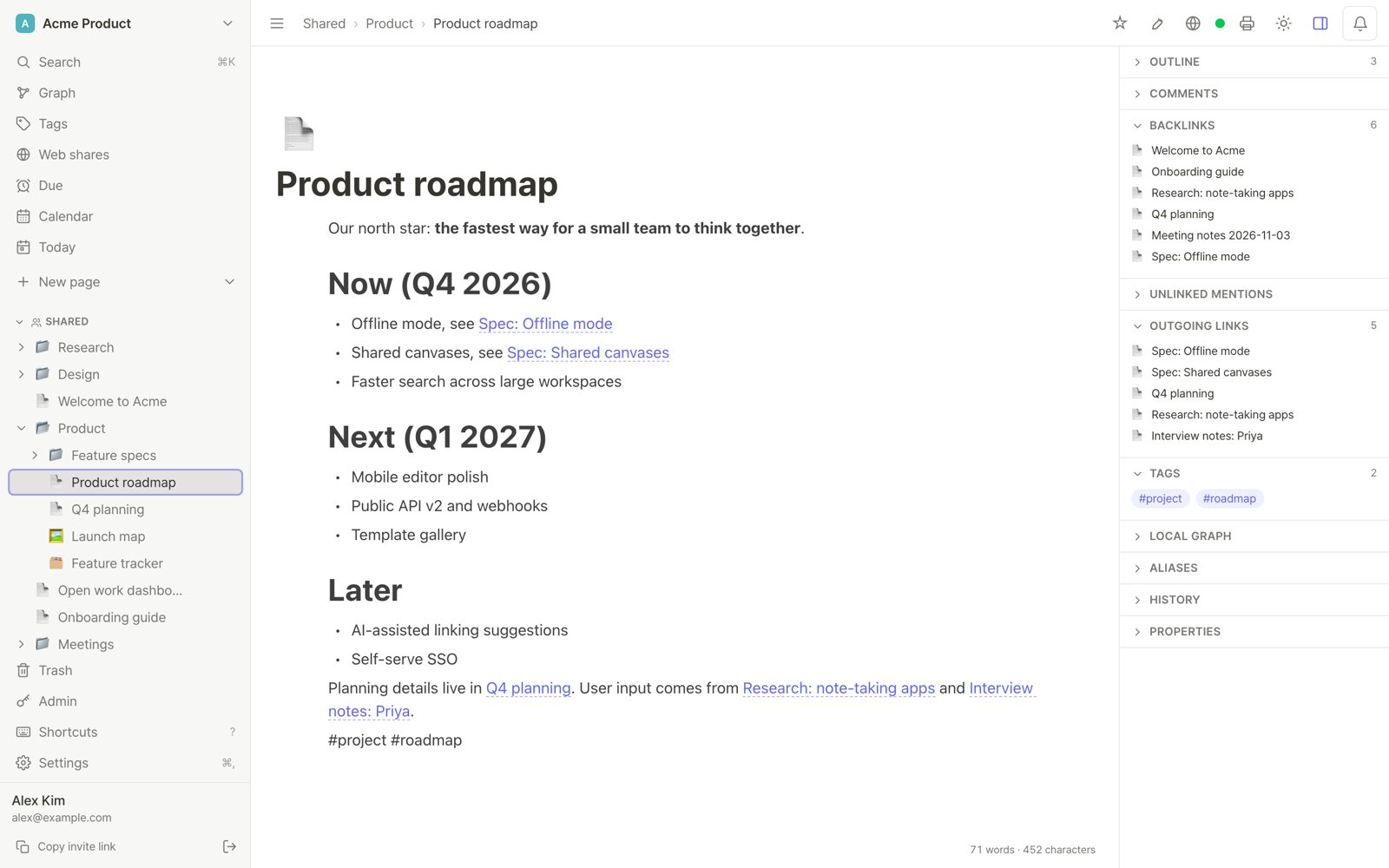
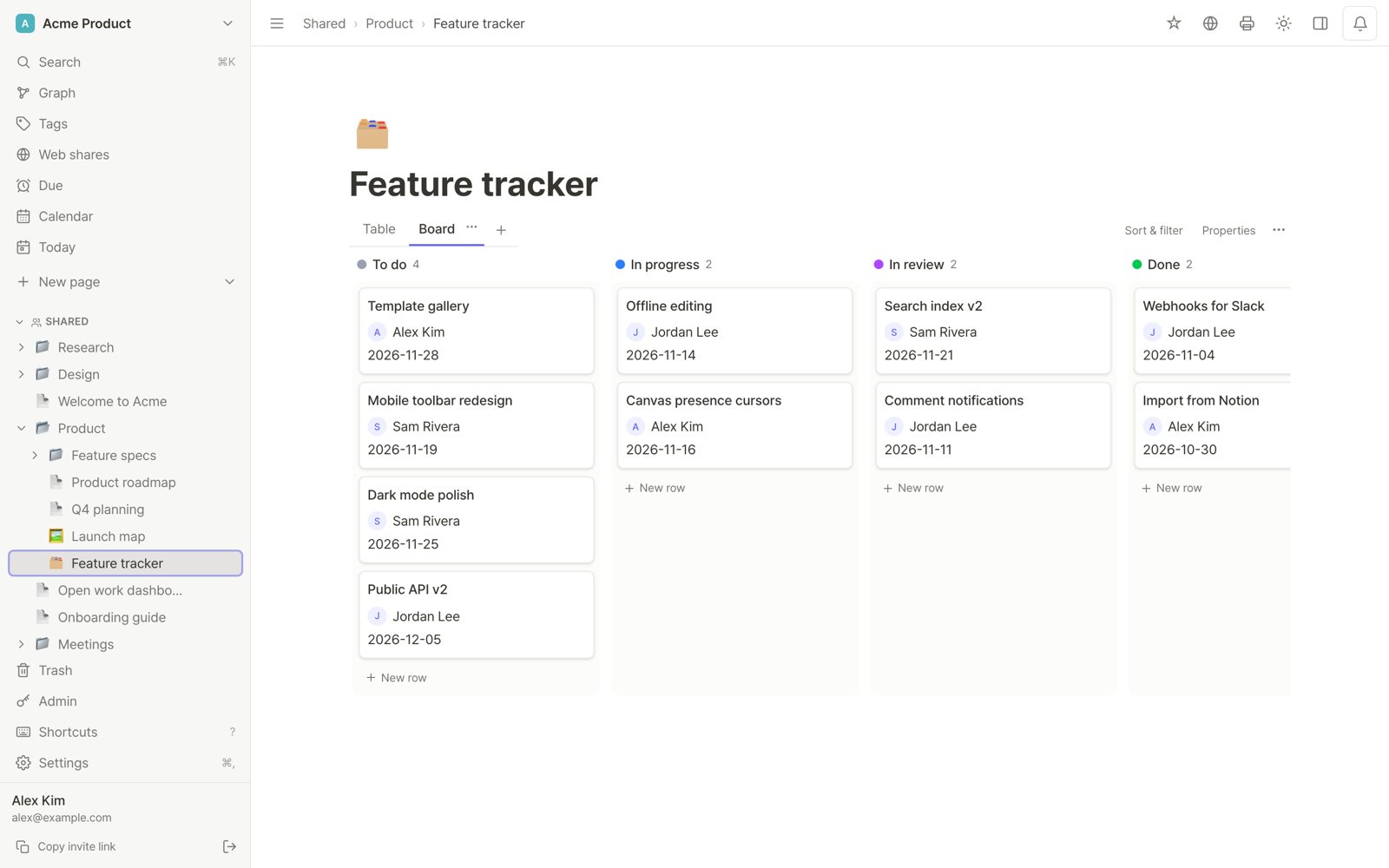
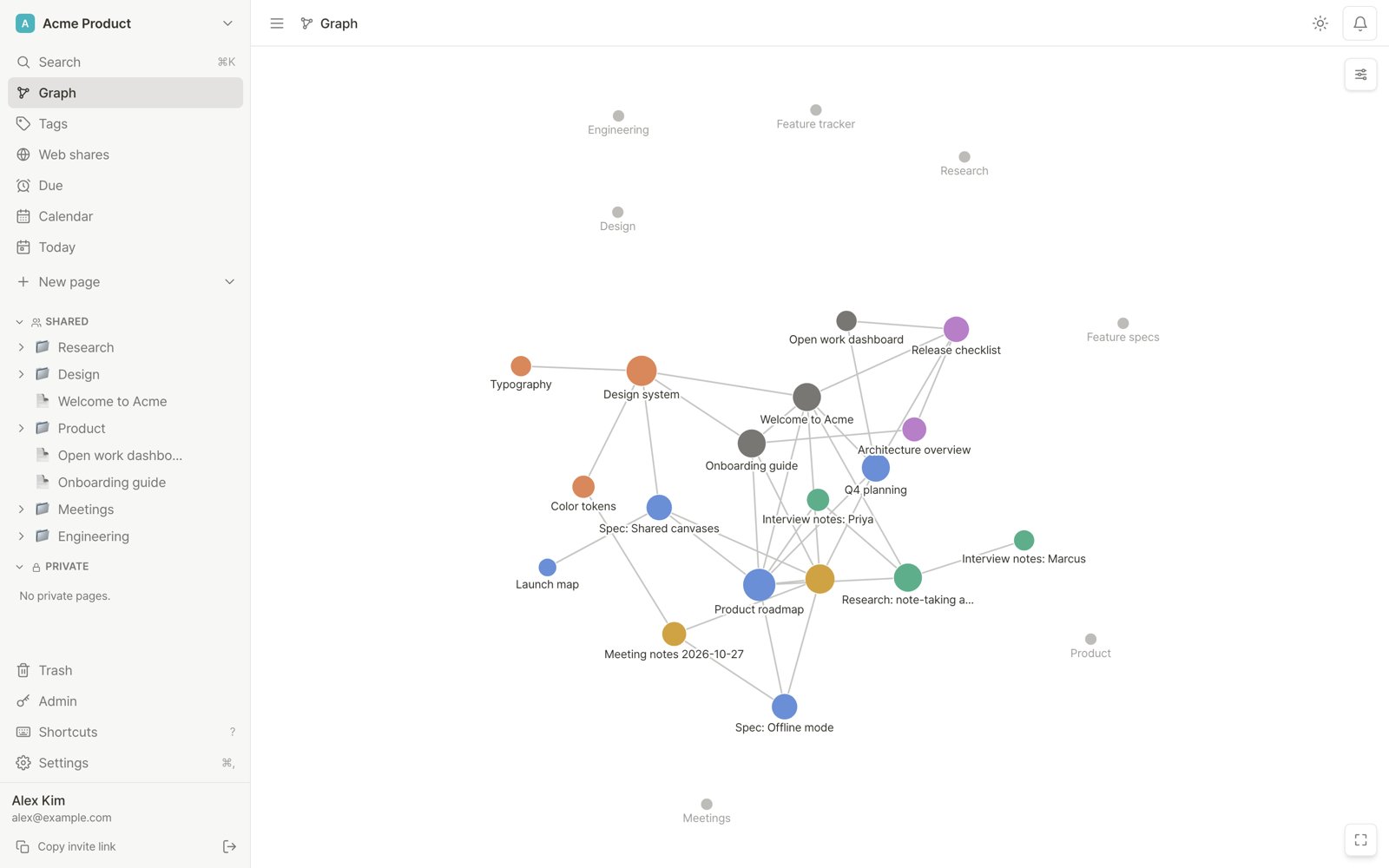
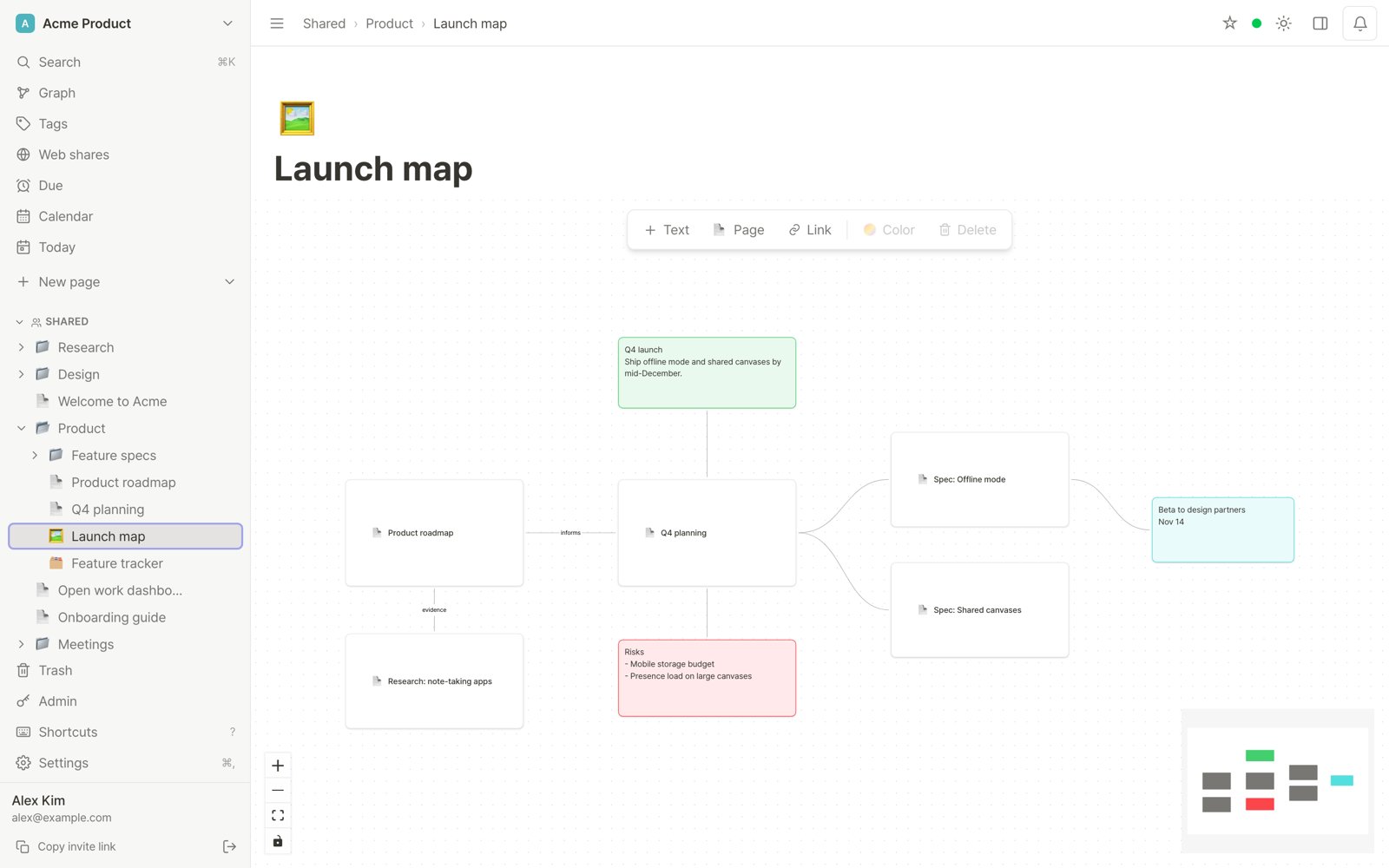
Inkling puts Notion-style databases and Obsidian-style links, graph and JSON Canvas in one self-hosted notes app, with real-time collaboration and a built-in MCP server for AI agents. PostgreSQL is inside this one container.
Features
- Block editor with tables, code, checklists, math, wikilinks, tags and daily notes
- Databases with table, board, calendar, gallery and timeline views
- Backlinks, a link graph and an infinite canvas (JSON Canvas)
- Live co-editing, workspaces, roles, comments and share links
- MCP server for Claude and other agents; Markdown, Notion and Obsidian import
How to use
- Copy the sign-up link from the app's logs (CREDENTIALS box).
- Open it and create your account. You become the admin.
- Make a workspace and start writing.
- Invite others with signup keys from the Admin page.
Before you install
Set PUBLIC_URL to the address you open Inkling at, like http://192.168.1.20:6703; email links, share previews and AI agent (MCP) sign-in use it, and Inkling opens from any address either way.
Accounts need a signup key. On the first start a key is made for you and shown in the app's logs, in the box marked CREDENTIALS, as a ready sign-up link. The first person to use it becomes the admin, who makes keys for everyone else on the Admin page. The first start takes about a minute. More settings (email, single sign-on, security) are in the Variables tab; add them in the app settings. Upstream's backup sidecar is not included: back up /DATA/AppData/inkling.
The settings in the first table are already in the app settings. To use any other one, open the app settings, add the variable with your value, save, and the app restarts with it. A setting you leave out uses its default.
In the app settings
| Variable | Default value | Description |
|---|---|---|
TZ | $TZ | Your time zone. It is filled in from your ZimaOS time zone and decides "today" for due dates and daily notes. |
PUBLIC_ | http://localhost:6703 | The address you open Inkling at, like http://192.168.1.20:6703 or https://notes.example.com. Inkling opens from any address; this one is used in email links, share previews and AI agent (MCP) sign-in. With https, sign-in cookies are marked secure. |
Sign-up and accounts
| Variable | Default value | Description |
|---|---|---|
SIGNUP_ | — | Set to 0 to let anyone sign up without a signup key. Left out, a key is needed (make them on the Admin page). |
REQUIRE_ | 0 | Set to 1 so new accounts must verify their email before they can log in (needs email set up). |
Email (SMTP)
| Variable | Default value | Description |
|---|---|---|
SMTP_ | — | Your mail server, like smtp.gmail.com. Mail is on when this and MAIL_FROM are set. |
SMTP_ | 587 | Your mail server's port (465 with SMTP_SECURE=1). |
SMTP_ | 0 | Set to 1 for TLS from the start (port 465). |
SMTP_ | — | The user name for your mail server. |
SMTP_ | — | The password for your mail server. |
MAIL_ | — | The sender, like Inkling <[email protected]>. |
Sign in with OpenID Connect
| Variable | Default value | Description |
|---|---|---|
OIDC_ | — | Your provider, like https://accounts.google.com or your Authentik application's URL. Register the redirect URI PUBLIC_URL followed by /api/auth/oidc/callback. |
OIDC_ | — | The client ID from your provider. |
OIDC_ | — | The client secret from your provider. |
OIDC_ | SSO | The button label: "Sign in with <name>". |
OIDC_ | — | Only these email domains may sign in, like example.com. |
OIDC_ | 0 | Set to 1 to create an account on someone's first sign-in. |
DELEGATED_ | — | An external auth server that checks logins Inkling doesn't know (see upstream's DEPLOY.md for the contract). |
Security
| Variable | Default value | Description |
|---|---|---|
TRUST_ | loopback,uniquelocal | Proxies whose X-Forwarded-For is trusted. Add your reverse proxy's address if it is not on a private network. |
AUTH_ | 10 | Failed logins from one address before it is banned for a while. |
ALLOWLIST_ | — | Addresses that are never banned, like 192.168.1.0/24. |
Imports
| Variable | Default value | Description |
|---|---|---|
IMPORT_ | 25 | The largest Notion, Markdown or zip import, in MB. |
Features
| Variable | Default value | Description |
|---|---|---|
DEFAULT_ | en | Language for emails and new users: en or ko. |
NOTION_ | — | A Notion integration token, for uploading pages to Notion. |
EXPERIMENTAL_ | — | Turn on experimental features, comma-separated: plugins, vault-sync, sheets-sync. |
UPDATE_ | — | Set to github to tell admins when a newer Inkling is out. |
name: inkling

services:
  inkling:
    image: ghcr.io/hsinghhira/inkling:latest
    container_name: inkling
    restart: unless-stopped
    stop_grace_period: 90s
    privileged: true
    environment:
      - TZ=$TZ
      - PUBLIC_URL=http://localhost:6703
    ports:
      - target: 8080
        published: "6703"
        protocol: tcp
    volumes:
      - type: bind
        source: /DATA/AppData/$AppID/data
        target: /data
        bind:
          create_host_path: true
    healthcheck:
      test: ["CMD", "curl", "-fsS", "-o", "/dev/null", "http://127.0.0.1:8080/api/health"]
      interval: 30s
      timeout: 10s
      retries: 5
      start_period: 120s
    deploy:
      resources:
        limits:
          cpus: "2.00"
          memory: 1536M
        reservations:
          cpus: "0.10"
          memory: 256M
    labels:
      icon: https://cdn.jsdelivr.net/gh/HSinghHira/IceStore@main/Apps/inkling/icon.png
    x-casaos:
      id: com.icestore.inkling
      envs:
        - container: TZ
          description:
            en_US: >-
              Your time zone. It is filled in from your ZimaOS time zone and
              decides "today" for due dates and daily notes.
        - container: PUBLIC_URL
          description:
            en_US: >-
              The address you open Inkling at, like http://192.168.1.20:6703 or
              https://notes.example.com. Inkling opens from any address; this
              one is used in email links, share previews and AI agent (MCP)
              sign-in. With https, sign-in cookies are marked secure.
      ports:
        - container: "8080"
          description:
            en_US: Inkling web app, API, live editing and MCP, published on host as 6703
      volumes:
        - container: /data
          description:
            en_US: >-
              The database (postgres/), uploaded files and plugins (inkling/)
              and the keys and first signup key (state/). Back up the whole
              folder.

x-casaos:
  id: com.icestore.inkling
  architectures:
    - amd64
    - arm64
  main: inkling
  author: HSinghHira
  category: Productivity
  developer: PROVE1352
  icon: https://cdn.jsdelivr.net/gh/HSinghHira/IceStore@main/Apps/inkling/icon.png
  thumbnail: https://cdn.jsdelivr.net/gh/HSinghHira/IceStore@main/Apps/inkling/screenshot-1.jpg
  screenshot_link:
    - https://cdn.jsdelivr.net/gh/HSinghHira/IceStore@main/Apps/inkling/screenshot-1.jpg
    - https://cdn.jsdelivr.net/gh/HSinghHira/IceStore@main/Apps/inkling/screenshot-2.jpg
    - https://cdn.jsdelivr.net/gh/HSinghHira/IceStore@main/Apps/inkling/screenshot-3.jpg
    - https://cdn.jsdelivr.net/gh/HSinghHira/IceStore@main/Apps/inkling/screenshot-4.jpg
  title:
    en_US: Inkling
  tagline:
    en_US: Notes with Notion-style databases, linked pages, a graph, canvases and live collaboration.
  description:
    en_US: >-
      Visit: [https://icestore.hsinghhira.me/app/inkling/](https://icestore.hsinghhira.me/app/inkling/) for full details


      Inkling puts Notion-style databases and Obsidian-style links, graph and
      JSON Canvas in one self-hosted notes app, with real-time collaboration
      and a built-in MCP server for AI agents. PostgreSQL is inside this one
      container.


      **Features**


      - Block editor with tables, code, checklists, math, wikilinks, tags and
        daily notes

      - Databases with table, board, calendar, gallery and timeline views

      - Backlinks, a link graph and an infinite canvas (JSON Canvas)

      - Live co-editing, workspaces, roles, comments and share links

      - MCP server for Claude and other agents; Markdown, Notion and Obsidian
        import


      **How to use?**


      1. Copy the sign-up link from the app's logs (CREDENTIALS box).


      2. Open it and create your account. You become the admin.


      3. Make a workspace and start writing.


      4. Invite others with signup keys from the Admin page.
  tips:
    before_install:
      en_US: >-
        1. Open the app configuration before you install.


        2. Find PUBLIC_URL. It starts as http://localhost:6703. Change
           localhost to your ZimaOS IP, like http://192.168.1.20:6703, so
           links and AI agent sign-in work. Inkling opens from any address
           either way.


        3. More settings, like email and sign-in with Google or Authentik,
           are listed on the Inkling page at
           https://icestore.hsinghhira.me/app/inkling/ (Variables tab). You
           can add them now or later in the app settings.


        4. Start the installation.


        5. Wait about a minute. The first start sets up the database.


        6. Look in the app's logs for the box marked CREDENTIALS. It has a
           sign-up link with your first signup key.


        7. Open that link and create your account. The first account is the
           admin.
  index: /
  port_map: "6703"
  scheme: http
  is_uncontrolled: false
  version: "0.8.0"
  update_at: "2026-11-09"
  release_notes:
    en_US: |-
      - First IceStore release: Inkling in one container with PostgreSQL 16, on port 6703 with one data folder.
      - The database password, APP_SECRET_KEY (for two-step verification) and a first signup key are made on first start; the sign-up link is in the CREDENTIALS box.
      - Left out: upstream's backup sidecar. Back up /DATA/AppData/inkling instead.
      - ghcr.io/prove1352/inkling 0.8.0
  repo: "https://github.com/PROVE1352/inkling"
  support: "https://github.com/PROVE1352/inkling/issues"
  docs: "https://github.com/PROVE1352/inkling/blob/main/deploy/DEPLOY.md"
Install Inkling
Something not working with Inkling?
Report it so it gets fixed, or ask for an app that is not here yet.
 ZimaOS
Add the store link, then find Inkling in the App Store and install it.
 CasaOS
Add the store link, then find Inkling in the App Store and install it.
 ReCasaOS
Add the store link, then find Inkling in the App Store and install it.
 Homeio
Add the store link, then find Inkling in the App Store and install it.
 MOS
Add the repository in MOS Hub Settings, then find Inkling in Docker → MOS Hub and install it.


