
Job Application Tracker
Track your job search on your own server, with a Kanban board, recruiter CRM and insights
- ghcr.io/hsinghhira/job-application-tracker:latest
- v1.1.0
- Updated 29 Oct 2026
- port 6172
- amd64 · arm64
- Productivity
- 7 stars
Screenshots
Open the app
About Job Application Tracker
Job Application Tracker is a self-hosted tracker for a job search, made for the way tech hiring works: recruiters with several roles, multi-stage interviews and things that go quiet. No account, no cloud, no AI and no tracking. Your data is a folder of SQLite, JSON Lines and Markdown, with automatic git snapshots.
Features
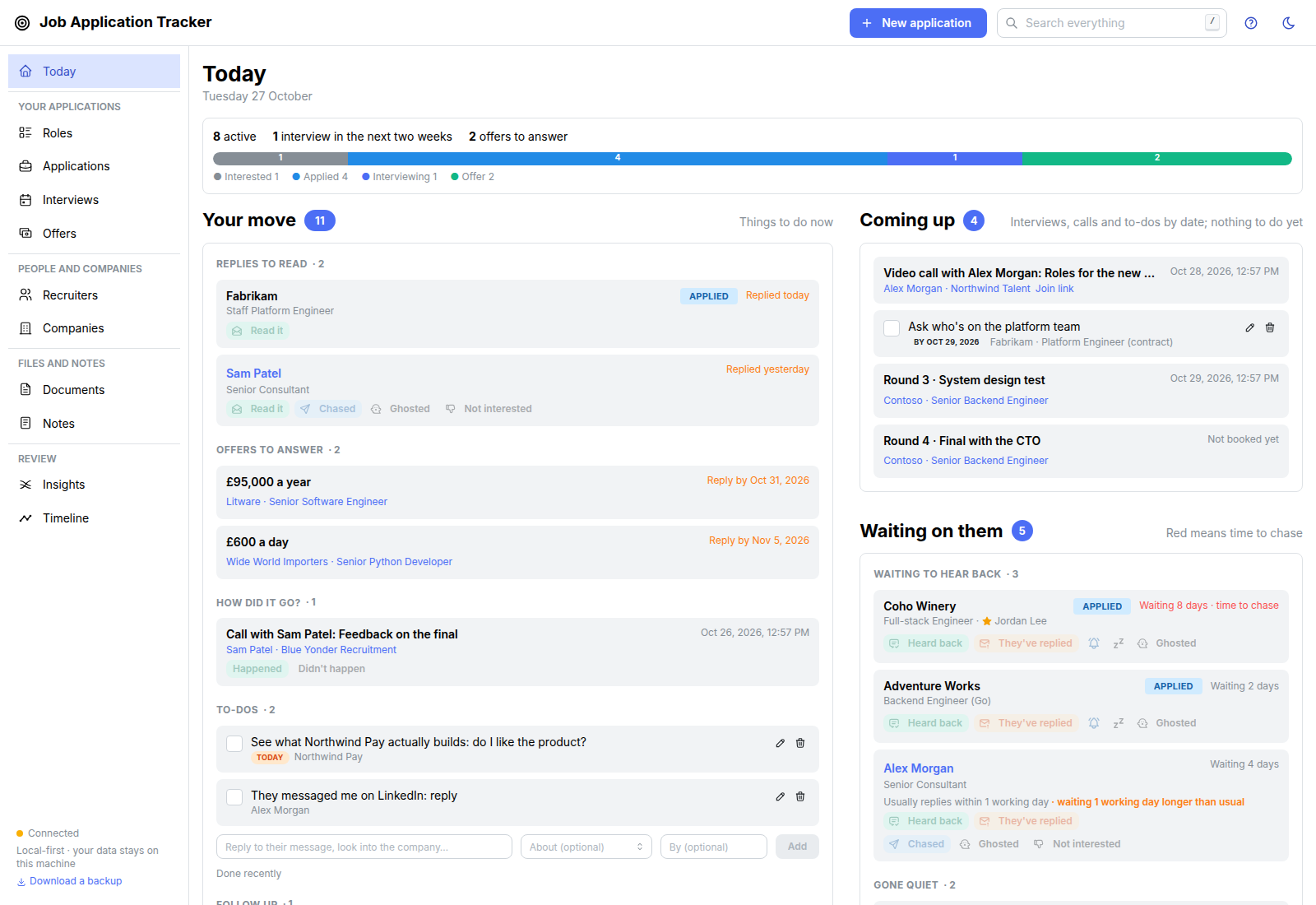
- Today page: replies to read, follow-ups due, what's coming up and who you're waiting on
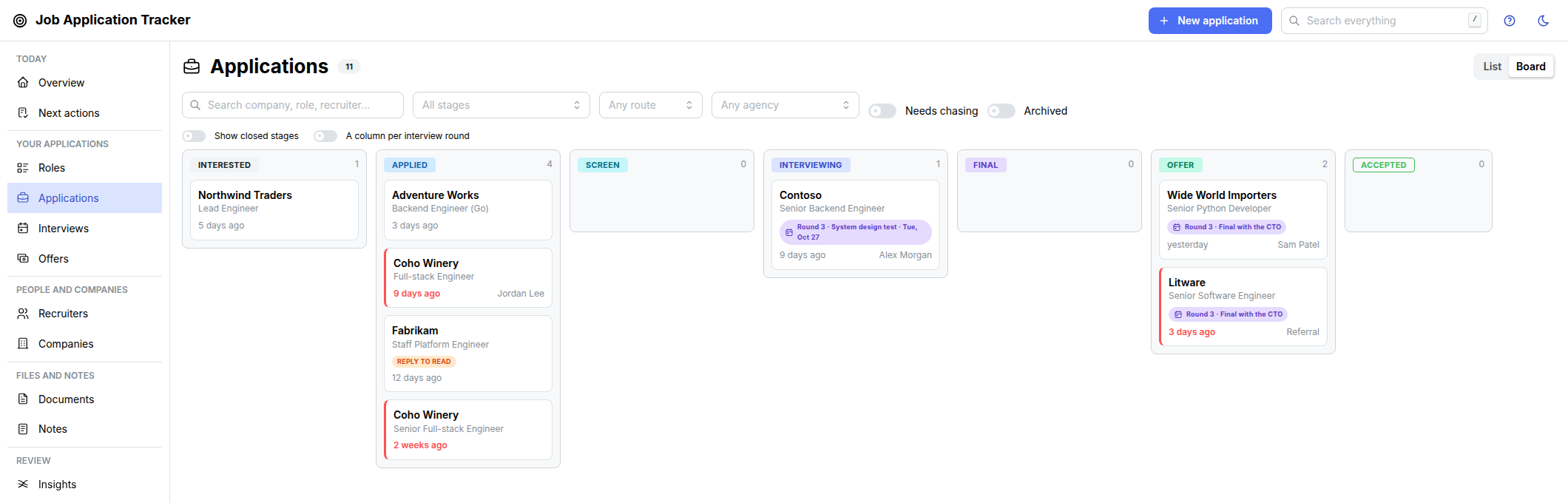
- Kanban board with configurable stages, interview rounds and full timestamped history
- Recruiter CRM: agencies, people, calls and the roles they pitch
- Notes, links, files, exported emails and CV versions on every application
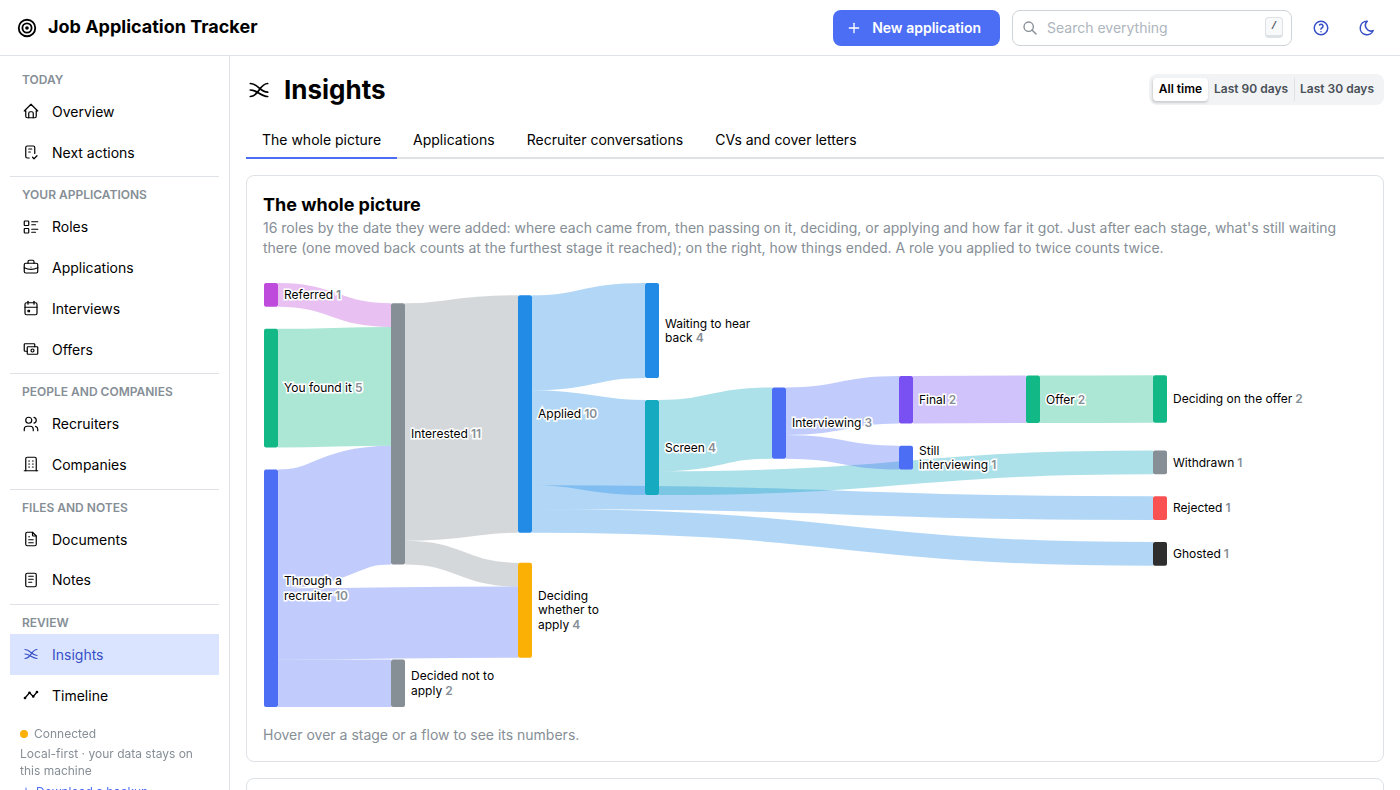
- Sankey diagram, conversion per stage, recruiter scorecard and an A/B test of your CVs
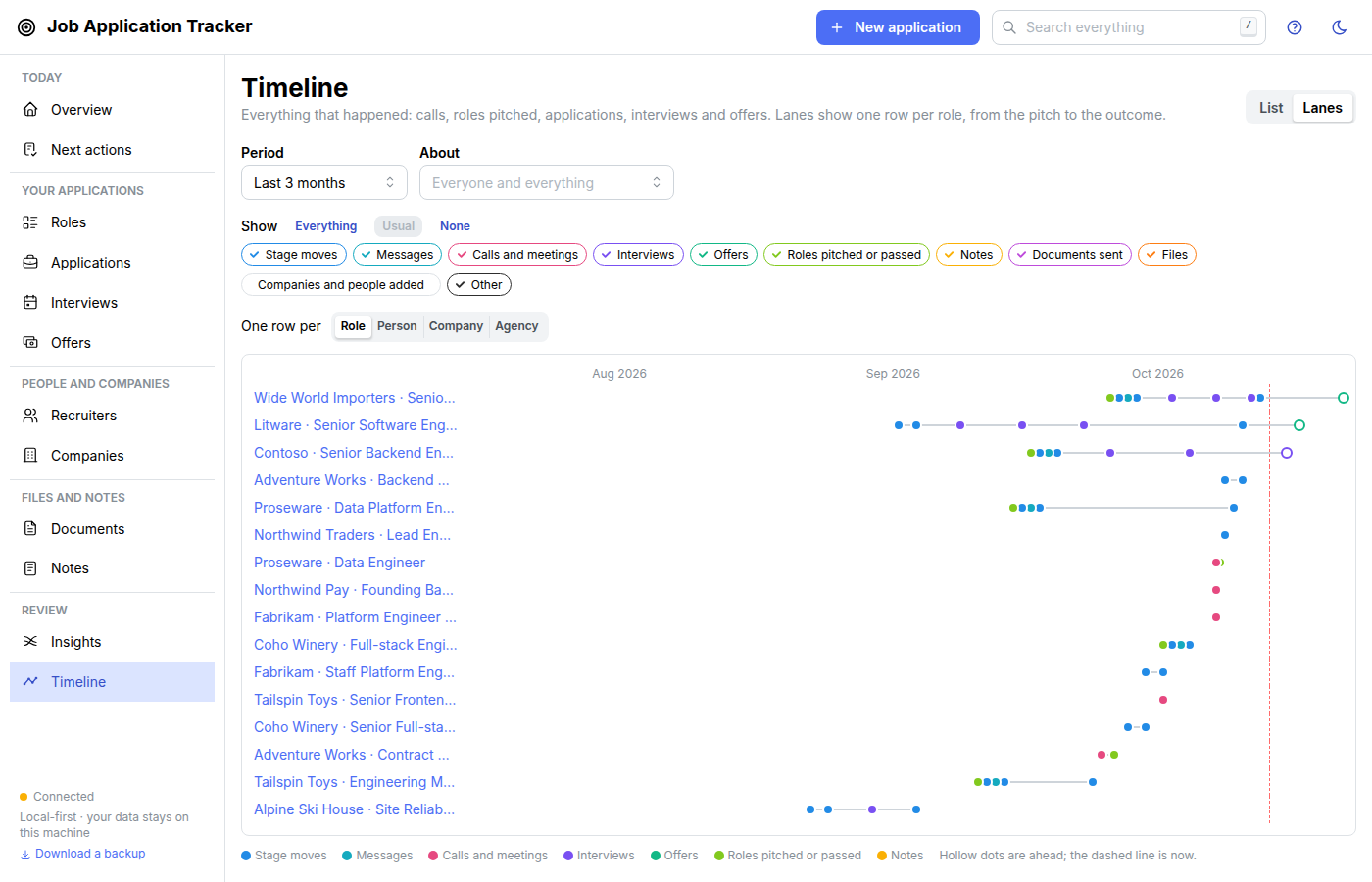
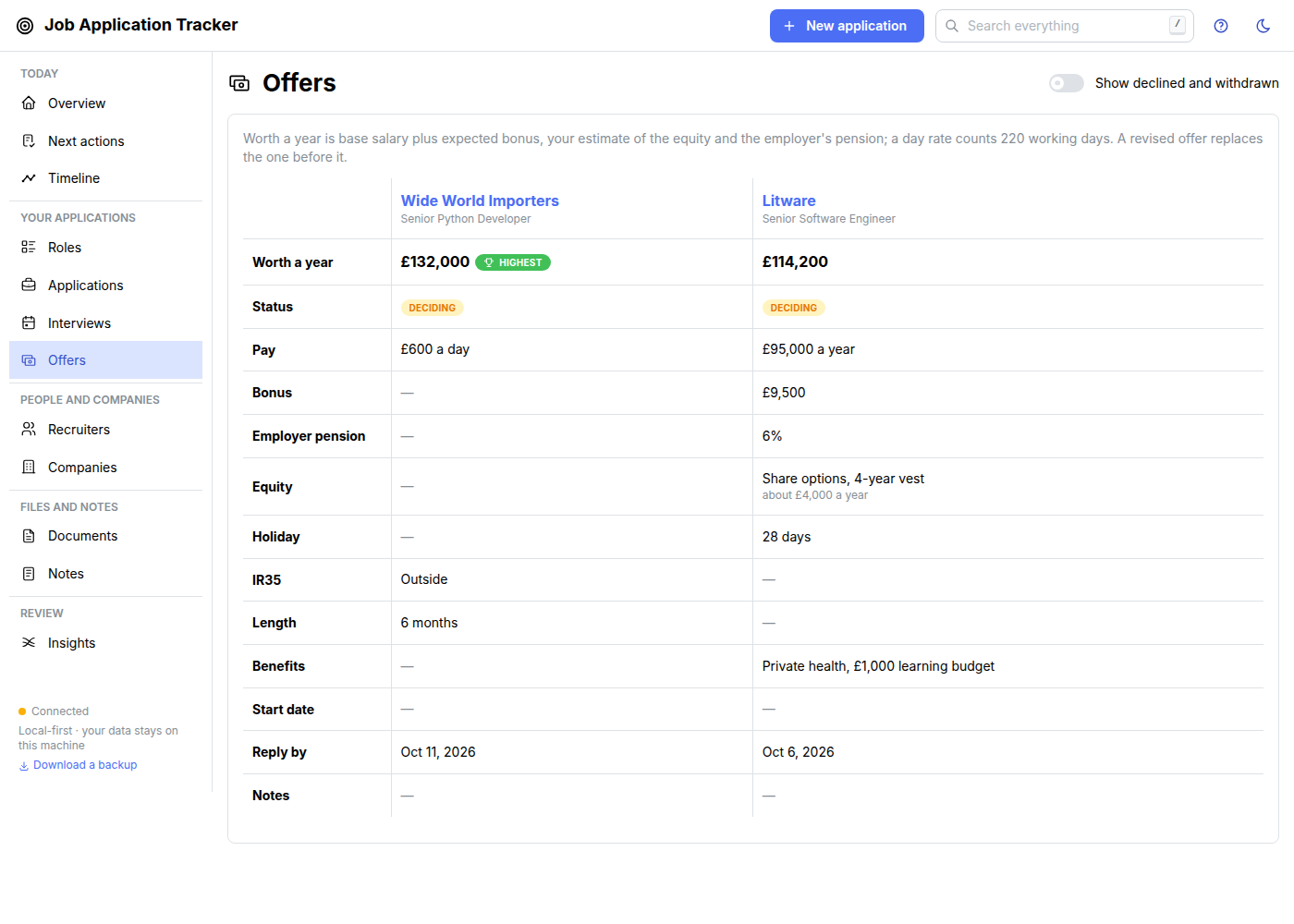
- Offers side by side, a timeline of everything and search across it all
- Automatic git snapshots and a one-click backup zip
How to use
- Open Job Application Tracker from your dashboard.
- Press New application (top right) and type the company and role.
- Drag it across the board as it moves along.
- Check the Today page each day for what needs you.
Before you install
Nothing has to be set. Upstream publishes no Docker image, so IceStore builds one from the v1.1.0 release. There is no login: anyone who can open http://[ZIMAOS-IP-ADDRESS]:6172 sees your job search, so keep it on your home network or put it behind a reverse proxy with a password. It is a tool for one person. On first start the data folder becomes a git repo and every burst of changes is committed as a readable snapshot; Download a backup in the sidebar gives you one zip of everything. Every other setting is optional and listed in the Variables tab; to use one, add it in the app settings. It is ready about half a minute after install.
The settings in the first table are already in the app settings. To use any other one, open the app settings, add the variable with your value, save, and the app restarts with it. A setting you leave out uses its default.
In the app settings
| Variable | Default value | Description |
|---|---|---|
TZ | $TZ | Your time zone. It is filled in from your ZimaOS time zone. Leave it unless you need another. |
PUID | $PUID | The user that owns the data folder. It is filled in by ZimaOS. Leave it. |
PGID | $PGID | The group that owns the data folder. It is filled in by ZimaOS. Leave it. |
Backups
| Variable | Default value | Description |
|---|---|---|
JAT_ | true | Set to false before the first start so the data folder is not made a git repo. Snapshots then stop; a folder that is already a repo is left alone. |
JAT_ | Job Application Tracker | The author name on the snapshot commits. |
JAT_ | jat@localhost | The author email on the snapshot commits. |
name: job-application-tracker

services:
  job-application-tracker:
    image: ghcr.io/hsinghhira/job-application-tracker:latest
    container_name: job-application-tracker
    restart: unless-stopped
    stop_grace_period: 30s
    network_mode: bridge
    environment:
      - TZ=$TZ
      - PUID=$PUID
      - PGID=$PGID
    ports:
      - target: 8770
        published: "6172"
        protocol: tcp
    volumes:
      - type: bind
        source: /DATA/AppData/$AppID/data
        target: /data
        bind:
          create_host_path: true
    healthcheck:
      test: ["CMD", "python3", "-c", "import urllib.request; urllib.request.urlopen('http://127.0.0.1:8770/api/v1/health', timeout=4)"]
      interval: 30s
      timeout: 5s
      retries: 3
      start_period: 30s
    deploy:
      resources:
        limits:
          cpus: "1.00"
          memory: 512M
        reservations:
          cpus: "0.00"
          memory: 96M
    labels:
      icon: https://cdn.jsdelivr.net/gh/HSinghHira/IceStore@main/Apps/job-application-tracker/icon.png
    x-casaos:
      id: com.icestore.job-application-tracker
      envs:
        - container: TZ
          description:
            en_US: >-
              Your time zone. It is filled in from your ZimaOS time zone.
              Leave it unless you need another.
        - container: PUID
          description:
            en_US: >-
              The user that owns the data folder. It is filled in by ZimaOS.
              Leave it.
        - container: PGID
          description:
            en_US: >-
              The group that owns the data folder. It is filled in by ZimaOS.
              Leave it.
      ports:
        - container: "8770"
          description:
            en_US: Job Application Tracker web app and API, published on host as 6172
      volumes:
        - container: /data
          description:
            en_US: >-
              Your whole job search: the SQLite database, a plain-text export
              (JSON Lines), Markdown notes, attached files and emails, and the
              git history of automatic snapshots. Back this folder up.

x-casaos:
  id: com.icestore.job-application-tracker
  architectures:
    - amd64
    - arm64
  main: job-application-tracker
  author: HSinghHira
  category: Productivity
  developer: waddington
  icon: https://cdn.jsdelivr.net/gh/HSinghHira/IceStore@main/Apps/job-application-tracker/icon.png
  thumbnail: https://cdn.jsdelivr.net/gh/HSinghHira/IceStore@main/Apps/job-application-tracker/screenshot-1.png
  screenshot_link:
    - https://cdn.jsdelivr.net/gh/HSinghHira/IceStore@main/Apps/job-application-tracker/screenshot-1.png
    - https://cdn.jsdelivr.net/gh/HSinghHira/IceStore@main/Apps/job-application-tracker/screenshot-2.png
    - https://cdn.jsdelivr.net/gh/HSinghHira/IceStore@main/Apps/job-application-tracker/screenshot-3.png
    - https://cdn.jsdelivr.net/gh/HSinghHira/IceStore@main/Apps/job-application-tracker/screenshot-4.png
    - https://cdn.jsdelivr.net/gh/HSinghHira/IceStore@main/Apps/job-application-tracker/screenshot-5.png
  title:
    en_US: Job Application Tracker
  tagline:
    en_US: Track your job search on your own server, with a Kanban board, recruiter CRM and insights
  description:
    en_US: >-
      Visit: [https://icestore.hsinghhira.me/app/job-application-tracker/](https://icestore.hsinghhira.me/app/job-application-tracker/) for full details


      Job Application Tracker is a self-hosted tracker for a job search, made
      for the way tech hiring works: recruiters with several roles,
      multi-stage interviews and things that go quiet. No account, no cloud,
      no AI and no tracking. Your data is a folder of SQLite, JSON Lines and
      Markdown, with automatic git snapshots.


      **Features**


      - Today page: replies to read, follow-ups due, what's coming up and who
        you're waiting on

      - Kanban board with configurable stages, interview rounds and full
        timestamped history

      - Recruiter CRM: agencies, people, calls and the roles they pitch

      - Notes, links, files, exported emails and CV versions on every
        application

      - Sankey diagram, conversion per stage, recruiter scorecard and an A/B
        test of your CVs

      - Offers side by side, a timeline of everything and search across it all

      - Automatic git snapshots and a one-click backup zip


      **How to use?**


      1. Open Job Application Tracker from the Zima OS dashboard.


      2. Press New application (top right) and type the company and role.


      3. Drag it across the board as it moves along.


      4. Check the Today page each day for what needs you.
  tips:
    before_install:
      en_US: >-
        1. You don't have to set anything. Just start the installation.


        2. Wait about half a minute. Then open Job Application Tracker from
           the Zima OS dashboard, or go to http://[ZIMAOS-IP-ADDRESS]:6172
           from another device.


        3. There is no login. Anyone who can open the address sees your job
           search, so keep it on your home network or behind a proxy with a
           password.


        4. Press New application to add your first one.


        5. More settings, like turning off the git snapshots, are listed on
           the Job Application Tracker page at
           https://icestore.hsinghhira.me/app/job-application-tracker/
           (Variables tab). You can add them now or later in the app
           settings.
  index: /
  port_map: "6172"
  scheme: http
  is_uncontrolled: false
  version: "v1.1.0"
  update_at: "2026-10-29"
  release_notes:
    en_US: |-
      - First version in IceStore, on port 6172
      - Built from upstream release v1.1.0 (upstream publishes no image), on node 22.23.4-trixie-slim with Debian's Python 3.13
      - The data folder is made a git repo on first start, so upstream's automatic snapshots work; set JAT_GIT_SNAPSHOTS=false to skip it
  repo: "https://github.com/waddington/job-application-tracker"
  support: "https://github.com/waddington/job-application-tracker/issues"
  docs: "https://github.com/waddington/job-application-tracker/blob/main/docs/guide/README.md"
Install Job Application Tracker
 ZimaOS
Add the store link, then find Job Application Tracker in the App Store and install it.
 CasaOS
Add the store link, then find Job Application Tracker in the App Store and install it.
 Homeio
Add the store link, then find Job Application Tracker in the App Store and install it.
Something not working with Job Application Tracker? Report a problem or request another app.


