
Jellyfin
Stream your own movies, shows and music to every screen
- jellyfin/jellyfin:10.11.11
- v10.11.11
- Updated 22 Nov 2026
- port 6798
- amd64 · arm64
- Media
- 59.6k stars
Screenshots
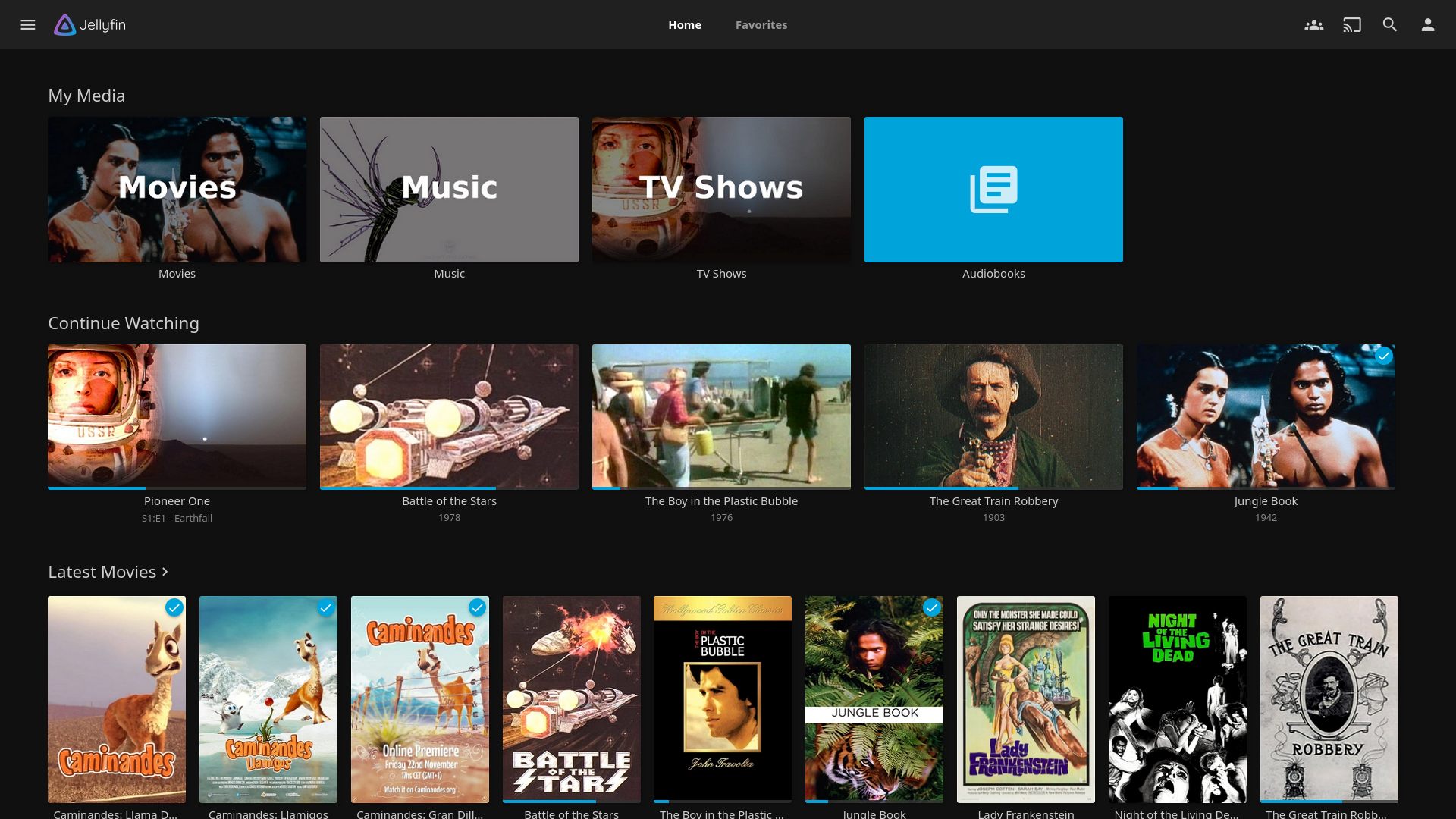
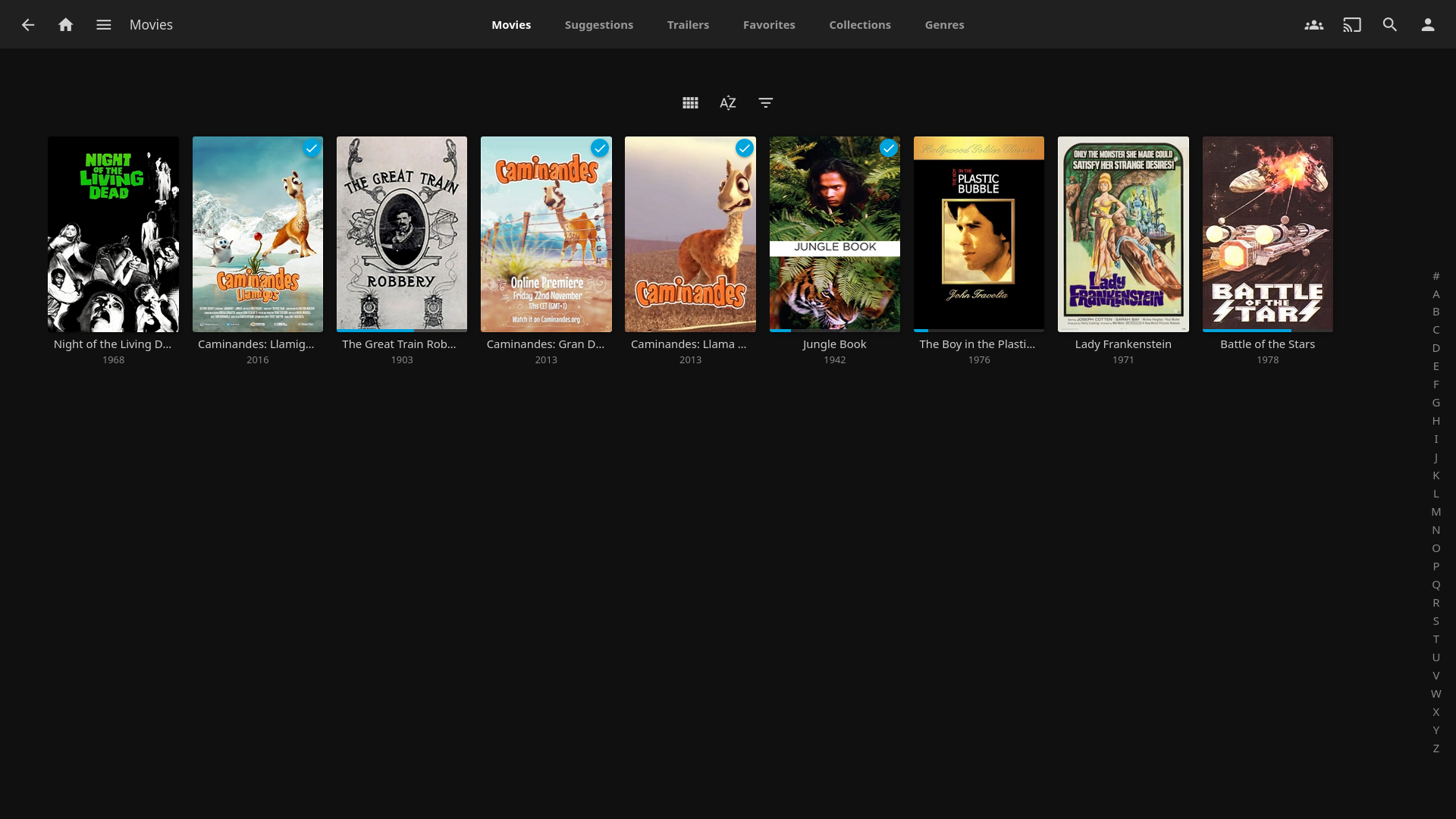
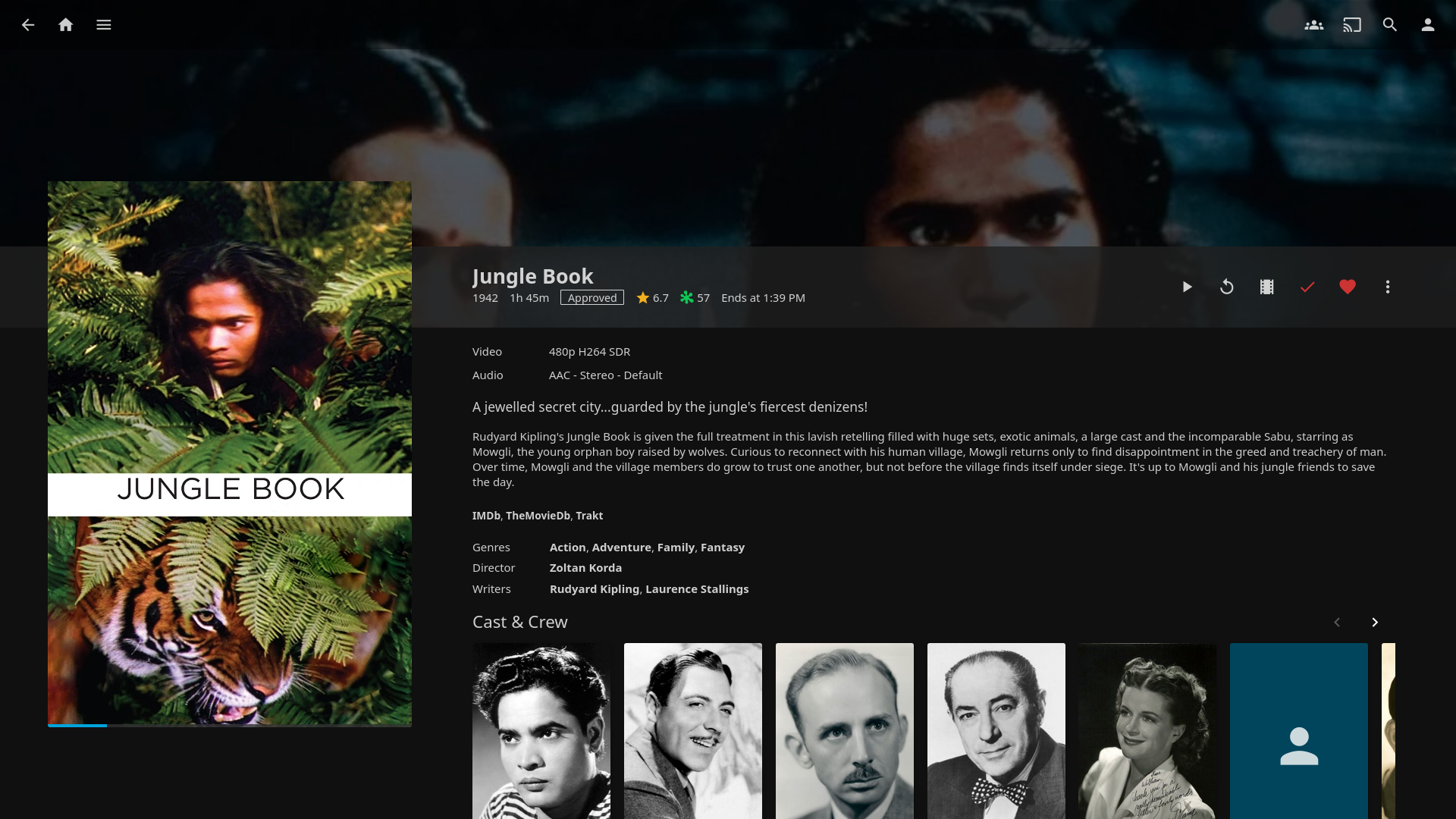
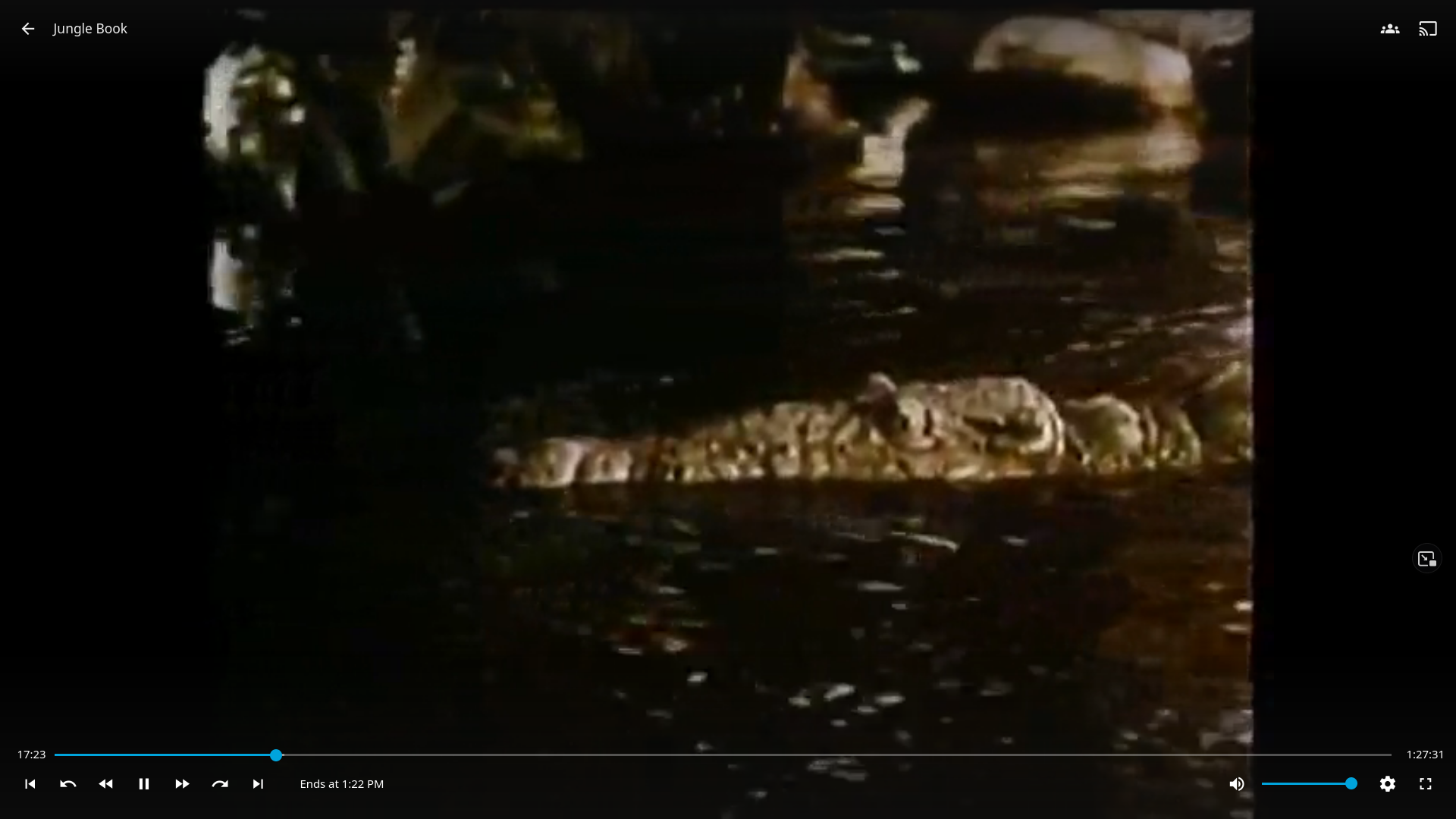
Open the app
About Jellyfin
Jellyfin is a free media server. Point it at your movies, TV shows, music and photos, and it fetches posters and details, then streams them to your TV, phone, browser or game console. No account with anyone else, no tracking, no paid tier.
Features
- Movies, shows, music, books and photos in tidy libraries
- Apps for Android, iOS, Android TV, Fire TV, Roku, Kodi and more
- Converts video on the fly when a device can't play the file
- Users with parental controls and their own watch history
- Live TV and DVR with a tuner
- Plugins, subtitles and SyncPlay to watch together
How to use
- Open Jellyfin from your dashboard.
- Follow the setup wizard and make your admin user.
- Add a library and pick a folder under /DATA, like /DATA/Media/Movies.
- Wait for the scan, then press play.
Before you install
Right after installing, open http://[ZIMAOS-IP-ADDRESS]:6798 and follow the setup wizard, which makes your admin user; until you do, anyone on your network can. Your ZimaOS storage is shared at /DATA, so libraries can point at folders like /DATA/Media/Movies. In the Jellyfin apps, use http://[ZIMAOS-IP-ADDRESS]:6798 as the server. Hardware transcoding is not set up (the GPU is not passed in), so video that needs converting uses the CPU. Settings and the library database are in /DATA/AppData/jellyfin/config. It is ready in about a minute.
The settings in the first table are already in the app settings. To use any other one, open the app settings, add the variable with your value, save, and the app restarts with it. A setting you leave out uses its default.
In the app settings
| Variable | Default value | Description |
|---|---|---|
TZ | $TZ | Your time zone. It is filled in from your ZimaOS time zone. |
Server
| Variable | Default value | Description |
|---|---|---|
JELLYFIN_ | — | The address Jellyfin tells apps to use when they find it on your network, like http://[ZIMAOS-IP-ADDRESS]:6798. |
name: jellyfin

services:
  jellyfin:
    image: jellyfin/jellyfin:10.11.11
    container_name: jellyfin
    restart: unless-stopped
    stop_grace_period: 30s
    network_mode: bridge
    environment:
      - TZ=$TZ
    ports:
      - target: 8096
        published: "6798"
        protocol: tcp
    volumes:
      - type: bind
        source: /DATA/AppData/$AppID/config
        target: /config
        bind:
          create_host_path: true
      - type: bind
        source: /DATA/AppData/$AppID/cache
        target: /cache
        bind:
          create_host_path: true
      - type: bind
        source: /DATA
        target: /DATA
    healthcheck:
      test: ["CMD", "curl", "-fsS", "-o", "/dev/null", "http://127.0.0.1:8096/health"]
      interval: 30s
      timeout: 30s
      retries: 3
      start_period: 90s
    deploy:
      resources:
        limits:
          cpus: "4.00"
          memory: 4G
        reservations:
          cpus: "0.10"
          memory: 256M
    labels:
      icon: https://cdn.jsdelivr.net/gh/HSinghHira/IceStore@main/Apps/jellyfin/icon.png
    x-casaos:
      id: com.icestore.jellyfin
      envs:
        - container: TZ
          description:
            en_US: >-
              Your time zone. It is filled in from your ZimaOS time zone.
      ports:
        - container: "8096"
          description:
            en_US: Jellyfin web app and the address for Jellyfin apps, published on host as 6798
      volumes:
        - container: /config
          description:
            en_US: >-
              Jellyfin's settings, users, watch history and library
              database. Back it up.
        - container: /cache
          description:
            en_US: >-
              Images and transcoding scratch files. Safe to delete.
        - container: /DATA
          description:
            en_US: >-
              Your ZimaOS storage, at the same path inside, so libraries can
              point at folders like /DATA/Media/Movies.

x-casaos:
  id: com.icestore.jellyfin
  architectures:
    - amd64
    - arm64
  main: jellyfin
  author: HSinghHira
  category: Media
  developer: Jellyfin
  icon: https://cdn.jsdelivr.net/gh/HSinghHira/IceStore@main/Apps/jellyfin/icon.png
  thumbnail: https://cdn.jsdelivr.net/gh/HSinghHira/IceStore@main/Apps/jellyfin/screenshot-1.png
  screenshot_link:
    - https://cdn.jsdelivr.net/gh/HSinghHira/IceStore@main/Apps/jellyfin/screenshot-1.png
    - https://cdn.jsdelivr.net/gh/HSinghHira/IceStore@main/Apps/jellyfin/screenshot-2.png
    - https://cdn.jsdelivr.net/gh/HSinghHira/IceStore@main/Apps/jellyfin/screenshot-3.png
    - https://cdn.jsdelivr.net/gh/HSinghHira/IceStore@main/Apps/jellyfin/screenshot-4.png
  title:
    en_US: Jellyfin
  tagline:
    en_US: Stream your own movies, shows and music to every screen
  description:
    en_US: >-
      Jellyfin is a free media server. Point it at your movies, TV shows,
      music and photos, and it fetches posters and details, then streams
      them to your TV, phone, browser or game console. No account with
      anyone else, no tracking, no paid tier.


      **Features**


      - Movies, shows, music, books and photos in tidy libraries

      - Apps for Android, iOS, Android TV, Fire TV, Roku, Kodi and more

      - Converts video on the fly when a device can't play the file

      - Users with parental controls and their own watch history

      - Live TV and DVR with a tuner

      - Plugins, subtitles and SyncPlay to watch together


      **How to use?**


      1. Open Jellyfin from the ZimaOS dashboard.

      2. Follow the setup wizard and make your admin user.

      3. Add a library and pick a folder under /DATA, like
         /DATA/Media/Movies.

      4. Wait for the scan, then press play.
  tips:
    before_install:
      en_US: >-
        1. Start the installation. It is ready in about a minute.


        2. Right away, open http://[ZIMAOS-IP-ADDRESS]:6798 and follow the
           setup wizard. It makes your admin user. Until you do, anyone on
           your network can.


        3. When you add a library, pick a folder that starts with /DATA, like
           /DATA/Media/Movies.


        4. In the Jellyfin apps on your TV or phone, use
           http://[ZIMAOS-IP-ADDRESS]:6798 as the server.
  index: /
  port_map: "6798"
  scheme: http
  is_uncontrolled: false
  version: "10.11.11"
  update_at: "2026-11-22"
  release_notes:
    en_US: |-
      - First IceStore release, on port 6798
      - The official jellyfin/jellyfin 10.11.11 image; /DATA is shared at the same path for your media
      - Hardware transcoding (/dev/dri) is not passed in, so video converts on the CPU
  repo: "https://github.com/jellyfin/jellyfin"
  support: "https://github.com/jellyfin/jellyfin/issues"
  docs: "https://jellyfin.org/docs/"
Install Jellyfin
Something not working with Jellyfin?
Report it so it gets fixed, or ask for an app that is not here yet.
 ZimaOS
Add the store link, then find Jellyfin in the App Store and install it.
 CasaOS
Add the store link, then find Jellyfin in the App Store and install it.
 ReCasaOS
Add the store link, then find Jellyfin in the App Store and install it.
 Homeio
Add the store link, then find Jellyfin in the App Store and install it.
 MOS
Add the repository in MOS Hub Settings, then find Jellyfin in Docker → MOS Hub and install it.


