
Norish
Real-time recipe app for households. Plan meals, share groceries and cook together.
- ghcr.io/hsinghhira/norish:latest
- v0.25.1-beta
- Updated 28 Oct 2026
- port 6134
- amd64 · arm64
- Home
- 1.4k stars
Screenshots
Open the app
About Norish
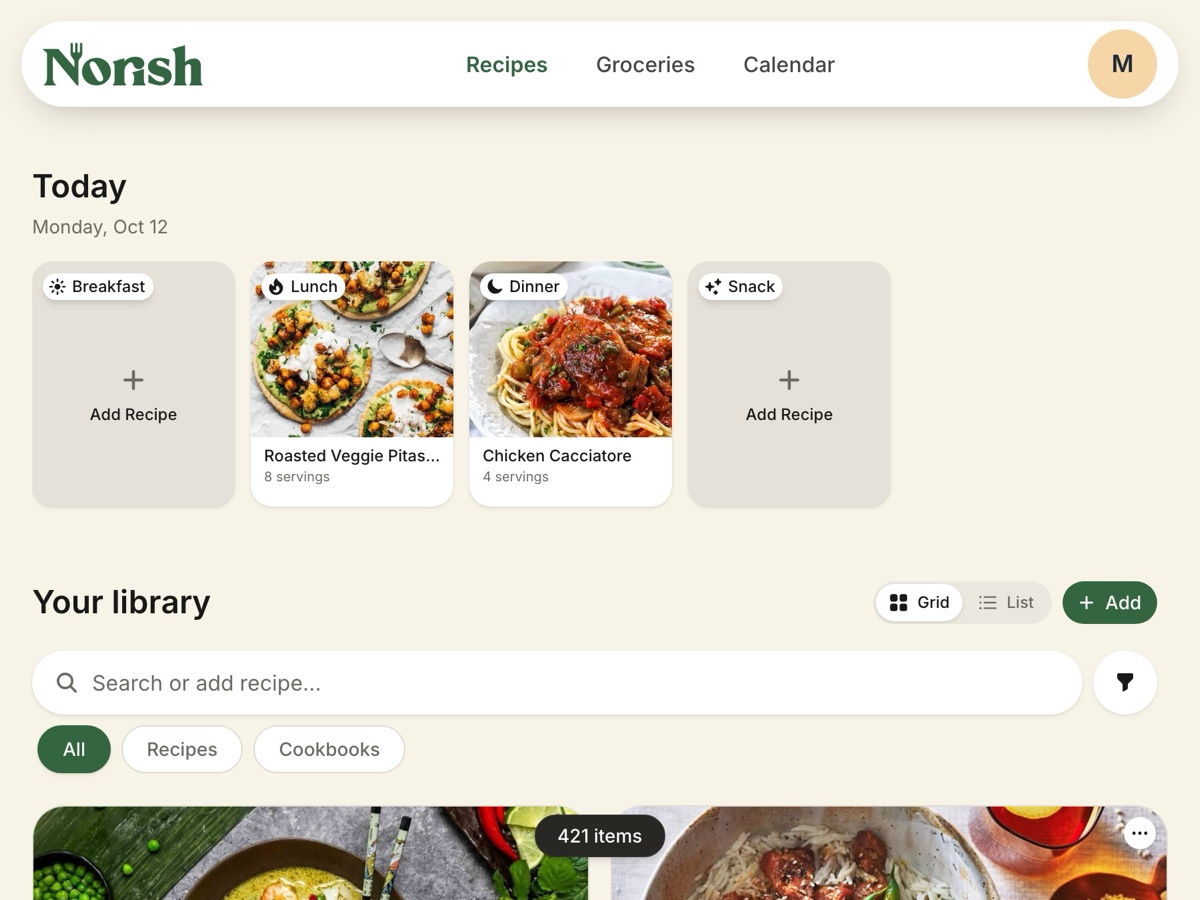
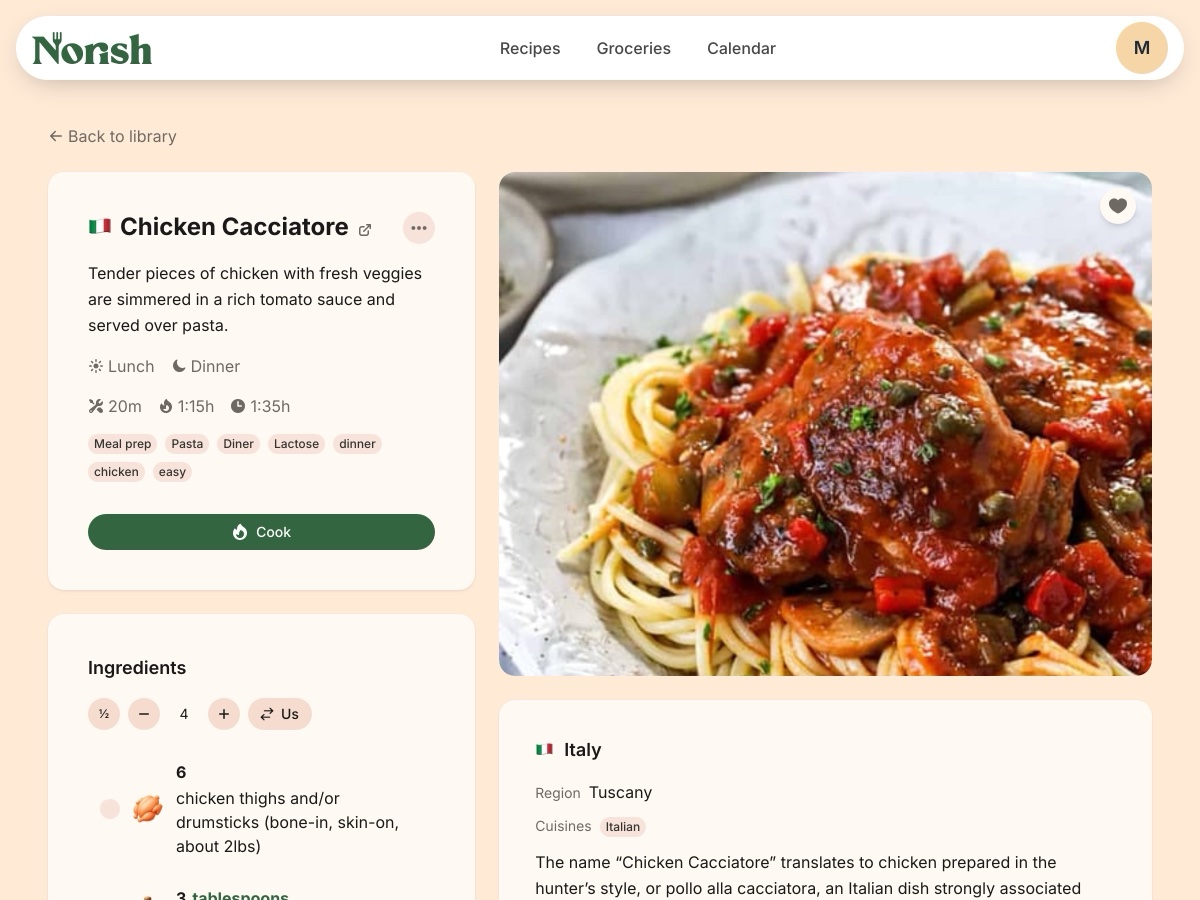
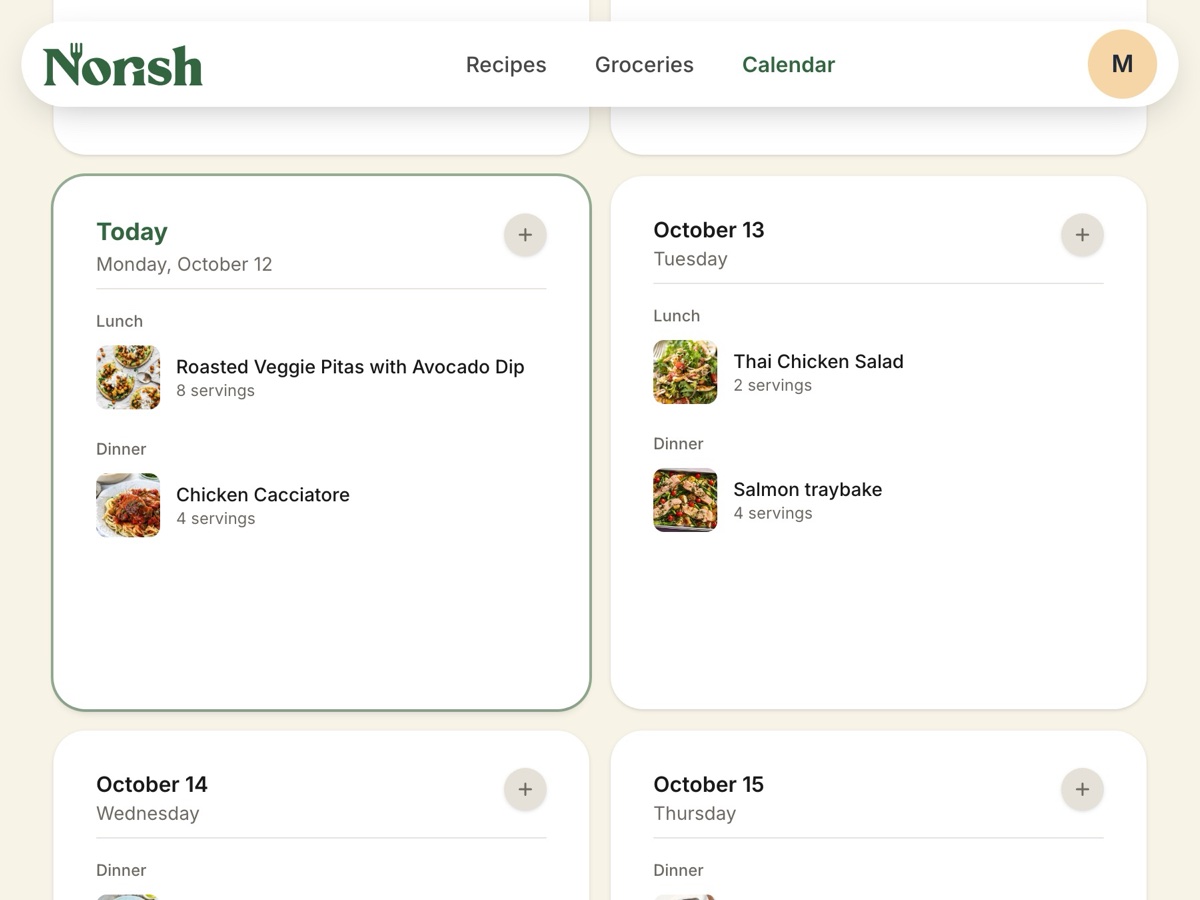
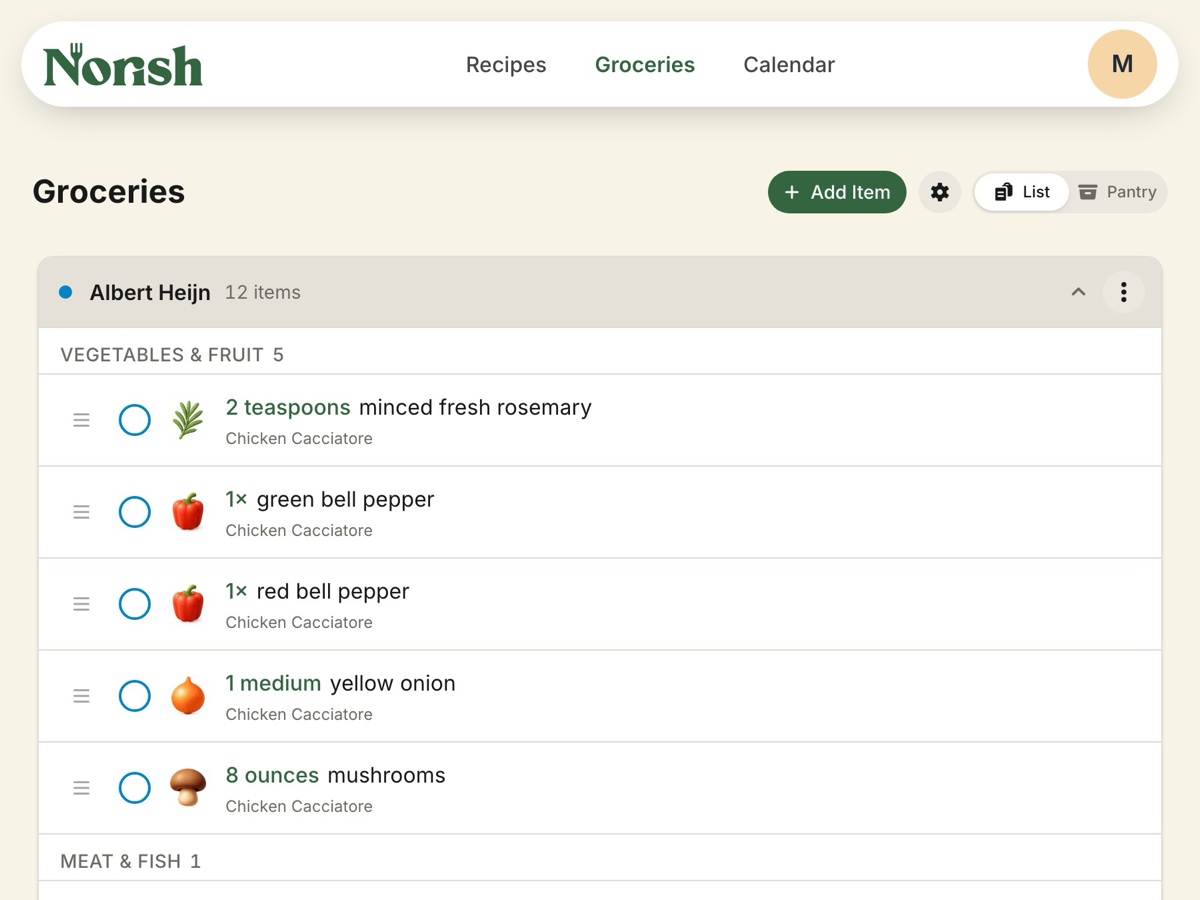
Norish is a recipe app made for households. Save recipes from any site, plan your meals on a calendar and share one grocery list that updates live for everyone. This is Norish in a single container, with one port and one data folder. PostgreSQL, Redis and the Obscura page renderer are inside, and the master key and passwords are made for you on first start.
Features
- Import recipes from a link, a photo, a video or plain text
- Households that share recipes, plans and groceries in real time
- Meal planner calendar and smart grocery lists with aisles
- Cookbooks, a pantry and a cooking mode
- Unit conversion, serving scaling and nutrition
- Works offline and installs like an app
- Optional AI import and transcription with OpenAI, Ollama or LM Studio
- Sign in with a password, OIDC (Authentik, Pocket ID...), GitHub or Google
- Fifteen languages
How to use
- Open Norish from your dashboard.
- Make an account. The first account is the server owner and admin.
- Add a recipe with Import and paste a link.
- Invite your household and plan the week.
Before you install
You must set PUBLIC_URL first. It starts as http://[ZIMAOS-IP-ADDRESS]:6134: replace [ZIMAOS-IP-ADDRESS] with your ZimaOS IP, like http://192.168.1.20:6134. Sign-in only works from that address (add others in TRUSTED_ORIGINS). Until it is set, Norish shows a short note instead of the app. Every other setting is optional and listed in the Variables tab. To use one, add it in the app settings with your value; a setting you leave out keeps its default. Sign-in providers, AI and video settings are read on the first start only; after that, change them in Norish under Settings, Admin. The first start takes about three minutes. Keep state/secrets.env in the data folder with your backups: it holds the master key that saved API keys are encrypted with.
The settings in the first table are already in the app settings. To use any other one, open the app settings, add the variable with your value, save, and the app restarts with it. A setting you leave out uses its default.
In the app settings
| Variable | Default value | Description |
|---|---|---|
TZ | $TZ | Your time zone. It is filled in from your ZimaOS time zone. Leave it unless you need another. |
PUBLIC_ | http://[ZIMAOS-IP-ADDRESS]:6134 | Required. Replace [ZIMAOS-IP-ADDRESS] with your ZimaOS IP, like http://192.168.1.20:6134, or use your own https:// domain. Sign-in only works from this address. Keep the port at 6134. |
Server
| Variable | Default value | Description |
|---|---|---|
TRUSTED_ | — | Other addresses Norish may be opened at, separated by commas, like http://localhost:6134,https://recipes.example.com. Sign-in only works from PUBLIC_URL and these. |
DEFAULT_ | en | The language for new users, like en, de or nl. |
ENABLED_ | — | The languages people may pick, separated by commas, like en,de,nl. Blank allows all of them. |
MAX_ | 10485760 | The biggest recipe photo, in bytes. The default is 10 MB. |
MAX_ | 5242880 | The biggest profile picture, in bytes. The default is 5 MB. |
MAX_ | 104857600 | The biggest video upload, in bytes. The default is 100 MB. |
Sign in with OIDC
| Variable | Default value | Description |
|---|---|---|
OIDC_ | Nora ID | The name on the sign-in button, like Authentik or Pocket ID. Read on the first start only; later, change sign-in in Settings, Admin. |
OIDC_ | — | Your sign-in server's issuer address, like https://auth.example.com/application/o/norish/. |
OIDC_ | — | The client id from your sign-in server. |
OIDC_ | — | The client secret from your sign-in server. When OIDC, GitHub or Google is set on the first start, password sign-in starts off. |
OIDC_ | — | The discovery address, if it isn't the issuer plus /.well-known/openid-configuration. |
OIDC_ | false | Set to true to give admin rights and households from the groups your sign-in server sends. |
OIDC_ | — | Extra scopes to ask for, separated by commas, like groups. |
OIDC_ | groups | The claim that holds the user's groups. |
OIDC_ | norish_admin | Members of this group become server admins. |
OIDC_ | norish_household_ | Groups starting with this put people in the household of that name. |
Sign in with GitHub or Google
| Variable | Default value | Description |
|---|---|---|
GITHUB_ | — | The client id of a GitHub OAuth app. Read on the first start only. |
GITHUB_ | — | The client secret of that GitHub OAuth app. |
GOOGLE_ | — | The client id of a Google OAuth client. Read on the first start only. |
GOOGLE_ | — | The client secret of that Google OAuth client. |
AI
| Variable | Default value | Description |
|---|---|---|
AI_ | false | Set to true to import recipes with AI (photos, messy pages, text). Read on the first start only; later, change AI in Settings, Admin. |
AI_ | openai | openai, ollama, lm-studio or generic-openai. |
AI_ | — | The address of your AI server, like http://192.168.1.20:11434 for Ollama. Not needed for OpenAI. |
AI_ | gpt-6-luna | The model to use. |
AI_ | — | Your API key, if the provider needs one. |
AI_ | 1.0 | How creative the answers are, 0 to 2. |
AI_ | 10000 | The longest answer, in tokens. |
AI_ | 300000 | How long to wait for the AI, in milliseconds. |
INGREDIENT_ | 10 | How many ingredients Ask AI checks at once, 1 to 50. Lower it for a model on your own computer. |
Video and transcription
| Variable | Default value | Description |
|---|---|---|
TRANSCRIPTION_ | disabled | Turns speech into text for video imports: disabled, openai, ollama, lm-studio or generic-openai. Read on the first start only. |
TRANSCRIPTION_ | — | The address of your transcription server. Needed for the local ones. |
TRANSCRIPTION_ | — | API key for transcription. Blank uses AI_API_KEY. |
TRANSCRIPTION_ | whisper-1 | The transcription model. |
VIDEO_ | false | Set to true to import recipes from video links. Needs AI. Read on the first start only. |
VIDEO_ | 120 | The longest video Norish will import, in seconds. |
YT_ | — | A proxy for video downloads, like http://user:pass@proxy:8080. |
Imports
| Variable | Default value | Description |
|---|---|---|
OBSCURA_ | 45000 | How long a link import waits for the page to load, in milliseconds. |
PARSER_ | 15000 | How long the recipe reader may take, in milliseconds. |
INGREDIENT_ | https://raw.githubusercontent.com/openfoodfacts/openfoodfacts-server/main/taxonomies/food/ingredients.txt | Where the ingredient catalogue comes from each night (Open Food Facts). Point it at a copy if your server has no internet. |
SCHEDULER_ | 3 | How many months old meal plans are kept. Read on the first start only. |
Logs
| Variable | Default value | Description |
|---|---|---|
NEXT_ | info | How much goes in the app log: trace, debug, info, warn, error or fatal. |
name: norish

services:
  norish:
    image: ghcr.io/hsinghhira/norish:latest
    container_name: norish
    restart: unless-stopped
    stop_grace_period: 90s
    privileged: true
    environment:
      - TZ=$TZ
      - PUBLIC_URL=http://[ZIMAOS-IP-ADDRESS]:6134
    ports:
      - target: 8080
        published: "6134"
        protocol: tcp
    volumes:
      - type: bind
        source: /DATA/AppData/$AppID/data
        target: /data
        bind:
          create_host_path: true
    healthcheck:
      test: ["CMD", "curl", "-fsS", "-o", "/dev/null", "http://127.0.0.1:8080/api/v1/health"]
      interval: 30s
      timeout: 10s
      retries: 5
      start_period: 180s
    deploy:
      resources:
        limits:
          cpus: "2.00"
          memory: 2048M
        reservations:
          cpus: "0.00"
          memory: 512M
    labels:
      icon: https://cdn.jsdelivr.net/gh/HSinghHira/IceStore@main/Apps/norish/icon.png
    x-casaos:
      id: com.icestore.norish
      envs:
        - container: TZ
          description:
            en_US: >-
              Your time zone. It is filled in from your ZimaOS time zone.
              Leave it unless you need another.
        - container: PUBLIC_URL
          description:
            en_US: >-
              Required. Replace [ZIMAOS-IP-ADDRESS] with your ZimaOS IP, like
              http://192.168.1.20:6134, or use your own https:// domain.
              Sign-in only works from this address. Keep the port at 6134.
      ports:
        - container: "8080"
          description:
            en_US: Norish web app, API and live updates, published on host as 6134
      volumes:
        - container: /data
          description:
            en_US: >-
              The database, recipe photos and videos, queues, the master key
              and settings. Keep the master key (state/secrets.env) with your
              backups: without it, saved API keys can't be read.

x-casaos:
  id: com.icestore.norish
  architectures:
    - amd64
    - arm64
  main: norish
  author: HSinghHira
  category: Home
  developer: norish-recipes
  icon: https://cdn.jsdelivr.net/gh/HSinghHira/IceStore@main/Apps/norish/icon.png
  thumbnail: https://cdn.jsdelivr.net/gh/HSinghHira/IceStore@main/Apps/norish/screenshot-1.jpg
  screenshot_link:
    - https://cdn.jsdelivr.net/gh/HSinghHira/IceStore@main/Apps/norish/screenshot-1.jpg
    - https://cdn.jsdelivr.net/gh/HSinghHira/IceStore@main/Apps/norish/screenshot-2.jpg
    - https://cdn.jsdelivr.net/gh/HSinghHira/IceStore@main/Apps/norish/screenshot-3.jpg
    - https://cdn.jsdelivr.net/gh/HSinghHira/IceStore@main/Apps/norish/screenshot-4.jpg
  title:
    en_US: Norish
  tagline:
    en_US: Real-time recipe app for households. Plan meals, share groceries and cook together.
  description:
    en_US: >-
      Norish is a recipe app made for households. Save recipes from any site,
      plan your meals on a calendar and share one grocery list that updates
      live for everyone. This is Norish in a single container, with one port
      and one data folder. PostgreSQL, Redis and the Obscura page renderer
      are inside, and the master key and passwords are made for you on first
      start.


      **Features**


      - Import recipes from a link, a photo, a video or plain text

      - Households that share recipes, plans and groceries in real time

      - Meal planner calendar and smart grocery lists with aisles

      - Cookbooks, a pantry and a cooking mode

      - Unit conversion, serving scaling and nutrition

      - Works offline and installs like an app

      - Optional AI import and transcription with OpenAI, Ollama or LM Studio

      - Sign in with a password, OIDC (Authentik, Pocket ID...), GitHub or
        Google

      - Fifteen languages


      **How to use?**


      1. Open Norish from the Zima OS dashboard.


      2. Make an account. The first account is the server owner and admin.


      3. Add a recipe with Import and paste a link.


      4. Invite your household and plan the week.
  tips:
    before_install:
      en_US: >-
        1. Open the app configuration before you install.


        2. Find PUBLIC_URL. You must do this, or sign-in won't work. It
           starts as http://[ZIMAOS-IP-ADDRESS]:6134.


        3. Replace [ZIMAOS-IP-ADDRESS] with your ZimaOS IP, like
           http://192.168.1.20:6134 (keep the port at 6134).


        4. More settings, like AI import, sign-in with OIDC, GitHub or Google,
           and languages, are listed on the Norish page at
           https://icestore.hsinghhira.me/app/norish/ (Variables tab). You
           can add them now or later in the app settings. Most of them can
           also be changed later in Norish under Settings, Admin.


        5. Start the installation.


        6. Wait about three minutes for all parts to start.


        7. Open http://[ZIMAOS-IP-ADDRESS]:6134 and make an account. The
           first account becomes the admin.
  index: /
  port_map: "6134"
  scheme: http
  is_uncontrolled: false
  version: "v0.25.1-beta"
  update_at: "2026-10-28"
  release_notes:
    en_US: |-
      - Single-container Norish with one port (6134) and one data folder
      - The master key, the Obscura token and database passwords are made on first start, so each install gets its own
      - norishapp/norish v0.25.1-beta
      - norishapp/obscura 0.2.4-norish.2 (page renderer for URL imports)
      - PostgreSQL 17 and Redis inside
  repo: "https://github.com/norish-recipes/norish"
  support: "https://github.com/norish-recipes/norish/issues"
  docs: "https://docs.norish.dev"
Install Norish
 ZimaOS
Add the store link, then find Norish in the App Store and install it.
 CasaOS
Add the store link, then find Norish in the App Store and install it.
 Homeio
Add the store link, then find Norish in the App Store and install it.
Something not working with Norish? Report a problem or request another app.
