
OpenPanel
Open-source web and product analytics, an alternative to Mixpanel
- ghcr.io/hsinghhira/openpanel:latest
- v2.3.0
- Updated 8 Nov 2026
- port 6191
- amd64 · arm64
- Developer
- 7.3k stars
Screenshots
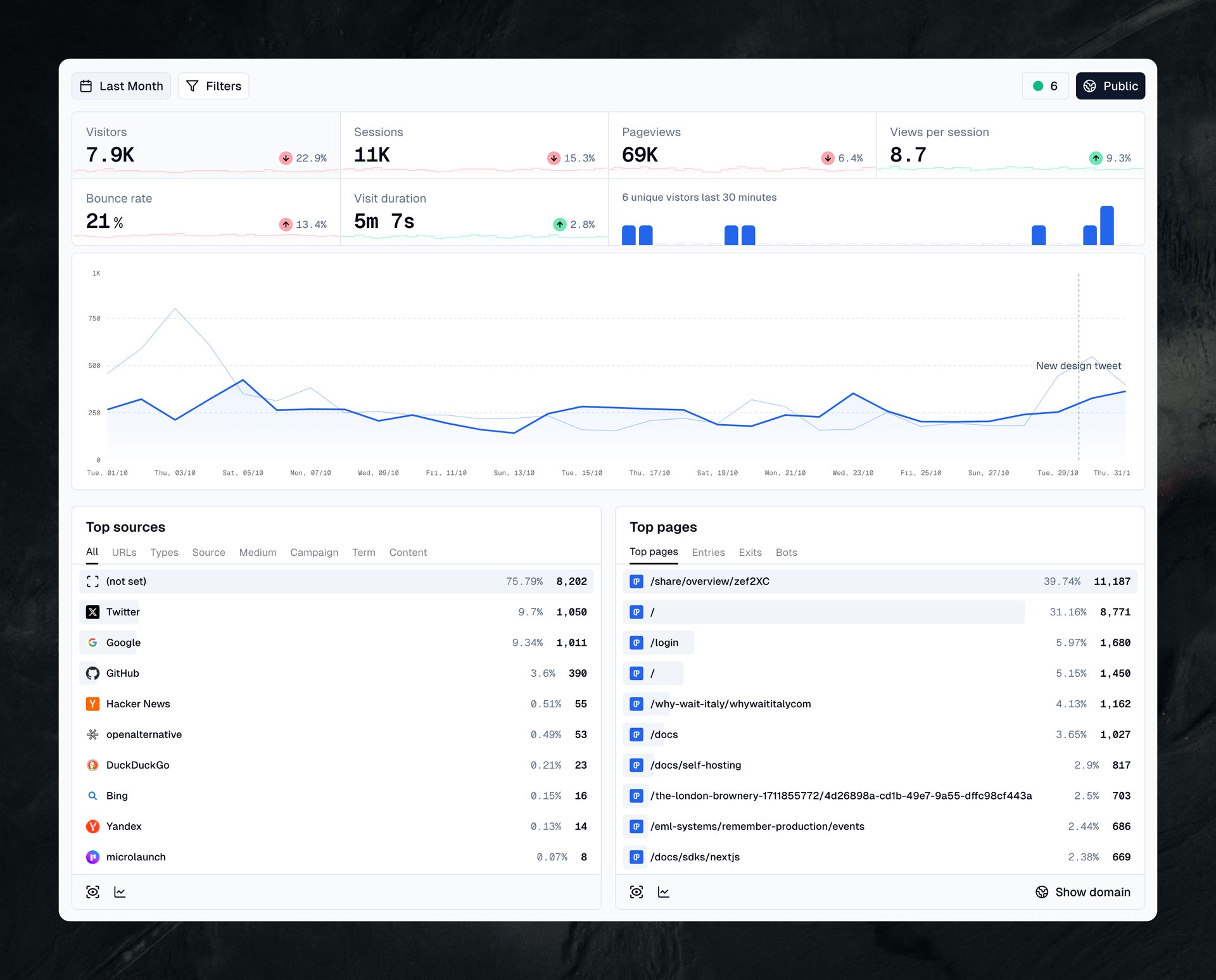
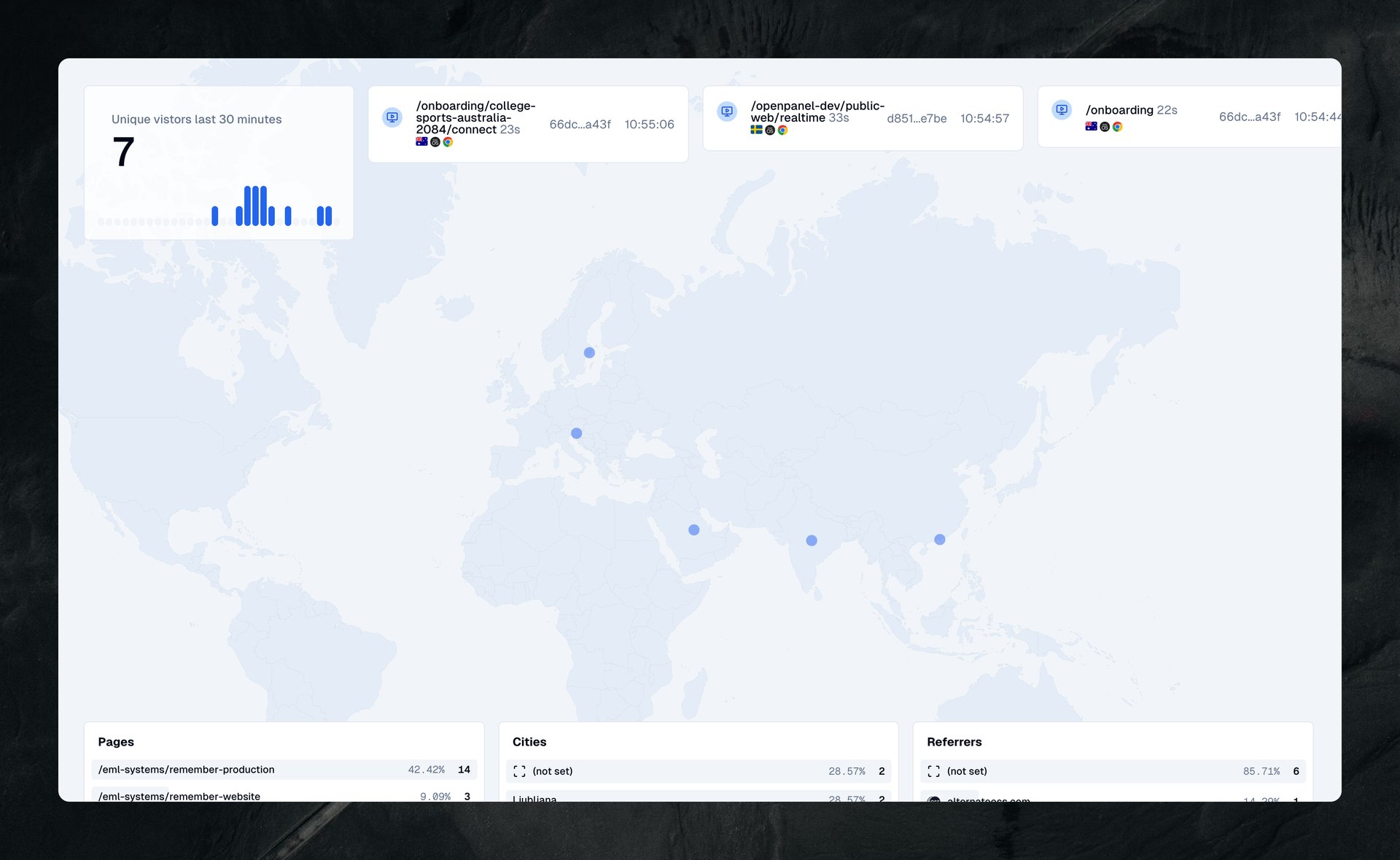
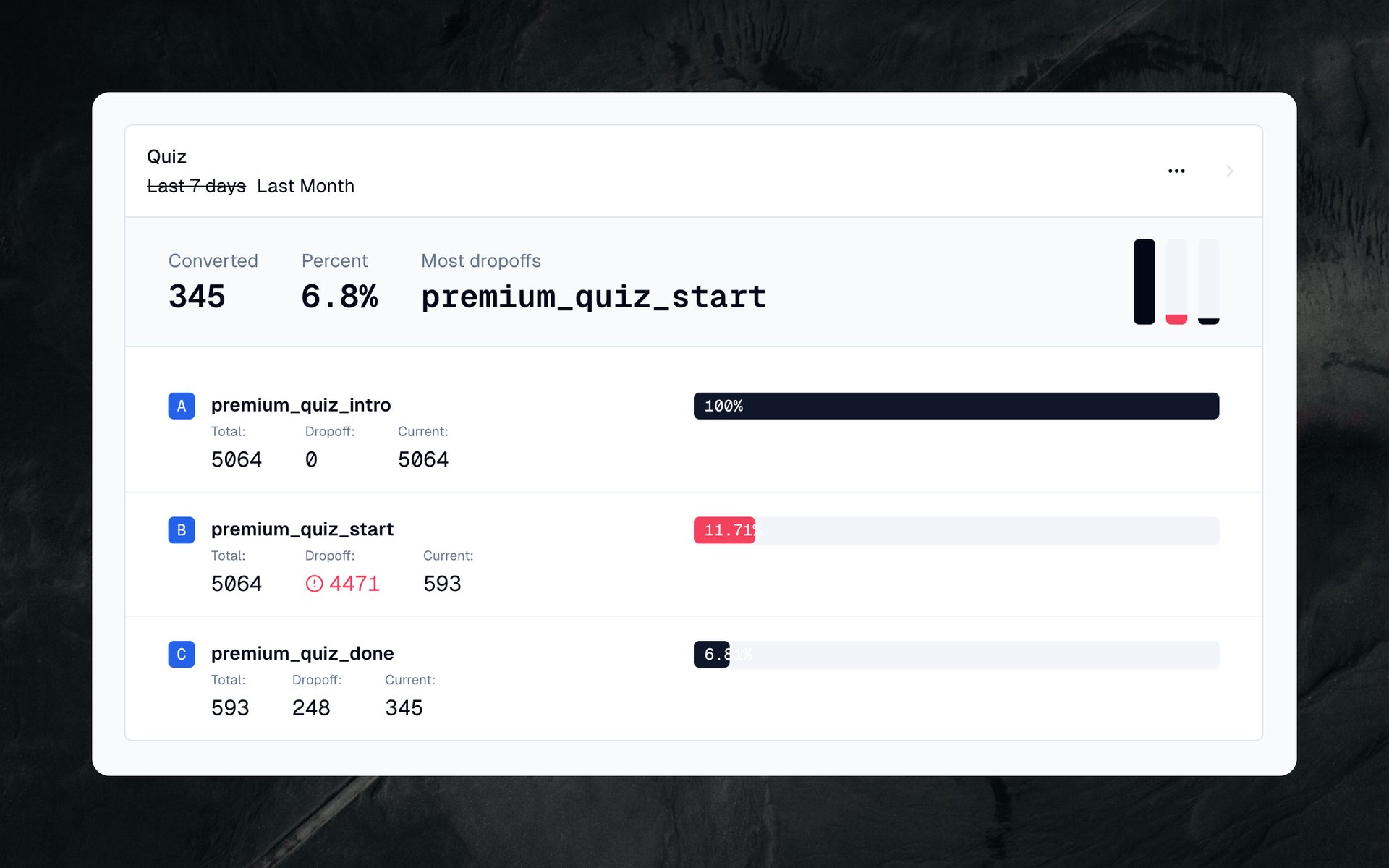
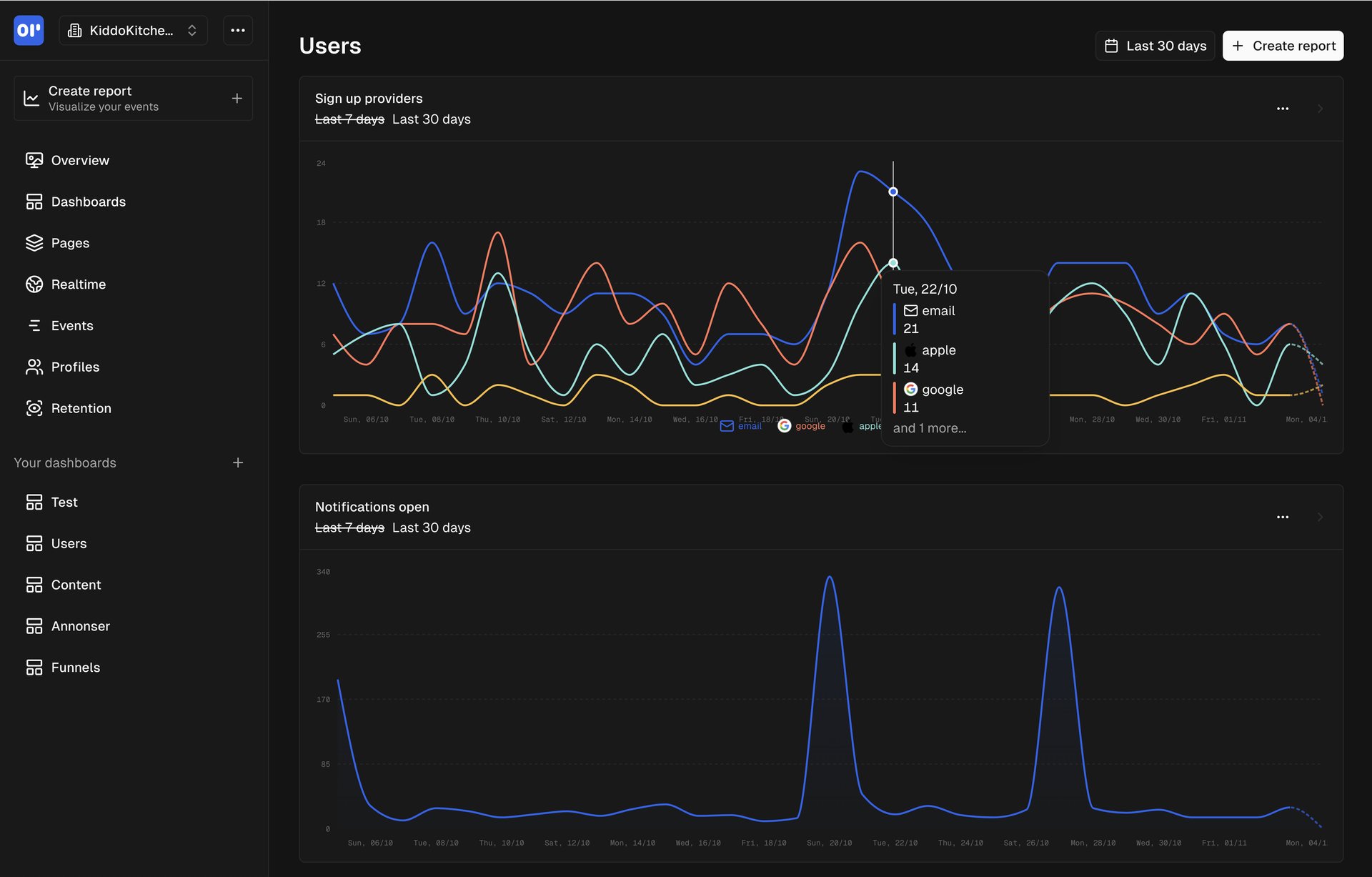
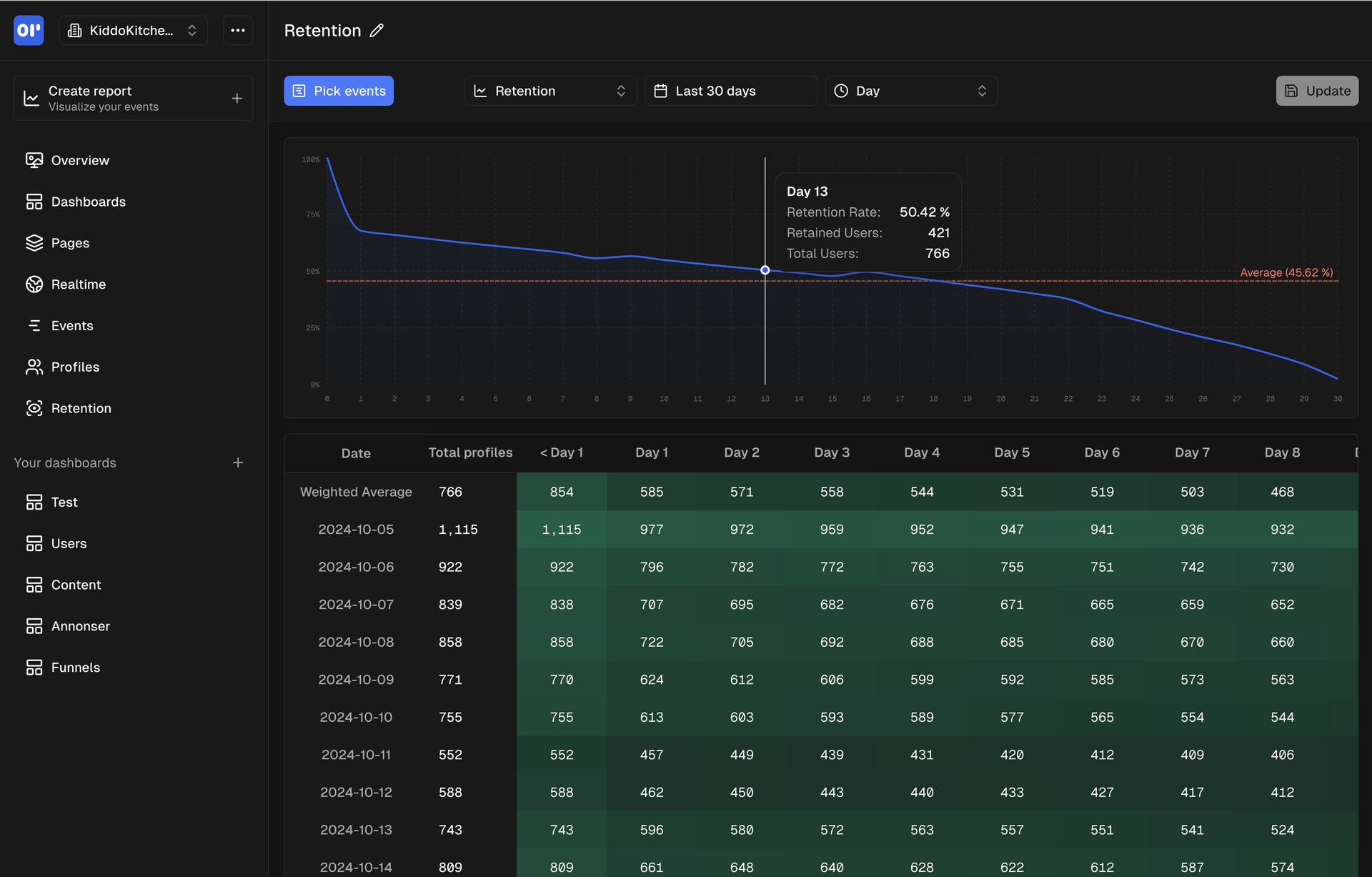
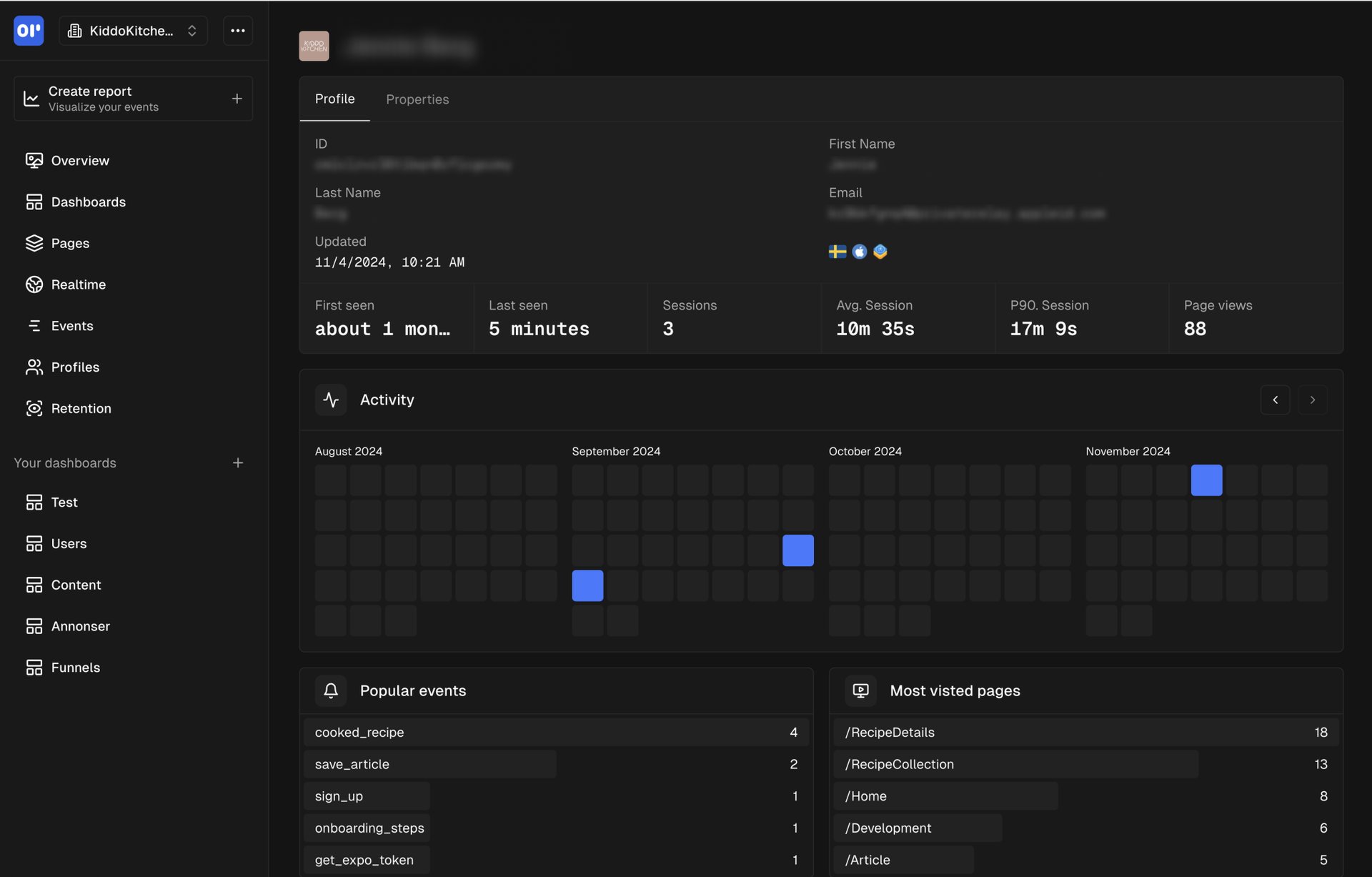
Open the app
About OpenPanel
OpenPanel is web and product analytics you host yourself: page views, visitors and sources like Plausible, plus events, funnels, retention and user profiles like Mixpanel. This is OpenPanel in a single container, with PostgreSQL, ClickHouse and Redis inside, one port and one data folder. Secret keys are made for you on first start.
Features
- Web analytics: visitors, pages, referrers, countries and devices
- Product analytics: events, funnels, retention and conversion
- User profiles and sessions, and a real-time view
- Custom dashboards and reports, shareable with a link
- Cookieless tracking with SDKs for websites, React, Next.js, apps and servers
- Teams with invitations, and an optional AI chat about your data
- PostgreSQL, ClickHouse and Redis inside
How to use
- Open OpenPanel from your dashboard.
- Create your account. The first account is the owner.
- Add a project, then put the tracking snippet it shows on your website.
Before you install
You must set PUBLIC_URL first. It starts as http://[ZIMAOS-IP-ADDRESS]:6191: replace [ZIMAOS-IP-ADDRESS] with your ZimaOS IP, like http://192.168.1.20:6191, or use your https address. The dashboard and the tracking script on your websites talk to it, at http://[ZIMAOS-IP-ADDRESS]:6191/api. Until it is set, OpenPanel only opens on the server itself and shows a note everywhere else.
There is no admin password to set: the first person to open OpenPanel and sign up becomes the owner, and sign-up closes after that. Invite others from your organization's Members page. To track a public website, OpenPanel must be reachable from the internet at an https address. Email, sign-in with Google or GitHub and the other settings are in the Variables tab; add them in the app settings. OpenPanel needs about 1.5 GB of memory, and the first start takes about 5 minutes.
The settings in the first table are already in the app settings. To use any other one, open the app settings, add the variable with your value, save, and the app restarts with it. A setting you leave out uses its default.
In the app settings
| Variable | Default value | Description |
|---|---|---|
TZ | $TZ | Your time zone. It is filled in from your ZimaOS time zone. Leave it unless you need another. |
PUBLIC_ | http://[ZIMAOS-IP-ADDRESS]:6191 | Required. Replace [ZIMAOS-IP-ADDRESS] with your ZimaOS IP, like http://192.168.1.20:6191, or use your https address. The dashboard and the tracking script on your websites talk to it. Keep the port at 6191. |
Sign-up and accounts
| Variable | Default value | Description |
|---|---|---|
ALLOW_ | false | Set to true to let anyone make an account. The first account can always be made. |
ALLOW_ | true | Set to false to turn off inviting people to your organization. |
| Variable | Default value | Description |
|---|---|---|
RESEND_ | — | A Resend API key, to send invitation and password reset emails through Resend. |
EMAIL_ | [email protected] | The address emails are sent from. |
SMTP_ | — | Your email server, like smtp.gmail.com, to send emails without Resend. |
SMTP_ | 587 | Your email server port, usually 587 or 465. |
SMTP_ | false | Set to true for port 465 (TLS from the start). |
SMTP_ | — | The user name for your email server. |
SMTP_ | — | The password for your email server. |
Sign in with Google or GitHub
| Variable | Default value | Description |
|---|---|---|
GOOGLE_ | — | Google OAuth client ID. Its redirect URI is PUBLIC_URL/api/oauth/google/callback. |
GOOGLE_ | — | Google OAuth client secret. |
GITHUB_ | — | GitHub OAuth app client ID. Its callback is PUBLIC_URL/api/oauth/github/callback. |
GITHUB_ | — | GitHub OAuth app client secret. |
AI
| Variable | Default value | Description |
|---|---|---|
OPENAI_ | — | Your OpenAI API key, for the AI chat about your data. |
ANTHROPIC_ | — | Your Anthropic API key, for the AI chat about your data. |
OPENAI_ | — | Another OpenAI-compatible server, like http://192.168.1.20:11434/v1. |
Server
| Variable | Default value | Description |
|---|---|---|
API_ | — | Extra websites allowed to call the API, comma separated, like https://app.example.com. |
DISABLE_ | false | Set to true to stop OpenPanel's anonymous usage ping. |
DISABLE_ | false | Set to true to stop OpenPanel fetching website icons from the internet. |
COOKIE_ | — | Extra two-part domain endings for sign-in cookies, like my.id, when you use such a domain. |
name: openpanel

services:
  openpanel:
    image: ghcr.io/hsinghhira/openpanel:latest
    container_name: openpanel
    restart: unless-stopped
    stop_grace_period: 90s
    privileged: true
    environment:
      - TZ=$TZ
      - PUBLIC_URL=http://[ZIMAOS-IP-ADDRESS]:6191
    ports:
      - target: 8080
        published: "6191"
        protocol: tcp
    volumes:
      - type: bind
        source: /DATA/AppData/$AppID/data
        target: /data
        bind:
          create_host_path: true
    healthcheck:
      test: ["CMD", "curl", "-fsS", "-o", "/dev/null", "http://127.0.0.1:8080/api/healthcheck"]
      interval: 30s
      timeout: 10s
      retries: 5
      start_period: 300s
    deploy:
      resources:
        limits:
          cpus: "4.00"
          memory: 4096M
        reservations:
          cpus: "0.25"
          memory: 1024M
    labels:
      icon: https://cdn.jsdelivr.net/gh/HSinghHira/IceStore@main/Apps/openpanel/icon.png
    x-casaos:
      id: com.icestore.openpanel
      envs:
        - container: TZ
          description:
            en_US: >-
              Your time zone. It is filled in from your ZimaOS time zone.
              Leave it unless you need another.
        - container: PUBLIC_URL
          description:
            en_US: >-
              Required. Replace [ZIMAOS-IP-ADDRESS] with your ZimaOS IP, like
              http://192.168.1.20:6191, or use your https address. The
              dashboard and the tracking script on your websites talk to it.
              Keep the port at 6191.
      ports:
        - container: "8080"
          description:
            en_US: OpenPanel dashboard and tracking API (at /api), published on host as 6191
      volumes:
        - container: /data
          description:
            en_US: >-
              The PostgreSQL and ClickHouse databases with all your events,
              Redis, and this install's secret keys (state/secrets.env). Back
              up the whole folder.

x-casaos:
  id: com.icestore.openpanel
  architectures:
    - amd64
    - arm64
  main: openpanel
  author: HSinghHira
  category: Developer
  developer: Openpanel-dev
  icon: https://cdn.jsdelivr.net/gh/HSinghHira/IceStore@main/Apps/openpanel/icon.png
  thumbnail: https://cdn.jsdelivr.net/gh/HSinghHira/IceStore@main/Apps/openpanel/screenshot-1.jpg
  screenshot_link:
    - https://cdn.jsdelivr.net/gh/HSinghHira/IceStore@main/Apps/openpanel/screenshot-1.jpg
    - https://cdn.jsdelivr.net/gh/HSinghHira/IceStore@main/Apps/openpanel/screenshot-2.jpg
    - https://cdn.jsdelivr.net/gh/HSinghHira/IceStore@main/Apps/openpanel/screenshot-3.jpg
    - https://cdn.jsdelivr.net/gh/HSinghHira/IceStore@main/Apps/openpanel/screenshot-4.jpg
    - https://cdn.jsdelivr.net/gh/HSinghHira/IceStore@main/Apps/openpanel/screenshot-5.jpg
    - https://cdn.jsdelivr.net/gh/HSinghHira/IceStore@main/Apps/openpanel/screenshot-6.jpg
  title:
    en_US: OpenPanel
  tagline:
    en_US: Open-source web and product analytics, an alternative to Mixpanel
  description:
    en_US: >-
      Visit: [https://icestore.hsinghhira.me/app/openpanel/](https://icestore.hsinghhira.me/app/openpanel/) for full details


      OpenPanel is web and product analytics you host yourself: page views,
      visitors and sources like Plausible, plus events, funnels, retention
      and user profiles like Mixpanel. This is OpenPanel in a single
      container, with PostgreSQL, ClickHouse and Redis inside, one port and
      one data folder. Secret keys are made for you on first start.


      **Features**


      - Web analytics: visitors, pages, referrers, countries and devices

      - Product analytics: events, funnels, retention and conversion

      - User profiles and sessions, and a real-time view

      - Custom dashboards and reports, shareable with a link

      - Cookieless tracking with SDKs for websites, React, Next.js, apps and
        servers

      - Teams with invitations, and an optional AI chat about your data


      **How to use?**


      1. Open OpenPanel from the Zima OS dashboard.


      2. Create your account. The first account is the owner.


      3. Add a project, then put the tracking snippet it shows on your
         website.
  tips:
    before_install:
      en_US: >-
        1. Set PUBLIC_URL first. You must do this, or the dashboard won't
           load. Replace [ZIMAOS-IP-ADDRESS] with your ZimaOS IP, like
           http://192.168.1.20:6191.


        2. More settings, like email and sign-in with Google or GitHub, are
           listed on the OpenPanel page at
           https://icestore.hsinghhira.me/app/openpanel/ (Variables tab). You
           can add them now or later in the app settings.


        3. Start the installation.


        4. Wait about 5 minutes for OpenPanel to start the first time.


        5. Open OpenPanel from the Zima OS dashboard.


        6. Create your account. The first person to sign up is the owner.
           Sign-up then closes; invite others from your organization's
           Members page.


        7. Add a project and copy the tracking snippet into your website.
  index: /
  port_map: "6191"
  scheme: http
  is_uncontrolled: false
  version: "2.3.0"
  update_at: "2026-11-08"
  release_notes:
    en_US: |-
      - Single-container OpenPanel with one port (6191) and one data folder
      - PostgreSQL 14, Redis and ClickHouse inside, as in upstream's self-hosting compose
      - Secret keys are made on first start, so each install gets its own
      - The worker's queue dashboard (Bull Board) is left out
      - lindesvard/openpanel-api 2.3.0
      - lindesvard/openpanel-worker 2.3.0
      - lindesvard/openpanel-dashboard 2.3.0
      - clickhouse/clickhouse-server 25.10.2.65
  repo: "https://github.com/Openpanel-dev/openpanel"
  support: "https://github.com/Openpanel-dev/openpanel/issues"
  docs: "https://openpanel.dev/docs/self-hosting/self-hosting"
Install OpenPanel
Something not working with OpenPanel?
Report it so it gets fixed, or ask for an app that is not here yet.
 ZimaOS
Add the store link, then find OpenPanel in the App Store and install it.
 CasaOS
Add the store link, then find OpenPanel in the App Store and install it.
 ReCasaOS
Add the store link, then find OpenPanel in the App Store and install it.
 Homeio
Add the store link, then find OpenPanel in the App Store and install it.
 MOS
Add the repository in MOS Hub Settings, then find OpenPanel in Docker → MOS Hub and install it.


