
OpenSignup
Sign-up sheets for snack rotations, volunteer shifts and carpools.
- ghcr.io/hsinghhira/opensignup:1.0.1
- v6629400
- Updated 12 Nov 2026
- port 6727
- amd64 · arm64
- Productivity
- 24 stars
Screenshots
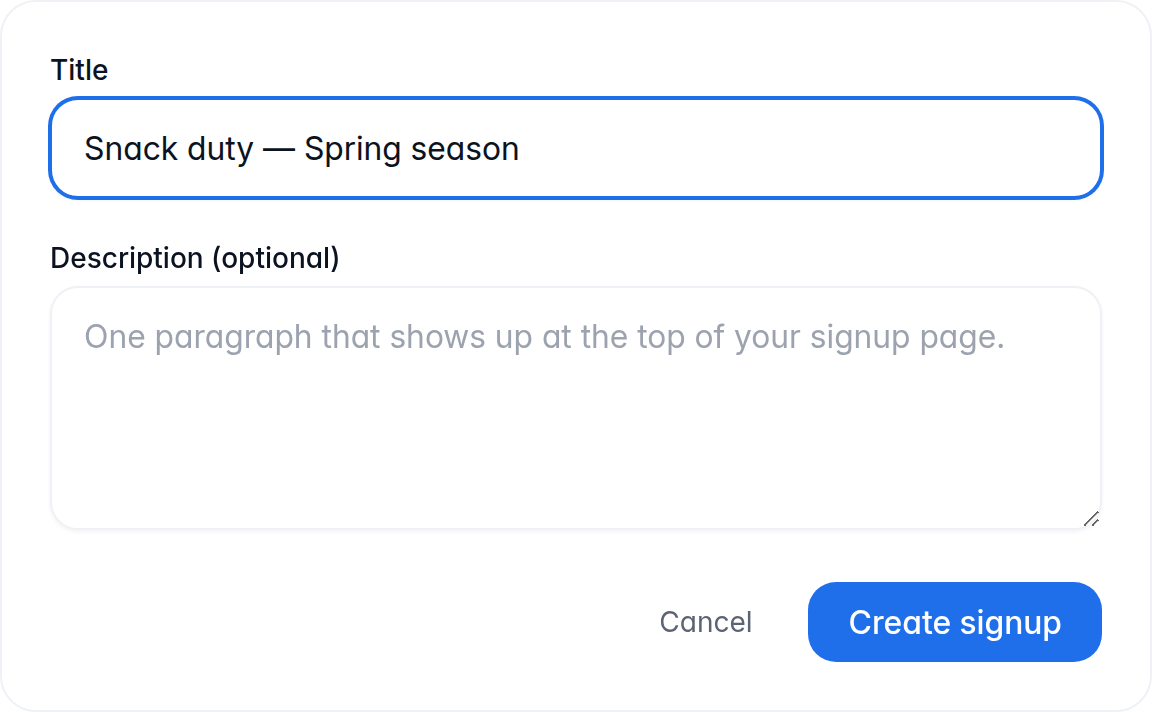
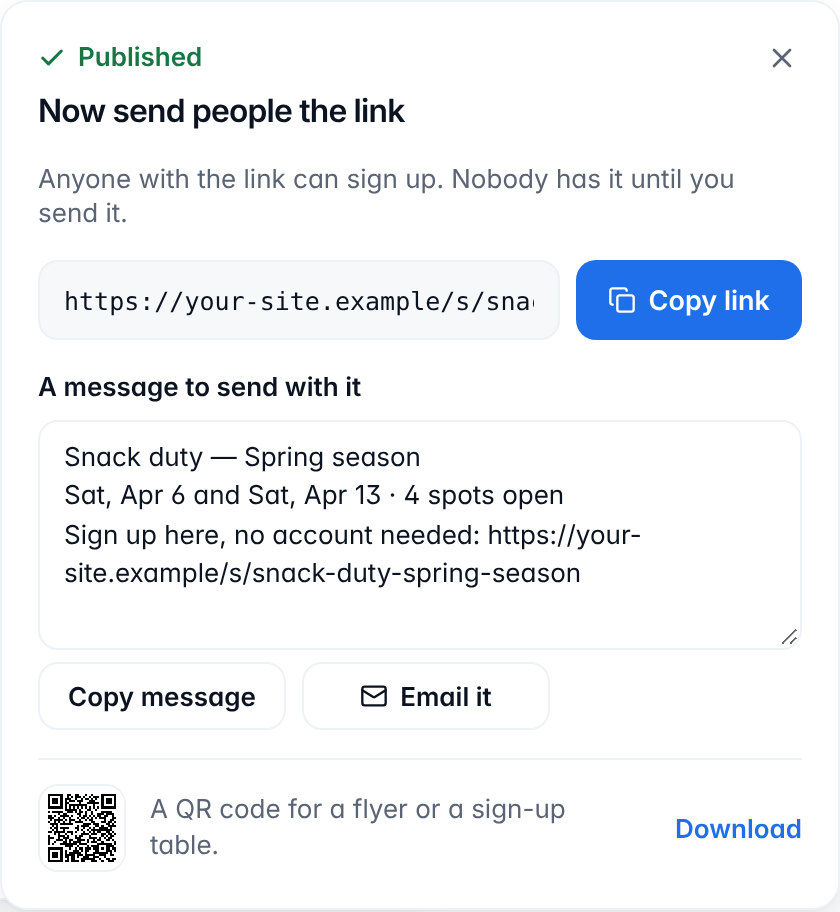
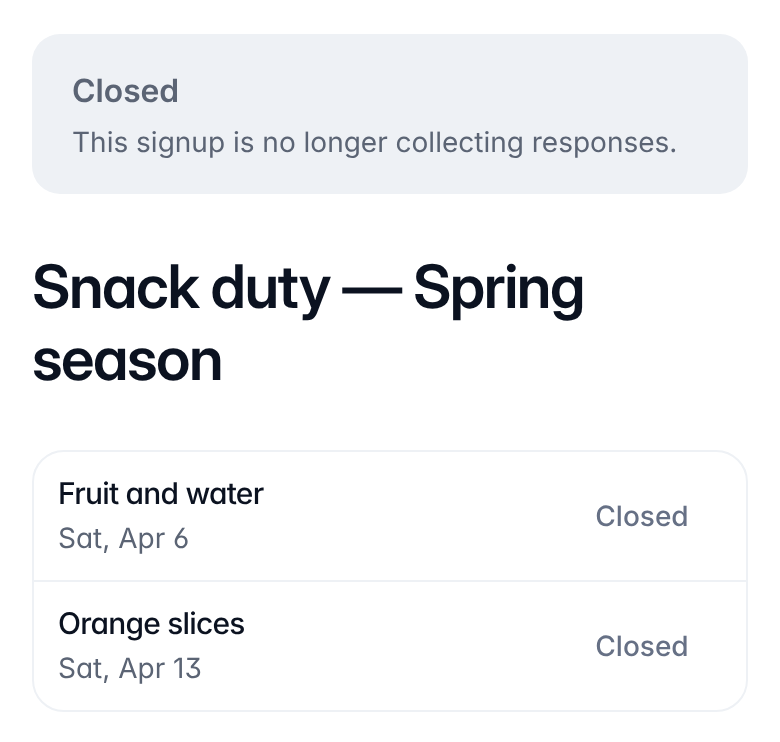
Open the app
About OpenSignup
OpenSignup is an ad-free, open-source sign-up sheet for school parents, coaches and community groups: snack rotations, volunteer shifts, potlucks and carpools. Participants sign up from a link, with no account. Built here from upstream's source, with PostgreSQL, the reminder email worker and a mail viewer inside one container.
Features
- Signups with slots, groups, dates, times and a limit of people per slot
- Participants sign up, change or cancel from a link, no account needed
- Reminder emails, and an email when a slot moves to a new time
- Share panel with a ready message, email link and QR code
- Responses tab with CSV export, and taking someone off a slot
- Workspaces with owners, editors and viewers
- Optional AI drafts (Magic Compose) and an MCP connector for AI assistants
How to use
- Set
PUBLIC_URLto your ZimaOS IP in the app settings. - Open OpenSignup and sign in with your email address.
- Open the sign-in link from the mail viewer at
http://[ZIMAOS-IP-ADDRESS]:6727/mail/(its login is in the app's logs). - Make a signup, publish it and share its link.
Before you install
Set PUBLIC_URL to http://[ZIMAOS-IP-ADDRESS]:6727 with your ZimaOS IP, like http://192.168.1.20:6727. Sign-in links, share links and the links in emails all use it. Until you do, other devices get a page saying what to set.
Organizers sign in with an emailed link (or Google, if you set it up). Until you add SMTP_HOST and the other email settings, every email, sign-in links and participants' reminders included, lands in the built-in mail viewer at /mail/. Its login is in the app's logs, in the box marked CREDENTIALS, on every start. Participants only get their reminders once real email is set up.
Upstream bakes the site name, support email and legal text into its build; here they are app settings (NEXT_PUBLIC_INSTANCE_NAME, NEXT_PUBLIC_SUPPORT_EMAIL, NEXT_PUBLIC_GOVERNING_LAW, NEXT_PUBLIC_OPERATOR_NAME) that are filled in on every start. Set them before people outside your home use the site. To use it from outside your home, put it behind HTTPS with your own domain (a reverse proxy or tunnel to port 6727) and set PUBLIC_URL to that address, like https://signup.example.com. Connecting an AI assistant over MCP needs HTTPS too.
The first start takes about two minutes (the database and its tables). More settings are in the Variables tab.
The settings in the first table are already in the app settings. To use any other one, open the app settings, add the variable with your value, save, and the app restarts with it. A setting you leave out uses its default.
In the app settings
| Variable | Default value | Description |
|---|---|---|
TZ | $TZ | Your time zone. It is filled in from your ZimaOS time zone. |
PUBLIC_ | http://[ZIMAOS-IP-ADDRESS]:6727 | Required. Replace [ZIMAOS-IP-ADDRESS] with your ZimaOS IP, like http://192.168.1.20:6727. Sign-in links, share links and the links in emails use this address. Behind HTTPS with your own domain, set it to that address, like https://signup.example.com. |
Site
| Variable | Default value | Description |
|---|---|---|
NEXT_ | OpenSignup | The site's name, shown in the header, the footer and the legal pages. |
NEXT_ | [email protected] | The contact email shown in the footer and the privacy policy. Set it to an address people can write to. |
NEXT_ | — | The governing law in the terms of service, like England and Wales or the State of Oregon. Left out, the terms name the laws of the place where the operator of the site lives. |
NEXT_ | — | The person or group running this site, named in the privacy policy and terms. Leave it out to say "the operator of this instance". |
Sign-in
| Variable | Default value | Description |
|---|---|---|
AUTH_ | 60 | How long a sign-in link works, in minutes (1 to 10080). |
Sign in with Google
| Variable | Default value | Description |
|---|---|---|
GOOGLE_ | — | The client ID of a Google OAuth client, to let organizers sign in with Google. Its redirect URI is your PUBLIC_URL plus /api/auth/callback/google. |
GOOGLE_ | — | The client secret of that Google OAuth client. Set both or neither. |
Email (SMTP)
| Variable | Default value | Description |
|---|---|---|
SMTP_ | — | Your mail server, for sign-in links and reminders. Leave it out to keep every email in the mail viewer at /mail. |
SMTP_ | 587 | Your mail server's port. |
SMTP_ | — | The user name for your mail server. Set both this and SMTP_PASSWORD, or neither. |
SMTP_ | — | The password for your mail server. |
SMTP_ | — | Leave it out to pick from the port (TLS from the start on 465, STARTTLS otherwise). Set true or false to choose yourself. |
SMTP_ | — | Set to false only for a mail server on your own network that takes a login but has no STARTTLS. |
EMAIL_ | OpenSignup <[email protected]> | The sender of every email, like Bake Sale <[email protected]>. |
EMAIL_ | — | How email is sent: smtp, resend or console. Leave it out to use smtp when SMTP_HOST is set, Resend when RESEND_API_KEY is set, and the mail viewer otherwise. |
RESEND_ | — | A Resend API key, to send email with Resend instead of SMTP. |
MP_ | — | The mail viewer's login as user:password. Leave it out to use admin and the password in the CREDENTIALS box. |
AI
| Variable | Default value | Description |
|---|---|---|
LLM_ | — | An OpenAI-compatible API address for Magic Compose (AI drafts), like https://openrouter.ai/api/v1 or http://[ZIMAOS-IP-ADDRESS]:11434/v1 for Ollama. Set it with LLM_MODEL. |
LLM_ | — | The model for Magic Compose, like openai/gpt-4o-mini or llama3.1:8b. |
LLM_ | — | The API key for that address. Not needed for Ollama. |
LLM_ | 180000 | How long to wait for an AI draft, in milliseconds. |
OAUTH_ | — | Pre-registered AI assistant clients, as a JSON list of client_id, client_name and redirect_uris. Most assistants don't need this. |
name: opensignup

services:
  opensignup:
    image: ghcr.io/hsinghhira/opensignup:1.0.1
    container_name: opensignup
    restart: unless-stopped
    stop_grace_period: 60s
    network_mode: bridge
    environment:
      - TZ=$TZ
      - PUBLIC_URL=http://[ZIMAOS-IP-ADDRESS]:6727
    ports:
      - target: 8080
        published: "6727"
        protocol: tcp
    volumes:
      - type: bind
        source: /DATA/AppData/$AppID/data
        target: /data
        bind:
          create_host_path: true
    healthcheck:
      test: ["CMD", "curl", "-fsS", "-o", "/dev/null", "http://127.0.0.1:8080/api/public/health"]
      interval: 30s
      timeout: 10s
      retries: 5
      start_period: 180s
    deploy:
      resources:
        limits:
          cpus: "2.00"
          memory: 1536M
        reservations:
          cpus: "0.10"
          memory: 256M
    labels:
      icon: https://cdn.jsdelivr.net/gh/HSinghHira/IceStore@main/Apps/opensignup/icon.png
    x-casaos:
      id: com.icestore.opensignup
      envs:
        - container: TZ
          description:
            en_US: >-
              Your time zone. It is filled in from your ZimaOS time zone.
        - container: PUBLIC_URL
          description:
            en_US: >-
              Required. Replace [ZIMAOS-IP-ADDRESS] with your ZimaOS IP, like
              http://192.168.1.20:6727. Sign-in links, share links and the
              links in emails use this address. Behind HTTPS with your own
              domain, set it to that address, like https://signup.example.com.
      ports:
        - container: "8080"
          description:
            en_US: OpenSignup and its mail viewer (/mail), published on host as 6727
      volumes:
        - container: /data
          description:
            en_US: >-
              The database (postgres/), the mail viewer's emails (mail/) and
              the secrets made on first start (state/). Back up the whole
              folder.

x-casaos:
  id: com.icestore.opensignup
  architectures:
    - amd64
    - arm64
  main: opensignup
  author: HSinghHira
  category: Productivity
  developer: richshaw
  icon: https://cdn.jsdelivr.net/gh/HSinghHira/IceStore@main/Apps/opensignup/icon.png
  thumbnail: https://cdn.jsdelivr.net/gh/HSinghHira/IceStore@main/Apps/opensignup/screenshot-1.png
  screenshot_link:
    - https://cdn.jsdelivr.net/gh/HSinghHira/IceStore@main/Apps/opensignup/screenshot-1.png
    - https://cdn.jsdelivr.net/gh/HSinghHira/IceStore@main/Apps/opensignup/screenshot-2.png
    - https://cdn.jsdelivr.net/gh/HSinghHira/IceStore@main/Apps/opensignup/screenshot-3.png
  title:
    en_US: OpenSignup
  tagline:
    en_US: Sign-up sheets for snack rotations, volunteer shifts and carpools.
  description:
    en_US: >-
      Visit: [https://icestore.hsinghhira.me/app/opensignup/](https://icestore.hsinghhira.me/app/opensignup/) for full details


      OpenSignup is an ad-free, open-source sign-up sheet for school parents,
      coaches and community groups: snack rotations, volunteer shifts,
      potlucks and carpools. Participants sign up from a link, with no
      account. Built here from upstream's source, with PostgreSQL, the
      reminder email worker and a mail viewer inside one container.


      **Features**


      - Signups with slots, groups, dates, times and a limit of people per slot

      - Participants sign up, change or cancel from a link, no account needed

      - Reminder emails, and an email when a slot moves to a new time

      - Share panel with a ready message, email link and QR code

      - Responses tab with CSV export, and taking someone off a slot

      - Workspaces with owners, editors and viewers

      - Optional AI drafts (Magic Compose) and an MCP connector for AI assistants


      **How to use?**


      1. Set PUBLIC_URL to your ZimaOS IP in the app settings.


      2. Open OpenSignup and sign in with your email address.


      3. Open the sign-in link from the mail viewer at
         http://[ZIMAOS-IP-ADDRESS]:6727/mail/ (login in the app's logs).


      4. Make a signup, publish it and share its link.
  tips:
    before_install:
      en_US: >-
        1. You must do this, or sign-in won't work: change PUBLIC_URL. Replace
           [ZIMAOS-IP-ADDRESS] with your ZimaOS IP, like
           http://192.168.1.20:6727 and keep the port.


        2. Start the installation. Wait about two minutes. The first start
           creates the database.


        3. Look in the app's logs for the box marked CREDENTIALS. It has the
           mail viewer login. It is printed again on every start.


        4. Open http://[ZIMAOS-IP-ADDRESS]:6727 and sign in with your email
           address.


        5. Open the mail viewer at http://[ZIMAOS-IP-ADDRESS]:6727/mail/ and
           click the sign-in link in the email.


        6. To send real emails (sign-in links, reminders), add SMTP_HOST and
           the other email settings. They are listed on the OpenSignup page at
           https://icestore.hsinghhira.me/app/opensignup/ (Variables tab), with
           the site name and legal page settings. You can add them now or
           later in the app settings.
  index: /
  port_map: "6727"
  scheme: http
  is_uncontrolled: false
  version: "6629400"
  update_at: "2026-11-12"
  release_notes:
    en_US: |-
      - First IceStore release: OpenSignup from commit 6629400 (upstream has no releases or image), built from upstream's source with PostgreSQL 16, the email worker and Mailpit in one container.
      - Port 6727 and one data folder. The database password, the session secret and the mail viewer login are made on first start.
      - Organizers sign in by emailed link: until you set SMTP_HOST, the emails land in the mail viewer at /mail.
      - The site name, support email and legal page settings are app settings here, not build settings.
      - Fixed: no service started ("sed: unrecognized option: u") and the mail viewer exited with status 127.
      - The store now names the exact image version (1.0.1), so a new install downloads the fixed image instead of reusing an older one ZimaOS kept.
  repo: "https://github.com/richshaw/OpenSignup"
  support: "https://github.com/richshaw/OpenSignup/issues"
  docs: "https://github.com/richshaw/OpenSignup#readme"
Install OpenSignup
Something not working with OpenSignup?
Report it so it gets fixed, or ask for an app that is not here yet.
 ZimaOS
Add the store link, then find OpenSignup in the App Store and install it.
 CasaOS
Add the store link, then find OpenSignup in the App Store and install it.
 ReCasaOS
Add the store link, then find OpenSignup in the App Store and install it.
 Homeio
Add the store link, then find OpenSignup in the App Store and install it.
 MOS
Add the repository in MOS Hub Settings, then find OpenSignup in Docker → MOS Hub and install it.


