
Paperless-ngx
Scan, index and archive your paper documents so you can search them
- ghcr.io/hsinghhira/paperless-ngx:latest
- v3.5.1
- Updated 20 Nov 2026
- port 6748
- amd64 · arm64
- Productivity
- 48.5k stars
Screenshots
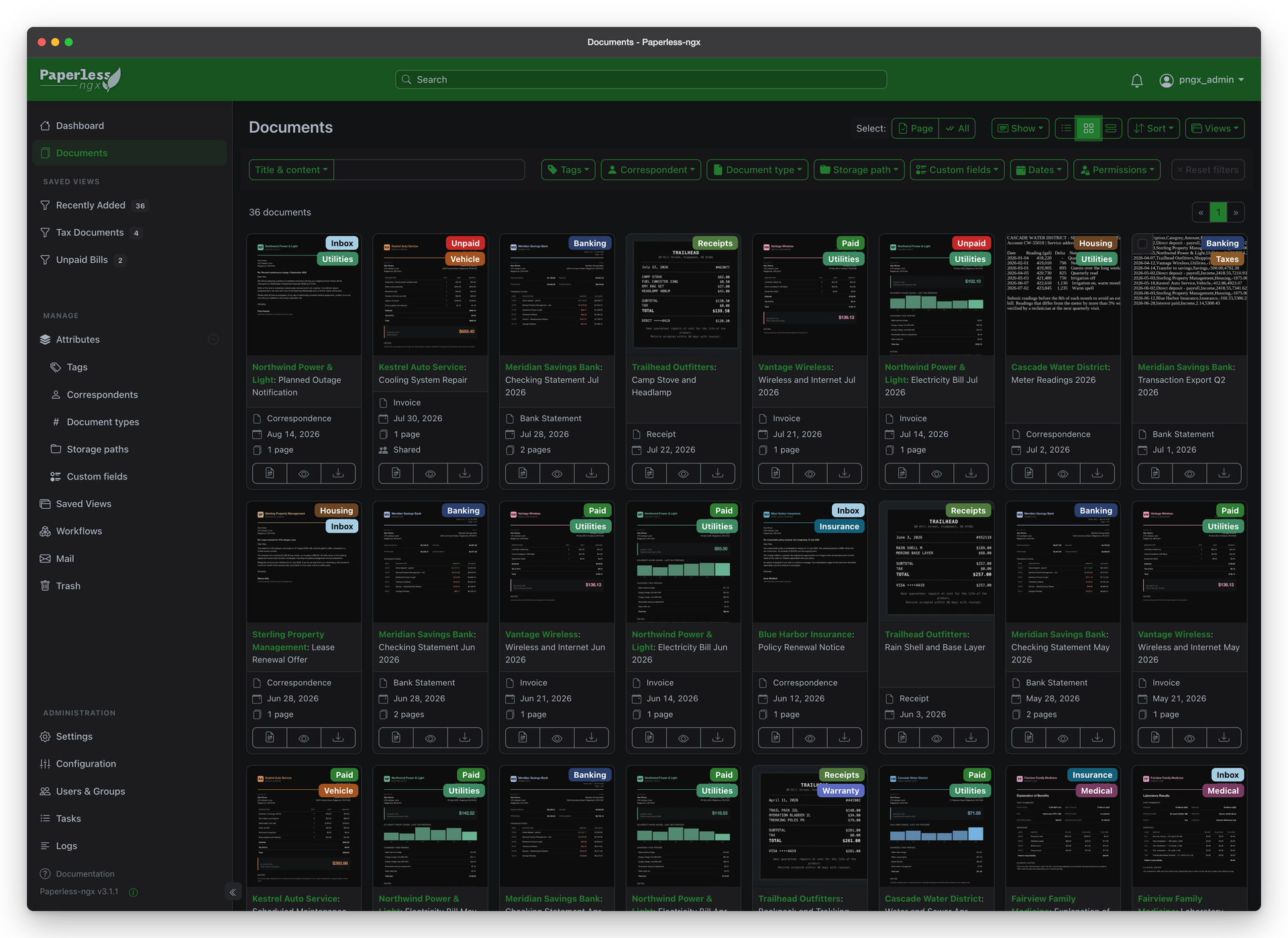
Open the app
About Paperless-ngx
Paperless-ngx turns your pile of paper into a searchable online archive. Scan a letter or drop in a PDF, and it reads the text, files it and tags it for you. Redis and a SQLite database are built in, so it is one container with nothing else to set up.
Features
- Reads the text of every scan (OCR) in over 100 languages and makes a searchable PDF copy
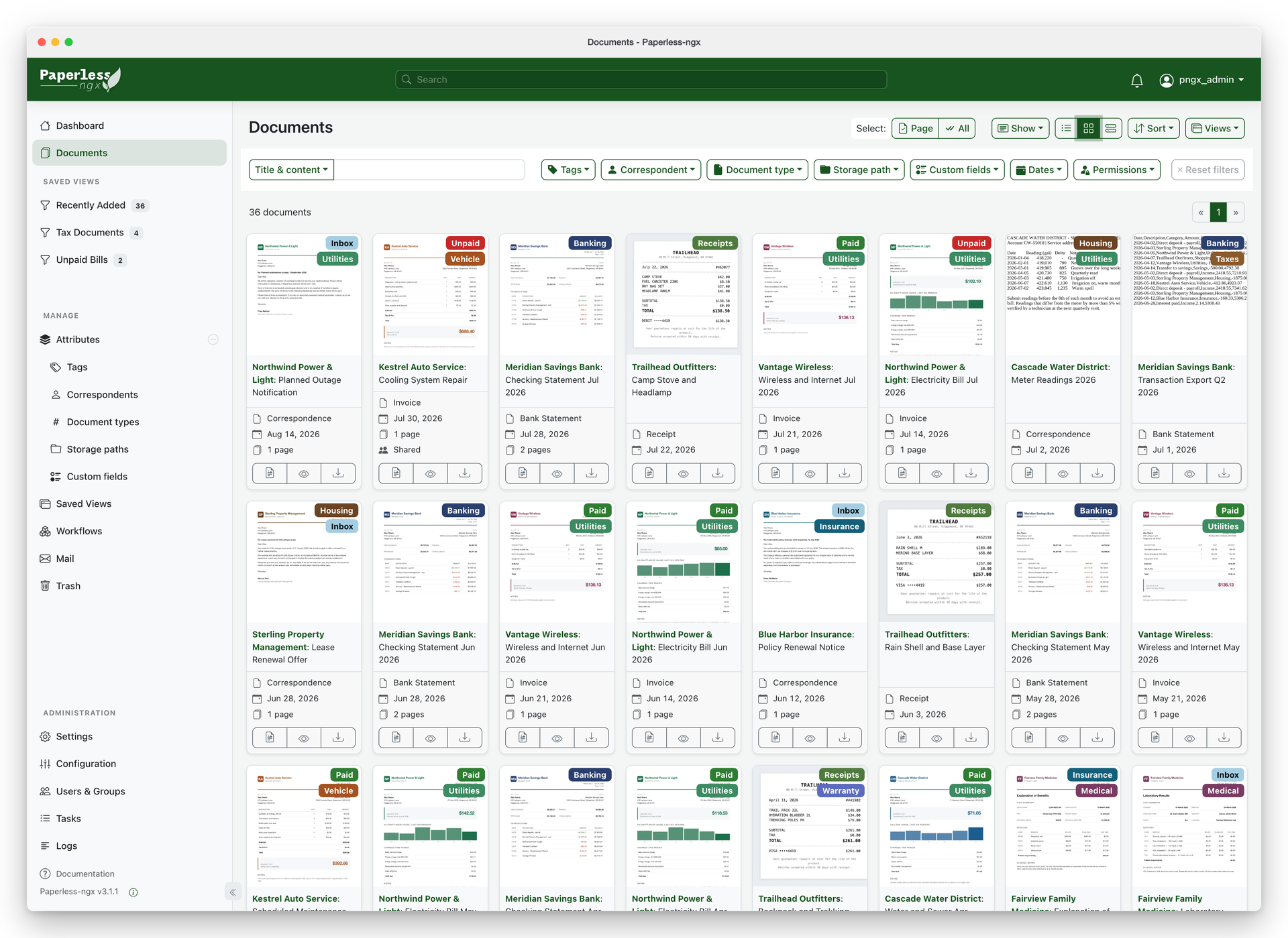
- Learns how you file things and adds tags, correspondents and document types on its own
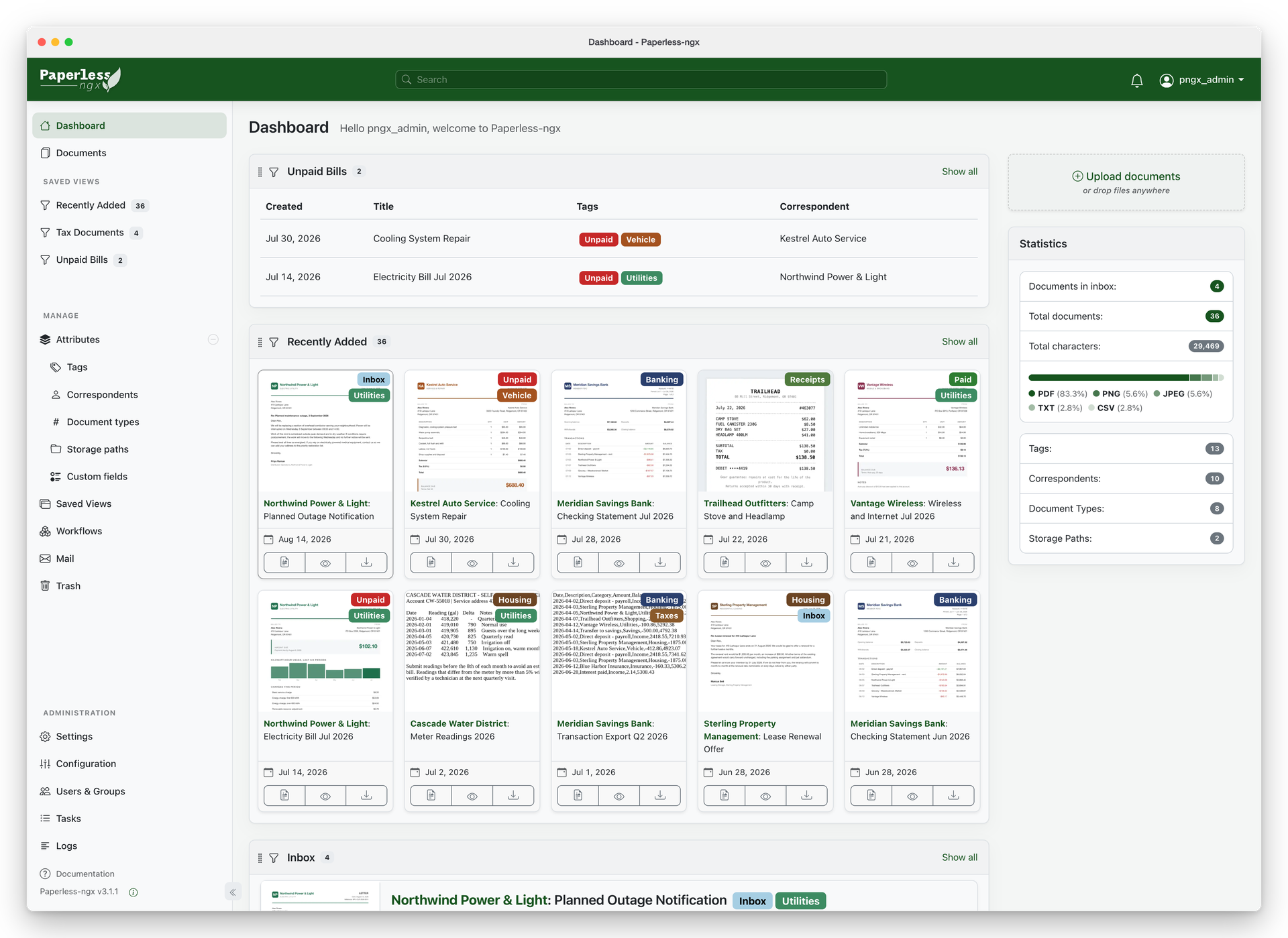
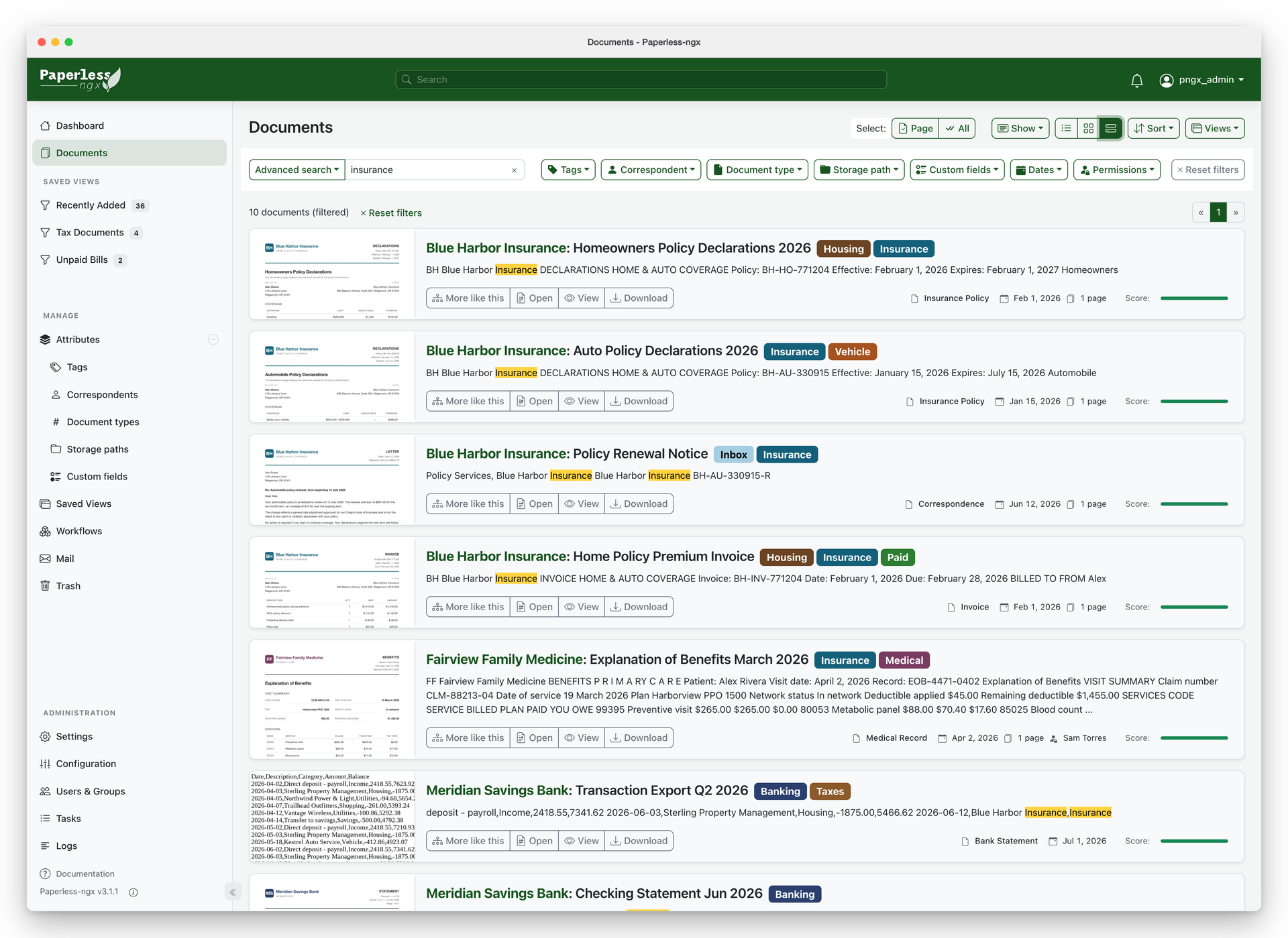
- Full-text search, saved views and a dashboard of your newest documents
- Picks up files from its inbox folder, from email accounts, from the upload button or from the mobile apps
- Users, groups and sharing rights, plus two-factor sign-in
- Workflows that run on new documents, and a REST API
How to use
- Open Paperless-ngx from your dashboard.
- Sign in as
adminwith the password from the app's logs (the box marked CREDENTIALS). - Drag a PDF or a photo of a letter onto the page to upload it.
- Or put files in
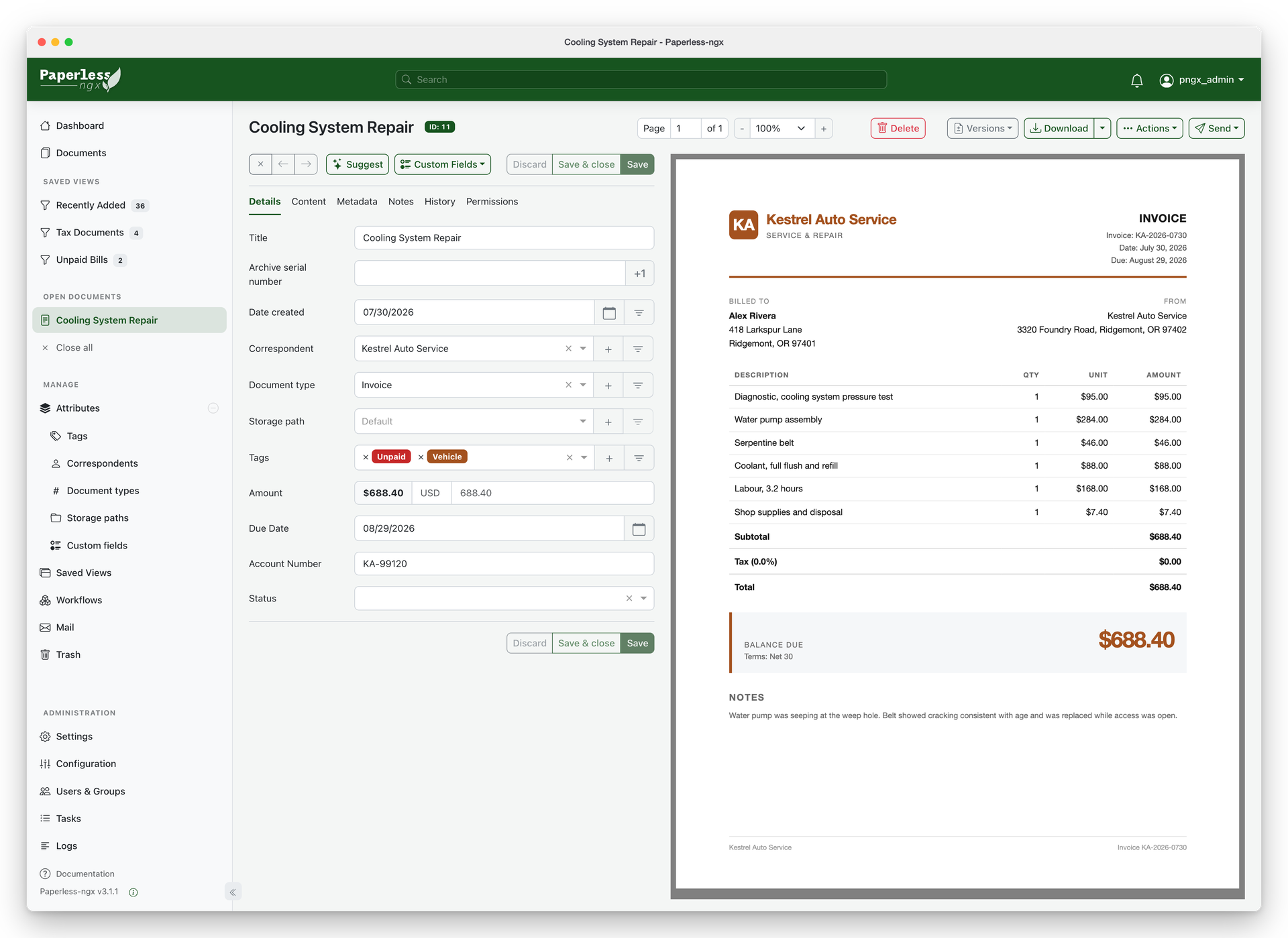
/DATA/AppData/paperless-ngx/consumewith the Files app. Paperless picks them up within a minute. - Open a document to check its title, date and tags. Paperless gets better at guessing them the more you correct it.
Office files (Word, Excel) and emails as .eml need two more services (Tika and Gotenberg) that are not inside this app; PDFs and images work.
Before you install
Set PAPERLESS_OCR_LANGUAGE to the language of your documents (eng, deu, fra...). Leave PAPERLESS_ADMIN_PASSWORD empty and a password is made for you on first start; it is shown in the app's logs in the box marked CREDENTIALS, and saved in /DATA/AppData/paperless-ngx/data/.admin_password. Open it from other devices at http://[ZIMAOS-IP-ADDRESS]:6748. If you put it behind a domain, set PAPERLESS_URL. More settings (email, sign-in with OIDC or Google, file naming, AI) are in the Variables tab; add them in the app settings. The first start takes about 3 minutes.
The settings in the first table are already in the app settings. To use any other one, open the app settings, add the variable with your value, save, and the app restarts with it. A setting you leave out uses its default.
In the app settings
| Variable | Default value | Description |
|---|---|---|
TZ | $TZ | Your time zone. It is filled in from your ZimaOS time zone. Paperless uses it for document dates unless you set PAPERLESS_TIME_ZONE. |
USERMAP_ | $PUID | The user that owns the files Paperless writes. It is filled in by ZimaOS. Leave it. |
USERMAP_ | $PGID | The group that owns the files Paperless writes. It is filled in by ZimaOS. Leave it. |
PAPERLESS_ | admin | The name of the first admin account, made on first start. |
PAPERLESS_ | — | The first admin's password. Leave it empty and one is made for you: it is shown in the app's logs, in the box marked CREDENTIALS. Only used to create the admin; change the password later in Paperless itself. |
PAPERLESS_ | eng | The language most of your documents are written in, as a three-letter code: eng, deu, fra, ita, spa. For two at once use deu+eng. Other languages also need PAPERLESS_OCR_LANGUAGES. |
Server
| Variable | Default value | Description |
|---|---|---|
PAPERLESS_ | — | The address you open Paperless at from outside, like https://paperless.example.com. Set it when you put Paperless behind a domain, or sign-in fails with a CSRF error. |
PAPERLESS_ | — | The time zone for document dates, like Europe/Berlin. Leave it out to use TZ. |
PAPERLESS_ | — | The key that signs sign-in sessions. It is made on first start and kept in the data folder as .secret_key. Only set it to use your own. |
PAPERLESS_ | 1 | How many web server processes to run. Raise it for many users. |
PAPERLESS_ | 1 | How many documents are processed at the same time. |
Sign-up and accounts
| Variable | Default value | Description |
|---|---|---|
PAPERLESS_ | root@localhost | The email address of the first admin account. |
PAPERLESS_ | false | Set to true to let anyone make an account on the sign-in page. |
PAPERLESS_ | false | Set to true to hide the password form, so people only sign in with a provider from PAPERLESS_SOCIALACCOUNT_PROVIDERS. |
Sign in with OIDC or Google
| Variable | Default value | Description |
|---|---|---|
PAPERLESS_ | — | Sign-in providers to turn on, like allauth.socialaccount.providers.openid_connect for OIDC (Pocket ID, Authentik) or allauth.socialaccount.providers.google. |
PAPERLESS_ | — | The provider settings as JSON, with your client ID, secret and server address. See the Paperless docs, section "OpenID Connect". |
PAPERLESS_ | false | Set to true to make an account on the first sign-in with a provider. |
Text recognition (OCR)
| Variable | Default value | Description |
|---|---|---|
PAPERLESS_ | — | Extra languages to install on start, separated by spaces, like tur ces. English, German, Italian, Spanish and French are already there. |
PAPERLESS_ | auto | auto reads pages that have no text yet; force reads every page again; skip only reads pages without text and keeps the original. |
PAPERLESS_ | never | Set to with_text or always to skip making the searchable PDF copy and save disk space. |
Files and inbox
| Variable | Default value | Description |
|---|---|---|
PAPERLESS_ | — | How stored files are named and put in folders, like {{ created_year }}/{{ correspondent }}/{{ title }}. Leave it out to number them. |
PAPERLESS_ | false | Set to true to also pick up files in folders inside the consume folder. |
PAPERLESS_ | false | Set to true (with PAPERLESS_CONSUMER_RECURSIVE) to tag each document with the names of the folders it was in. |
PAPERLESS_ | 0 | Check the consume folder every this many seconds instead of watching it. Set to 60 if new files on a network share are not noticed. |
PAPERLESS_ | 30 | Days before deleted documents are removed from the trash for good. |
Email (SMTP)
| Variable | Default value | Description |
|---|---|---|
PAPERLESS_ | localhost | Your email server, for password resets and workflow emails, like smtp.gmail.com. |
PAPERLESS_ | 25 | Your email server port, usually 587 (with TLS) or 465 (with SSL). |
PAPERLESS_ | — | The user name for your email server. |
PAPERLESS_ | — | The password for your email server. |
PAPERLESS_ | — | The sender address on emails. Leave it out to use PAPERLESS_EMAIL_HOST_USER. |
PAPERLESS_ | false | Set to true for port 587 (STARTTLS). |
PAPERLESS_ | false | Set to true for port 465. |
AI
| Variable | Default value | Description |
|---|---|---|
PAPERLESS_ | false | Set to true for AI suggestions and the document chat. Also set PAPERLESS_AI_LLM_BACKEND and PAPERLESS_AI_LLM_MODEL. |
PAPERLESS_ | — | openai or ollama. |
PAPERLESS_ | — | The model to use, like gpt-4o-mini or llama3.1. |
PAPERLESS_ | — | Your OpenAI (or compatible) API key. |
PAPERLESS_ | — | The address of your Ollama or OpenAI-compatible server, like http://192.168.1.20:11434. |
Logs
| Variable | Default value | Description |
|---|---|---|
PAPERLESS_ | 20 | How many old log files to keep in the data folder. |
name: paperless-ngx

services:
  paperless-ngx:
    image: ghcr.io/hsinghhira/paperless-ngx:latest
    container_name: paperless-ngx
    restart: unless-stopped
    stop_grace_period: 60s
    network_mode: bridge
    environment:
      - TZ=$TZ
      - USERMAP_UID=$PUID
      - USERMAP_GID=$PGID
      - PAPERLESS_ADMIN_USER=admin
      - PAPERLESS_ADMIN_PASSWORD=
      - PAPERLESS_OCR_LANGUAGE=eng
    ports:
      - target: 8000
        published: "6748"
        protocol: tcp
    volumes:
      - type: bind
        source: /DATA/AppData/$AppID/data
        target: /usr/src/paperless/data
        bind:
          create_host_path: true
      - type: bind
        source: /DATA/AppData/$AppID/media
        target: /usr/src/paperless/media
        bind:
          create_host_path: true
      - type: bind
        source: /DATA/AppData/$AppID/consume
        target: /usr/src/paperless/consume
        bind:
          create_host_path: true
      - type: bind
        source: /DATA/AppData/$AppID/export
        target: /usr/src/paperless/export
        bind:
          create_host_path: true
    healthcheck:
      test: ["CMD", "curl", "-fsS", "--max-time", "5", "http://127.0.0.1:8000/accounts/login/"]
      interval: 30s
      timeout: 10s
      retries: 5
      start_period: 300s
    deploy:
      resources:
        limits:
          cpus: "2.00"
          memory: 2048M
        reservations:
          cpus: "0.25"
          memory: 512M
    labels:
      icon: https://cdn.jsdelivr.net/gh/HSinghHira/IceStore@main/Apps/paperless-ngx/icon.png
    x-casaos:
      id: com.icestore.paperless-ngx
      envs:
        - container: TZ
          description:
            en_US: >-
              Your time zone. It is filled in from your ZimaOS time zone.
              Paperless uses it for document dates unless you set
              PAPERLESS_TIME_ZONE.
        - container: USERMAP_UID
          description:
            en_US: >-
              The user that owns the files Paperless writes. It is filled in
              by ZimaOS. Leave it.
        - container: USERMAP_GID
          description:
            en_US: >-
              The group that owns the files Paperless writes. It is filled in
              by ZimaOS. Leave it.
        - container: PAPERLESS_ADMIN_USER
          description:
            en_US: >-
              The name of the first admin account, made on first start.
        - container: PAPERLESS_ADMIN_PASSWORD
          description:
            en_US: >-
              The first admin's password. Leave it empty and one is made for
              you: it is shown in the app's logs, in the box marked
              CREDENTIALS. Only used to create the admin; change the password
              later in Paperless itself.
        - container: PAPERLESS_OCR_LANGUAGE
          description:
            en_US: >-
              The language most of your documents are written in, as a
              three-letter code: eng, deu, fra, ita, spa. For two at once use
              deu+eng. Other languages also need PAPERLESS_OCR_LANGUAGES.
      ports:
        - container: "8000"
          description:
            en_US: Paperless-ngx web UI and API, published on host as 6748
      volumes:
        - container: /usr/src/paperless/data
          description:
            en_US: >-
              The SQLite database, the search index, the Redis queue and
              .secret_key, this install's own key made on first start. Back
              it up.
        - container: /usr/src/paperless/media
          description:
            en_US: >-
              Your documents: the originals, the searchable PDF copies and
              the thumbnails. Back it up.
        - container: /usr/src/paperless/consume
          description:
            en_US: >-
              The inbox. Drop scans and PDFs here (with the Files app or a
              network share) and Paperless picks them up on its own.
        - container: /usr/src/paperless/export
          description:
            en_US: >-
              Where the document exporter writes full backups.

x-casaos:
  id: com.icestore.paperless-ngx
  architectures:
    - amd64
    - arm64
  main: paperless-ngx
  author: HSinghHira
  category: Productivity
  developer: Paperless-ngx
  icon: https://cdn.jsdelivr.net/gh/HSinghHira/IceStore@main/Apps/paperless-ngx/icon.png
  thumbnail: https://cdn.jsdelivr.net/gh/HSinghHira/IceStore@main/Apps/paperless-ngx/screenshot-1.png
  screenshot_link:
    - https://cdn.jsdelivr.net/gh/HSinghHira/IceStore@main/Apps/paperless-ngx/screenshot-1.png
    - https://cdn.jsdelivr.net/gh/HSinghHira/IceStore@main/Apps/paperless-ngx/screenshot-2.png
    - https://cdn.jsdelivr.net/gh/HSinghHira/IceStore@main/Apps/paperless-ngx/screenshot-3.png
    - https://cdn.jsdelivr.net/gh/HSinghHira/IceStore@main/Apps/paperless-ngx/screenshot-4.png
    - https://cdn.jsdelivr.net/gh/HSinghHira/IceStore@main/Apps/paperless-ngx/screenshot-5.png
  title:
    en_US: Paperless-ngx
  tagline:
    en_US: Scan, index and archive your paper documents so you can search them
  description:
    en_US: >-
      Paperless-ngx turns your pile of paper into a searchable online
      archive. Scan a letter or drop in a PDF, and it reads the text, files
      it and tags it for you. Redis and a SQLite database are built in, so
      it is one container with nothing else to set up.


      **Features**


      - Reads the text of every scan (OCR) in over 100 languages and makes
        a searchable PDF copy

      - Learns how you file things and adds tags, correspondents and
        document types on its own

      - Full-text search, saved views and a dashboard of your newest
        documents

      - Picks up files from its inbox folder, from email accounts, from the
        upload button or from the mobile apps

      - Users, groups and sharing rights, plus two-factor sign-in

      - Workflows that run on new documents, and a REST API


      **How to use?**


      1. Open Paperless-ngx from the ZimaOS dashboard.

      2. Sign in as admin with the password from the app's logs (the box
         marked CREDENTIALS).

      3. Drag a PDF or a photo of a letter onto the page to upload it.

      4. Or put files in /DATA/AppData/paperless-ngx/consume with the Files
         app. Paperless picks them up within a minute.

      5. Open a document to check its title, date and tags. Paperless gets
         better at guessing them the more you correct it.


      Office files (Word, Excel) and emails as .eml need two more services
      (Tika and Gotenberg) that are not inside this app; PDFs and images
      work.
  tips:
    before_install:
      en_US: >-
        1. Set PAPERLESS_OCR_LANGUAGE to the language of your letters. Use
           eng for English, deu for German, fra for French.


        2. More settings, like email, sign-in with Google or OIDC and the
           file naming pattern, are listed on the Paperless-ngx page at
           https://icestore.hsinghhira.me/app/paperless-ngx/ (Variables
           tab). You can add them now or later in the app settings.


        3. Start the installation. The first start takes about 3 minutes.


        4. Open the app's logs. Find the box marked CREDENTIALS. It has the
           admin name and password.


        5. Open http://[ZIMAOS-IP-ADDRESS]:6748 and sign in.


        6. To add files without the browser, put them in
           /DATA/AppData/paperless-ngx/consume with the Files app.
  index: /
  port_map: "6748"
  scheme: http
  is_uncontrolled: false
  version: "3.5.1"
  update_at: "2026-11-20"
  release_notes:
    en_US: |-
      - First IceStore release, on port 6748
      - Built on ghcr.io/paperless-ngx/paperless-ngx 3.5.1, with Redis added inside the same container and SQLite as the database
      - Each install makes its own PAPERLESS_SECRET_KEY and admin password on first start; the login is in the CREDENTIALS box in the logs
      - Tika and Gotenberg (Office files, .eml) are not included
  repo: "https://github.com/paperless-ngx/paperless-ngx"
  support: "https://github.com/paperless-ngx/paperless-ngx/issues"
  docs: "https://docs.paperless-ngx.com/"
Install Paperless-ngx
Something not working with Paperless-ngx?
Report it so it gets fixed, or ask for an app that is not here yet.
 ZimaOS
Add the store link, then find Paperless-ngx in the App Store and install it.
 CasaOS
Add the store link, then find Paperless-ngx in the App Store and install it.
 ReCasaOS
Add the store link, then find Paperless-ngx in the App Store and install it.
 Homeio
Add the store link, then find Paperless-ngx in the App Store and install it.
 MOS
Add the repository in MOS Hub Settings, then find Paperless-ngx in Docker → MOS Hub and install it.


