
OpenTodo
Your tasks, your server. A local-first to-do app you host yourself
- ghcr.io/opentodoapp/opentodo:0.16.0
- v0.16.0
- Updated 29 Oct 2026
- port 6136
- amd64 · arm64
- Productivity
- 176 stars
Screenshots
Open the app
About OpenTodo
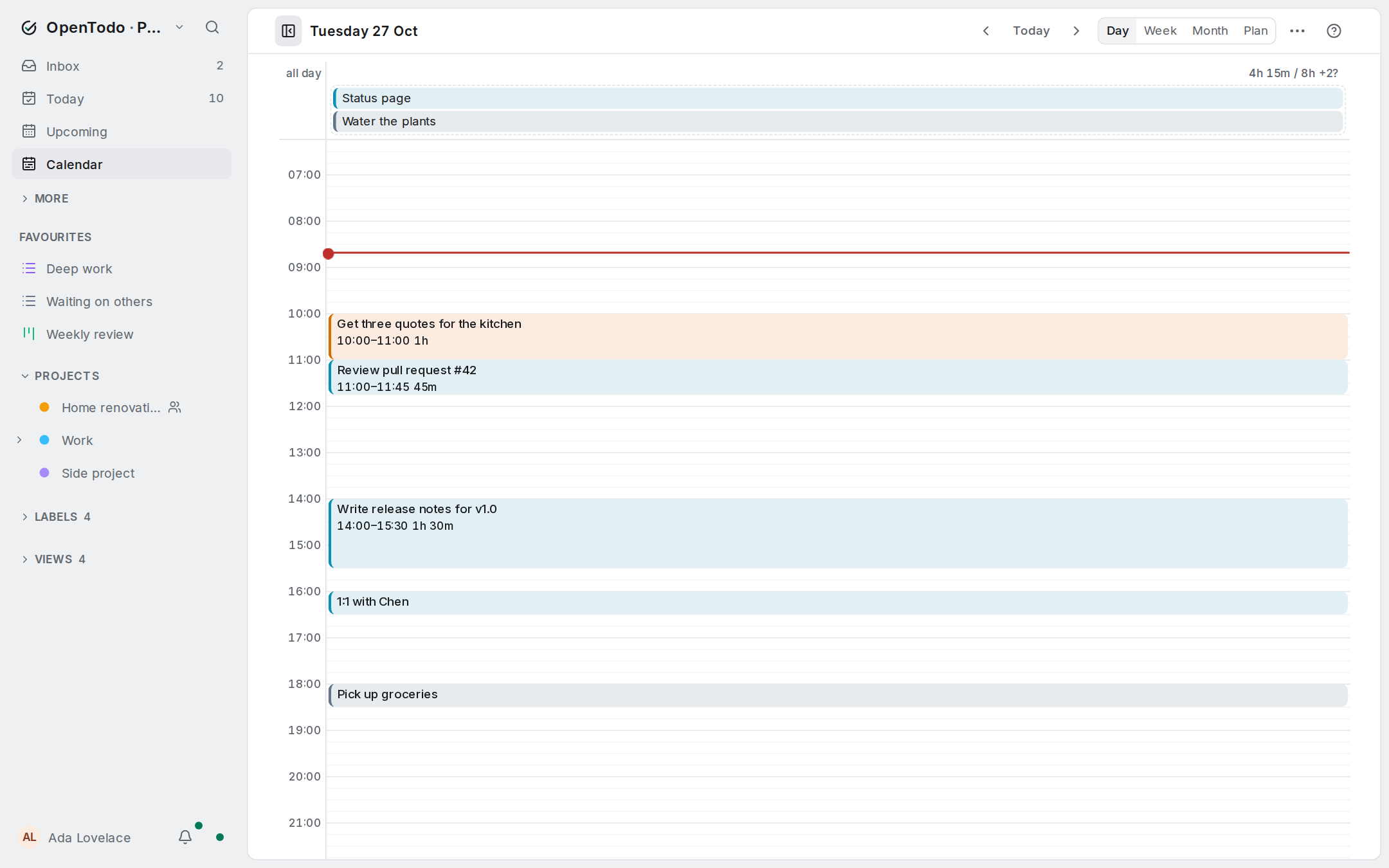
OpenTodo is a to-do app that runs on your own server. Plan your day, keep projects in order, set reminders and share lists with your family or your team, on your phone and your computer, even offline.
Features
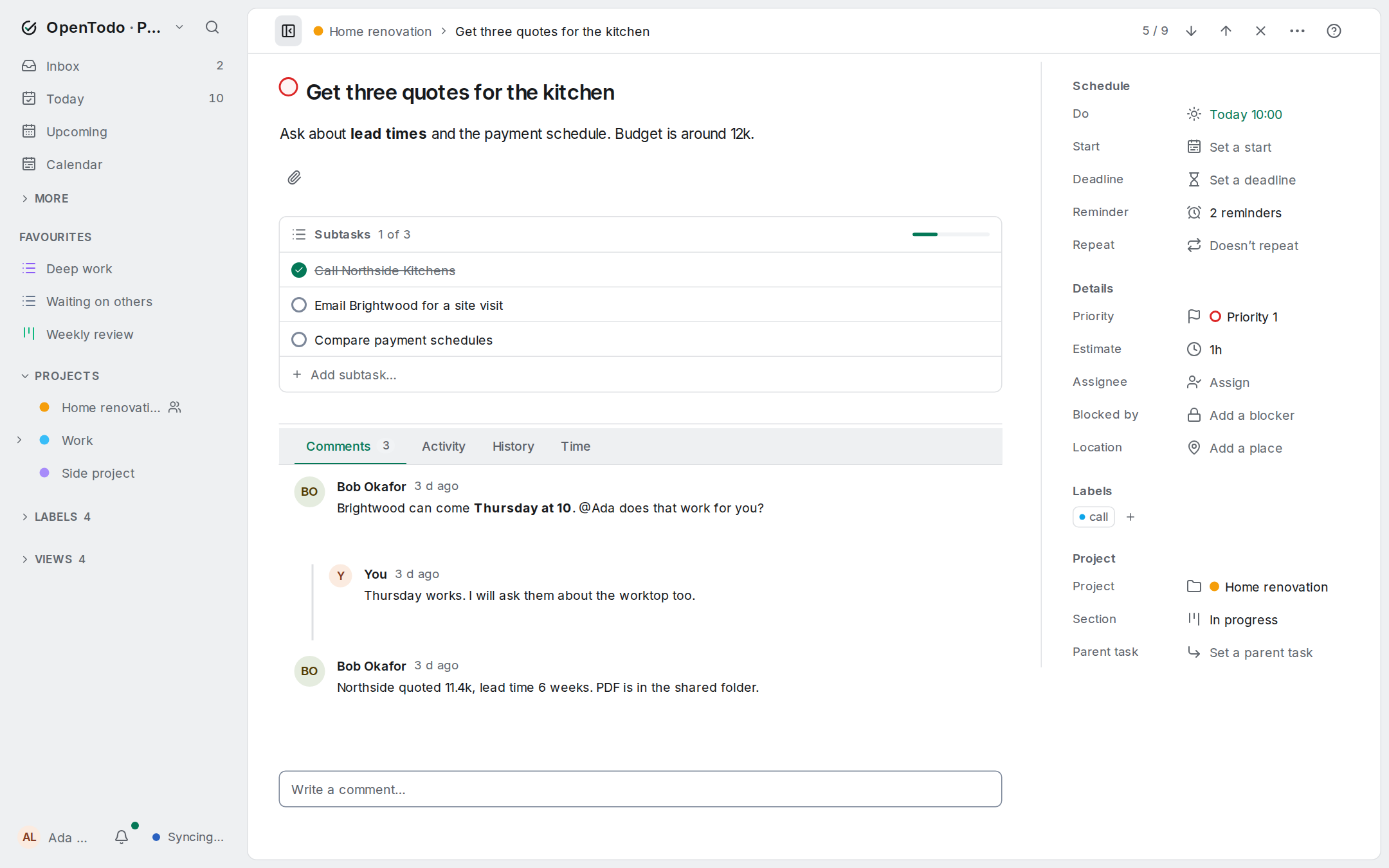
- Projects, labels, due dates, priorities, reminders and repeating tasks
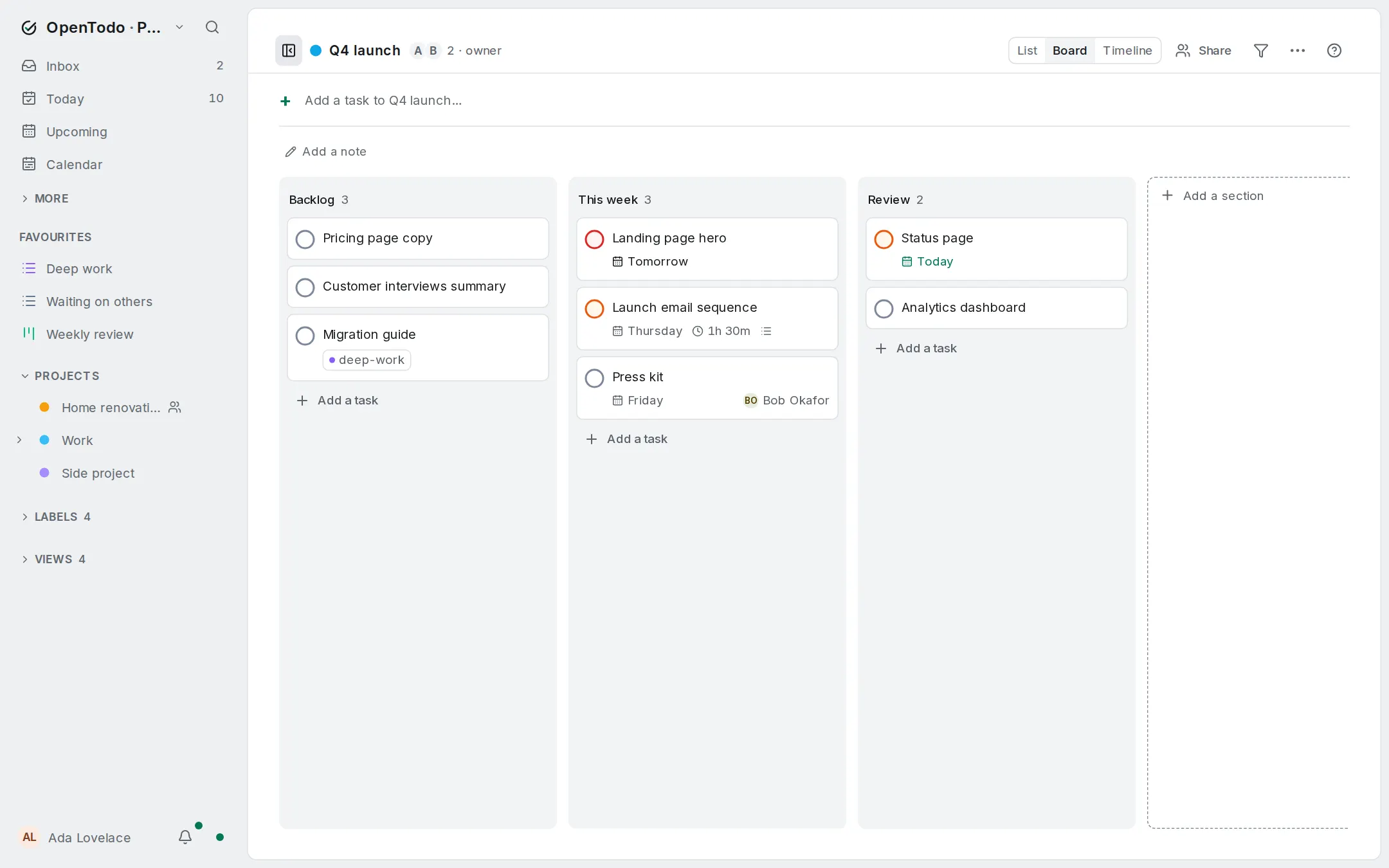
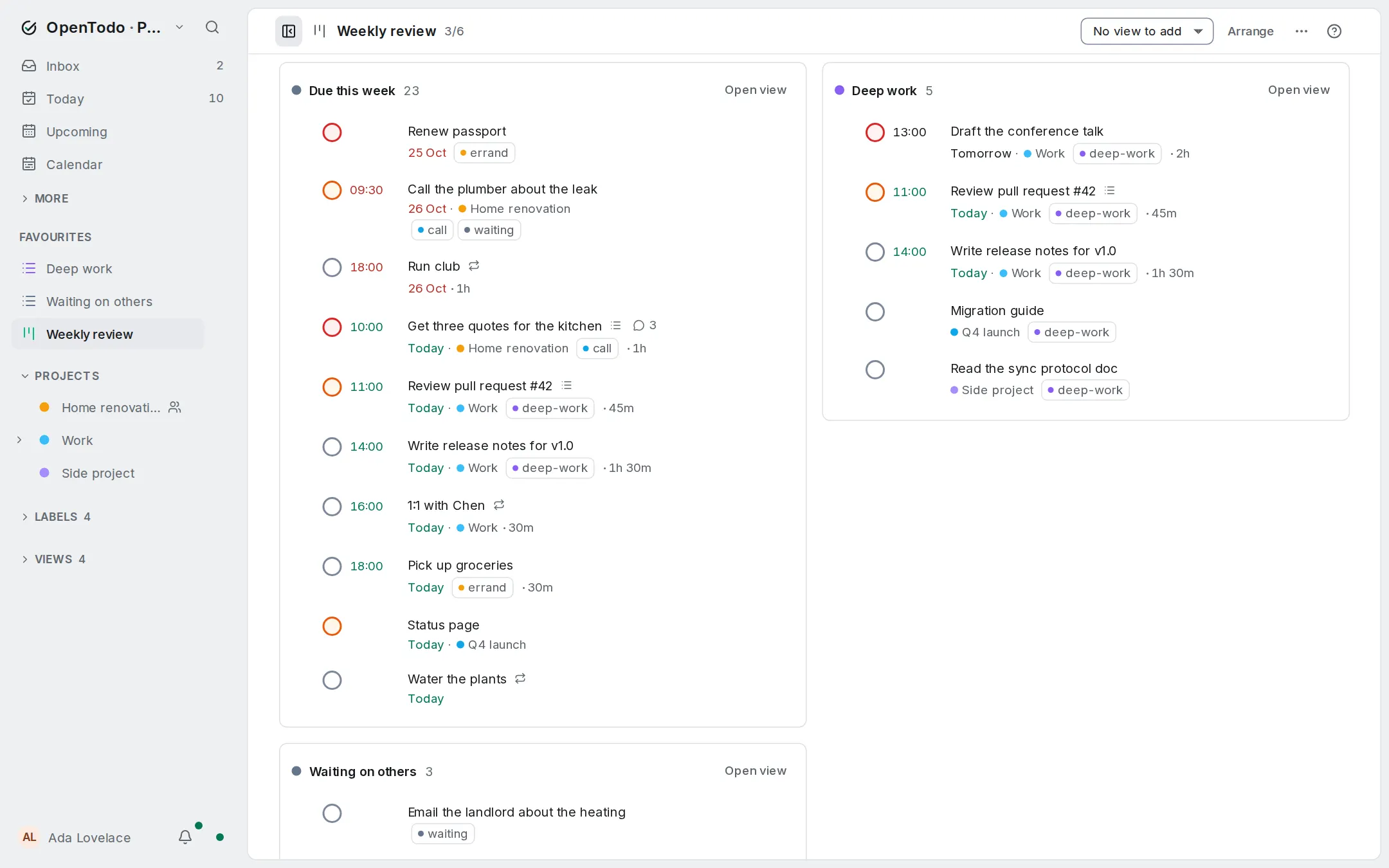
- Today, day planner, boards, filters and a history you can undo
- Works offline: every device keeps its own copy and syncs when it can
- Share projects and invite people; no plan per person
- Import from other apps, export to JSON, scheduled backups to disk, S3 or WebDAV
- Optional calendar apps (CalDAV), webhooks, single sign-on and AI assistants (off by default)
- One small container with SQLite inside, about 20 MB of memory
How to use
- Open OpenTodo from your dashboard.
- Create your account. The first account is the owner.
- Add tasks with
q, or open Settings to invite people. - Installing it as a phone app, offline use, push reminders and passkeys need an https address (a reverse proxy). Everything else works on
http://[ZIMAOS-IP-ADDRESS]:6136.
Before you install
Nothing has to be set. It is ready a few seconds after the start: open http://[ZIMAOS-IP-ADDRESS]:6136 and create your account, which becomes the owner (there is no default password). If your ZimaOS can be reached from the internet, add OPENTODO_SETUP_TOKEN (16 characters or more) first, so nobody else can make the owner account. Every other setting is optional and listed in the Variables tab. To use one, add it in the app settings with your value; a setting you leave out keeps its default.
The settings in the first table are already in the app settings. To use any other one, open the app settings, add the variable with your value, save, and the app restarts with it. A setting you leave out uses its default.
In the app settings
| Variable | Default value | Description |
|---|---|---|
TZ | $TZ | Your time zone. It is filled in from your ZimaOS time zone. Leave it unless you need another. |
Server
| Variable | Default value | Description |
|---|---|---|
OPENTODO_ | — | The exact address people open, like https://todo.example.com. Needed behind a reverse proxy for passkeys, secure cookies and links. Leave it out when you open OpenTodo by the ZimaOS address. |
OPENTODO_ | — | Reverse proxies whose X-Forwarded-For is trusted, as IPs or ranges separated by commas, or cloudflare. Set it only when every request comes through them. |
OPENTODO_ | 90 | How many days people stay signed in. |
OPENTODO_ | 20 | Largest import file in MB (1 to 200). |
OPENTODO_ | 30 | Days a deleted task stays in the Trash. 0 keeps it until you empty the Trash. |
OPENTODO_ | — | Set to off to turn off web push reminders, so the server never contacts a push service. |
Sign-up and accounts
| Variable | Default value | Description |
|---|---|---|
OPENTODO_ | false | Set to true to let anyone who can reach the server create an account. Otherwise the owner invites people. |
OPENTODO_ | — | 16 characters or more. Creating the first (owner) account then asks for it, so a stranger can't claim a server open to the internet. |
OPENTODO_ | — | Set to required so the first account made from another device needs the one-time code from the app log. |
Single sign-on
| Variable | Default value | Description |
|---|---|---|
OPENTODO_ | — | Your OpenID Connect provider, like https://sso.example.com. Leave the single sign-on settings out to set them up in Settings instead. |
OPENTODO_ | — | The client ID from your provider. |
OPENTODO_ | — | The client secret from your provider. |
OPENTODO_ | — | The name on the sign-in button, like Home SSO. |
OPENTODO_ | — | Set to false to turn SSO-only mode off, whatever Settings says. |
Features
| Variable | Default value | Description |
|---|---|---|
OPENTODO_ | — | true or false: the first-start setting for the AI assistant (MCP) endpoint. Settings wins afterwards. |
OPENTODO_ | — | true or false: the first-start setting for calendar apps (CalDAV). Settings wins afterwards. |
OPENTODO_ | — | Set to true so webhooks may go to your own network, like Home Assistant or n8n. Settings wins afterwards. |
Backups
| Variable | Default value | Description |
|---|---|---|
OPENTODO_ | — | local, s3 or webdav. These backup settings are used once, on first start; Settings, Backups wins afterwards. |
OPENTODO_ | — | off, hourly, daily or weekly. |
OPENTODO_ | — | The time of day for backups, like 03:00. |
OPENTODO_ | — | How many backups to keep, like 7. |
OPENTODO_ | — | A passphrase to encrypt backups with. Keep it somewhere safe. |
OPENTODO_ | — | The S3 address, like https://s3.eu-central-1.amazonaws.com. |
OPENTODO_ | — | The S3 region. |
OPENTODO_ | — | The S3 bucket. |
OPENTODO_ | — | The S3 access key. |
OPENTODO_ | — | The S3 secret key. |
OPENTODO_ | — | The WebDAV address. |
OPENTODO_ | — | The WebDAV user name. |
OPENTODO_ | — | The WebDAV password. |
Email to task
| Variable | Default value | Description |
|---|---|---|
OPENTODO_ | — | The address that turns mail into tasks, like [email protected]. Set this and the three IMAP settings together, or none of them. |
OPENTODO_ | — | The IMAP server with its port, like imap.example.com:993. |
OPENTODO_ | — | The IMAP user name. |
OPENTODO_ | — | The IMAP password. |
OPENTODO_ | INBOX | The mailbox to read. |
OPENTODO_ | 60 | How often to check for mail, in seconds. |
Logs
| Variable | Default value | Description |
|---|---|---|
OPENTODO_ | info | debug, info, warn or error. |
name: opentodo

services:
  opentodo-init:
    image: busybox:1.38.0
    container_name: opentodo-init
    restart: "no"
    user: "0:0"
    network_mode: none
    command: ["chown", "-R", "65532:65532", "/data"]
    volumes:
      - type: bind
        source: /DATA/AppData/$AppID/data
        target: /data
        bind:
          create_host_path: true
    deploy:
      resources:
        limits:
          cpus: "0.50"
          memory: 32M
        reservations:
          cpus: "0.00"
          memory: 8M
    labels:
      icon: https://cdn.jsdelivr.net/gh/HSinghHira/IceStore@main/Apps/opentodo/icon.png
    x-casaos:
      id: com.icestore.opentodo
      volumes:
        - container: /data
          description:
            en_US: >-
              The same folder as OpenTodo's data. This one-time step gives it
              to OpenTodo's user (65532) before OpenTodo starts.

  opentodo:
    image: ghcr.io/opentodoapp/opentodo:0.16.0
    container_name: opentodo
    restart: unless-stopped
    stop_grace_period: 20s
    network_mode: bridge
    depends_on:
      opentodo-init:
        condition: service_completed_successfully
    environment:
      - TZ=$TZ
    ports:
      - target: 8080
        published: "6136"
        protocol: tcp
    volumes:
      - type: bind
        source: /DATA/AppData/$AppID/data
        target: /data
        bind:
          create_host_path: true
    healthcheck:
      test: ["CMD", "/opentodo", "healthcheck"]
      interval: 30s
      timeout: 5s
      retries: 3
      start_period: 10s
    deploy:
      resources:
        limits:
          cpus: "1.00"
          memory: 256M
        reservations:
          cpus: "0.00"
          memory: 32M
    labels:
      icon: https://cdn.jsdelivr.net/gh/HSinghHira/IceStore@main/Apps/opentodo/icon.png
    x-casaos:
      id: com.icestore.opentodo
      envs:
        - container: TZ
          description:
            en_US: >-
              Your time zone. It is filled in from your ZimaOS time zone.
              Leave it unless you need another.
      ports:
        - container: "8080"
          description:
            en_US: OpenTodo web app, sync and API, published on host as 6136
      volumes:
        - container: /data
          description:
            en_US: >-
              The SQLite database, attachments, push keys and local backups.
              Everything OpenTodo stores is here. Back this folder up.

x-casaos:
  id: com.icestore.opentodo
  architectures:
    - amd64
    - arm64
  main: opentodo
  author: HSinghHira
  category: Productivity
  developer: OpenTodo
  icon: https://cdn.jsdelivr.net/gh/HSinghHira/IceStore@main/Apps/opentodo/icon.png
  thumbnail: https://cdn.jsdelivr.net/gh/HSinghHira/IceStore@main/Apps/opentodo/screenshot-1.png
  screenshot_link:
    - https://cdn.jsdelivr.net/gh/HSinghHira/IceStore@main/Apps/opentodo/screenshot-1.png
    - https://cdn.jsdelivr.net/gh/HSinghHira/IceStore@main/Apps/opentodo/screenshot-2.png
    - https://cdn.jsdelivr.net/gh/HSinghHira/IceStore@main/Apps/opentodo/screenshot-3.webp
    - https://cdn.jsdelivr.net/gh/HSinghHira/IceStore@main/Apps/opentodo/screenshot-4.webp
  title:
    en_US: OpenTodo
  tagline:
    en_US: Your tasks, your server. A local-first to-do app you host yourself
  description:
    en_US: >-
      OpenTodo is a to-do app that runs on your own server. Plan your day,
      keep projects in order, set reminders and share lists with your family
      or your team, on your phone and your computer, even offline.


      **Features**


      - Projects, labels, due dates, priorities, reminders and repeating tasks

      - Today, day planner, boards, filters and a history you can undo

      - Works offline: every device keeps its own copy and syncs when it can

      - Share projects and invite people; no plan per person

      - Import from other apps, export to JSON, scheduled backups to disk, S3
        or WebDAV

      - Optional calendar apps (CalDAV), webhooks, single sign-on and AI
        assistants (off by default)

      - One small container with SQLite inside, about 20 MB of memory


      **How to use?**


      1. Open OpenTodo from the Zima OS dashboard.

      2. Create your account. The first account is the owner.

      3. Add tasks with q, or open Settings to invite people.

      4. Installing it as a phone app, offline use, push reminders and
         passkeys need an https address (a reverse proxy). Everything else
         works on http://[ZIMAOS-IP-ADDRESS]:6136.
  tips:
    before_install:
      en_US: >-
        1. Start the installation. It is ready in a few seconds.


        2. Open http://[ZIMAOS-IP-ADDRESS]:6136 right away.


        3. Create your account. The first account becomes the owner. There is
           no default password.


        4. If your ZimaOS can be reached from the internet, add
           OPENTODO_SETUP_TOKEN first (16 characters or more), so nobody else
           can make the owner account.


        5. More settings, like sign-up, single sign-on, backups and email to
           task, are listed on the OpenTodo page at
           https://icestore.hsinghhira.me/app/opentodo/ (Variables tab). You
           can add them now or later in the app settings.
  index: /
  port_map: "6136"
  scheme: http
  is_uncontrolled: false
  version: "0.16.0"
  update_at: "2026-10-29"
  release_notes:
    en_US: |-
      - First version in IceStore, on port 6136
      - ghcr.io/opentodoapp/opentodo 0.16.0, as upstream ships it
      - A one-time busybox 1.38.0 step gives the data folder to OpenTodo's user before it starts
  repo: "https://github.com/OpenTodoApp/OpenTodo"
  support: "https://github.com/OpenTodoApp/OpenTodo/issues"
  docs: "https://open-todo.app/docs/self-hosting/"
Install OpenTodo
 ZimaOS
Add the store link, then find OpenTodo in the App Store and install it.
 CasaOS
Add the store link, then find OpenTodo in the App Store and install it.
 Homeio
Add the store link, then find OpenTodo in the App Store and install it.
Something not working with OpenTodo? Report a problem or request another app.


