
Paperless-ngx Full
Paperless-ngx with PostgreSQL, Tika and Gotenberg, for Office files and emails too
- ghcr.io/hsinghhira/paperless-ngx-full:1.0.1
- v3.5.1
- Updated 23 Nov 2026
- port 6800
- amd64 · arm64
- Productivity
- 48.5k stars
Screenshots
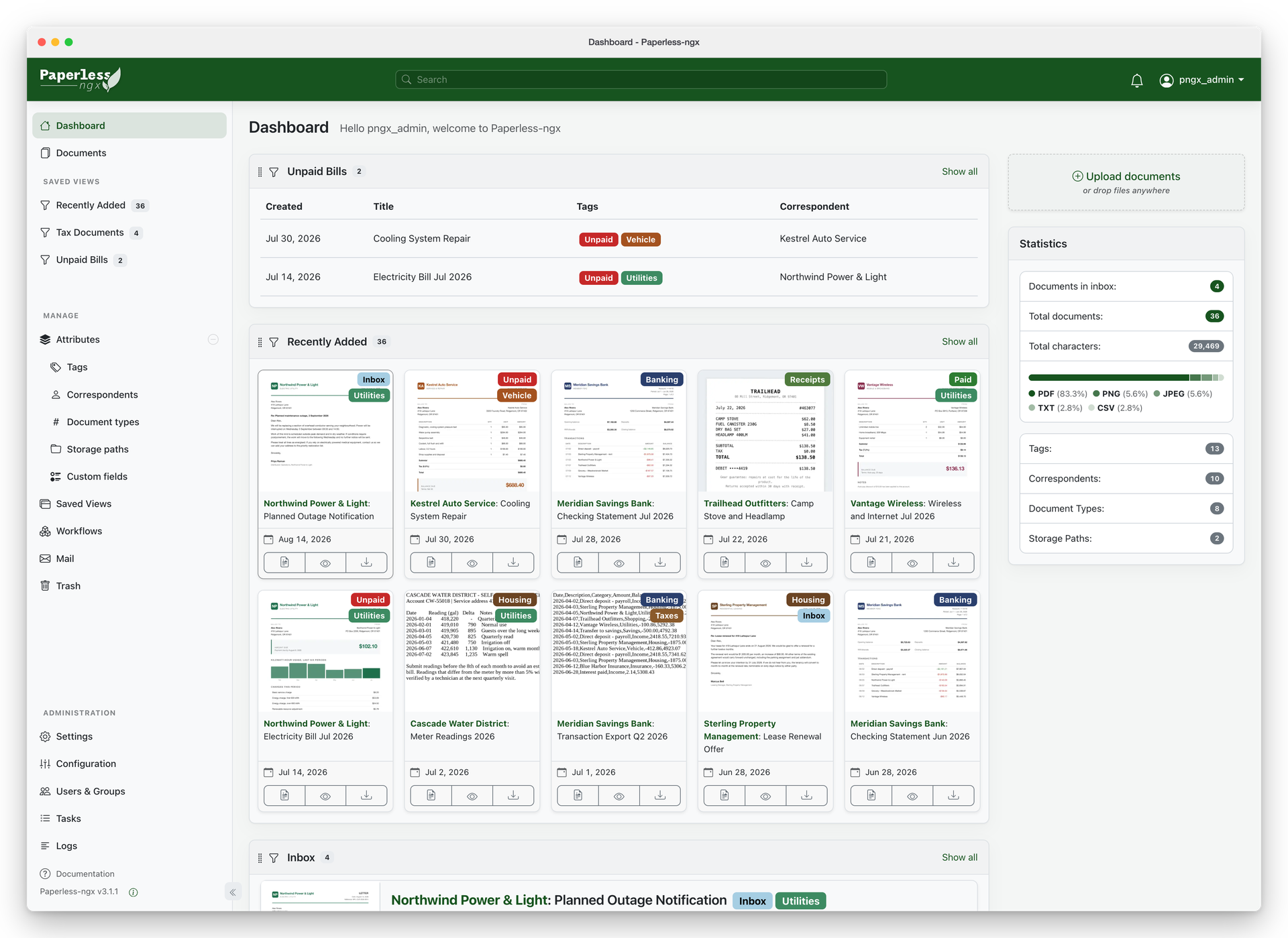
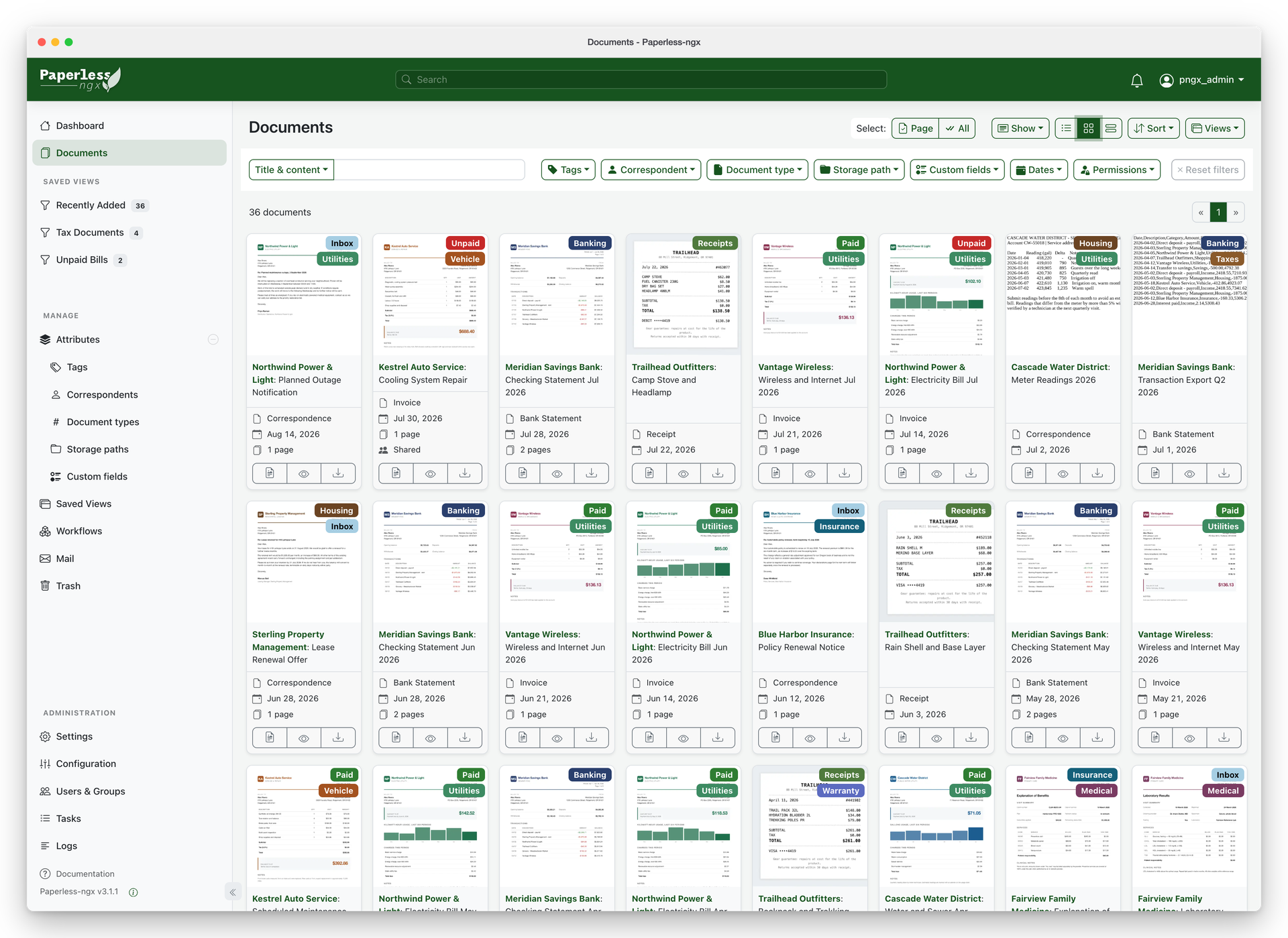
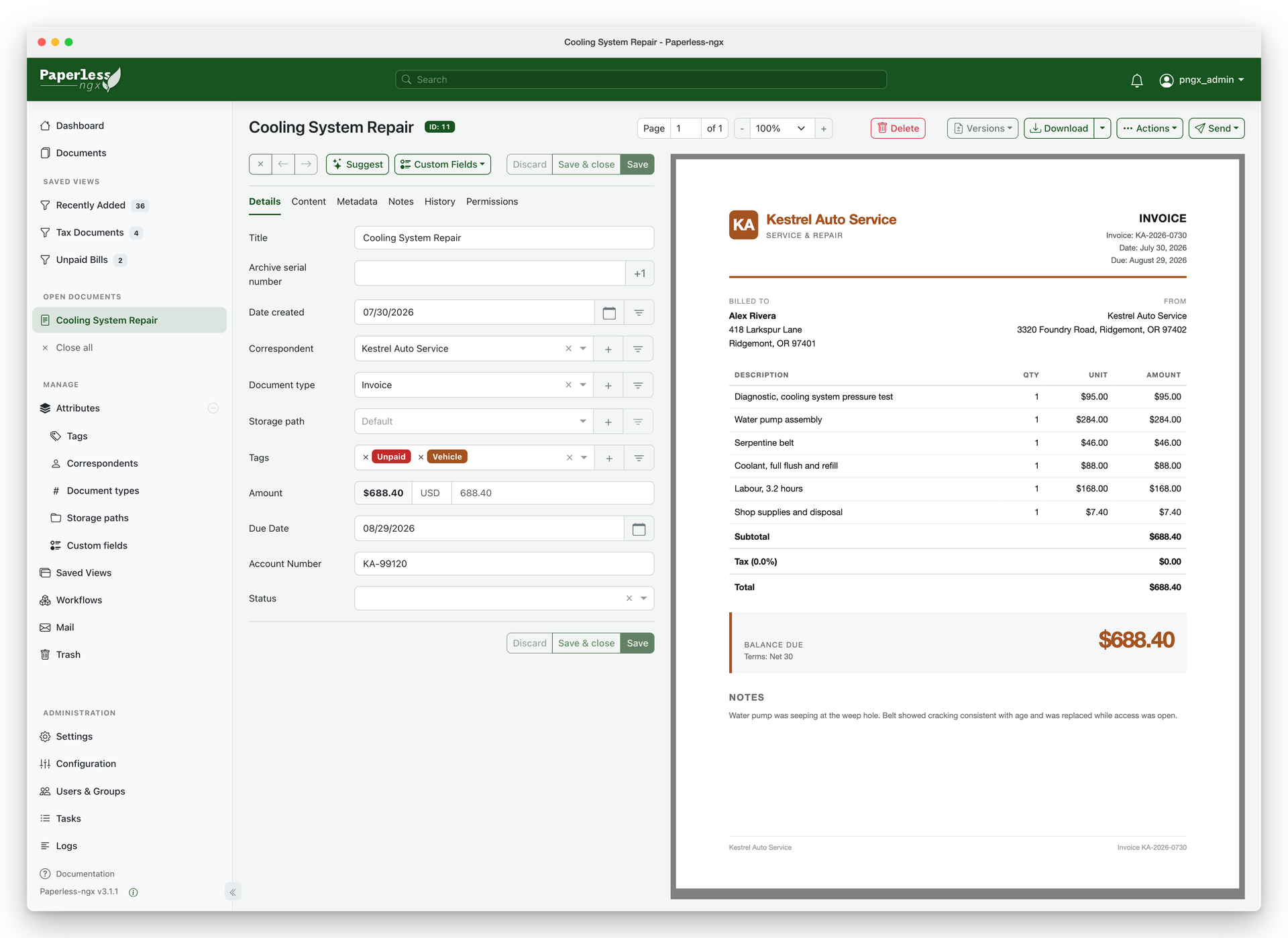
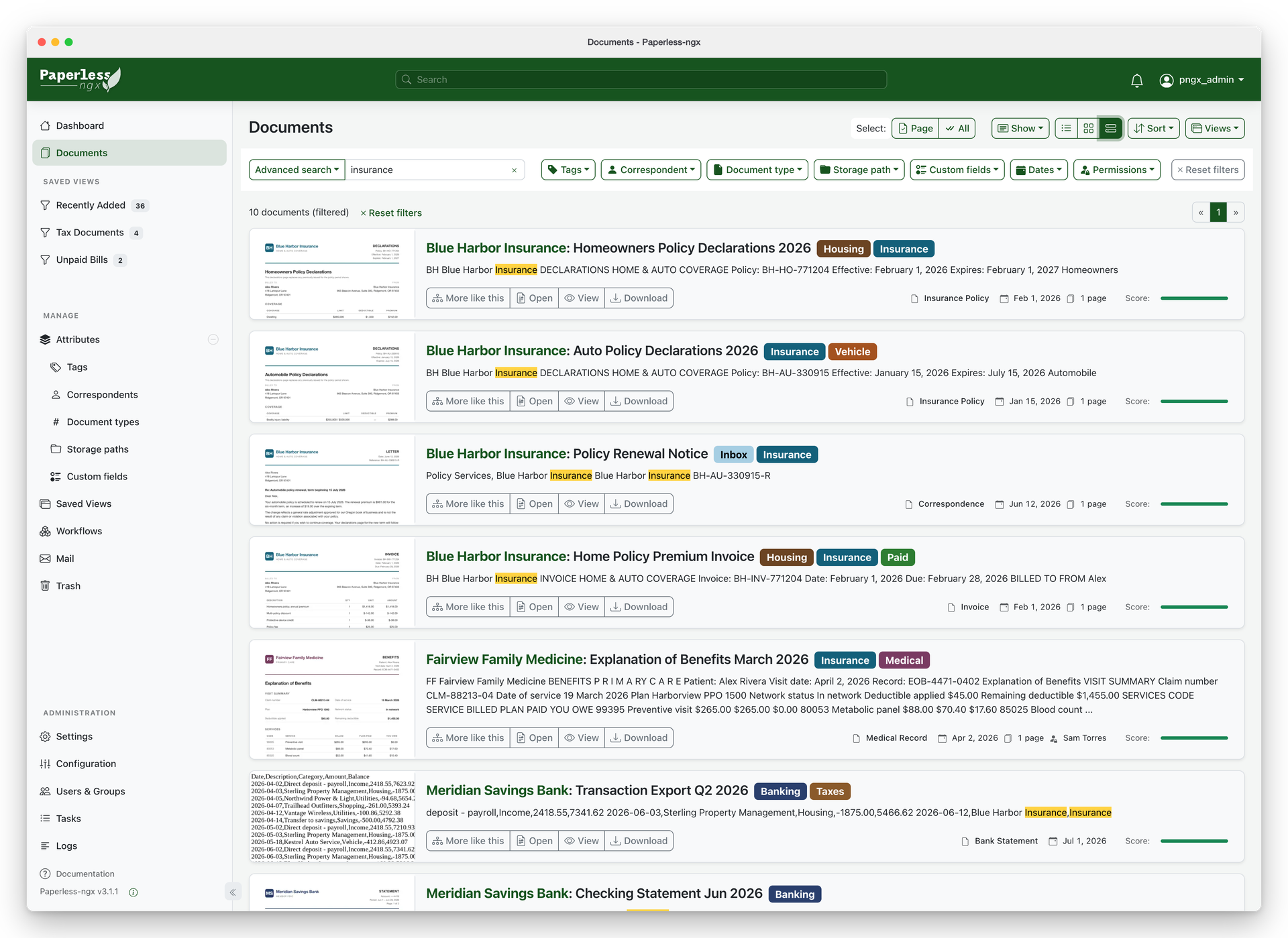
Open the app
About Paperless-ngx Full
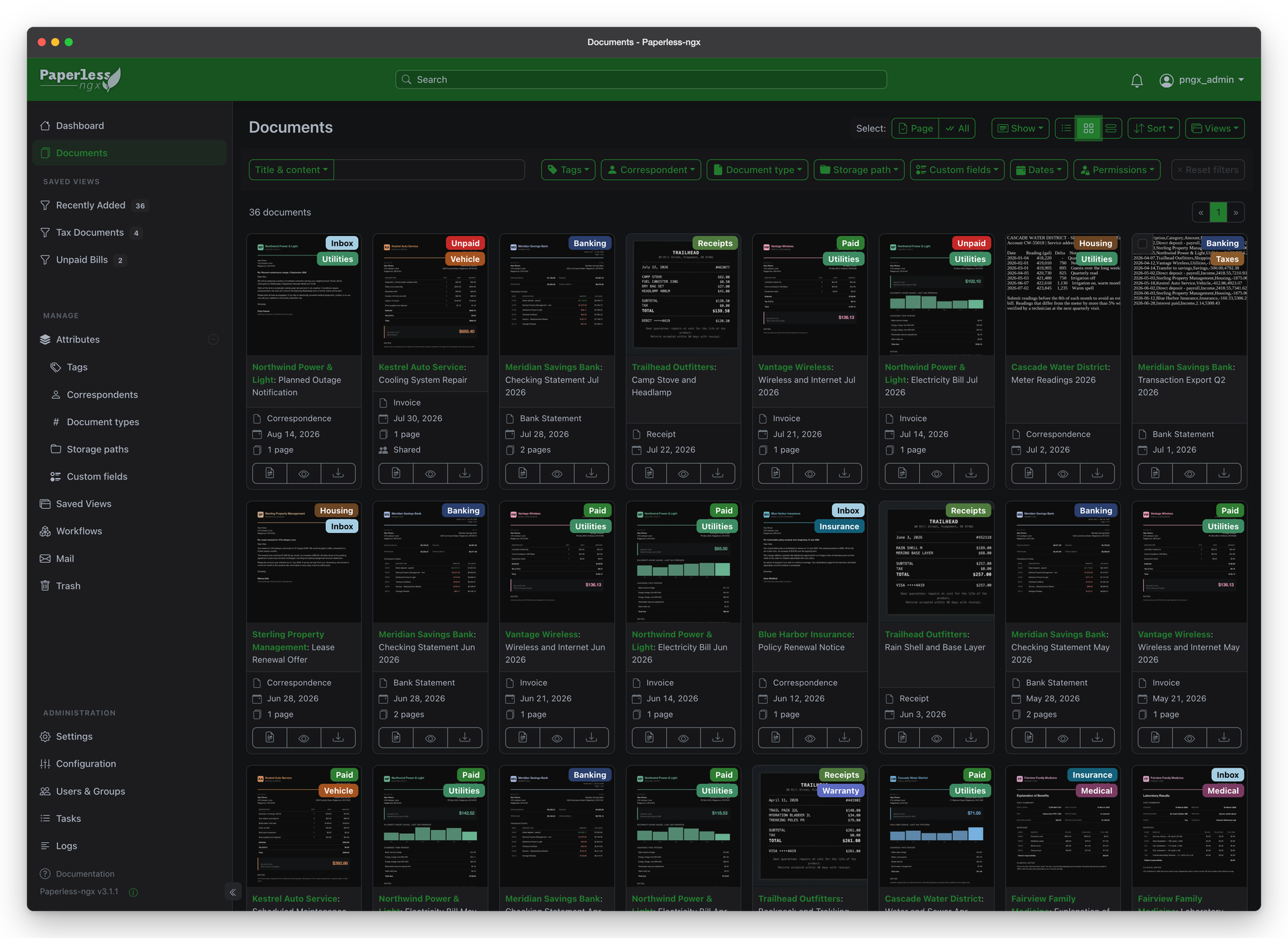
Paperless-ngx turns your pile of paper into a searchable online archive. Scan a letter or drop in a PDF, a Word file or an email, and it reads the text, files it and tags it for you. This is the full version: PostgreSQL, Redis, Apache Tika and Gotenberg all run inside the one container, set up the way Paperless-ngx's own docker-compose.postgres-tika.yml does it.
Features
- Reads the text of every scan (OCR) in over 100 languages and makes a searchable PDF copy
- Office files (Word, Excel, PowerPoint, LibreOffice) and emails (
.eml) too, with Tika and Gotenberg - Learns how you file things and adds tags, correspondents and document types on its own
- Full-text search, saved views and a dashboard of your newest documents
- Picks up files from its inbox folder, from email accounts, from the upload button or from the mobile apps
- Users, groups and sharing rights, plus two-factor sign-in
- PostgreSQL 18 as the database, for large archives
How to use
- Open Paperless-ngx Full from your dashboard.
- Sign in as
adminwith the password from the app's logs (the box marked CREDENTIALS). - Drag a PDF, a Word file or a photo of a letter onto the page to upload it.
- Or put files in
/DATA/AppData/paperless-ngx-full/consumewith the Files app. Paperless picks them up within a minute. - Open a document to check its title, date and tags. Paperless gets better at guessing them the more you correct it.
Before you install
Set PAPERLESS_OCR_LANGUAGE to the language of your documents (eng, deu, fra...). Leave PAPERLESS_ADMIN_PASSWORD empty and a password is made for you on first start; it is shown in the app's logs in the box marked CREDENTIALS, and saved in /DATA/AppData/paperless-ngx-full/data/.admin_password. Open it from other devices at http://[ZIMAOS-IP-ADDRESS]:6800. If you put it behind a domain, set PAPERLESS_URL. More settings (email, sign-in with OIDC or Google, file naming, AI) are in the Variables tab; add them in the app settings.
The image is large (several GB, because Gotenberg brings LibreOffice and Chromium) and the first start takes about 5 minutes. The app runs privileged so Tika and Gotenberg can start inside it.
This is a separate app from the lighter Paperless-ngx (SQLite, no Tika or Gotenberg). To move documents from that one, use its document exporter to write a backup to its export folder, copy the files into this app's export folder, and run the document importer here (see "Exporter" and "Importer" in the Paperless-ngx docs).
The settings in the first table are already in the app settings. To use any other one, open the app settings, add the variable with your value, save, and the app restarts with it. A setting you leave out uses its default.
In the app settings
| Variable | Default value | Description |
|---|---|---|
TZ | $TZ | Your time zone. It is filled in from your ZimaOS time zone. Paperless uses it for document dates unless you set PAPERLESS_TIME_ZONE. |
USERMAP_ | $PUID | The user that owns the files Paperless writes. It is filled in by ZimaOS. Leave it. |
USERMAP_ | $PGID | The group that owns the files Paperless writes. It is filled in by ZimaOS. Leave it. |
PAPERLESS_ | admin | The name of the first admin account, made on first start. |
PAPERLESS_ | — | The first admin's password. Leave it empty and one is made for you: it is shown in the app's logs, in the box marked CREDENTIALS. Only used to create the admin; change the password later in Paperless itself. |
PAPERLESS_ | eng | The language most of your documents are written in, as a three-letter code: eng, deu, fra, ita, spa. For two at once use deu+eng. Other languages also need PAPERLESS_OCR_LANGUAGES. |
Server
| Variable | Default value | Description |
|---|---|---|
PAPERLESS_ | — | The address you open Paperless at from outside, like https://paperless.example.com. Set it when you put Paperless behind a domain, or sign-in fails with a CSRF error. |
PAPERLESS_ | — | The time zone for document dates, like Europe/Berlin. Leave it out to use TZ. |
PAPERLESS_ | — | The key that signs sign-in sessions. It is made on first start and kept in the data folder as .secret_key. Only set it to use your own. |
PAPERLESS_ | 1 | How many web server processes to run. Raise it for many users. |
PAPERLESS_ | 1 | How many documents are processed at the same time. |
Sign-up and accounts
| Variable | Default value | Description |
|---|---|---|
PAPERLESS_ | root@localhost | The email address of the first admin account. |
PAPERLESS_ | false | Set to true to let anyone make an account on the sign-in page. |
PAPERLESS_ | false | Set to true to hide the password form, so people only sign in with a provider from PAPERLESS_SOCIALACCOUNT_PROVIDERS. |
Sign in with OIDC or Google
| Variable | Default value | Description |
|---|---|---|
PAPERLESS_ | — | Sign-in providers to turn on, like allauth.socialaccount.providers.openid_connect for OIDC (Pocket ID, Authentik) or allauth.socialaccount.providers.google. |
PAPERLESS_ | — | The provider settings as JSON, with your client ID, secret and server address. See the Paperless docs, section "OpenID Connect". |
PAPERLESS_ | false | Set to true to make an account on the first sign-in with a provider. |
Office files and emails
| Variable | Default value | Description |
|---|---|---|
PAPERLESS_ | true | Set to false to turn off reading Office files and emails with the built-in Tika and Gotenberg. PDFs and images still work. |
Text recognition (OCR)
| Variable | Default value | Description |
|---|---|---|
PAPERLESS_ | — | Extra languages to install on start, separated by spaces, like tur ces. English, German, Italian, Spanish and French are already there. |
PAPERLESS_ | auto | auto reads pages that have no text yet; force reads every page again; skip only reads pages without text and keeps the original. |
PAPERLESS_ | never | Set to with_text or always to skip making the searchable PDF copy and save disk space. |
Files and inbox
| Variable | Default value | Description |
|---|---|---|
PAPERLESS_ | — | How stored files are named and put in folders, like {{ created_year }}/{{ correspondent }}/{{ title }}. Leave it out to number them. |
PAPERLESS_ | false | Set to true to also pick up files in folders inside the consume folder. |
PAPERLESS_ | false | Set to true (with PAPERLESS_CONSUMER_RECURSIVE) to tag each document with the names of the folders it was in. |
PAPERLESS_ | 0 | Check the consume folder every this many seconds instead of watching it. Set to 60 if new files on a network share are not noticed. |
PAPERLESS_ | 30 | Days before deleted documents are removed from the trash for good. |
Email (SMTP)
| Variable | Default value | Description |
|---|---|---|
PAPERLESS_ | localhost | Your email server, for password resets and workflow emails, like smtp.gmail.com. |
PAPERLESS_ | 25 | Your email server port, usually 587 (with TLS) or 465 (with SSL). |
PAPERLESS_ | — | The user name for your email server. |
PAPERLESS_ | — | The password for your email server. |
PAPERLESS_ | — | The sender address on emails. Leave it out to use PAPERLESS_EMAIL_HOST_USER. |
PAPERLESS_ | false | Set to true for port 587 (STARTTLS). |
PAPERLESS_ | false | Set to true for port 465. |
AI
| Variable | Default value | Description |
|---|---|---|
PAPERLESS_ | false | Set to true for AI suggestions and the document chat. Also set PAPERLESS_AI_LLM_BACKEND and PAPERLESS_AI_LLM_MODEL. |
PAPERLESS_ | — | openai or ollama. |
PAPERLESS_ | — | The model to use, like gpt-4o-mini or llama3.1. |
PAPERLESS_ | — | Your OpenAI (or compatible) API key. |
PAPERLESS_ | — | The address of your Ollama or OpenAI-compatible server, like http://192.168.1.20:11434. |
Logs
| Variable | Default value | Description |
|---|---|---|
PAPERLESS_ | 20 | How many old log files to keep in the data folder. |
name: paperless-ngx-full

services:
  paperless-ngx-full:
    image: ghcr.io/hsinghhira/paperless-ngx-full:1.0.1
    container_name: paperless-ngx-full
    restart: unless-stopped
    stop_grace_period: 60s
    network_mode: bridge
    privileged: true
    environment:
      - TZ=$TZ
      - USERMAP_UID=$PUID
      - USERMAP_GID=$PGID
      - PAPERLESS_ADMIN_USER=admin
      - PAPERLESS_ADMIN_PASSWORD=
      - PAPERLESS_OCR_LANGUAGE=eng
    ports:
      - target: 8000
        published: "6800"
        protocol: tcp
    volumes:
      - type: bind
        source: /DATA/AppData/$AppID/data
        target: /usr/src/paperless/data
        bind:
          create_host_path: true
      - type: bind
        source: /DATA/AppData/$AppID/media
        target: /usr/src/paperless/media
        bind:
          create_host_path: true
      - type: bind
        source: /DATA/AppData/$AppID/consume
        target: /usr/src/paperless/consume
        bind:
          create_host_path: true
      - type: bind
        source: /DATA/AppData/$AppID/export
        target: /usr/src/paperless/export
        bind:
          create_host_path: true
      - type: bind
        source: /DATA/AppData/$AppID/postgres
        target: /var/lib/postgresql/data
        bind:
          create_host_path: true
    healthcheck:
      test: ["CMD", "curl", "-fsS", "--max-time", "5", "http://127.0.0.1:8000/accounts/login/"]
      interval: 30s
      timeout: 10s
      retries: 5
      start_period: 300s
    deploy:
      resources:
        limits:
          cpus: "4.00"
          memory: 4096M
        reservations:
          cpus: "0.50"
          memory: 1024M
    labels:
      icon: https://cdn.jsdelivr.net/gh/HSinghHira/IceStore@main/Apps/paperless-ngx-full/icon.png
    x-casaos:
      id: com.icestore.paperless-ngx-full
      envs:
        - container: TZ
          description:
            en_US: >-
              Your time zone. It is filled in from your ZimaOS time zone.
              Paperless uses it for document dates unless you set
              PAPERLESS_TIME_ZONE.
        - container: USERMAP_UID
          description:
            en_US: >-
              The user that owns the files Paperless writes. It is filled in
              by ZimaOS. Leave it.
        - container: USERMAP_GID
          description:
            en_US: >-
              The group that owns the files Paperless writes. It is filled in
              by ZimaOS. Leave it.
        - container: PAPERLESS_ADMIN_USER
          description:
            en_US: >-
              The name of the first admin account, made on first start.
        - container: PAPERLESS_ADMIN_PASSWORD
          description:
            en_US: >-
              The first admin's password. Leave it empty and one is made for
              you: it is shown in the app's logs, in the box marked
              CREDENTIALS. Only used to create the admin; change the password
              later in Paperless itself.
        - container: PAPERLESS_OCR_LANGUAGE
          description:
            en_US: >-
              The language most of your documents are written in, as a
              three-letter code: eng, deu, fra, ita, spa. For two at once use
              deu+eng. Other languages also need PAPERLESS_OCR_LANGUAGES.
      ports:
        - container: "8000"
          description:
            en_US: Paperless-ngx web UI and API, published on host as 6800
      volumes:
        - container: /usr/src/paperless/data
          description:
            en_US: >-
              The search index, the Redis queue, .secret_key (this install's
              own key), .db_password (the database password) and
              .admin_password, all made on first start. Back it up.
        - container: /usr/src/paperless/media
          description:
            en_US: >-
              Your documents: the originals, the searchable PDF copies and
              the thumbnails. Back it up.
        - container: /usr/src/paperless/consume
          description:
            en_US: >-
              The inbox. Drop scans, PDFs, Office files and emails here (with
              the Files app or a network share) and Paperless picks them up
              on its own.
        - container: /usr/src/paperless/export
          description:
            en_US: >-
              Where the document exporter writes full backups.
        - container: /var/lib/postgresql/data
          description:
            en_US: >-
              The PostgreSQL 18 database: tags, correspondents, users and
              everything else about your documents. Back it up together with
              the data and media folders.

x-casaos:
  id: com.icestore.paperless-ngx-full
  architectures:
    - amd64
    - arm64
  main: paperless-ngx-full
  author: HSinghHira
  category: Productivity
  developer: Paperless-ngx
  icon: https://cdn.jsdelivr.net/gh/HSinghHira/IceStore@main/Apps/paperless-ngx-full/icon.png
  thumbnail: https://cdn.jsdelivr.net/gh/HSinghHira/IceStore@main/Apps/paperless-ngx-full/screenshot-1.png
  screenshot_link:
    - https://cdn.jsdelivr.net/gh/HSinghHira/IceStore@main/Apps/paperless-ngx-full/screenshot-1.png
    - https://cdn.jsdelivr.net/gh/HSinghHira/IceStore@main/Apps/paperless-ngx-full/screenshot-2.png
    - https://cdn.jsdelivr.net/gh/HSinghHira/IceStore@main/Apps/paperless-ngx-full/screenshot-3.png
    - https://cdn.jsdelivr.net/gh/HSinghHira/IceStore@main/Apps/paperless-ngx-full/screenshot-4.png
    - https://cdn.jsdelivr.net/gh/HSinghHira/IceStore@main/Apps/paperless-ngx-full/screenshot-5.png
  title:
    en_US: Paperless-ngx Full
  tagline:
    en_US: Paperless-ngx with PostgreSQL, Tika and Gotenberg, for Office files and emails too
  description:
    en_US: >-
      Paperless-ngx turns your pile of paper into a searchable online
      archive. Scan a letter or drop in a PDF, a Word file or an email, and
      it reads the text, files it and tags it for you. This is the full
      version: PostgreSQL, Redis, Apache Tika and Gotenberg are all inside
      the one container, set up the way Paperless-ngx's own
      postgres-tika compose file does it.


      **Features**


      - Reads the text of every scan (OCR) in over 100 languages and makes
        a searchable PDF copy

      - Office files (Word, Excel, PowerPoint, LibreOffice) and emails
        (.eml) too, with Tika and Gotenberg

      - Learns how you file things and adds tags, correspondents and
        document types on its own

      - Full-text search, saved views and a dashboard of your newest
        documents

      - Picks up files from its inbox folder, from email accounts, from the
        upload button or from the mobile apps

      - Users, groups and sharing rights, plus two-factor sign-in

      - PostgreSQL 18 as the database, for large archives


      **How to use?**


      1. Open Paperless-ngx Full from the ZimaOS dashboard.

      2. Sign in as admin with the password from the app's logs (the box
         marked CREDENTIALS).

      3. Drag a PDF, a Word file or a photo of a letter onto the page to
         upload it.

      4. Or put files in /DATA/AppData/paperless-ngx-full/consume with the
         Files app. Paperless picks them up within a minute.

      5. Open a document to check its title, date and tags. Paperless gets
         better at guessing them the more you correct it.


      The lighter Paperless-ngx app in IceStore (SQLite, no Tika or
      Gotenberg) is a separate app; this one does not take over its data.
  tips:
    before_install:
      en_US: >-
        1. Set PAPERLESS_OCR_LANGUAGE to the language of your letters. Use
           eng for English, deu for German, fra for French.


        2. More settings, like email, sign-in with Google or OIDC and the
           file naming pattern, are listed on the Paperless-ngx Full page at
           https://icestore.hsinghhira.me/app/paperless-ngx-full/ (Variables
           tab). You can add them now or later in the app settings.


        3. Start the installation. The download is large (several GB) and
           the first start takes about 5 minutes.


        4. Open the app's logs. Find the box marked CREDENTIALS. It has the
           admin name and password.


        5. Open http://[ZIMAOS-IP-ADDRESS]:6800 and sign in.


        6. To add files without the browser, put them in
           /DATA/AppData/paperless-ngx-full/consume with the Files app.
  index: /
  port_map: "6800"
  scheme: http
  is_uncontrolled: false
  version: "3.5.1"
  update_at: "2026-11-23"
  release_notes:
    en_US: |-
      - Image 1.0.1: the login now shows in IceDash's Credentials box (it was only in the logs)
      - First IceStore release, on port 6800 (asked for in IceStore issue 4)
      - Built on ghcr.io/paperless-ngx/paperless-ngx 3.5.1, like upstream's docker-compose.postgres-tika.yml, in one container
      - PostgreSQL 18 and Redis inside; gotenberg 8.40.0 and tika 3.3.3.1 inside, so Office files and emails (.eml) work
      - Each install makes its own PAPERLESS_SECRET_KEY, database password and admin password on first start; the login is in the CREDENTIALS box in the logs
  repo: "https://github.com/paperless-ngx/paperless-ngx"
  support: "https://github.com/paperless-ngx/paperless-ngx/issues"
  docs: "https://docs.paperless-ngx.com/"
Install Paperless-ngx Full
Something not working with Paperless-ngx Full?
Report it so it gets fixed, or ask for an app that is not here yet.
 ZimaOS
Add the store link, then find Paperless-ngx Full in the App Store and install it.
 CasaOS
Add the store link, then find Paperless-ngx Full in the App Store and install it.
 ReCasaOS
Add the store link, then find Paperless-ngx Full in the App Store and install it.
 Homeio
Add the store link, then find Paperless-ngx Full in the App Store and install it.
 MOS
Add the repository in MOS Hub Settings, then find Paperless-ngx Full in Docker → MOS Hub and install it.


