
OvertChat
A clean self-hosted chat for your local AI models, with search, voice and family accounts
- ghcr.io/hsinghhira/overtchat:latest
- v0.29.0
- Updated 29 Oct 2026
- port 6139
- amd64 · arm64
- AI
- 141 stars
Screenshots
Open the app
About OvertChat
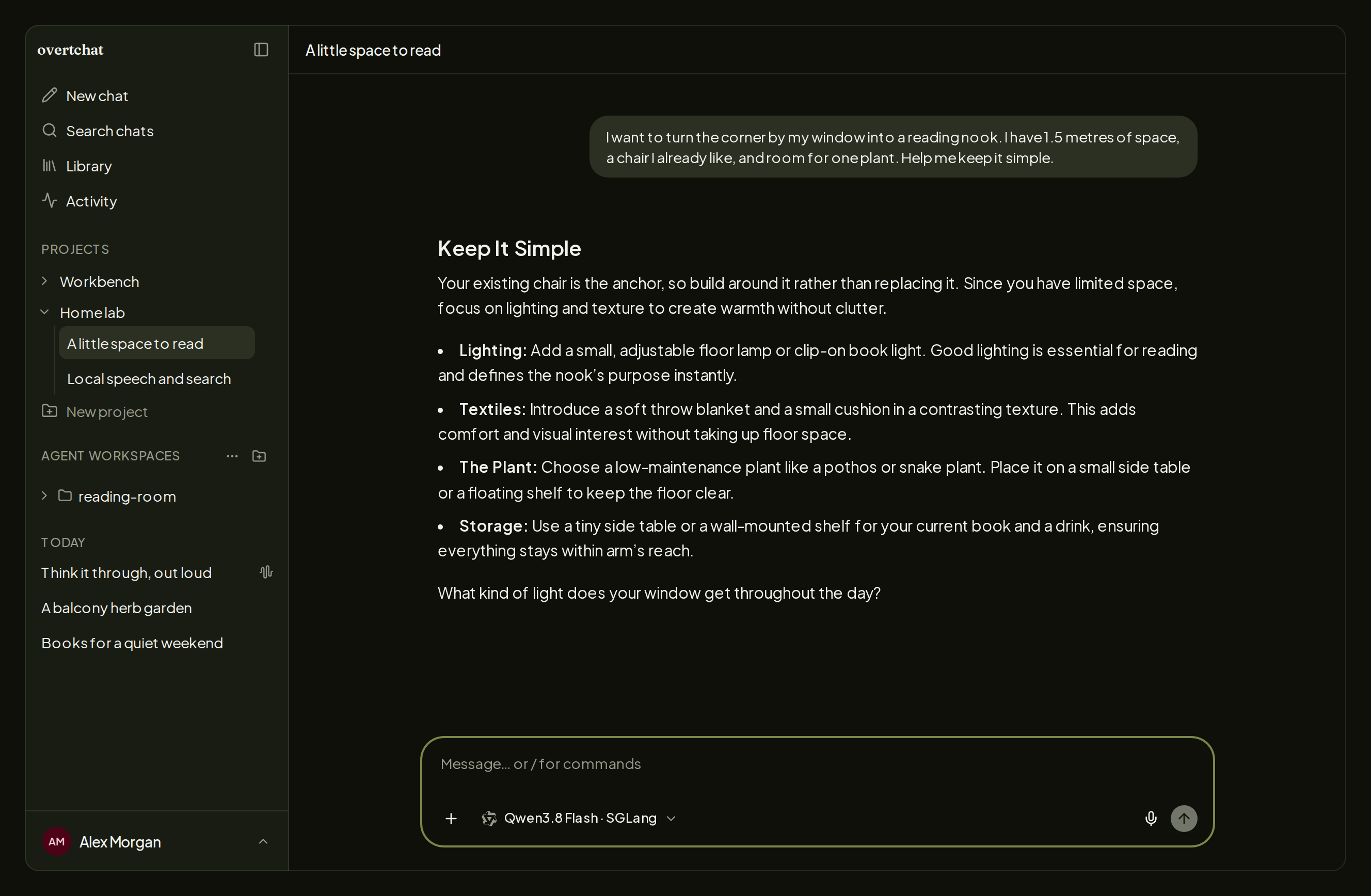
OvertChat is a self-hosted home for everyday AI. Connect vLLM, llama.cpp, SGLang or Ollama-style endpoints, or a hosted provider, and start chatting. Search the web, work with files or talk by voice, with your history on your own server. Search and speech services are not bundled: add your own in the settings.
Features
- Clean chat with readable answers, collapsible reasoning, projects, reusable files and searchable history
- Model setup and discovery for vLLM, llama.cpp and SGLang, plus hosted providers and any OpenAI-compatible endpoint
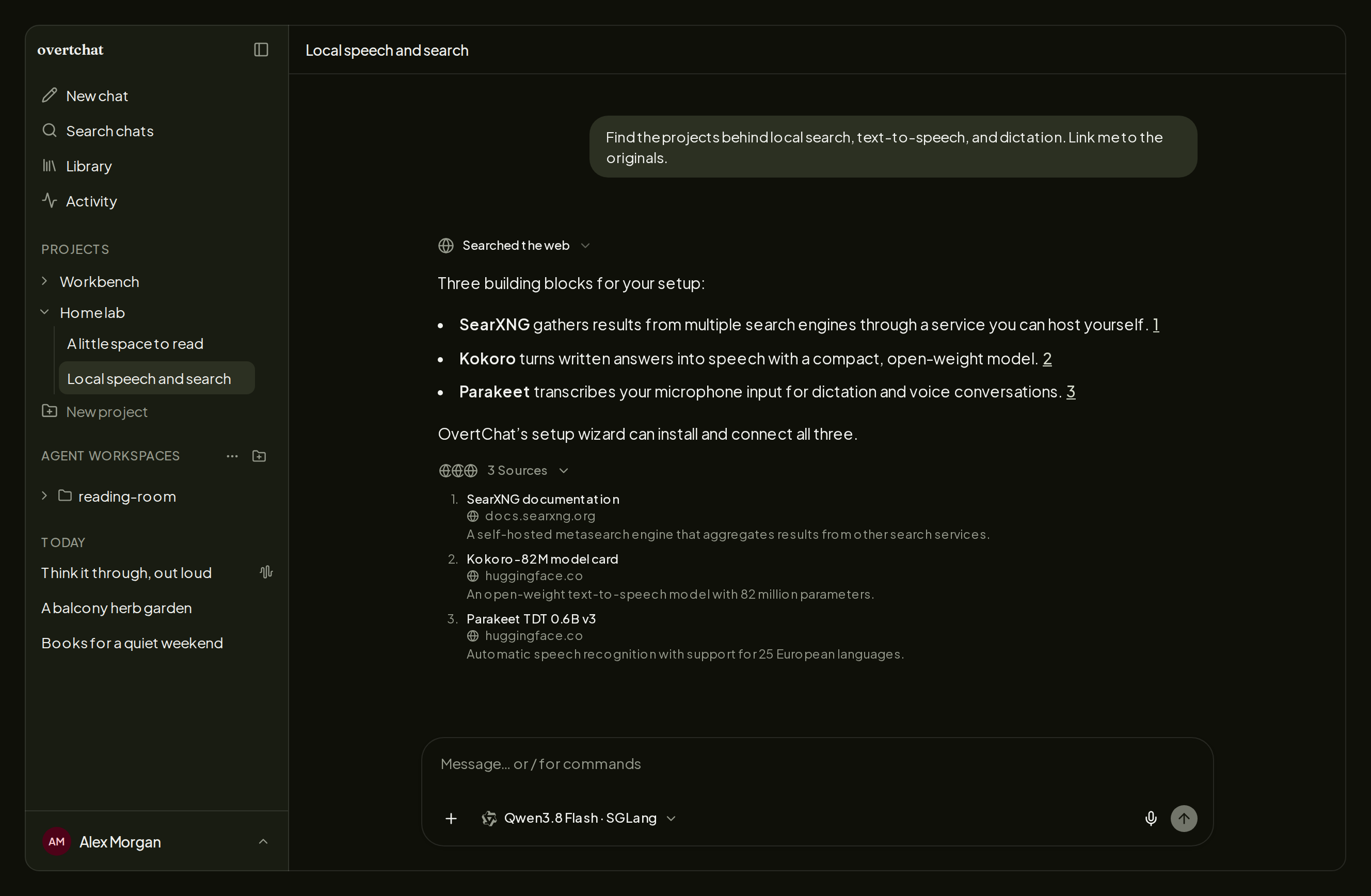
- Web search with free fallbacks (DuckDuckGo, Exa, Firecrawl), or your own SearXNG or Brave key
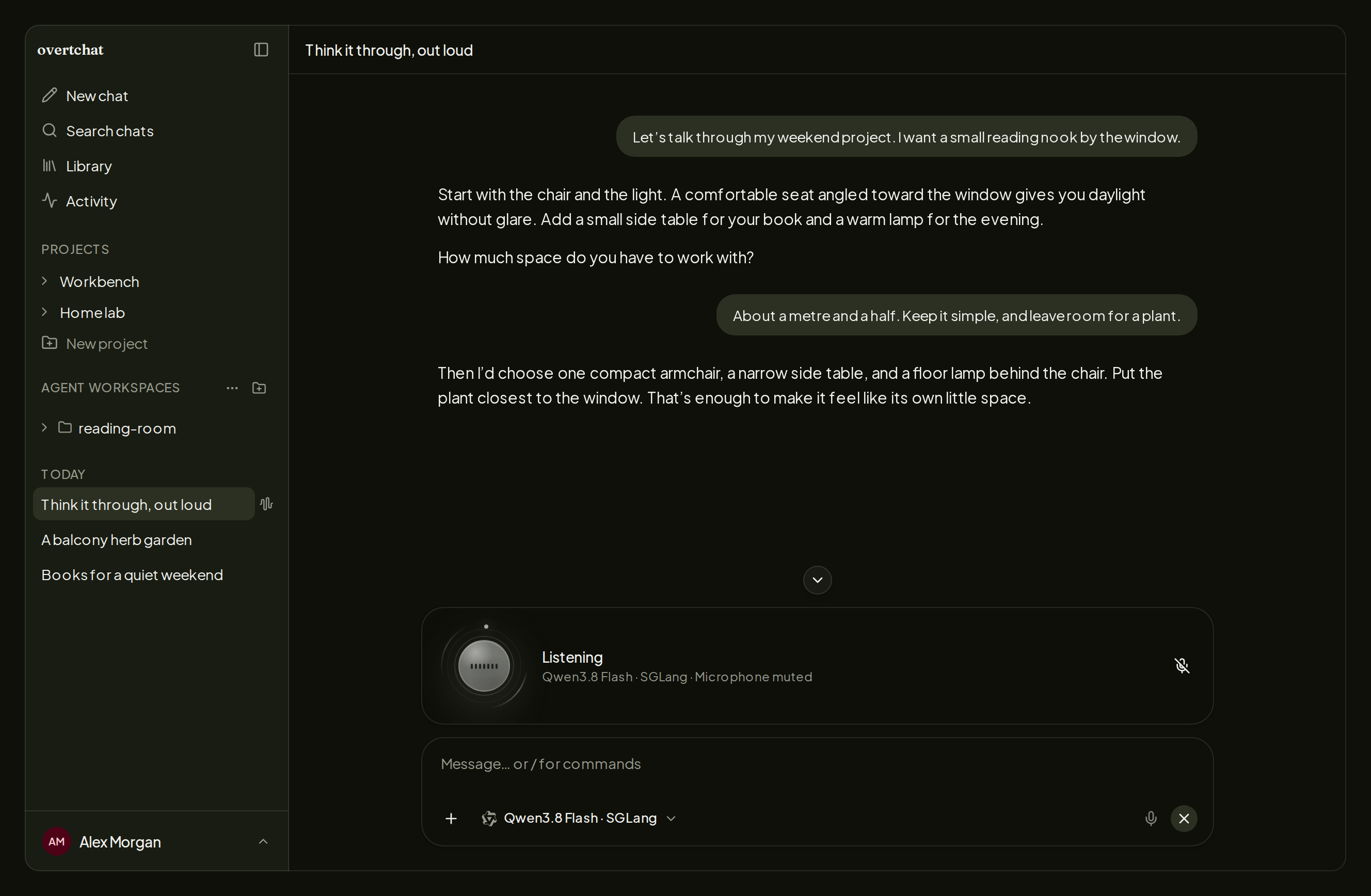
- Two-way voice chat with your own speech services
- Accounts for your family, each with their own chats
- Android, iOS and desktop apps that connect to your server
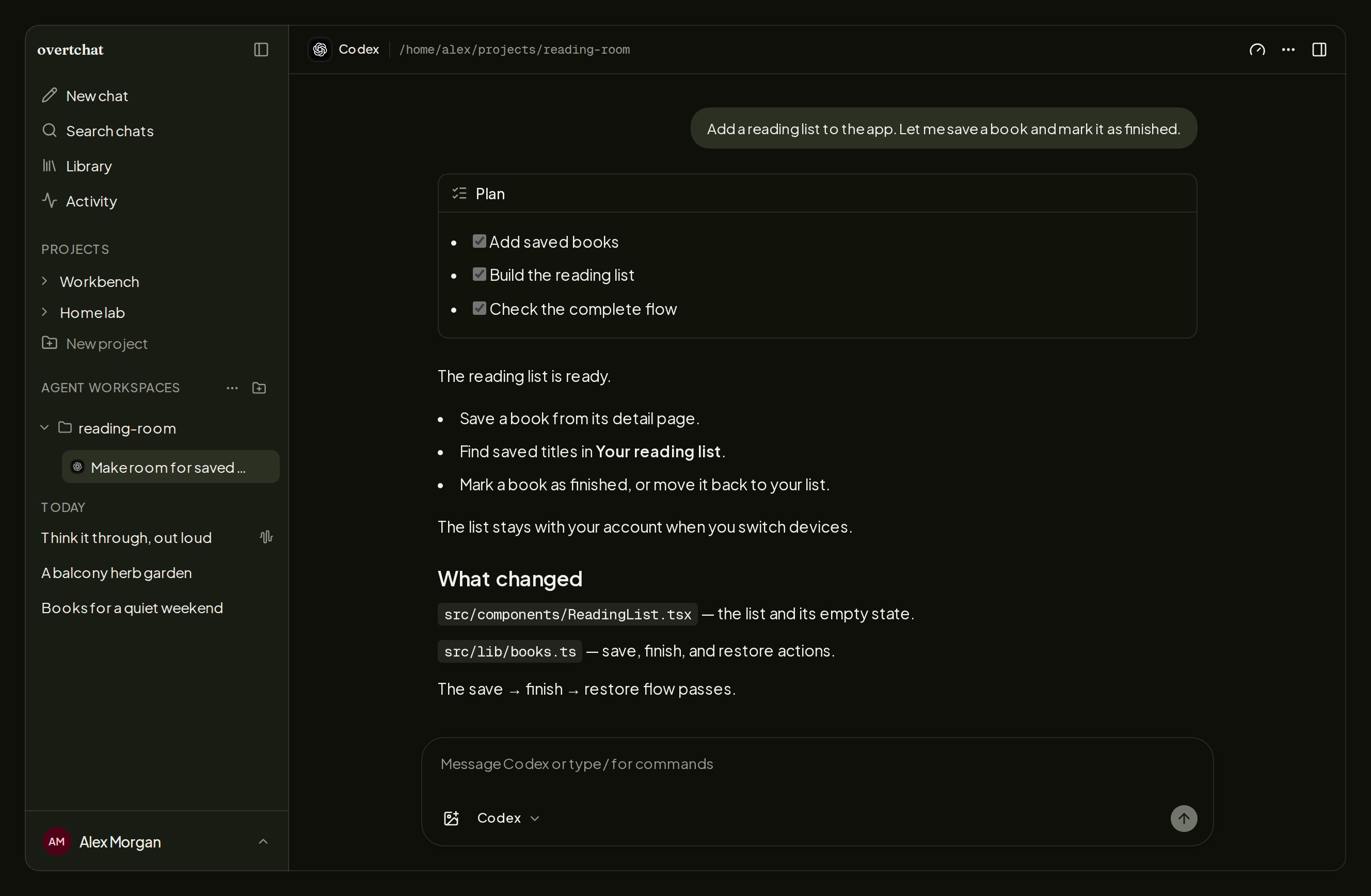
- Connect coding agents (Codex, Claude Code, OpenCode and more) through the Host Connector
How to use
- Open the app log in your dashboard and copy the setup code.
- Open OvertChat at
http://[ZIMAOS-IP-ADDRESS]:6139and create your admin account with the setup code. - Add your model endpoint in Settings.
- Start chatting. Add accounts for your family in Settings, Users.
Before you install
Nothing has to be set: sign-in works from your home network at http://[ZIMAOS-IP-ADDRESS]:6139 (any 192.168.x, 10.x, 172.x, 100.x or .local address on port 6139). For working share links, change localhost in BETTER_AUTH_URL to your ZimaOS IP, like http://192.168.1.20:6139; behind a reverse proxy, put your https address there. After install, the app log shows "Create your administrator account with setup code ..."; use that code for the first account. A model running on the same ZimaOS is at http://[ZIMAOS-IP-ADDRESS]:<its port>, not localhost. Voice needs https outside localhost. Every other setting is optional and listed in the Variables tab; to use one, add it in the app settings. OvertChat is ready about a minute after install. Each install makes its own sign-in key on first start.
The settings in the first table are already in the app settings. To use any other one, open the app settings, add the variable with your value, save, and the app restarts with it. A setting you leave out uses its default.
In the app settings
| Variable | Default value | Description |
|---|---|---|
TZ | $TZ | Your time zone. It is filled in from your ZimaOS time zone. Leave it unless you need another. |
BETTER_ | http://localhost:6139 | The address you open OvertChat at. Sign-in already works from your home network at http://[ZIMAOS-IP-ADDRESS]:6139, so you can leave it. Change it to your ZimaOS IP, like http://192.168.1.20:6139, for working share links, or to your https address behind a reverse proxy. |
Server
| Variable | Default value | Description |
|---|---|---|
EXTRA_ | — | More addresses you open OvertChat at, comma-separated, with http(s) and port, like https://chat.example.com. Home-network addresses on port 6139 are added for you. |
OVERTCHAT_ | true | Set to false so sign-in only works from BETTER_AUTH_URL, http://localhost:6139 and EXTRA_TRUSTED_ORIGINS, not from every home-network address on port 6139. |
HOST_ | — | The address a Host Connector on another computer uses to reach this server. Leave it out to use BETTER_AUTH_URL. |
BETTER_ | — | Your own sign-in key, at least 32 random characters. Leave it out: each install makes its own on first start and keeps it in the data folder as .better_auth_secret. Changing it signs everyone out. |
REDIS_ | — | A Redis server, like redis://192.168.1.20:6379, so an answer can carry on after a page reload. Leave it out to run without one. |
DISABLE_ | false | Set to true so the admin menu doesn't check overtchat.com for new releases. |
Sign-in
| Variable | Default value | Description |
|---|---|---|
OVERTCHAT_ | false | Set to true so admin accounts must turn on two-factor sign-in. |
Web search
| Variable | Default value | Description |
|---|---|---|
WEB_ | — | The search service to try first: searxng, brave or disabled. Leave it out to use the free search services, or to pick one in Settings. |
SEARXNG_ | — | Your SearXNG server, like http://192.168.1.20:6116. It must allow JSON results. |
BRAVE_ | — | A Brave Search API key, to use Brave as the search service. |
Text to speech
| Variable | Default value | Description |
|---|---|---|
TTS_ | — | openai-compatible to use your own text-to-speech server, or disabled. Setting KOKORO_URL alone also picks openai-compatible. |
KOKORO_ | — | Your Kokoro-FastAPI or other OpenAI-compatible text-to-speech server, like http://192.168.1.20:8880. |
TTS_ | kokoro | The text-to-speech model name for that service. Default kokoro. |
TTS_ | af_heart | The voice to speak with, like af_heart for Kokoro. |
TTS_ | — | The API key for the text-to-speech service, if it needs one. |
Speech to text
| Variable | Default value | Description |
|---|---|---|
STT_ | — | openai-compatible to use your own speech-to-text server, or disabled. Setting STT_URL alone also picks openai-compatible. |
STT_ | — | Your OpenAI-compatible speech-to-text server, like http://192.168.1.20:5092. |
STT_ | parakeet-tdt-0.6b-v3 | The speech-to-text model name for that service. |
STT_ | — | The API key for the speech-to-text service, if it needs one. |
Code execution
| Variable | Default value | Description |
|---|---|---|
SANDBOX_ | — | Your OvertChat code sandbox (ghcr.io/yoloyash/overtchat-sandbox), like http://192.168.1.20:8080, so the AI can run Python. |
SANDBOX_ | — | The token shared with the sandbox, if you set one there. |
name: overtchat

services:
  overtchat:
    image: ghcr.io/hsinghhira/overtchat:latest
    container_name: overtchat
    restart: unless-stopped
    stop_grace_period: 30s
    network_mode: bridge
    environment:
      - TZ=$TZ
      - BETTER_AUTH_URL=http://localhost:6139
    ports:
      - target: 4717
        published: "6139"
        protocol: tcp
    volumes:
      - type: bind
        source: /DATA/AppData/$AppID/data
        target: /app/data
        bind:
          create_host_path: true
    healthcheck:
      test: ["CMD", "node", "-e", "fetch('http://127.0.0.1:4717/').then(r => process.exit(r.status < 500 ? 0 : 1)).catch(() => process.exit(1))"]
      interval: 30s
      timeout: 5s
      retries: 3
      start_period: 60s
    deploy:
      resources:
        limits:
          cpus: "2.00"
          memory: 1024M
        reservations:
          cpus: "0.00"
          memory: 192M
    labels:
      icon: https://cdn.jsdelivr.net/gh/HSinghHira/IceStore@main/Apps/overtchat/icon.png
    x-casaos:
      id: com.icestore.overtchat
      envs:
        - container: TZ
          description:
            en_US: >-
              Your time zone. It is filled in from your ZimaOS time zone.
              Leave it unless you need another.
        - container: BETTER_AUTH_URL
          description:
            en_US: >-
              The address you open OvertChat at. Sign-in already works from
              your home network at http://[ZIMAOS-IP-ADDRESS]:6139, so you can
              leave it. Change it to your ZimaOS IP, like
              http://192.168.1.20:6139, for working share links, or to your
              https address behind a reverse proxy.
      ports:
        - container: "4717"
          description:
            en_US: OvertChat web app and API, published on host as 6139
      volumes:
        - container: /app/data
          description:
            en_US: >-
              The SQLite database with every account, chat, project and file,
              and .better_auth_secret, this install's own sign-in key made on
              first start. Back this folder up.

x-casaos:
  id: com.icestore.overtchat
  architectures:
    - amd64
    - arm64
  main: overtchat
  author: HSinghHira
  category: AI
  developer: yoloyash
  icon: https://cdn.jsdelivr.net/gh/HSinghHira/IceStore@main/Apps/overtchat/icon.png
  thumbnail: https://cdn.jsdelivr.net/gh/HSinghHira/IceStore@main/Apps/overtchat/screenshot-1.png
  screenshot_link:
    - https://cdn.jsdelivr.net/gh/HSinghHira/IceStore@main/Apps/overtchat/screenshot-1.png
    - https://cdn.jsdelivr.net/gh/HSinghHira/IceStore@main/Apps/overtchat/screenshot-2.png
    - https://cdn.jsdelivr.net/gh/HSinghHira/IceStore@main/Apps/overtchat/screenshot-3.png
    - https://cdn.jsdelivr.net/gh/HSinghHira/IceStore@main/Apps/overtchat/screenshot-4.png
  title:
    en_US: OvertChat
  tagline:
    en_US: A clean self-hosted chat for your local AI models, with search, voice and family accounts
  description:
    en_US: >-
      Visit: [https://icestore.hsinghhira.me/app/overtchat/](https://icestore.hsinghhira.me/app/overtchat/) for full details


      OvertChat is a self-hosted home for everyday AI. Connect vLLM,
      llama.cpp, SGLang or Ollama-style endpoints, or a hosted provider, and
      start chatting. Search the web, work with files or talk by voice, with
      your history on your own server. Search and speech services are not
      bundled: add your own in the settings.


      **Features**


      - Clean chat with readable answers, collapsible reasoning, projects,
        reusable files and searchable history

      - Model setup and discovery for vLLM, llama.cpp and SGLang, plus hosted
        providers and any OpenAI-compatible endpoint

      - Web search with free fallbacks (DuckDuckGo, Exa, Firecrawl), or your
        own SearXNG or Brave key

      - Two-way voice chat with your own speech services

      - Accounts for your family, each with their own chats

      - Android, iOS and desktop apps that connect to your server

      - Connect coding agents (Codex, Claude Code, OpenCode and more) through
        the Host Connector


      **How to use?**


      1. Open the app log in ZimaOS and copy the setup code.


      2. Open OvertChat at http://[ZIMAOS-IP-ADDRESS]:6139 and create your
         admin account with the setup code.


      3. Add your model endpoint in Settings.


      4. Start chatting. Add accounts for your family in Settings, Users.
  tips:
    before_install:
      en_US: >-
        1. You don't have to set anything. Want working share links? Change
           localhost in BETTER_AUTH_URL to your ZimaOS IP, like
           http://192.168.1.20:6139.


        2. Using an https address through a reverse proxy? Put that address
           in BETTER_AUTH_URL instead.


        3. Start the installation. Wait about one minute.


        4. Open the app log in ZimaOS. Find the line that says "Create your
           administrator account with setup code". Copy the code.


        5. Open http://[ZIMAOS-IP-ADDRESS]:6139 and make your admin account
           with that code.


        6. Add your AI model in Settings. A model on this ZimaOS is at
           http://[ZIMAOS-IP-ADDRESS]:<its port>, not localhost.


        7. More settings, like web search, speech, voice and two-factor sign-in,
           are listed on the OvertChat page at
           https://icestore.hsinghhira.me/app/overtchat/ (Variables tab). You
           can add them now or later in the app settings.
  index: /
  port_map: "6139"
  scheme: http
  is_uncontrolled: false
  version: "0.29.0"
  update_at: "2026-10-29"
  release_notes:
    en_US: |-
      - First version in IceStore, on port 6139
      - Built on ghcr.io/yoloyash/overtchat-app 0.29.0, plus a start script that makes each install's own BETTER_AUTH_SECRET
      - Sign-in works from any home-network address on port 6139 (192.168.x, 10.x, 172.x, 100.x and .local); BETTER_AUTH_URL is now optional and defaults to http://localhost:6139
      - Single container: upstream's optional Redis, SearXNG, Kokoro and speech-to-text services are not bundled; add your own in Settings
  repo: "https://github.com/yoloyash/overtchat"
  support: "https://github.com/yoloyash/overtchat/issues"
  docs: "https://github.com/yoloyash/overtchat/blob/main/docs/deploy.md"
Install OvertChat
 ZimaOS
Add the store link, then find OvertChat in the App Store and install it.
 CasaOS
Add the store link, then find OvertChat in the App Store and install it.
 Homeio
Add the store link, then find OvertChat in the App Store and install it.
Something not working with OvertChat? Report a problem or request another app.


