
PullMD
Anything in, clean Markdown out. Web pages, documents and YouTube to Markdown for people and AI agents.
- ghcr.io/hsinghhira/pullmd:latest
- v3.16.0
- Updated 28 Oct 2026
- port 6132
- amd64 · arm64
- AI
- 508 stars
Screenshots
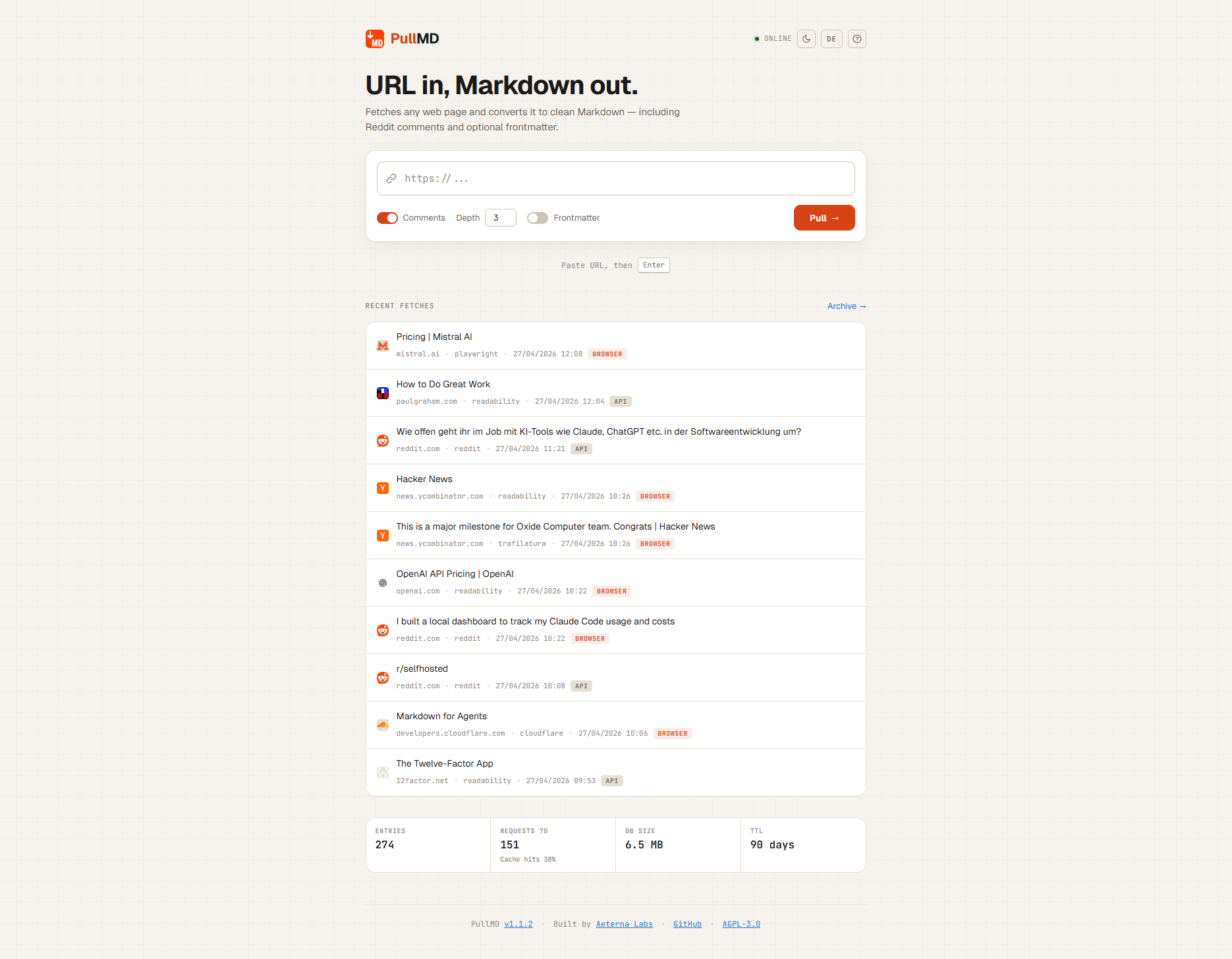
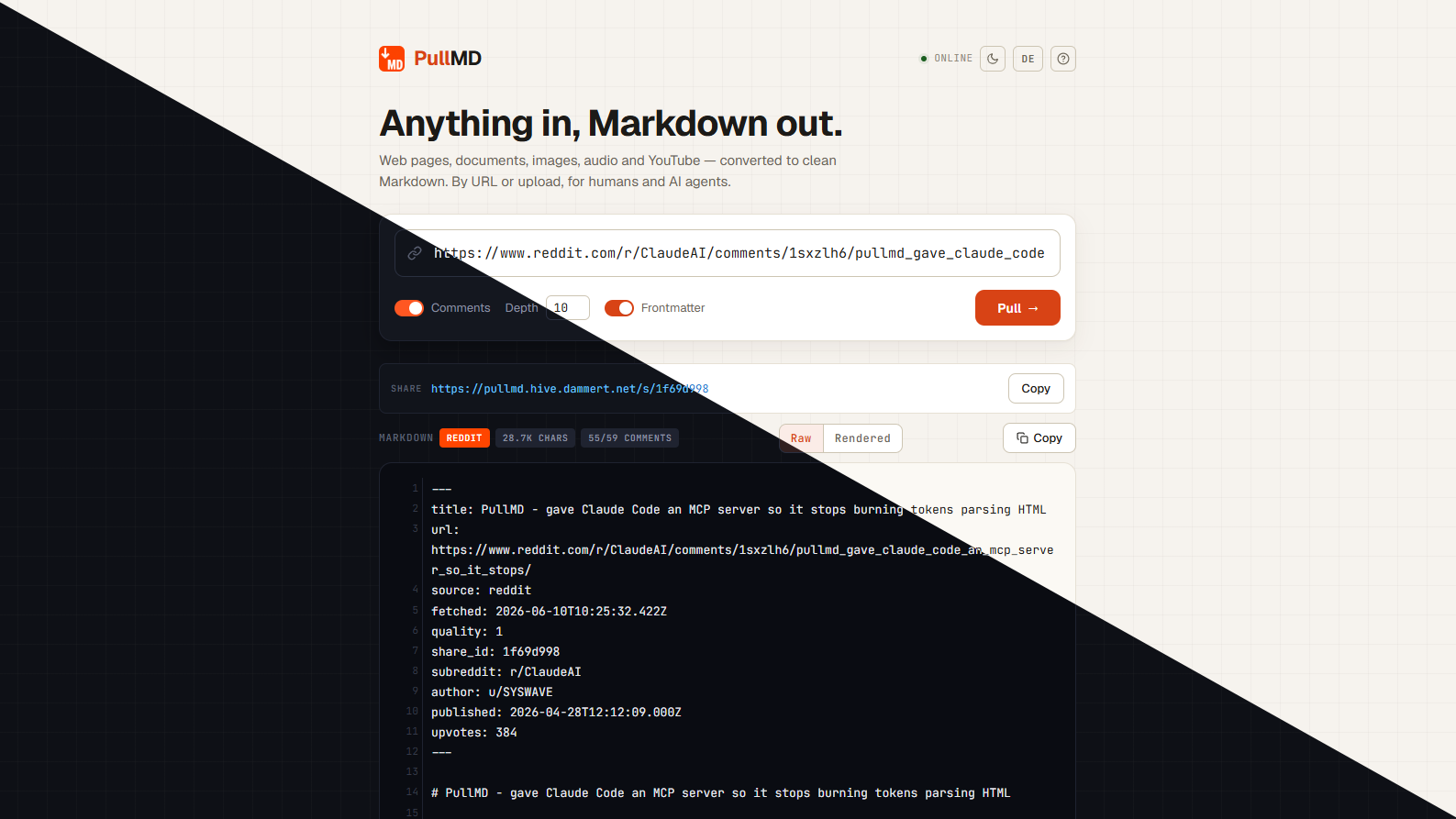
Open the app
About PullMD
PullMD turns web pages, documents, images, audio and YouTube videos into clean Markdown. Use it from the web app, the REST API, the MCP server or a Claude skill. This is PullMD in a single container, with one port and one data folder. The Trafilatura and MarkItDown helpers are inside. The Playwright helper (headless Chromium, about 3.7 GB) is left out, so pages that need JavaScript fall back to plain extraction.
Features
- Web pages through Cloudflare Markdown, Readability and Trafilatura
- Reddit threads and Hacker News discussions with their comments
- PDF, Word, PowerPoint, Excel and EPUB, by link or upload
- YouTube title, description and transcript with timecodes, no API key
- Image captions and audio transcripts with any OpenAI-compatible model (optional)
- Only the parts that match a question (
?query=), to save tokens - Share links that keep the last good copy if the page goes away
- MCP server for AI assistants, and optional sign-in with API keys
How to use
- Open PullMD from your dashboard.
- Paste a link, or drop a file, and press Convert.
- Copy or download the Markdown, or make a share link.
- Open
http://[ZIMAOS-IP-ADDRESS]:6132/helpfor the API, the MCP address and the Claude skill.
Before you install
PullMD has no sign-in to start with, so anyone on your network can use it. To keep it to yourself, set PULLMD_AUTH_MODE to single-admin and PULLMD_ADMIN_EMAIL to your own email. Leave PULLMD_ADMIN_PASSWORD blank to get a random one, shown in the app log as "admin password is". PUBLIC_URL can stay as it is: PullMD follows the address you open it at. Change localhost to your ZimaOS IP, like http://192.168.1.20:6132, to get the right address in the help page and the Claude skill. Every other setting is optional and listed in the Variables tab. To use one, add it in the app settings with your value; a setting you leave out keeps its default. The first start takes about two minutes.
The settings in the first table are already in the app settings. To use any other one, open the app settings, add the variable with your value, save, and the app restarts with it. A setting you leave out uses its default.
In the app settings
| Variable | Default value | Description |
|---|---|---|
TZ | $TZ | Your time zone. It is filled in from your ZimaOS time zone. Leave it unless you need another. |
PUBLIC_ | http://localhost:6132 | The address you open PullMD at, like http://[ZIMAOS-IP-ADDRESS]:6132 (for example http://192.168.1.20:6132), or your own https:// domain. PullMD works from any address without it. It is used for the links on the help page, the Claude skill download and OAuth sign-in for claude.ai. Keep the port at 6132. |
PULLMD_ | disabled | Who can use PullMD. disabled = anyone who can reach it, no sign-in. single-admin = only you, with the admin email and password. multi-user = people make their own accounts. |
PULLMD_ | — | The email for the first admin account, used when sign-in is on. Put your own email here. Left blank, it is [email protected]. |
PULLMD_ | — | The password for the first admin account, used when sign-in is on. Leave it blank and the app makes a random one on first start. It is shown in the app log and saved in the data folder. Or type your own (at least 8 characters). |
Sign-up and accounts
| Variable | Default value | Description |
|---|---|---|
PULLMD_ | true | Only for PULLMD_AUTH_MODE=multi-user. Set to false to close the sign-up page, so only accounts you make can sign in. |
DISABLE_ | false | Set to true to hide the list of recent conversions and the archive, so people can't see what others fetched. Share links keep working. |
OAUTH_ | — | Turns on OAuth sign-in for claude.ai and Claude Desktop. Type a random text of at least 32 characters. Needs sign-in on and PUBLIC_URL set to the address claude.ai reaches. |
PULLMD_ | — | Old (v1) bearer token for single-admin mode. Only for old setups; make an API key in PullMD's settings instead. |
Server
| Variable | Default value | Description |
|---|---|---|
PULLMD_ | 90 | How many days a conversion and its share link are kept without a new fetch. 0 keeps everything forever. |
PULLMD_ | — | PullMD won't fetch addresses on your own network. List the ones it may fetch, separated by commas, like 192.168.1.0/24,wiki.home. |
PULLMD_ | loopback | Which proxies may pass on the visitor's address. The built-in gateway is covered. Behind your own reverse proxy, add its address, like loopback,172.17.0.0/16. |
PULLMD_ | 52428800 | The biggest page or document PullMD will fetch, in bytes. The default is 50 MB. |
PULLMD_ | — | Your own site recipes. Put the file in the app's data/pullmd folder and type /data/site-recipes.json here. |
AI for images and audio
| Variable | Default value | Description |
|---|---|---|
PULLMD_ | — | One API key for both image captions and audio transcripts. The settings below for one kind win over it. |
PULLMD_ | — | The OpenAI-compatible address for that key, like https://api.groq.com/openai/v1. Blank means OpenAI. |
PULLMD_ | — | API key for describing images. Image captions are off until a key is set here or in PULLMD_LLM_API_KEY. |
PULLMD_ | — | The OpenAI-compatible address for image captions, like https://api.anthropic.com/v1 or http://192.168.1.20:11434/v1 for Ollama. Blank means OpenAI. |
PULLMD_ | gpt-4o-mini | The model for image captions. |
PULLMD_ | — | API key for audio transcripts. Transcripts are off until a key is set here or in PULLMD_LLM_API_KEY. |
PULLMD_ | — | The OpenAI-compatible address for audio transcripts. It must offer /audio/transcriptions. Blank means OpenAI. |
PULLMD_ | whisper-1 | The model for audio transcripts. |
PULLMD_ | — | API key for the paid PDF reader that keeps tables (Mistral OCR). Used when a request asks for ?pdf=ocr. |
PULLMD_ | — | The address of the PDF reader. Blank means Mistral. |
PULLMD_ | mistral-ocr-latest | The model for the PDF reader. |
PULLMD_ | 30 | How many paid AI calls each person or address may make per hour. 0 means no limit. |
PULLMD_ | on-request | Describe the images in Reddit posts: off, on-request (when asked) or always. Needs an image caption key. |
PULLMD_ | 4 | The most images described per post, 1 to 20. |
YouTube
| Variable | Default value | Description |
|---|---|---|
MARKITDOWN_ | true | Set to false to stop turning YouTube links into transcripts. |
MARKITDOWN_ | links | How timecodes look in transcripts: links, plain or none. |
MARKITDOWN_ | 30 | Seconds of speech per transcript block. 0 keeps YouTube's own lines. |
MARKITDOWN_ | — | The transcript languages you prefer, separated by commas, like en,de. Blank takes the first one there is. |
MARKITDOWN_ | — | An http(s) proxy for YouTube, like http://user:pass@proxy:8080, if YouTube blocks your address. |
Documents
| Variable | Default value | Description |
|---|---|---|
MARKITDOWN_ | 60 | How many seconds one document may take to convert. 0 means no limit. |
MARKITDOWN_ | 0 | The most memory one document conversion may use, in MB. 0 means only the app's memory limit counts. |
| Variable | Default value | Description |
|---|---|---|
REDDIT_ | — | The id of a "script" app from reddit.com/prefs/apps. With it, Reddit allows more requests per minute. |
REDDIT_ | — | The secret of that Reddit app. |
REDDIT_ | — | The name PullMD gives Reddit, like linux:pullmd:1.0 (by u/yourname). |
Fetching
| Variable | Default value | Description |
|---|---|---|
PULLMD_ | — | One browser name to send to every site, instead of changing it each time. |
PULLMD_ | https://raw.githubusercontent.com/WinFuture23/real-world-user-agents/refs/heads/main/user-agents.json | Where PullMD gets its list of current browser names. Point it at your own list in the same format. |
Output
| Variable | Default value | Description |
|---|---|---|
PULLMD_ | false | Set to true to put the title, site and date at the top of the Markdown, like version 2 did. |
PULLMD_ | — | Which front matter fields to include, separated by commas, like title,url,source,fetched. Blank includes all. |
PULLMD_ | on | Set to off to stop PullMD from retrying pages where it only caught a small part of the text. |
PULLMD_ | — | Put the date in front of downloaded file names, like YYYY-MM-DD-. |
name: pullmd

services:
  pullmd:
    image: ghcr.io/hsinghhira/pullmd:latest
    container_name: pullmd
    restart: unless-stopped
    stop_grace_period: 40s
    privileged: true
    environment:
      - TZ=$TZ
      - PUBLIC_URL=http://localhost:6132
      - PULLMD_AUTH_MODE=disabled
      - PULLMD_ADMIN_EMAIL=
      - PULLMD_ADMIN_PASSWORD=
    ports:
      - target: 8080
        published: "6132"
        protocol: tcp
    volumes:
      - type: bind
        source: /DATA/AppData/$AppID/data
        target: /data
        bind:
          create_host_path: true
    healthcheck:
      test: ["CMD", "curl", "-fsS", "-o", "/dev/null", "http://127.0.0.1:8080/api/status"]
      interval: 30s
      timeout: 10s
      retries: 5
      start_period: 120s
    deploy:
      resources:
        limits:
          cpus: "2.00"
          memory: 2048M
        reservations:
          cpus: "0.00"
          memory: 256M
    labels:
      icon: https://cdn.jsdelivr.net/gh/HSinghHira/IceStore@main/Apps/pullmd/icon.png
    x-casaos:
      id: com.icestore.pullmd
      envs:
        - container: TZ
          description:
            en_US: >-
              Your time zone. It is filled in from your ZimaOS time zone.
              Leave it unless you need another.
        - container: PUBLIC_URL
          description:
            en_US: >-
              The address you open PullMD at, like
              http://[ZIMAOS-IP-ADDRESS]:6132 (for example
              http://192.168.1.20:6132), or your own https:// domain.
              PullMD works from any address without it. It is used for the
              links on the help page, the Claude skill download and OAuth
              sign-in for claude.ai. Keep the port at 6132.
        - container: PULLMD_AUTH_MODE
          description:
            en_US: >-
              Who can use PullMD. disabled = anyone who can reach it, no
              sign-in. single-admin = only you, with the admin email and
              password. multi-user = people make their own accounts.
        - container: PULLMD_ADMIN_EMAIL
          description:
            en_US: >-
              The email for the first admin account, used when sign-in is on.
              Put your own email here. Left blank, it is [email protected].
        - container: PULLMD_ADMIN_PASSWORD
          description:
            en_US: >-
              The password for the first admin account, used when sign-in is
              on. Leave it blank and the app makes a random one on first
              start. It is shown in the app log and saved in the data folder.
              Or type your own (at least 8 characters).
      ports:
        - container: "8080"
          description:
            en_US: PullMD web app, REST API and MCP server, published on host as 6132
      volumes:
        - container: /data
          description:
            en_US: >-
              The conversion cache and share links, accounts, API keys and
              the admin password.

x-casaos:
  id: com.icestore.pullmd
  architectures:
    - amd64
    - arm64
  main: pullmd
  author: HSinghHira
  category: AI
  developer: AeternaLabsHQ
  icon: https://cdn.jsdelivr.net/gh/HSinghHira/IceStore@main/Apps/pullmd/icon.png
  thumbnail: https://cdn.jsdelivr.net/gh/HSinghHira/IceStore@main/Apps/pullmd/screenshot-1.png
  screenshot_link:
    - https://cdn.jsdelivr.net/gh/HSinghHira/IceStore@main/Apps/pullmd/screenshot-1.png
    - https://cdn.jsdelivr.net/gh/HSinghHira/IceStore@main/Apps/pullmd/screenshot-2.png
  title:
    en_US: PullMD
  tagline:
    en_US: Anything in, clean Markdown out. Web pages, documents and YouTube to Markdown for people and AI agents.
  description:
    en_US: >-
      PullMD turns web pages, documents, images, audio and YouTube videos into
      clean Markdown. Use it from the web app, the REST API, the MCP server
      or a Claude skill. This is PullMD in a single container, with one port
      and one data folder. The Trafilatura and MarkItDown helpers are inside.
      The Playwright helper (headless Chromium, about 3.7 GB) is left out, so
      pages that need JavaScript fall back to plain extraction.


      **Features**


      - Web pages through Cloudflare Markdown, Readability and Trafilatura

      - Reddit threads and Hacker News discussions with their comments

      - PDF, Word, PowerPoint, Excel and EPUB, by link or upload

      - YouTube title, description and transcript with timecodes, no API key

      - Image captions and audio transcripts with any OpenAI-compatible model
        (optional)

      - Only the parts that match a question (?query=), to save tokens

      - Share links that keep the last good copy if the page goes away

      - MCP server for AI assistants, and optional sign-in with API keys


      **How to use?**


      1. Open PullMD from the Zima OS dashboard.


      2. Paste a link, or drop a file, and press Convert.


      3. Copy or download the Markdown, or make a share link.


      4. Open /help for the API, the MCP address and the Claude skill.
  tips:
    before_install:
      en_US: >-
        1. Open the app configuration before you install.


        2. PullMD has no sign-in to start with. Anyone on your network can use
           it.


        3. To keep it to yourself, set PULLMD_AUTH_MODE to single-admin. Set
           PULLMD_ADMIN_EMAIL to your own email.


        4. Leave PULLMD_ADMIN_PASSWORD blank to get a random one. Or type your
           own.


        5. PUBLIC_URL can stay as it is. Change localhost to your ZimaOS IP,
           like http://192.168.1.20:6132, to get the right address in the
           help page and the Claude skill.


        6. More settings, like AI keys for images and audio, YouTube options
           and Reddit keys, are listed on the PullMD page at
           https://icestore.hsinghhira.me/app/pullmd/ (Variables tab). You
           can add them now or later in the app settings.


        7. Start the installation.


        8. Wait about two minutes for all parts to start.


        9. If you turned sign-in on and left the password blank, open the app
           log. Find the line that says "admin password is".


        10. Open http://[ZIMAOS-IP-ADDRESS]:6132 in your browser.
  index: /
  port_map: "6132"
  scheme: http
  is_uncontrolled: false
  version: "3.16.0"
  update_at: "2026-10-28"
  release_notes:
    en_US: |-
      - Single-container PullMD with one port (6132) and one data folder
      - aeternalabshq/pullmd 3.16.0
      - aeternalabshq/pullmd-trafilatura 3.16.0
      - aeternalabshq/pullmd-markitdown 3.16.0
      - YouTube transcripts are on (upstream: off), since MarkItDown is inside
      - Left out: the Playwright helper (headless Chromium, about 3.7 GB)
  repo: "https://github.com/AeternaLabsHQ/pullmd"
  support: "https://github.com/AeternaLabsHQ/pullmd/issues"
  docs: "https://github.com/AeternaLabsHQ/pullmd#readme"
Install PullMD
 ZimaOS
Add the store link, then find PullMD in the App Store and install it.
 CasaOS
Add the store link, then find PullMD in the App Store and install it.
 Homeio
Add the store link, then find PullMD in the App Store and install it.
Something not working with PullMD? Report a problem or request another app.

