
Root Cellar
Household apps in one place: a shared checkbook, notes, a movie collection and labels.
- ghcr.io/hsinghhira/root-cellar:latest
- v1.0.0
- Updated 9 Nov 2026
- port 6711
- port 6712
- port 6713
- port 6714
- amd64 · arm64
- Home
- 2 stars
Screenshots
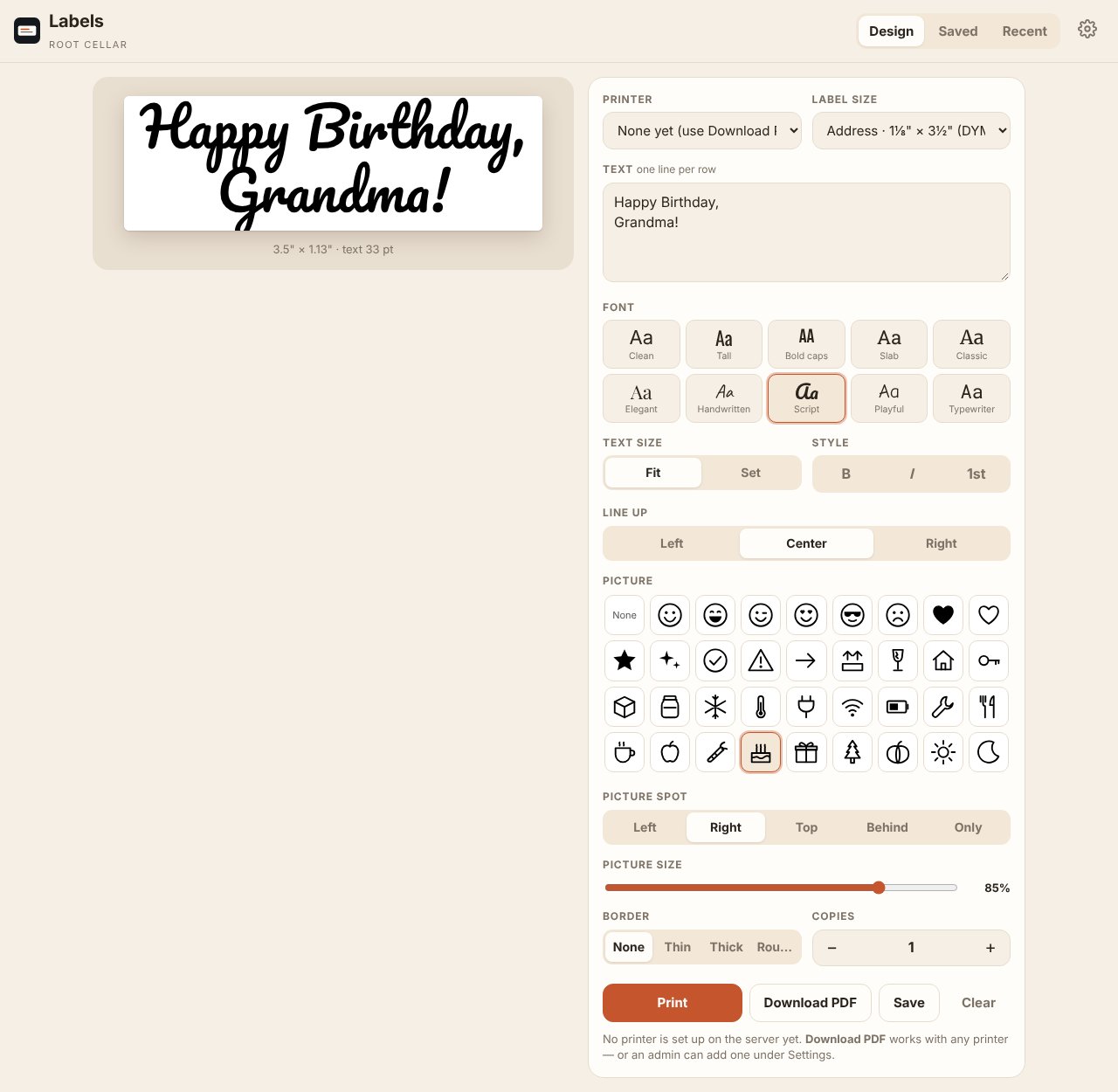
Open the app
About Root Cellar
Root Cellar is a set of household apps for your home server, all in one container: a shared checkbook with bills, private and shared notes, a movie collection tracker and a DYMO label maker. Each app has its own address and works offline on phones and computers.
Features
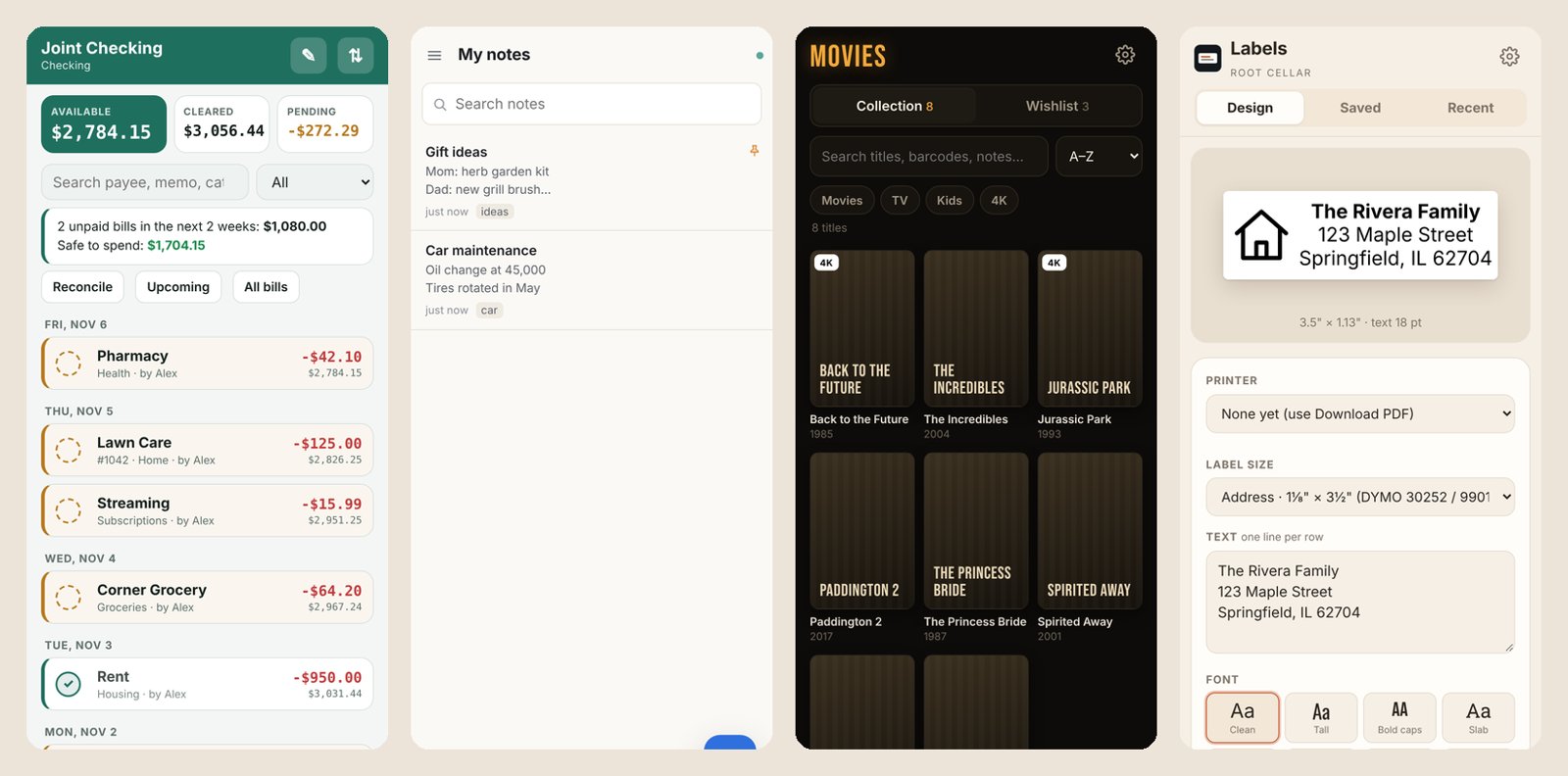
- Checkbook: a shared register with balances, reconciling and bills (payment plans, autopay, "safe to spend")
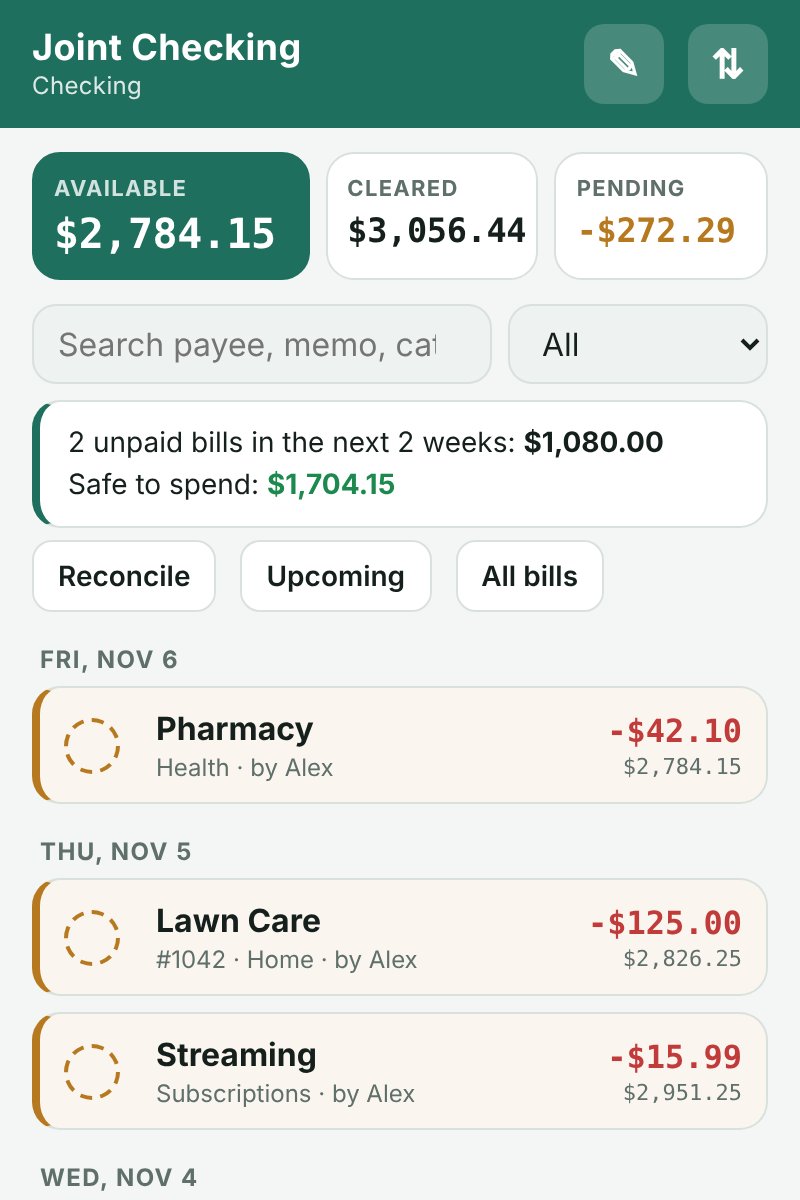
- Notes: private notes for each person plus a shared notebook, with search, tags and history
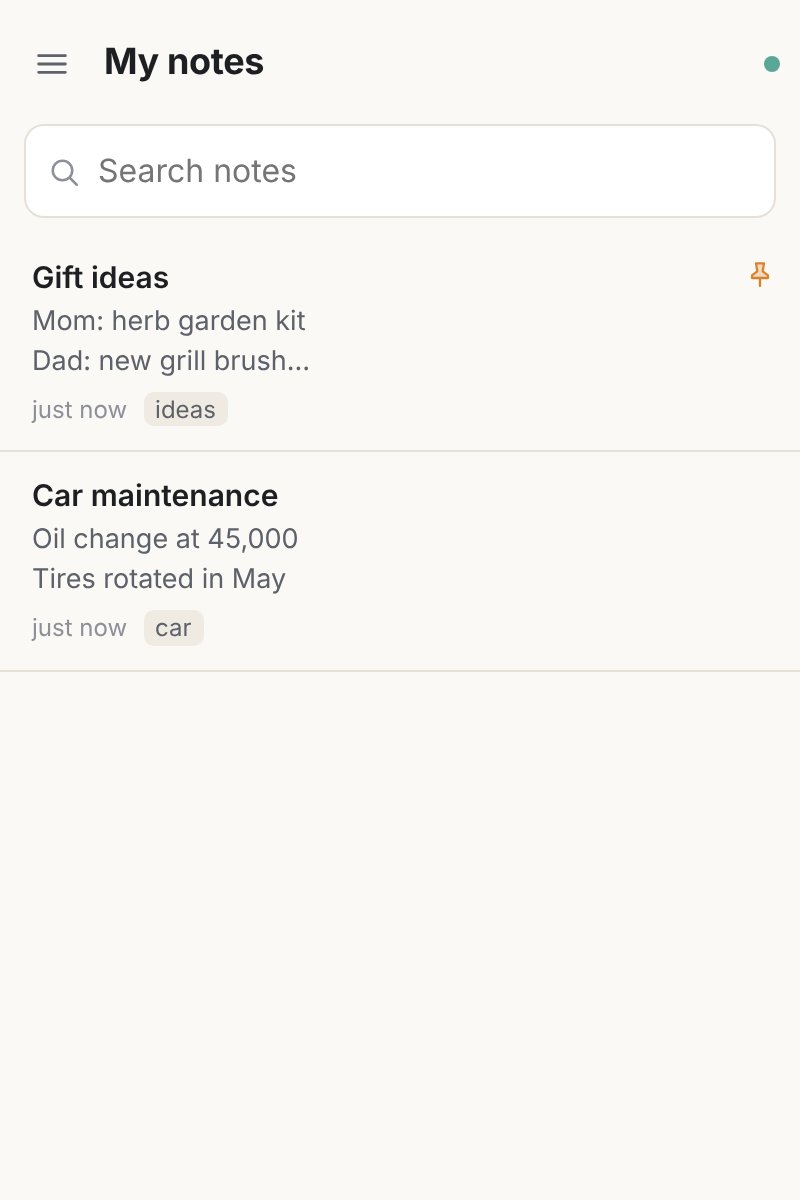
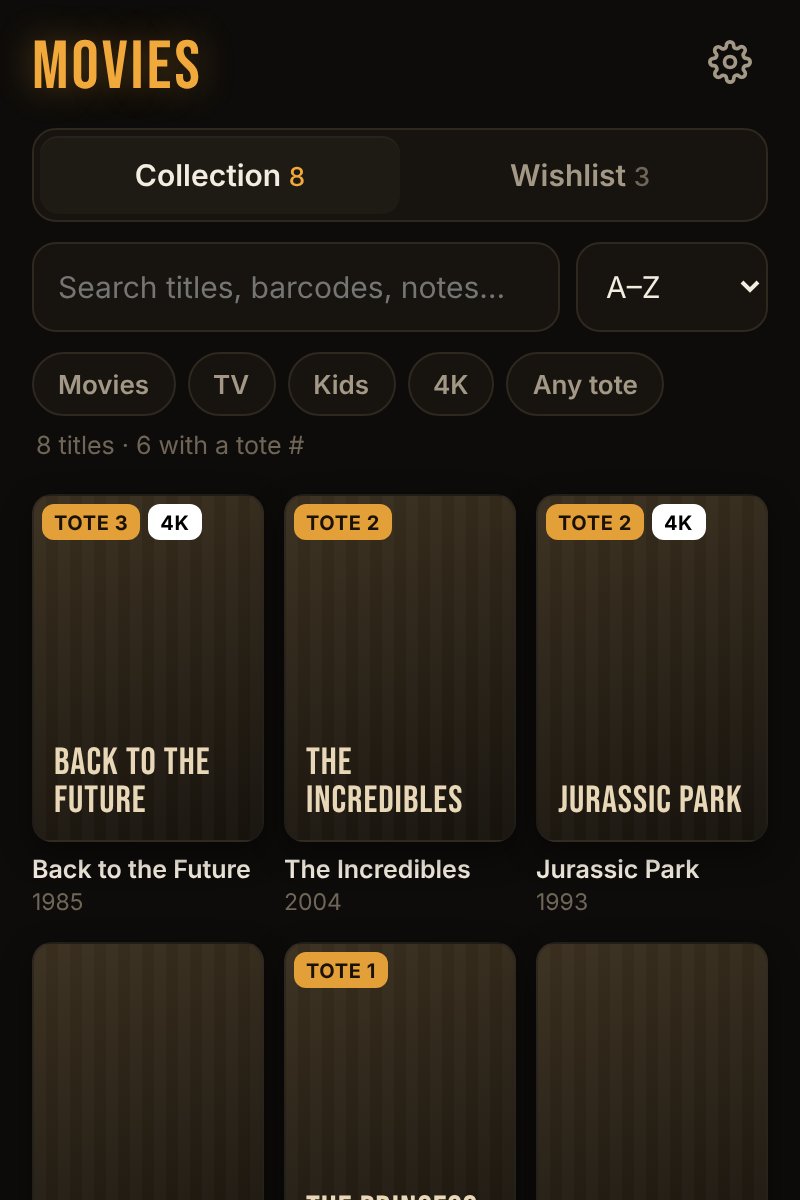
- Movies: your Blu-ray and DVD collection and wishlist; scan a barcode with your phone
- Labels: design labels in any browser and print to a DYMO LabelWriter, or download a PDF
How to use
- Checkbook opens from your dashboard (port 6711).
- Notes is on port 6712, Movies on 6713 and Labels on 6714.
- On phones, open each address and add it to the Home Screen.
Before you install
Nothing to set first. The four apps are at http://[ZIMAOS-IP-ADDRESS]:6711 (Checkbook), :6712 (Notes), :6713 (Movies) and :6714 (Labels); the app's logs list them in the box marked CREDENTIALS. Root Cellar is made for your home network: to use it away from home, use a VPN like Tailscale rather than opening the ports.
To print labels, plug a DYMO LabelWriter into the box and give the app access to it: in the app settings, add the volume /dev/bus/usb (same path inside) and turn on privileged mode. Download PDF works without a printer. The print setup is kept in labels/cups in the data folder.
| Variable | Default value | Description |
|---|---|---|
TZ | $TZ | Your time zone. It is filled in from your ZimaOS time zone. |
name: root-cellar

services:
  root-cellar:
    image: ghcr.io/hsinghhira/root-cellar:latest
    container_name: root-cellar
    restart: unless-stopped
    stop_grace_period: 20s
    network_mode: bridge
    environment:
      - TZ=$TZ
    ports:
      - target: 8080
        published: "6711"
        protocol: tcp
      - target: 8085
        published: "6712"
        protocol: tcp
      - target: 8093
        published: "6713"
        protocol: tcp
      - target: 8095
        published: "6714"
        protocol: tcp
    volumes:
      - type: bind
        source: /DATA/AppData/$AppID/data
        target: /data
        bind:
          create_host_path: true
    healthcheck:
      test: ["CMD", "curl", "-fsS", "-o", "/dev/null", "http://127.0.0.1:8080/"]
      interval: 30s
      timeout: 5s
      retries: 3
      start_period: 30s
    deploy:
      resources:
        limits:
          cpus: "1.00"
          memory: 768M
        reservations:
          cpus: "0.00"
          memory: 96M
    labels:
      icon: https://cdn.jsdelivr.net/gh/HSinghHira/IceStore@main/Apps/root-cellar/icon.png
    x-casaos:
      id: com.icestore.root-cellar
      envs:
        - container: TZ
          description:
            en_US: >-
              Your time zone. It is filled in from your ZimaOS time zone.
      ports:
        - container: "8080"
          description:
            en_US: Checkbook, published on host as 6711
        - container: "8085"
          description:
            en_US: Notes, published on host as 6712
        - container: "8093"
          description:
            en_US: Movies, published on host as 6713
        - container: "8095"
          description:
            en_US: Labels, published on host as 6714
      volumes:
        - container: /data
          description:
            en_US: >-
              Each app's data in its own folder (checkbook/, notes/, movies/,
              labels/), including Notes' backups and the Labels printer setup.
              Back up the whole folder.

x-casaos:
  id: com.icestore.root-cellar
  architectures:
    - amd64
    - arm64
  main: root-cellar
  author: HSinghHira
  category: Home
  developer: Noobie3DPrinting
  icon: https://cdn.jsdelivr.net/gh/HSinghHira/IceStore@main/Apps/root-cellar/icon.png
  thumbnail: https://cdn.jsdelivr.net/gh/HSinghHira/IceStore@main/Apps/root-cellar/screenshot-1.jpg
  screenshot_link:
    - https://cdn.jsdelivr.net/gh/HSinghHira/IceStore@main/Apps/root-cellar/screenshot-1.jpg
    - https://cdn.jsdelivr.net/gh/HSinghHira/IceStore@main/Apps/root-cellar/screenshot-2.jpg
    - https://cdn.jsdelivr.net/gh/HSinghHira/IceStore@main/Apps/root-cellar/screenshot-3.jpg
    - https://cdn.jsdelivr.net/gh/HSinghHira/IceStore@main/Apps/root-cellar/screenshot-4.jpg
    - https://cdn.jsdelivr.net/gh/HSinghHira/IceStore@main/Apps/root-cellar/screenshot-5.jpg
  title:
    en_US: Root Cellar
  tagline:
    en_US: "Household apps in one place: a shared checkbook, notes, a movie collection and labels."
  description:
    en_US: >-
      Visit: [https://icestore.hsinghhira.me/app/root-cellar/](https://icestore.hsinghhira.me/app/root-cellar/) for full details


      Root Cellar is a set of household apps for your home server, all in
      one container: a shared checkbook with bills, private and shared notes,
      a movie collection tracker and a DYMO label maker. Each app has its own
      address and works offline on phones and computers.


      **Features**


      - Checkbook: a shared register with balances, reconciling and bills
        (payment plans, autopay, "safe to spend")

      - Notes: private notes for each person plus a shared notebook, with
        search, tags and history

      - Movies: your Blu-ray and DVD collection and wishlist; scan a barcode
        with your phone

      - Labels: design labels in any browser and print to a DYMO
        LabelWriter, or download a PDF


      **How to use?**


      1. Checkbook opens from the Zima OS dashboard (port 6711).


      2. Notes is on port 6712, Movies on 6713 and Labels on 6714.


      3. On phones, open each address and add it to the Home Screen.
  tips:
    before_install:
      en_US: >-
        1. Nothing to set first. Start the installation.


        2. Checkbook opens from your dashboard. The other apps are at
           http://[ZIMAOS-IP-ADDRESS]:6712 (Notes),
           http://[ZIMAOS-IP-ADDRESS]:6713 (Movies) and
           http://[ZIMAOS-IP-ADDRESS]:6714 (Labels). The app's logs list
           them too, in the box marked CREDENTIALS.


        3. Root Cellar is made for your home network. To use it away from
           home, use a VPN like Tailscale rather than opening the ports to
           the internet.


        4. To print from Labels, plug a DYMO LabelWriter into the box and
           see the Root Cellar page at
           https://icestore.hsinghhira.me/app/root-cellar/. Download PDF
           works without a printer.
  index: /
  port_map: "6711"
  scheme: http
  is_uncontrolled: false
  version: "v1.0.0"
  update_at: "2026-11-09"
  release_notes:
    en_US: |-
      - First IceStore release: Root Cellar v1.0.0 (Checkbook, Notes, Movies and Labels) in one container, built from upstream's release; upstream publishes no image.
      - Ports 6711 (Checkbook), 6712 (Notes), 6713 (Movies) and 6714 (Labels); one data folder.
      - The Labels print system (CUPS with the DYMO drivers) is in the image, so the first start needs no download.
  repo: "https://github.com/Noobie3DPrinting/root-cellar"
  support: "https://github.com/Noobie3DPrinting/root-cellar/issues"
  docs: "https://github.com/Noobie3DPrinting/root-cellar/blob/main/GUIDE.md"
Install Root Cellar
Something not working with Root Cellar?
Report it so it gets fixed, or ask for an app that is not here yet.
 ZimaOS
Add the store link, then find Root Cellar in the App Store and install it.
 CasaOS
Add the store link, then find Root Cellar in the App Store and install it.
 ReCasaOS
Add the store link, then find Root Cellar in the App Store and install it.
 Homeio
Add the store link, then find Root Cellar in the App Store and install it.
 MOS
Add the repository in MOS Hub Settings, then find Root Cellar in Docker → MOS Hub and install it.


