
tdeemon
AI-first nutrition tracker with an adaptive TDEE.
- ghcr.io/hsinghhira/tdeemon:latest
- v1.3.0
- Updated 10 Nov 2026
- port 6722
- amd64 · arm64
- Home
- 4 stars
Screenshots
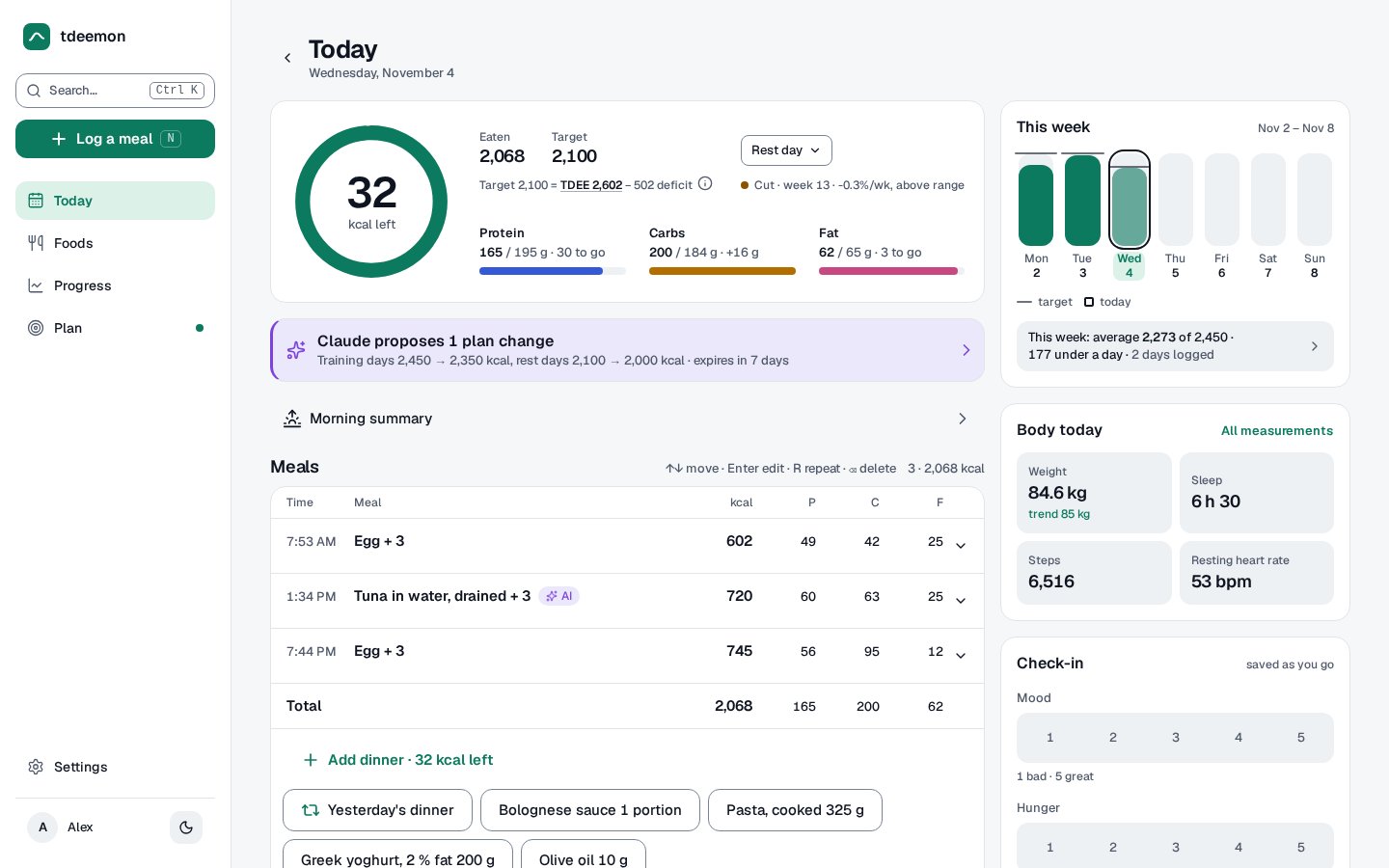
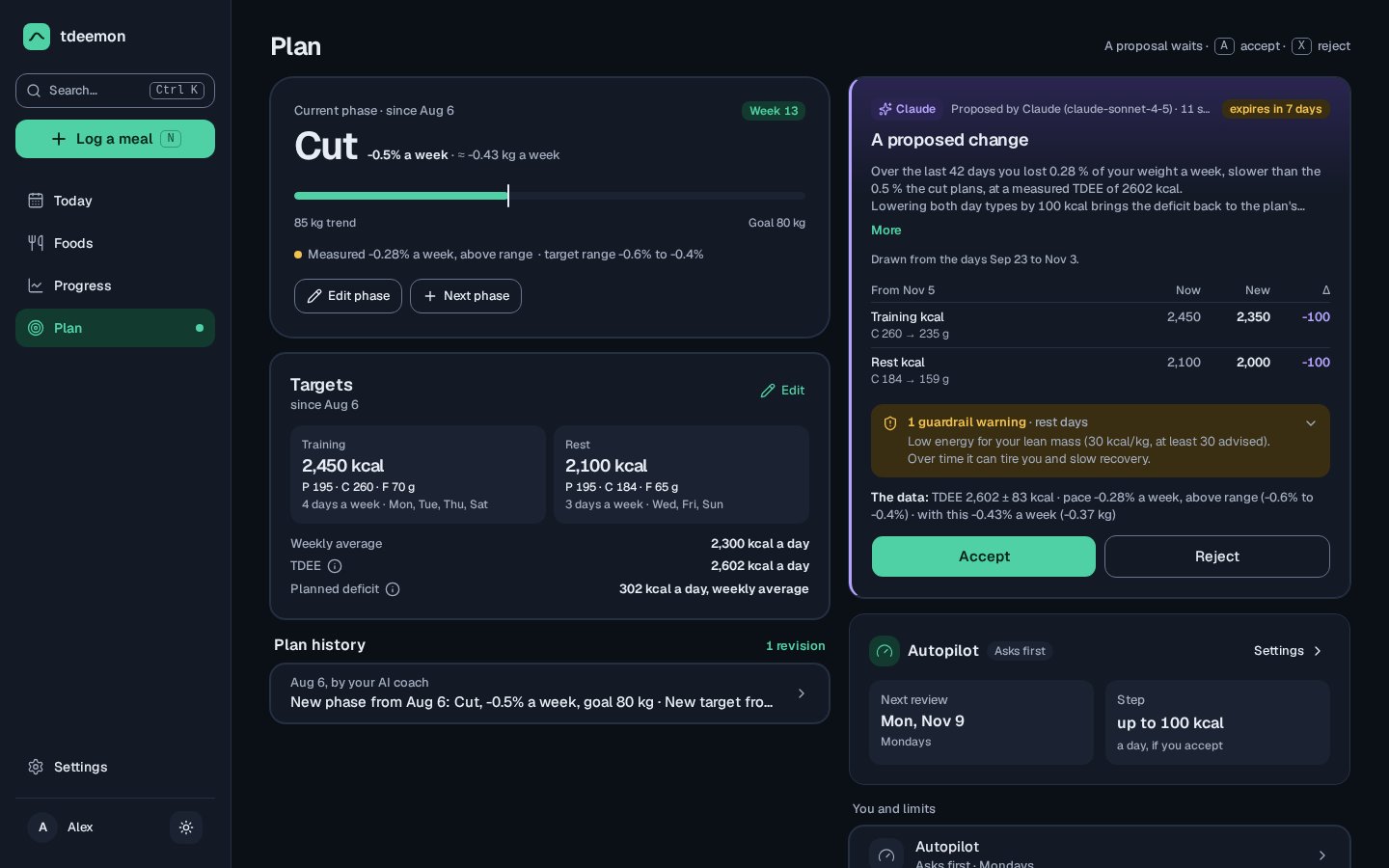
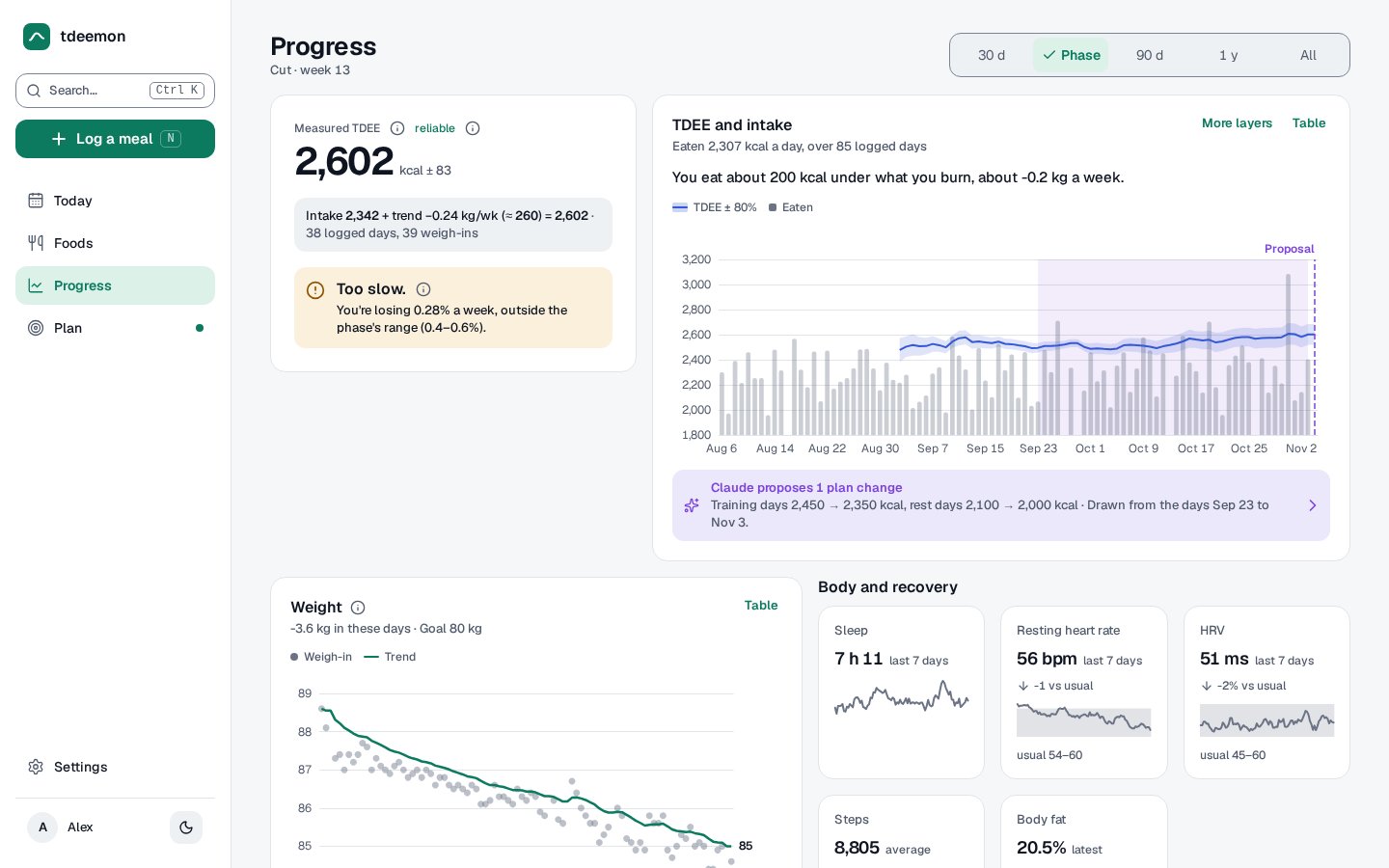
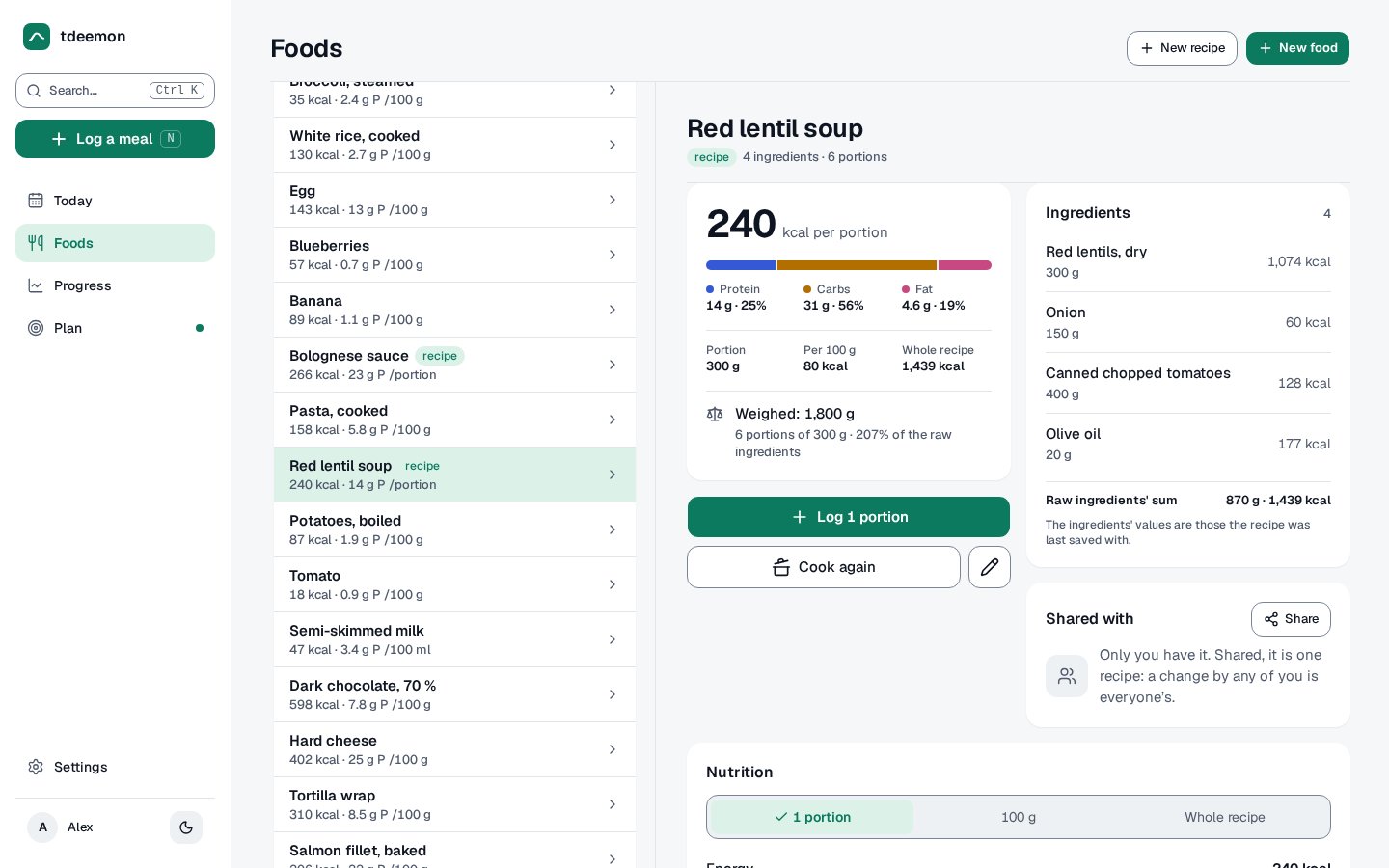
Open the app
About tdeemon
tdeemon is a self-hosted nutrition tracker that measures your real TDEE (the energy you burn) from what you eat and weigh, and lets an AI coach change your plan only with your yes. It is one Go program with one database file.
Features
- Log meals, foods and recipes; daily targets and macros in a ring
- Adaptive TDEE from your weight trend, with the method shown
- An AI coach (your own model) that proposes plan changes for you to accept
- Weight, sleep, steps and resting heart rate; progress charts
- Invites for family, single sign-on, an API and a phone app view
How to use
- Set
TDEEMON_BASE_URLandADMIN_EMAILbefore you install. - Copy the password from the app's logs (CREDENTIALS box) and sign in.
- Set your goal and start logging meals and weight.
- Invite others in Settings › Users.
Before you install
Set TDEEMON_BASE_URL first. It starts as http://[ZIMAOS-IP-ADDRESS]:6722: replace [ZIMAOS-IP-ADDRESS] with your ZimaOS IP, like http://192.168.1.20:6722. Put your email in ADMIN_EMAIL.
tdeemon has no sign-up page. On the first start the container makes the first admin from ADMIN_EMAIL with a made password and shows both in the app's logs, in the box marked CREDENTIALS (upstream does this with tdeemon user create --admin). Change the password in Settings, then invite others from Settings › Users. The secret key is made on first start and kept in the data folder. More settings are in the Variables tab.
The settings in the first table are already in the app settings. To use any other one, open the app settings, add the variable with your value, save, and the app restarts with it. A setting you leave out uses its default.
In the app settings
| Variable | Default value | Description |
|---|---|---|
TZ | $TZ | The instance's default time zone; each user picks their own. |
TDEEMON_ | http://[ZIMAOS-IP-ADDRESS]:6722 | Required. Replace [ZIMAOS-IP-ADDRESS] with your ZimaOS IP, like http://192.168.1.20:6722, or use your https domain. Invite links and single sign-on use it. |
ADMIN_ | [email protected] | The first admin's email. The account is made on the first start with a password shown in the app's logs (CREDENTIALS box). |
Server
| Variable | Default value | Description |
|---|---|---|
TDEEMON_ | 0 | How many daily database snapshots to keep in the data folder (up to 366). |
TDEEMON_ | info | debug, info, warn or error. |
TDEEMON_ | json | json or text. |
Single sign-on
| Variable | Default value | Description |
|---|---|---|
TDEEMON_ | — | An OpenID Connect provider's issuer URL (https), like your Authentik application. Its redirect is TDEEMON_BASE_URL followed by /api/v1/auth/oidc/callback. |
TDEEMON_ | — | tdeemon's client ID at the provider. |
TDEEMON_ | — | tdeemon's client secret at the provider. |
Keys
| Variable | Default value | Description |
|---|---|---|
TDEEMON_ | — | Seals single sign-on and derives the push key. Made on first start and kept in .icestore/secret_key when left out. |
name: tdeemon

services:
  tdeemon:
    image: ghcr.io/hsinghhira/tdeemon:latest
    container_name: tdeemon
    restart: unless-stopped
    stop_grace_period: 20s
    network_mode: bridge
    environment:
      - TZ=$TZ
      - TDEEMON_BASE_URL=http://[ZIMAOS-IP-ADDRESS]:6722
      - [email protected]
    ports:
      - target: 8080
        published: "6722"
        protocol: tcp
    volumes:
      - type: bind
        source: /DATA/AppData/$AppID/data
        target: /data
        bind:
          create_host_path: true
    healthcheck:
      test: ["CMD", "wget", "-q", "-O", "/dev/null", "http://127.0.0.1:8080/healthz"]
      interval: 30s
      timeout: 5s
      retries: 3
      start_period: 20s
    deploy:
      resources:
        limits:
          cpus: "1.00"
          memory: 256M
        reservations:
          cpus: "0.00"
          memory: 32M
    labels:
      icon: https://cdn.jsdelivr.net/gh/HSinghHira/IceStore@main/Apps/tdeemon/icon.png
    x-casaos:
      id: com.icestore.tdeemon
      envs:
        - container: TZ
          description:
            en_US: >-
              The instance's default time zone; each user picks their own.
        - container: TDEEMON_BASE_URL
          description:
            en_US: >-
              Required. Replace [ZIMAOS-IP-ADDRESS] with your ZimaOS IP, like
              http://192.168.1.20:6722, or use your https domain. Invite links
              and single sign-on use it.
        - container: ADMIN_EMAIL
          description:
            en_US: >-
              The first admin's email. The account is made on the first start
              with a password shown in the app's logs (CREDENTIALS box).
      ports:
        - container: "8080"
          description:
            en_US: tdeemon web app and API, published on host as 6722
      volumes:
        - container: /data
          description:
            en_US: >-
              The database (tdeemon.db), its snapshots, and this install's
              secret key and first password (.icestore/). Back up the whole
              folder.

x-casaos:
  id: com.icestore.tdeemon
  architectures:
    - amd64
    - arm64
  main: tdeemon
  author: HSinghHira
  category: Home
  developer: tdeemon
  icon: https://cdn.jsdelivr.net/gh/HSinghHira/IceStore@main/Apps/tdeemon/icon.png
  thumbnail: https://cdn.jsdelivr.net/gh/HSinghHira/IceStore@main/Apps/tdeemon/screenshot-1.jpg
  screenshot_link:
    - https://cdn.jsdelivr.net/gh/HSinghHira/IceStore@main/Apps/tdeemon/screenshot-1.jpg
    - https://cdn.jsdelivr.net/gh/HSinghHira/IceStore@main/Apps/tdeemon/screenshot-2.jpg
    - https://cdn.jsdelivr.net/gh/HSinghHira/IceStore@main/Apps/tdeemon/screenshot-3.jpg
    - https://cdn.jsdelivr.net/gh/HSinghHira/IceStore@main/Apps/tdeemon/screenshot-4.jpg
  title:
    en_US: tdeemon
  tagline:
    en_US: AI-first nutrition tracker with an adaptive TDEE.
  description:
    en_US: >-
      Visit: [https://icestore.hsinghhira.me/app/tdeemon/](https://icestore.hsinghhira.me/app/tdeemon/) for full details


      tdeemon is a self-hosted nutrition tracker that measures your real
      TDEE (the energy you burn) from what you eat and weigh, and lets an AI
      coach change your plan only with your yes. It is one Go program with
      one database file.


      **Features**


      - Log meals, foods and recipes; daily targets and macros in a ring

      - Adaptive TDEE from your weight trend, with the method shown

      - An AI coach (your own model) that proposes plan changes for you to
        accept

      - Weight, sleep, steps and resting heart rate; progress charts

      - Invites for family, single sign-on, an API and a phone app view


      **How to use?**


      1. Set TDEEMON_BASE_URL and ADMIN_EMAIL before you install.


      2. Copy the password from the app's logs (CREDENTIALS box) and sign
         in.


      3. Set your goal and start logging meals and weight.


      4. Invite others in Settings, Users.
  tips:
    before_install:
      en_US: >-
        1. Open the app configuration before you install.


        2. Find TDEEMON_BASE_URL. It starts as
           http://[ZIMAOS-IP-ADDRESS]:6722 and needs your ZimaOS IP in place
           of [ZIMAOS-IP-ADDRESS], like http://192.168.1.20:6722 for the IP
           192.168.1.20 (use yours).


        3. Put your email in ADMIN_EMAIL. The first admin is made with it.


        4. Start the installation. It is ready in a few seconds.


        5. Look in the app's logs for the box marked CREDENTIALS. It has your
           email and password. Sign in and change the password in Settings.


        6. More settings (backups, single sign-on, logs) are listed on the
           tdeemon page at https://icestore.hsinghhira.me/app/tdeemon/
           (Variables tab).
  index: /
  port_map: "6722"
  scheme: http
  is_uncontrolled: false
  version: "1.3.0"
  update_at: "2026-11-10"
  release_notes:
    en_US: |-
      - First IceStore version: ghcr.io/tdeemon/tdeemon 1.3.0, plus a start script that makes this install's TDEEMON_SECRET_KEY and the first admin (from ADMIN_EMAIL, with a made password shown in the logs).
      - Port 6722; the data folder is /DATA/AppData/tdeemon/data.
  repo: "https://github.com/tdeemon/tdeemon"
  support: "https://github.com/tdeemon/tdeemon/issues"
  docs: "https://github.com/tdeemon/tdeemon/blob/main/docs/self-hosting.md"
Install tdeemon
Something not working with tdeemon?
Report it so it gets fixed, or ask for an app that is not here yet.
 ZimaOS
Add the store link, then find tdeemon in the App Store and install it.
 CasaOS
Add the store link, then find tdeemon in the App Store and install it.
 ReCasaOS
Add the store link, then find tdeemon in the App Store and install it.
 Homeio
Add the store link, then find tdeemon in the App Store and install it.
 MOS
Add the repository in MOS Hub Settings, then find tdeemon in Docker → MOS Hub and install it.


