
AppRankly
Mobile app analytics and ASO dashboard for Google Play and the App Store.
- ghcr.io/zmsp/apprankly:2.3.0
- v2.3.0
- Updated 10 Nov 2026
- port 6723
- amd64 · arm64
- Developer
- 41 stars
Screenshots
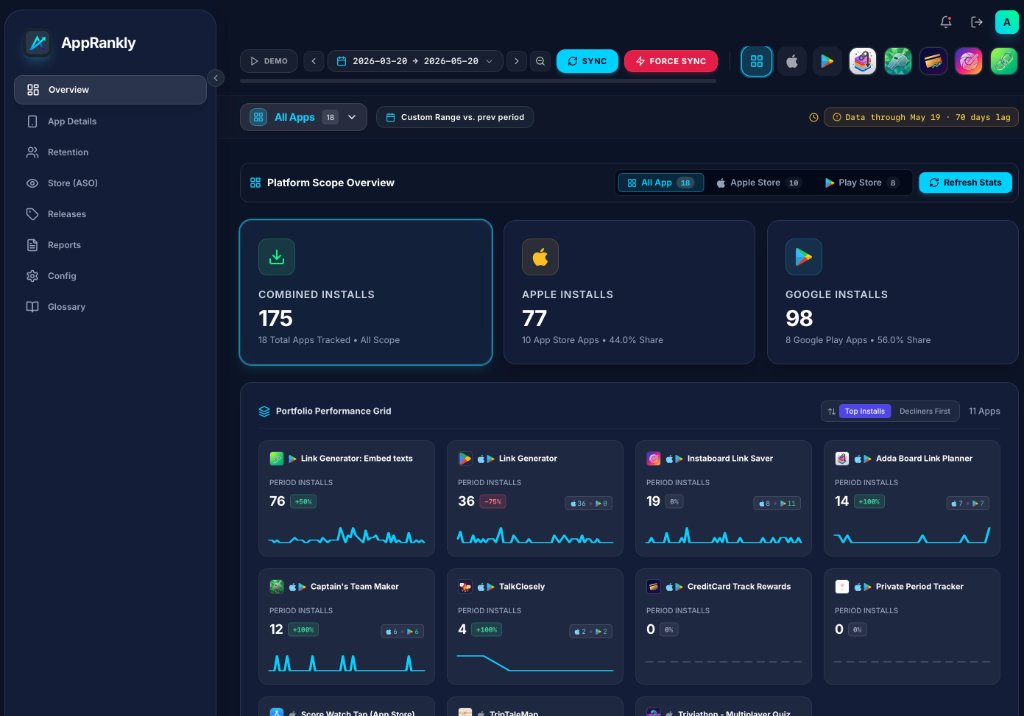
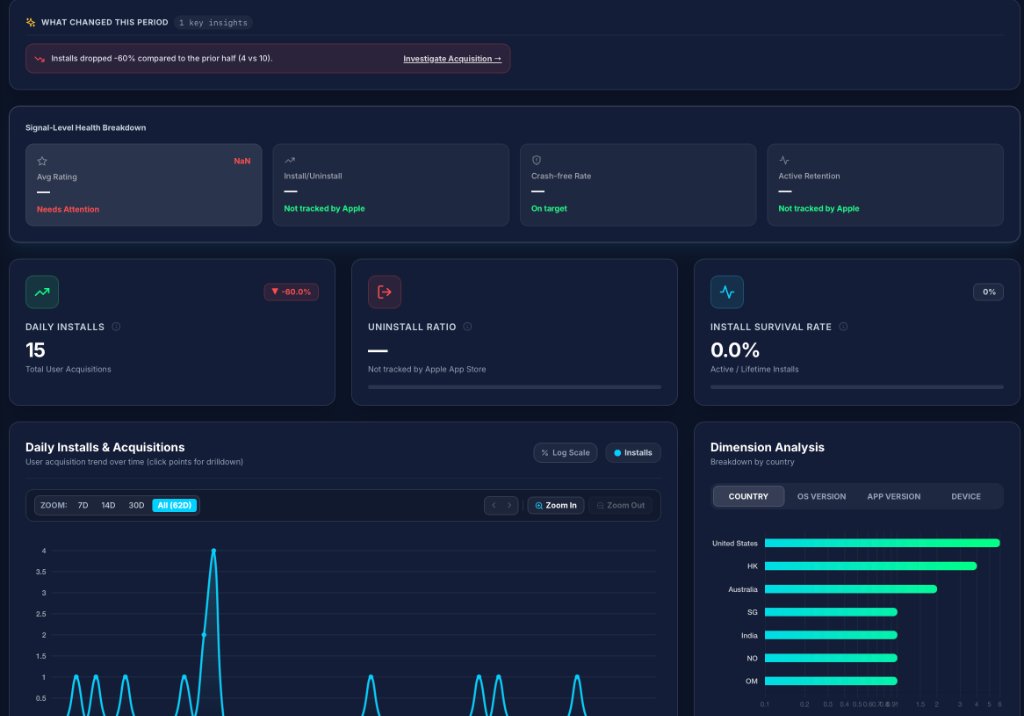
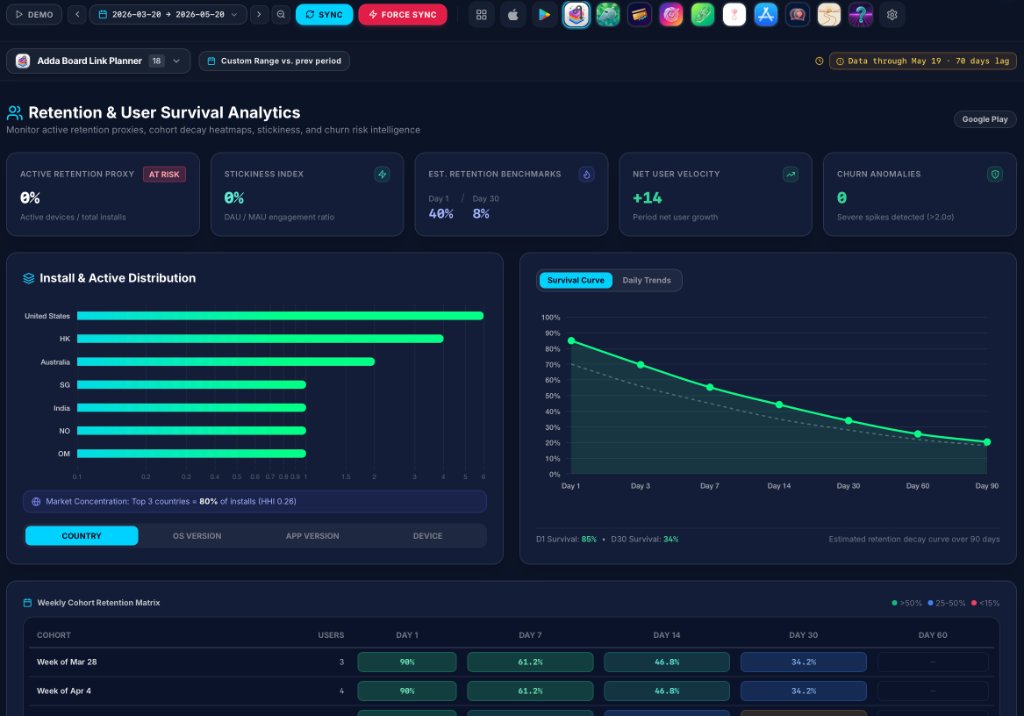
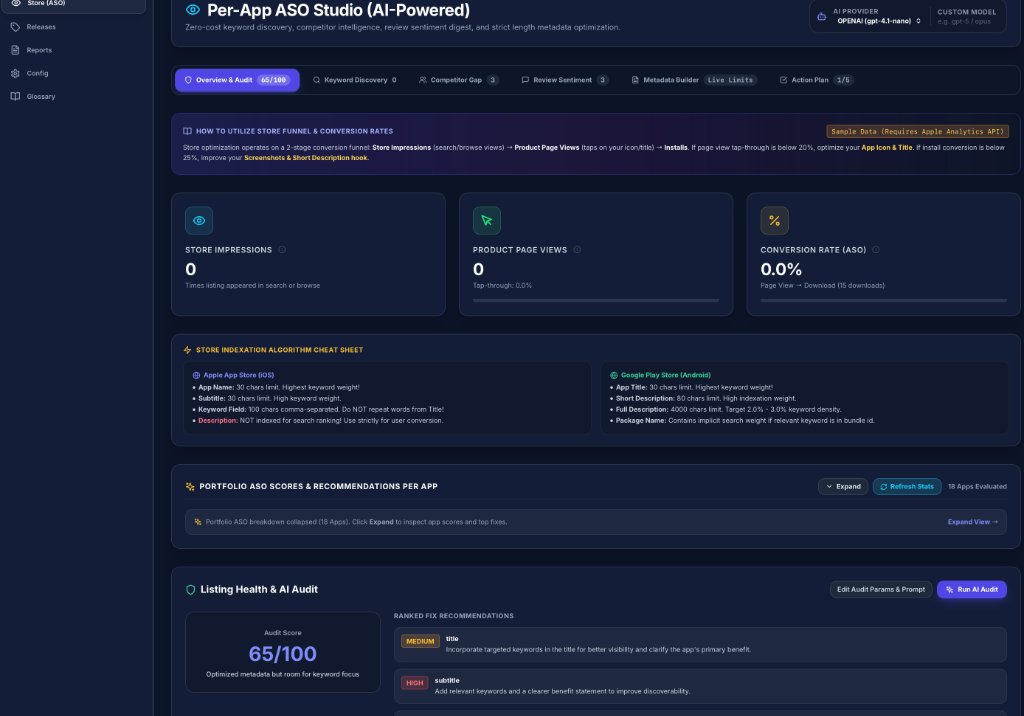
Open the app
About AppRankly
AppRankly brings your iOS and Android app numbers into one self-hosted dashboard: installs, uninstalls, active devices, retention and release markers side by side, plus keyword rankings. It reads the official store reports with your own keys, so your data stays private.
Features
- Google Play and App Store stats in one place
- Retention cohorts, survival curves and release markers
- ASO keyword tracking and app details
- Alerts and daily briefs to ntfy, Discord, Slack or Telegram
- Notes, teams with roles, and optional AI summaries
How to use
- Open AppRankly and choose the admin password.
- Fill in
config/config.jsonwith your Google Play and App Store details, and put the key files inconfig/keys/. - Restart the app; your stats load on the next refresh.
Before you install
Nothing to set first; open AppRankly and choose the admin password on the first visit. For your stats it needs your Google Play Cloud Storage and App Store Connect keys: edit /DATA/AppData/apprankly/data/config/config.json with the Files app (upstream's example.config.json shows every field and where to find each value) and put the key files in config/keys/, then restart the app.
The settings in the first table are already in the app settings. To use any other one, open the app settings, add the variable with your value, save, and the app restarts with it. A setting you leave out uses its default.
In the app settings
| Variable | Default value | Description |
|---|---|---|
TZ | $TZ | Your time zone. It is filled in from your ZimaOS time zone. |
PORT | 3000 | The port AppRankly listens on inside the container. Leave it as 3000. |
DATA_ | /app/data | Where AppRankly keeps its data inside the container. Leave it as /app/data. |
CONFIG_ | /app/data/config/config.json | The config file inside the container. Leave it as /app/data/config/config.json. |
Sign-in
| Variable | Default value | Description |
|---|---|---|
ADMIN_ | — | A bcrypt hash of the admin password, instead of choosing it in the browser on the first visit. |
JWT_ | — | Signs sign-ins. Made on first start and kept in the data folder (.jwt_secret) when left out. |
name: apprankly

services:
  apprankly:
    image: ghcr.io/zmsp/apprankly:2.3.0
    container_name: apprankly
    restart: unless-stopped
    stop_grace_period: 20s
    network_mode: bridge
    user: "0:0"
    environment:
      - TZ=$TZ
      - PORT=3000
      - DATA_DIR=/app/data
      - CONFIG_PATH=/app/data/config/config.json
    ports:
      - target: 3000
        published: "6723"
        protocol: tcp
    volumes:
      - type: bind
        source: /DATA/AppData/$AppID/data
        target: /app/data
        bind:
          create_host_path: true
    deploy:
      resources:
        limits:
          cpus: "1.00"
          memory: 512M
        reservations:
          cpus: "0.00"
          memory: 64M
    labels:
      icon: https://cdn.jsdelivr.net/gh/HSinghHira/IceStore@main/Apps/apprankly/icon.png
    x-casaos:
      id: com.icestore.apprankly
      envs:
        - container: TZ
          description:
            en_US: >-
              Your time zone. It is filled in from your ZimaOS time zone.
        - container: PORT
          description:
            en_US: >-
              The port AppRankly listens on inside the container. Leave it as
              3000.
        - container: DATA_DIR
          description:
            en_US: >-
              Where AppRankly keeps its data inside the container. Leave it as
              /app/data.
        - container: CONFIG_PATH
          description:
            en_US: >-
              The config file inside the container. Leave it as
              /app/data/config/config.json.
      ports:
        - container: "3000"
          description:
            en_US: AppRankly dashboard, published on host as 6723
      volumes:
        - container: /app/data
          description:
            en_US: >-
              The config (config/config.json and your store keys in
              config/keys/), cached stats, notes, the admin password hash and
              the JWT secret AppRankly makes on first start.

x-casaos:
  id: com.icestore.apprankly
  architectures:
    - amd64
    - arm64
  main: apprankly
  author: HSinghHira
  category: Developer
  developer: zmsp
  icon: https://cdn.jsdelivr.net/gh/HSinghHira/IceStore@main/Apps/apprankly/icon.png
  thumbnail: https://cdn.jsdelivr.net/gh/HSinghHira/IceStore@main/Apps/apprankly/screenshot-1.jpg
  screenshot_link:
    - https://cdn.jsdelivr.net/gh/HSinghHira/IceStore@main/Apps/apprankly/screenshot-1.jpg
    - https://cdn.jsdelivr.net/gh/HSinghHira/IceStore@main/Apps/apprankly/screenshot-2.jpg
    - https://cdn.jsdelivr.net/gh/HSinghHira/IceStore@main/Apps/apprankly/screenshot-3.jpg
    - https://cdn.jsdelivr.net/gh/HSinghHira/IceStore@main/Apps/apprankly/screenshot-4.jpg
  title:
    en_US: AppRankly
  tagline:
    en_US: Mobile app analytics and ASO dashboard for Google Play and the App Store.
  description:
    en_US: >-
      Visit: [https://icestore.hsinghhira.me/app/apprankly/](https://icestore.hsinghhira.me/app/apprankly/) for full details


      AppRankly brings your iOS and Android app numbers into one self-hosted
      dashboard: installs, uninstalls, active devices, retention and release
      markers side by side, plus keyword rankings. It reads the official store
      reports with your own keys, so your data stays private.


      **Features**


      - Google Play and App Store stats in one place

      - Retention cohorts, survival curves and release markers

      - ASO keyword tracking and app details

      - Alerts and daily briefs to ntfy, Discord, Slack or Telegram

      - Notes, teams with roles, and optional AI summaries


      **How to use?**


      1. Open AppRankly and choose the admin password.


      2. Fill in config/config.json with your Google Play and App Store
         details, and put the key files in config/keys/.


      3. Restart the app; your stats load on the next refresh.
  tips:
    before_install:
      en_US: >-
        1. Start the installation. It is ready in a few seconds.


        2. Open AppRankly from your dashboard and choose the admin password.


        3. For your stats, AppRankly needs your Google Play Cloud Storage and
           App Store Connect keys. Open the Files app, go to AppData,
           apprankly, data, config, and edit config.json (upstream's
           example.config.json shows every field). Put the key files in
           config/keys.


        4. Restart the app after changing config.json.
  index: /
  port_map: "6723"
  scheme: http
  is_uncontrolled: false
  version: "2.3.0"
  update_at: "2026-11-10"
  release_notes:
    en_US: |-
      - First IceStore version: ghcr.io/zmsp/apprankly 2.3.0
      - Port 6723; the data folder is /DATA/AppData/apprankly/data. Runs as root so it can write that folder; AppRankly makes its own JWT secret there.
  repo: "https://github.com/zmsp/AppRankly"
  support: "https://github.com/zmsp/AppRankly/issues"
  docs: "https://github.com/zmsp/AppRankly#readme"
Install AppRankly
Something not working with AppRankly?
Report it so it gets fixed, or ask for an app that is not here yet.
 ZimaOS
Add the store link, then find AppRankly in the App Store and install it.
 CasaOS
Add the store link, then find AppRankly in the App Store and install it.
 ReCasaOS
Add the store link, then find AppRankly in the App Store and install it.
 Homeio
Add the store link, then find AppRankly in the App Store and install it.
 MOS
Add the repository in MOS Hub Settings, then find AppRankly in Docker → MOS Hub and install it.


