
atreoLINK
Let your family reach the apps on your ZimaOS from anywhere, over an encrypted tunnel
- ghcr.io/atreolabs/atreoagent:1.3.1
- v1.3.1
- Updated 29 Oct 2026
- amd64 · arm64
- Networking
- 1 stars
Screenshots
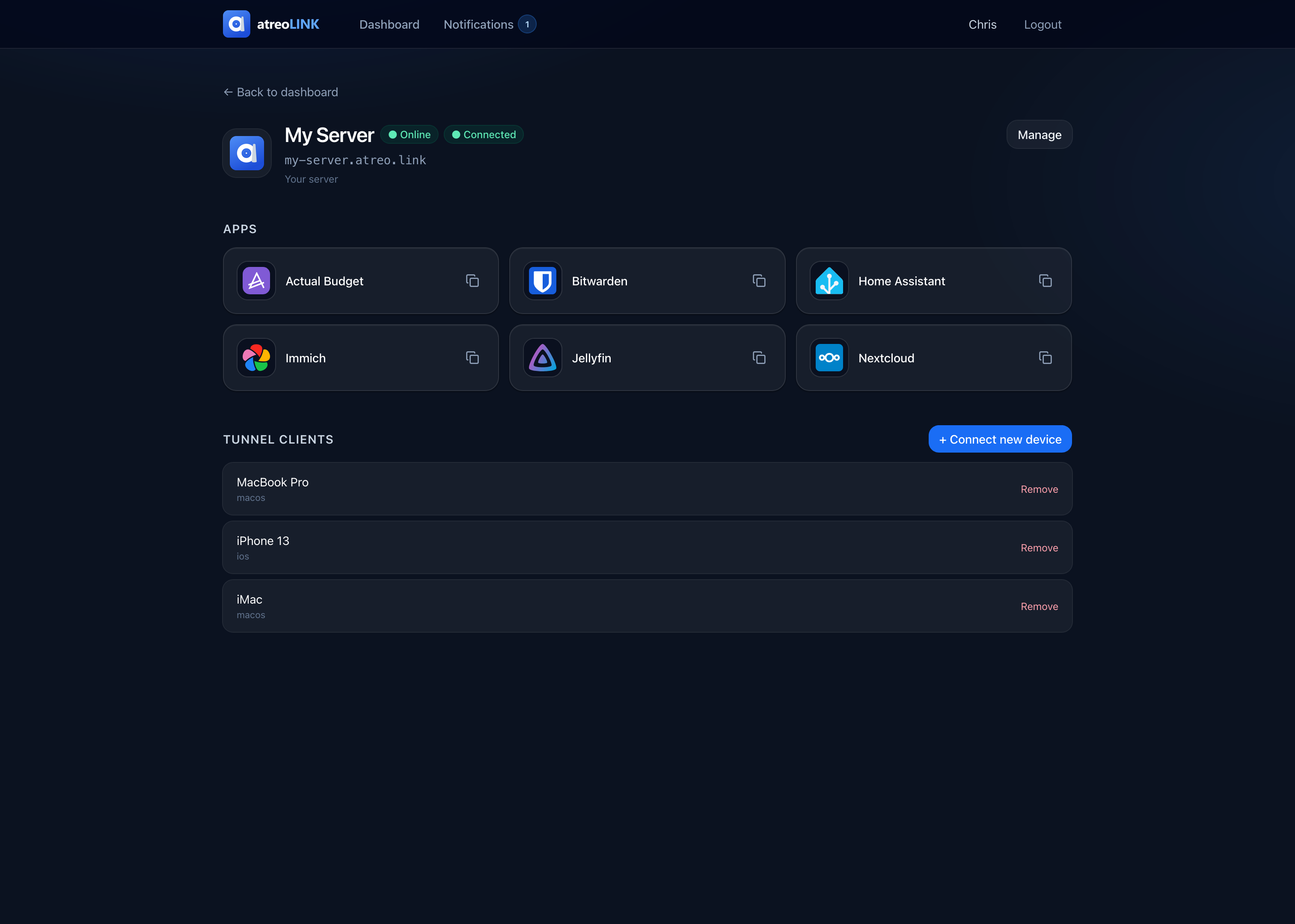
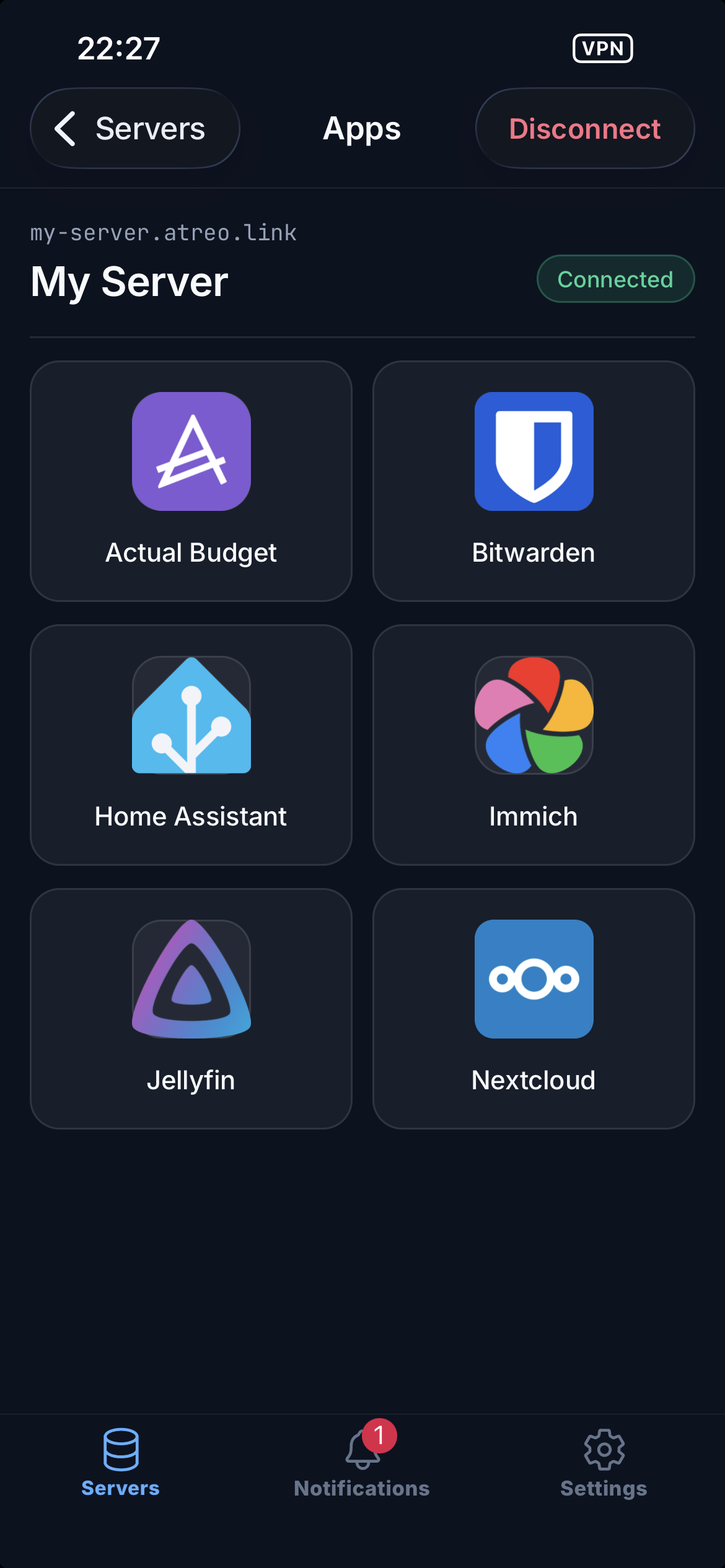
About atreoLINK
atreoAGENT runs on your ZimaOS and pairs it with your atreoLINK account, so you and your family can open the apps you host, like Jellyfin, Immich or Home Assistant, from anywhere. Traffic goes through an encrypted WireGuard tunnel that atreoLINK can't read. You need a free account at atreolink.com.
Features
- Encrypted WireGuard tunnel, peer-to-peer, with a relay when you are behind CGNAT
- Opens the ports it needs by itself (UPnP, NAT-PMP, PCP), so there is no port forwarding to set up
- Pick which family member can open which app
- A free subdomain with an https certificate, made and renewed for you; your own domain works too
- End-to-end encrypted push notifications, and an optional email to push gateway for apps that send email alerts
- Apps for phones, TVs and the browser for your family
How to use
- After install, open the app's log in your dashboard.
- Copy the pairing link from the log and open it in a browser where you are signed in to atreolink.com.
- Pick your subdomain and approve.
- Add your apps and invite your family in the dashboard at https://app.atreolink.com.
This app has no web page of its own on your server. Everything is set up at app.atreolink.com.
Before you install
Make a free account at https://atreolink.com. The agent uses host networking and needs port 443 (https) and UDP port 51820 free; its plain http port is moved to 6140 so it doesn't clash with the ZimaOS dashboard on port 80. After install, the pairing link is in the app log; a new link is printed each time the app restarts until it is paired. When you add apps at app.atreolink.com, use addresses like http://[ZIMAOS-IP-ADDRESS]:<the app's port>. Every other setting is optional and listed in the Variables tab; to use one, add it in the app settings. Back up the data folder, or you have to pair again.
The settings in the first table are already in the app settings. To use any other one, open the app settings, add the variable with your value, save, and the app restarts with it. A setting you leave out uses its default.
In the app settings
| Variable | Default value | Description |
|---|---|---|
TZ | $TZ | Your time zone. It is filled in from your ZimaOS time zone. Leave it unless you need another. |
PROXY_ | 6140 | The plain http port of the agent's built-in proxy. It is 6140 so it doesn't clash with the ZimaOS dashboard on port 80. Leave it. |
Public address
| Variable | Default value | Description |
|---|---|---|
ENDPOINT_ | — | Your public IP, only if UPnP and NAT-PMP don't work and you forwarded the WireGuard port on your router yourself. |
ENDPOINT_ | 51820 | The outside port you forwarded to WG_PORT, used with ENDPOINT_IP. |
WireGuard
| Variable | Default value | Description |
|---|---|---|
WG_ | 51820 | The UDP port the WireGuard tunnel listens on. |
WG_ | true | Set to false so the agent doesn't ask your router to open a port with UPnP or NAT-PMP. |
WG_ | true | Set to false so the agent doesn't ask your router to open a port with PCP. |
WG_ | true | Set to false so the agent doesn't open an IPv6 pinhole on your router. |
WG_ | true | Keeps family devices to the proxy ports only. Set to false only if you want every port on your ZimaOS reachable from every paired device; it skips the per-app access rules. |
Relay
| Variable | Default value | Description |
|---|---|---|
RELAY_ | true | Set to false so the agent never uses the atreoLINK relay, even when no direct path works (behind CGNAT). |
RELAY_ | false | Set to true to always keep a relay ready, even when a direct path works. |
Proxy
| Variable | Default value | Description |
|---|---|---|
PROXY_ | true | Set to false to use your own reverse proxy (Caddy, Traefik, nginx) with the agent's forward-auth endpoint instead of the built-in proxy. |
PROXY_ | 443 | The https port of the built-in proxy. Family devices connect to it. |
PROXY_ | 9091 | The forward-auth endpoint port, on the tunnel address only. |
PROXY_ | — | The addresses of your own reverse proxy whose X-Forwarded headers the forward-auth endpoint trusts, comma-separated, like 10.0.0.0/24. |
Notifications
| Variable | Default value | Description |
|---|---|---|
NOTIFY_ | 9876 | The port of the local notification API your apps send push messages to. |
Email to push gateway
| Variable | Default value | Description |
|---|---|---|
SMTP_ | false | Set to true so apps that send email alerts can send them to the agent, which turns them into encrypted push notifications. |
SMTP_ | 0.0.0.0:2525 | Address and port of the email gateway. Keep it on your home network. |
SMTP_ | false | Set to true to offer STARTTLS with a self-signed certificate, for apps that refuse plain email connections. |
SMTP_ | — | A member's email address that gets mail sent to unknown addresses. Leave it out to refuse unknown addresses. |
SMTP_ | 1048576 | The biggest email the gateway accepts, in bytes. |
SMTP_ | 5 | How many emails one address may send each minute. |
Logs
| Variable | Default value | Description |
|---|---|---|
LOG_ | info | Set to debug for detailed logs when something doesn't connect. |
name: atreolink

services:
  atreolink:
    image: ghcr.io/atreolabs/atreoagent:1.3.1
    container_name: atreolink
    restart: unless-stopped
    stop_grace_period: 20s
    network_mode: host
    cap_add:
      - NET_ADMIN
    devices:
      - /dev/net/tun:/dev/net/tun
    environment:
      - TZ=$TZ
      - PROXY_HTTP_PORT=6140
    volumes:
      - type: bind
        source: /DATA/AppData/$AppID/data
        target: /var/lib/atreoagent
        bind:
          create_host_path: true
    deploy:
      resources:
        limits:
          cpus: "1.00"
          memory: 256M
        reservations:
          cpus: "0.00"
          memory: 32M
    labels:
      icon: https://cdn.jsdelivr.net/gh/HSinghHira/IceStore@main/Apps/atreolink/icon.png
    x-casaos:
      id: com.icestore.atreolink
      envs:
        - container: TZ
          description:
            en_US: >-
              Your time zone. It is filled in from your ZimaOS time zone.
              Leave it unless you need another.
        - container: PROXY_HTTP_PORT
          description:
            en_US: >-
              The plain http port of the agent's built-in proxy. It is 6140
              so it doesn't clash with the ZimaOS dashboard on port 80.
              Leave it.
      volumes:
        - container: /var/lib/atreoagent
          description:
            en_US: >-
              The agent's settings, its identity and WireGuard keys, the
              pairing with your atreoLINK account, family members' access
              and the TLS certificates. Back this folder up, or you have to
              pair the server again.

x-casaos:
  id: com.icestore.atreolink
  architectures:
    - amd64
    - arm64
  main: atreolink
  author: HSinghHira
  category: Networking
  developer: atreoLABS
  icon: https://cdn.jsdelivr.net/gh/HSinghHira/IceStore@main/Apps/atreolink/icon.png
  thumbnail: https://cdn.jsdelivr.net/gh/HSinghHira/IceStore@main/Apps/atreolink/screenshot-1.png
  screenshot_link:
    - https://cdn.jsdelivr.net/gh/HSinghHira/IceStore@main/Apps/atreolink/screenshot-1.png
    - https://cdn.jsdelivr.net/gh/HSinghHira/IceStore@main/Apps/atreolink/screenshot-2.png
  title:
    en_US: atreoLINK
  tagline:
    en_US: Let your family reach the apps on your ZimaOS from anywhere, over an encrypted tunnel
  description:
    en_US: >-
      Visit: [https://icestore.hsinghhira.me/app/atreolink/](https://icestore.hsinghhira.me/app/atreolink/) for full details


      atreoAGENT runs on your ZimaOS and pairs it with your atreoLINK
      account, so you and your family can open the apps you host, like
      Jellyfin, Immich or Home Assistant, from anywhere. Traffic goes through
      an encrypted WireGuard tunnel that atreoLINK can't read. You need a
      free account at atreolink.com.


      **Features**


      - Encrypted WireGuard tunnel, peer-to-peer, with a relay when you are
        behind CGNAT

      - Opens the ports it needs by itself (UPnP, NAT-PMP, PCP), so there is
        no port forwarding to set up

      - Pick which family member can open which app

      - A free subdomain with an https certificate, made and renewed for you;
        your own domain works too

      - End-to-end encrypted push notifications, and an optional email to
        push gateway for apps that send email alerts

      - Apps for phones, TVs and the browser for your family


      **How to use?**


      1. After install, open the app's log in ZimaOS.


      2. Copy the pairing link from the log and open it in a browser where
         you are signed in to atreolink.com.


      3. Pick your subdomain and approve.


      4. Add your apps and invite your family in the dashboard at
         app.atreolink.com.


      This app has no web page of its own on ZimaOS. Everything is set up at
      app.atreolink.com.
  tips:
    before_install:
      en_US: >-
        1. Make a free account at https://atreolink.com.


        2. Make sure nothing else on your ZimaOS uses port 443 or UDP port
           51820.


        3. Start the installation.


        4. Open the app's log in ZimaOS. Find the pairing link near the top.


        5. Open the link in a browser where you are signed in to atreoLINK.


        6. Pick a name for your subdomain and click approve.


        7. The log now says "Paired". Add your apps and invite your family at
           https://app.atreolink.com.


        8. In your apps' addresses, use http://[ZIMAOS-IP-ADDRESS]:<the app's port>.


        9. More settings, like a manual port forward, the relay and the email
           gateway, are listed on the atreoLINK page at
           https://icestore.hsinghhira.me/app/atreolink/ (Variables tab). You
           can add them now or later in the app settings.
  index: /
  port_map: "6140"
  scheme: http
  is_uncontrolled: false
  version: "1.3.1"
  update_at: "2026-10-29"
  release_notes:
    en_US: |-
      - First version in IceStore
      - Uses ghcr.io/atreolabs/atreoagent 1.3.1 as upstream ships it, with host networking, NET_ADMIN and /dev/net/tun
      - The proxy's plain http port is 6140 instead of 80, so it doesn't clash with the ZimaOS dashboard; https stays on 443
  repo: "https://github.com/atreoLABS/atreoAGENT"
  support: "https://github.com/atreoLABS/atreoAGENT/issues"
  docs: "https://docs.atreolink.com"
Install atreoLINK
 ZimaOS
Add the store link, then find atreoLINK in the App Store and install it.
 CasaOS
Add the store link, then find atreoLINK in the App Store and install it.
 Homeio
Add the store link, then find atreoLINK in the App Store and install it.
Something not working with atreoLINK? Report a problem or request another app.


