
Channel Club
Watch live TV together, from Dispatcharr or ErsatzTV.
- jonnike/channel-club:1.3.2
- v1.3.2
- Updated 30 Oct 2026
- port 6174
- amd64
- Media
- 0 stars
Screenshots
Open the app
About Channel Club
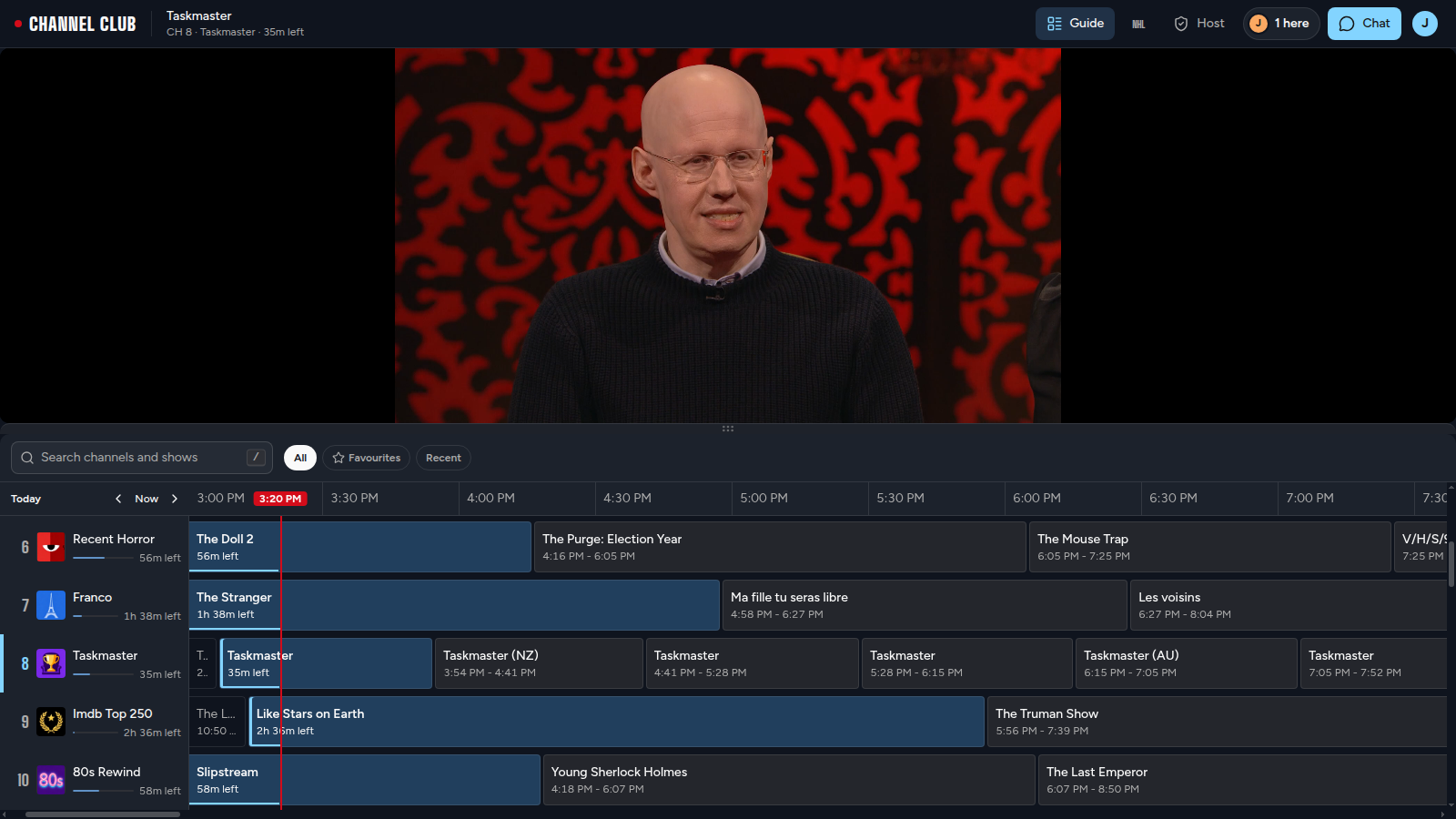
Channel Club is a live TV player for watching together. Channels come from Dispatcharr and/or ErsatzTV. People sign in with Plex or a local account and either follow one shared Live channel or pick their own.
Features
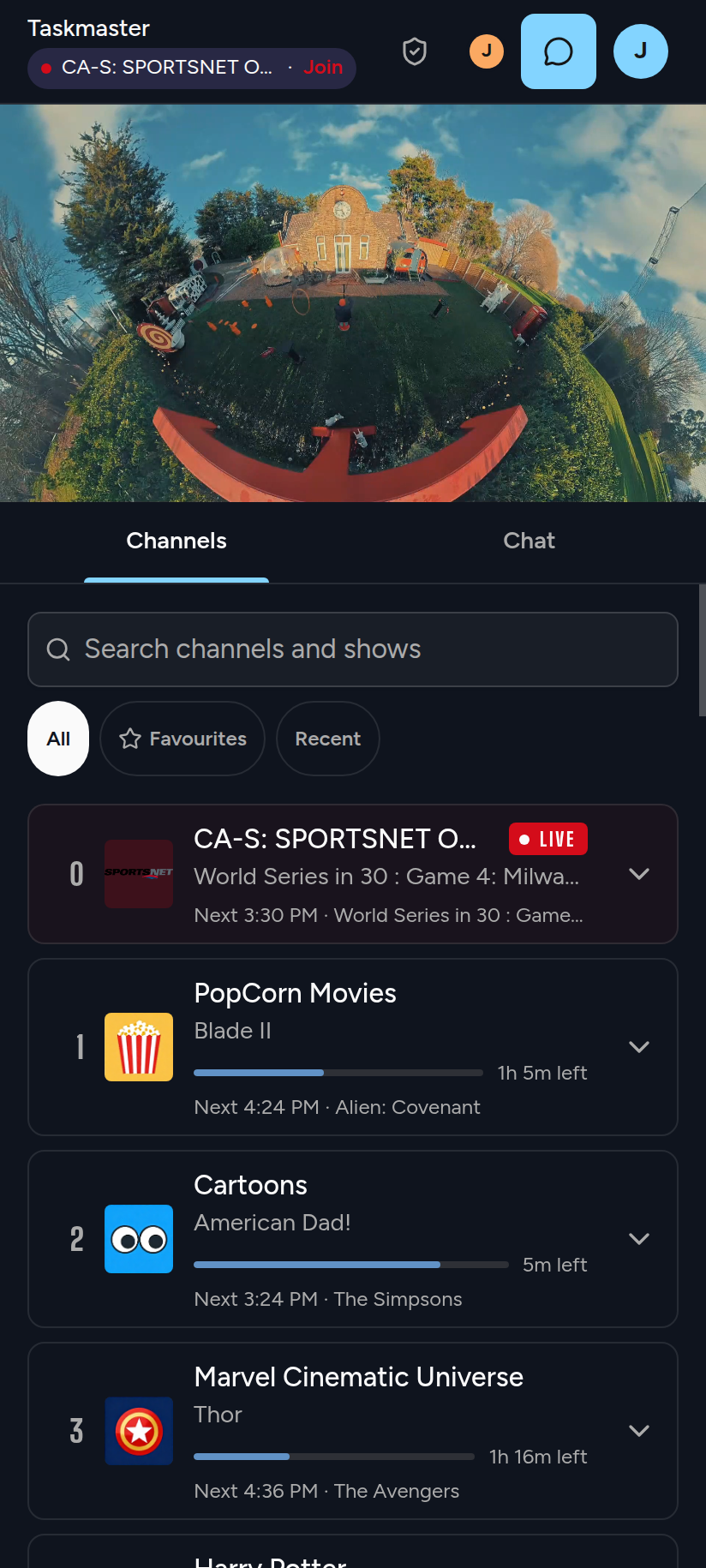
- One shared Live channel everyone can follow, or watch your own
- Channel guide from Dispatcharr and ErsatzTV
- Sign in with Plex (members of your server) or a user name and password
- Chromecast built in, and it installs as an app on phones
- Optional chat with GIFs, clip capture and export, Zipline uploads, live NHL scores and a feedback button through ntfy
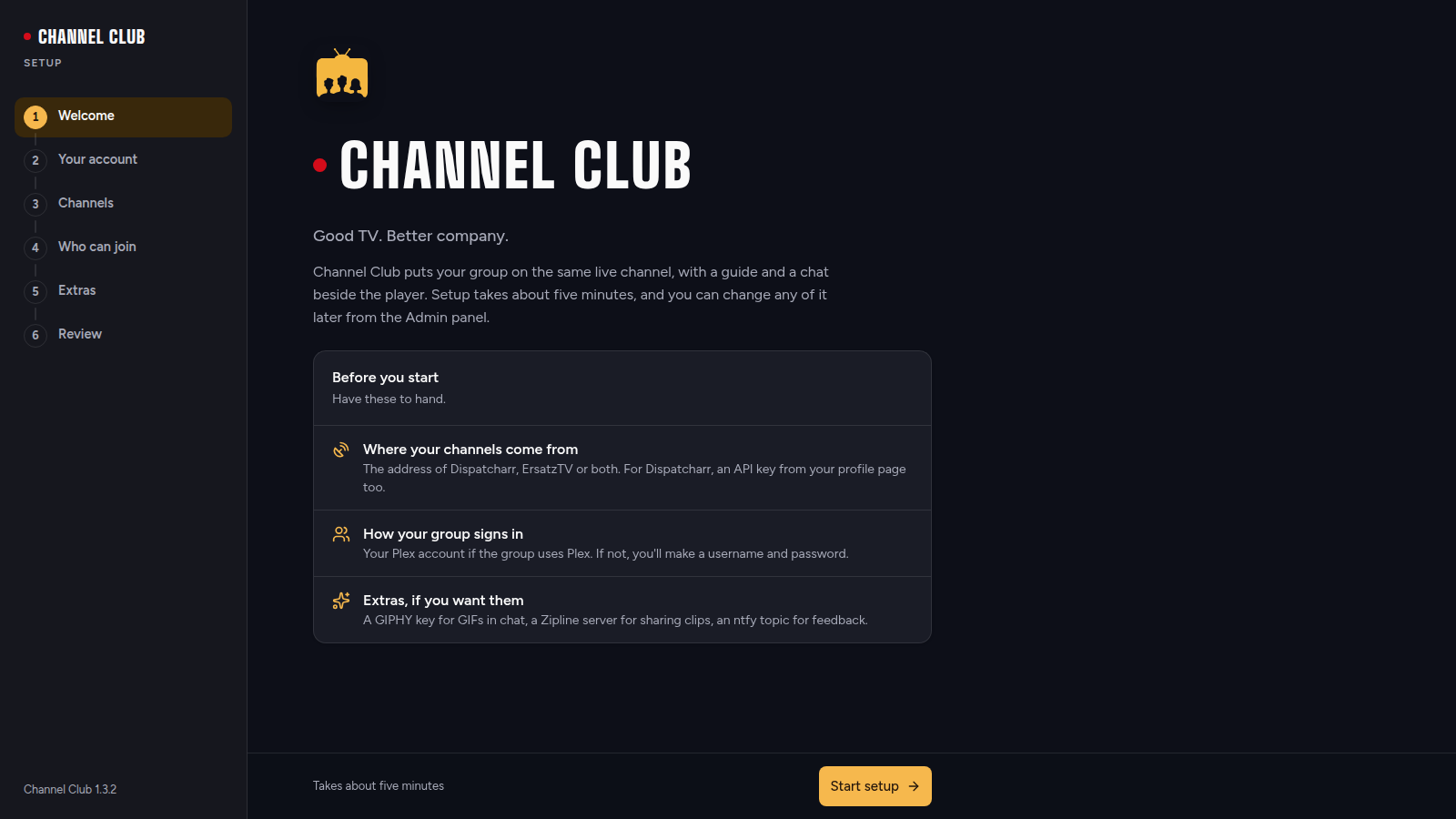
- Setup wizard in the browser; everything can be changed later in the admin panel
How to use
- Open Channel Club from your dashboard.
- The setup wizard opens. The first person to finish it becomes the admin.
- Pick how people sign in (Plex or user name and password).
- Add your Dispatcharr address and API key, or your ErsatzTV address.
- Pick a channel and start watching. Share the address with friends.
Before you install
Nothing needs to be set first. Open http://[ZIMAOS-IP-ADDRESS]:6174 right after installing: whoever finishes the setup wizard first becomes the admin. Use addresses for Dispatcharr and ErsatzTV that other devices can open (like http://192.168.1.20:9191), because browsers play the streams from there. All settings can also be added as variables (Variables tab) in the app settings; a setting added that way is locked in the app, and any sign-in setting skips the wizard. The image is amd64 only.
The settings in the first table are already in the app settings. To use any other one, open the app settings, add the variable with your value, save, and the app restarts with it. A setting you leave out uses its default.
In the app settings
| Variable | Default value | Description |
|---|---|---|
TZ | $TZ | Your time zone. It is filled in from your ZimaOS time zone. Leave it unless you need another. |
Sign-in
| Variable | Default value | Description |
|---|---|---|
LOCAL_ | false | Set to true to let people sign in with a user name and password. Any sign-in setting skips the setup wizard, so set all of sign-in here or none of it. |
ADMIN_ | admin | The user name of the local admin account. |
ADMIN_ | — | The password of the local admin account. Leave it out to turn that account off. |
VIEWER_ | viewer | The user name of the local viewer account. |
VIEWER_ | — | The password of the local viewer account. Leave it out to turn that account off. |
PLEX_ | false | Set to true to let members of your Plex server sign in with Plex. |
PLEX_ | — | Your Plex server's machine identifier. Needed when Plex sign-in is on. |
PLEX_ | — | Your Plex server token. Lets the server owner sign in as admin. |
PLEX_ | — | Plex user names that get the admin role, comma separated. |
JWT_ | — | The sign-in key, at least 32 characters. Leave it out: one is made on first start and kept in the data folder. |
Channel sources
| Variable | Default value | Description |
|---|---|---|
DISPATCHARR_ | — | Your Dispatcharr address, like http://192.168.1.20:9191. Browsers play streams from it, so use an address other devices can open. |
DISPATCHARR_ | — | The personal API key from your Dispatcharr profile page. |
ERSATZTV_ | — | Your ErsatzTV address, like http://192.168.1.20:8409. |
ERSATZTV_ | — | Your ErsatzTV API key, for session numbers on the Status page. |
Features
| Variable | Default value | Description |
|---|---|---|
CHAT_ | false | Set to true to turn on chat. |
GIPHY_ | — | A Giphy API key (developers.giphy.com) to allow GIFs in chat. |
HIGHLIGHT_ | false | Set to true to let people capture and export clips. |
ZIPLINE_ | false | Set to true to upload clips to a shared Zipline account. |
ZIPLINE_ | — | Your Zipline address, without /api/upload. |
ZIPLINE_ | — | The Zipline token for the shared account. |
NHL_ | false | Set to true to show live NHL scores over the player. |
Feedback (ntfy)
| Variable | Default value | Description |
|---|---|---|
NTFY_ | false | Set to true for a feedback button that sends reports to an ntfy topic. |
NTFY_ | — | The ntfy server, like https://ntfy.sh. |
NTFY_ | — | The ntfy topic for feedback, like channel-club-feedback. |
NTFY_ | — | An ntfy access token. Only needed for protected topics. |
Logs
| Variable | Default value | Description |
|---|---|---|
LOG_ | INFO | How much goes in the log: DEBUG, INFO, WARNING or ERROR. |
LOG_ | pretty | pretty for reading, or json for log collectors like Loki. |
name: channel-club

services:
  channel-club:
    image: jonnike/channel-club:1.3.2
    container_name: channel-club
    restart: unless-stopped
    stop_grace_period: 20s
    init: true
    network_mode: bridge
    user: "0:0"
    environment:
      - TZ=$TZ
    ports:
      - target: 8334
        published: "6174"
        protocol: tcp
    volumes:
      - type: bind
        source: /DATA/AppData/$AppID/data
        target: /data
        bind:
          create_host_path: true
    healthcheck:
      test: ["CMD", "curl", "-fsS", "-o", "/dev/null", "http://127.0.0.1:8334/api/health"]
      interval: 30s
      timeout: 10s
      retries: 3
      start_period: 40s
    deploy:
      resources:
        limits:
          cpus: "2.00"
          memory: 1024M
        reservations:
          cpus: "0.00"
          memory: 128M
    labels:
      icon: https://cdn.jsdelivr.net/gh/HSinghHira/IceStore@main/Apps/channel-club/icon.png
    x-casaos:
      id: com.icestore.channel-club
      envs:
        - container: TZ
          description:
            en_US: >-
              Your time zone. It is filled in from your ZimaOS time zone.
              Leave it unless you need another.
      ports:
        - container: "8334"
          description:
            en_US: Channel Club player, setup wizard and admin panel, published on host as 6174
      volumes:
        - container: /data
          description:
            en_US: >-
              Your settings from the setup wizard and admin panel
              (settings.json, with your Plex token and API keys), the
              sign-in key and the shared Live state (state.json). Keep this
              folder private and back it up.

x-casaos:
  id: com.icestore.channel-club
  architectures:
    - amd64
  main: channel-club
  author: HSinghHira
  category: Media
  developer: jo-nike
  icon: https://cdn.jsdelivr.net/gh/HSinghHira/IceStore@main/Apps/channel-club/icon.png
  thumbnail: https://cdn.jsdelivr.net/gh/HSinghHira/IceStore@main/Apps/channel-club/screenshot-1.png
  screenshot_link:
    - https://cdn.jsdelivr.net/gh/HSinghHira/IceStore@main/Apps/channel-club/screenshot-1.png
    - https://cdn.jsdelivr.net/gh/HSinghHira/IceStore@main/Apps/channel-club/screenshot-2.png
    - https://cdn.jsdelivr.net/gh/HSinghHira/IceStore@main/Apps/channel-club/screenshot-3.png
  title:
    en_US: Channel Club
  tagline:
    en_US: Watch live TV together, from Dispatcharr or ErsatzTV.
  description:
    en_US: >-
      Visit: [https://icestore.hsinghhira.me/app/channel-club/](https://icestore.hsinghhira.me/app/channel-club/) for full details


      Channel Club is a live TV player for watching together. Channels come
      from Dispatcharr and/or ErsatzTV. People sign in with Plex or a local
      account and either follow one shared Live channel or pick their own.


      **Features**


      - One shared Live channel everyone can follow, or watch your own

      - Channel guide from Dispatcharr and ErsatzTV

      - Sign in with Plex (members of your server) or a user name and
        password

      - Chromecast built in, and it installs as an app on phones

      - Optional chat with GIFs, clip capture and export, Zipline uploads,
        live NHL scores and a feedback button through ntfy

      - Setup wizard in the browser; everything can be changed later in the
        admin panel


      **How to use?**


      1. Open Channel Club from the Zima OS dashboard.

      2. The setup wizard opens. The first person to finish it becomes the
         admin.

      3. Pick how people sign in (Plex or user name and password).

      4. Add your Dispatcharr address and API key, or your ErsatzTV address.

      5. Pick a channel and start watching. Share the address with friends.
  tips:
    before_install:
      en_US: >-
        1. Start the installation.


        2. Open http://[ZIMAOS-IP-ADDRESS]:6174 right away. Whoever finishes
           the setup wizard first becomes the admin.


        3. Pick how people sign in: Plex, or a user name and password.


        4. Add where your channels come from: your Dispatcharr address and API
           key, or your ErsatzTV address. Use an address that phones and
           laptops can open too, like http://192.168.1.20:9191, not
           localhost.


        5. Turn on the extras you want, like chat or clips, and finish.


        6. You can change everything later in the Admin Panel, under Server.


        More settings are listed on the Channel Club page at
        https://icestore.hsinghhira.me/app/channel-club/ (Variables tab). You
        can add them now or later in the app settings. A setting added there
        is locked in the app, and any sign-in setting skips the wizard.
  index: /
  port_map: "6174"
  scheme: http
  is_uncontrolled: false
  version: "1.3.2"
  update_at: "2026-10-30"
  release_notes:
    en_US: |-
      - Initial IceStore version, jonnike/channel-club 1.3.2
      - Runs as root inside the container so it can write to the ZimaOS data folder
      - amd64 only: upstream publishes no arm64 image
  repo: "https://github.com/jo-nike/channel_club"
  support: "https://github.com/jo-nike/channel_club/issues"
  docs: "https://github.com/jo-nike/channel_club#readme"
Install Channel Club
 ZimaOS
Add the store link, then find Channel Club in the App Store and install it.
 CasaOS
Add the store link, then find Channel Club in the App Store and install it.
 Homeio
Add the store link, then find Channel Club in the App Store and install it.
Something not working with Channel Club? Report a problem or request another app.


