
GitHub Release Monitor
Get told when your favourite GitHub, GitLab, Codeberg and Forgejo projects ship a release
- ghcr.io/hsinghhira/github-release-monitor:latest
- v2.6.1
- Updated 30 Oct 2026
- port 6182
- amd64 · arm64
- Developer
- 439 stars
Screenshots
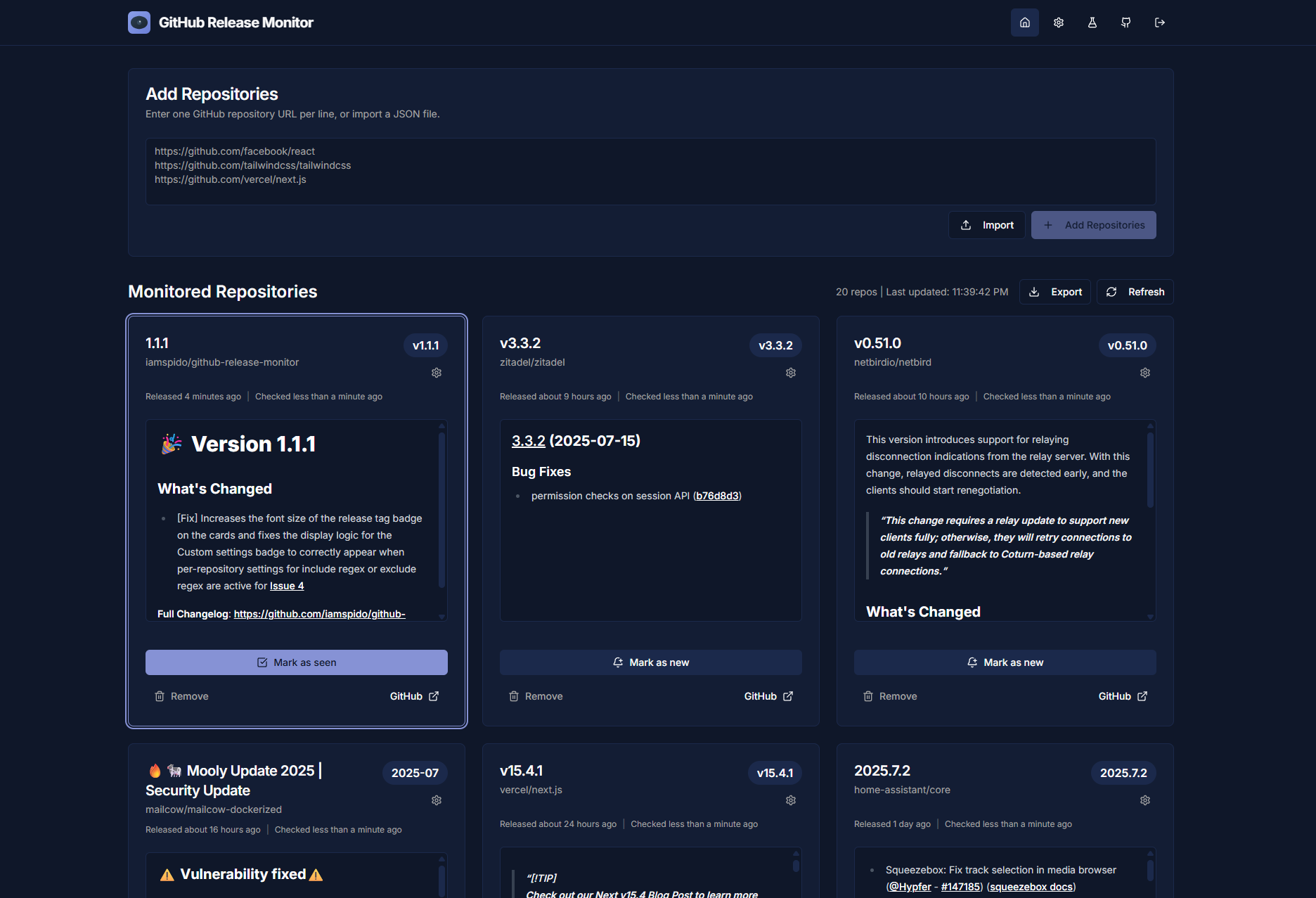
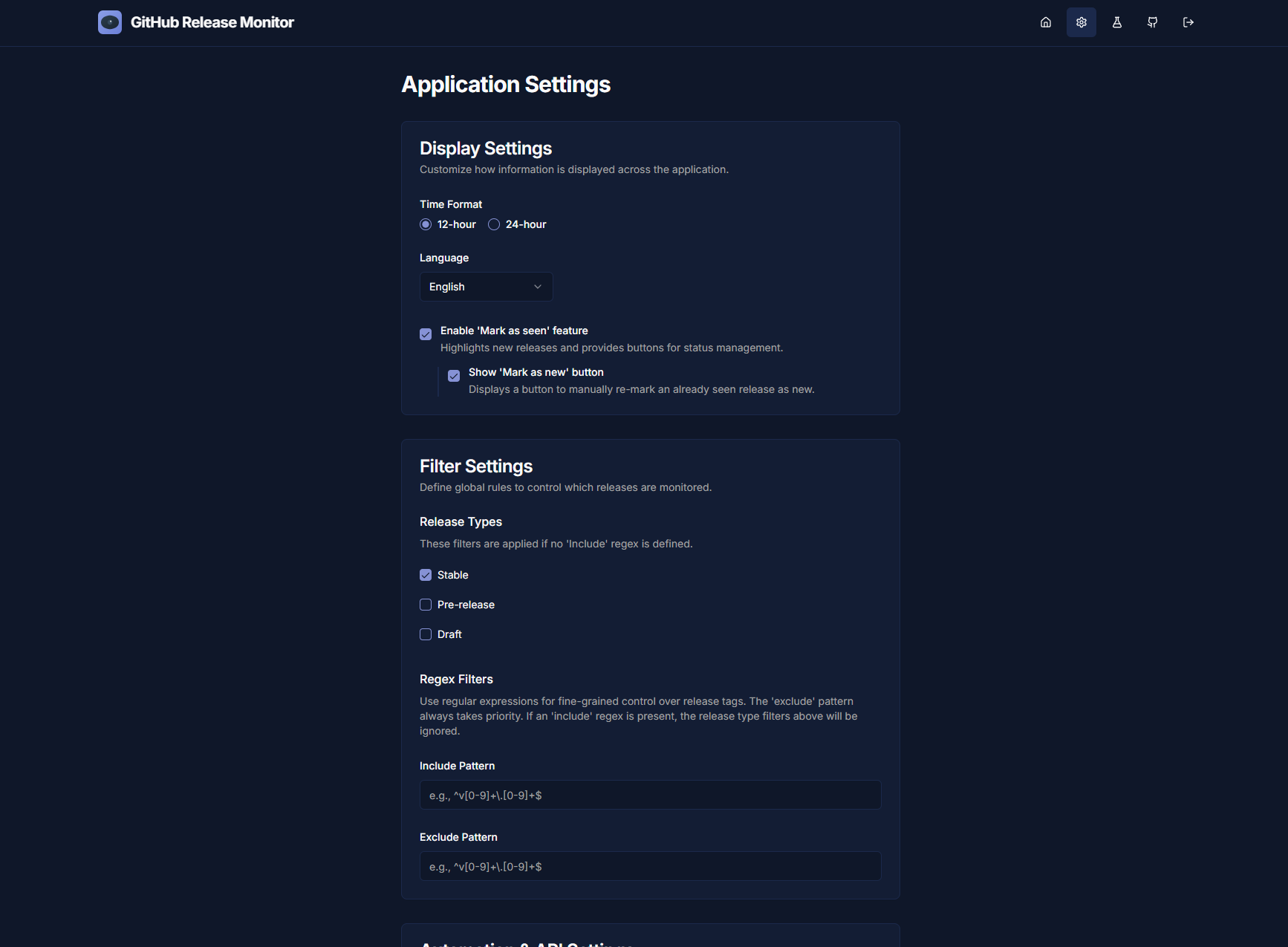
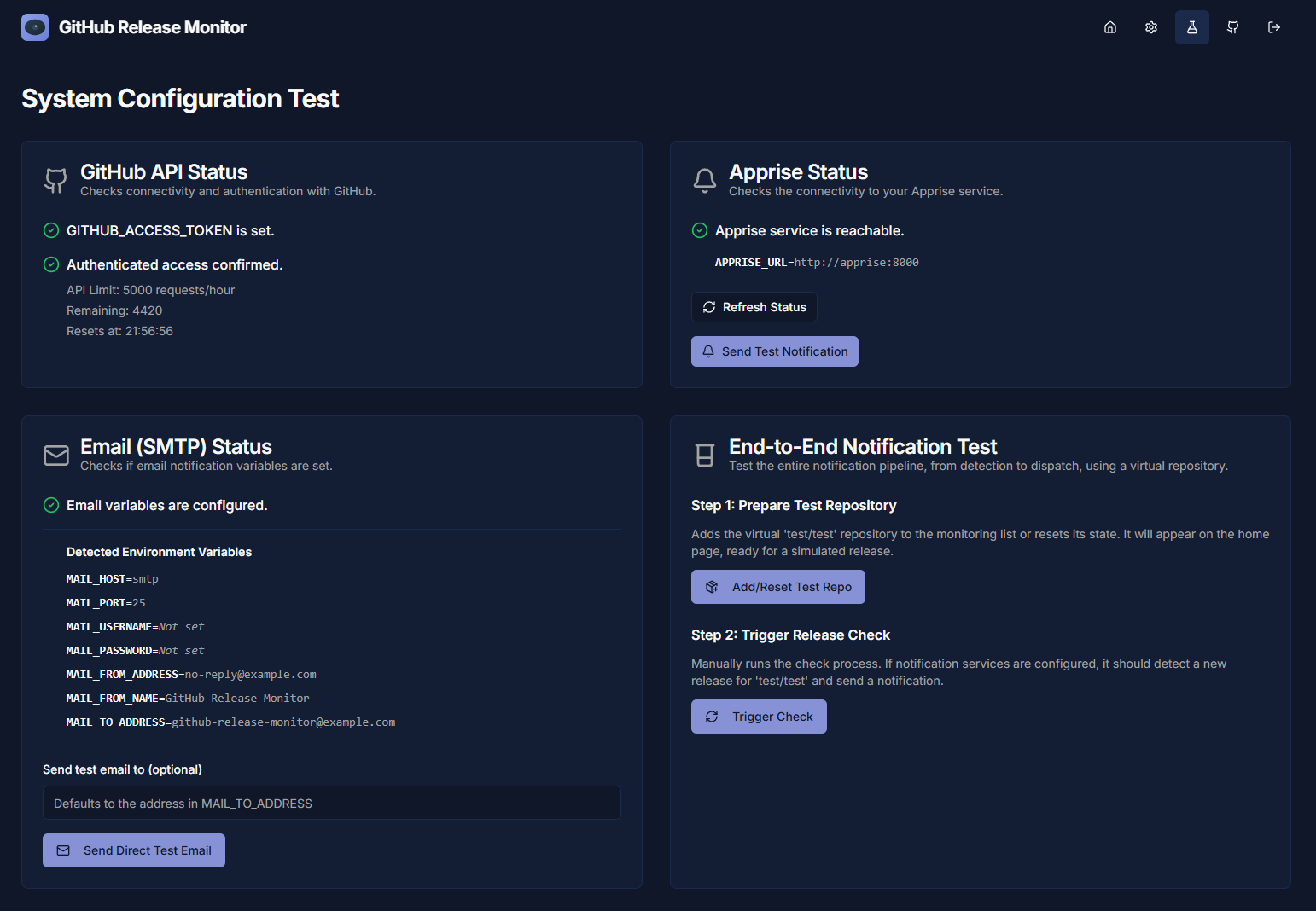
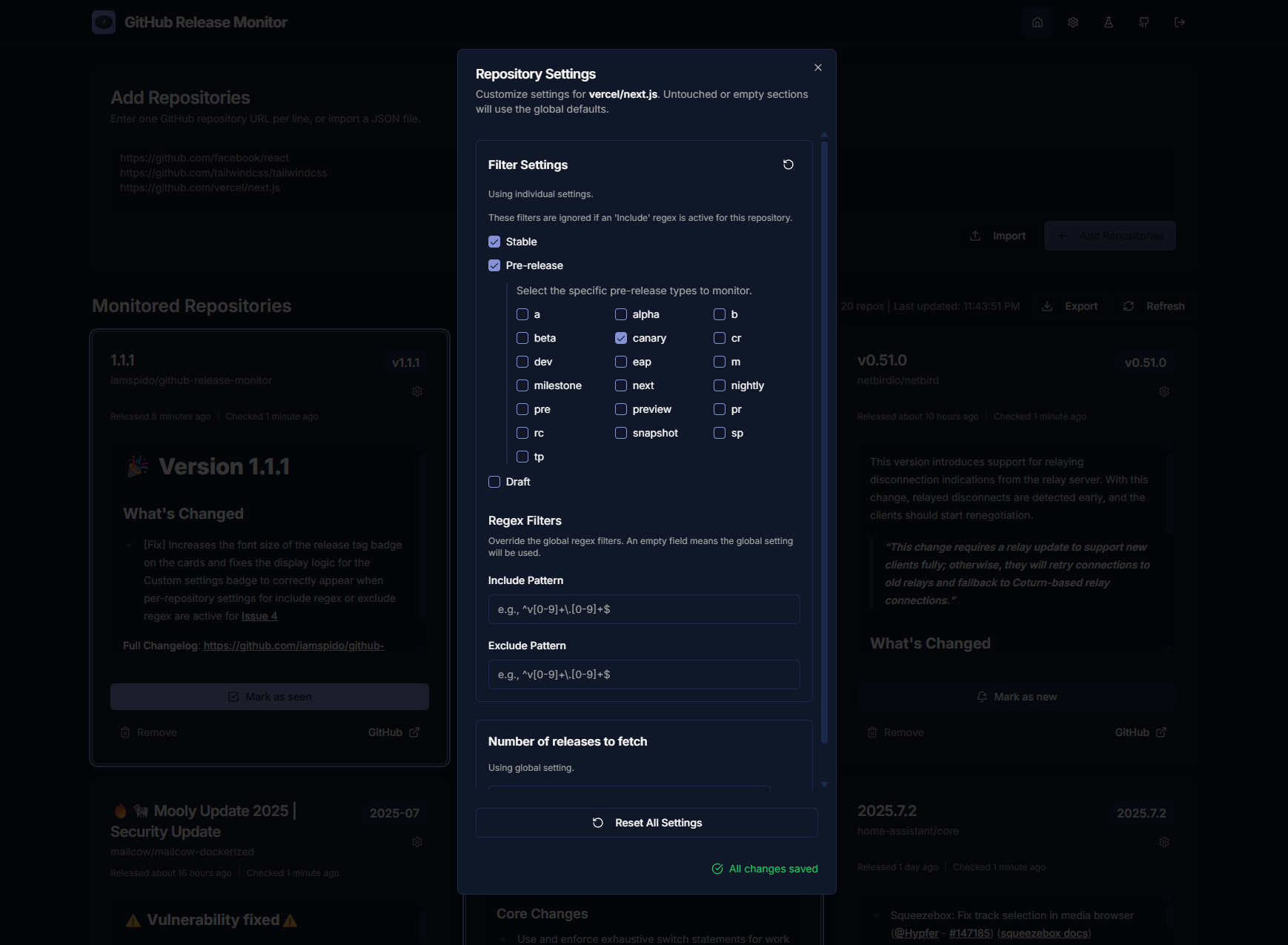
Open the app
About GitHub Release Monitor
GitHub Release Monitor watches the repositories you pick and tells you by email or Apprise (Discord, Telegram, Slack and 70 more) as soon as a new release comes out. No more checking by hand. Every install makes its own secret keys on first start.
Features
- Watches GitHub, GitLab, Codeberg and self-hosted Forgejo repositories
- Email and Apprise notifications, one per release or grouped
- Pick stable, pre-release or draft releases, for all repositories or one at a time
- Include and exclude rules for tags, and alpha, beta or rc choices
- Import and export your list as JSON
- A test page to check the GitHub connection, email and Apprise
- Passkeys, two-factor sign-in, dark mode and 19 languages
How to use
- Open the app log and copy the setup token.
- Open
http://[ZIMAOS-IP-ADDRESS]:6182and make your account with the setup token. - Add the repositories you want to watch, like
https://github.com/owner/repo. - Open Settings to pick which releases you want and how often to check.
- Set up email or Apprise to get notifications, then try them on the Test page.
Before you install
Set GITHUB_ACCESS_TOKEN to a GitHub token with no scopes; without it GitHub only allows 60 checks an hour. You can leave BETTER_AUTH_URL as it is: sign-in works from http://[ZIMAOS-IP-ADDRESS]:6182 on your home network. Change localhost to your ZimaOS IP for working links in emails. The app is ready in about half a minute. Then open the app log, copy the code after "Setup token:" and use it to make your account. Email, Apprise and the other settings are in the Variables tab; add them in the app settings.
The settings in the first table are already in the app settings. To use any other one, open the app settings, add the variable with your value, save, and the app restarts with it. A setting you leave out uses its default.
In the app settings
| Variable | Default value | Description |
|---|---|---|
TZ | $TZ | Your time zone, used for check times, logs and emails. It is filled in from your ZimaOS time zone. Leave it unless you need another. |
BETTER_ | http://localhost:6182 | The address you open the app at. Sign-in already works from http://[ZIMAOS-IP-ADDRESS]:6182 on your home network with localhost here. Change it for working links in emails, like http://192.168.1.20:6182, or to your https address behind a reverse proxy. |
GITHUB_ | — | Recommended. A GitHub personal access token with no scopes. It raises GitHub's limit from 60 to 5000 checks an hour. |
Server
| Variable | Default value | Description |
|---|---|---|
HTTPS | false | Set to true when you open the app through https (a reverse proxy). IceStore keeps it false so sign-in works over plain http. |
GRM_ | true | IceStore setting. Set to false to only allow sign-in from BETTER_AUTH_URL, not from every home-network address on port 6182. |
BETTER_ | — | More addresses people may sign in from, comma-separated, like https://releases.example.com. |
Sign-in
| Variable | Default value | Description |
|---|---|---|
AUTHENTICATION_ | Basic | Basic (sign-in needed), AllowUnauthenticated (anyone can look, sign-in to change things) or External (no sign-in, only behind another login like Authelia or Authentik). |
AUTH_ | false | Set to true to let other people make their own accounts. |
AUTH_ | true | Set to false to turn off passkey sign-in. |
AUTH_ | 5 | Wrong passwords allowed before a short lockout. |
AUTH_ | 900 | How long the lockout lasts, in seconds. |
AUTH_ | 900 | The time window wrong passwords are counted in, in seconds. |
AUTH_ | true | Set to false when the app is not behind a reverse proxy, so visitors can't fake their address. |
AUTH_ | 1 | How many reverse proxies are in front of the app. |
AUTH_ | 900 | How long a password reset link works, in seconds (60 to 86400). |
BETTER_ | — | Your own sign-in key, 32 characters or more. Leave it out: each install makes its own on first start and keeps it in the data folder as .better_auth_secret. Changing it signs everyone out. |
AUTH_ | — | Your own one-time token for making the first account, 32 characters or more. Leave it out: one is made on first start and shown in the app log. |
Sign in with GitHub or Google
| Variable | Default value | Description |
|---|---|---|
AUTH_ | — | The client ID of a GitHub OAuth app, to sign in with GitHub. |
AUTH_ | — | The client secret of that GitHub OAuth app. |
AUTH_ | — | The client ID of a Google OAuth client, to sign in with Google. |
AUTH_ | — | The client secret of that Google OAuth client. |
AUTH_ | true | Set to false so GitHub or Google sign-ins are not linked to accounts by email by themselves. |
Git hosts
| Variable | Default value | Description |
|---|---|---|
GITLAB_ | — | Other GitLab servers besides gitlab.com, comma-separated, like gitlab.example.com. |
GITLAB_ | — | GitLab tokens for private repositories, as host=token pairs, comma-separated. |
GITLAB_ | — | GitLab deploy tokens, as host=username:token pairs, comma-separated. |
CODEBERG_ | — | A Codeberg token, for private repositories. |
FORGEJO_ | — | Your Forgejo servers, comma-separated, like http://192.168.1.20:3000. |
FORGEJO_ | — | Forgejo tokens for private repositories, as base-url=token pairs, comma-separated. |
Email (SMTP)
| Variable | Default value | Description |
|---|---|---|
MAIL_ | — | Your SMTP server, for release emails and password resets. |
MAIL_ | — | The SMTP port, like 587 or 465. |
MAIL_ | — | The SMTP user name. |
MAIL_ | — | The SMTP password or app password. |
MAIL_ | — | The address emails are sent from. |
MAIL_ | GitHub Release Monitor | The name emails are sent from. |
MAIL_ | — | The address that gets the release emails. |
MAIL_ | true | Set to false to accept a mail server with a self-signed certificate. |
Notifications
| Variable | Default value | Description |
|---|---|---|
APPRISE_ | — | Your Apprise server's notify address, like http://192.168.1.20:8000/notify/your_key. |
Logs
| Variable | Default value | Description |
|---|---|---|
LOG_ | warn | error, warn, info, debug or silent. |
name: github-release-monitor

services:
  github-release-monitor:
    image: ghcr.io/hsinghhira/github-release-monitor:latest
    container_name: github-release-monitor
    restart: unless-stopped
    stop_grace_period: 30s
    network_mode: bridge
    environment:
      - TZ=$TZ
      - BETTER_AUTH_URL=http://localhost:6182
      - GITHUB_ACCESS_TOKEN=
    ports:
      - target: 3000
        published: "6182"
        protocol: tcp
    volumes:
      - type: bind
        source: /DATA/AppData/$AppID/data
        target: /app/data
        bind:
          create_host_path: true
    healthcheck:
      test: ["CMD", "wget", "-q", "--spider", "http://127.0.0.1:3000/en/login"]
      interval: 30s
      timeout: 5s
      retries: 3
      start_period: 30s
    deploy:
      resources:
        limits:
          cpus: "1.00"
          memory: 512M
        reservations:
          cpus: "0.00"
          memory: 96M
    labels:
      icon: https://cdn.jsdelivr.net/gh/HSinghHira/IceStore@main/Apps/github-release-monitor/icon.png
    x-casaos:
      id: com.icestore.github-release-monitor
      envs:
        - container: TZ
          description:
            en_US: >-
              Your time zone, used for check times, logs and emails. It is
              filled in from your ZimaOS time zone. Leave it unless you need
              another.
        - container: BETTER_AUTH_URL
          description:
            en_US: >-
              The address you open the app at. Sign-in already works from
              http://[ZIMAOS-IP-ADDRESS]:6182 on your home network with
              localhost here. Change it for working links in emails, like
              http://192.168.1.20:6182, or to your https address behind a
              reverse proxy.
        - container: GITHUB_ACCESS_TOKEN
          description:
            en_US: >-
              Recommended. A GitHub personal access token with no scopes. It
              raises GitHub's limit from 60 to 5000 checks an hour.
      ports:
        - container: "3000"
          description:
            en_US: GitHub Release Monitor web app, published on host as 6182
      volumes:
        - container: /app/data
          description:
            en_US: >-
              Your watched repositories, settings and sign-in database
              (auth.db), plus .better_auth_secret and .auth_setup_token, this
              install's own keys made on first start. Back this folder up.

x-casaos:
  id: com.icestore.github-release-monitor
  architectures:
    - amd64
    - arm64
  main: github-release-monitor
  author: HSinghHira
  category: Developer
  developer: iamspido
  icon: https://cdn.jsdelivr.net/gh/HSinghHira/IceStore@main/Apps/github-release-monitor/icon.png
  thumbnail: https://cdn.jsdelivr.net/gh/HSinghHira/IceStore@main/Apps/github-release-monitor/screenshot-1.png
  screenshot_link:
    - https://cdn.jsdelivr.net/gh/HSinghHira/IceStore@main/Apps/github-release-monitor/screenshot-1.png
    - https://cdn.jsdelivr.net/gh/HSinghHira/IceStore@main/Apps/github-release-monitor/screenshot-2.png
    - https://cdn.jsdelivr.net/gh/HSinghHira/IceStore@main/Apps/github-release-monitor/screenshot-3.png
    - https://cdn.jsdelivr.net/gh/HSinghHira/IceStore@main/Apps/github-release-monitor/screenshot-4.png
  title:
    en_US: GitHub Release Monitor
  tagline:
    en_US: Get told when your favourite GitHub, GitLab, Codeberg and Forgejo projects ship a release
  description:
    en_US: >-
      Visit: [https://icestore.hsinghhira.me/app/github-release-monitor/](https://icestore.hsinghhira.me/app/github-release-monitor/) for full details


      GitHub Release Monitor watches the repositories you pick and tells you
      by email or Apprise (Discord, Telegram, Slack and 70 more) as soon as a
      new release comes out. No more checking by hand. Every install makes its
      own secret keys on first start.


      **Features**


      - Watches GitHub, GitLab, Codeberg and self-hosted Forgejo repositories

      - Email and Apprise notifications, one per release or grouped

      - Pick stable, pre-release or draft releases, for all repositories or
        one at a time

      - Include and exclude rules for tags, and alpha, beta or rc choices

      - Import and export your list as JSON

      - A test page to check the GitHub connection, email and Apprise

      - Passkeys, two-factor sign-in, dark mode and 19 languages


      **How to use?**


      1. Open the app log and copy the setup token.

      2. Open http://[ZIMAOS-IP-ADDRESS]:6182 and make your account with the
         setup token.

      3. Add the repositories you want to watch, like
         https://github.com/owner/repo.

      4. Open Settings to pick which releases you want and how often to
         check.

      5. Set up email or Apprise to get notifications, then try them on the
         Test page.
  tips:
    before_install:
      en_US: >-
        1. Set GITHUB_ACCESS_TOKEN to a GitHub token with no scopes. Without
           it GitHub only allows 60 checks an hour.


        2. You can leave BETTER_AUTH_URL as it is. Sign-in works from
           http://[ZIMAOS-IP-ADDRESS]:6182 on your home network. Change
           localhost to your ZimaOS IP if you want working links in emails.


        3. Email, Apprise and other settings are listed on the GitHub Release
           Monitor page at
           https://icestore.hsinghhira.me/app/github-release-monitor/
           (Variables tab). You can add them now or later in the app
           settings.


        4. Start the installation. It is ready in about half a minute.


        5. Open the app log. Find the line "Setup token:" and copy the long
           code after it.


        6. Open http://[ZIMAOS-IP-ADDRESS]:6182, paste the setup token and
           make your account.
  index: /
  port_map: "6182"
  scheme: http
  is_uncontrolled: false
  version: "2.6.1"
  update_at: "2026-10-30"
  release_notes:
    en_US: |-
      - First IceStore release, on port 6182
      - Built on ghcr.io/iamspido/github-release-monitor 2.6.1, plus a start script that makes each install's own BETTER_AUTH_SECRET and setup token
      - No secrets in the compose file: they are made on first start and kept in the data folder
      - Works over plain http, and sign-in works from home-network addresses on port 6182 without setting anything
  repo: "https://github.com/iamspido/github-release-monitor"
  support: "https://github.com/iamspido/github-release-monitor/issues"
  docs: "https://github.com/iamspido/github-release-monitor#readme"
Install GitHub Release Monitor
Something not working with GitHub Release Monitor?
Report it so it gets fixed, or ask for an app that is not here yet.
 ZimaOS
 CasaOS
 Homeio

