
GitSave
Back up your Git repositories on a schedule
- ghcr.io/hsinghhira/gitsave:latest
- v1.4.0
- Updated 30 Oct 2026
- port 6181
- amd64
- Developer
- 341 stars
Screenshots

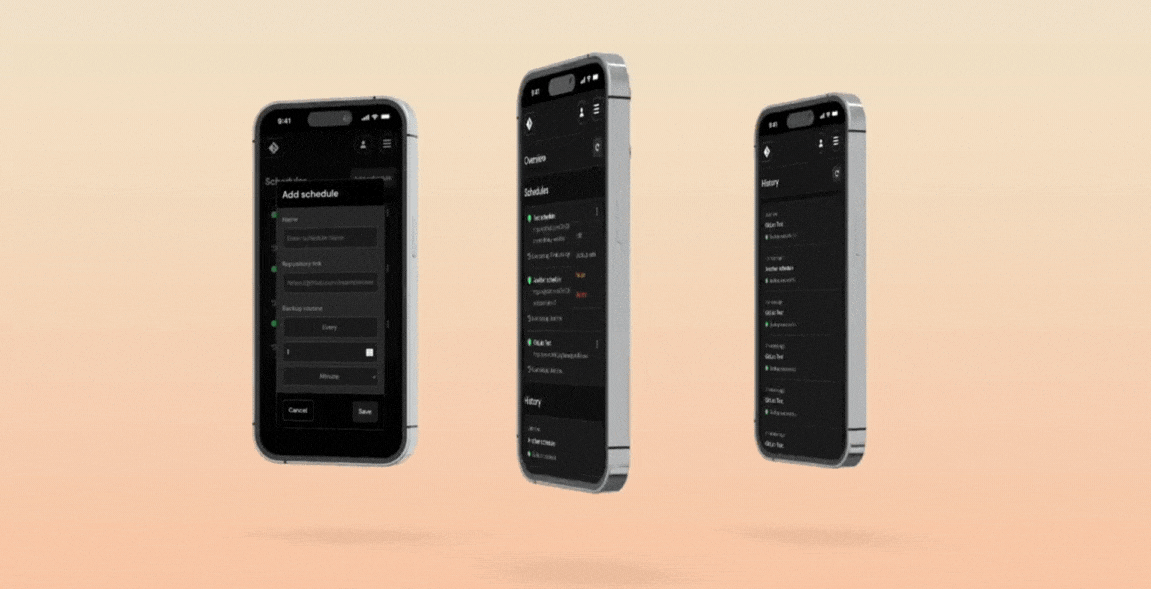
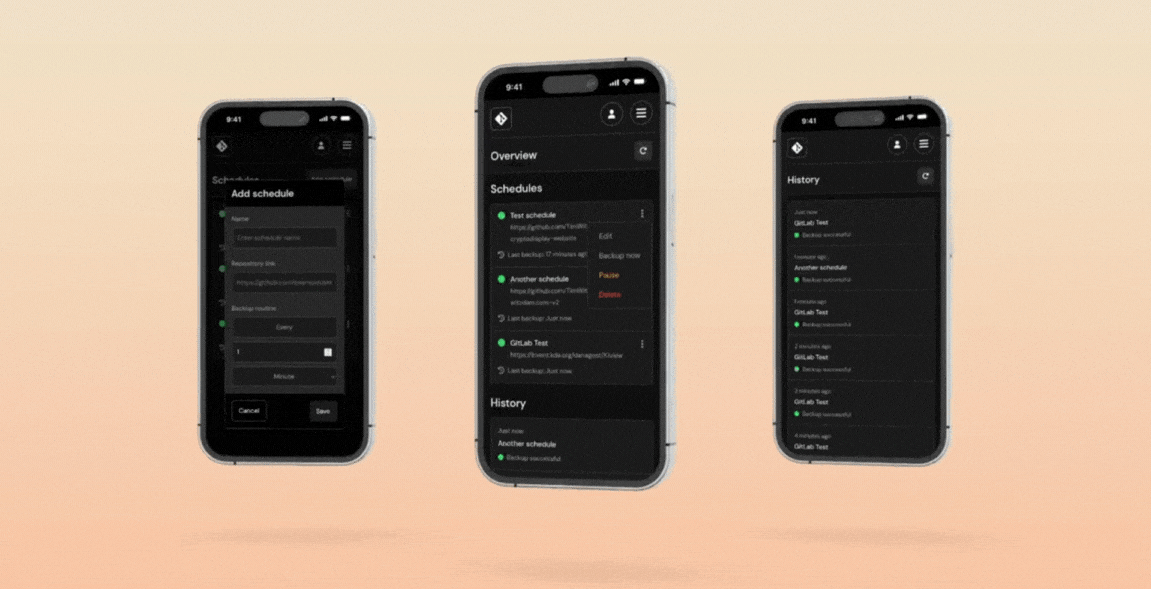
Open the app
About GitSave
GitSave keeps backups of your own and your favourite Git repositories. Add a repository, pick how often to back it up and how many copies to keep, and GitSave makes a full mirror clone on that schedule. Every install makes its own secret keys on first start.
Features
- A simple web page that works on phones too
- Backups on a schedule, with the number of copies to keep
- GitHub, GitLab and any other Git host, with access tokens for private repositories
- Pause and resume schedules
- A history of every backup run
- Back up to the backups folder or to an SMB share
How to use
- Open GitSave at
http://[ZIMAOS-IP-ADDRESS]:6181. - Make your account on the first page you see.
- For private repositories, add an access token under Settings.
- Open Schedules and add a repository, how often to back it up and how many copies to keep.
- The backups are in the backups folder of the app, or on your SMB share if you picked one under Settings.
Before you install
There is nothing to set first: JWT_SECRET and ENCRYPTION_SECRET are made on first start and kept in the data folder, so back that folder up. The first start takes about a minute. Then open http://[ZIMAOS-IP-ADDRESS]:6181 and make your account. GitSave only runs on amd64 (Intel and AMD) machines. The other settings are in the Variables tab; add them in the app settings.
The settings in the first table are already in the app settings. To use any other one, open the app settings, add the variable with your value, save, and the app restarts with it. A setting you leave out uses its default.
In the app settings
| Variable | Default value | Description |
|---|---|---|
TZ | $TZ | Your time zone, used for backup schedules. It is filled in from your ZimaOS time zone. Leave it unless you need another. |
Sign-in
| Variable | Default value | Description |
|---|---|---|
DISABLE_ | false | Set to true to turn off sign-in. Only do this when GitSave sits behind another login. |
Secrets
| Variable | Default value | Description |
|---|---|---|
JWT_ | — | Your own sign-in key. Leave it out: each install makes its own on first start and keeps it in the data folder as .jwt_secret. Changing it signs everyone out. |
ENCRYPTION_ | — | Your own key for saved access tokens, exactly 32 characters. Leave it out: each install makes its own on first start and keeps it in the data folder as .encryption_secret. Never change it afterwards, or saved tokens can't be read. |
Backups
| Variable | Default value | Description |
|---|---|---|
GIT_ | 15000 | How long a git command may run before it is stopped, in milliseconds. |
name: gitsave

services:
  gitsave:
    image: ghcr.io/hsinghhira/gitsave:latest
    container_name: gitsave
    restart: unless-stopped
    stop_grace_period: 30s
    network_mode: bridge
    environment:
      - TZ=$TZ
    ports:
      - target: 3000
        published: "6181"
        protocol: tcp
    volumes:
      - type: bind
        source: /DATA/AppData/$AppID/data
        target: /app/data
        bind:
          create_host_path: true
      - type: bind
        source: /DATA/AppData/$AppID/backups
        target: /app/backups
        bind:
          create_host_path: true
    healthcheck:
      test: ["CMD", "wget", "-q", "--spider", "http://127.0.0.1:3000/login"]
      interval: 30s
      timeout: 5s
      retries: 3
      start_period: 60s
    deploy:
      resources:
        limits:
          cpus: "1.00"
          memory: 1G
        reservations:
          cpus: "0.00"
          memory: 128M
    labels:
      icon: https://cdn.jsdelivr.net/gh/HSinghHira/IceStore@main/Apps/gitsave/icon.png
    x-casaos:
      id: com.icestore.gitsave
      envs:
        - container: TZ
          description:
            en_US: >-
              Your time zone, used for backup schedules. It is filled in from
              your ZimaOS time zone. Leave it unless you need another.
      ports:
        - container: "3000"
          description:
            en_US: GitSave web app, published on host as 6181
      volumes:
        - container: /app/data
          description:
            en_US: >-
              The SQLite database (GitSave.db) with your schedules, history and
              saved access tokens, plus .jwt_secret and .encryption_secret,
              this install's own keys made on first start. Back this folder
              up; saved tokens can't be read without .encryption_secret.
        - container: /app/backups
          description:
            en_US: >-
              The backups: one folder per schedule with a full mirror clone of
              the repository for each run.

x-casaos:
  id: com.icestore.gitsave
  architectures:
    - amd64
  main: gitsave
  author: HSinghHira
  category: Developer
  developer: TimWitzdam
  icon: https://cdn.jsdelivr.net/gh/HSinghHira/IceStore@main/Apps/gitsave/icon.png
  thumbnail: https://cdn.jsdelivr.net/gh/HSinghHira/IceStore@main/Apps/gitsave/screenshot-1.png
  screenshot_link:
    - https://cdn.jsdelivr.net/gh/HSinghHira/IceStore@main/Apps/gitsave/screenshot-1.png
    - https://cdn.jsdelivr.net/gh/HSinghHira/IceStore@main/Apps/gitsave/screenshot-2.png
    - https://cdn.jsdelivr.net/gh/HSinghHira/IceStore@main/Apps/gitsave/screenshot-3.png
  title:
    en_US: GitSave
  tagline:
    en_US: Back up your Git repositories on a schedule
  description:
    en_US: >-
      Visit: [https://icestore.hsinghhira.me/app/gitsave/](https://icestore.hsinghhira.me/app/gitsave/) for full details


      GitSave keeps backups of your own and your favourite Git repositories.
      Add a repository, pick how often to back it up and how many copies to
      keep, and GitSave makes a full mirror clone on that schedule. Every
      install makes its own secret keys on first start.


      **Features**


      - A simple web page that works on phones too

      - Backups on a schedule, with the number of copies to keep

      - GitHub, GitLab and any other Git host, with access tokens for
        private repositories

      - Pause and resume schedules

      - A history of every backup run

      - Back up to the backups folder or to an SMB share


      **How to use?**


      1. Open GitSave at http://[ZIMAOS-IP-ADDRESS]:6181.

      2. Make your account on the first page you see.

      3. For private repositories, add an access token under Settings.

      4. Open Schedules and add a repository, how often to back it up and
         how many copies to keep.

      5. The backups are in the backups folder of the app, or on your SMB
         share if you picked one under Settings.
  tips:
    before_install:
      en_US: >-
        1. There is nothing to set first. The secret keys are made for you.


        2. More settings are listed on the GitSave page at
           https://icestore.hsinghhira.me/app/gitsave/ (Variables tab). You
           can add them now or later in the app settings.


        3. Start the installation. Wait about a minute the first time.


        4. Open http://[ZIMAOS-IP-ADDRESS]:6181 and make your account.


        5. Add a schedule for each repository you want to back up.
  index: /
  port_map: "6181"
  scheme: http
  is_uncontrolled: false
  version: "1.4.0"
  update_at: "2026-10-30"
  release_notes:
    en_US: |-
      - First IceStore release, on port 6181
      - Built on timwitzdam/gitsave 1.4.0, plus a start script that makes each install's own JWT_SECRET and ENCRYPTION_SECRET
      - No secrets in the compose file: they are made on first start and kept in the data folder
      - amd64 only, like upstream
  repo: "https://github.com/TimWitzdam/GitSave"
  support: "https://github.com/TimWitzdam/GitSave/issues"
  docs: "https://github.com/TimWitzdam/GitSave#readme"
Install GitSave
Something not working with GitSave?
Report it so it gets fixed, or ask for an app that is not here yet.
 ZimaOS
 CasaOS
 Homeio

